• [AR0234M][XavierNX][JP5.1.4] Upgrading from 2 lanes to 4 lanes

    7
    1
    0 Votes
    7 Posts
    7k Views
    veye_xummV
    @dragos You are welcome.
  • SC535M设置默认相机参数画面显示不正常的问题

    24
    0 Votes
    24 Posts
    13k Views
    veye_xummV
    经过验证,xavier平台可以通过设置配置prefer_stride为64,分辨率是2432x2048的大小。但是tx2平台不行,还是得要求256的整数倍。
  • jetson tx2 + SC535M 一拖五 jetpack 4.6.x的驱动问题

    22
    1
    0 Votes
    22 Posts
    10k Views
    veye_xummV
    @dangal 你已经搞成了。 由于你只在i2c-30上接入了一个,因此只识别到了一个相机。其他i2c 31-35都报了读取寄存器错误,这是正常的。
  • Jetson Nano B01 MV IMX264

    7
    0 Votes
    7 Posts
    4k Views
    veye_xummV
    @otca I will continue discussing that issue with you in the other post.
  • RAW-MIPI-AR0234M 在NX平台下,2lane和4 lanes都无法采图

    18
    16
    0 Votes
    18 Posts
    7k Views
    veye_xummV
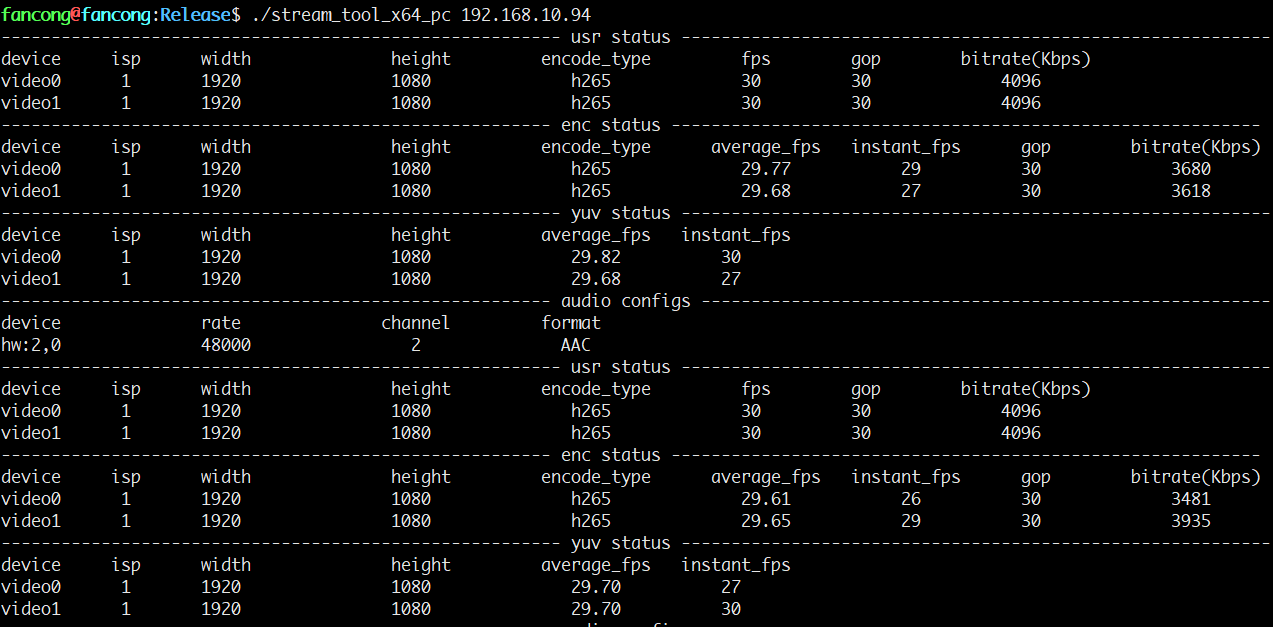
    @leibnitz 是的,qv4l2拿到图像,进行转码,搬移,预览,做了很多工作。整个pipeline的冗长和软件效率的问题导致预览无法达到相机的输出能力。 用下面https://wiki.veye.cc/index.php/Mv_series_camera_appnotes_4_jetson/zh#.E5.B8.A7.E7.8E.87.E7.BB.9F.E8.AE.A1 7.3.2 帧率统计 的命令来统计一下实际相机输出的帧率。
  • jetson系列csi和mv相机基于JetPack_4.6.5的驱动支持

    4
    0 Votes
    4 Posts
    3k Views
    veye_xummV
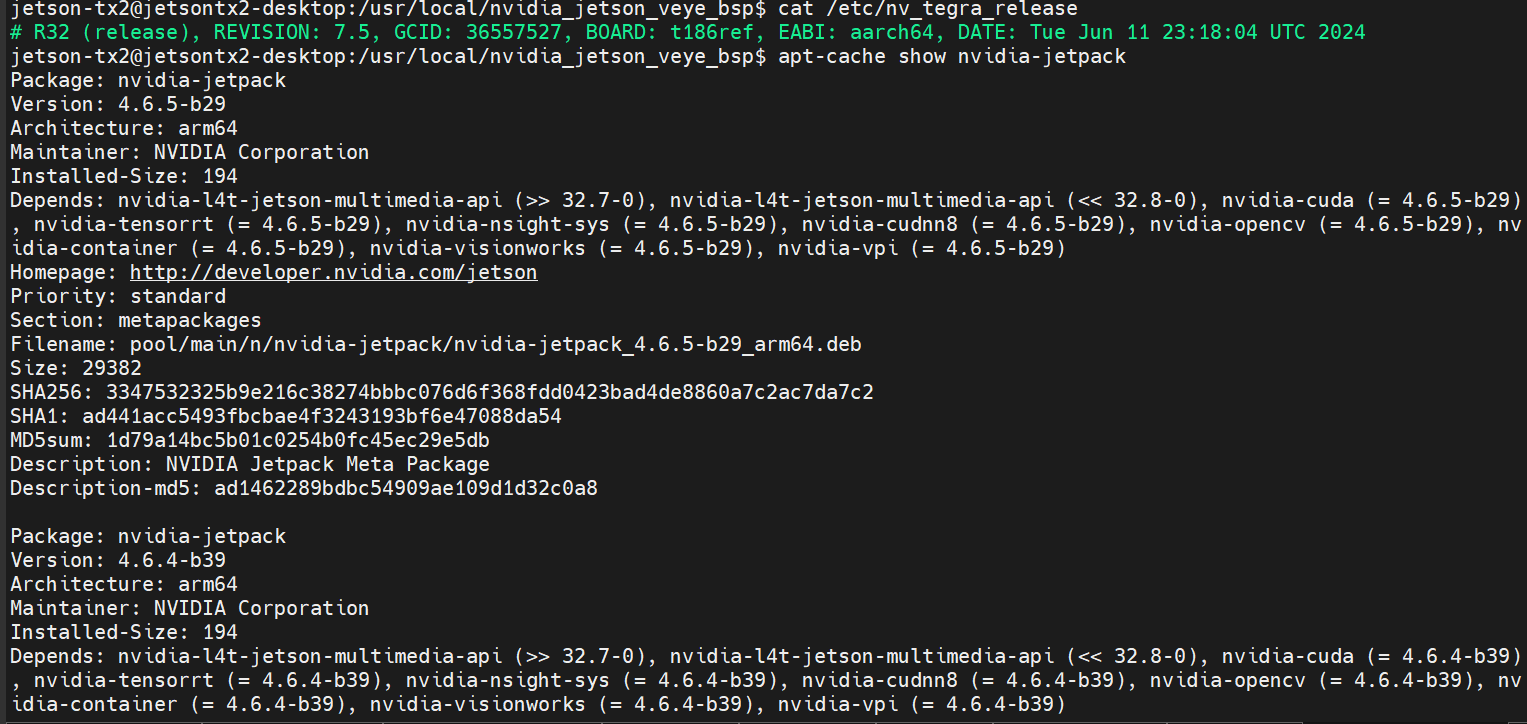
    @fancong 请参考: https://github.com/veyeimaging/nvidia_jetson_veye_bsp/releases/tag/v1.29
  • reComputer Xavier+327S stress testing - dma_alloc_coherent failed

    6
    0 Votes
    6 Posts
    5k Views
    N
    @newleaf BTW, the I2C features are nice and work quite well. Was able to port the code over to Go.
  • reComputer J202 Nano and 327S I2C bus issue

    3
    0 Votes
    3 Posts
    2k Views
    N
    Just wanted to provide a followup on this. Reached out to Seeed and they said they would order a camera and investigate further. I also had some success on the Nano by reducing the cable length between the Nano and the camera (using a CSI-HDMI adapter from Arducam). Worked sometimes on first boot. Then stopped. Regardless, we are nearing a deadline and decided to switch to the Xavier for a prototype. The Nano has been challenging due to reduced support from NVIDIA. I believe you are right about device tree. Something different from first boot compared to reboot. Even with the longer cable, it was 100% consistent with this strange behavior.
  • 基于VEYE系列相机CSI_IMX307的HTTP/RTSP推流方案

    1
    4
    0 Votes
    1 Posts
    2k Views
    No one has replied
  • normal trigger和High-speed trigger 有什么区别

    2
    2
    0 Votes
    2 Posts
    2k Views
    veye_xummV
    @lizi said in normal trigger和High-speed trigger 有什么区别: 这个的1和2是有什么区别吗? 2只有MV-MIPI-IMX178M支持,具体你可以看看这个地方。 @lizi said in normal trigger和High-speed trigger 有什么区别: 这里配置的这个时间是什么时间? 触发间隔。可以参考这个地方。
  • ROS开发相关

    2
    0 Votes
    2 Posts
    2k Views
    veye_xummV
    @chenxy 不好意思ros的我们暂时没有提供demo。
  • jetson nano 2GB无法识别相机 MV-MIPI-IMX264M

    39
    0 Votes
    39 Posts
    21k Views
    veye_xummV
    @hmj @hmj said in jetson nano 2GB无法识别相机 MV-MIPI-IMX264M: 出厂值后,出现如下错误 [ 57.016386] mvcam 7-003b: camera_common_mclk_enable: no device power rail [ 57.525021] mvcam 7-003b: camera_common_mclk_disable: no device power rail [ 57.531930] mvcam 8-003b: camera_common_mclk_enable: no device power rail [ 58.040414] mvcam 8-003b: camera_common_mclk_disable: no device power rail [ 58.047311] mvcam 7-003b: camera_common_mclk_enable: no device power rail [ 58.555198] mvcam 7-003b: csi2_try format [ 58.555205] mvcam 7-003b: mvcam_csi2_get_fmt_idx_by_code success [ 58.613896] video4linux video0: tegra_channel_s_ctrl: 10100856 set vi timeout disable 1 看起来这个没有错误。 不过你的程序好像给配置成了触发模式。 相机的参数是可以保存的,只要你通过脚本调用一下paramsave。 我的建议是你把摄像头恢复默认值——这样也就恢复为了图像流模式。 不要运行你的现在的程序——配置为触发啊之类的。 然后用qv4l2程序来取图看看。
  • This topic is deleted!

    1
    0 Votes
    1 Posts
    2 Views
    No one has replied
  • 磁盘空间满了 开机黑屏 如何强制进入命令行

    2
    0 Votes
    2 Posts
    2k Views
    veye_xummV
    @sugarrr 请查询一下nvidia的资料,或者到nvidia的forum上提问一下,他们这个论坛恢复挺及时,应该会有专业的恢复。
  • 0 Votes
    10 Posts
    4k Views
    veye_xummV
    此问题已线下解决,问题关闭。
  • jetson NX使用RAW-MIPI-SC132M驱动配置

    4
    0 Votes
    4 Posts
    2k Views
    veye_xummV
    @lb 这个产品不支持自动曝光,支持手动曝光。但是不是通过V4L2接口,而是通过shell脚本直接写寄存器的形式实现的。 具体可以参考: https://wiki.veye.cc/index.php/RAW-MIPI-SC132M_Index mv_mipi_i2c.sh 使用说明章节。
  • jetson-Nano emmc版本载板的veye驱动文件

    12
    0 Votes
    12 Posts
    5k Views
    veye_xummV
    @panguin @panguin said in jetson-Nano emmc版本载板的veye驱动文件: 您所说的extlinux.conf文件指的是主机还是开发板上的目录,应该是开发板吧? 是的
  • VEYE IMX-307 MIPI CSI camera drivers not working on Jetpack 5.0.2

    8
    4
    0 Votes
    8 Posts
    4k Views
    M
    @veye_xumm Hi, We are using Orin 32G and we have installed the jetpack on Nvme M.2 ssd. We will remove the ssd and try installing it in emmc storage.
  • jetson nano 在移植核后无法再烧录镜像

    2
    3
    0 Votes
    2 Posts
    2k Views
    veye_xummV
    @powerliusu 你的这几个操作并没有必然逻辑的相关性。 @powerliusu said in jetson nano 在移植核后无法再烧录镜像: apt-mark hold 这个的作用是标记一下防止后面apt upgrade的时候把kernel也升级掉。本身不是必须的步骤,你可以先忽略掉它。 @powerliusu said in jetson nano 在移植核后无法再烧录镜像: i2cdetect 总线1的10寄存器数值改了 这个命令的作用是检测某个i2cbus上存在哪些i2c设备,你用的是nanoa02,对应的i2cbus应该是6。 替换完成Image和dtb之后,重启,然后用i2cdetect -y -r 6作为辅助调试手段即可。 至于sd卡无法烧录,建议你格式化这个tf卡后再试一次,或者换个tf卡试一下。 整体上而言,步骤是:烧写标准系统-->更新Image和dtb-->系统重启-->检测状态。
  • AGX Xavier使用385问题

    12
    0 Votes
    12 Posts
    5k Views
    veye_xummV
    @bouncy 打印出来的帧率从30.26缓慢下降到30.00 这个是正常的。因为这个程序统计帧率是每秒钟统计一次,第一次统计会有1帧的误差,后面会逐渐逼近到最准确的数。 画面依然出现卡顿现象,请问这个原因可能是由什么引起的。 这个比较奇怪,在我这运行完全没问题。这里面用到的nvidconv是使用了硬件资源的。而且agx xavier性能干这点活,完全没有问题。 不知你的机器有没有同时干其他工作? 可以用jtop分析一下。