How to change cssc132 and ds90ub954 loading sequence?
-
@dmmoskalev
http://wiki.veye.cc/index.php/VEYE_CS_Camera_for_Jetson_TX2
Please refer to part 3.5.5.2 -
@veye_xumm Thank you for quick reply! I 'v seen this notes before and tried to run <insmod..> after boot, but failed. Now I removed cssc132.ko and ds90ub954.ko drivers from /lib/modules/5.10.104-tegra/kernel/drivers/media/i2c folder and ran <insmod> instructions manually. Now it works.
But I faced with the other problem: the picture is green))
According 4.2.1 Gstreamer Usage I try to preview 1280*1080@45 (CS-MIPI-SC132) with cmd:gst-launch-1.0 nvv4l2camerasrc ! "video/x-raw(memory:NVMM),format=(string)UYVY, width=(int)1280, height=(int)1080, framerate=(fraction)45/1" ! nvvidconv ! "video/x-raw(memory:NVMM),format=(string)I420" ! nv3dsink sync=false
 image url)
And I tested the direct connection of cs132 with the same flat cable and NX board - it works fine. But with fpdlink i'v got the green screen and app termination. Suppose this is the sync problems. How to solve it? Thank you a lot in advance! -
@dmmoskalev What length of fpdlink cable are you using? Can you take a picture of your device's connection and I'll take a look.
-
@veye_xumm FPD Link cable is 5m length. The photo of connections:
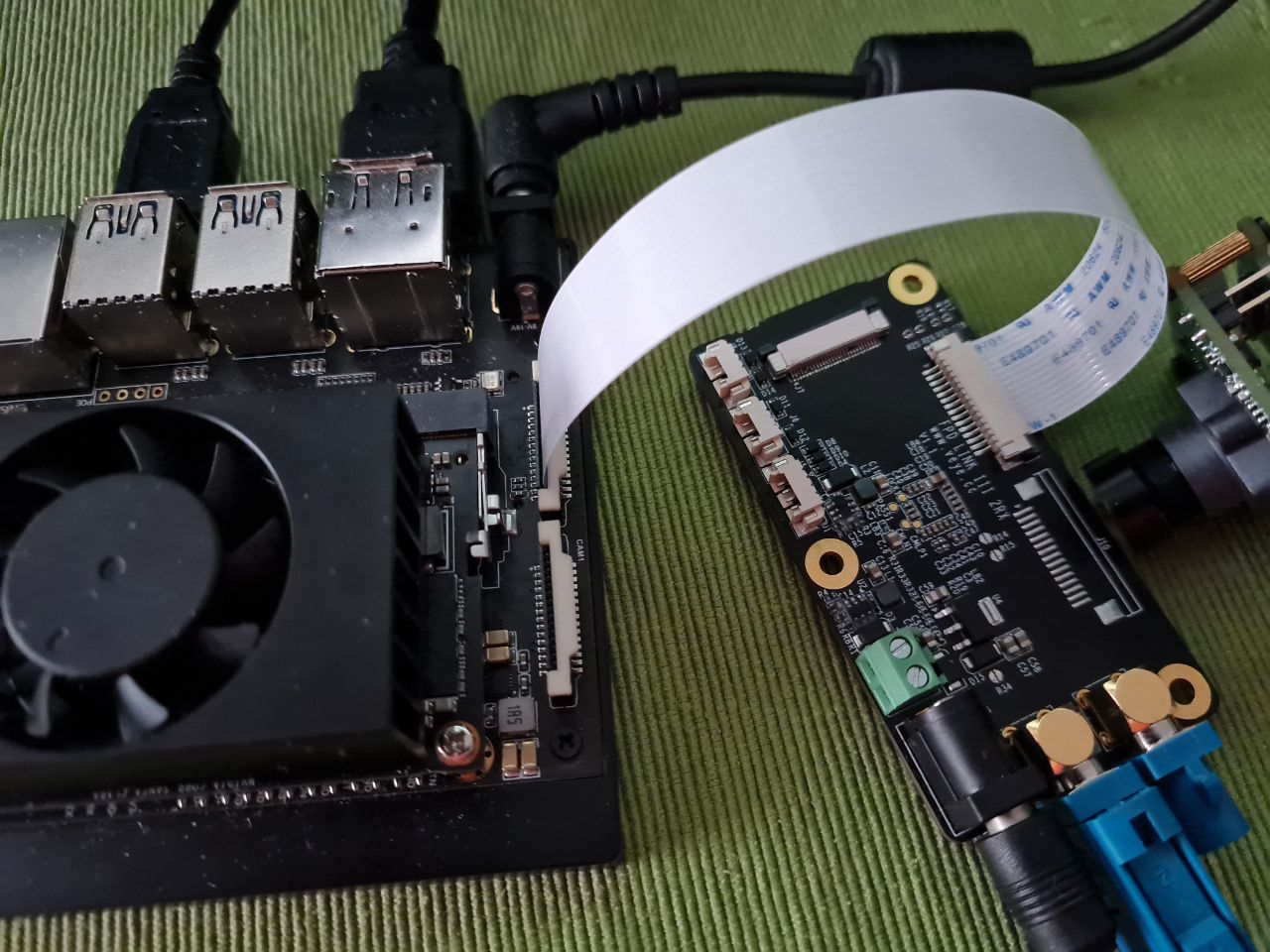
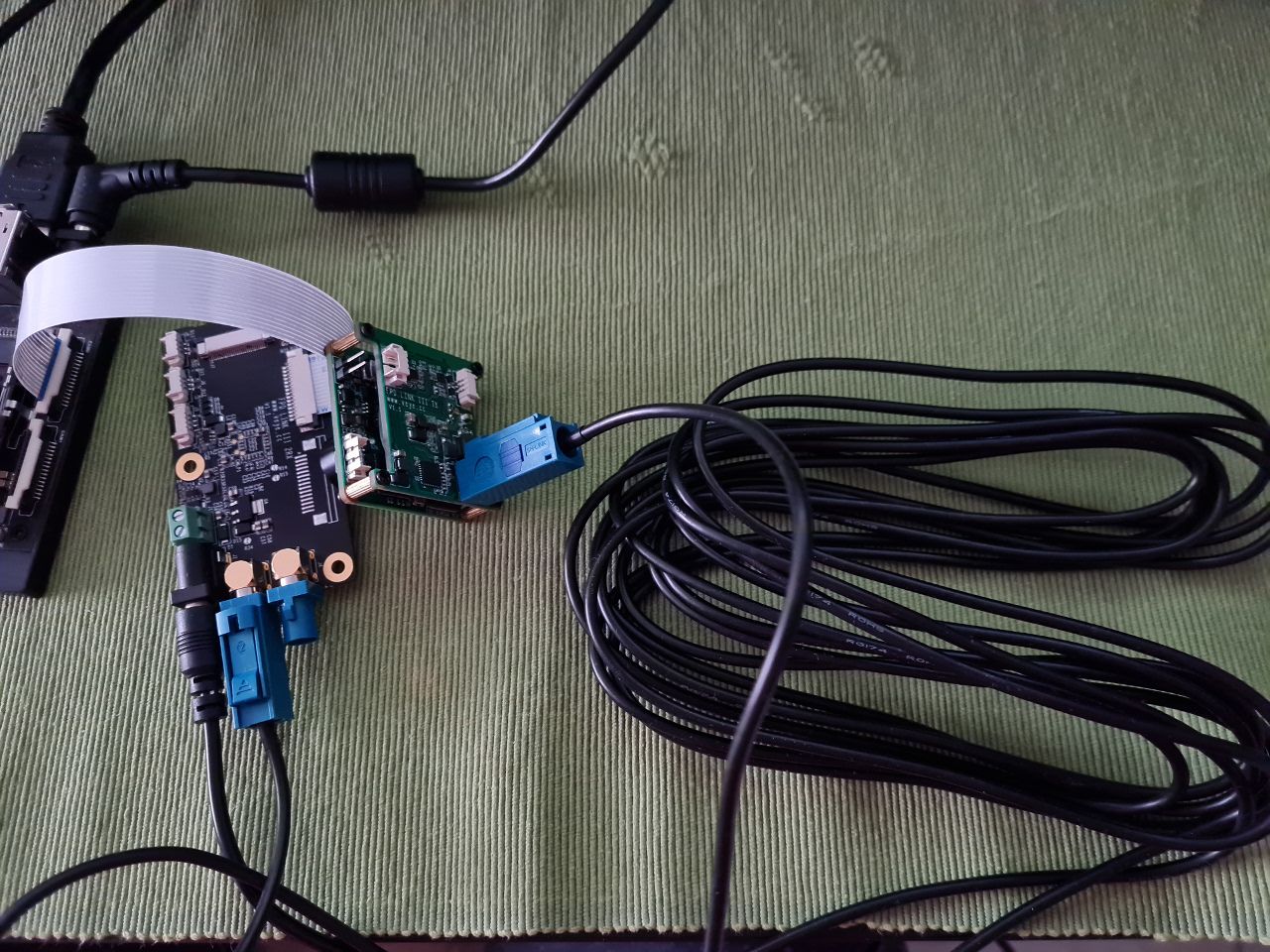
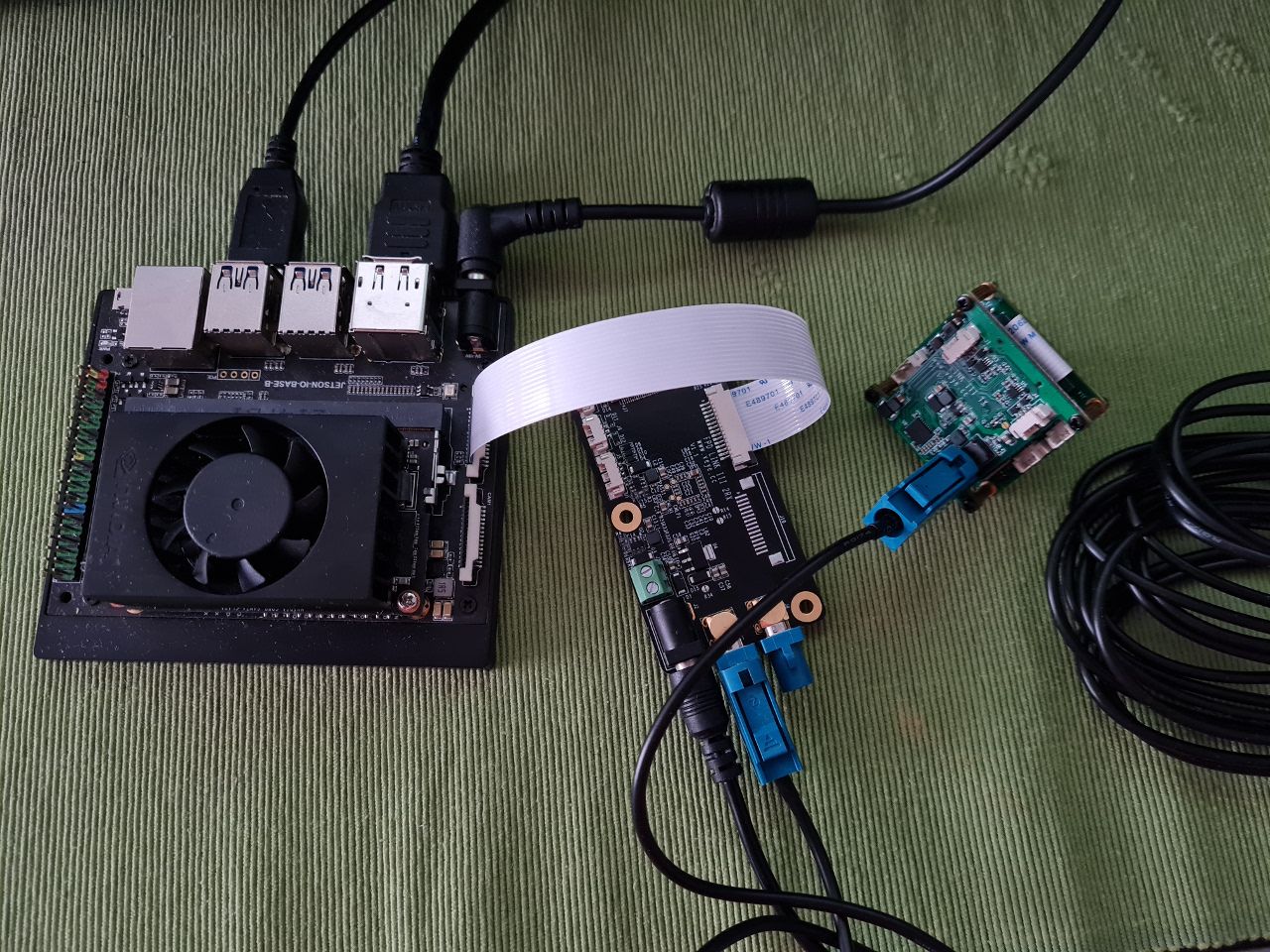
On the week I made additional research and noticed that my CS-MIPI-SC132 has wrong values in memory. For example, I tried to read all settings according http://wiki.veye.cc/index.php/CS-MIPI-X_i2c (pp5.3 - 5.33) but returned values were only 1 or 257 (depends on one or two bytes: 0000 0001 0000 0001 were reading). I tried to write the proper values in registers and read it in next cmd. Write cmd report was successful, but read cmd returned wrong values again. So I suspect the firmware in my SC132 cam need to be updated.
My next assumption about ISP in SC132 board. I suppose in my case the ISP does not work properly and as a result it not generate H,V sync to FPD Link serializer that is why there is no synchronization on image. FFMPEG and GStreamer give the error messages about abnormal framerate. But when I connect the same SC132 with the same flat cable to Jetson NX directly the image is OK, because on the Jetson board the internal ISP module get camera stream and detect sync signals correct.
How do you think, can the SC132 firmware update solve the problem? -
noticed that my CS-MIPI-SC132 has wrong values in memory.
But when I connect the same SC132 with the same flat cable to Jetson NX directly the image is OK
Based on your two descriptions, I think the camera module itself is fine, including the isp part.
The suspected problem point, then, is the state of the fpdlink link.
Since you can get /dev/video0 after using the manual insmod cmd, this means that the i2c bus is read correctly.
But why are all your i2c parameters read incorrectly through the fpdlink link? Did you apply the -b parameter correctly to specify the i2c bus? -
@veye_xumm Hi Xumm, thank you for support!
You are right, I forgott to add <-b 9> option in my case. Now I rewrite little the cs_mipi_i2c.sh (60: changed I2C_DEV=9;). And camera began to response as expected. Thank you!
By the way, I noticed a read_videofmtcap() function does not work. Please look at line 408 and 429:
408 while(( $i<$fmtnum ))
...
429 let "i++"I suppose it should be like:
408 while [ $i -lt $fmtnum ]
....
429 i=$(( $i + 1 ))After these changes the function works perfect.
But as of FPD Link I still has no idea how to solve it. I tried to apply different power sources +12V to FPD-LINK3-2RX and measured 9.5V on J3 and J4. Looks OK. But sync is still bad. Gstream gives the next report:
$ gst-launch-1.0 nvv4l2camerasrc ! "video/x-raw(memory:NVMM),format=(string)UYVY, width=(int)1280, height=(int)1080, framerate=(fraction)45/1" ! nvvidconv ! "video/x-raw(memory:NVMM),format=(string)I420" ! nv3dsink sync=false
Setting pipeline to PAUSED ...
Pipeline is live and does not need PREROLL ...
Setting pipeline to PLAYING ...
New clock: GstSystemClock
ERROR: from element /GstPipeline:pipeline0/GstNvV4l2CameraSrc:nvv4l2camerasrc0: Internal data stream error.
Additional debug info:
gstbasesrc.c(3072): gst_base_src_loop (): /GstPipeline:pipeline0/GstNvV4l2CameraSrc:nvv4l2camerasrc0:
streaming stopped, reason not-negotiated (-4)
Execution ended after 0:00:02.739304986
... -
@dmmoskalev I recorded the screen with bad sync during GStream running
[https://disk.yandex.ru/i/LfOs8kLEuRhICg](link url) -
@dmmoskalev
Please check the FFC cable connection between FPD-LINK3-TX and CS-MIPI-SC132 board. -
@veye_xumm I checked FFC by replacing by new one, it is OK.
-
@dmmoskalev Great!

Hello! It looks like you're interested in this conversation, but you don't have an account yet.
Getting fed up of having to scroll through the same posts each visit? When you register for an account, you'll always come back to exactly where you were before, and choose to be notified of new replies (either via email, or push notification). You'll also be able to save bookmarks and upvote posts to show your appreciation to other community members.
With your input, this post could be even better 💗
Register Login