VEYE IMAGING Forum
    • Categories
    • Tags
    • Recent
    • Popular
    • Users
    • WIKI
    • veye.cc
    • Register
    • Login

    MV-MIPI-IMX178M+树莓派4B+OSPI5.15,官网例程不能使用
    Scheduled Pinned Locked Moved Raspberry Pi App Software
    45 Posts 2 Posters 25.8k Views 1 Watching
    Loading More Posts
    • Oldest to Newest
    • Newest to Oldest
    • Most Votes
    Reply
    • Reply as topic
    Log in to reply
    This topic has been deleted. Only users with topic management privileges can see it.
    • veye_xummV Offline
      veye_xumm @maifengW2023
      last edited by

      @maifengw2023 你用的驱动是从源码编译的吗?用哪个目录下的编译的?

      M 1 Reply Last reply Reply Quote 0
      • M Offline
        maifengW2023 @veye_xumm
        last edited by

        @veye_xumm 直接下载的,我又做了系统,最新的5.15.84;
        wget https://github.com/veyeimaging/raspberrypi_v4l2/releases/latest/download/raspberrypi_v4l2.tgz

        veye_xummV 2 Replies Last reply Reply Quote 0
        • veye_xummV Offline
          veye_xumm @maifengW2023
          last edited by

          @maifengw2023 我们搭建环境复现一下你的问题。

          1 Reply Last reply Reply Quote 0
          • veye_xummV Offline
            veye_xumm @maifengW2023
            last edited by

            @maifengw2023 你好,这个问题已经解决,请从github下载最新的release并测试。

            M 1 Reply Last reply Reply Quote 0
            • M Offline
              maifengW2023 @veye_xumm
              last edited by maifengW2023

              @veye_xumm 需要重新安装驱动程序吗?链接地址方便发一下吗?
              另外能不能给个例程,修改曝光时间、修改增益及修改是否硬件触发的例程,非常感谢!

              veye_xummV 1 Reply Last reply Reply Quote 0
              • veye_xummV Offline
                veye_xumm @maifengW2023
                last edited by

                @maifengw2023

                @maifengw2023 said in MV-MIPI-IMX178M+树莓派4B+OSPI5.15,官网例程不能使用:

                需要重新安装驱动程序吗?链接地址方便发一下吗?

                需要
                wget https://github.com/veyeimaging/raspberrypi_v4l2/releases/latest/download/raspberrypi_v4l2.tgz

                @maifengw2023 said in MV-MIPI-IMX178M+树莓派4B+OSPI5.15,官网例程不能使用:

                另外能不能给个例程,修改曝光时间、修改增益及修改是否硬件触发的例程,非常感谢!

                按照wiki上脚本直接配置就可以。
                https://wiki.veye.cc/index.php/Mv_mipi_i2c.sh_user_guide

                M 1 Reply Last reply Reply Quote 0
                • M Offline
                  maifengW2023 @veye_xumm
                  last edited by maifengW2023

                  @veye_xumm
                  问题依旧啊!我先卸载了驱动,有重新下载安装驱动
                  4250a186-cc74-41a7-a714-8742f73ab57a-image.png
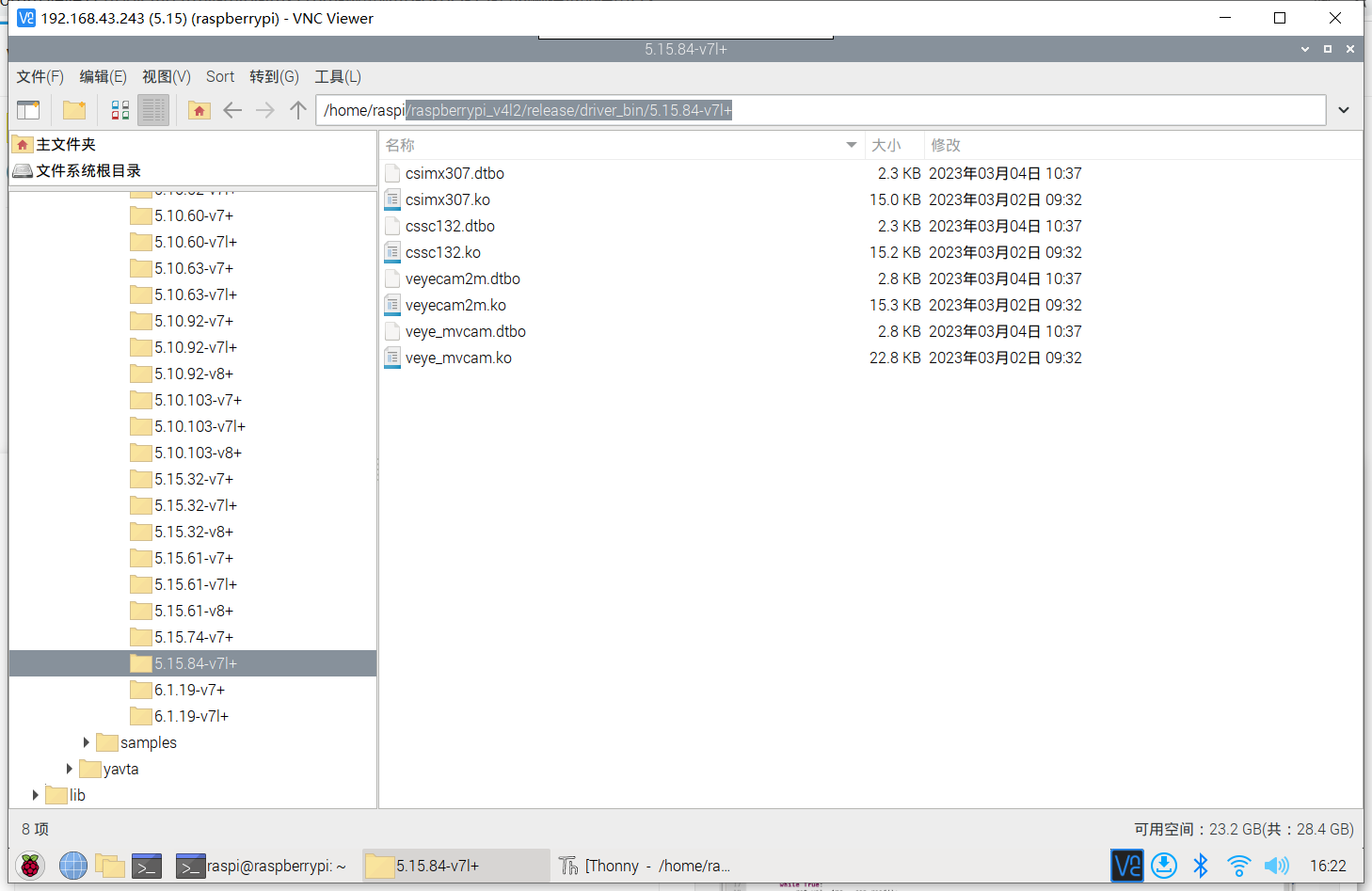
                  /raspberrypi_v4l2/release/driver_bin/5.15.84-v7l+ 这个文件夹下的还是老的文件
                  3b7bd927-d6c4-4c0f-ae3a-13995aef9791-image.png
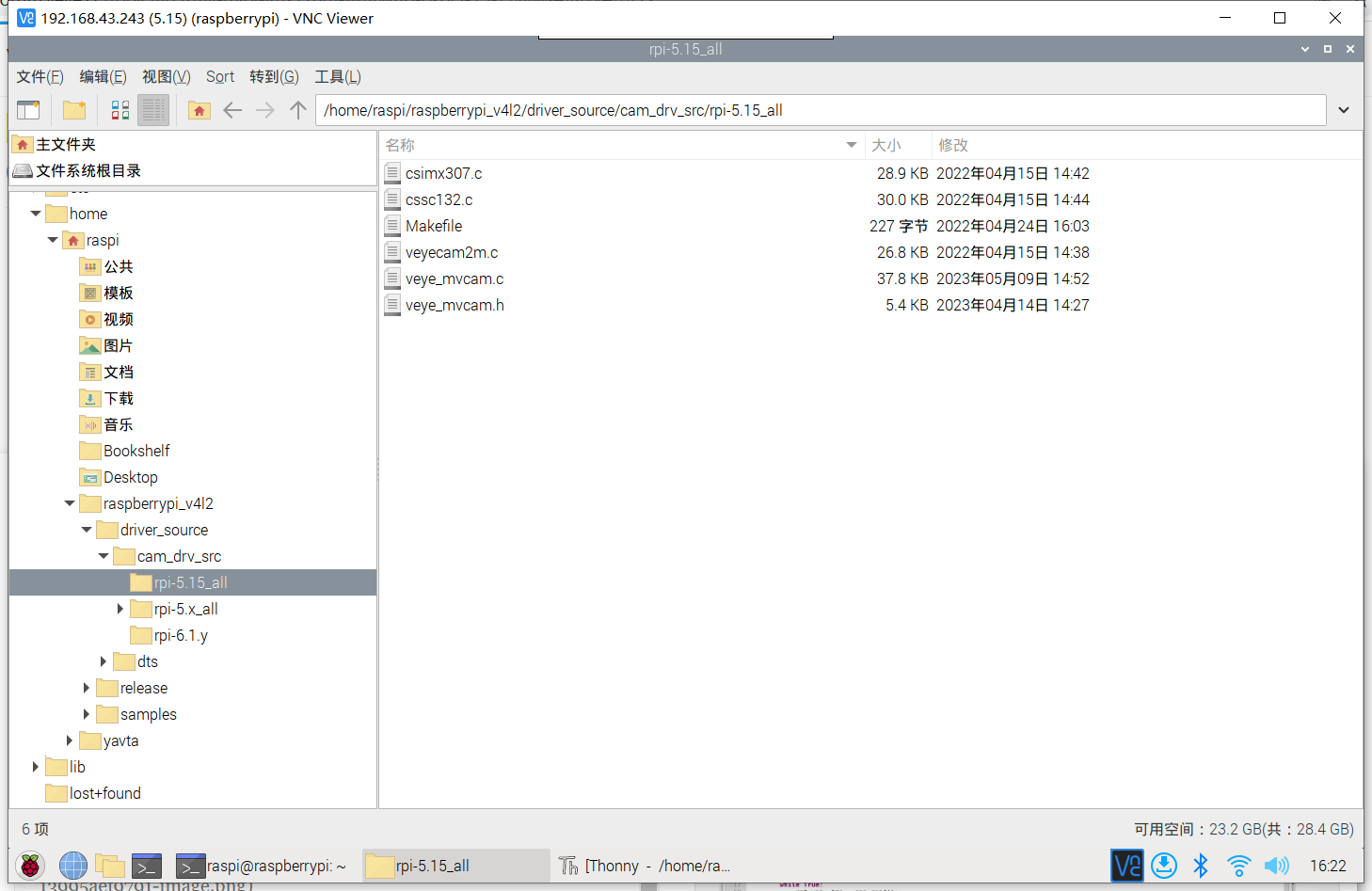
                  /raspberrypi_v4l2/driver_source/cam_drv_src/rpi-5.15_all 这个文件夹下是新的
                  0e70cfdf-5ebe-47a5-8029-89a99b81e832-image.png

                  veye_xummV 2 Replies Last reply Reply Quote 0
                  • veye_xummV Offline
                    veye_xumm @maifengW2023
                    last edited by

                    This post is deleted!
                    1 Reply Last reply Reply Quote 0
                    • veye_xummV Offline
                      veye_xumm @maifengW2023
                      last edited by

                      @maifengw2023 said in MV-MIPI-IMX178M+树莓派4B+OSPI5.15,官网例程不能使用:

                      5.15.84-v7l+

                      这个目录下的我手头的板子不是此版本,你需要在你的板子上编译一下,然后拷贝到此目录,再次安装。

                      M 3 Replies Last reply Reply Quote 0
                      • M Offline
                        maifengW2023 @veye_xumm
                        last edited by maifengW2023

                        @veye_xumm
                        郁闷死了,编译总是报错,没有内核下的build文件夹,又要下载更新,安装内核,原来系统就是因为问题,升级了系统,这样搞太不方便了,这个驱动形式兼容性需要解决一些,要不然不同的版本都需要编译驱动,这样有点不合适!
                        内核升级了,还是没有这个文件夹,哎!
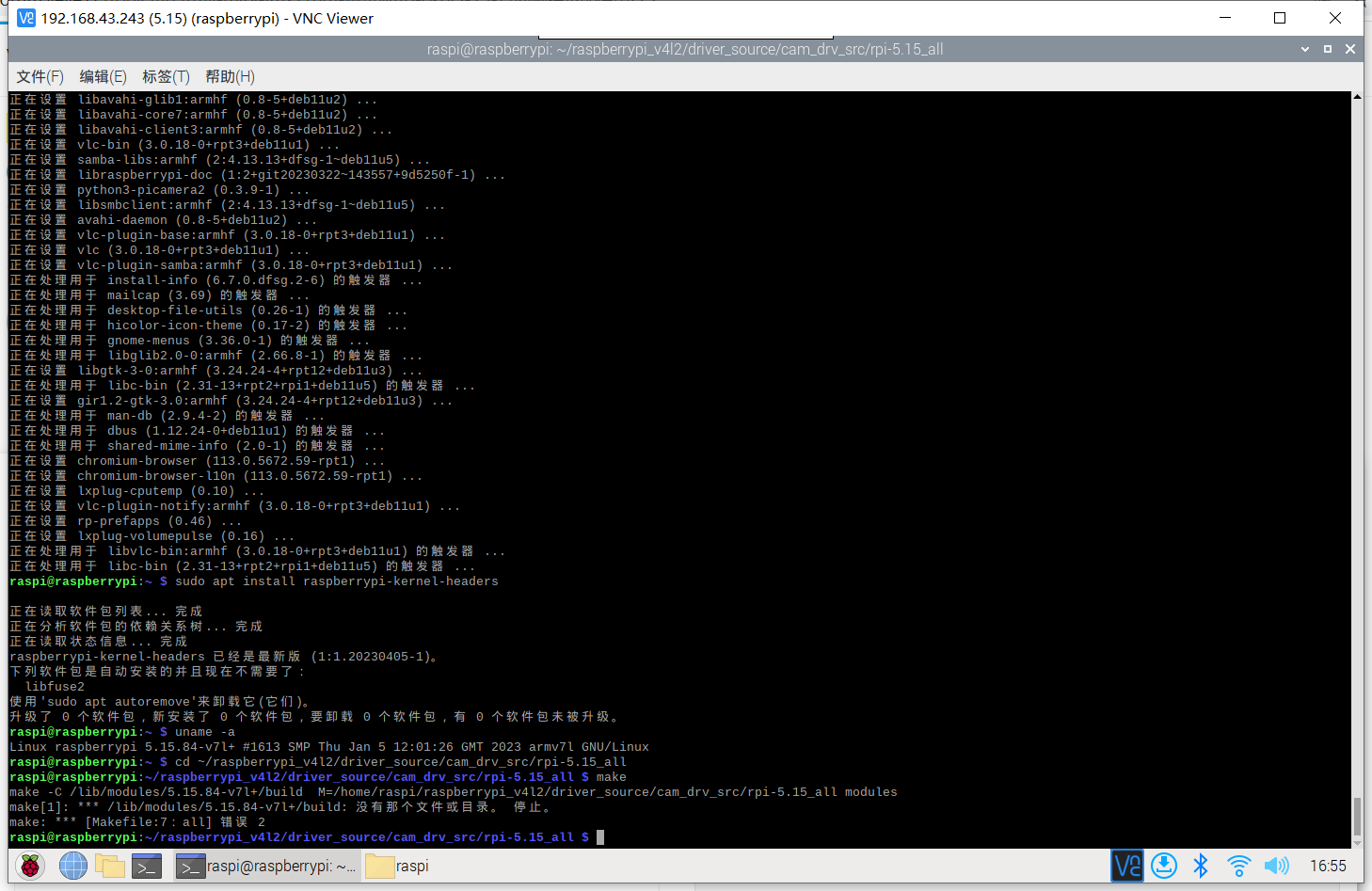
                        3dd5ec67-4e8d-45da-9442-d28379cedfdb-image.png

                        1 Reply Last reply Reply Quote 0
                        • M Offline
                          maifengW2023 @veye_xumm
                          last edited by maifengW2023

                          @veye_xumm
                          你们能帮忙编译一下吗?折腾这个内核,我都搞了两天了,昨天晚上搞到半夜,这个对系统级的操作还是有点不足,这样折腾真的受不了!
                          升级后的内核成最新的了Linux raspberrypi 6.1.21-v8+ #1642 SMP PREEMPT Mon Apr 3 17:24:16 BST 2023 aarch64 GNU/Linux😢

                          veye_xummV 1 Reply Last reply Reply Quote 0
                          • M Offline
                            maifengW2023 @veye_xumm
                            last edited by

                            @veye_xumm
                            2. 从这个链接中查找到对应当前的版本的deb安装包并安装。
                            tag请根据本机piOS版本与raspberrypi OS tags确定。

                            这个更新内核,我是不是应该下这个;
                            raspberrypi-kernel-headers_1.20230317-1_armhf.deb

                            veye_xummV 1 Reply Last reply Reply Quote 0
                            • veye_xummV Offline
                              veye_xumm @maifengW2023
                              last edited by

                              @maifengw2023 在整你说的这个版本的,等等。
                              ’Linux raspberrypi 6.1.21-v8+ #1642 SMP PREEMPT Mon Apr 3 17:24:16 BST 2023 aarch64 GNU/Linux‘

                              1 Reply Last reply Reply Quote 0
                              • veye_xummV Offline
                                veye_xumm @maifengW2023
                                last edited by

                                @maifengw2023
                                对于从32位系统升级的树莓派4,现在默认会给切换到64位,但是编译环境不全。
                                可以在/boot/config.txt中添加arm_64bit=0然后重启,切换回32bit模式。
                                我已编译好了6.1.21-v7l+版本,请留一个邮箱。收到后:

                                1. 在/boot/config.txt中添加arm_64bit=0然后重启,切换回32bit模式。
                                2. 按照正常步骤安装veye_mvcam驱动即可。
                                M 1 Reply Last reply Reply Quote 0
                                • M Offline
                                  maifengW2023 @veye_xumm
                                  last edited by

                                  @veye_xumm
                                  363071512@qq.com

                                  veye_xummV 1 Reply Last reply Reply Quote 0
                                  • veye_xummV Offline
                                    veye_xumm @maifengW2023
                                    last edited by

                                    @maifengw2023 已发

                                    M 1 Reply Last reply Reply Quote 0
                                    • M Offline
                                      maifengW2023 @veye_xumm
                                      last edited by

                                      @veye_xumm
                                      收到,我试试

                                      1 Reply Last reply Reply Quote 0
                                      • M Offline
                                        maifengW2023
                                        last edited by

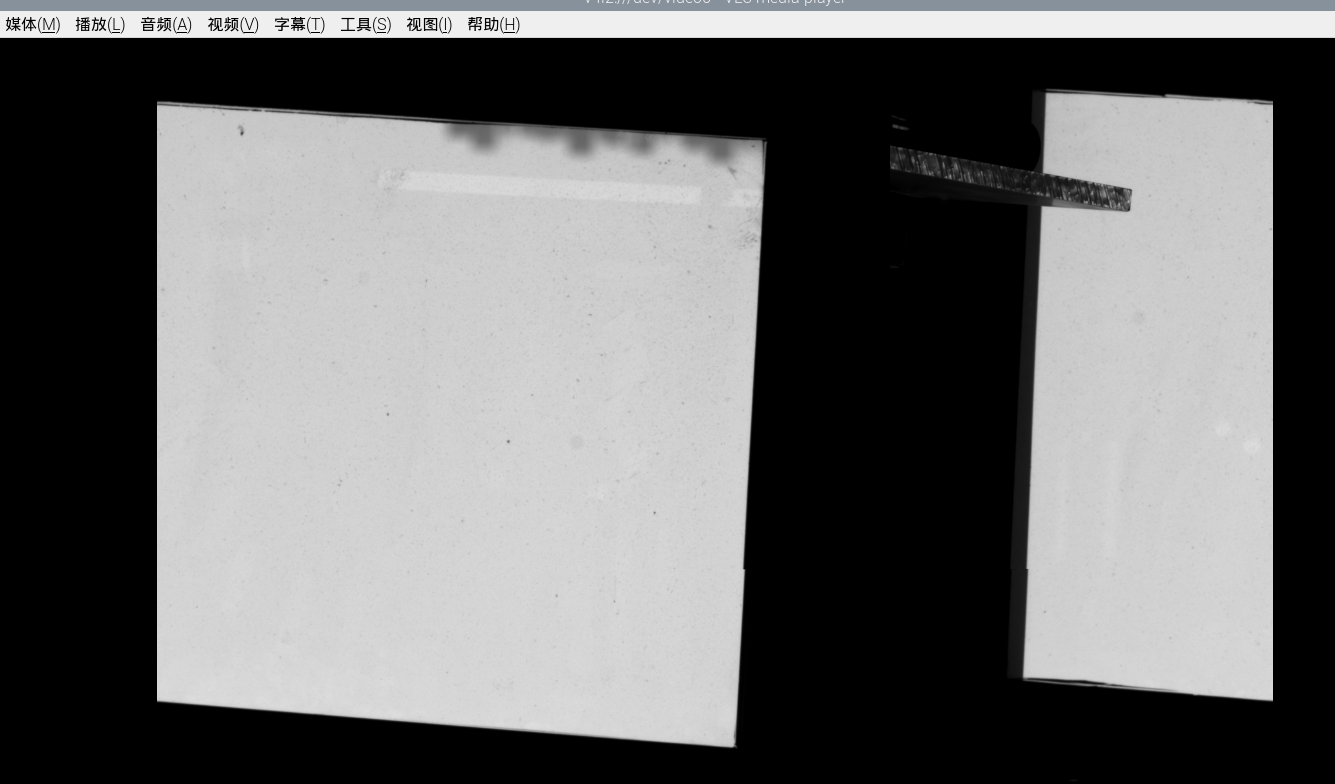
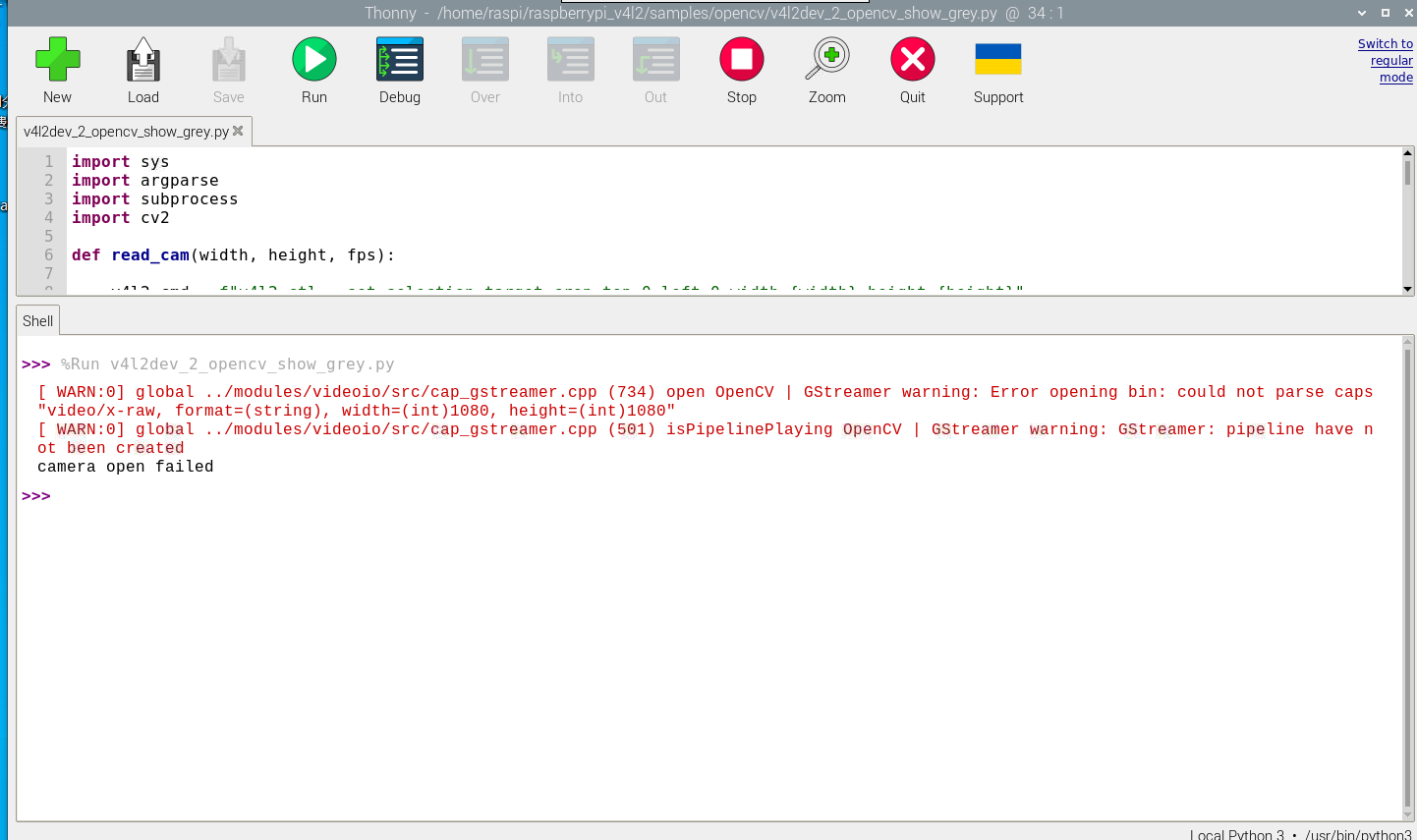
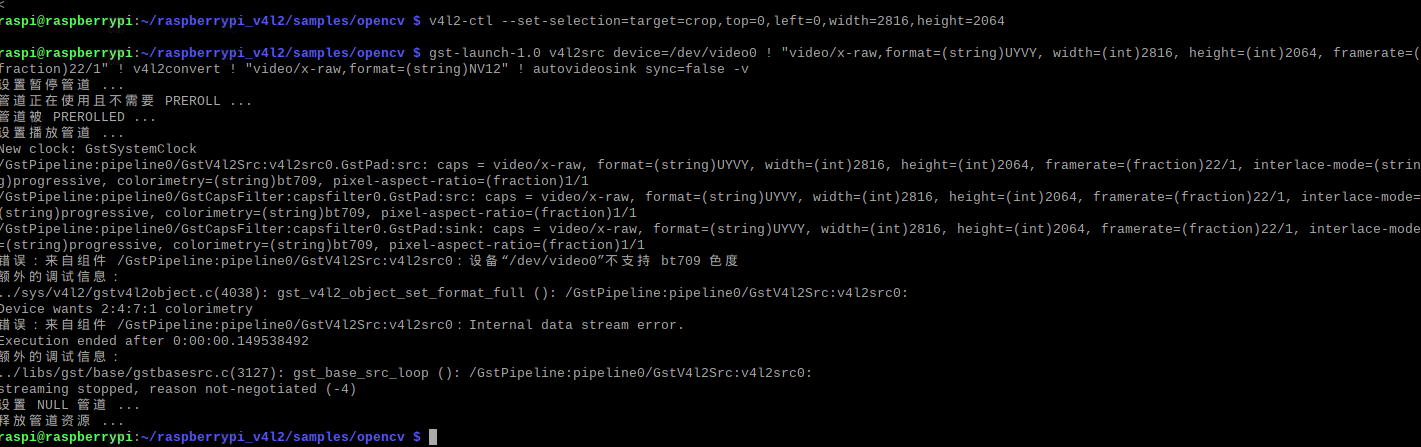
                                        在树莓派4B上,v4l2模式可以调用流模式的图像;但是在3088X2064模式下,VLC跟QT调取的图像都是两半;

                                        413c9fcd-b756-45a5-b616-8c1aa6c4e961-image.png
                                        请问IMX178M都支持多少的分辨率?
                                        流模式下,我可以用线程不停的刷图像,但是在外触发模式下,我在什么时机接收图像?像海康的提供的有摄像头的回调函数
                                        MyCamera->RegisterImageCallBack(ImageCallBack, this),
                                        咱们的有没有类似的功能?
                                        在178的wiki文档中还是没有找到设置曝光时间跟增益设置的指令,请帮忙提供链接;程序开发采用的是opencv+v4l2.

                                        M veye_xummV 2 Replies Last reply Reply Quote 0
                                        • M Offline
                                          maifengW2023 @maifengW2023
                                          last edited by

                                          @maifengw2023
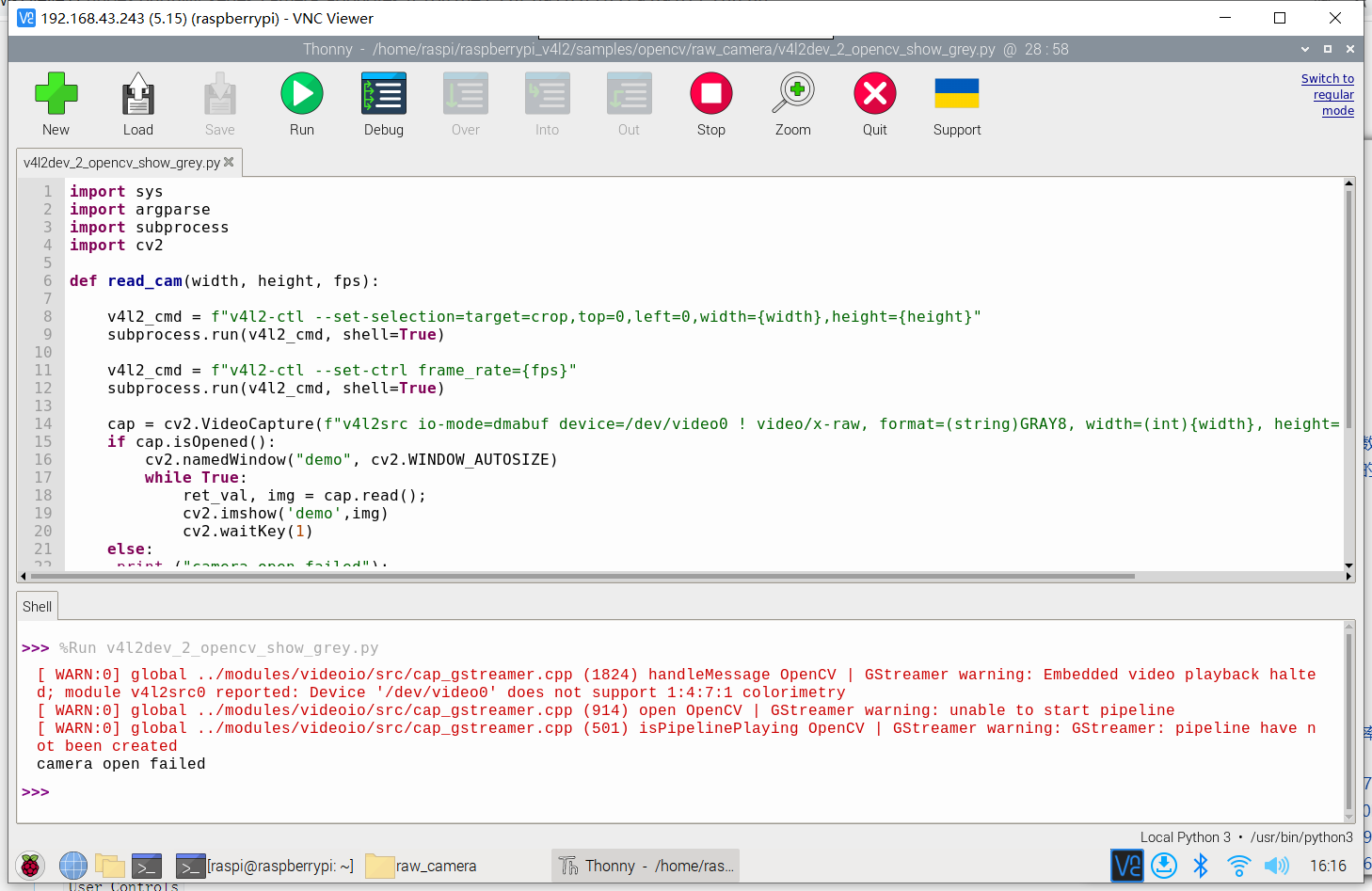
                                          例程在外触发模式下也不能正常显示图像,请帮忙诊断一下!

                                          1 Reply Last reply Reply Quote 0
                                          • veye_xummV Offline
                                            veye_xumm @maifengW2023
                                            last edited by

                                            @maifengw2023

                                            @maifengw2023 said in MV-MIPI-IMX178M+树莓派4B+OSPI5.15,官网例程不能使用:

                                            请问IMX178M都支持多少的分辨率?

                                            相机支持灵活的roi配置,通过脚本或者v4l2-ctl可以配置的。

                                            @maifengw2023 said in MV-MIPI-IMX178M+树莓派4B+OSPI5.15,官网例程不能使用:

                                            流模式下,我可以用线程不停的刷图像,但是在外触发模式下,我在什么时机接收图像?像海康的提供的有摄像头的回调函数
                                            MyCamera->RegisterImageCallBack(ImageCallBack, this),
                                            咱们的有没有类似的功能?

                                            使用v4l2接口持续获取即可,如果有触发,则底层就会图返回上来。

                                            @maifengw2023 said in MV-MIPI-IMX178M+树莓派4B+OSPI5.15,官网例程不能使用:

                                            在178的wiki文档中还是没有找到设置曝光时间跟增益设置的指令,请帮忙提供链接;程序开发采用的是opencv+v4l2.

                                            https://wiki.veye.cc/index.php/Mv_mipi_i2c.sh_user_guide#expmode
                                            从6.6往后看即可。

                                            @maifengw2023 said in MV-MIPI-IMX178M+树莓派4B+OSPI5.15,官网例程不能使用:

                                            例程在外触发模式下也不能正常显示图像,请帮忙诊断一下!

                                            感觉你现在这个应该是摄像机分辨率和你显示的地方以为的分辨率不一致。最好通过脚本读取一下roi,跟你的程序对比一下。

                                            M 1 Reply Last reply Reply Quote 0

                                            Hello! It looks like you're interested in this conversation, but you don't have an account yet.

                                            Getting fed up of having to scroll through the same posts each visit? When you register for an account, you'll always come back to exactly where you were before, and choose to be notified of new replies (either via email, or push notification). You'll also be able to save bookmarks and upvote posts to show your appreciation to other community members.

                                            With your input, this post could be even better 💗

                                            Register Login
                                            • First post
                                              Last post