jetson nano 在移植核后无法再烧录镜像
-
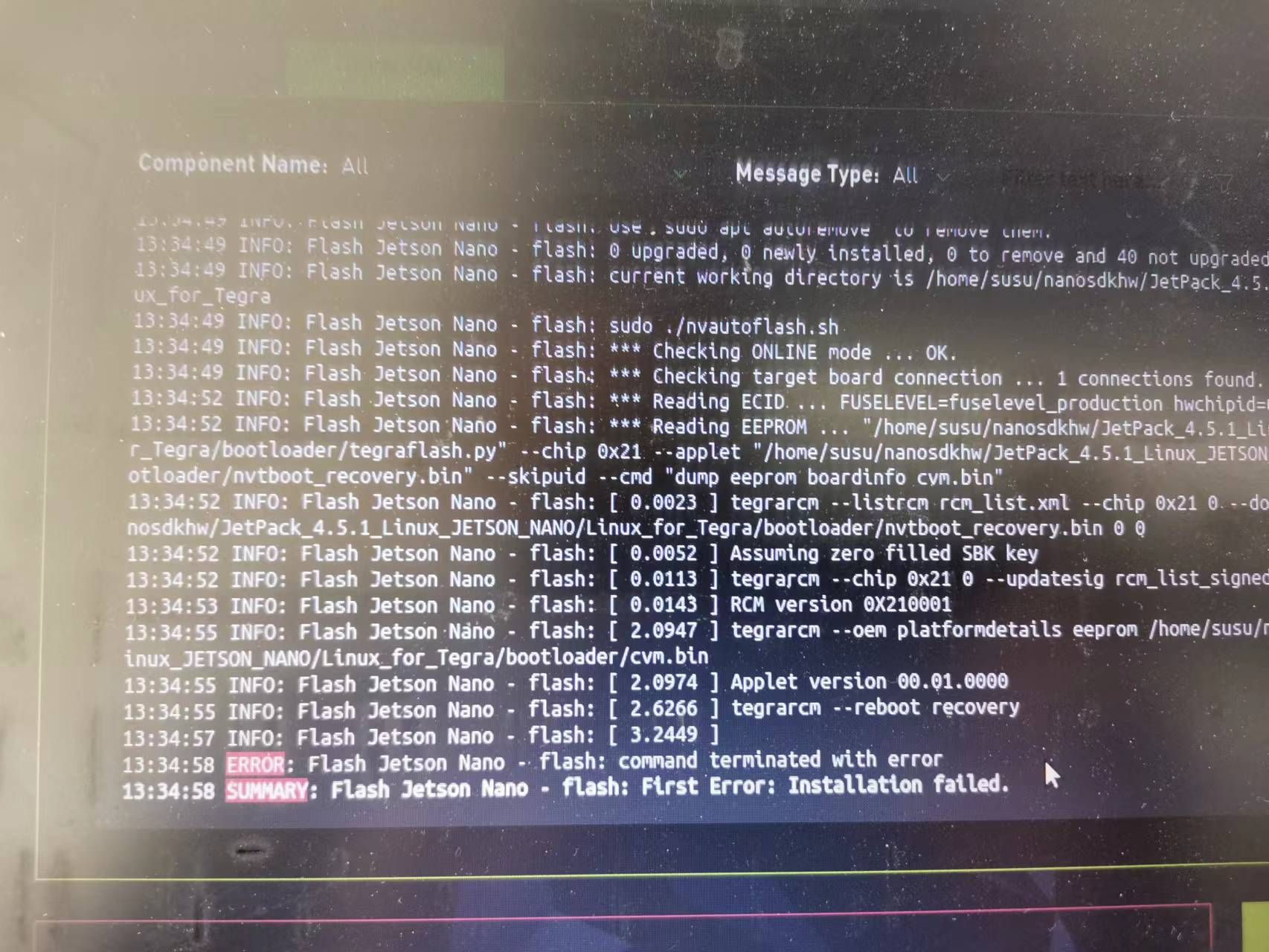
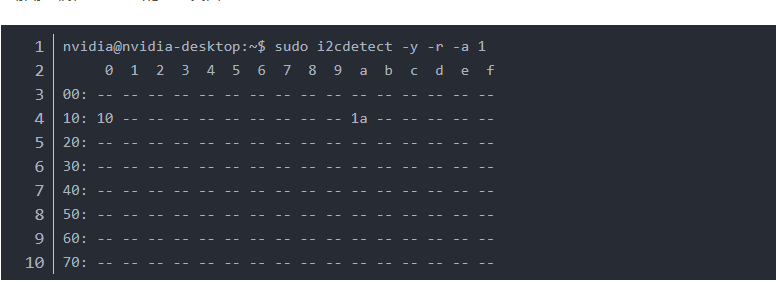

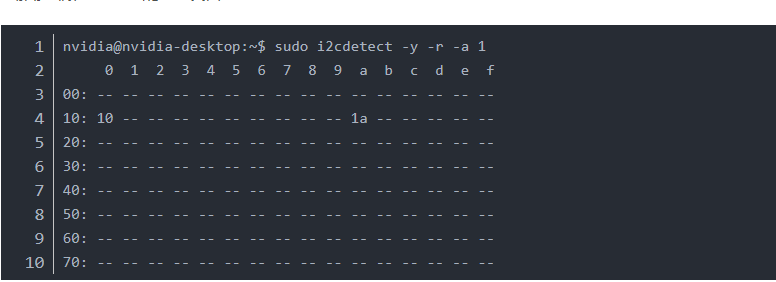
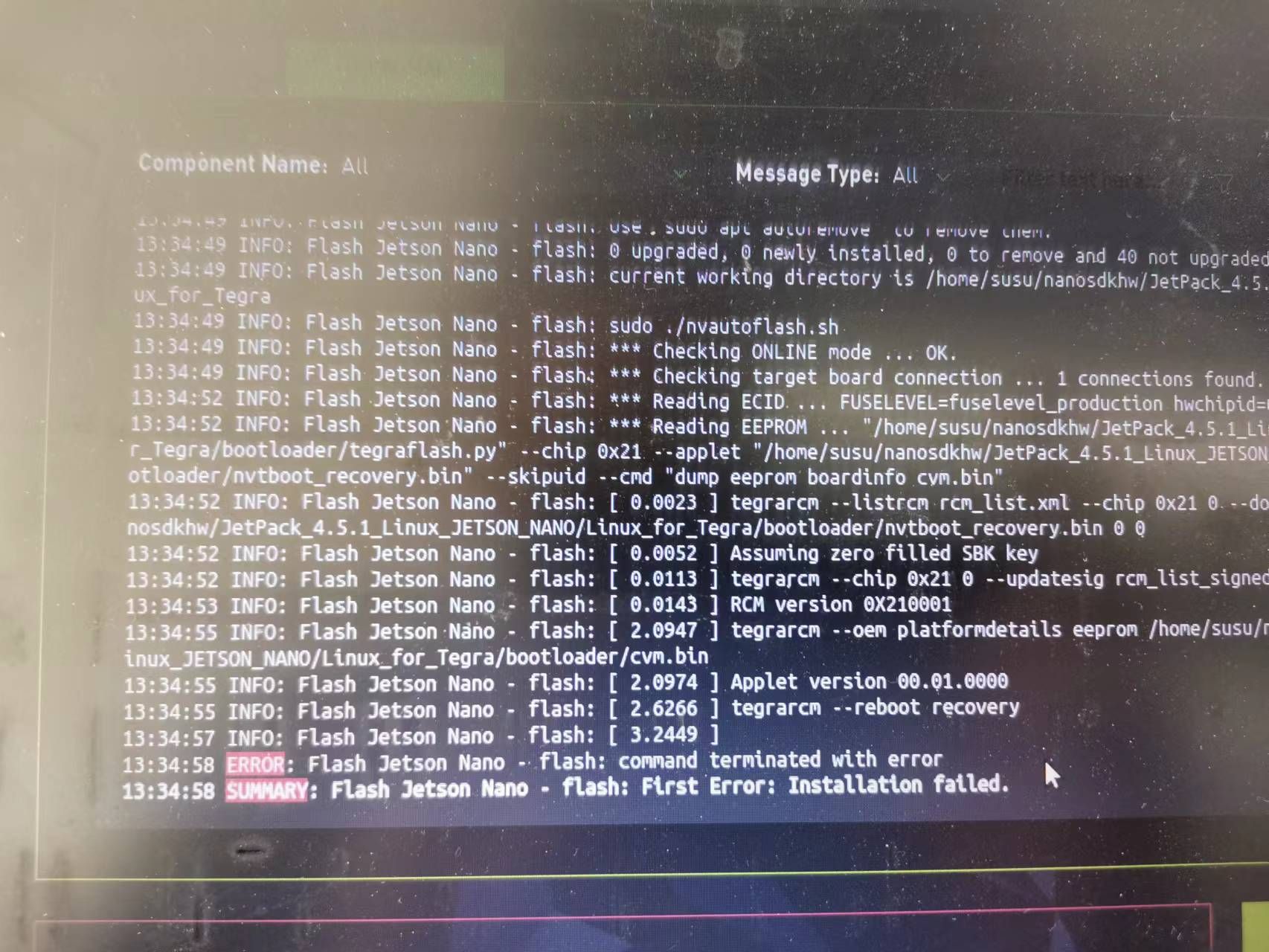
想请教下, 我先执行图3的apt-mark hold 然后用i2cdetect 总线1的10寄存器数值改了。然后系统重启后就黑屏了。 我重新用sdkmanage烧录提示error sd卡镜像也是黑屏。请大佬给解答下
-
@powerliusu
你的这几个操作并没有必然逻辑的相关性。@powerliusu said in jetson nano 在移植核后无法再烧录镜像:
apt-mark hold
这个的作用是标记一下防止后面apt upgrade的时候把kernel也升级掉。本身不是必须的步骤,你可以先忽略掉它。
@powerliusu said in jetson nano 在移植核后无法再烧录镜像:
i2cdetect 总线1的10寄存器数值改了
这个命令的作用是检测某个i2cbus上存在哪些i2c设备,你用的是nanoa02,对应的i2cbus应该是6。 替换完成Image和dtb之后,重启,然后用i2cdetect -y -r 6作为辅助调试手段即可。
至于sd卡无法烧录,建议你格式化这个tf卡后再试一次,或者换个tf卡试一下。
整体上而言,步骤是:烧写标准系统-->更新Image和dtb-->系统重启-->检测状态。

Hello! It looks like you're interested in this conversation, but you don't have an account yet.
Getting fed up of having to scroll through the same posts each visit? When you register for an account, you'll always come back to exactly where you were before, and choose to be notified of new replies (either via email, or push notification). You'll also be able to save bookmarks and upvote posts to show your appreciation to other community members.
With your input, this post could be even better 💗
Register Login