cssc132 (Raspberry pi 5). Not a video capture device. /dev/videoXX: No such device
-
This post is deleted! -
@sheko
The RAW-MIPI-SC132M module requires the mvcam driver, not cssc132. -
@veye_xumm , Where can I get the driver I need?
-
-
@veye_xumm The video is not displayed in the program
sheko@raspberrypi:~/mv_tools_rpi $ ./mv_mipi_i2c_new.sh
Usage: ./mv_mipi_i2c_new.sh [-r/w] [function name] [param1] [param2 ] [param3] [param4] -b bus
options:
-r read
-w write
[function name] function name
[param1] param1 of each function
[param1] param2 of each function
[param3] param3 of each function
[param4] param4 of each function
-b [i2c bus num] i2c bus number
-d [i2c addr] i2c addr if not default 0x3b
Please open this srcipt and read the COMMENT on top for support functions and samples
sheko@raspberrypi:~/mv_tools_rpi $ ./mv_mipi_i2c_new.sh -r manufacturer -b 11
./mv_mipi_i2c_new.sh: line 453: Read i2c err -1
-36345312: syntax error in expression (error token is "i2c err -1
-36345312")sheko@raspberrypi:~/mv_tools_rpi $ ./mv_mipi_i2c_new.sh -r manufacturer -b 10
Manufacturer is VEYEsheko@raspberrypi:~/mv_tools_rpi $ ./mv_mipi_i2c_new.sh -r version -b 10
version is C 01.04 and L 00.00sheko@raspberrypi:~/mv_tools_rpi $ ./mv_mipi_i2c_new.sh -r errcode -b 10
errcode is 0x0sheko@raspberrypi:~/mv_tools_rpi $ ./mv_mipi_i2c_new.sh -r fmtcap -b 10
fmtcap is 0x3sheko@raspberrypi:~/mv_tools_rpi $ ./mv_mipi_i2c_new.sh -r readmodecap -b 10
r read mode capbility is 0x3sheko@raspberrypi:~/mv_tools_rpi $ ./mv_mipi_i2c_new.sh -r i2caddr -b 10
r i2c addr is 0x01sheko@raspberrypi:~/mv_tools_rpi $ ./mv_mipi_i2c_new.sh -r minwh -b 10
r ROI min width is -1 height is -1sheko@raspberrypi:~/mv_tools_rpi $ ./mv_mipi_i2c_new.sh -w imgacq [0/1] -b 10
./mv_mipi_i2c_new.sh: line 615: printf: [0/1]: invalid number
w image acq is 00sheko@raspberrypi:~/mv_tools_rpi $ ./mv_mipi_i2c_new.sh -w trgmode [0,2] -b 10
./mv_mipi_i2c_new.sh: line 815: printf: [0,2]: invalid number
w trigger mode is 0sheko@raspberrypi:~ $ dmesg | grep mvcam
[ 0.029049] /axi/pcie@1000120000/rp1/i2c@80000/veyemvcam@3b: Fixed dependency cycle(s) with /axi/pcie@1000120000/rp1/csi@128000
[ 0.029059] /axi/pcie@1000120000/rp1/i2c@88000/veyemvcam@3b: Fixed dependency cycle(s) with /axi/pcie@1000120000/rp1/csi@110000
[ 0.029082] /axi/pcie@1000120000/rp1/csi@110000: Fixed dependency cycle(s) with /axi/pcie@1000120000/rp1/i2c@88000/veyemvcam@3b
[ 0.029089] /axi/pcie@1000120000/rp1/csi@128000: Fixed dependency cycle(s) with /axi/pcie@1000120000/rp1/i2c@80000/veyemvcam@3b
[ 0.029211] /axi/pcie@1000120000/rp1/i2c@80000/veyemvcam@3b: Fixed dependency cycle(s) with /axi/pcie@1000120000/rp1/csi@128000
[ 0.029221] /axi/pcie@1000120000/rp1/i2c@88000/veyemvcam@3b: Fixed dependency cycle(s) with /axi/pcie@1000120000/rp1/csi@110000
[ 0.029246] /axi/pcie@1000120000/rp1/csi@110000: Fixed dependency cycle(s) with /axi/pcie@1000120000/rp1/i2c@88000/veyemvcam@3b
[ 0.029254] /axi/pcie@1000120000/rp1/csi@128000: Fixed dependency cycle(s) with /axi/pcie@1000120000/rp1/i2c@80000/veyemvcam@3b
[ 0.410283] /axi/pcie@1000120000/rp1/i2c@80000/veyemvcam@3b: Fixed dependency cycle(s) with /axi/pcie@1000120000/rp1/csi@128000
[ 0.410360] /axi/pcie@1000120000/rp1/i2c@88000/veyemvcam@3b: Fixed dependency cycle(s) with /axi/pcie@1000120000/rp1/csi@110000
[ 0.410672] /axi/pcie@1000120000/rp1/i2c@88000/veyemvcam@3b: Fixed dependency cycle(s) with /axi/pcie@1000120000/rp1/csi@110000
[ 0.410689] /axi/pcie@1000120000/rp1/csi@110000: Fixed dependency cycle(s) with /axi/pcie@1000120000/rp1/i2c@88000/veyemvcam@3b
[ 0.410753] /axi/pcie@1000120000/rp1/i2c@80000/veyemvcam@3b: Fixed dependency cycle(s) with /axi/pcie@1000120000/rp1/csi@128000
[ 0.410767] /axi/pcie@1000120000/rp1/csi@128000: Fixed dependency cycle(s) with /axi/pcie@1000120000/rp1/i2c@80000/veyemvcam@3b
[ 0.676352] /axi/pcie@1000120000/rp1/csi@128000: Fixed dependency cycle(s) with /axi/pcie@1000120000/rp1/i2c@80000/veyemvcam@3b
[ 0.676383] /axi/pcie@1000120000/rp1/i2c@80000/veyemvcam@3b: Fixed dependency cycle(s) with /axi/pcie@1000120000/rp1/csi@128000
[ 0.676753] /axi/pcie@1000120000/rp1/csi@110000: Fixed dependency cycle(s) with /axi/pcie@1000120000/rp1/i2c@88000/veyemvcam@3b
[ 0.676776] /axi/pcie@1000120000/rp1/i2c@88000/veyemvcam@3b: Fixed dependency cycle(s) with /axi/pcie@1000120000/rp1/csi@110000
[ 3.139990] rp1-cfe 1f00110000.csi: found subdevice /axi/pcie@1000120000/rp1/i2c@88000/veyemvcam@3b
[ 3.142880] rp1-cfe 1f00128000.csi: found subdevice /axi/pcie@1000120000/rp1/i2c@80000/veyemvcam@3b
[ 3.157307] veye_mvcam: loading out-of-tree module taints kernel.
[ 3.198535] mvcam 11-003b: veye mv series camera driver version: 01.01.08
[ 3.200894] mvcam 11-003b: Unable to load veye_vbyone driver,will go on
[ 3.703320] mvcam: mvcam_read: Reading register 0x04 failed
[ 3.703334] mvcam 11-003b: failed to read chip id
[ 3.704032] mvcam 10-003b: veye mv series camera driver version: 01.01.08
[ 3.709591] mvcam 10-003b: Unable to load veye_vbyone driver,will go on
[ 4.211903] mvcam 10-003b: camera is: RAW-MIPI-SC132M
[ 4.213695] mvcam 10-003b: firmware version: 0x1040000
[ 4.218412] mvcam 10-003b: Success to get mvcam endpoint data lanes, dts uses 2 lanes,will set to camera
[ 4.228280] mvcam 10-003b: mvcam_enum_controls success
[ 4.229657] rp1-cfe 1f00110000.csi: Using sensor mvcam 10-003b for capturesheko@raspberrypi:~ $ v4l2-ctl --list-devices
pispbe (platform:1000880000.pisp_be):
/dev/video20
/dev/video21
/dev/video22
/dev/video23
/dev/video24
/dev/video25
/dev/video26
/dev/video27
/dev/video28
/dev/video29
/dev/video30
/dev/video31
/dev/video32
/dev/video33
/dev/video34
/dev/video35
/dev/media0
/dev/media1rp1-cfe (platform:1f00110000.csi):
/dev/video0
/dev/video1
/dev/video2
/dev/video3
/dev/video4
/dev/video5
/dev/video6
/dev/video7
/dev/media2rp1-cfe (platform:1f00128000.csi):
/dev/media3rpi-hevc-dec (platform:rpi-hevc-dec):
/dev/video19
/dev/media4sheko@raspberrypi:~ $ v4l2-ctl --device=/dev/video0 --all
Driver Info:
Driver name : rp1-cfe
Card type : rp1-cfe
Bus info : platform:1f00110000.csi
Driver version : 6.12.47
Capabilities : 0xaca00001
Video Capture
Metadata Capture
Metadata Output
Streaming
Extended Pix Format
Device Capabilities
Device Caps : 0x24a00001
Video Capture
Metadata Capture
Streaming
Extended Pix Format
Media Driver Info:
Driver name : rp1-cfe
Model : rp1-cfe
Serial :
Bus info : platform:1f00110000.csi
Media version : 6.12.47
Hardware revision: 0x00114666 (1132134)
Driver version : 6.12.47
Interface Info:
ID : 0x03000014
Type : V4L Video
Entity Info:
ID : 0x00000012 (18)
Name : rp1-cfe-csi2_ch0
Function : V4L2 I/O
Pad 0x01000013 : 0: Sink, Must Connect
Link 0x02000034: from remote pad 0x1000006 of entity 'csi2' (Video Interface Bridge): Data
Priority: 2
Video input : 0 (rp1-cfe-csi2_ch0: ok)
Format Video Capture:
Width/Height : 1280/1080
Pixel Format : 'YUYV' (YUYV 4:2:2)
Field : None
Bytes per Line : 2560
Size Image : 2764800
Colorspace : Raw
Transfer Function : None
YCbCr/HSV Encoding: ITU-R 601
Quantization : Full Range
Flags :
Format Metadata Capture:
Sample Format : 'SENS' (Sensor Ancillary Metadata)
Buffer Size : 16384sheko@raspberrypi:~ $ ffplay /dev/video0
ffplay version 5.1.8-0+deb12u1+rpt1 Copyright (c) 2003-2025 the FFmpeg developers
built with gcc 12 (Debian 12.2.0-14+deb12u1)
configuration: --prefix=/usr --extra-version=0+deb12u1+rpt1 --toolchain=hardened --incdir=/usr/include/aarch64-linux-gnu --enable-gpl --disable-stripping --disable-mmal --enable-gnutls --enable-ladspa --enable-libaom --enable-libass --enable-libbluray --enable-libbs2b --enable-libcaca --enable-libcdio --enable-libcodec2 --enable-libdav1d --enable-libflite --enable-libfontconfig --enable-libfreetype --enable-libfribidi --enable-libglslang --enable-libgme --enable-libgsm --enable-libjack --enable-libmp3lame --enable-libmysofa --enable-libopenjpeg --enable-libopenmpt --enable-libopus --enable-libpulse --enable-librabbitmq --enable-librist --enable-librubberband --enable-libshine --enable-libsnappy --enable-libsoxr --enable-libspeex --enable-libsrt --enable-libssh --enable-libsvtav1 --enable-libtheora --enable-libtwolame --enable-libvidstab --enable-libvorbis --enable-libvpx --enable-libwebp --enable-libx265 --enable-libxml2 --enable-libxvid --enable-libzimg --enable-libzmq --enable-libzvbi --enable-lv2 --enable-omx --enable-openal --enable-opencl --enable-opengl --enable-sand --enable-sdl2 --disable-sndio --enable-libjxl --enable-neon --enable-v4l2-request --enable-libudev --enable-epoxy --libdir=/usr/lib/aarch64-linux-gnu --arch=arm64 --enable-pocketsphinx --enable-librsvg --enable-libdc1394 --enable-libdrm --enable-vout-drm --enable-libiec61883 --enable-chromaprint --enable-frei0r --enable-libx264 --enable-libplacebo --enable-librav1e --enable-shared
libavutil 57. 28.100 / 57. 28.100
libavcodec 59. 37.100 / 59. 37.100
libavformat 59. 27.100 / 59. 27.100
libavdevice 59. 7.100 / 59. 7.100
libavfilter 8. 44.100 / 8. 44.100
libswscale 6. 7.100 / 6. 7.100
libswresample 4. 7.100 / 4. 7.100
libpostproc 56. 6.100 / 56. 6.100
%(#ff0000)[[video4linux2,v4l2 @ 0x7ffe94000c20] ioctl(VIDIOC_G_PARM): Inappropriate ioctl for device
%(#ff0000)[[video4linux2,v4l2 @ 0x7ffe94000c20] Time per frame unknown
[video4linux2,v4l2 @ 0x7ffe94000c20] ioctl(VIDIOC_STREAMON): %(#ff0000)[Invalid argument
/dev/video0: Invalid argument]]]
nan : 0.000 fd= 0 aq= 0KB vq= 0KB sq= 0B f=0/0sheko@raspberrypi:~ $ vlc
VLC media player 3.0.21 Vetinari (revision 3.0.21-0-gdd8bfdbabe8)
[000055563a0e9560] main libvlc: Running vlc with the default interface. Use 'cvlc' to use vlc without interface.
[000055563a1898d0] main playlist: playlist is empty
libpng warning: iCCP: known incorrect sRGB profile
libpng warning: iCCP: known incorrect sRGB profile
libpng warning: iCCP: known incorrect sRGB profile
qt.qpa.wayland: Wayland does not support QWindow::requestActivate()
[00007fff8c007cd0] v4l2 demux error: cannot get streaming parameters: Inappropriate ioctl for device
libv4l2: error turning on stream: Invalid argument
[00007fff8c007cd0] v4l2 demux error: cannot start streaming: Invalid argument
[00007fff8c007cd0] v4l2 demux error: not a radio tuner device
[00007fff8c0078d0] v4l2 stream error: cannot get streaming parameters: Inappropriate ioctl for device
libv4l2: error turning on stream: Invalid argument
%(#ff0000)[[00007fff8c0078d0] v4l2 stream error: cannot start streaming: Invalid argument
sheko@raspberrypi:~ $] -
You have successfully loaded the driver and detected the camera. Please refer to the instructions for the veye_viewer client software in the previous link to directly preview the images:
https://wiki.veye.cc/index.php/Mv_series_camera_appnotes_4_rpi#veye_viewer -
@veye_xumm './config/.sh': No such file or directory
what am I doing wrong?
sheko@raspberrypi:~ $ cd veye_viewer
chmod +x ./
chmod 755 ./config/.sh
./start_veye_viewer.sh
chmod: cannot access './config/.sh': No such file or directory
Platform detected: raspberrypi5
veye_viewer binary not found or not executable.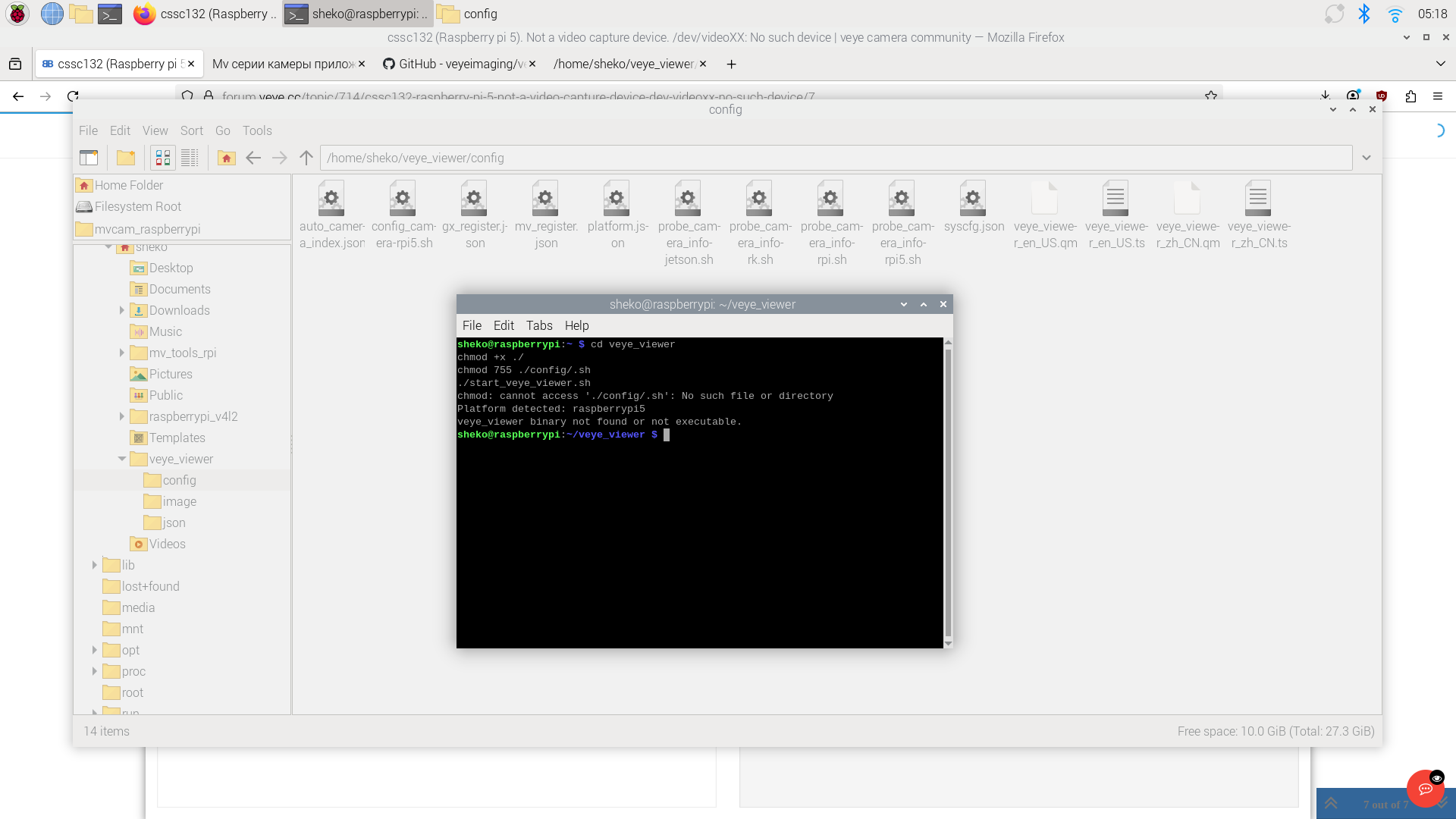
-
@sheko
Hi,
It looks like you downloaded the source code, but didn’t compile it. You can download the precompiled binary from the link below and run it directly.
https://github.com/veyeimaging/veye_viewer/releases/download/v1.1.4_rpi/veye_viewer_RaspberryPi_bin.zip -
Hi,
here is the result^heko@raspberrypi:~/veye_viewer_RaspberryPi_bin $ ./start_veye_viewer.sh
bash: ./start_veye_viewer.sh: Permission deniedsheko@raspberrypi:~/veye_viewer_RaspberryPi_bin $ chmod 755 ./config/.sh
./start_veye_viewer.sh
chmod: cannot access './config/.sh': No such file or directory
bash: ./start_veye_viewer.sh: Permission denied -
cd veye_viewer chmod +x ./* chmod 755 ./config/*.sh ./start_veye_viewer.sh -
the program started
white screen - no imagesheko@raspberrypi:~ $ cd veye_viewer
chmod +x ./*
chmod 755 ./config/*.sh
./start_veye_viewer.sh
Platform detected: raspberrypi5
Launching veye_viewer...
[2026-01-28 07:59:42.882][INFO ][Main.cpp:0029] Start cleaning expired logs. Keep days: 30 | Deadline date: 2025-12-29
[2026-01-28 07:59:42.886][INFO ][Main.cpp:0056] Log clean completed. Total deleted files: 0
Done --> /home/sheko/veye_viewer/config/auto_camera_index.json(veye_viewer:2119): GLib-GObject-CRITICAL **: 07:59:44.547: g_object_unref: assertion 'G_IS_OBJECT (object)' failed
Done --> /home/sheko/veye_viewer/config/auto_camera_index.json
Done --> /home/sheko/veye_viewer/config/auto_camera_index.json
[2026-01-28 08:00:53.233][WARN ][unknown_file:----] libpng warning: iCCP: known incorrect sRGB profile
[2026-01-28 08:00:53.234][WARN ][unknown_file:----] libpng warning: iCCP: known incorrect sRGB profile
[2026-01-28 08:00:53.235][WARN ][unknown_file:----] libpng warning: iCCP: known incorrect sRGB profile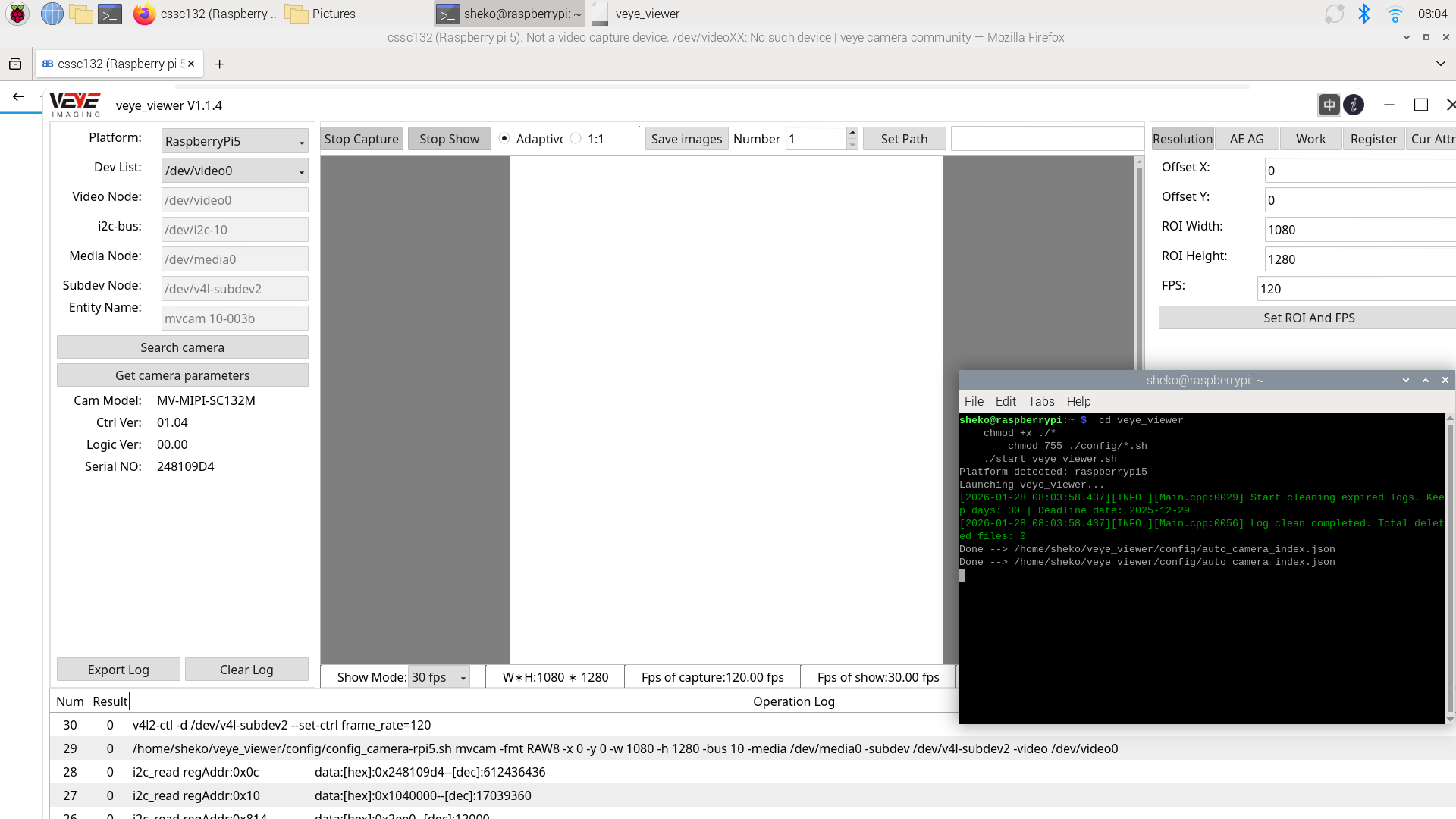
-
@sheko It looks like nothing is abnormal. You haven’t installed a lens, right?
-
That's right. It worked with the lens. Thank you very much for your technical support.

Hello! It looks like you're interested in this conversation, but you don't have an account yet.
Getting fed up of having to scroll through the same posts each visit? When you register for an account, you'll always come back to exactly where you were before, and choose to be notified of new replies (either via email, or push notification). You'll also be able to save bookmarks and upvote posts to show your appreciation to other community members.
With your input, this post could be even better 💗
Register Login