使用IMX307相机dtb和Image在agx xavier更新dtb失败
-
agx xavier 刷机的sdk版本是r32.4.3
使用相同版本的对应的imx307的r32.4.3的dtb和Image更新;
Image更新成功;
dtb未更新成功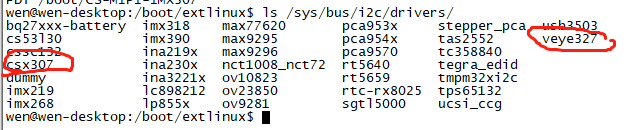

-
更新方法如下:
3.5.4 Upgrade dtb
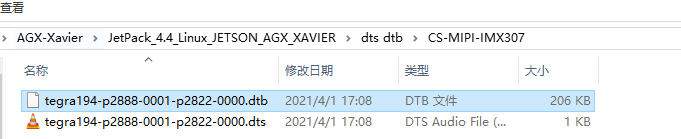
Under the bsp package directory, find the dtb file corresponding to your camera module model and L4T version number.
sudo cp <path to your dtb dir>/<DTB file name> /boot/ -f
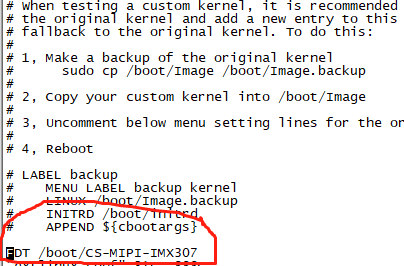
Then, edit the / boot/extlinux/extlinux.conf file and add the following line.
FDT /boot/<DTB file name>
Effective after restart.
-
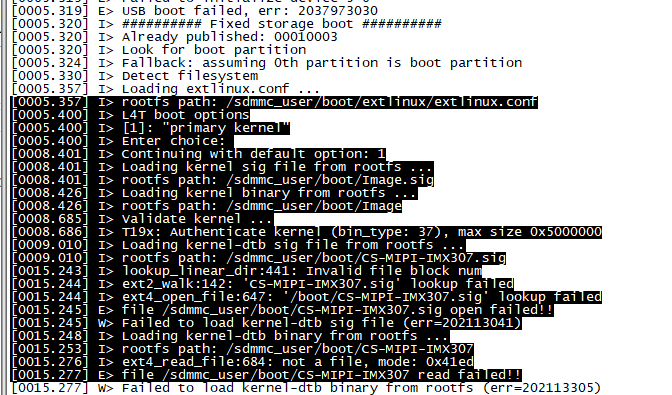
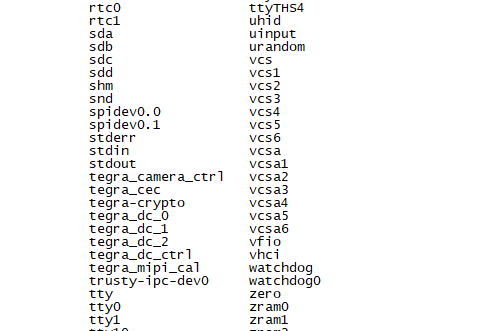
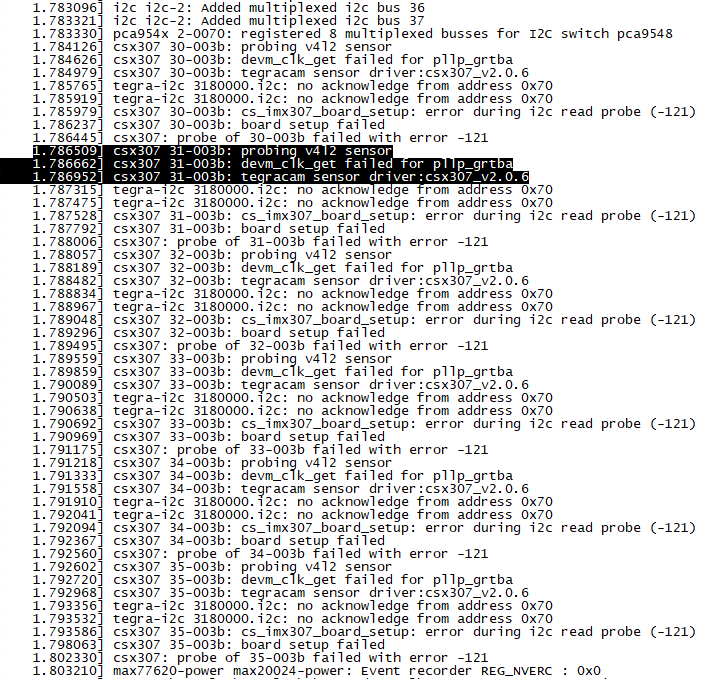
查看启动信息如下
-
@jdx-jdx
请确认你用了正确的dtb文件,再确认FDT那一行正确指明了对应文件路径。 -
-
-
@jdx-jdx
错了。FDT一行要指明到文件名,不是到目录。 -
-
@jdx-jdx
是的。probe成功才会生成video节点。



Hello! It looks like you're interested in this conversation, but you don't have an account yet.
Getting fed up of having to scroll through the same posts each visit? When you register for an account, you'll always come back to exactly where you were before, and choose to be notified of new replies (either via email, or push notification). You'll also be able to save bookmarks and upvote posts to show your appreciation to other community members.
With your input, this post could be even better 💗
Register Login