VEYE IMAGING Forum
    • Categories
    • Tags
    • Recent
    • Popular
    • Users
    • WIKI
    • veye.cc
    • Register
    • Login

    CS-MIPI-SC132双相机配置

    Scheduled Pinned Locked Moved CS MIPI camera
    19 Posts 2 Posters 5.0k Views 1 Watching
    Loading More Posts
    • Oldest to Newest
    • Newest to Oldest
    • Most Votes
    Reply
    • Reply as topic
    Log in to reply
    This topic has been deleted. Only users with topic management privileges can see it.
    • J Offline
      jyang
      last edited by

      看了camera_i2c_config代码,我的CM4读出来的是'a03140',找不到对应的型号,就按照'b03140'的配置使用了。
      gpio -g mode 28 in
      gpio -g mode 29 in
      gpio -g mode 44 in
      gpio -g mode 44 alt2
      gpio -g mode 45 in
      gpio -g mode 45 alt2
      /dev下面有四个i2c:i2c0,i2c1,i2c10,i2c11。i2c0读写左相机正常,i2c1和i2c10读出来的都是空的,i2c11看起来是成功的,但是没有起作用。

      909beab2-7293-4325-81f9-92c56c1ac361-image.png
      怀疑是不是camera_i2c_config里面配置的不对?

      veye_xummV 1 Reply Last reply Reply Quote 0
      • J Offline
        jyang
        last edited by jyang

        而且用raspberry pi4B的时候,执行camera_i2c_config之后ssh和网络都会断掉
        gpio -g mode 0 in
        gpio -g mode 1 in
        gpio -g mode 28 in
        gpio -g mode 29 in
        gpio -g mode 44 in
        gpio -g mode 44 alt1
        gpio -g mode 45 in
        gpio -g mode 45 alt1
        这一段注释掉28 29这两个配置就正常了

        veye_xummV 1 Reply Last reply Reply Quote 0
        • veye_xummV Offline
          veye_xumm @jyang
          last edited by

          @jyang
          http://wiki.veye.cc/index.php/VEYE_MIPI_290/327_for_Raspberry_Pi/zh#.E8.A7.86.E9.A2.91.E6.8E.A7.E5.88.B6.E8.BD.AF.E4.BB.B6.E5.8C.85.E4.BD.BF.E7.94.A8_2
          正常情况应该是使用0 10两个。
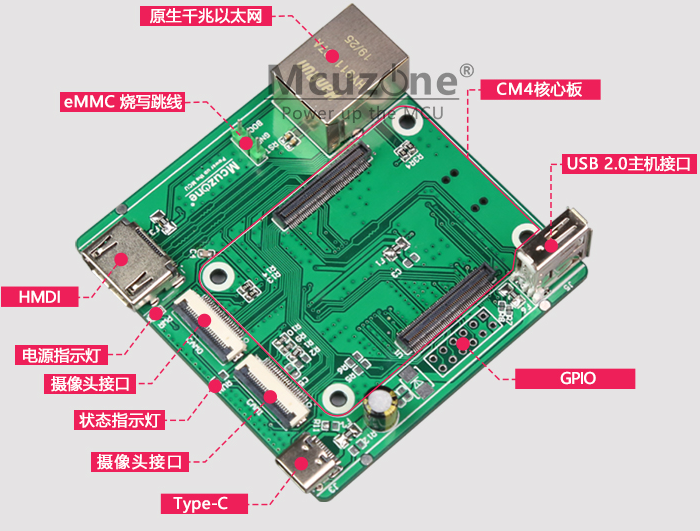
          请问你用的cm4底板是官方底板吗?

          Questions will be answered as soon as possible, please be patient.
          如果你使用中文,请直接用中文提问。
          May the force be with YOU. (This is the translation of the mysterious Chinese symbol above.)

          J 1 Reply Last reply Reply Quote 0
          • veye_xummV Offline
            veye_xumm @jyang
            last edited by

            @jyang 请问你的4b是否是8g版本啊? 这个感谢反馈,我回头更新到github上。

            Questions will be answered as soon as possible, please be patient.
            如果你使用中文,请直接用中文提问。
            May the force be with YOU. (This is the translation of the mysterious Chinese symbol above.)

            J 1 Reply Last reply Reply Quote 0
            • J Offline
              jyang @veye_xumm
              last edited by

              @veye_xumm 应该是官方的,带emmc的

              veye_xummV 1 Reply Last reply Reply Quote 0
              • J Offline
                jyang @veye_xumm
                last edited by

                @veye_xumm 4G的,camera_i2c_config读出来的是c03112

                1 Reply Last reply Reply Quote 0
                • veye_xummV Offline
                  veye_xumm @jyang
                  last edited by

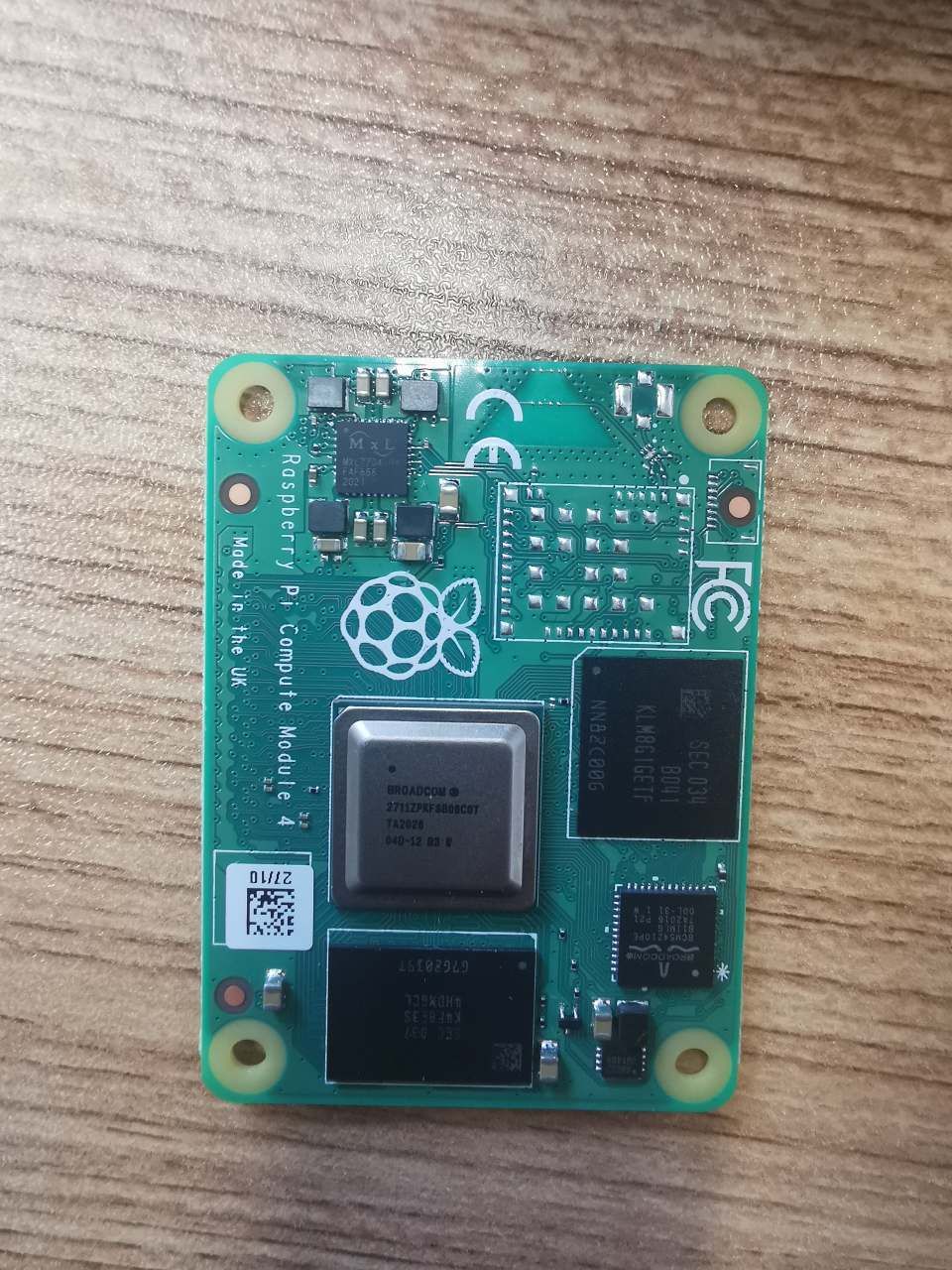
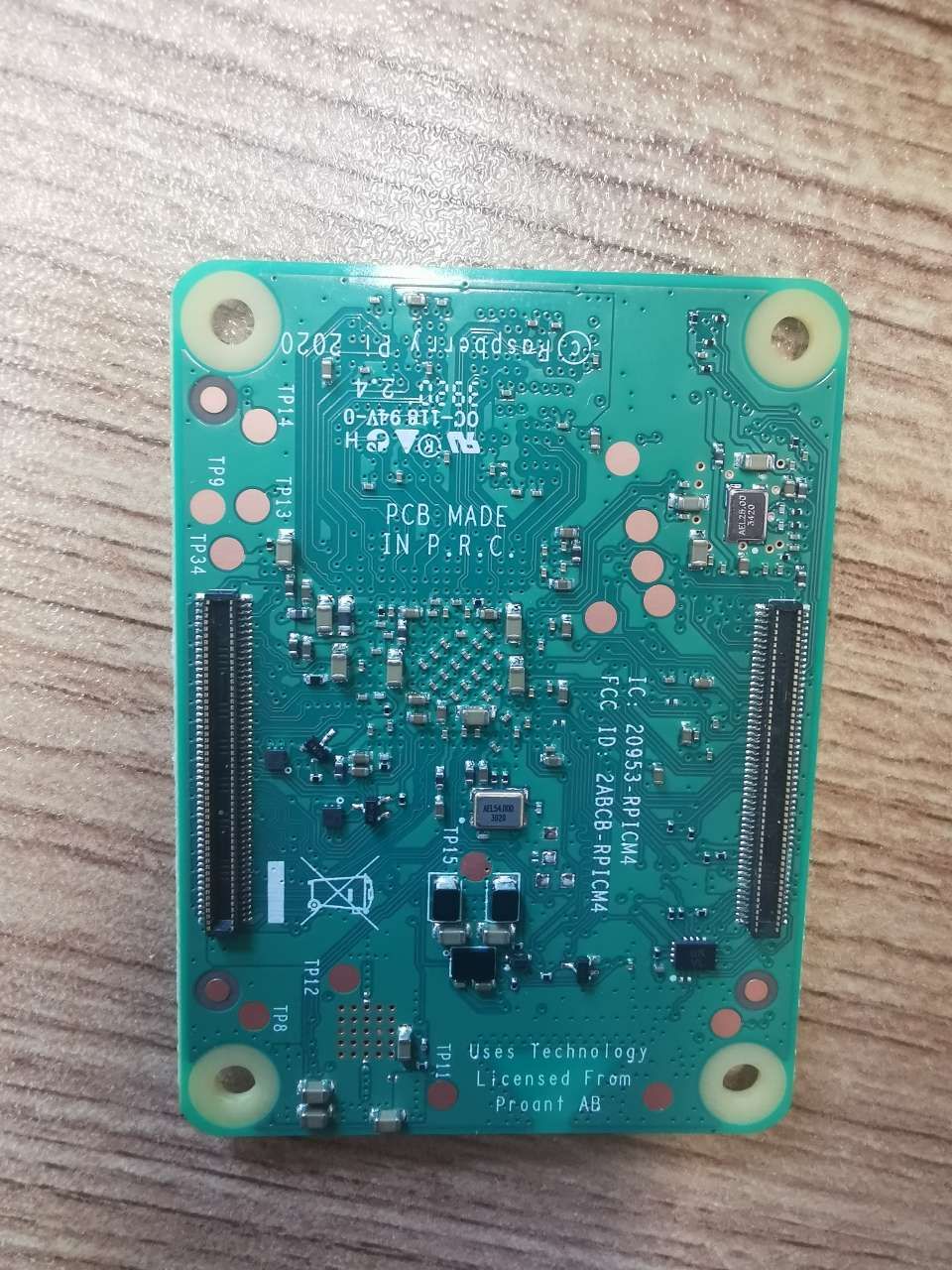
                  @jyang 底板可否拍个照片我看看。

                  Questions will be answered as soon as possible, please be patient.
                  如果你使用中文,请直接用中文提问。
                  May the force be with YOU. (This is the translation of the mysterious Chinese symbol above.)

                  J 1 Reply Last reply Reply Quote 0
                  • J Offline
                    jyang @veye_xumm
                    last edited by

                    @veye_xumm 48d46e9f-8409-40d3-a066-73fd3fa0f407-lADPJxf-vGXXOLrNBQDNA8A_960_1280.jpg 9bc3e035-1e9e-4807-a2b2-7da4eedc1334-lADPJwnIwdK9OL7NBQDNA8A_960_1280.jpg

                    veye_xummV 1 Reply Last reply Reply Quote 0
                    • veye_xummV Offline
                      veye_xumm @jyang
                      last edited by

                      @jyang
                      底板,就是接口板。不是这个。

                      Questions will be answered as soon as possible, please be patient.
                      如果你使用中文,请直接用中文提问。
                      May the force be with YOU. (This is the translation of the mysterious Chinese symbol above.)

                      J 1 Reply Last reply Reply Quote 0
                      • J Offline
                        jyang @veye_xumm
                        last edited by

                        @veye_xumm
                        67ca4dc1-11fe-49da-9846-5ed8a773f755-image.png

                        veye_xummV 1 Reply Last reply Reply Quote 0
                        • veye_xummV Offline
                          veye_xumm @jyang
                          last edited by

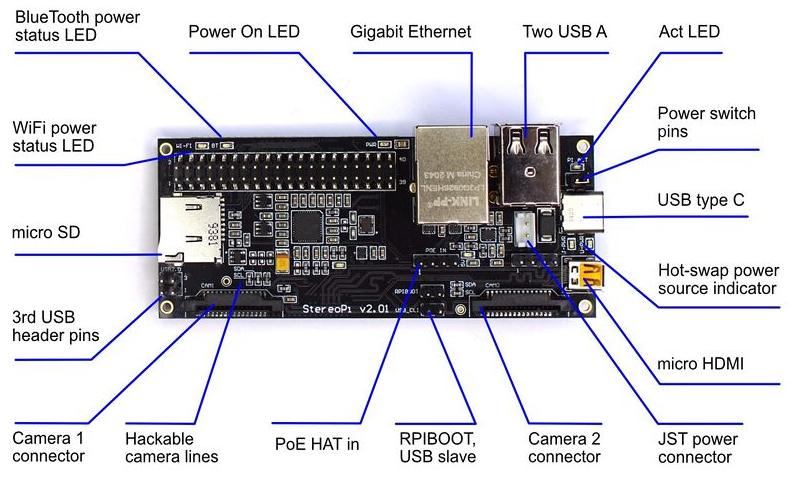
                          @jyang 你这个是第三方底板,先尝试一下执行下面的脚本,然后试试i2c-10。

                          raspi-gpio set 44 ip
                          raspi-gpio set 45 ip
                          # i2c on these pins
                          raspi-gpio set 0 ip
                          raspi-gpio set 0 a0
                          raspi-gpio set 1 ip
                          raspi-gpio set 1 a0
                          

                          如果不行,确认一下camera使用的i2c是否跟官方底板一致。

                          Questions will be answered as soon as possible, please be patient.
                          如果你使用中文,请直接用中文提问。
                          May the force be with YOU. (This is the translation of the mysterious Chinese symbol above.)

                          J 1 Reply Last reply Reply Quote 0
                          • J Offline
                            jyang @veye_xumm
                            last edited by

                            @veye_xumm
                            换了个扩展板也是一样
                            2ab879e9-7f47-487c-8764-d1c4edd4dd00-image.png

                            veye_xummV 1 Reply Last reply Reply Quote 0
                            • veye_xummV Offline
                              veye_xumm @jyang
                              last edited by

                              @jyang
                              part 7.5 你执行了吗

                              Questions will be answered as soon as possible, please be patient.
                              如果你使用中文,请直接用中文提问。
                              May the force be with YOU. (This is the translation of the mysterious Chinese symbol above.)

                              J 1 Reply Last reply Reply Quote 0
                              • J Offline
                                jyang @veye_xumm
                                last edited by

                                @veye_xumm 执行了,没变化

                                veye_xummV 2 Replies Last reply Reply Quote 0
                                • veye_xummV Offline
                                  veye_xumm @jyang
                                  last edited by

                                  @jyang 建议你查一下你用的底板跟官方cm4底板,camera i2c部分的原理图是否一致。

                                  Questions will be answered as soon as possible, please be patient.
                                  如果你使用中文,请直接用中文提问。
                                  May the force be with YOU. (This is the translation of the mysterious Chinese symbol above.)

                                  1 Reply Last reply Reply Quote 0
                                  • veye_xummV Offline
                                    veye_xumm @jyang
                                    last edited by

                                    @jyang 我们github上更新了一下camera_i2c_config,您可以尝试一下

                                    Questions will be answered as soon as possible, please be patient.
                                    如果你使用中文,请直接用中文提问。
                                    May the force be with YOU. (This is the translation of the mysterious Chinese symbol above.)

                                    J 1 Reply Last reply Reply Quote 0
                                    • J Offline
                                      jyang @veye_xumm
                                      last edited by

                                      @veye_xumm 更新了。我这边$kernel值是5,实际上没做任何配置,按照$kernel=4配置,没什么效果。两种厂家的板子问题是一样的,不太可能是板子的问题,我再买块官方的板子试下,不行就放弃了。
                                      另外RaspiCamControl.h里的函数怎么用,参数是MMAL_COMPONENT_T类型,这个要输入的是什么。我试了DCAMERA_S里面encoder_component和capture_component还有veye_camera_isp_state里面的几个MMAL_COMPONENT_T都不对。
                                      D_start_yuv_stream里面userdata根本就没用。还有编码模式,我只想拿12801080的RAW数据,还要从19201632里面裁剪。用起来太痛苦了

                                      veye_xummV 1 Reply Last reply Reply Quote 0
                                      • veye_xummV Offline
                                        veye_xumm @jyang
                                        last edited by veye_xumm

                                        @jyang
                                        我也觉得一般情况下第三方的板子会遵循官方板子的设计。
                                        i2c-10,也就是camera1在cm4上是标准的csi口,跟rpi 4b是一样的。
                                        按理说,只要打开了/dev/i2c-10,有了设备文件,什么都不操作都可以访问的。
                                        建议你把板子寄过来我们帮你看一下。

                                        关于摄像头参数:
                                        RaspiCamControl.h 这里面的内容是针对标准树莓派自带的集中camera有效的,对我们这种camera,无效。所以不用去研究。
                                        调参数直接使用脚本控制摄像头寄存器就可以:
                                        http://wiki.veye.cc/index.php/VEYE-MIPI-290/327_i2c/zh

                                        @jyang said in CS-MIPI-SC132双相机配置:

                                        还有编码模式,我只想拿12801080的RAW数据,还要从19201632里面裁剪。用起来太痛苦了

                                        132这颗现在受限于方案,输出的是UYVY格式,的确是比较麻烦。

                                        Questions will be answered as soon as possible, please be patient.
                                        如果你使用中文,请直接用中文提问。
                                        May the force be with YOU. (This is the translation of the mysterious Chinese symbol above.)

                                        1 Reply Last reply Reply Quote 0
                                        • J Offline
                                          jyang
                                          last edited by

                                          全部重来以后正常了,估计是旧版的配置GPIO的问题

                                          1 Reply Last reply Reply Quote 0

                                          Hello! It looks like you're interested in this conversation, but you don't have an account yet.

                                          Getting fed up of having to scroll through the same posts each visit? When you register for an account, you'll always come back to exactly where you were before, and choose to be notified of new replies (either via email, or push notification). You'll also be able to save bookmarks and upvote posts to show your appreciation to other community members.

                                          With your input, this post could be even better 💗

                                          Register Login
                                          • First post
                                            Last post