VEYE-MIPI-IMX385在新版Raspberry Pi Zero 2 W上无法使用
-
1 VEYE-MIPI-IMX385在Raspberry Pi 4 Model B 4GB上的测试是OK的:
1.1 软硬件环境:
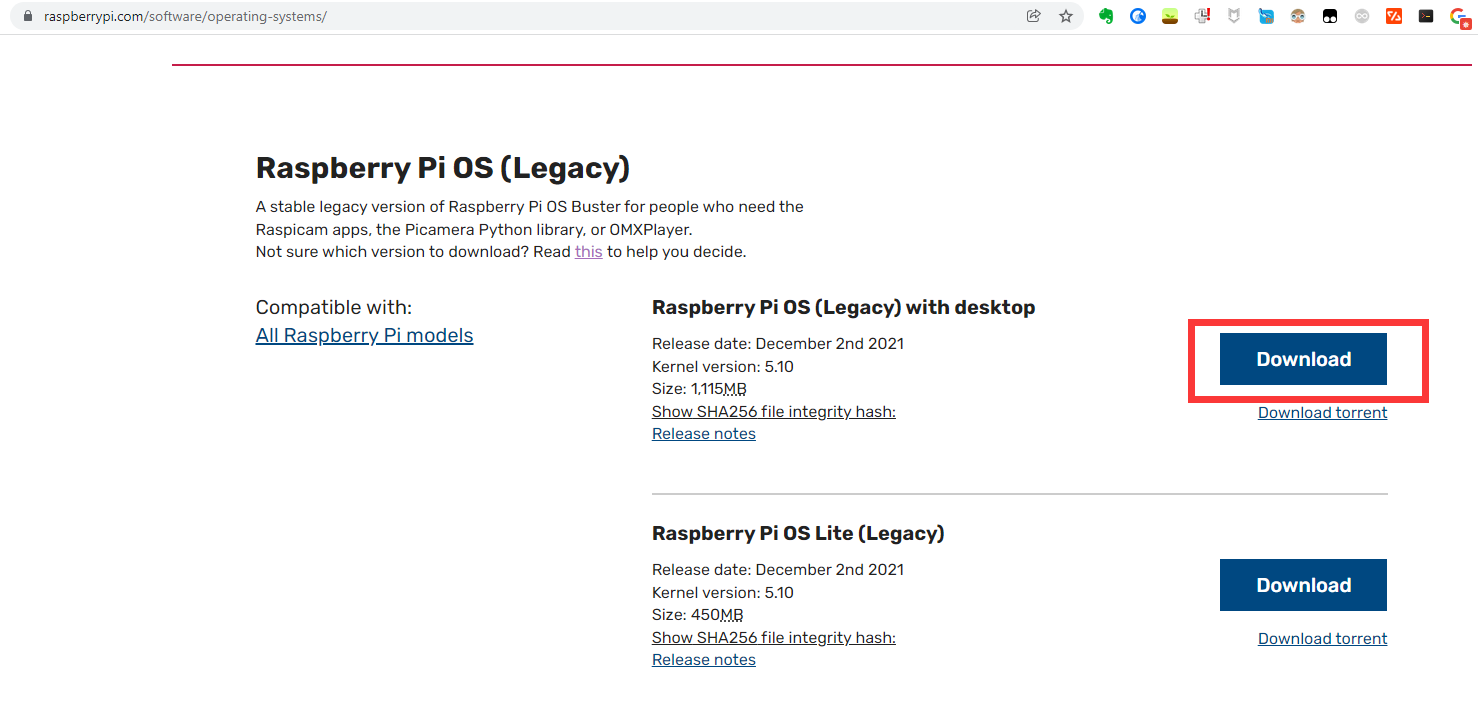
- 镜像版本:为了保留Raspicam apps,特意下载了最新的Buster版本:2021-12-02-raspios-buster-armhf,如下图所示:
-
应用软件版本:于2021年12月12日Clone到本地,属Github上的最新版本https://github.com/veyeimaging/raspberrypi
-
硬件版本:Raspberry Pi 4 Model B 4GB
1.2 硬件连接:
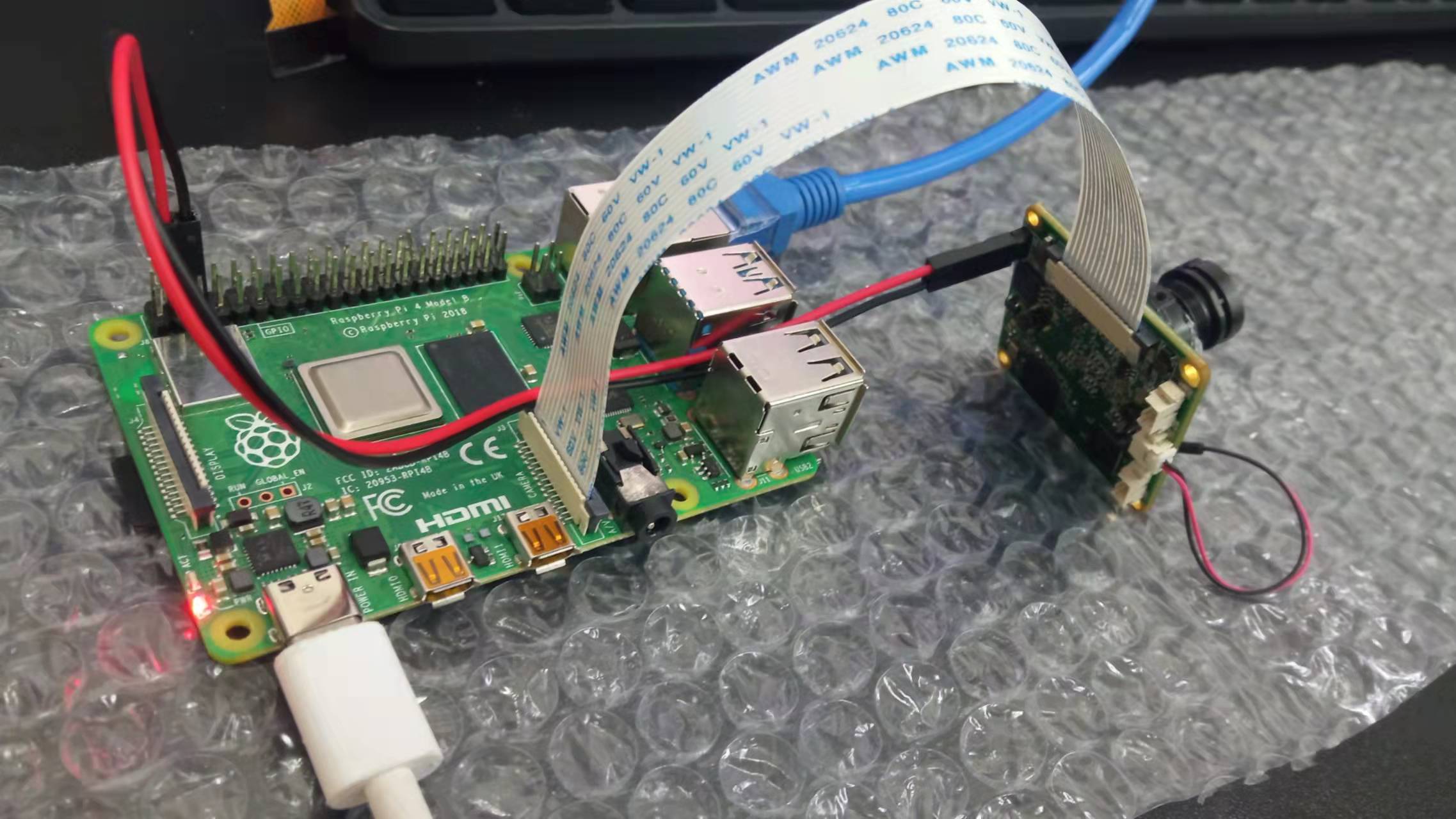
1.3 软件测试过程截图:
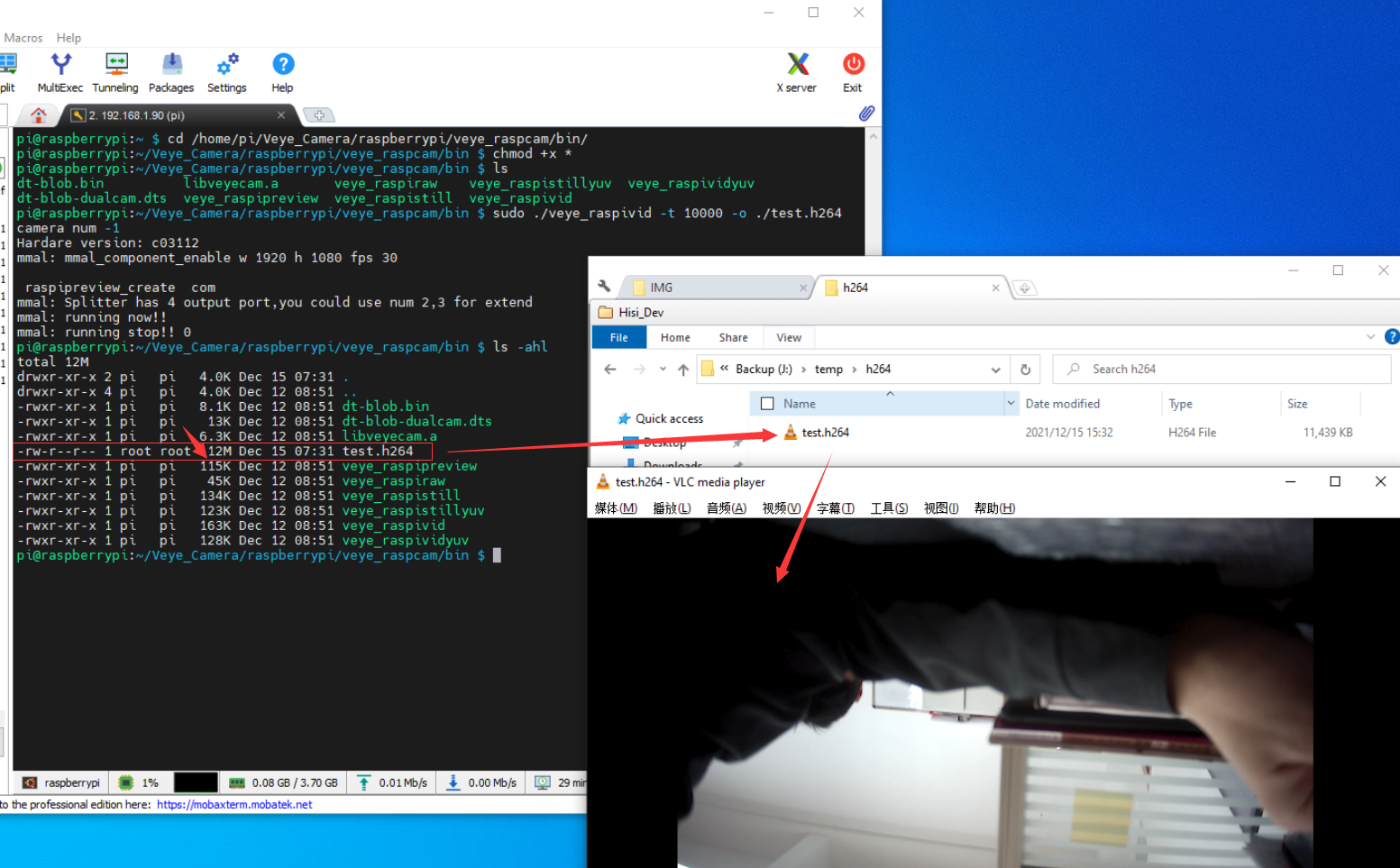
1.4 测试结果:
可以看出,Raspberry Pi 4 Model B 4GB成功驱动了VEYE-MIPI-IMX385,并拍摄了一个12M大小的视频,该视频导出Windows后可以正常播放。
说明VEYE-MIPI-IMX385本身是没问题的
2 VEYE-MIPI-IMX385在Raspberry Pi Zero 2 W上测试是有问题的:
2.1软硬件环境:
- 镜像版本:为了保留Raspicam apps,特意下载了最新的Buster版本:2021-12-02-raspios-buster-armhf,如下图所示:
-
应用软件版本:于2021年12月12日Clone到本地,属Github上的最新版本https://github.com/veyeimaging/raspberrypi
-
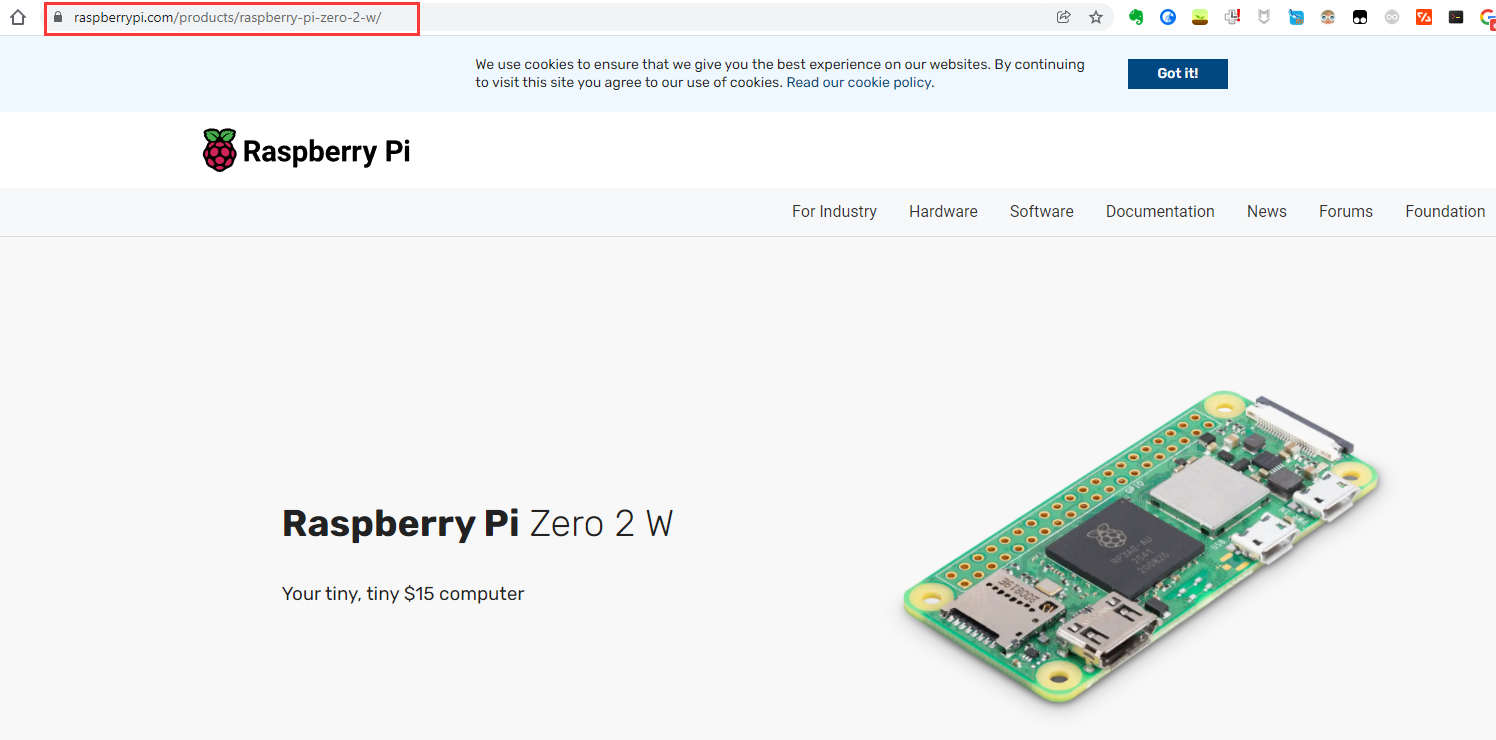
硬件版本:树莓派官方最新出的:Raspberry Pi Zero 2 W
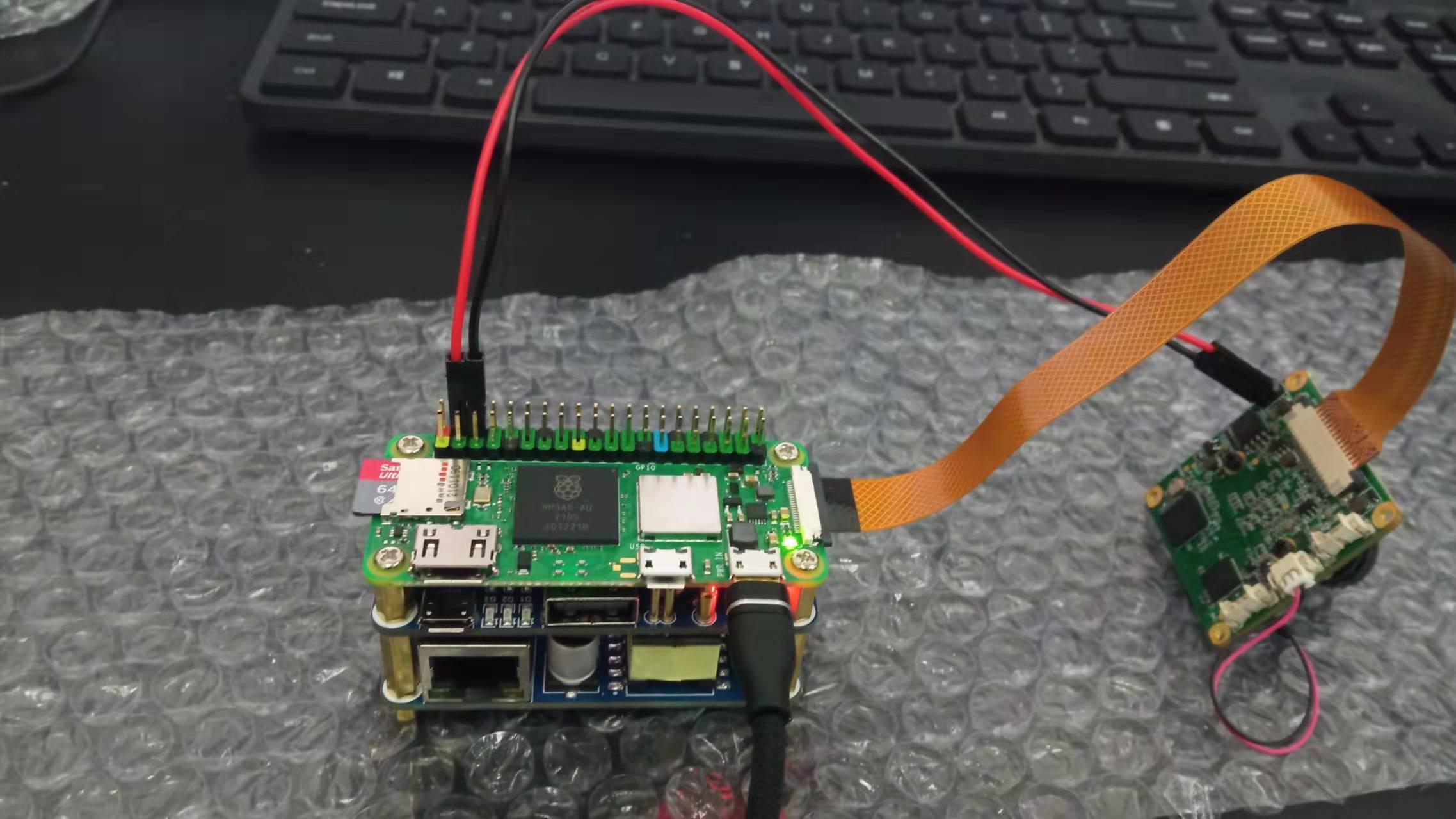
2.2硬件连接:
2.3 软件测试过程截图:
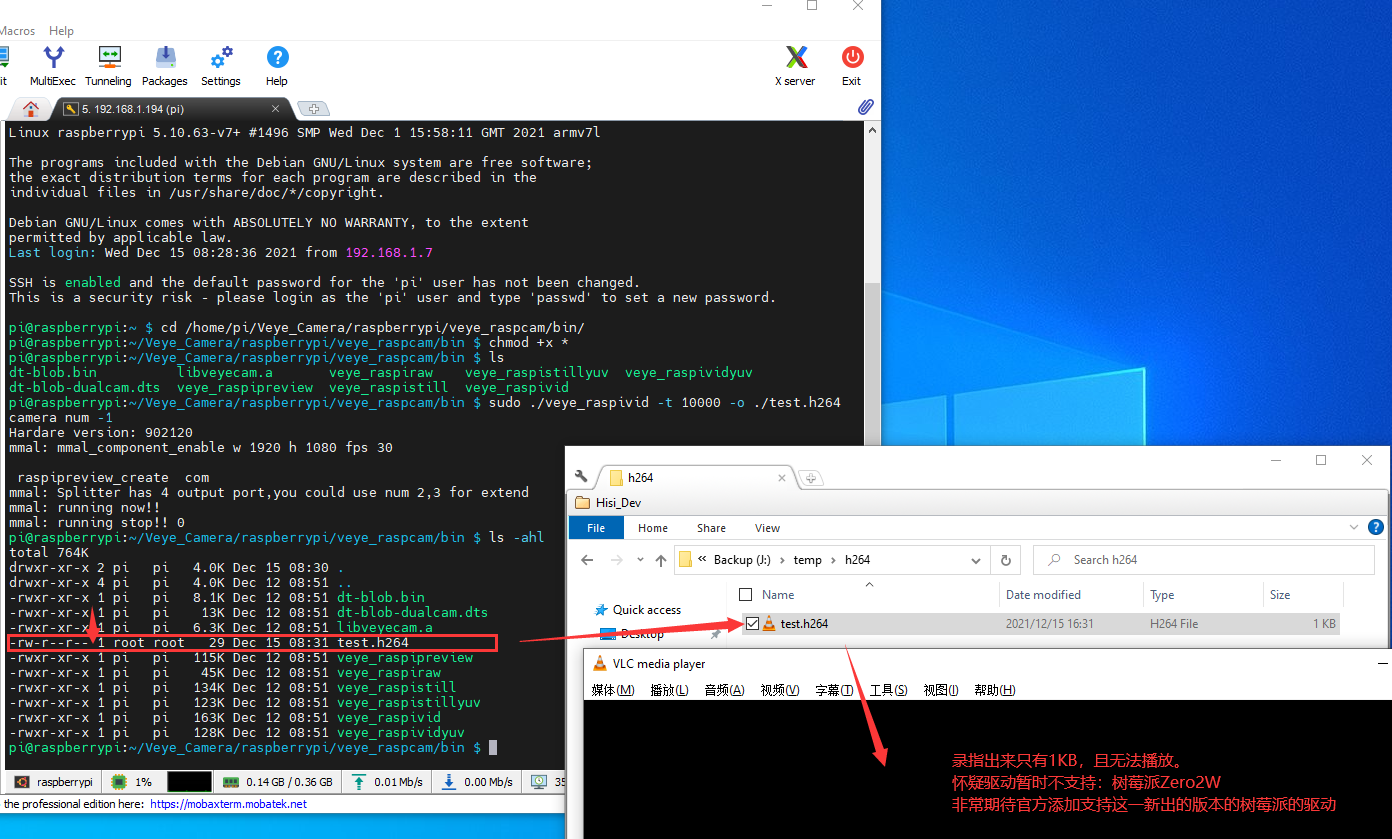
2.4 测试结果:
在调试过程中:
通过Raspberry Pi Zero 2 W的CSI接口已经成功驱动了树莓派官方摄像头OV5647,可以排除是Raspberry Pi Zero 2 W硬件的问题;也通过前面1.4章节排除了是VEYE-MIPI-IMX385硬件本身的问题;也更换过其它软排线,排除了软排线的问题;总而言之,已经排除了是硬件问题。
软件测试过程也反复执行了多次,安装的还是Buster版本的镜像,带Raspicam apps的,但还是在Raspberry Pi Zero 2 W上得不到VEYE-MIPI-IMX385的图像。
可以看出,VEYE-MIPI-IMX385目前在Github上提供的程序暂不支持Raspberry Pi Zero 2 W,希望可以早日支持。
2.5 怀疑出问题的地方:
新出的Raspberry Pi Zero 2 W在CSI摄像头接口那个地方的I2C引脚与老版本的不一样,而VEYE-MIPI-IMX385的驱动程序依然使用老版本的I2C引脚。
当然上面仅仅是一种猜想,我们更相信官方的研发实力以及技术支持,期望VEYE-MIPI-IMX385早日支持Raspberry Pi Zero 2 W
-
@ruimin-huang
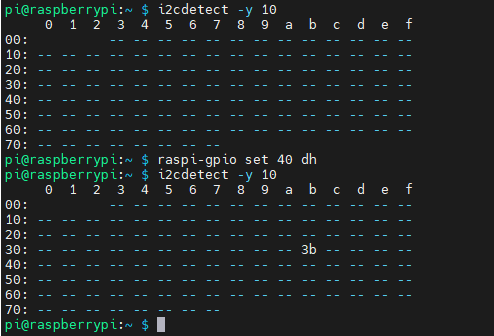
你好,在树莓派zero 2w上,camera的power on 使能引脚,需要单独执行:raspi-gpio set 40 dh完成之后,就可以在i2c-10总线上检测到摄像头了。
i2cdetect -y 10能发现0x3b设备,并且脚本可以读写摄像头参数了。
完成以上步骤,就可以正常使用veye_raspicam系列软件。
-
非常感谢,确实可以了,问题得到了解决:
-
@ruimin-huang 不客气

Hello! It looks like you're interested in this conversation, but you don't have an account yet.
Getting fed up of having to scroll through the same posts each visit? When you register for an account, you'll always come back to exactly where you were before, and choose to be notified of new replies (either via email, or push notification). You'll also be able to save bookmarks and upvote posts to show your appreciation to other community members.
With your input, this post could be even better 💗
Register Login