jetson nano使用cv2打开摄像头卡顿,直接用指令预览不卡
-
使用的摄像头是imx385 mipi这是我测试的代码
import sys
import time
import cv2

def read_cam():
    cap = cv2.VideoCapture("v4l2src device=/dev/video0 ! video/x-raw, format=UYVY, width=1920, height=1080, framerate=30/1 ! videoconvert ! video/x-raw, format=I420 ! appsink", cv2.CAP_GSTREAMER)
    if cap.isOpened():
        while True:
            print(time.time())
            ret_val, img = cap.read()
            print(time.time())
            print("---")
            img2 = cv2.cvtColor(img, cv2.COLOR_YUV2BGR_I420)

            if not ret_val:
                print("无法获取图像")
                break

            cv2.imshow("CSI Camera", img2)
            if cv2.waitKey(1) == ord('q'):
                break
    else:
        print("camera open failed")
    cv2.destroyAllWindows()
if __name__ == '__main__':
    read_cam()
运行结果如下,读取一次花0.2秒多,该怎么办
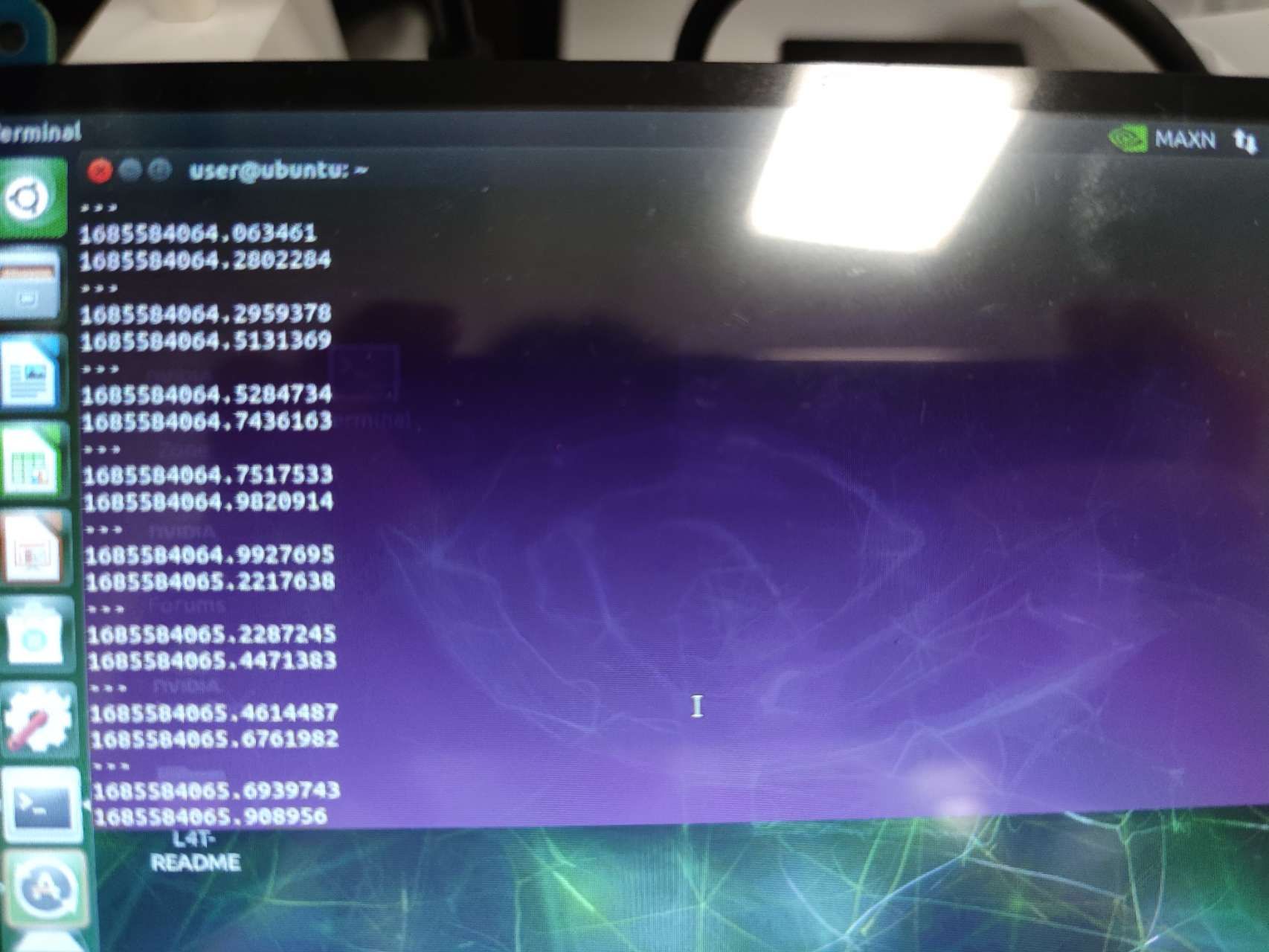
如果直接使用指令预览不会卡gst-launch-1.0 nvv4l2camerasrc device=/dev/video0 ! "video/x-raw(memory:NVMM),format=(string)UYVY, width=(int)1920, height=(int)1080" ! nvvidconv ! "video/x-raw(memory:NVMM),format=(string)NV12" ! nv3dsink sync=false -
@odu 是这样的,现在opencv的这个demo主要用于演示怎样把图像导入到opencv,是个简单化的demo。不是用于实际应用的范例。
这里面,主要由于使用了纯软件的方法进行图像格式转换和搬运,因此效率比较低。 -
@veye_xumm 那我该怎么样应用才不卡呢
-
@odu 你想做什么功能的app
-
@veye_xumm 想在cv2使用

Hello! It looks like you're interested in this conversation, but you don't have an account yet.
Getting fed up of having to scroll through the same posts each visit? When you register for an account, you'll always come back to exactly where you were before, and choose to be notified of new replies (either via email, or push notification). You'll also be able to save bookmarks and upvote posts to show your appreciation to other community members.
With your input, this post could be even better 💗
Register Login