VEYE IMAGING Forum
    • Categories
    • Tags
    • Recent
    • Popular
    • Users
    • WIKI
    • veye.cc
    • Register
    • Login

    CS-FPD-CAM-IMX327摄像头树莓派驱动模式连接不成功

    Scheduled Pinned Locked Moved CS MIPI camera
    35 Posts 2 Posters 16.3k Views 2 Watching
    Loading More Posts
    • Oldest to Newest
    • Newest to Oldest
    • Most Votes
    Reply
    • Reply as topic
    Log in to reply
    This topic has been deleted. Only users with topic management privileges can see it.
    • veye_xummV Offline
      veye_xumm @刚子
      last edited by

      @刚子 https://www.raspberrypi.com/documentation/computers/os.html#updating-and-upgrading-raspberry-pi-os
      可以参考这个,在线升级,不会删掉你现有的软件。

      如果pios不变,你可以进行驱动移植,重新编译一下。不过我们的驱动是基于linux6.1版本做的,移植到你现在的版本的pios上需要改一点代码。 并不难。

      Questions will be answered as soon as possible, please be patient.
      如果你使用中文,请直接用中文提问。
      May the force be with YOU. (This is the translation of the mysterious Chinese symbol above.)

      刚 1 Reply Last reply Reply Quote 0
      • 刚 Offline
        刚子 @veye_xumm
        last edited by

        @veye_xumm 升级完成,安装正常摄像头状态不对状态验证.pdf

        veye_xummV 1 Reply Last reply Reply Quote 0
        • veye_xummV Offline
          veye_xumm @刚子
          last edited by

          @刚子
          https://wiki.veye.cc/index.php/V4L2_mode_for_Raspberry_Pi/zh#FPD-Link3.E6.A8.A1.E5.BC.8F.E7.9A.84.E7.9B.B8.E6.9C.BA
          part4.4,是按照这个步骤执行的吗?
          如果是,你在系统启动后执行dmesg |grep 954看看。

          Questions will be answered as soon as possible, please be patient.
          如果你使用中文,请直接用中文提问。
          May the force be with YOU. (This is the translation of the mysterious Chinese symbol above.)

          刚 1 Reply Last reply Reply Quote 0
          • 刚 Offline
            刚子 @veye_xumm
            last edited by

            @veye_xumm 命令 sudo ./install_driver.sh ds90ub954 执行失败了,没有ds90ub954相关文件

            veye_xummV 1 Reply Last reply Reply Quote 0
            • veye_xummV Offline
              veye_xumm @刚子
              last edited by

              @刚子 uname -a看一下你的系统版本号

              Questions will be answered as soon as possible, please be patient.
              如果你使用中文,请直接用中文提问。
              May the force be with YOU. (This is the translation of the mysterious Chinese symbol above.)

              刚 2 Replies Last reply Reply Quote 0
              • 刚 Offline
                刚子 @veye_xumm
                last edited by

                @veye_xumm 升级是成功的,版本号是: Linux raspberrypi 5.10.103-v7l+ #1529 SMP Tue Mar 8 12:24:00 GMT 2022 ARMV7L GNU/Linux

                1 Reply Last reply Reply Quote 0
                • 刚 Offline
                  刚子 @veye_xumm
                  last edited by

                  @veye_xumm driver_bin目录下的版本都没有ds90ub954这个文件

                  veye_xummV 刚 2 Replies Last reply Reply Quote 0
                  • veye_xummV Offline
                    veye_xumm @刚子
                    last edited by

                    @刚子 你这个系统版本还是很老。
                    给你们做的这个fpdlink的驱动版本是6.1.21-v7l+
                    release\driver_bin\6.1.21-v7l+ 目录中可以看到。

                    Questions will be answered as soon as possible, please be patient.
                    如果你使用中文,请直接用中文提问。
                    May the force be with YOU. (This is the translation of the mysterious Chinese symbol above.)

                    刚 1 Reply Last reply Reply Quote 0
                    • 刚 Offline
                      刚子 @veye_xumm
                      last edited by

                      @veye_xumm 那我下载最新版本了

                      Raspberry Pi OS with desktop

                      Release date: May 3rd 2023
                      System: 32-bit
                      Kernel version: 6.1
                      Debian version: 11 (bullseye)
                      Size: 872MB
                      

                      Show SHA256 file integrity hash:

                      1 Reply Last reply Reply Quote 0
                      • 刚 Offline
                        刚子 @刚子
                        last edited by

                        @刚子 当前只有在6.1.21-v7l+ 中有ds90ub954 文件,别的版本都没有,当前我们系统已经安装成6.1.21-v8+了,请帮忙生成该版本的文件

                        veye_xummV 1 Reply Last reply Reply Quote 0
                        • veye_xummV Offline
                          veye_xumm @刚子
                          last edited by

                          @刚子 https://wiki.veye.cc/index.php/Build_drivers_from_source_for_rpi/zh
                          请按照这个步骤编译一下即可。

                          Questions will be answered as soon as possible, please be patient.
                          如果你使用中文,请直接用中文提问。
                          May the force be with YOU. (This is the translation of the mysterious Chinese symbol above.)

                          刚 1 Reply Last reply Reply Quote 0
                          • 刚 Offline
                            刚子 @veye_xumm
                            last edited by

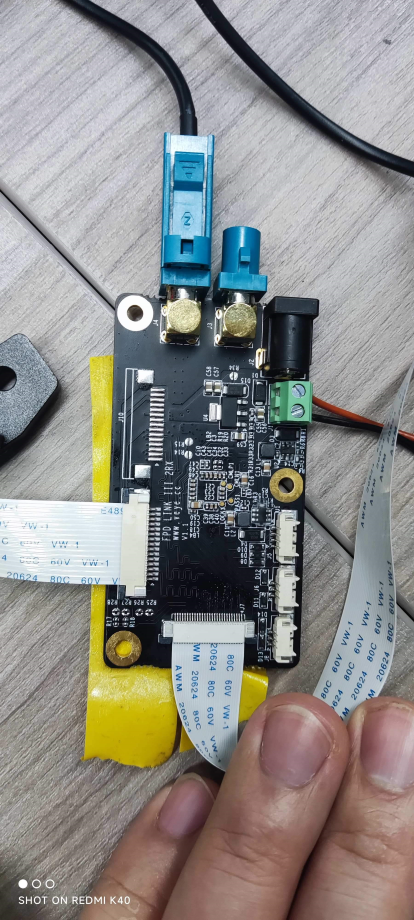
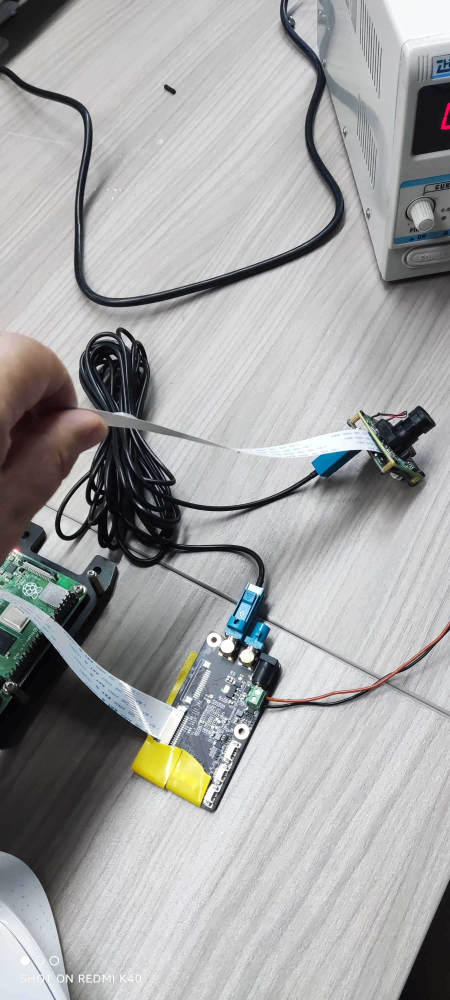
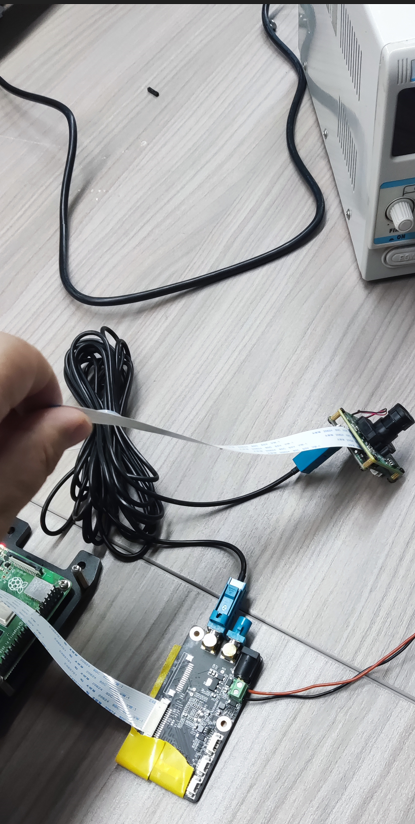
                            你好,我们买的是免插排线的板子,现在不插排线图像出不来,怎么处理呢用的是这种方式就接入的:
                            https://wiki.veye.cc/index.php/CS-MIPI-X_for_Raspberry_Pi/zh#.E7.A1.AC.E4.BB.B6.E5.87.86.E5.A4.87.E5.8F.8A.E5.AE.89.E8.A3.85
                            微信图片_20230612132110.png

                            veye_xummV 1 Reply Last reply Reply Quote 0
                            • veye_xummV Offline
                              veye_xumm @刚子
                              last edited by

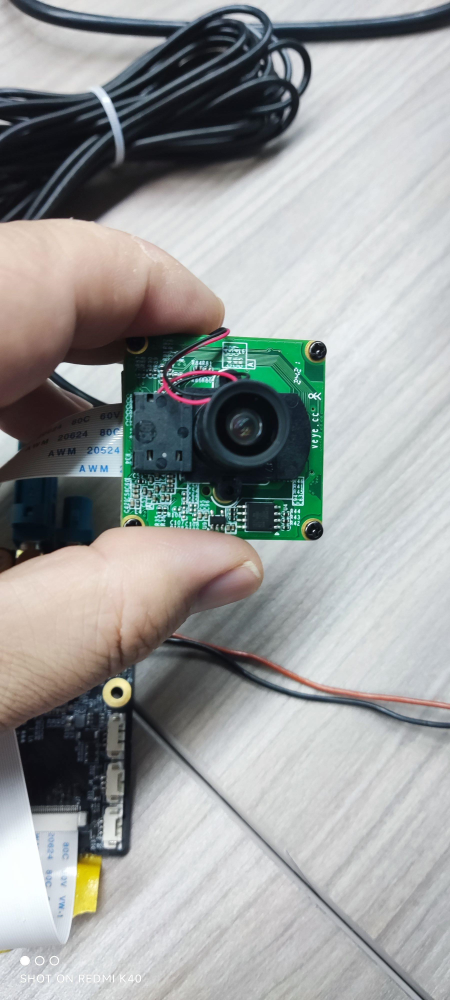
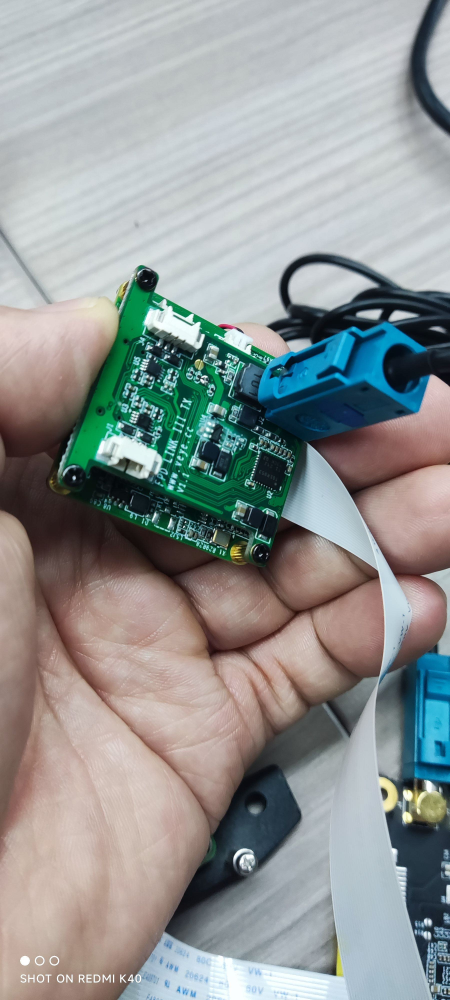
                              @刚子 没明白你的意思,你的相机和fpdlink tx板子不是一起买的,是你自己组装的吗?如果你的相机排线接口的,可以跟fpdlink的tx板子用排线接起来。

                              Questions will be answered as soon as possible, please be patient.
                              如果你使用中文,请直接用中文提问。
                              May the force be with YOU. (This is the translation of the mysterious Chinese symbol above.)

                              刚 1 Reply Last reply Reply Quote 0
                              • 刚 Offline
                                刚子 @veye_xumm
                                last edited by

                                @veye_xumm 都是在你们家一起买的。我们的板子不插排线时连不上摄像头,但是我们买的就是不插排线的版本,这是怎么回事,如何处理?微信图片_20230612133721.png 微信图片_20230612133716.png 微信图片_20230612133702.png 微信图片_20230612133652.png 微信图片_20230612131732.png

                                veye_xummV 1 Reply Last reply Reply Quote 0
                                • veye_xummV Offline
                                  veye_xumm @刚子
                                  last edited by

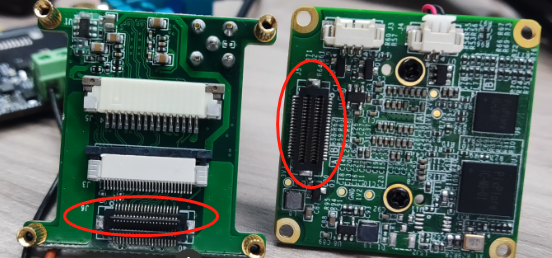
                                  @刚子 7321f96e-93f0-4c03-ab91-458fb6fbd58d-image.png
                                  这两个板子拆开,拍照我看看

                                  Questions will be answered as soon as possible, please be patient.
                                  如果你使用中文,请直接用中文提问。
                                  May the force be with YOU. (This is the translation of the mysterious Chinese symbol above.)

                                  刚 1 Reply Last reply Reply Quote 0
                                  • 刚 Offline
                                    刚子 @veye_xumm
                                    last edited by

                                    @veye_xumm 微信图片_20230612163436.png

                                    veye_xummV 1 Reply Last reply Reply Quote 0
                                    • veye_xummV Offline
                                      veye_xumm @刚子
                                      last edited by

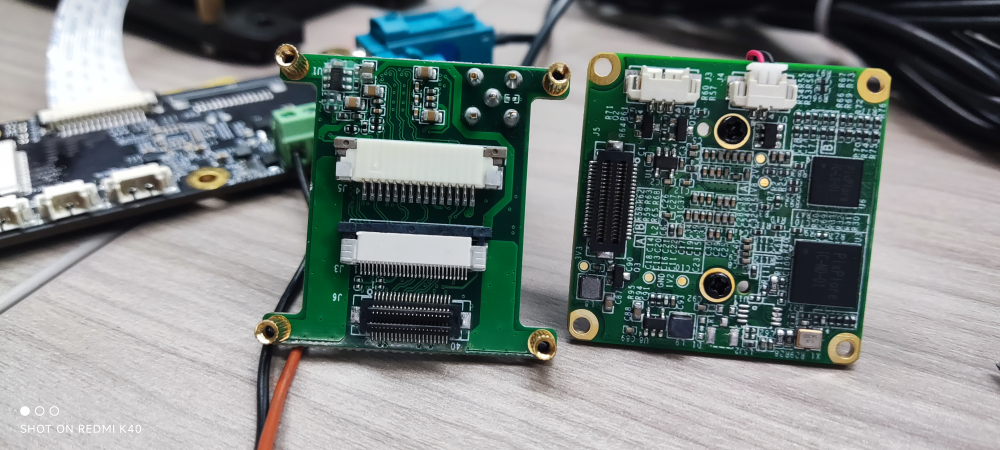
                                      @刚子 de27c10f-95df-44e0-ab1a-b59d4c7c2fe7-image.png
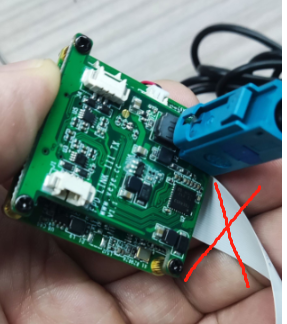
                                      这两个是直接扣起来的,我们已经给你装好了。不要再接其他的排线出来,到处乱插了。
                                      c42feb9e-3976-4bb7-ba19-d179b3f5386f-image.png

                                      Questions will be answered as soon as possible, please be patient.
                                      如果你使用中文,请直接用中文提问。
                                      May the force be with YOU. (This is the translation of the mysterious Chinese symbol above.)

                                      刚 1 Reply Last reply Reply Quote 0
                                      • 刚 Offline
                                        刚子 @veye_xumm
                                        last edited by

                                        @veye_xumm 这种方式连接无法获取图像,命令:./veye_raspipreview -t 20000 -md 1 -p '0,0,1280,720'

                                        veye_xummV 1 Reply Last reply Reply Quote 0
                                        • veye_xummV Offline
                                          veye_xumm @刚子
                                          last edited by

                                          @刚子 你不是要用驱动模式吗?
                                          https://wiki.veye.cc/index.php/V4L2_mode_for_Raspberry_Pi/zh
                                          参考这个文章。

                                          Questions will be answered as soon as possible, please be patient.
                                          如果你使用中文,请直接用中文提问。
                                          May the force be with YOU. (This is the translation of the mysterious Chinese symbol above.)

                                          刚 1 Reply Last reply Reply Quote 0
                                          • 刚 Offline
                                            刚子 @veye_xumm
                                            last edited by

                                            @veye_xumm 驱动模式也试验了,现在所有驱动都安装成功了,配置修改完成后执行dmesg | grep veye 显示执行错误,重启后执行该命令,无反馈信息

                                            veye_xummV 1 Reply Last reply Reply Quote 0

                                            Hello! It looks like you're interested in this conversation, but you don't have an account yet.

                                            Getting fed up of having to scroll through the same posts each visit? When you register for an account, you'll always come back to exactly where you were before, and choose to be notified of new replies (either via email, or push notification). You'll also be able to save bookmarks and upvote posts to show your appreciation to other community members.

                                            With your input, this post could be even better 💗

                                            Register Login
                                            • First post
                                              Last post