Raspberry pi 4b +imx264

-
@veye_xumm 你好,我重装了最新的系统,但是在编译的过程中仍然报错,
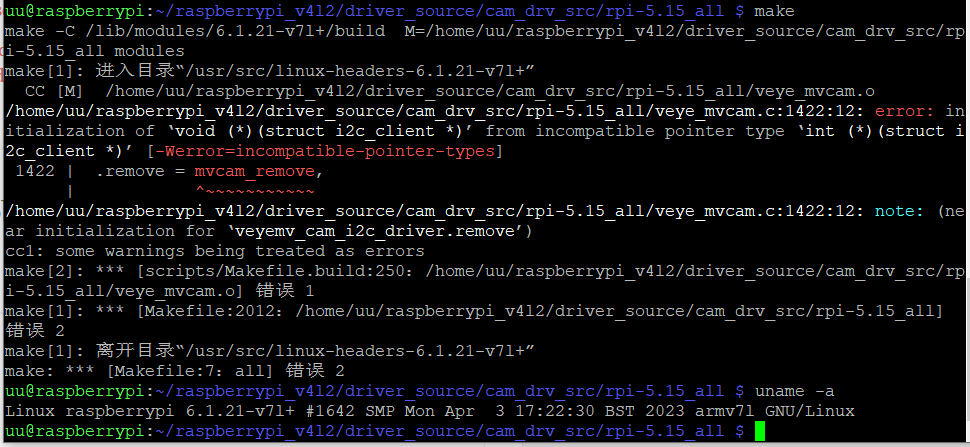
我按照这个方法,修改了config.txt文件内容,还是报错如上,请问怎么解决呢 -
@yun 这个版本我们有发布的编译好的程序,直接安装即可。
具体到你的问题,你现在系统是6.1版本,不能在5.15版本的目录下进行编译操作。 -
This post is deleted! -
@veye_xumm 你好,我遇到新的问题了
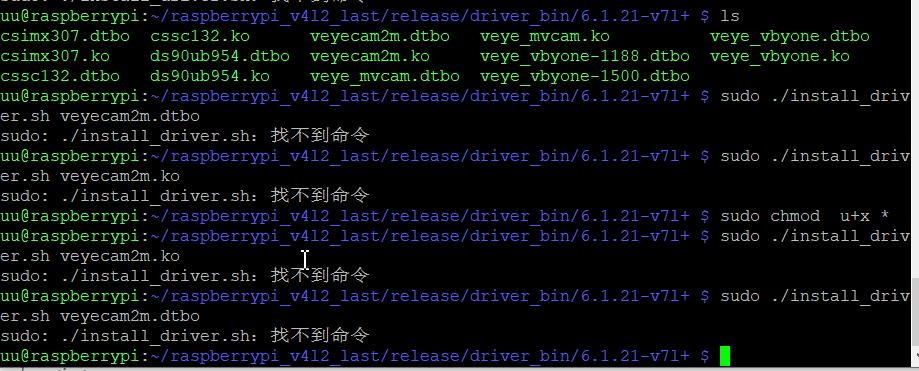
我给所有的文件加了可执行的权限,不知道为什么还是不能执行 -
-
@veye_xumm 你好,驱动安装好啦,但是又发现个新问题
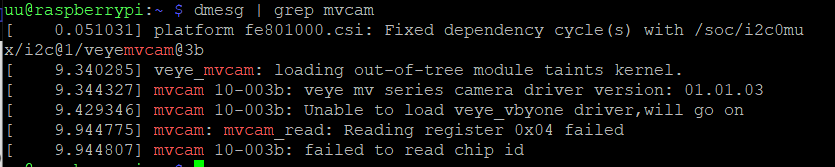
不知道是驱动对应不上,还是什么原因,我尝试安装了veye_mvcam和veyecam2m都是报错,怎么解决这个问题呢 -
@yun 用veye_mvcam是对的。 看提示是通过i2c读取寄存器失败。 需要确定一下硬件连接是否正确。
请确认供电以及fpc排线方向。
可以拍照贴上了帮你看看。 要细节。 -
@veye_xumm
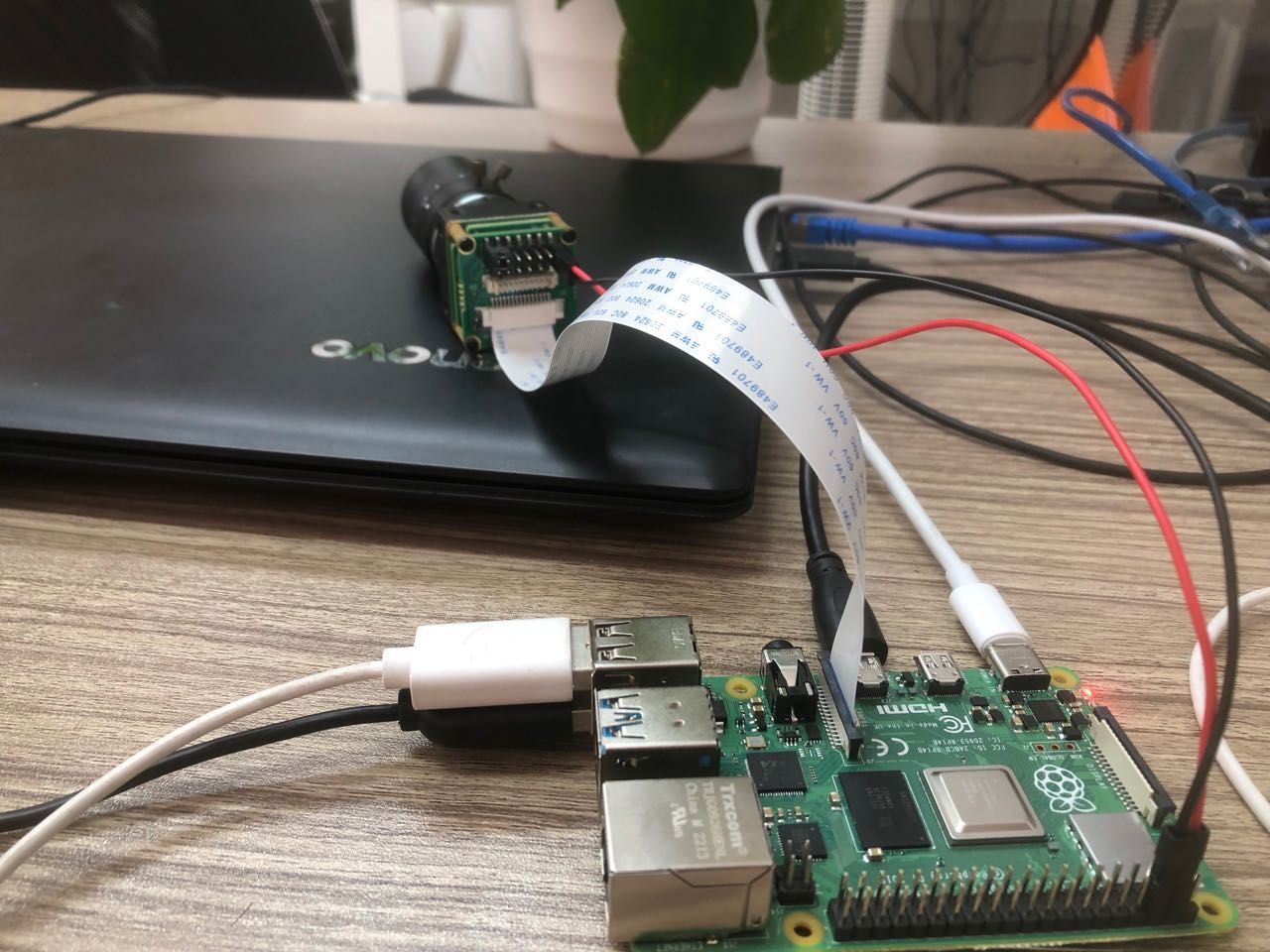 硬件线路连接如图
 -
@yun 你用的fpc排线是15pin异面线吗?感觉不像啊
-
@yun 试试
i2cdetect -y 10
看一下能不能找到0x3b。 -
-
@yun 你这个i2c找不到设备啊。 方便的话把整套模组寄过来我们检查一下。

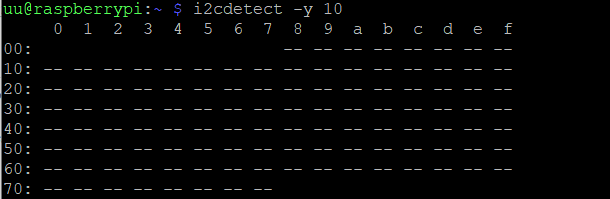 这个是执行的结果,15pin异面线是商家提供的
Hello! It looks like you're interested in this conversation, but you don't have an account yet.
Getting fed up of having to scroll through the same posts each visit? When you register for an account, you'll always come back to exactly where you were before, and choose to be notified of new replies (either via email, or push notification). You'll also be able to save bookmarks and upvote posts to show your appreciation to other community members.
With your input, this post could be even better 💗
Register Login