raw-mipi-sc132相关开发例程
-
raw-mipi-sc132是否有相关开发的sdk和例程,目前只找到https://github.com/veyeimaging/mvcam_raspberrypi , 是否有类似于https://github.com/veyeimaging/raspberrypi/tree/master/D_mipi_rpi/c_demo 这个的一些c demo
-
@xzh mv和raw系列在树莓派平台下的应用,主要的文章是这一篇,可以参考:
https://wiki.veye.cc/index.php/Mv_series_camera_appnotes_4_rpi/zh -
@veye_xumm 感谢!
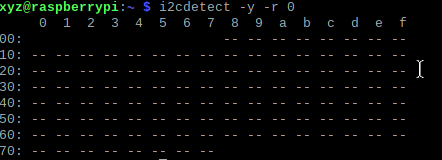
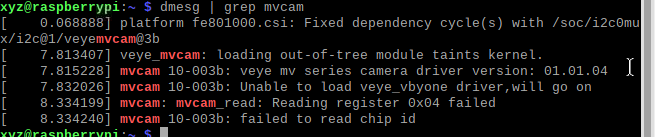
我现在使用v4l2进行相关操作,设置的是流模式在取图的时候会卡住,如图所示
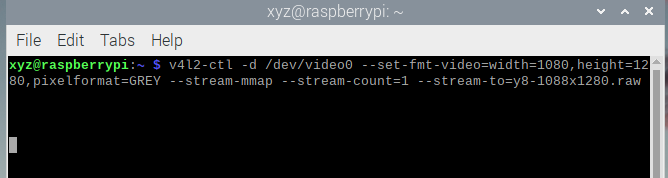
之前还能正常取图,中间按照https://wiki.veye.cc/index.php/Mv_mipi_i2c.sh_user_guide 这个教程设置了i2c好像就出现了这个问题
-
@xzh 设置了啥啊
-
@veye_xumm 就只是按这个教程enable了 i2c,
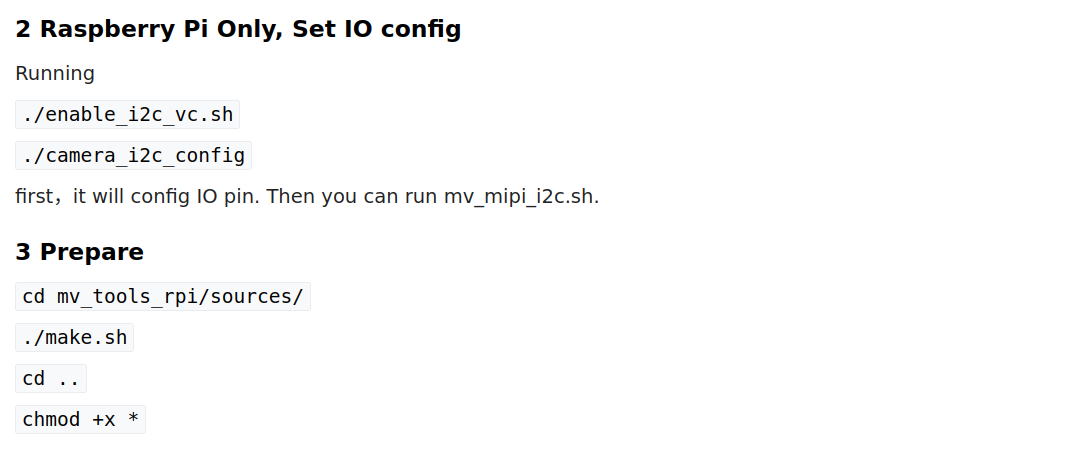
然后设置了曝光
-
@xzh 你可以读一下当前的roi分辨率和dataformat确认一下。 或者,可以按照wiki的步骤,配置好参数再调用v4l2-ctl取图。
-
-
-
@veye_xumm 感谢。前面取图卡住的问题我大概定位到了,现在我们设计的板子是供之前CS-SC132使用的,我看raw-mipi-sc132和CS-SC132的fpc连接引脚只有11口不一样,SC132的是NC,raw-mipi-sc132的11脚的作用是Camera Power Enable 。目前我们自己做的板子11脚没有连到cm4上,是NC状态,能否在相机板子上直接拉高到3.3V,,是否这个11脚必须连通。
-
@xzh said in raw-mipi-sc132相关开发例程:
这个引脚悬空是可以的。摄像机板子上自带一个弱上拉。

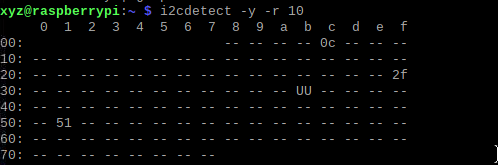
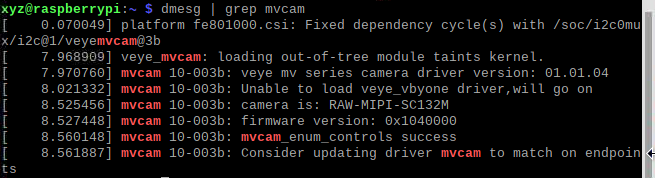
Hello! It looks like you're interested in this conversation, but you don't have an account yet.
Getting fed up of having to scroll through the same posts each visit? When you register for an account, you'll always come back to exactly where you were before, and choose to be notified of new replies (either via email, or push notification). You'll also be able to save bookmarks and upvote posts to show your appreciation to other community members.
With your input, this post could be even better 💗
Register Login