VEYE IMAGING Forum
    • Categories
    • Tags
    • Recent
    • Popular
    • Users
    • WIKI
    • veye.cc
    • Register
    • Login

    jetson xavier nx开发板相机驱动更新导致的系统问题
    Scheduled Pinned Locked Moved VEYE MIPI camera
    6 Posts 2 Posters 1.9k Views 1 Watching
    Loading More Posts
    • Oldest to Newest
    • Newest to Oldest
    • Most Votes
    Reply
    • Reply as topic
    Log in to reply
    This topic has been deleted. Only users with topic management privileges can see it.
    • W Offline
      wjh666
      last edited by

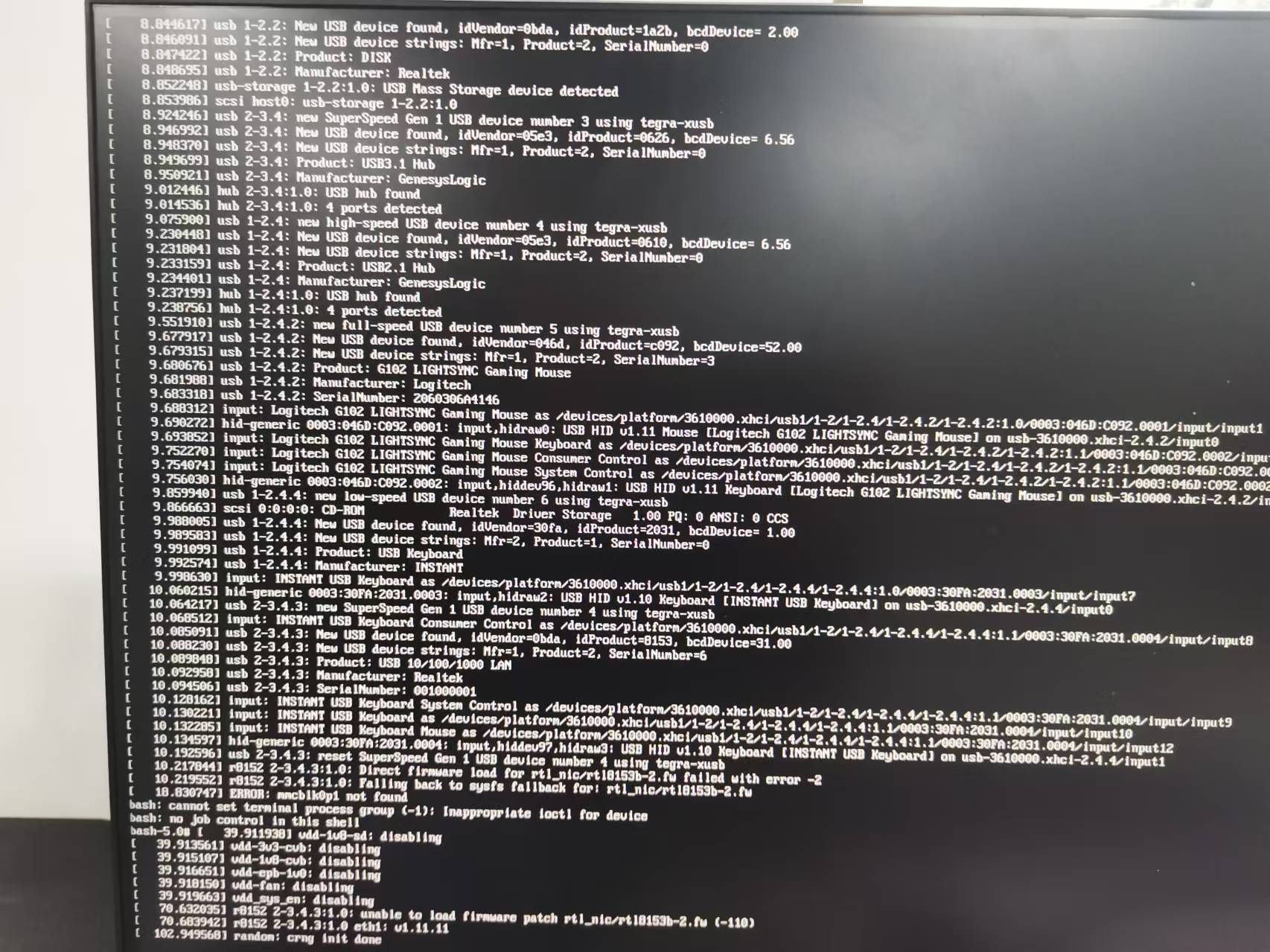
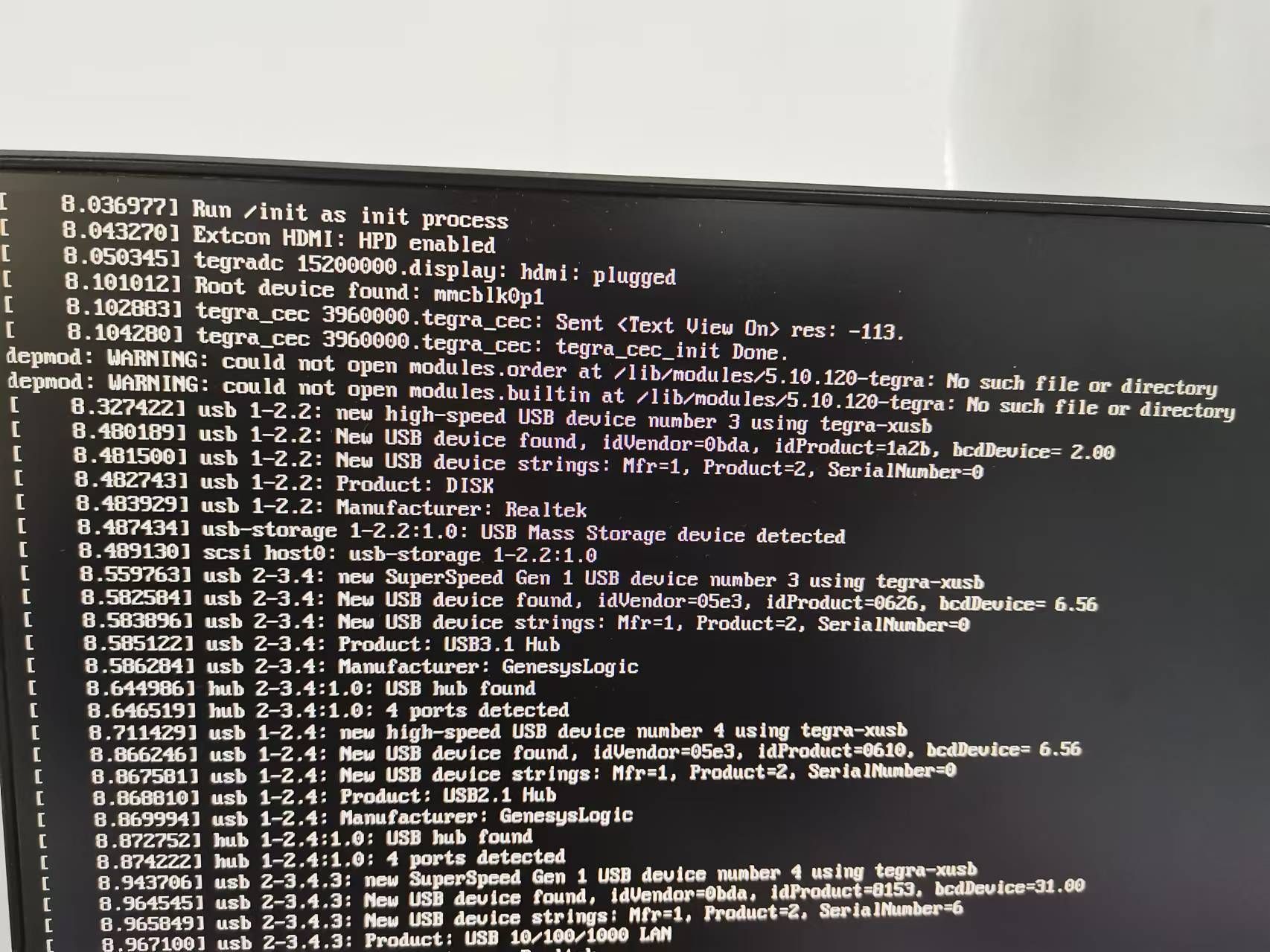
      请问jetson xavier nx开发板刷新系统后识别不了MV系列相机,相机型号为MV-MIPI-IMX265,需要更新驱动,根据https://wiki.veye.cc/index.php/How_to_upgrade_the_Jetson_system_to_support_VEYE_cameras/zh这个链接进行更新,进行到dtb更新,进行重启时出现问题,![efefa384-f46f-4675-a4df-dfe21db5a15e-image.png](/assets/uploads/files/1730006134881-efefa384-f46f-4675-a4df-dfe21db5a15e-image.png) ,对应Jetpack5.1.2

      系统无法进入。微信图片_20241024171208.jpg

      veye_xummV 1 Reply Last reply Reply Quote 0
      • veye_xummV Offline
        veye_xumm @wjh666
        last edited by

        @wjh666
        出现这种情况,一般为dtb那个配置错了
        你可以再重烧一下系统,然后把你的关键操作截图发给我看一遍,然后再重启。

        Questions will be answered as soon as possible, please be patient.
        如果你使用中文,请直接用中文提问。
        May the force be with YOU. (This is the translation of the mysterious Chinese symbol above.)

        W 1 Reply Last reply Reply Quote 0
        • W Offline
          wjh666 @veye_xumm
          last edited by

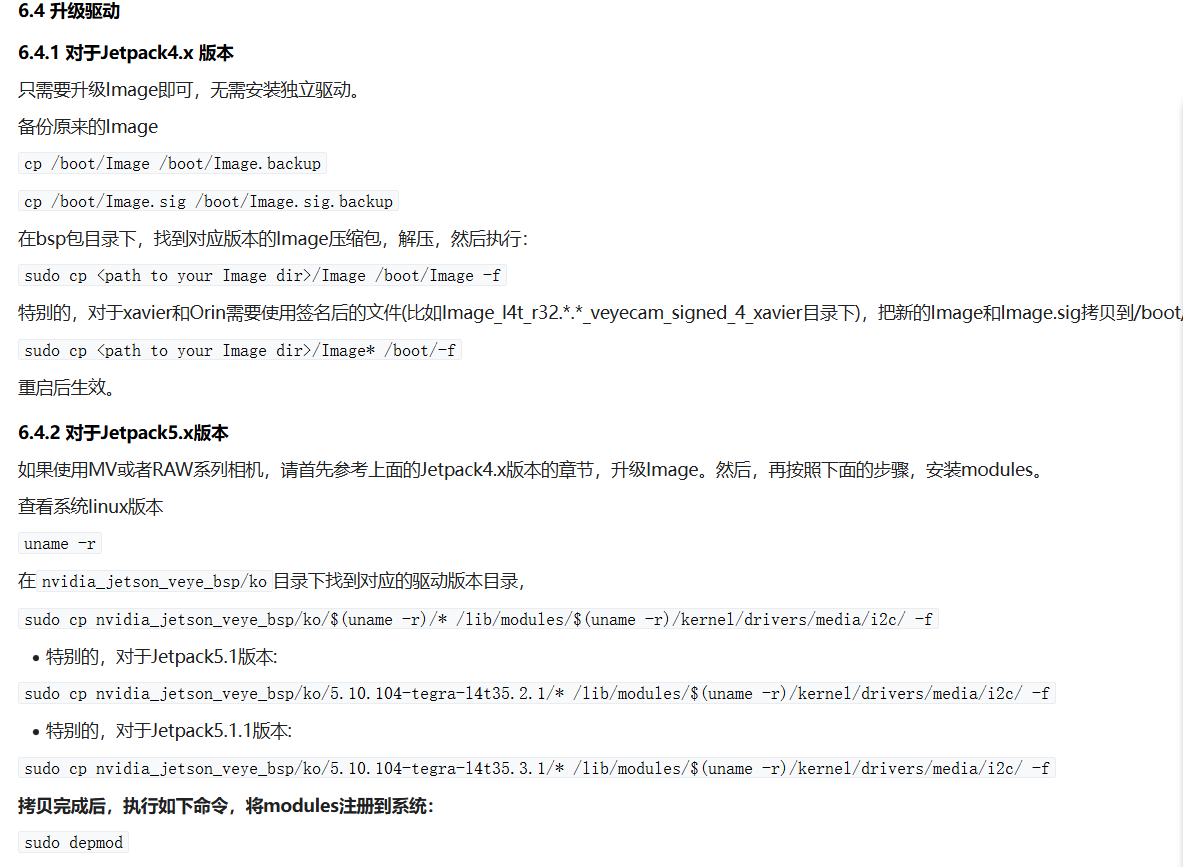
          @veye_xumm 好的,首先我将下载的bsp包按下图步骤进行操作,这一步主要对Image包进行操作19e41b92-6ed0-4c58-b776-2d65dc856263-image.png
          具体操作如下图(已知:Jetpack5.1.2,L4T版本r35.4.1):
          1.Image包替换:
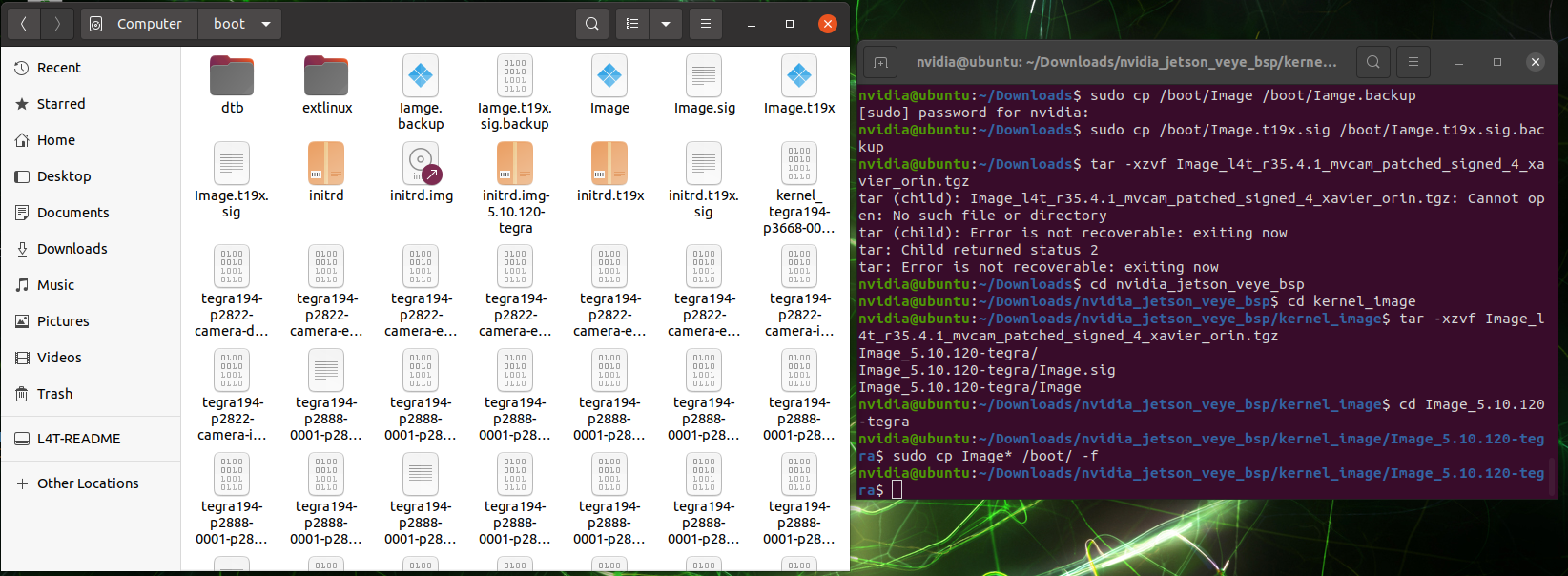
          Screenshot from 2024-10-28 15-54-24.png
          随后进行重启,没有出现问题
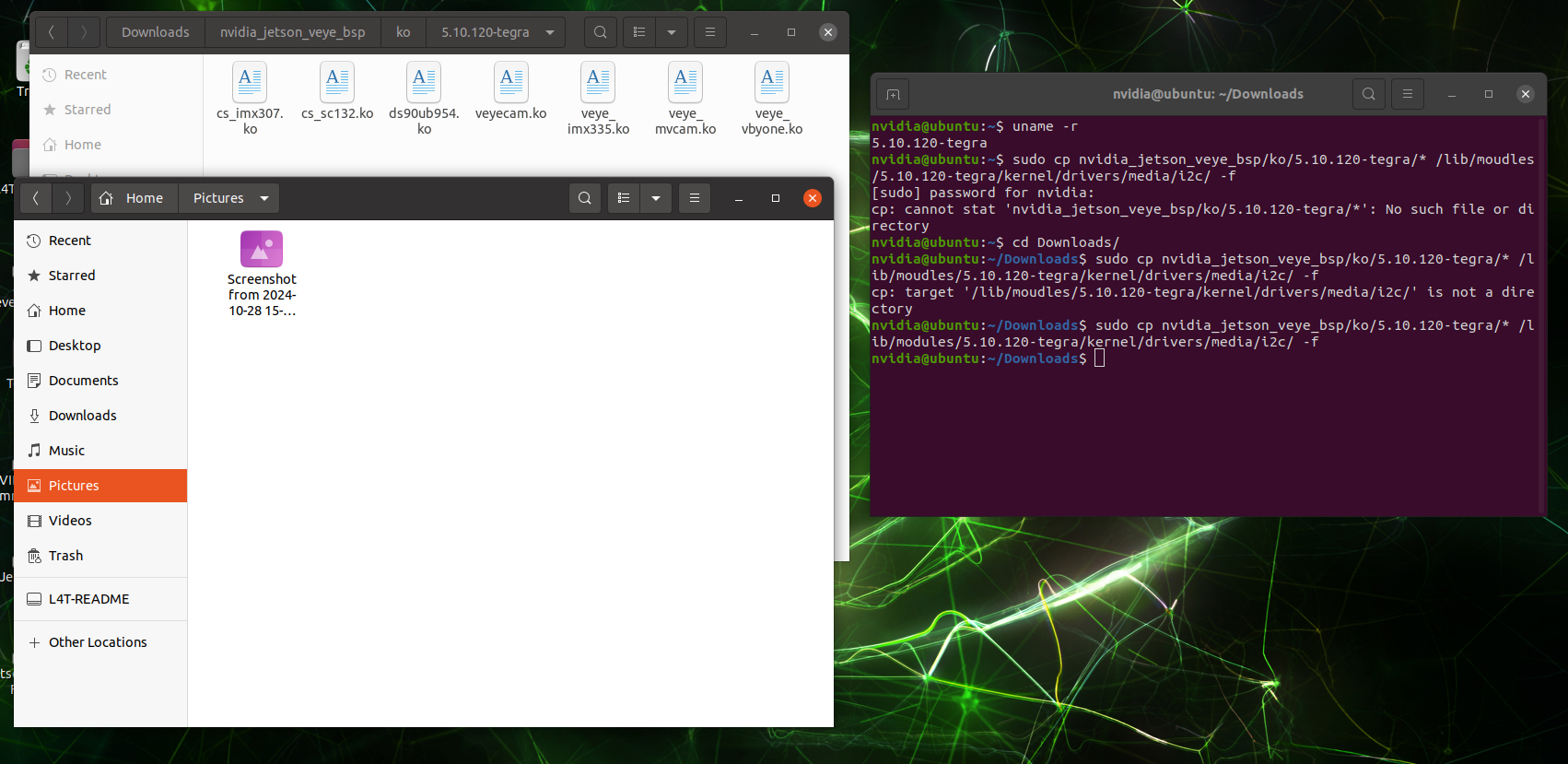
          2.modules安装:
          Screenshot from 2024-10-28 15-26-05.png
          随后执行sudo depmod至此无问题
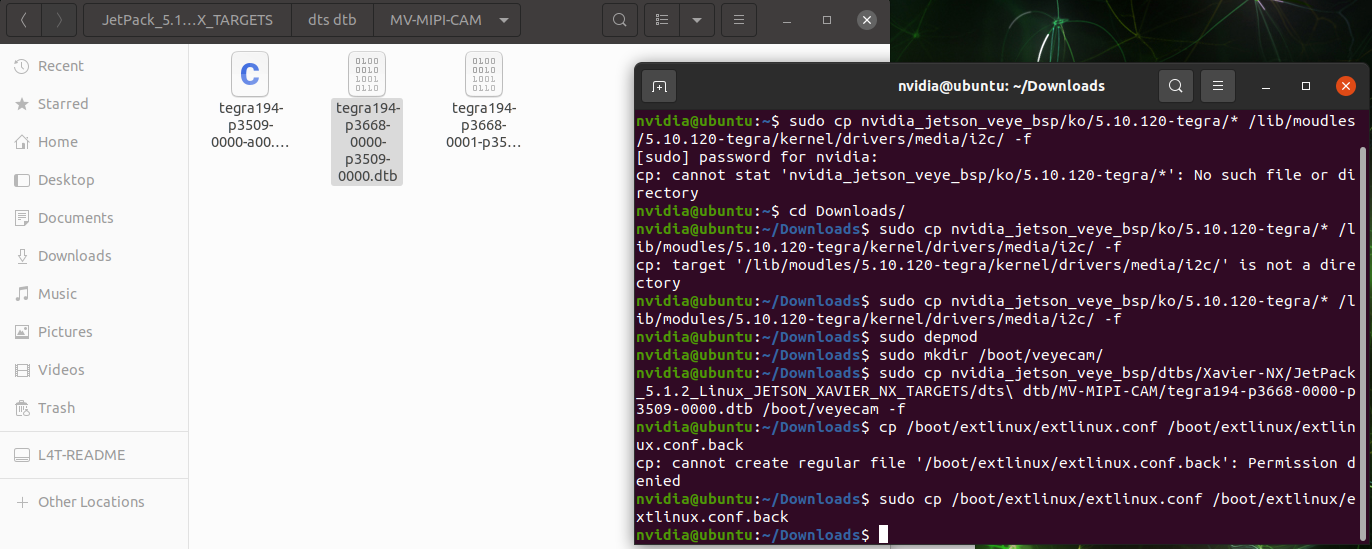
          3.升级dtb
          这里首先根据开发板情况选择了如下dtb文件:
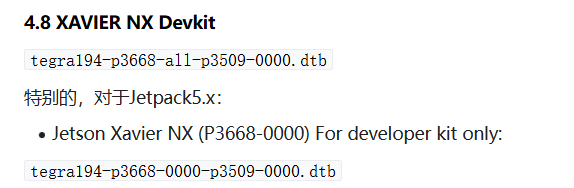
          9891f540-7ba1-4ab8-a7c2-b07c13d00f53-image.png
          拷贝操作如下:
          Screenshot from 2024-10-28 15-36-55.png
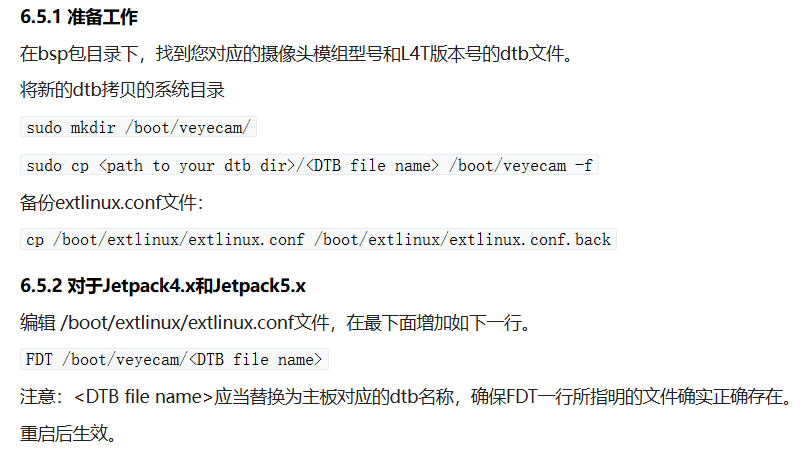
          随后进行编辑 /boot/extlinux/extlinux.conf文件
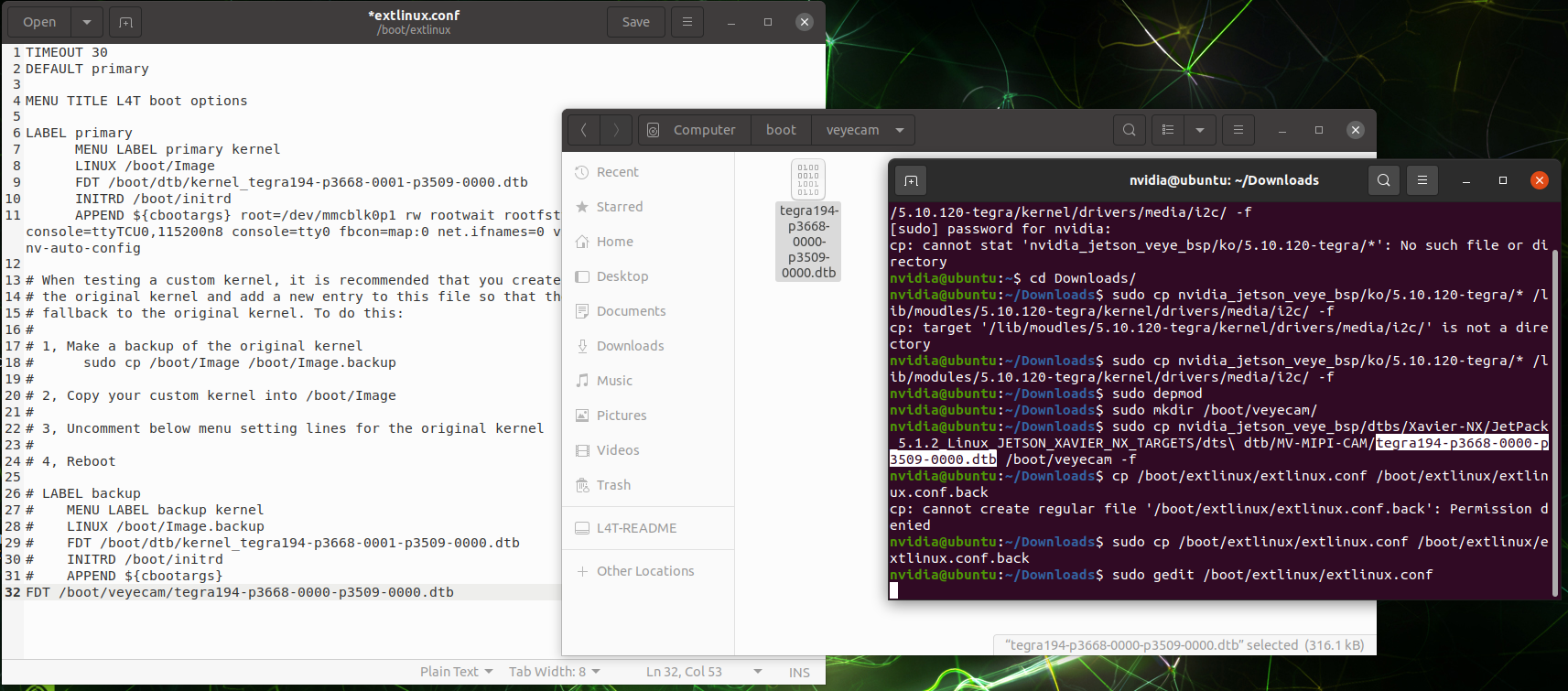
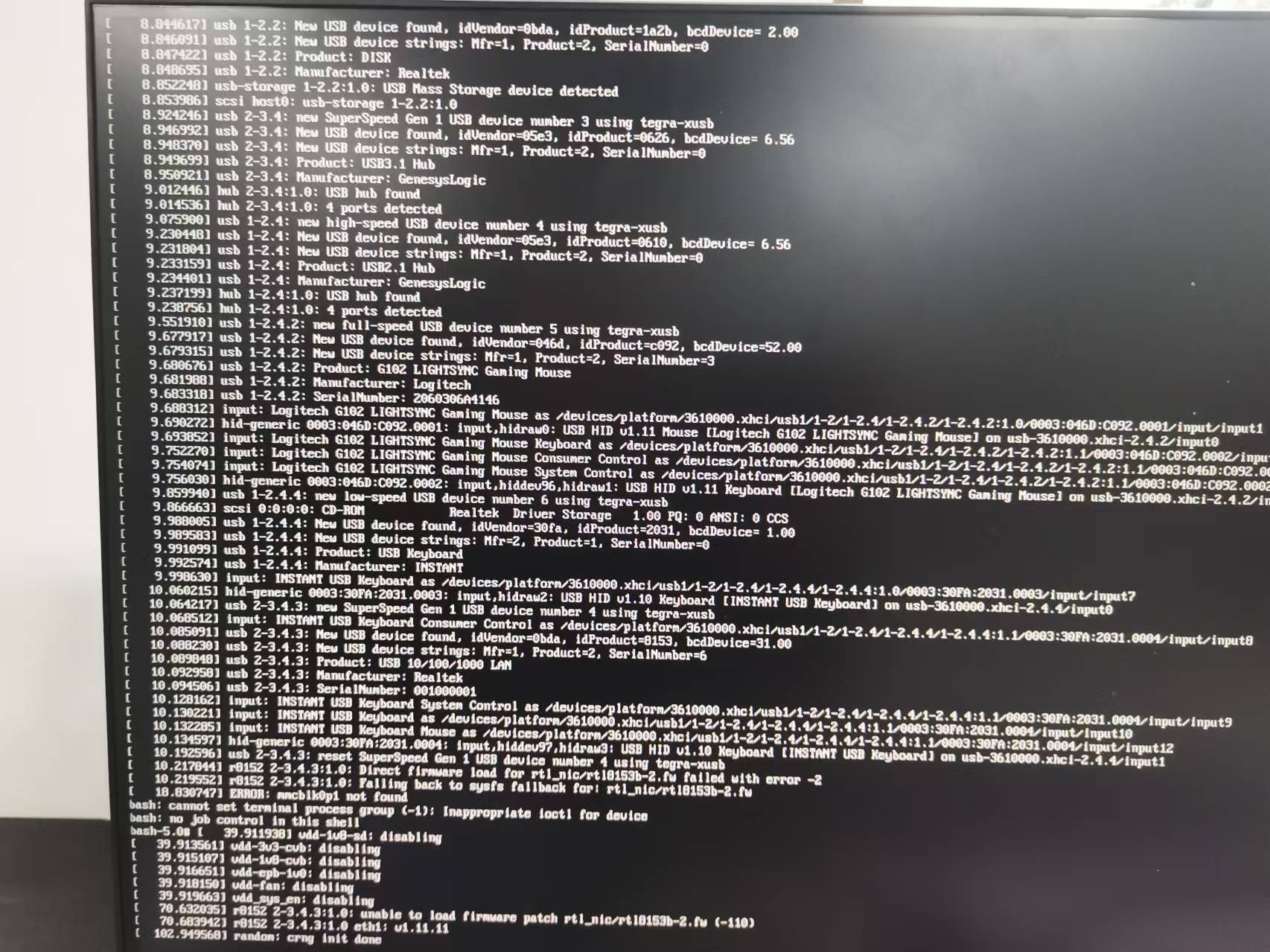
          Screenshot from 2024-10-28 15-42-47.png 之后进行重启操作,系统便无法开启,显示:
          18aafabf-8d5b-4cd1-99e1-abe25e014972-37932cdb17eb5d1d53a966c5c834fee.jpg
          此问题困惑已久,希望能给出帮助,谢谢。

          W 1 Reply Last reply Reply Quote 0
          • W Offline
            wjh666 @wjh666
            last edited by

            另外在编辑 /boot/extlinux/extlinux.conf文件后,显示如下警告:

            Screenshot from 2024-10-28 16-07-23.png

            veye_xummV 1 Reply Last reply Reply Quote 0
            • veye_xummV Offline
              veye_xumm @wjh666
              last edited by

              @wjh666
              根据下面这个地方显示,你的板子应该不是使用tf卡的devkit,而是emmc存储的Commercial module.
              那么你的dtb文件应该用tegra194-p3668-0001-p3509-0000.dtb,而不是tegra194-p3668-0000-p3509-0000.dtb
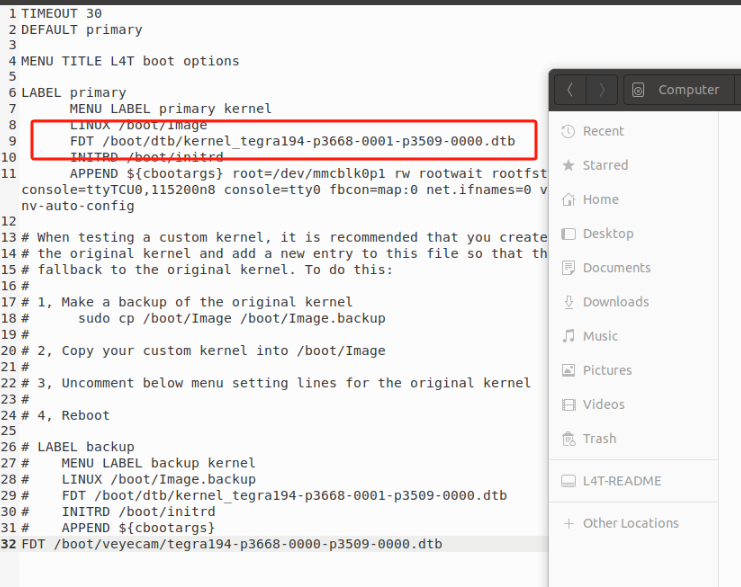
              35e4f1e4-17ba-47cd-84bd-c96a623a4bdc-image.png

              Questions will be answered as soon as possible, please be patient.
              如果你使用中文,请直接用中文提问。
              May the force be with YOU. (This is the translation of the mysterious Chinese symbol above.)

              W 1 Reply Last reply Reply Quote 0
              • W Offline
                wjh666 @veye_xumm
                last edited by

                @veye_xumm 好的,非常感谢

                1 Reply Last reply Reply Quote 0

                Hello! It looks like you're interested in this conversation, but you don't have an account yet.

                Getting fed up of having to scroll through the same posts each visit? When you register for an account, you'll always come back to exactly where you were before, and choose to be notified of new replies (either via email, or push notification). You'll also be able to save bookmarks and upvote posts to show your appreciation to other community members.

                With your input, this post could be even better 💗

                Register Login
                • First post
                  Last post