IMX462+树莓派zero 2w,无法正常控制曝光参数去拍照
-
如标题问题,使用的是如下教程:
https://wiki.veye.cc/index.php/VEYE-MIPI-290/327_i2c/zh
驱动是安装的这里的:https://github.com/veyeimaging/raspberrypi_v4l2/releases/latest/download/raspberrypi_v4l2.tgz
配置过程是用上述驱动安装到树莓派,然后配置,有报错的是以下几个指令:

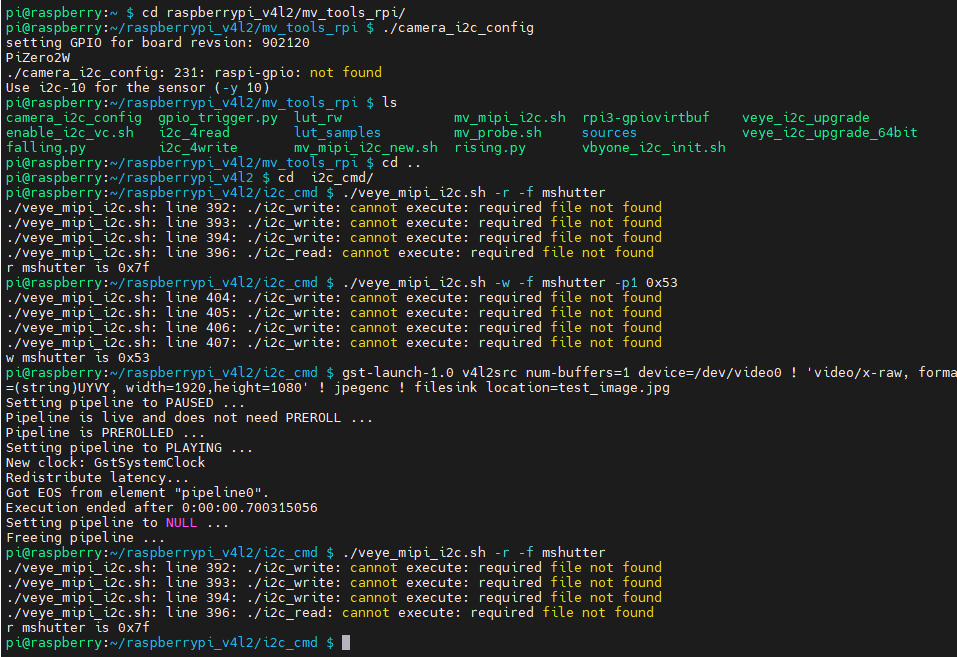
参数设置用的是这里的: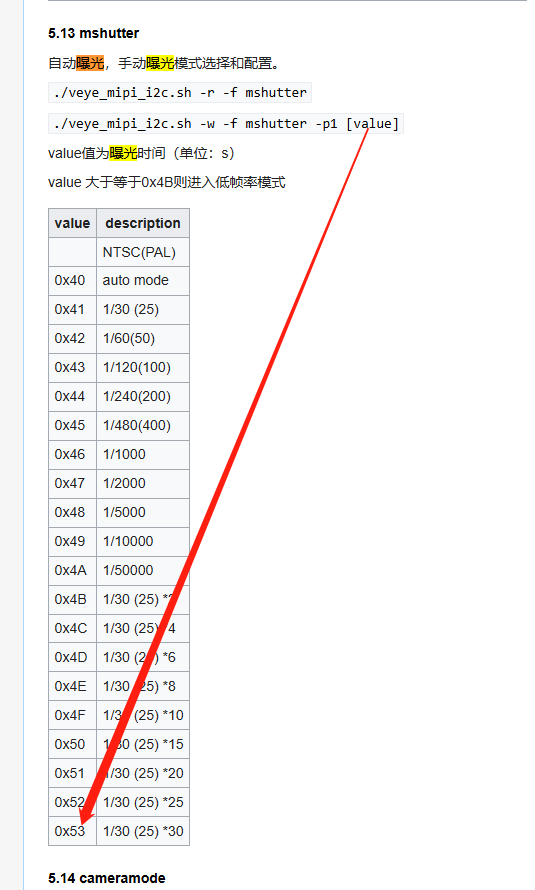
但是图片并没有因为设置了曝光时间而发生变化。是我理解不对吗,还是教程有更新呢?
-
- 你使用的是驱动模式,不需要调用
camera_i2c_config - 核心问题是i2c_write这个可执行文件无法执行。可能是发布的release版本,与你的系统在可执行文件格式方面兼容性不好。你可以进入source目录下,编译一下。然后重新执行。
首先可以通过读取devid来确认你的i2c命令通道,veye_mipi_i2c.sh脚本是否正常了。
- 你使用的是驱动模式,不需要调用
-
@veye_xumm said in IMX462+树莓派zero 2w,无法正常控制曝光参数去拍照:
- 你使用的是驱动模式,不需要调用
camera_i2c_config - 核心问题是i2c_write这个可执行文件无法执行。可能是发布的release版本,与你的系统在可执行文件格式方面兼容性不好。你可以进入source目录下,编译一下。然后重新执行。
首先可以通过读取devid来确认你的i2c命令通道,veye_mipi_i2c.sh脚本是否正常了。
你好,谢谢,重新编译source目录里的文件后都正常了。问题已解决。
- 你使用的是驱动模式,不需要调用

Hello! It looks like you're interested in this conversation, but you don't have an account yet.
Getting fed up of having to scroll through the same posts each visit? When you register for an account, you'll always come back to exactly where you were before, and choose to be notified of new replies (either via email, or push notification). You'll also be able to save bookmarks and upvote posts to show your appreciation to other community members.
With your input, this post could be even better 💗
Register Login