VEYE IMAGING Forum
    • Categories
    • Tags
    • Recent
    • Popular
    • Users
    • WIKI
    • veye.cc
    • Register
    • Login
    1. Home
    2. Recent
    Log in to post
    Load new posts
    • All Topics
    • New Topics
    • Watched Topics
    • Unreplied Topics

    • All categories

    • All tags
    • Y

      IMX462 拍摄的小短片

      Watching Ignoring Scheduled Pinned Locked Moved VEYE MIPI camera
      1
      0 Votes
      1 Posts
      621 Views
      No one has replied
    • Y

      关于 CM4-NANO-B 同时使用CSI(IMX462)和DSI (微雪屏幕)

      Watching Ignoring Scheduled Pinned Locked Moved VEYE MIPI camera
      1
      0 Votes
      1 Posts
      824 Views
      No one has replied
    • N

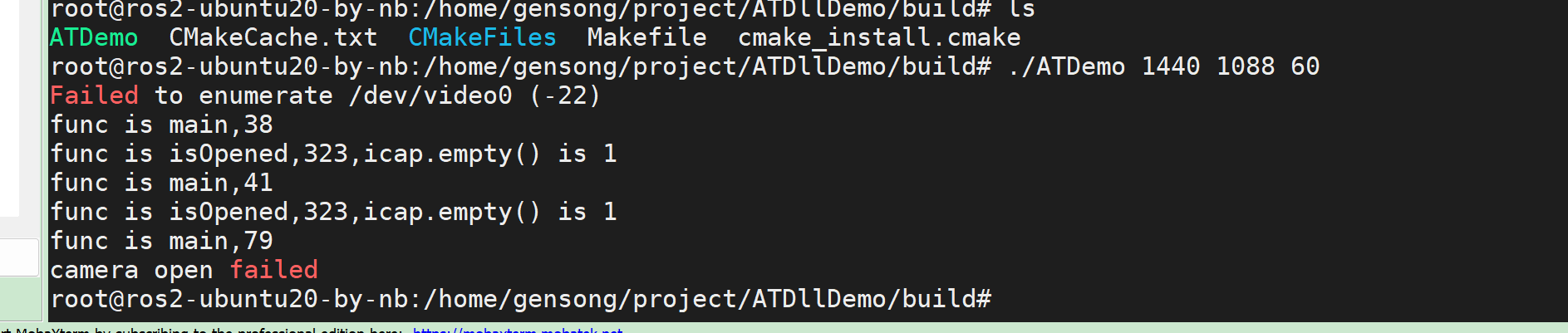
      获取图像的测试代码,依赖opencv4.2的动态库,测试可以正常出图,用opencv4.6的库出现cap.isOpened()返回false

      Watching Ignoring Scheduled Pinned Locked Moved Machine Vision camera
      7
      1
      0 Votes
      7 Posts
      4k Views
      W
      @nb 您好,我遇到了类似的问题,请问一下您的解决方案就是将4.6的opencv更换成4.2的opencv吗?
    • F

      ADP-N1-V2.0板载咨询

      Watching Ignoring Scheduled Pinned Locked Moved CS MIPI camera
      5
      0 Votes
      5 Posts
      4k Views
      F
      @veye_xumm 感谢感谢,谢谢楼主指点
    • E

      MV IMX 287 多相机12bit录制问题

      Watching Ignoring Scheduled Pinned Locked Moved General Discussion
      2
      0 Votes
      2 Posts
      3k Views
      veye_xummV
      @etherealhorizon 使用mv_mipi_i2c.sh脚本,只是直接写入了摄像头寄存器,配置了摄像头的数据格式,但是v4l2驱动中并未得到通知。建议你采用v4l2-ctl配置相机关于相机分辨率,帧率,数据格式的参数。 比如用下面这个脚本测测看。 export WIDTH=704 export HEIGHT=544 export FPS=319 v4l2-ctl --set-ctrl roi_x=0 v4l2-ctl --set-ctrl roi_y=0 v4l2-ctl --set-fmt-video=width=$WIDTH,height=$HEIGHT,pixelformat=XY12 v4l2-ctl --set-ctrl frame_rate=$FPS v4l2-ctl --set-fmt-video=width=$WIDTH,height=$HEIGHT,pixelformat=XY12 --stream-mmap --stream-count=1000 -d /dev/video0 --verbose --stream-to=test1.raw
    • D

      MV-MIPI-130M throw V-by-one

      Watching Ignoring Scheduled Pinned Locked Moved Machine Vision camera
      6
      0 Votes
      6 Posts
      4k Views
      veye_xummV
      @dan Please try this image. export I2C_BUS=7 export WIDTH=1280 export HEIGHT=1024 export FPS=108 media-ctl -d /dev/media0 --set-v4l2 '"m00_b_mvcam '"$I2C_BUS"'-003b":0[fmt:Y8_1X8/'"$WIDTH"'x'"$HEIGHT"'@1/'"$FPS"']' v4l2-ctl -d /dev/video0 --set-fmt-video=width=$WIDTH,height=$HEIGHT,pixelformat=GREY --stream-mmap --stream-count=-1 --stream-to=/dev/null [image: 1721129322062-93427bda-d9b6-4263-be24-30aac77b3df5-image.png]
    • L

      3568上加载AR0234M

      Watching Ignoring Scheduled Pinned Locked Moved VEYE MIPI camera
      9
      1
      0 Votes
      9 Posts
      3k Views
      veye_xummV
      @lin 应该还是设备树配置的问题。
    • S

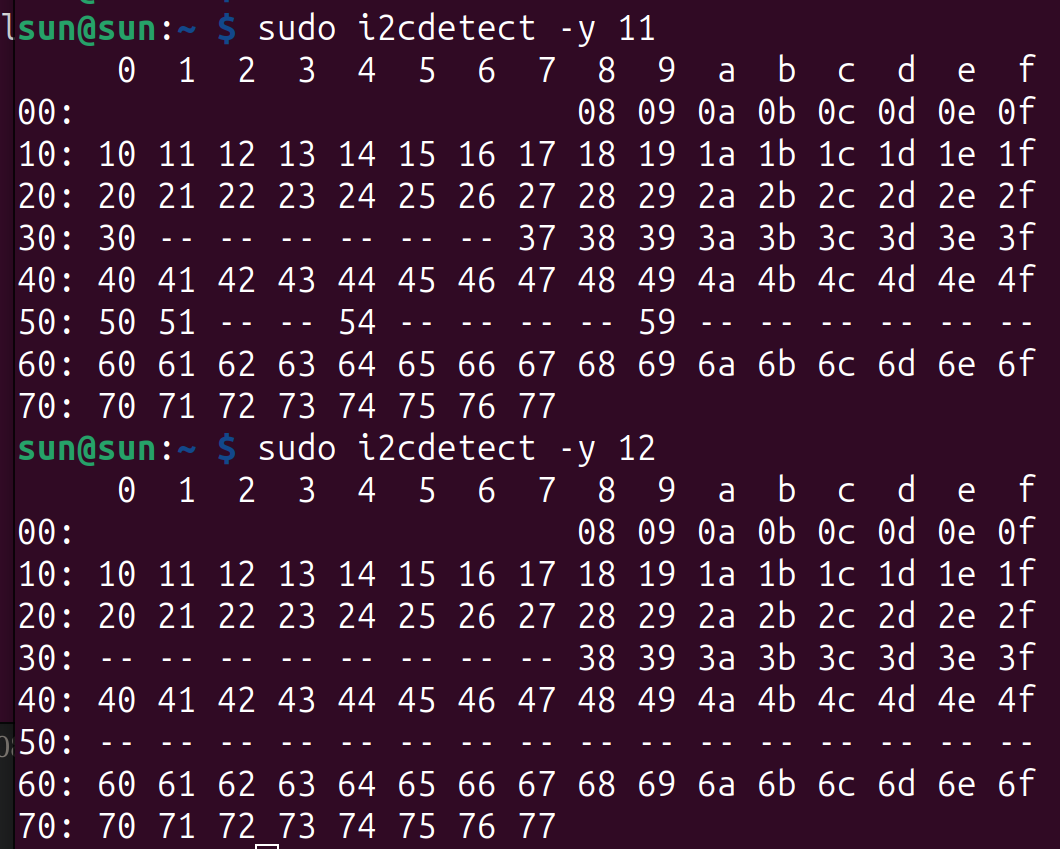
      树莓派5 一个mipi接口连接相机无法识别问题

      Watching Ignoring Scheduled Pinned Locked Moved Raspberry Pi App Software
      4
      4
      0 Votes
      4 Posts
      4k Views
      veye_xummV
      @sqf121 这个问题已经解决,请参考一下github上的更新。 https://github.com/veyeimaging/raspberrypi_v4l2
    • L

      CS-MIPI-IMX307 hardware trigger

      Watching Ignoring Scheduled Pinned Locked Moved CS MIPI camera
      2
      0 Votes
      2 Posts
      3k Views
      veye_xummV
      @lnlinh said in CS-MIPI-IMX307 hardware trigger: streammode Sorry, CS-MIPI-IMX307 does not support external trigger mode, only free running and sync mode.
    • W

      移植MV-IMX265驱动程序到迅为RK3568抓图卡死

      Watching Ignoring Scheduled Pinned Locked Moved VEYE MIPI camera
      39
      2
      0 Votes
      39 Posts
      24k Views
      veye_xummV
      @w88121446 我们用的firefly的板子,gstreamer是支持gray8数据格式的。
    • L

      Ar0234M isp畸变校正

      Watching Ignoring Scheduled Pinned Locked Moved VEYE MIPI camera
      3
      0 Votes
      3 Posts
      1k Views
      veye_xummV
      @lin 你好,现在我们并没有使用rk3588内部的isp的经验。不好意思。
    • N

      Purple hued images with IMX327.

      Watching Ignoring Scheduled Pinned Locked Moved VEYE MIPI camera
      5
      1
      0 Votes
      5 Posts
      2k Views
      veye_xummV
      @newleaf Looking at the image you sent, I do think it's an IR cut issue. Could you tell me which aespeed-related command you used to reproduce this phenomenon?
    • E

      IMX 287 opencv python多线程多相机硬触发帧率下降

      Watching Ignoring Scheduled Pinned Locked Moved General Discussion
      9
      0 Votes
      9 Posts
      6k Views
      veye_xummV
      @etherealhorizon @etherealhorizon said in IMX 287 opencv python多线程多相机硬触发帧率下降: 最后是用python多进程为每个相机分别subprocess运行v4l2-ctl命令行然后读取--stream-mmap --verbose的时间戳 这个时间戳不够准确,如果你的算法对事件准确性要求不高,也可以先这样用。 @etherealhorizon said in IMX 287 opencv python多线程多相机硬触发帧率下降: 还想请教一下怎么做real time binning,就是实时地将2x2或者4x4的像素值求和再保存,我们的c水平比较烂哈哈。 这个我们也缺乏实际经验。不好意思。
    • L

      设置曝光值有限制

      Watching Ignoring Scheduled Pinned Locked Moved VEYE MIPI camera
      16
      1
      0 Votes
      16 Posts
      5k Views
      veye_xummV
      @lin 不客气。
    • L

      多通道相机设备树设置

      Watching Ignoring Scheduled Pinned Locked Moved VEYE MIPI camera
      5
      0 Votes
      5 Posts
      2k Views
      L
      @veye_xumm 解决了,dphy4不支持4lane
    • A

      RAW-MIPI-SC132M驱动编译后无法正常播放

      Watching Ignoring Scheduled Pinned Locked Moved CS MIPI camera
      12
      2
      0 Votes
      12 Posts
      6k Views
      veye_xummV
      客户已解决。是kernel配置中关于rkcif的配置原因。
    • L

      IMX327在樹梅派Zero W上驅動問題

      Watching Ignoring Scheduled Pinned Locked Moved VEYE MIPI camera
      7
      6
      0 Votes
      7 Posts
      2k Views
      veye_xummV
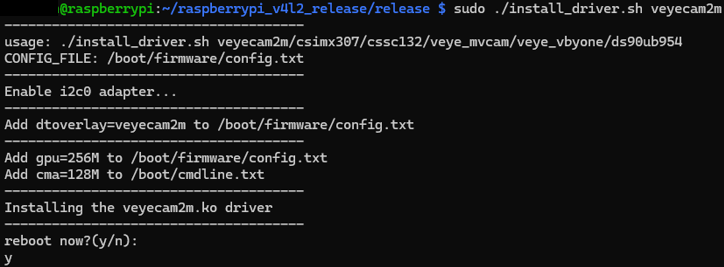
      @leo12757 你好,抱歉这两天比较忙,我给一个大体的思路您可以试一下。 install_driver.sh在安装驱动的时候,做了如下两处更改,您可以手动去掉,然后重启系统后再测试一下。 Add gpu=256M to ${CONFIG_FILE},CONFIG_FILE="/boot/firmware/config.txt" or CONFIG_FILE="/boot/config.txt" echo "Add cma=128M to /boot/cmdline.txt "
    • H

      CSSC132 driver load 问题

      Watching Ignoring Scheduled Pinned Locked Moved CS MIPI camera
      9
      0 Votes
      9 Posts
      5k Views
      H
      @veye_xumm 对的,所以我感觉很奇怪。 下面是我修改的install_driver.sh echo "Add cma=128M to /boot/firmware/cmdline.txt " echo "--------------------------------------" sudo sed 's/cma=128M//g' -i /boot/firmware/cmdline.txt sudo sed 's/[[:blank:]]*$//' -i /boot/firmware/cmdline.txt sudo sed 's/$/& cma=128M/g' -i /boot/firmware/cmdline.txt echo "Installing the $driver_name.ko driver" echo "--------------------------------------" sudo install -p -m 644 ./driver_bin/$(uname -r)/$driver_name.ko /lib/modules/$(uname -r)/kernel/drivers/media/i2c/ sudo install -p -m 644 ./driver_bin/$(uname -r)/$driver_name.dtbo /boot/firmware/overlays/ sudo /sbin/depmod -a $(uname -r) echo "reboot now?(y/n):" 谢谢!
    • 若

      IMX462在树莓派Bookworm系统上能正常使用qv4l2,但是无法切换日夜模式

      Watching Ignoring Scheduled Pinned Locked Moved VEYE MIPI camera
      7
      2
      0 Votes
      7 Posts
      2k Views
      若
      @veye_xumm 可以了,非常感谢
    • S

      veye-mipi-imx462在树莓派5上无法用i2c设置参数

      Watching Ignoring Scheduled Pinned Locked Moved VEYE MIPI camera
      4
      4
      0 Votes
      4 Posts
      2k Views
      veye_xummV
      @sqf121 不客气。