• No output from IMX462 module

    CS MIPI camera
    2
    0 Votes
    2 Posts
    3k Views
    veye_xummV
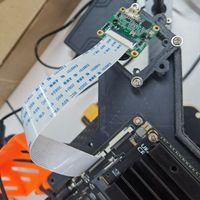
    @frankerooney Since the driver has been probed, I assume that the hardware connection is fine. @frankerooney said in No output from IMX462 module: The program just then sits there, producing no output to stdout. I've waited 20 minutes or so, nothing produced. For v4l2 mode, veye_raspivid cannot be used . Please try part7——use qv4l2 first.
  • 脚本修改lane值

    VEYE MIPI camera
    11
    0 Votes
    11 Posts
    3k Views
    L
    @veye_xumm 好的,已解决
  • 相机设备树修改

    VEYE MIPI camera
    10
    1
    0 Votes
    10 Posts
    3k Views
    L
    @veye_xumm 好的,已解决
  • RAW-MIPI-IMX462M 長時間曝光設定

    VEYE MIPI camera
    4
    0 Votes
    4 Posts
    1k Views
    veye_xummV
    @atboy 通过邮件联系吧。sales@csoneplus.com
  • 相机驱动

    VEYE MIPI camera
    38
    2
    0 Votes
    38 Posts
    24k Views
    veye_xummV
    @023 就是最常用的1.25间距白端子。
  • How to get actual gain and shutter?

    VEYE MIPI camera
    3
    0 Votes
    3 Posts
    1k Views
    veye_xummV
    @egor Sorry, this feature is not supported right now.
  • 0 Votes
    18 Posts
    5k Views
    veye_xummV
    @张志伟 按照我我们wiki上步骤去调用yavta存图一定是可以的。你把你用的命令发出来我看看。
  • 获取相机图像帧被阻塞

    VEYE MIPI camera
    3
    0 Votes
    3 Posts
    1k Views
    L
    @veye_xumm 解决了,重启后,可以了
  • Recommendation to reduce startup latency for IMX327S

    VEYE MIPI camera
    2
    0 Votes
    2 Posts
    1k Views
    veye_xummV
    @newleaf said in Recommendation to reduce startup latency for IMX327S: For our system, we utilize 940nm IR lighting at night that is triggered by motion. I noticed that there is a 1-3 second period for the camera to adjust each time if we start streaming when the lighting is activated. The first few images are washed out until AE kicks in. What's the recommended approach to eliminate this latency and the initial washout? Should we explore manual exposure and gain? Thx! You can try configuring aespeed first, and then try manual mode if that doesn't meet your needs. https://wiki.veye.cc/index.php/VEYE-MIPI-290/327_i2c/#aespeed
  • imx462 driver update for raspberrypi 6.1.21-v8+

    VEYE MIPI camera
    2
    0 Votes
    2 Posts
    1k Views
    veye_xummV
    @zoldaten Approve
  • 0 Votes
    5 Posts
    4k Views
    veye_xummV
    @xym 可能是pipeline效率的原因,buffer不够用导致丢帧了。
  • 树莓派5+bookworm +IMX365 遇到问题

    Raspberry Pi App Software
    3
    1
    0 Votes
    3 Posts
    3k Views
    F
    pi@raspberrypi:~/raspberrypi_v4l2/i2c_cmd/source $ sudo ./make.sh 问题: i2c_read.c: In function ‘main’: i2c_read.c:112:42: warning: passing argument 4 of ‘i2c_rd’ from incompatible pointer type [-Wincompatible-pointer-types] 112 | i2c_rd(fd, device_addr,reg_addr, &value, num); | ^~~~~~ | | | unsigned char (*)[512] i2c_read.c:20:68: note: expected ‘unsigned char ’ but argument is of type ‘unsigned char ()[512]’ 20 | static int i2c_rd(int fd, uint8_t i2c_addr, uint16_t reg, uint8_t *values, uint32_t n) [image: 1714405783705-5157972e-2e6f-451a-b0df-c2344adf9ed2-001.jpg] pi@raspberrypi:~/raspberrypi_v4l2/i2c_cmd/source $ dmesg | grep veye [ 2.947096] veyecam2m: loading out-of-tree module taints kernel. [ 2.957137] veyecam2m 4-003b: Unable to load ds90ub954 driver,will go on [ 2.984139] rp1-cfe 1f00110000.csi: found subdevice /axi/pcie@120000/rp1/i2c@88000/veyecam2m@3b [ 2.984914] rp1-cfe 1f00128000.csi: found subdevice /axi/pcie@120000/rp1/i2c@80000/veyecam2m@3b [ 3.082974] veyecam2m 4-003b: camera id is veyecam2m [ 3.084546] veyecam2m 4-003b: sensor is IMX385 [ 3.084552] veyecam2m 4-003b: board type is ONE board [ 3.084970] rp1-cfe 1f00128000.csi: Using sensor veyecam2m 4-003b for capture [ 3.106635] veyecam2m 4-003b: veyecam2m camera probed [ 3.113508] veyecam2m 6-003b: Unable to load ds90ub954 driver,will go on [ 3.229811] veyecam2m 6-003b: probe failed pi@raspberrypi:~/raspberrypi_v4l2/i2c_cmd/source $ cd cd raspberrypi_v4l2/rpi5_scripts ./media_setting_rpi5.sh veyecam2mpi@raspberrypi:~ $ cd raspberrypi_v4l2/rpi5_scripts pi@raspberrypi:~/raspberrypi_v4l2/rpi5_scripts $ ./media_setting_rpi5.sh veyecam2m This is a Raspberry Pi 5. camera is YUV type camera name veyecam2m; width 1920; height 1080; media_fmt UYVY8_1X16; pixel_fmt UYVY CAM1 probed: media device is /dev/media2 set CAM1 finish, plese get frame from /dev/video0 and use /dev/v4l-subdev2 for camera setting veyecam2m 6 NOT FOUND pi@raspberrypi:~/raspberrypi_v4l2/rpi5_scripts $
  • 编译veye_mvcam.ko报错

    VEYE MIPI camera
    4
    1
    0 Votes
    4 Posts
    2k Views
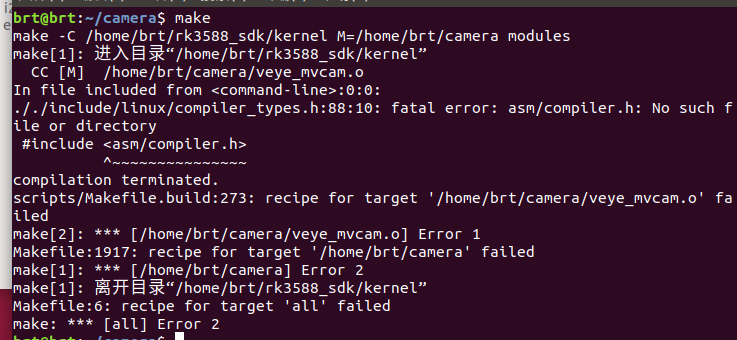
    veye_xummV
    @lin said in 编译veye_mvcam.ko报错: RKMODULE_CSI_INPUT forlinx的kernel源码不支持RKMODULE_GET_CSI_DSI_INFO这个宏定义,可以注掉代码。
  • 0 Votes
    2 Posts
    3k Views
    veye_xummV
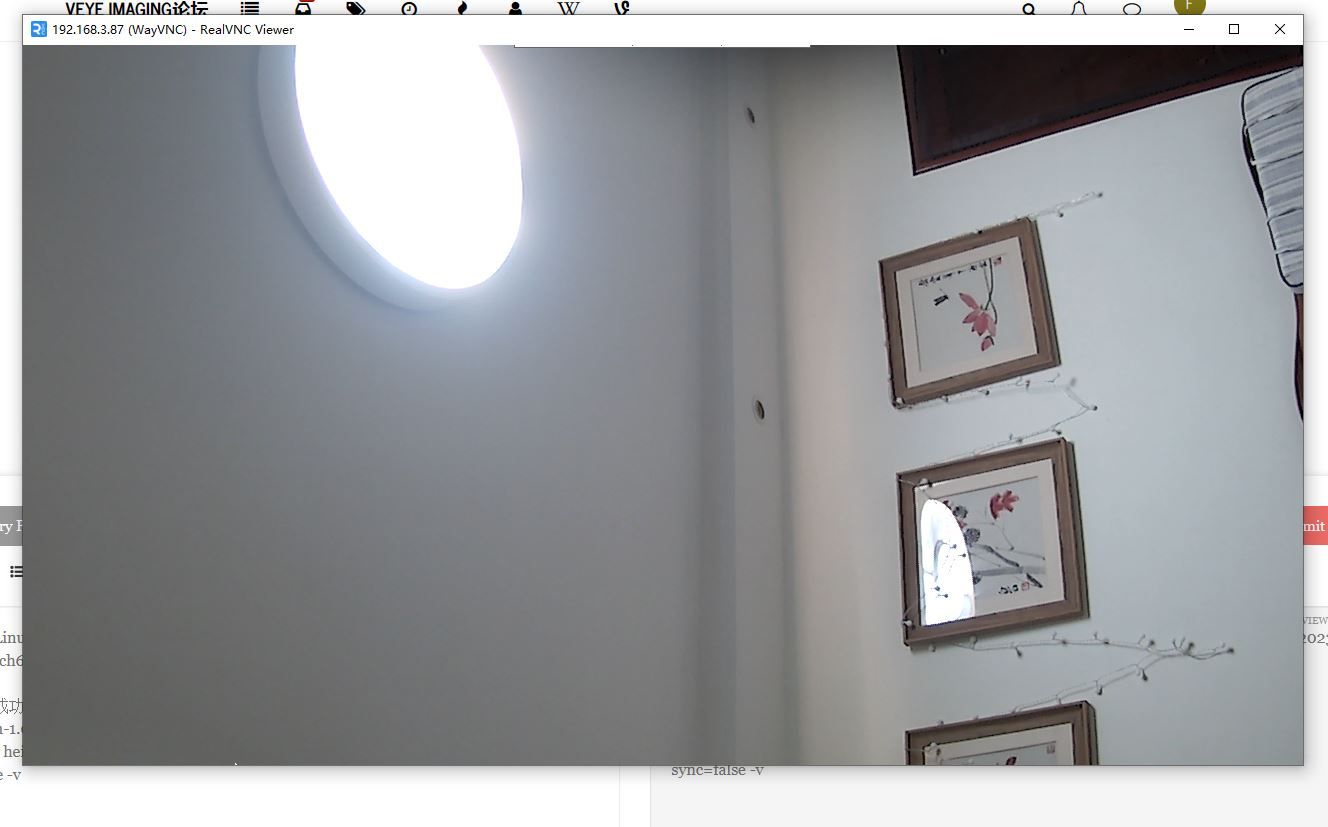
    @cheesefish 光斑应该来自某种你没弄明白的光源,你可以拍摄一下远处外景对比一下。 亮度整体变化是你的环境光变化导致的。
  • 0 Votes
    6 Posts
    4k Views
    E
    @veye_xumm Okay, thank you very much for the replies.
  • 相机硬触发,采集图像

    VEYE MIPI camera
    29
    2
    0 Votes
    29 Posts
    17k Views
    veye_xummV
    @lin 是的。 不过你要是用视频流模式当然可以咯。
  • IMX462 and Jetson Nano problem

    VEYE MIPI camera
    2
    0 Votes
    2 Posts
    992 Views
    veye_xummV
    @joe The software part of the work seems fine. Next, we need to check if the hardware connections are correct, paying particular attention to the orientation of the FFC cable.
  • 0 Votes
    16 Posts
    12k Views
    F
    [image: 1713706038286-livepushstream_2024-04-21_04.49.41.300_04.49.44.300_%E6%B5%81%E6%98%9F%E6%95%B01.jpg] http://hainanftp.net/lx/LivePushStream_2024-04-21_04.49.41.300_04.49.44.300_流星数1.mp4
  • 0 Votes
    6 Posts
    6k Views
    N
    @newleaf BTW, the I2C features are nice and work quite well. Was able to port the code over to Go.
  • 0 Votes
    4 Posts
    3k Views
    veye_xummV
    @cheesefish 好的,不客气。