yavta 工具获取的帧率只有34fps, 实际设置的是60fps的帧率
-
你好,我们通过media-ctl -p -d /dev/media1 查看系统的帧率是60 fps ,
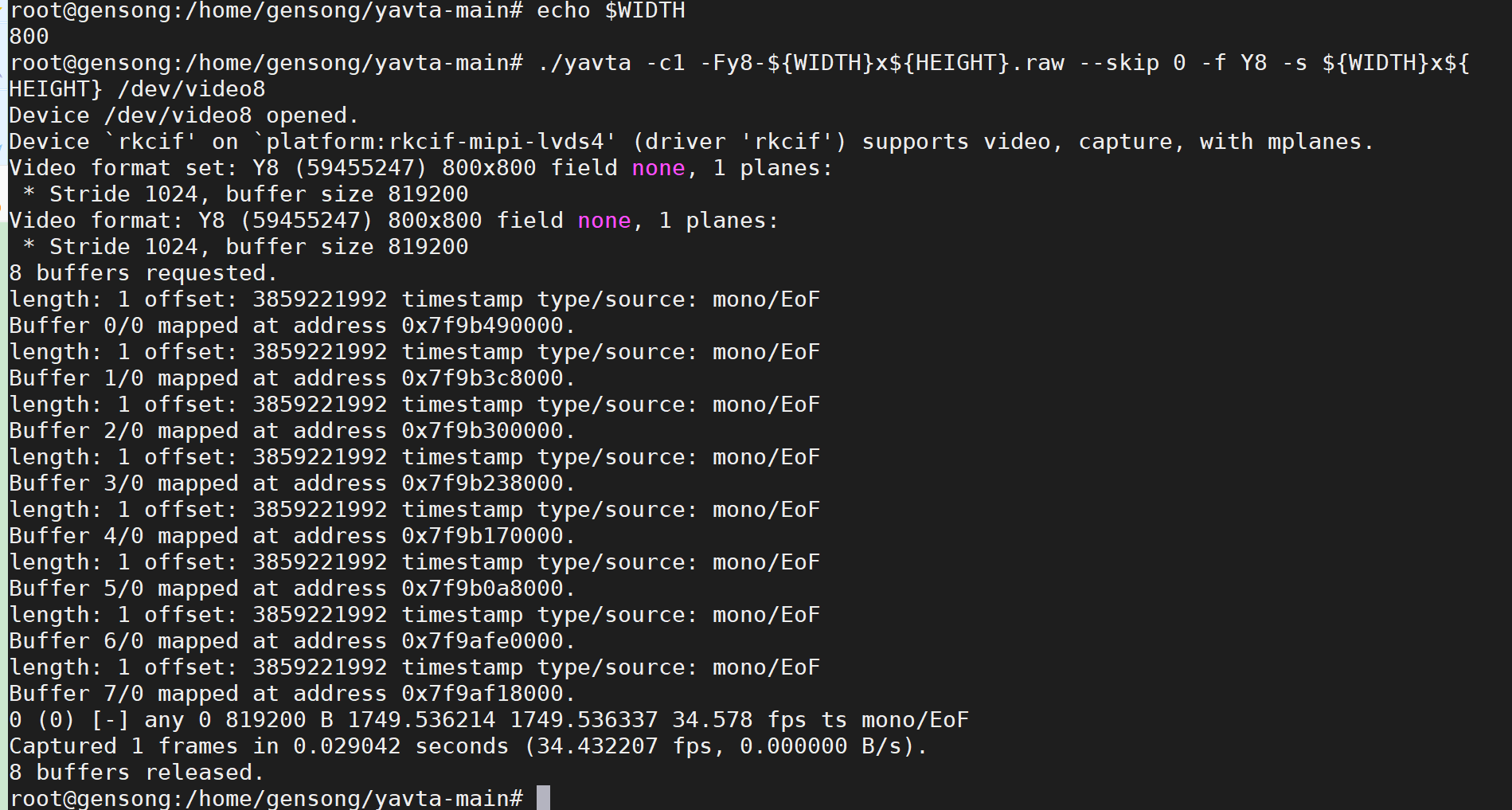
但是用./yavta -c1 -Fy8-${WIDTH}x${HEIGHT}.raw --skip 0 -f Y8 -s ${WIDTH}x${HEIGHT} /dev/video0 这个命令验证的时候得到的是获取一帧raw数据的帧率是 34fps , 我们想知道出现这种情况的原因是什么? 以及如何能够正确的获取到60fps的处理结果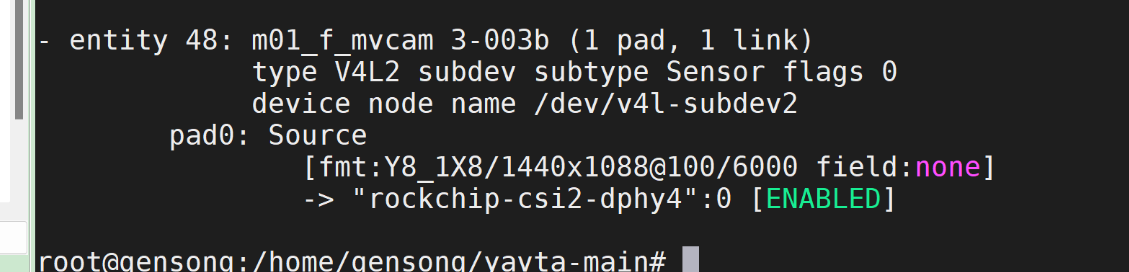
-
@nb 你现在这个测试有一点问题,通过抓取1张来判断帧率可能不准。你可以试试-c100参数,抓取100张。
另外,这个问题可能也跟图片存储到flash中的保存速率有关系。你可以用v4l2-ctl获取,不保存图片,来测试相机支持的帧率。 -
-
@nb 你的嵌入式主板是什么板子?
-
@veye_xumm 飞凌的rk3588
-
-
@veye_xumm
root@gensong:/home/gensong/yavta-main# v4l2-ctl --set-fmt-video=width=$WIDTH,height=$HEIGHT,pixelformat=GREY --stream-mmap --stream-count=-1 --stream-to=/dev/null
Failed to open /dev/video0: No such device我们接了两个相机, 现在测的相机对应的是/dev/video8 , 这个命令默认好像是使用/dev/video0 怎么改成使用/dev/video8
-
@nb 加上参数
-d /dev/video8 -
@veye_xumm 好的 感谢你的帮助
-
@nb 不客气。

Hello! It looks like you're interested in this conversation, but you don't have an account yet.
Getting fed up of having to scroll through the same posts each visit? When you register for an account, you'll always come back to exactly where you were before, and choose to be notified of new replies (either via email, or push notification). You'll also be able to save bookmarks and upvote posts to show your appreciation to other community members.
With your input, this post could be even better 💗
Register Login