VEYE IMAGING Forum
    • Categories
    • Tags
    • Recent
    • Popular
    • Users
    • WIKI
    • veye.cc
    • Register
    • Login

    jetson tx2 + SC535M 一拖五 jetpack 4.6.x的驱动问题
    Scheduled Pinned Locked Moved Jetson App Software
    22 Posts 2 Posters 10.4k Views 1 Watching
    Loading More Posts
    • Oldest to Newest
    • Newest to Oldest
    • Most Votes
    Reply
    • Reply as topic
    Log in to reply
    This topic has been deleted. Only users with topic management privileges can see it.
    • veye_xummV Offline
      veye_xumm @Dangal
      last edited by

      @dangal

      @dangal said in jetson tx2 + SC535M 一拖五 jetpack 4.6.x的驱动问题:

      并没有找到32.7.5

      请参考6.3进行下载。

      1 Reply Last reply Reply Quote 0
      • veye_xummV Offline
        veye_xumm @Dangal
        last edited by

        @dangal said in jetson tx2 + SC535M 一拖五 jetpack 4.6.x的驱动问题:

        您好,请问我的SC535M的dtb对应那个文件夹?我不确定

        参考part5,应该是MV-MIPI-SC535M

        1 Reply Last reply Reply Quote 0
        • D Offline
          Dangal @Dangal
          last edited by

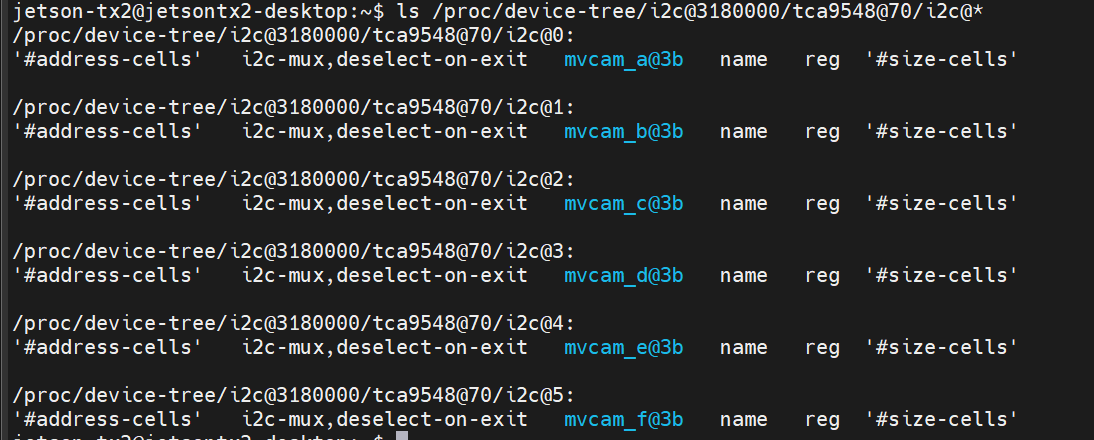
          @veye_xumm veye_xumm 您好 我已经按照wiki移植了dtb和image,并按照wiki的方法验证了dtb和image是否移植正确
          b9a75404-eed4-4892-9c01-c0054d6f8c8e-image.png
          de332fab-bbda-4930-856a-234e770f6f9f-image.png
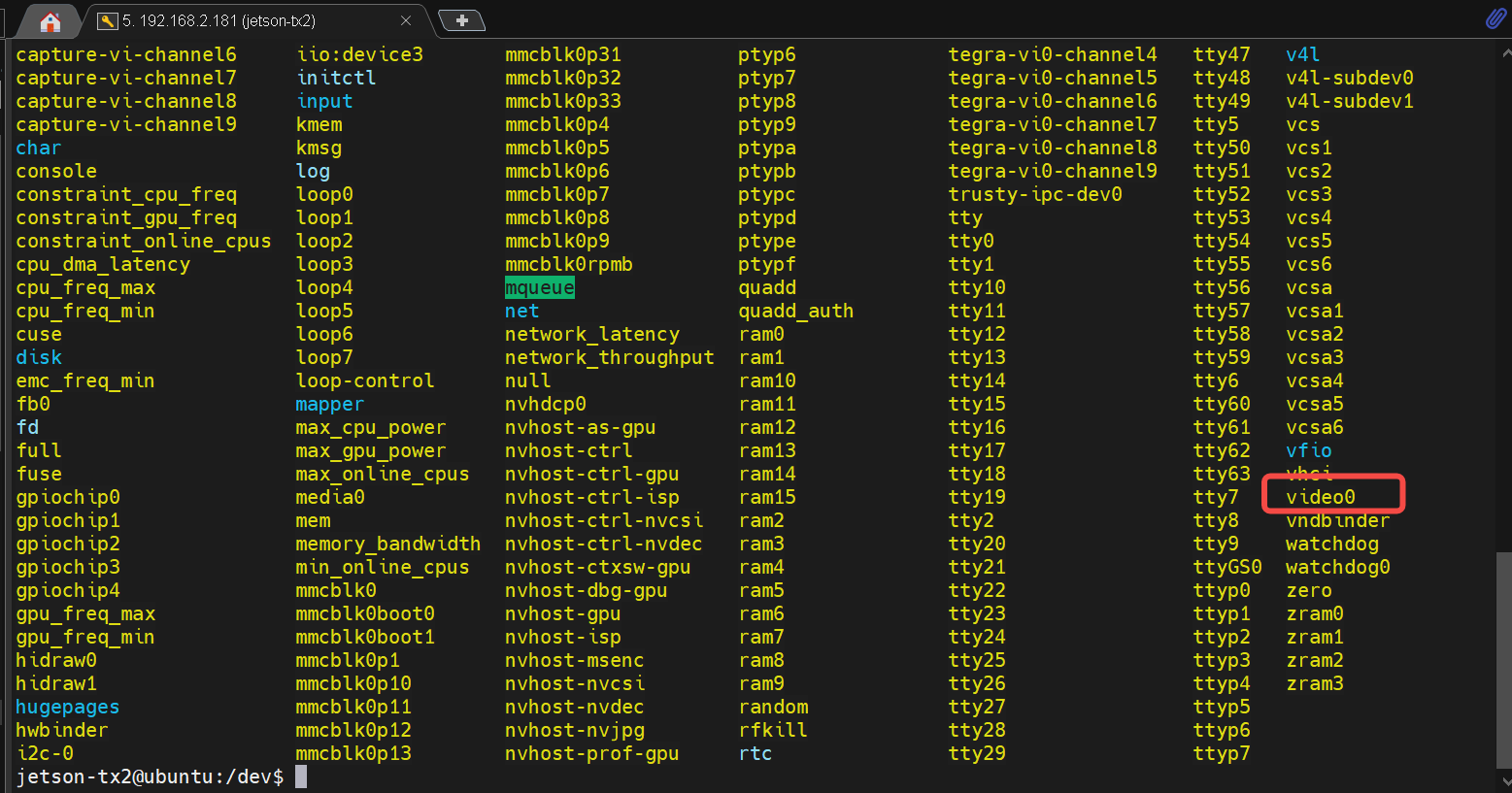
          但是 我的dev目录下 没有发现任何视频设备 比如video0

          veye_xummV D 2 Replies Last reply Reply Quote 0
          • veye_xummV Offline
            veye_xumm @Dangal
            last edited by

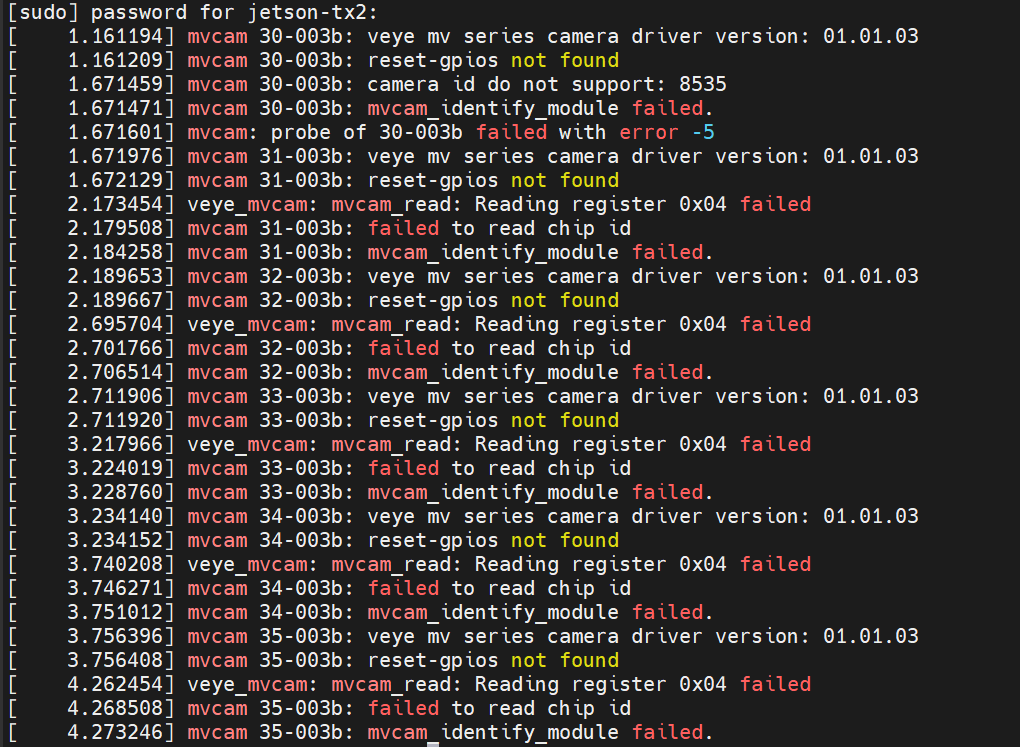
            @dangal 执行一下

            sudo dmesg | grep mvcam
            
            1 Reply Last reply Reply Quote 0
            • D Offline
              Dangal @Dangal
              last edited by

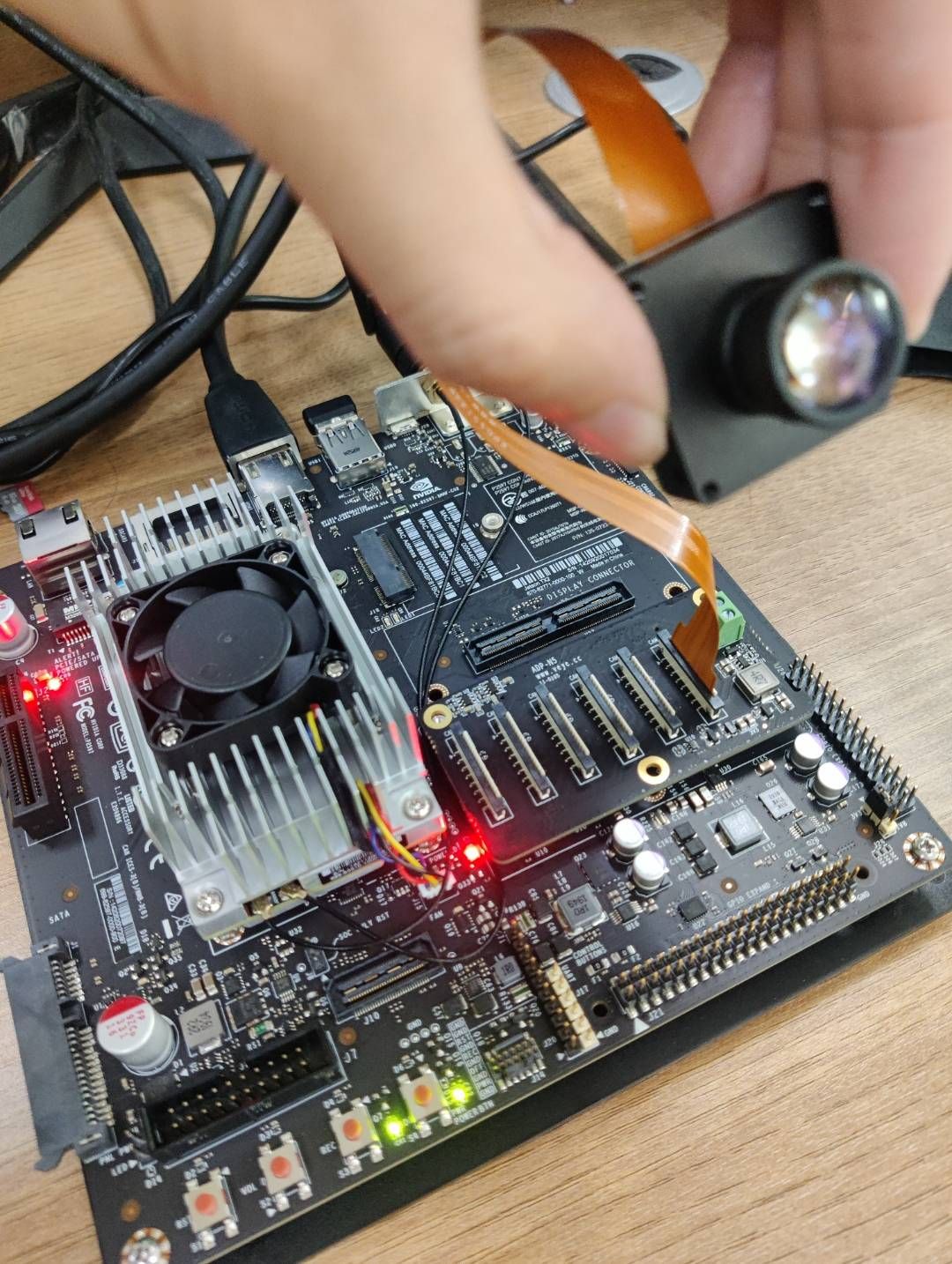
              5bac8f69-531e-4a8e-8b47-e786147c710e-img_v3_02g4_f52f1a17-3e1f-443a-957b-98dde3b5317g.jpg
              我的硬件接入方式如上图所示
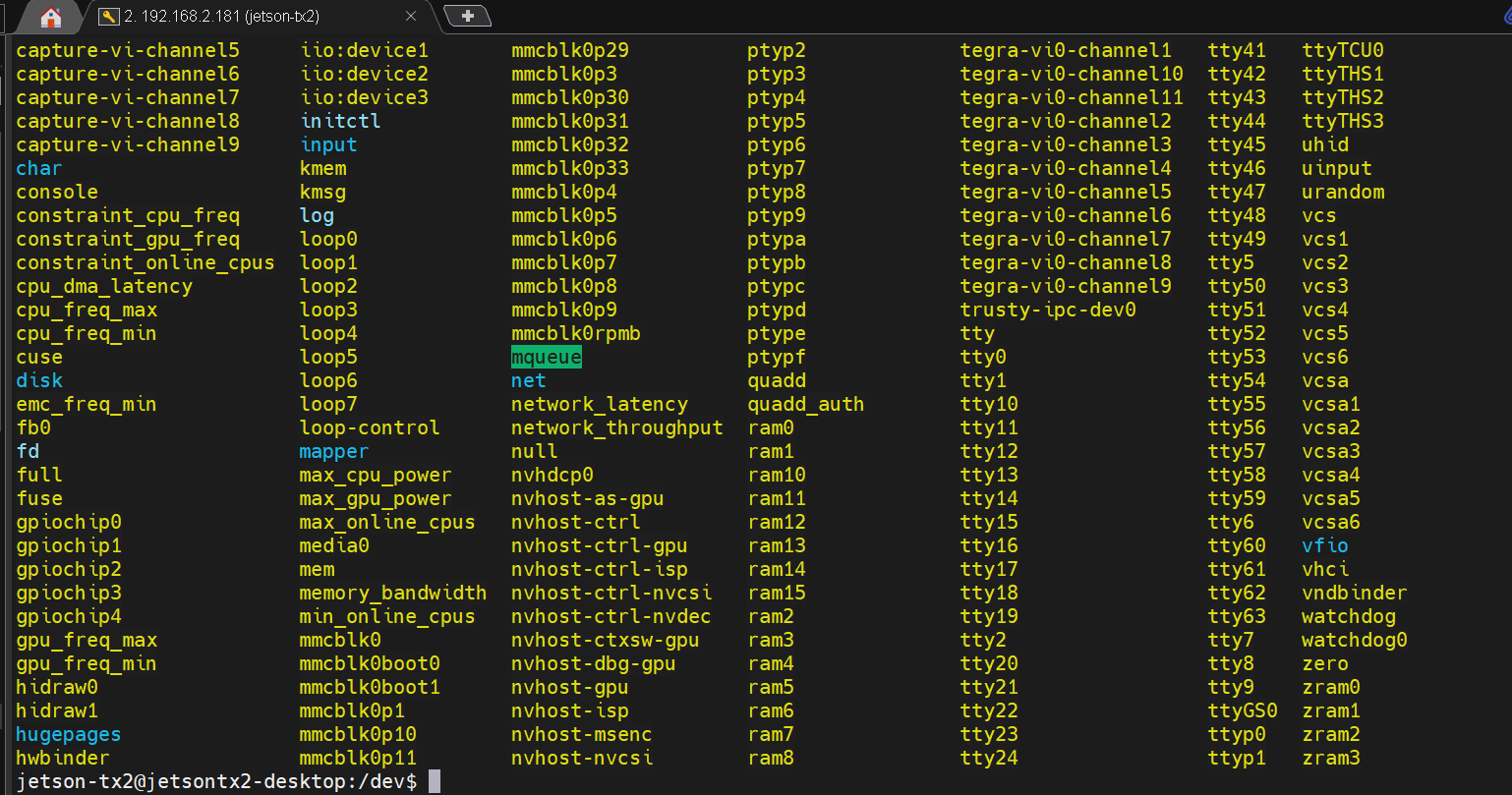
              dd78cde8-c547-45a4-92d1-9bb25995e871-image.png
              我的dev下设备文件如图所示。
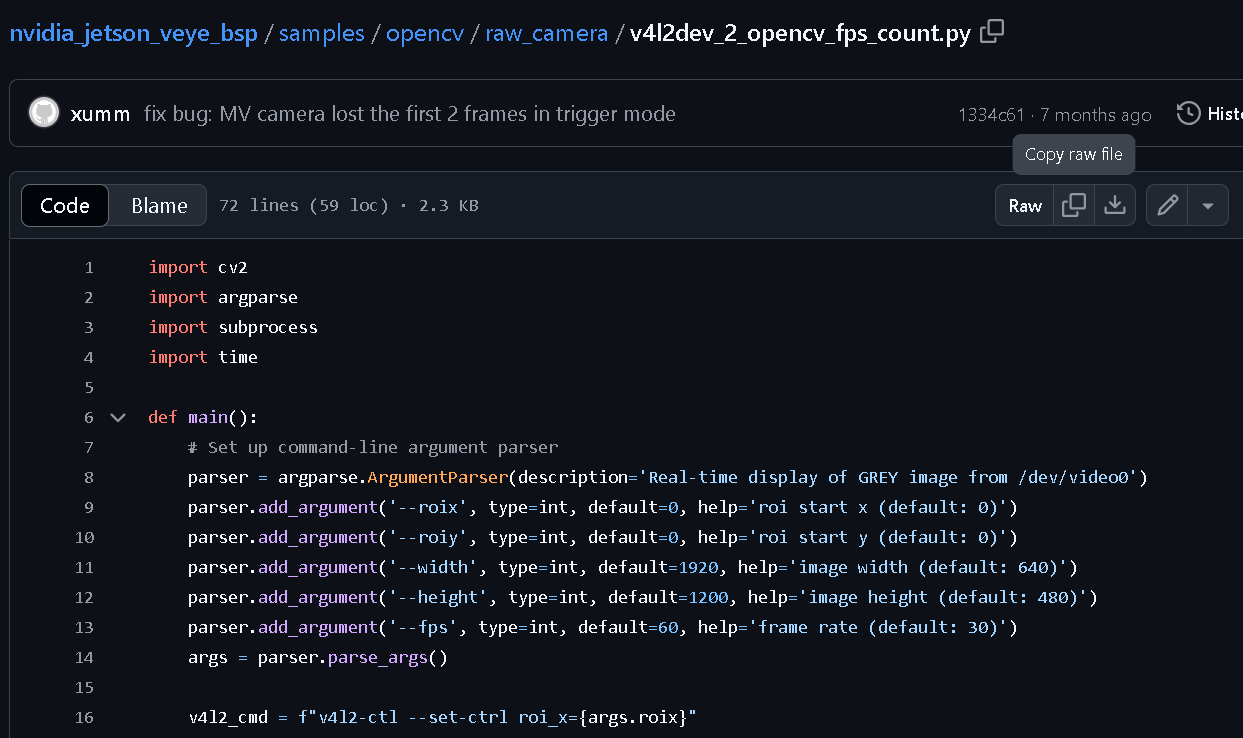
              b3e2f19c-6e0b-4722-b60f-b53cddb4135a-image.png
              我尝试跑通这个例程

              D 1 Reply Last reply Reply Quote 0
              • D Offline
                Dangal @Dangal
                last edited by

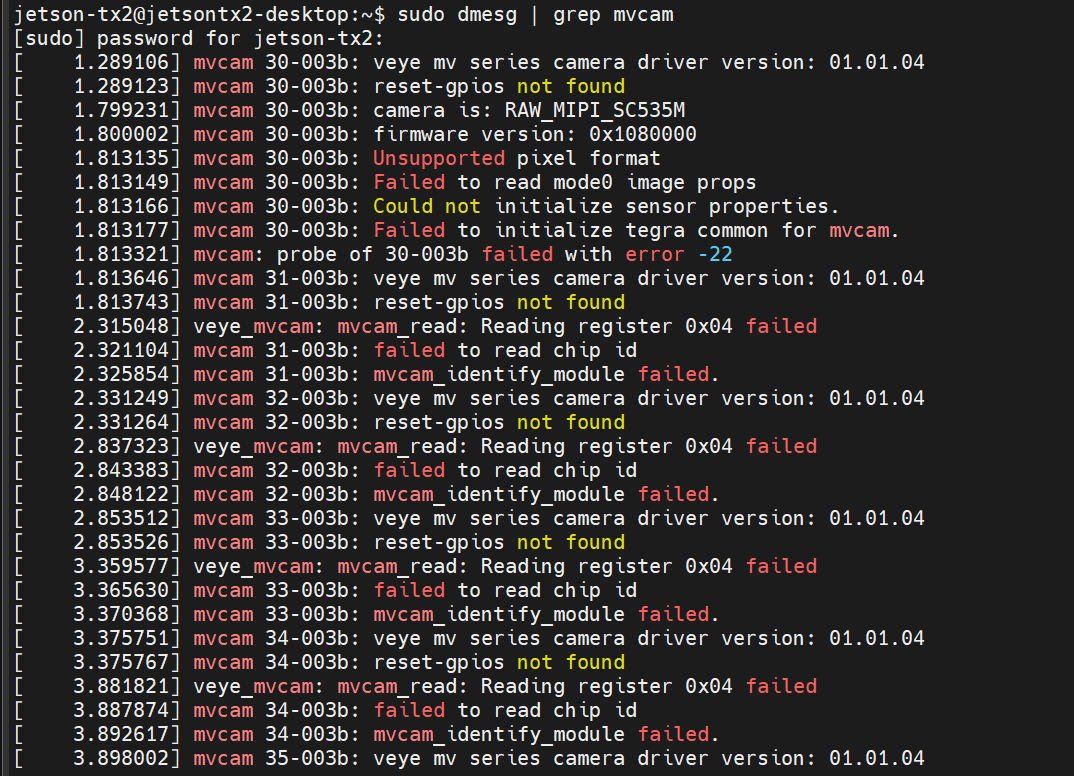
                @veye_xumm 052727b2-b69b-4501-a710-05b0f9a70816-image.png
                看上去 确实有问题 按照你给的命令后 并没能识别到

                veye_xummV 1 Reply Last reply Reply Quote 0
                • veye_xummV Offline
                  veye_xumm @Dangal
                  last edited by

                  @dangal 这个版本的Image还没有添加上SC535M这个驱动,得重新编译一下。你留一个邮箱,我们编译一个支持的版本,发给你。

                  D 2 Replies Last reply Reply Quote 0
                  • D Offline
                    Dangal @veye_xumm
                    last edited by

                    This post is deleted!
                    veye_xummV 1 Reply Last reply Reply Quote 0
                    • veye_xummV Offline
                      veye_xumm @Dangal
                      last edited by

                      This post is deleted!
                      D 1 Reply Last reply Reply Quote 0
                      • D Offline
                        Dangal @veye_xumm
                        last edited by

                        @veye_xumm 已经收到驱动文件,请删除我的私人邮箱相关帖子。

                        1 Reply Last reply Reply Quote 0
                        • D Offline
                          Dangal @veye_xumm
                          last edited by

                          @veye_xumm 06b65e68-8a8a-4b28-acbe-eaceb1d91394-image.png
                          我重新编译了image 并断电重启 现在camera id 能够被识别成RAW_MIPI_SC535M,固件版本号也出来了,但是仍有一堆报错信息

                          veye_xummV 1 Reply Last reply Reply Quote 0
                          • veye_xummV Offline
                            veye_xumm @Dangal
                            last edited by

                            @dangal Image还缺一个补丁,回头给你再更新一个版本。

                            D 2 Replies Last reply Reply Quote 0
                            • D Offline
                              Dangal @veye_xumm
                              last edited by

                              @veye_xumm 好的 更新完了 请还按原邮箱发送驱动文件 也请在论坛上告知我

                              1 Reply Last reply Reply Quote 0
                              • D Offline
                                Dangal @veye_xumm
                                last edited by

                                @veye_xumm
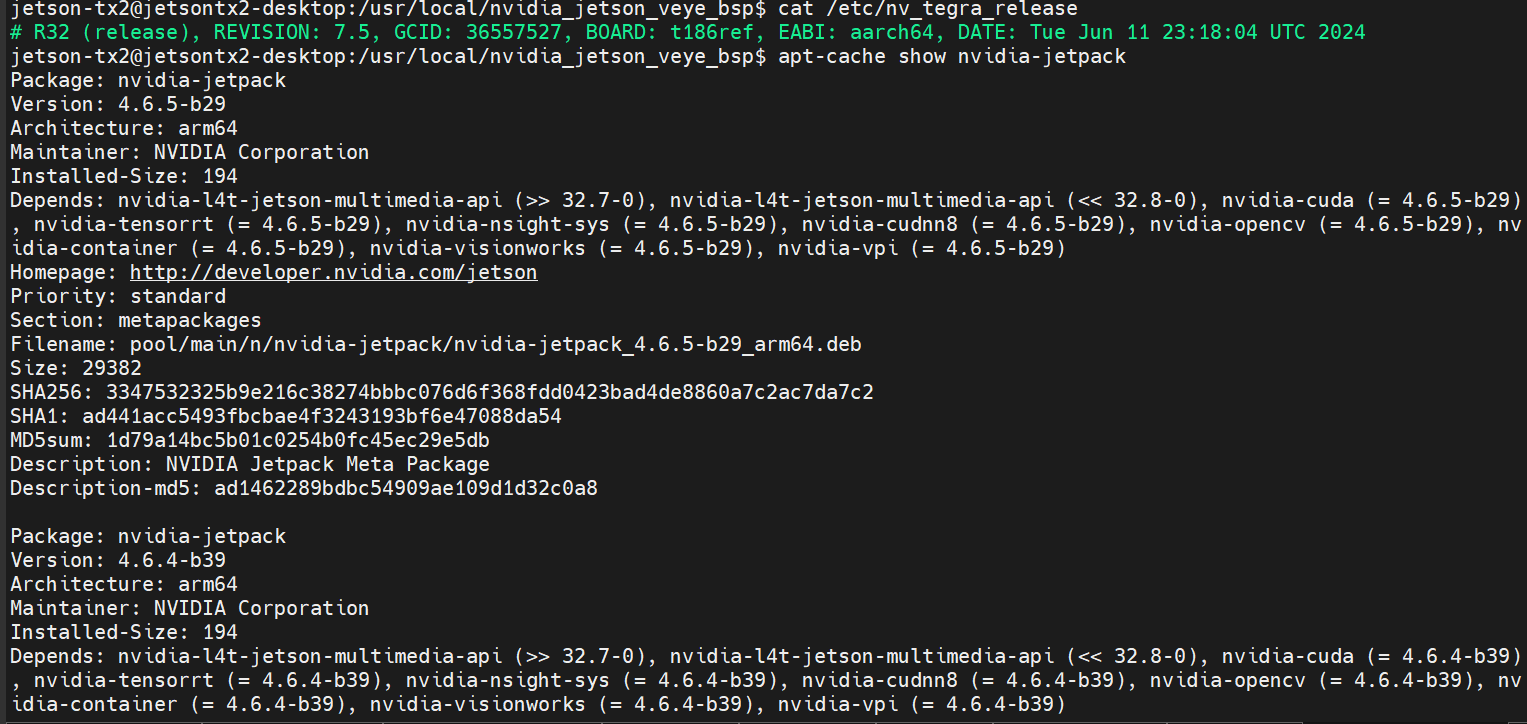
                                现在我已经把我的jetpack刷到了4.6.4
                                b0ed6af1-8db1-4a2c-a0d1-7d2c3953af98-image.png
                                也映射出了video0
                                d754e348-c18a-4a72-87c2-838fe1c0d597-image.png
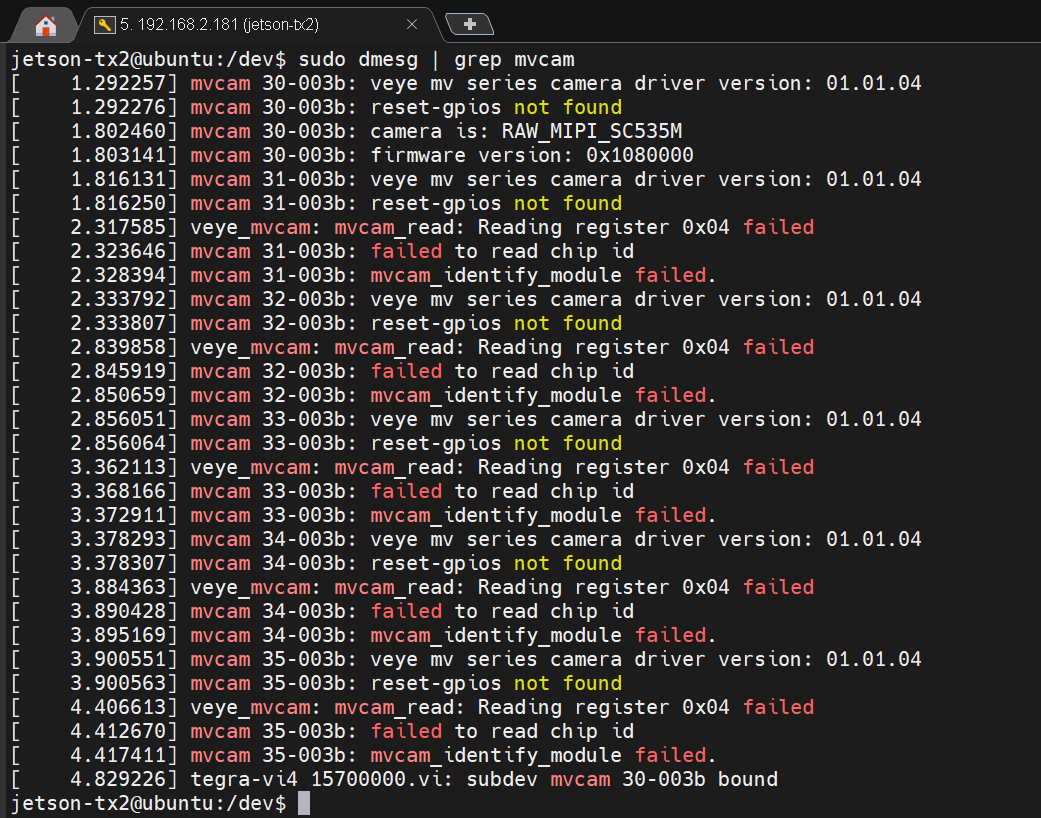
                                但是,dmesg还是一堆报错信息
                                a1784fb6-53b7-4aaa-ad40-9288a269e254-image.png

                                veye_xummV 1 Reply Last reply Reply Quote 0
                                • veye_xummV Offline
                                  veye_xumm @Dangal
                                  last edited by

                                  @dangal
                                  你已经搞成了。
                                  由于你只在i2c-30上接入了一个,因此只识别到了一个相机。其他i2c 31-35都报了读取寄存器错误,这是正常的。

                                  1 Reply Last reply Reply Quote 0

                                  Hello! It looks like you're interested in this conversation, but you don't have an account yet.

                                  Getting fed up of having to scroll through the same posts each visit? When you register for an account, you'll always come back to exactly where you were before, and choose to be notified of new replies (either via email, or push notification). You'll also be able to save bookmarks and upvote posts to show your appreciation to other community members.

                                  With your input, this post could be even better 💗

                                  Register Login
                                  • First post
                                    Last post