使用I2C.sh配置VEYE-MIPI-327树莓派4B就卡死
-
嗨,我照着i2c.sh手册。当用./camera_i2c_config命令,树莓派4B就卡死了。./veye_mipi_i2c.sh 读写命令也一样。例如用./veye_mipi_i2c.sh -r -f denoise读denoise参数,参数是读出来了,为0x5。但是树莓派马上就卡死了。什么操作都不行。
-
系统是最新的raspberry os lite
-
- 有没有先配置rpi-cofig,使能 i2c,VC, camera接口?
- 请问是
Raspberry Pi OS Lite
Release date: May 7th 2021
Kernel version: 5.10
版本吗?
-
@veye_xumm 您好!都按手册走了,系统是5.10。我发现不是树莓派卡死。我跟踪log发现是eth0 is down了。原先一直用ssh,才认为是卡死。但是我restart networking并没有使eth0 up上。不知道有什么方法能重连网络。直接用终端是可以对VEYE-MIPI-327配置。但是一用命令网卡就down。怎么也恢复不了。
-
@eledog
你可以执行一下./camera_i2c_config 命令,看下有没有异常的打印信息。
我这在4b上的打印是这样的:$ ./camera_i2c_config setting GPIO for board revsion: b03112 kernel ver:5 Raspberry Pi3B / Pi3B+ / 3A / 4B(1G/2G/4G/8G) Set state of 133 to 1 Use i2c-10 for the sensor (-y 10) -
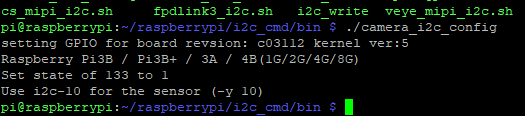
@veye_xumm 打印的结果跟你一样。出来下图,网卡就down了。
-
@eledog
这个脚本主要就是配置了几个引脚的状态。
现象上看,是控制这几个引脚,影响了直接影响了网络。但是很奇怪你那边板子跟我一样的,不知为何会出现问题。
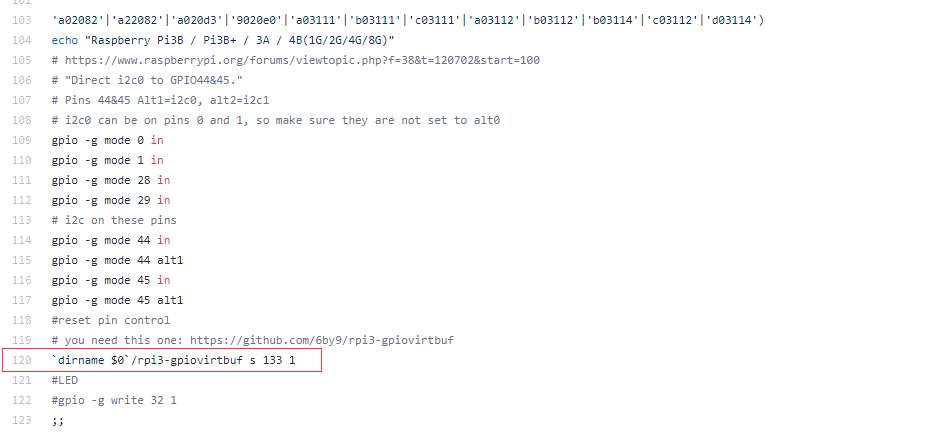
请注掉这一行试一下。
纯属我的猜测。帮忙验证下思路。 -
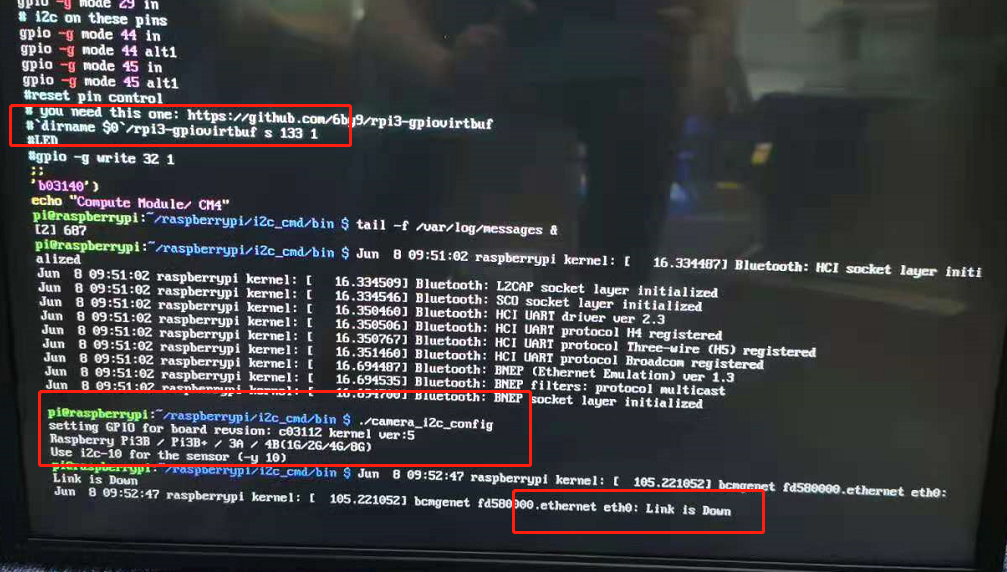
@veye_xumm 还是不行。
-
@eledog
我们装了一个你用的lite版本,运行是没有问题的。

你用的硬件是4GB版本,我们的是2GB版本。我这没法重现的情况下,你可以尝试103-123行进行逐行注释来找一下原因。


Hello! It looks like you're interested in this conversation, but you don't have an account yet.
Getting fed up of having to scroll through the same posts each visit? When you register for an account, you'll always come back to exactly where you were before, and choose to be notified of new replies (either via email, or push notification). You'll also be able to save bookmarks and upvote posts to show your appreciation to other community members.
With your input, this post could be even better 💗
Register Login