VEYE IMAGING Forum
    • Categories
    • Tags
    • Recent
    • Popular
    • Users
    • WIKI
    • veye.cc
    • Register
    • Login

    签名文件

    Scheduled Pinned Locked Moved FPD LINK III Camera
    38 Posts 2 Posters 23.6k Views 1 Watching
    Loading More Posts
    • Oldest to Newest
    • Newest to Oldest
    • Most Votes
    Reply
    • Reply as topic
    Log in to reply
    This topic has been deleted. Only users with topic management privileges can see it.
    • W Offline
      wzy @veye_xumm
      last edited by

      @veye_xumm 这段时间一直忙别的工作,还没有试。有结果了,我再回复!谢谢

      1 Reply Last reply Reply Quote 0
      • W Offline
        wzy @veye_xumm
        last edited by

        @veye_xumm 企业微信截图_1616036792842.png

        kernel文件夹在哪个位置
        flash.sh文件在哪。我都没有找到

        veye_xummV 1 Reply Last reply Reply Quote 0
        • veye_xummV Offline
          veye_xumm @wzy
          last edited by

          @wzy
          应该在你host pc的 Linux_for_Tegra目录下。

          Questions will be answered as soon as possible, please be patient.
          如果你使用中文,请直接用中文提问。
          May the force be with YOU. (This is the translation of the mysterious Chinese symbol above.)

          W 1 Reply Last reply Reply Quote 0
          • W Offline
            wzy @veye_xumm
            last edited by

            @veye_xumm xavier烧系统是那台主机?这个分区需要在NVIDIA SDKmanger里面烧?

            veye_xummV 1 Reply Last reply Reply Quote 0
            • veye_xummV Offline
              veye_xumm @wzy
              last edited by

              @wzy
              是的。
              你用sdk manager烧写完标准系统之后,就可以看到flash.sh脚本了。 其实sdk manager本身也是调用的这个脚本进行的固件烧写。

              Questions will be answered as soon as possible, please be patient.
              如果你使用中文,请直接用中文提问。
              May the force be with YOU. (This is the translation of the mysterious Chinese symbol above.)

              W 1 Reply Last reply Reply Quote 0
              • W Offline
                wzy @veye_xumm
                last edited by

                @veye_xumm 是把Xavier下载的dtb文件拷贝到Host pc 的/kernel/dtb/文件里,然后在执行flash脚本就ok了?

                veye_xummV 1 Reply Last reply Reply Quote 0
                • veye_xummV Offline
                  veye_xumm @wzy
                  last edited by

                  @wzy
                  是的,详细步骤请参考wiki

                  Questions will be answered as soon as possible, please be patient.
                  如果你使用中文,请直接用中文提问。
                  May the force be with YOU. (This is the translation of the mysterious Chinese symbol above.)

                  W 1 Reply Last reply Reply Quote 0
                  • W Offline
                    wzy @veye_xumm
                    last edited by

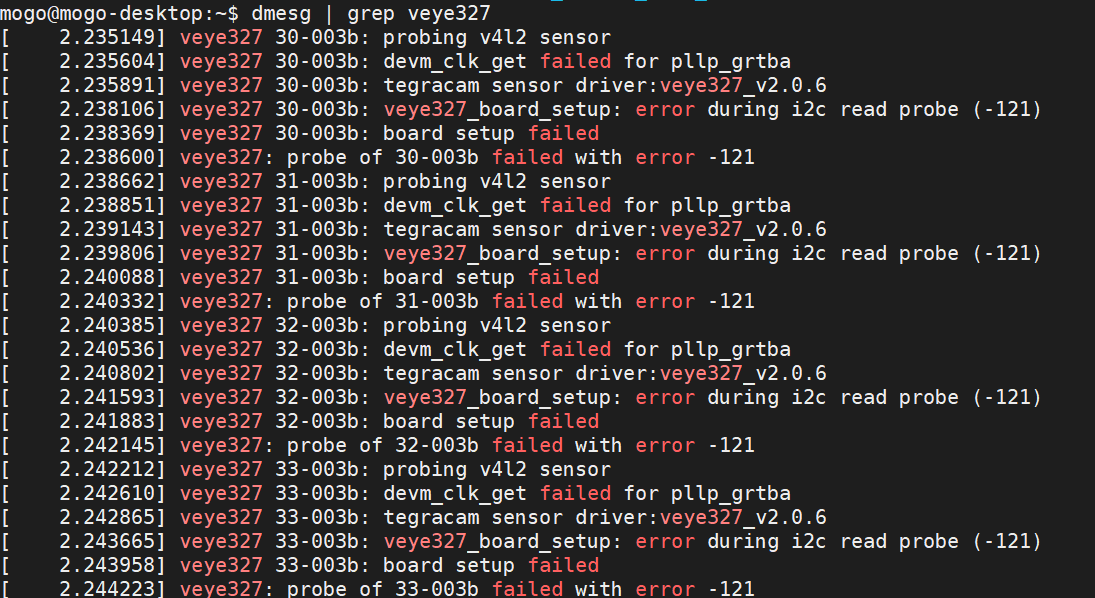
                    @veye_xumm 企业微信截图_16160530924242.png
                    执行dmesg | grep veye327 后的结果,是这样的。是哪出了问题吗?

                    veye_xummV 1 Reply Last reply Reply Quote 0
                    • veye_xummV Offline
                      veye_xumm @wzy
                      last edited by

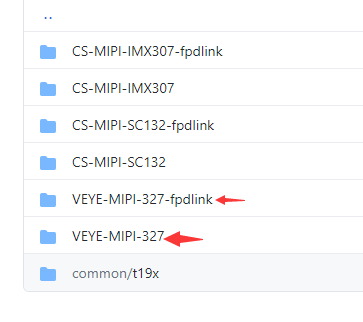
                      @wzy 我看你用的是fpdlink接口的327,应该用fpdlink目录下的dtb文件。

                      Questions will be answered as soon as possible, please be patient.
                      如果你使用中文,请直接用中文提问。
                      May the force be with YOU. (This is the translation of the mysterious Chinese symbol above.)

                      W 1 Reply Last reply Reply Quote 0
                      • W Offline
                        wzy @veye_xumm
                        last edited by

                        @veye_xumm said in 签名文件:

                        fpdlink目录下的dtb文件
                        这个文件的路径在哪?拷贝到host pc,再烧一遍?

                        veye_xummV 1 Reply Last reply Reply Quote 0
                        • veye_xummV Offline
                          veye_xumm @wzy
                          last edited by

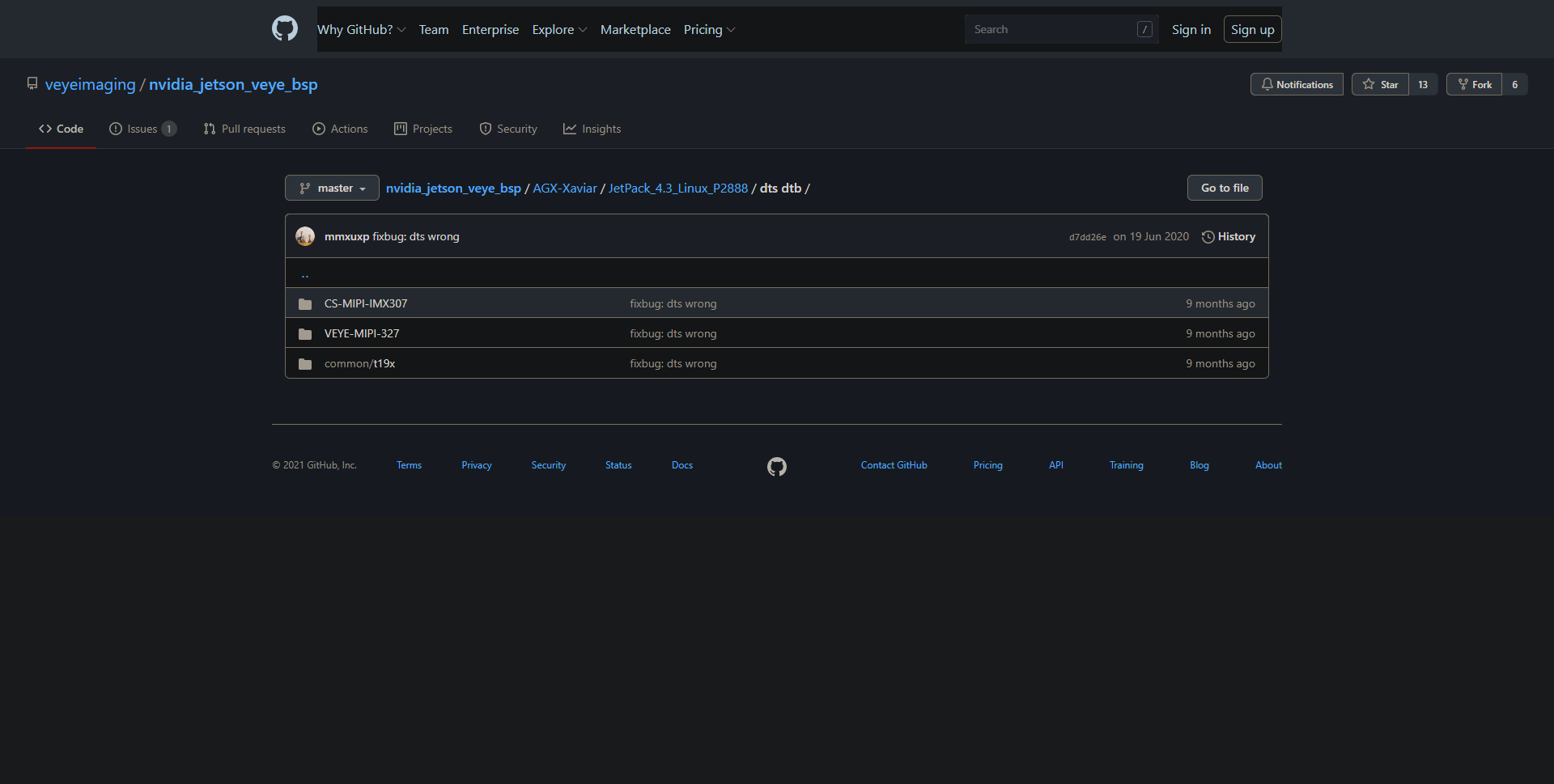
                          @wzy b94d2221-799f-4eee-8b72-9774197e3580-image.png
                          在github的dtb目录,如图。上面这个fpdlink的指的是veye327-fpdlink的型号。 你需要用这个目录下的dtb。

                          Questions will be answered as soon as possible, please be patient.
                          如果你使用中文,请直接用中文提问。
                          May the force be with YOU. (This is the translation of the mysterious Chinese symbol above.)

                          W 1 Reply Last reply Reply Quote 0
                          • W Offline
                            wzy @veye_xumm
                            last edited by

                            @veye_xumm 企业微信截图_16160567137930.png
                            怎么没找到啊?你给复制个完整的git地址

                            W 1 Reply Last reply Reply Quote 0
                            • W Offline
                              wzy @wzy
                              last edited by

                              @wzy 111.png
                              我用4.4的版本试过了,还是报的这个错!测试脚本也没有跑起来。

                              mogo@mogo-desktop:~/nvidia_jetson_veye_bsp/i2c_cmd/bin$ ./veye_mipi_i2c.sh -r -f devid
                              -bash: ./veye_mipi_i2c.sh: Permission denied

                              报错

                              veye_xummV 1 Reply Last reply Reply Quote 0
                              • veye_xummV Offline
                                veye_xumm @wzy
                                last edited by

                                @wzy

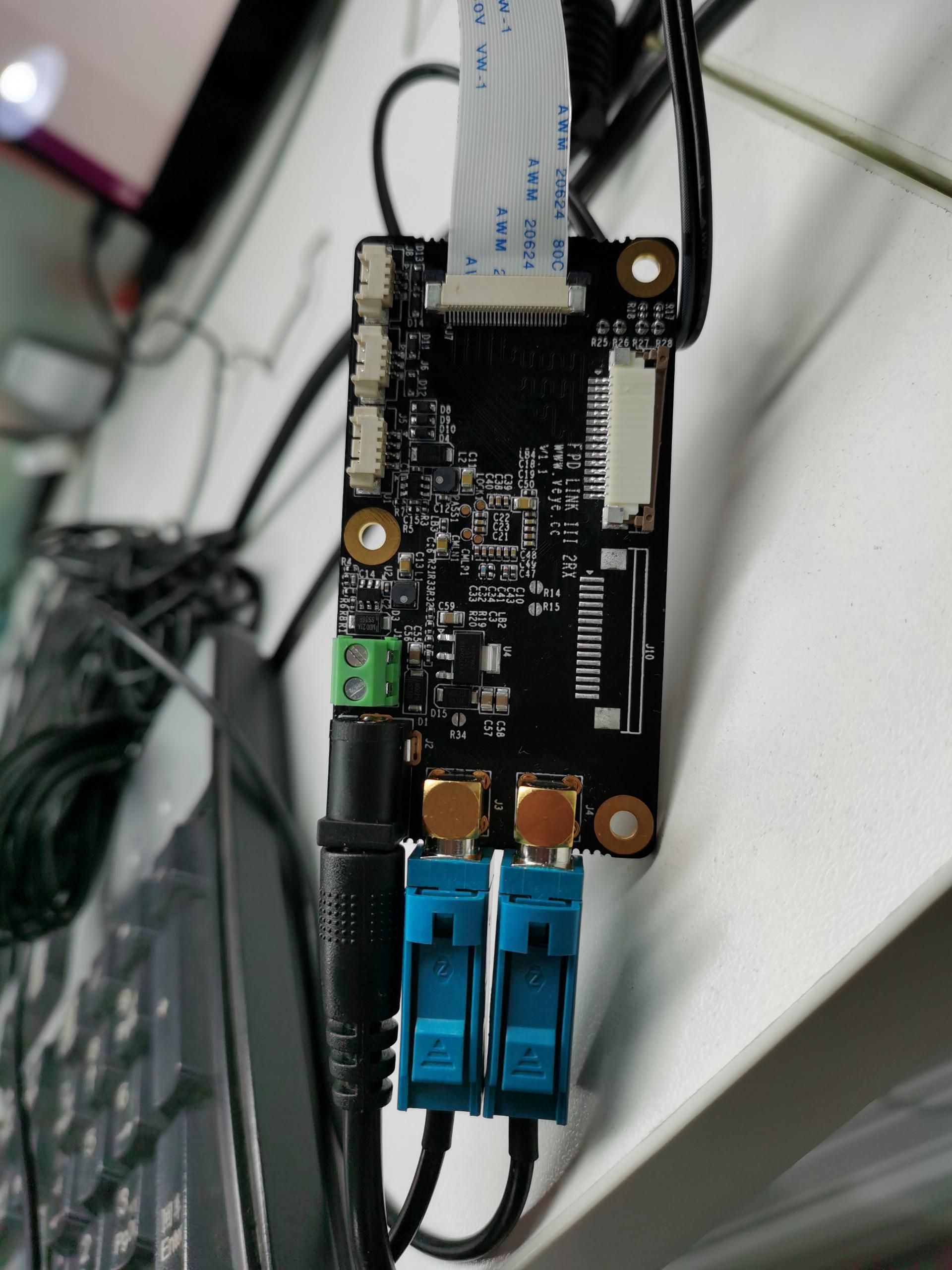
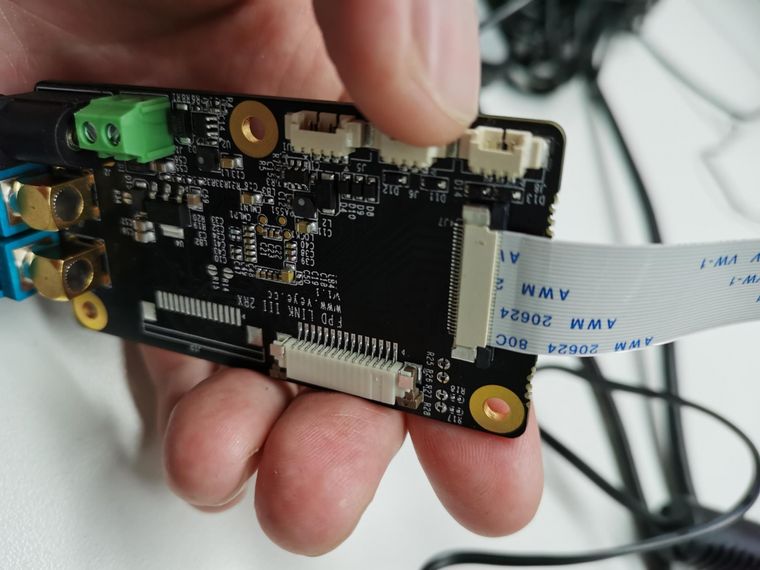
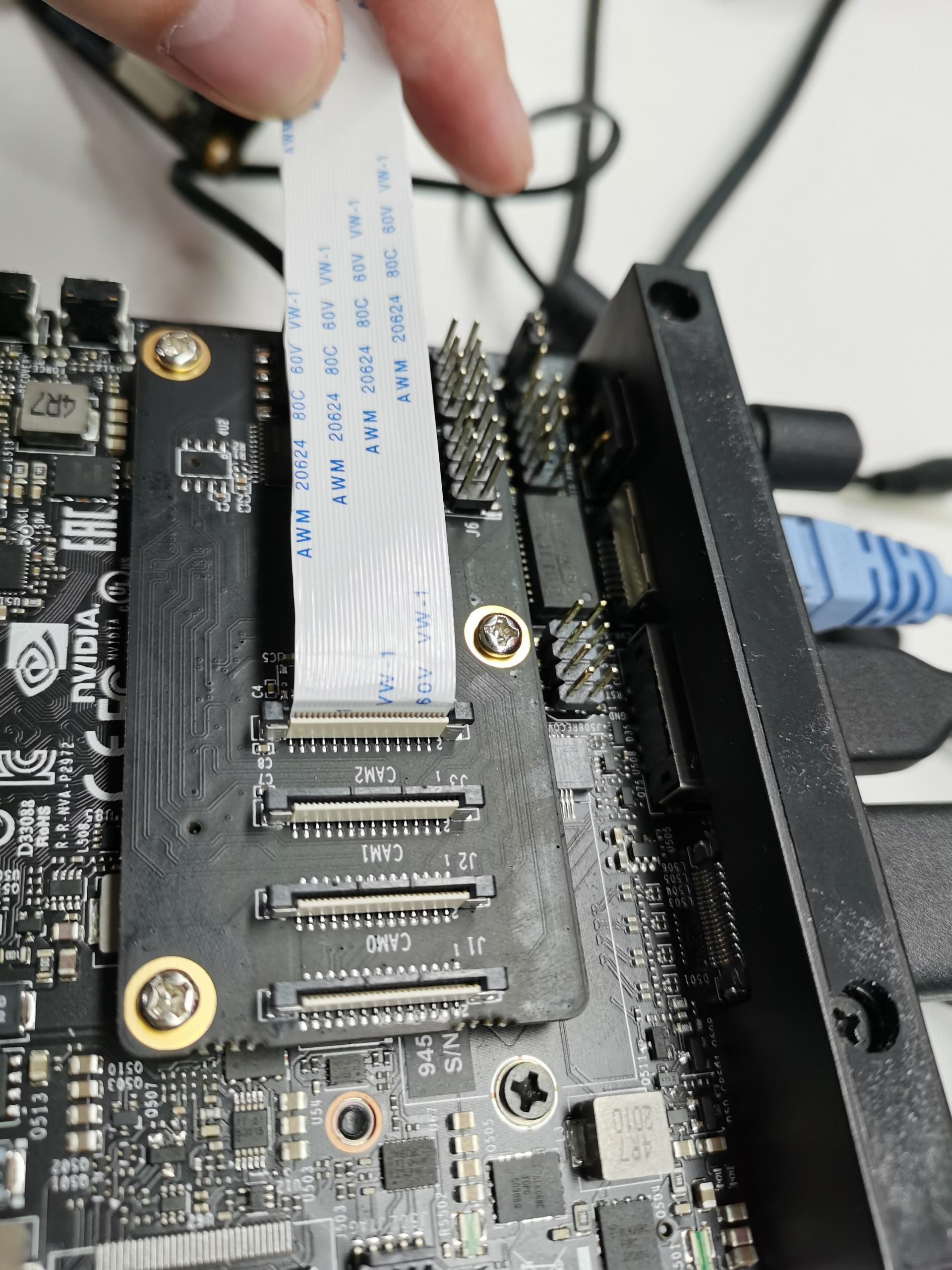
                                请参考这个,注意提供12V供电,注意fpc排线方向。
                                http://wiki.veye.cc/index.php/CS-FPD-XAVIER-nCAM_Series

                                @wzy said in 签名文件:

                                -bash: ./veye_mipi_i2c.sh: Permission denied

                                这个要加一个可执行权限

                                chmod +x *
                                

                                主要为了将参数配置到特定的camera,要用-b [busnum]参数,-d [address]参数。

                                Questions will be answered as soon as possible, please be patient.
                                如果你使用中文,请直接用中文提问。
                                May the force be with YOU. (This is the translation of the mysterious Chinese symbol above.)

                                W 1 Reply Last reply Reply Quote 0
                                • W Offline
                                  wzy @veye_xumm
                                  last edited by

                                  @veye_xumm 7f31846d5eb849472e4b62694130050b.jpg 69e901e360daaaa2c34dfbc9d448a92d.jpg 505beced9133b51644c5e43566cf8e09.jpg ![bd6079d0e15858414404b8cc037911a3.jpg](/assets/uploads/files/1616144144423-
                                  bd6079d0e15858414404b8cc037911a3.jpg)
                                  还是报那个错误!

                                  veye_xummV 1 Reply Last reply Reply Quote 0
                                  • veye_xummV Offline
                                    veye_xumm @wzy
                                    last edited by

                                    @wzy
                                    把整个dmesg打印的东西导出来保存到文件里面,作为附件贴上来看一下。

                                    Questions will be answered as soon as possible, please be patient.
                                    如果你使用中文,请直接用中文提问。
                                    May the force be with YOU. (This is the translation of the mysterious Chinese symbol above.)

                                    W 1 Reply Last reply Reply Quote 0
                                    • W Offline
                                      wzy @veye_xumm
                                      last edited by

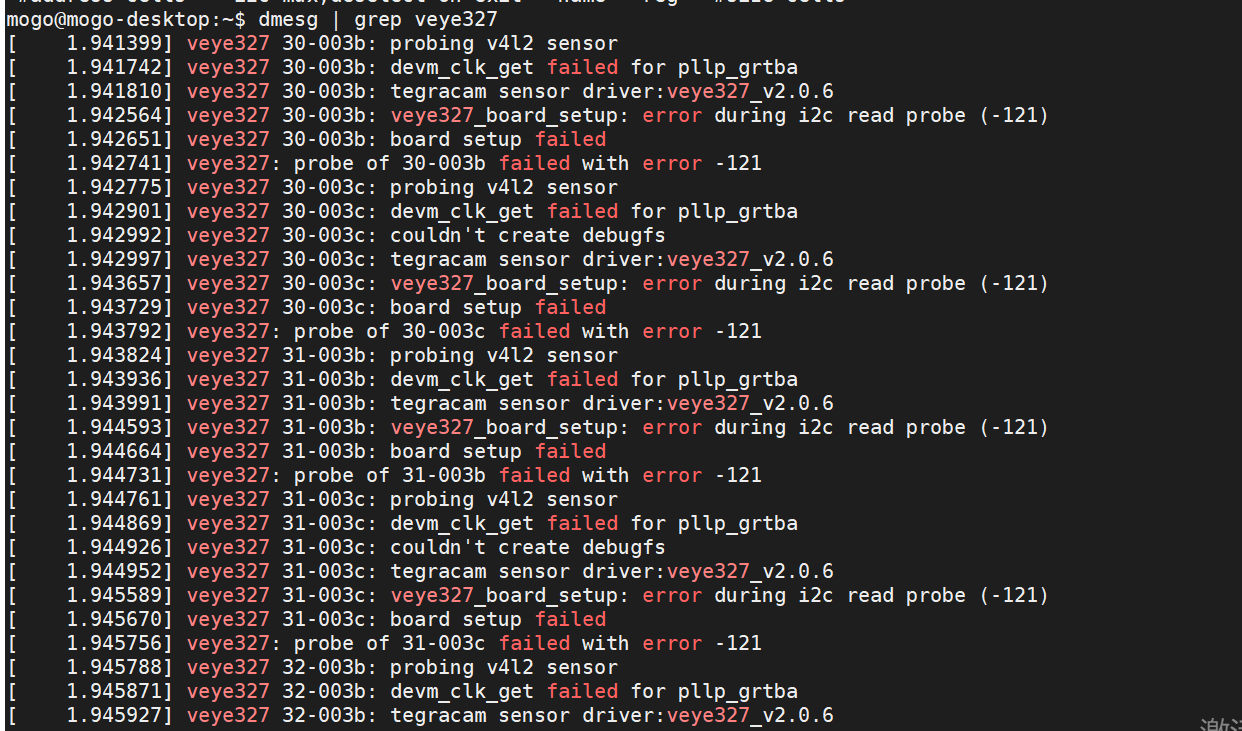
                                      @veye_xumm

                                      mogo@mogo-desktop:~$ dmesg | grep veye327
                                      [ 1.941399] veye327 30-003b: probing v4l2 sensor
                                      [ 1.941742] veye327 30-003b: devm_clk_get failed for pllp_grtba
                                      [ 1.941810] veye327 30-003b: tegracam sensor driver:veye327_v2.0.6
                                      [ 1.942564] veye327 30-003b: veye327_board_setup: error during i2c read probe (-121)
                                      [ 1.942651] veye327 30-003b: board setup failed
                                      [ 1.942741] veye327: probe of 30-003b failed with error -121
                                      [ 1.942775] veye327 30-003c: probing v4l2 sensor
                                      [ 1.942901] veye327 30-003c: devm_clk_get failed for pllp_grtba
                                      [ 1.942992] veye327 30-003c: couldn't create debugfs
                                      [ 1.942997] veye327 30-003c: tegracam sensor driver:veye327_v2.0.6
                                      [ 1.943657] veye327 30-003c: veye327_board_setup: error during i2c read probe (-121)
                                      [ 1.943729] veye327 30-003c: board setup failed
                                      [ 1.943792] veye327: probe of 30-003c failed with error -121
                                      [ 1.943824] veye327 31-003b: probing v4l2 sensor
                                      [ 1.943936] veye327 31-003b: devm_clk_get failed for pllp_grtba
                                      [ 1.943991] veye327 31-003b: tegracam sensor driver:veye327_v2.0.6
                                      [ 1.944593] veye327 31-003b: veye327_board_setup: error during i2c read probe (-121)
                                      [ 1.944664] veye327 31-003b: board setup failed
                                      [ 1.944731] veye327: probe of 31-003b failed with error -121
                                      [ 1.944761] veye327 31-003c: probing v4l2 sensor
                                      [ 1.944869] veye327 31-003c: devm_clk_get failed for pllp_grtba
                                      [ 1.944926] veye327 31-003c: couldn't create debugfs
                                      [ 1.944952] veye327 31-003c: tegracam sensor driver:veye327_v2.0.6
                                      [ 1.945589] veye327 31-003c: veye327_board_setup: error during i2c read probe (-121)
                                      [ 1.945670] veye327 31-003c: board setup failed
                                      [ 1.945756] veye327: probe of 31-003c failed with error -121
                                      [ 1.945788] veye327 32-003b: probing v4l2 sensor
                                      [ 1.945871] veye327 32-003b: devm_clk_get failed for pllp_grtba
                                      [ 1.945927] veye327 32-003b: tegracam sensor driver:veye327_v2.0.6
                                      [ 1.946580] veye327 32-003b: veye327_board_setup: error during i2c read probe (-121)
                                      [ 1.946651] veye327 32-003b: board setup failed
                                      [ 1.946711] veye327: probe of 32-003b failed with error -121
                                      [ 1.946741] veye327 32-003c: probing v4l2 sensor
                                      [ 1.946815] veye327 32-003c: devm_clk_get failed for pllp_grtba
                                      [ 1.946872] veye327 32-003c: couldn't create debugfs
                                      [ 1.946877] veye327 32-003c: tegracam sensor driver:veye327_v2.0.6
                                      [ 1.947473] veye327 32-003c: veye327_board_setup: error during i2c read probe (-121)
                                      [ 1.947587] veye327 32-003c: board setup failed
                                      [ 1.947646] veye327: probe of 32-003c failed with error -121
                                      [ 1.947700] veye327 33-003b: probing v4l2 sensor
                                      [ 1.947785] veye327 33-003b: devm_clk_get failed for pllp_grtba
                                      [ 1.947912] veye327 33-003b: tegracam sensor driver:veye327_v2.0.6
                                      [ 1.948527] veye327 33-003b: veye327_board_setup: error during i2c read probe (-121)
                                      [ 1.948596] veye327 33-003b: board setup failed
                                      [ 1.948656] veye327: probe of 33-003b failed with error -121
                                      [ 1.948686] veye327 33-003c: probing v4l2 sensor
                                      [ 1.948757] veye327 33-003c: devm_clk_get failed for pllp_grtba
                                      [ 1.948814] veye327 33-003c: couldn't create debugfs
                                      [ 1.948818] veye327 33-003c: tegracam sensor driver:veye327_v2.0.6
                                      [ 1.949431] veye327 33-003c: veye327_board_setup: error during i2c read probe (-121)
                                      [ 1.949512] veye327 33-003c: board setup failed
                                      [ 1.949574] veye327: probe of 33-003c failed with error -121

                                      veye_xummV 1 Reply Last reply Reply Quote 0
                                      • veye_xummV Offline
                                        veye_xumm @wzy
                                        last edited by

                                        @wzy

                                        sudo i2cdetect -r -y 33
                                        

                                        结果如何

                                        Questions will be answered as soon as possible, please be patient.
                                        如果你使用中文,请直接用中文提问。
                                        May the force be with YOU. (This is the translation of the mysterious Chinese symbol above.)

                                        W 1 Reply Last reply Reply Quote 0
                                        • W Offline
                                          wzy @veye_xumm
                                          last edited by

                                          @veye_xumm 没有变化,还是那样。

                                          veye_xummV 1 Reply Last reply Reply Quote 0
                                          • veye_xummV Offline
                                            veye_xumm @wzy
                                            last edited by

                                            @wzy
                                            执行一下上个帖子的命令,结果发给我

                                            Questions will be answered as soon as possible, please be patient.
                                            如果你使用中文,请直接用中文提问。
                                            May the force be with YOU. (This is the translation of the mysterious Chinese symbol above.)

                                            W 1 Reply Last reply Reply Quote 0

                                            Hello! It looks like you're interested in this conversation, but you don't have an account yet.

                                            Getting fed up of having to scroll through the same posts each visit? When you register for an account, you'll always come back to exactly where you were before, and choose to be notified of new replies (either via email, or push notification). You'll also be able to save bookmarks and upvote posts to show your appreciation to other community members.

                                            With your input, this post could be even better 💗

                                            Register Login
                                            • First post
                                              Last post