VEYE IMAGING Forum
    • Categories
    • Tags
    • Recent
    • Popular
    • Users
    • WIKI
    • veye.cc
    • Register
    • Login

    VEYE-MIPI-IMX327S no image
    Scheduled Pinned Locked Moved VEYE MIPI camera
    24 Posts 2 Posters 7.3k Views 1 Watching
    Loading More Posts
    • Oldest to Newest
    • Newest to Oldest
    • Most Votes
    Reply
    • Reply as topic
    Log in to reply
    This topic has been deleted. Only users with topic management privileges can see it.
    • veye_xummV Offline
      veye_xumm @Dan_LionKing
      last edited by

      @dan_lionking
      Besides, there's one thing I need to confirm with you.
      Do you have several VEYE-MIPI-IMX327S and different hdver versions?
      These modules are on your rpi board and use the same program to show you'he.

      Questions will be answered as soon as possible, please be patient.
      如果你使用中文,请直接用中文提问。
      May the force be with YOU. (This is the translation of the mysterious Chinese symbol above.)

      D 1 Reply Last reply Reply Quote 0
      • D Offline
        Dan_LionKing @veye_xumm
        last edited by

        @veye_xumm

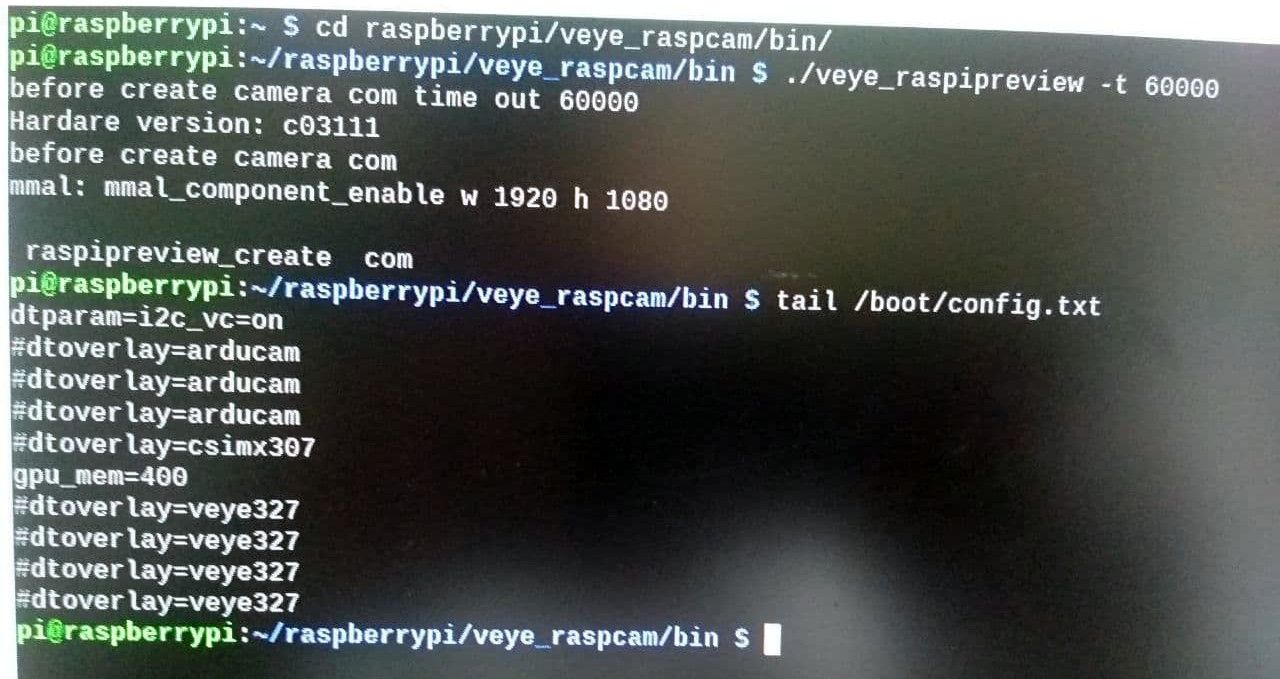
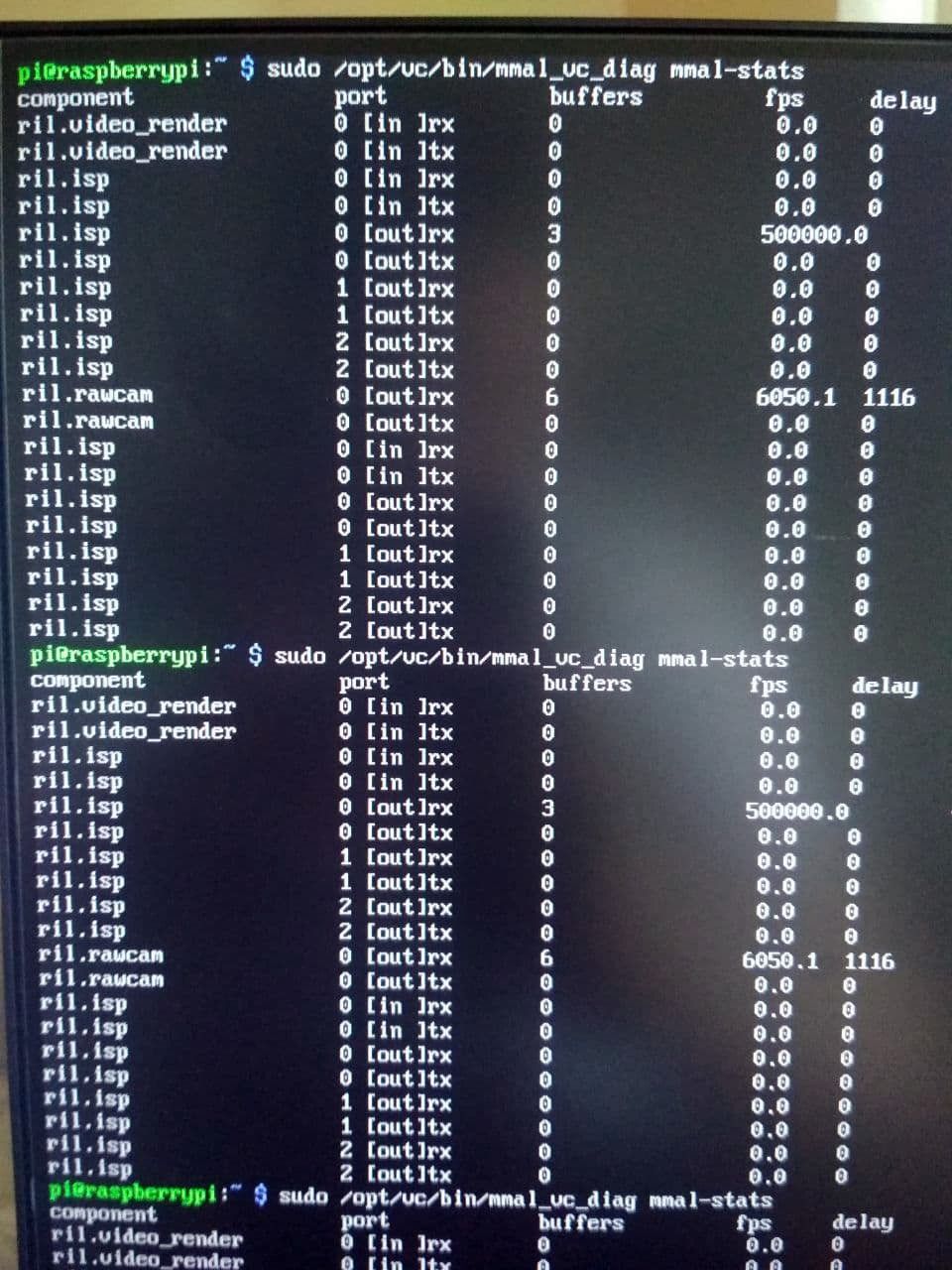
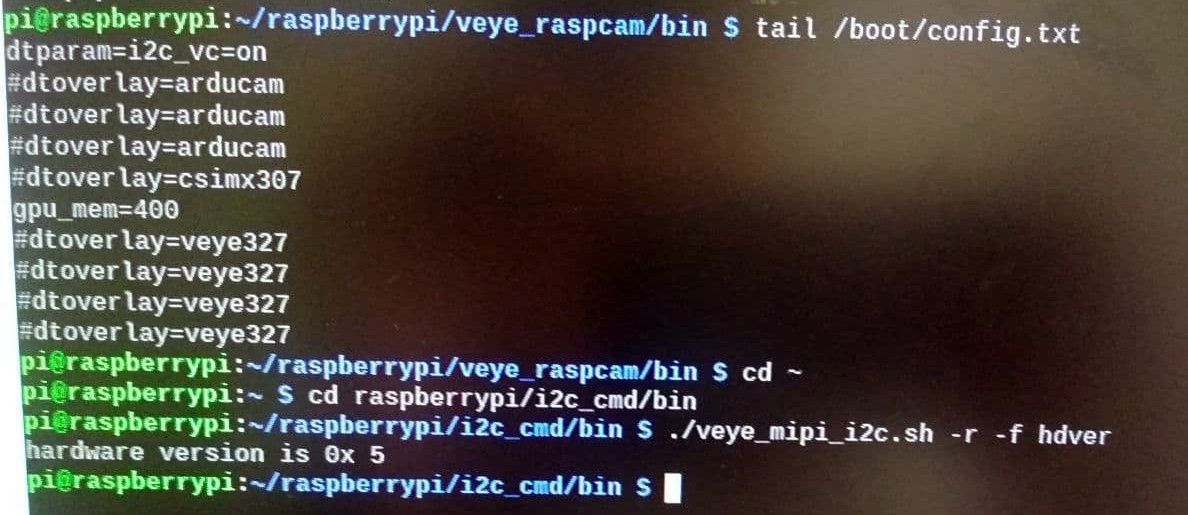
        photo_2021-07-19_11-54-00.jpg

        photo_2021-07-19_11-54-05.jpg

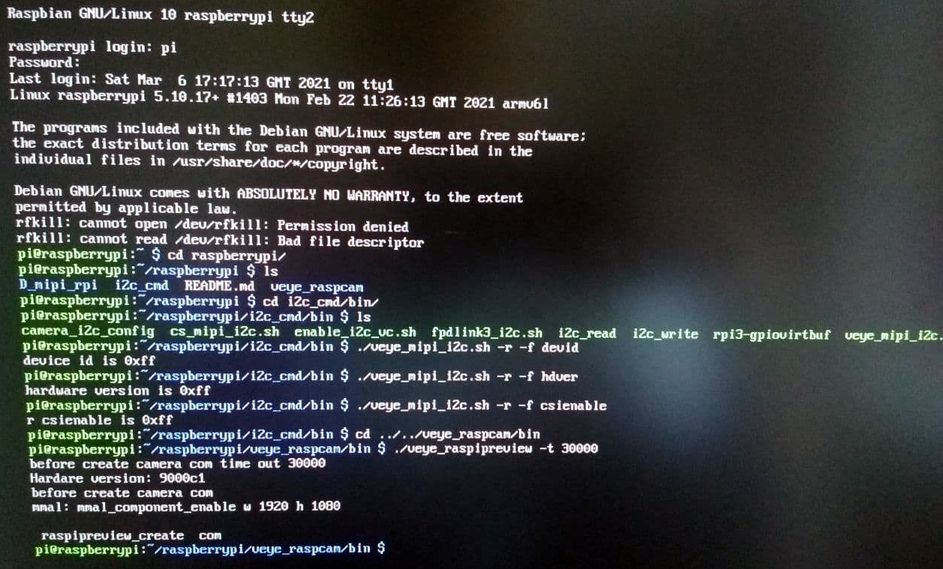
        This mmal-stats cmd result was running while veye_raspipreview running.
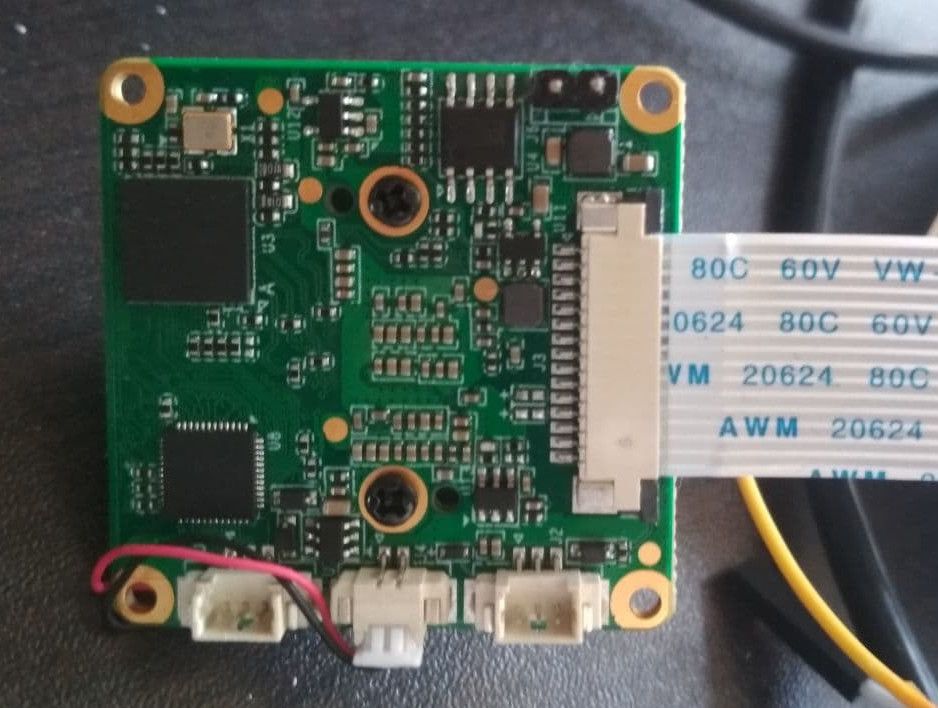
        photo_2021-07-19_11-53-57.jpg

        Yes, I have other VEYE-MIPI-IMX327S. They work well on the same board Rapspberry.

        veye_xummV 1 Reply Last reply Reply Quote 0
        • veye_xummV Offline
          veye_xumm @Dan_LionKing
          last edited by

          @dan_lionking

          The module you have a problem with now, is it hdver=3 ?
          If so, after a long discussion, I think it probably has something to do with the hdver version.

          Questions will be answered as soon as possible, please be patient.
          如果你使用中文,请直接用中文提问。
          May the force be with YOU. (This is the translation of the mysterious Chinese symbol above.)

          D 1 Reply Last reply Reply Quote 0
          • D Offline
            Dan_LionKing @veye_xumm
            last edited by

            @veye_xumm photo_2021-07-19_15-46-37.jpg

            veye_xummV 1 Reply Last reply Reply Quote 0
            • veye_xummV Offline
              veye_xumm @Dan_LionKing
              last edited by

              @dan_lionking
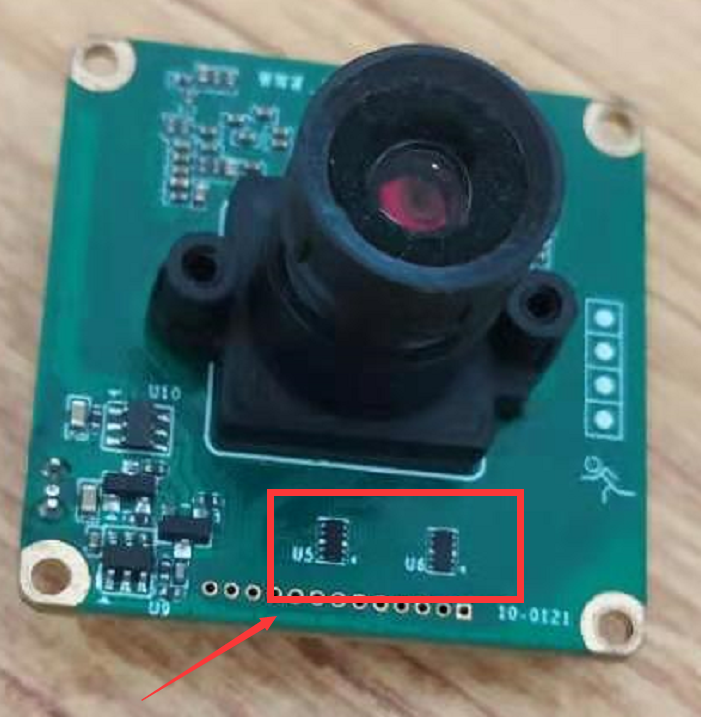
              b514cf47-dc07-4d79-af8a-b7a4dc7337b8-image.png

              Would you please check whether these two components are damaged? These two are protective devices. I have encountered customers plugging in 5V power supply upside down, resulting in burnout.
              If it burns out, you can try to remove these two components .

              Questions will be answered as soon as possible, please be patient.
              如果你使用中文,请直接用中文提问。
              May the force be with YOU. (This is the translation of the mysterious Chinese symbol above.)

              D 1 Reply Last reply Reply Quote 0
              • D Offline
                Dan_LionKing @veye_xumm
                last edited by

                @veye_xumm
                The components appear to be functional. For a detailed check, inform the component type and pinout.

                veye_xummV 1 Reply Last reply Reply Quote 0
                • veye_xummV Offline
                  veye_xumm @Dan_LionKing
                  last edited by

                  @dan_lionking
                  I have encountered problems like yours. The camera is not damaged and the FFC Cable contact is not good. You can try to replace a FFC cable.

                  But it's also possible that the camera did break down for some reason. You can try to remove these two devices with an electric soldering iron. These two are protective devices, and removal will not affect the function.

                  Questions will be answered as soon as possible, please be patient.
                  如果你使用中文,请直接用中文提问。
                  May the force be with YOU. (This is the translation of the mysterious Chinese symbol above.)

                  D 1 Reply Last reply Reply Quote 0
                  • D Offline
                    Dan_LionKing @veye_xumm
                    last edited by

                    @veye_xumm
                    I connect another camera VEYE-MIPI-IMX327S with the same FFC cable, everything works. The FFC cable is working.

                    veye_xummV 1 Reply Last reply Reply Quote 0
                    • veye_xummV Offline
                      veye_xumm @Dan_LionKing
                      last edited by

                      @dan_lionking
                      We have two main control chips on our camera, and we can use the following methods to confirm whether the programs on both chips are working properly:

                      1. Read the device ID. The default value is 0x06, which can determine whether the FPGA is working.
                      . / veye_mipi_i2c.sh-r-f devid.
                      
                      1. If the FPGA is OK, try the following cmd to check the other one.
                      ./veye_mipi_i2c.sh -r -f agc
                      

                      The value should be 0xC if you have not changed it.

                      If the 2 chips are both working.
                      The only advice I can give you is to remove the two protection devices, as I wrote in the last post.

                      Questions will be answered as soon as possible, please be patient.
                      如果你使用中文,请直接用中文提问。
                      May the force be with YOU. (This is the translation of the mysterious Chinese symbol above.)

                      D 1 Reply Last reply Reply Quote 0
                      • D Offline
                        Dan_LionKing @veye_xumm
                        last edited by

                        @veye_xumm
                        photo_2021-07-23_19-12-00.jpg

                        D 1 Reply Last reply Reply Quote 0
                        • D Offline
                          Dan_LionKing @Dan_LionKing
                          last edited by

                          @dan_lionking
                          After remove the two protection devices the image appeared

                          Thanks

                          veye_xummV 1 Reply Last reply Reply Quote 0
                          • veye_xummV Offline
                            veye_xumm @Dan_LionKing
                            last edited by

                            @dan_lionking
                            You are welcome.

                            Questions will be answered as soon as possible, please be patient.
                            如果你使用中文,请直接用中文提问。
                            May the force be with YOU. (This is the translation of the mysterious Chinese symbol above.)

                            1 Reply Last reply Reply Quote 0

                            Hello! It looks like you're interested in this conversation, but you don't have an account yet.

                            Getting fed up of having to scroll through the same posts each visit? When you register for an account, you'll always come back to exactly where you were before, and choose to be notified of new replies (either via email, or push notification). You'll also be able to save bookmarks and upvote posts to show your appreciation to other community members.

                            With your input, this post could be even better 💗

                            Register Login
                            • First post
                              Last post