Jetson-NX can't work well with CS-MIPI-SC132
-
I have followed the instructions of http://wiki.veye.cc/index.php/VEYE_CS_Camera_for_Jetson_TX2/zh.
I have copied the Image and Image.sig to the /boot folder. Reboot is done properly.
And I have copied the /nvidia_jetson_veye_bsp/Xavier-NX/JetPack_4.6_Linux_JETSON_XAVIER_NX_TARGETS/dts dtb/CS-MIPI-SC132/tegra194-p3668-all-p3509-0000.dtb to the /boot folder. And then the reboot.
The documents teach me to skip 3.7 and do 3.8 directly.
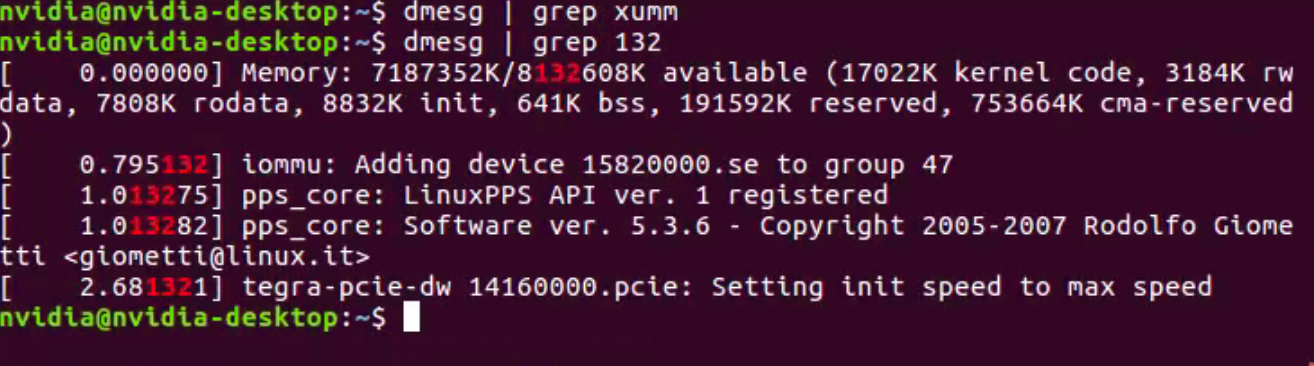
When I type in the $ls /sys/bus/i2c/drivers/ , no asked folder.
/home/racer/Pictures/Screenshot from 2021-11-20 11-44-14.png -
-
@veye_xumm 您好,我在Ubuntu下面没法写中文,具体情况就是,我按照那个wiki里面执行,然后我做到3.8的时候没有找到CSSC132的文件,等下我执行一下操作
-
-
@livehappily
你的现象跟这个哥们的应该是一样的。
参考一下这个帖子。
http://forum.veye.cc/topic/172/csi132相机nvidia-nx平台上无法更新硬件/17

Hello! It looks like you're interested in this conversation, but you don't have an account yet.
Getting fed up of having to scroll through the same posts each visit? When you register for an account, you'll always come back to exactly where you were before, and choose to be notified of new replies (either via email, or push notification). You'll also be able to save bookmarks and upvote posts to show your appreciation to other community members.
With your input, this post could be even better 💗
Register Login