树莓派5+bookworm +IMX365 遇到问题
-
版本为:Linux raspberrypi 6.1.0-rpi7-rpi-v8 #1 SMP PREEMPT Debian 1:6.1.63-1+rpt1 (2023-11-24) aarch64
镜头sensor is IMX385
使用测试成功
gst-launch-1.0 v4l2src device=/dev/video0 ! "video/x-raw,format=(string)UYVY, width=(int)1920, height=(int)1080,framerate=(fraction)30/1" ! videoconvert ! autovideosink sync=false -v
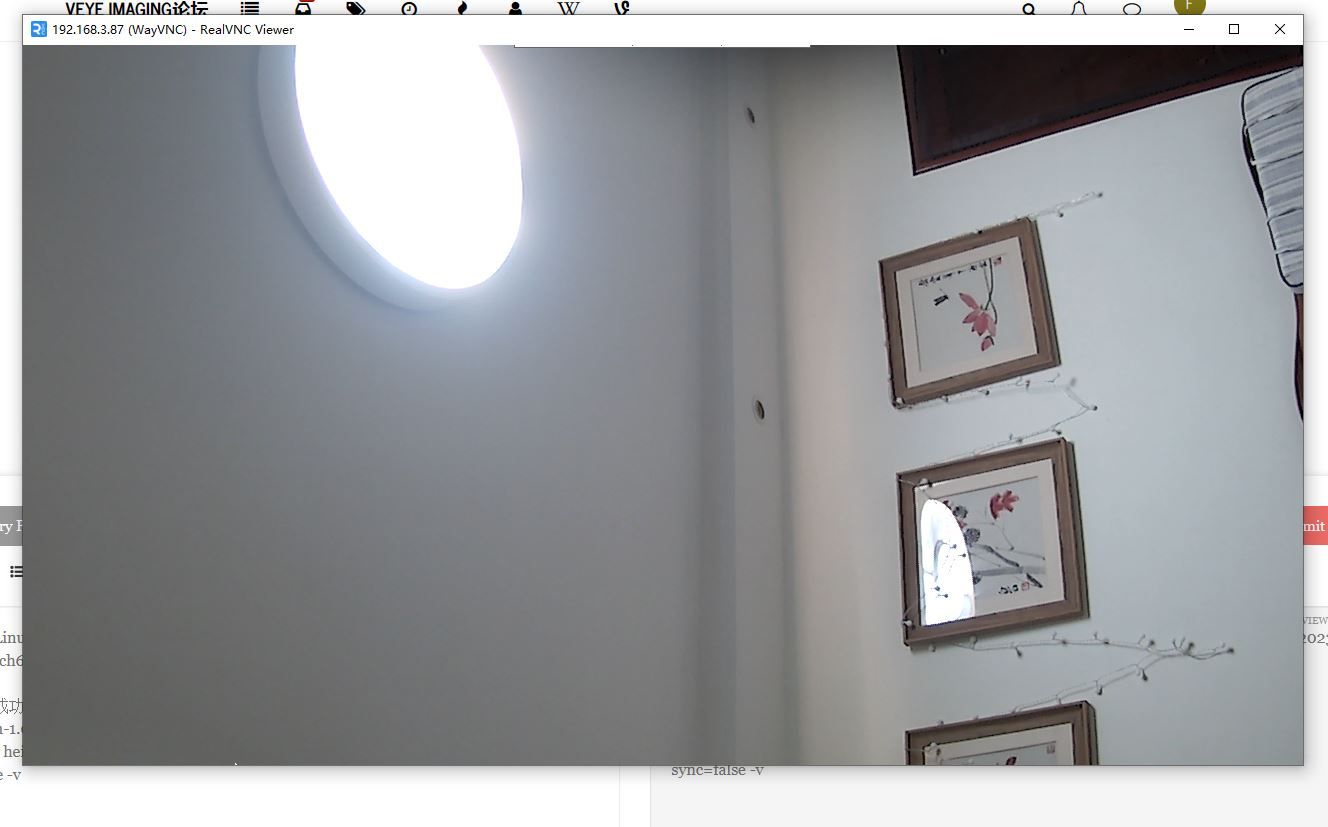
使用推流就有出错(WARNING: erroneous pipeline: no element "v4l2h264enc")
gst-launch-1.0 -v v4l2src device=/dev/video0 num-buffers=-1 ! "video/x-raw,format=(string)UYVY, width=(int)1920, height=(int)1080,framerate=(fraction)30/1" ! clockoverlay time-format="%D %H:%M:%S" font-desc="Sans 10" ! v4l2h264enc extra-controls="controls, h264_profile=4, video_bitrate=8000000" ! 'video/x-h264, profile=high, level=(string)4' ! h264parse ! flvmux ! rtmpsink location=rtmp://192.168.3.10:5000/live/MeteorMaster树莓派4B+bullseye系统没有这个问题。
另外使用树莓派5+2024-03-15-raspios-bookworm-arm64-full .img 无法安装驱动
-
树莓派5 IMX385 驱动有问题。
Linux raspberrypi 6.1.0-rpi7-rpi-v8 #1 SMP PREEMPT Debian 1:6.1.63-1+rpt1 (2023-11-24) aarch64
The programs included with the Debian GNU/Linux system are free software;
the exact distribution terms for each program are described in the
individual files in /usr/share/doc/*/copyright.Debian GNU/Linux comes with ABSOLUTELY NO WARRANTY, to the extent
permitted by applicable law.
Last login: Sun Apr 28 23:12:10 2024
pi@raspberrypi:~ $ lsb_release -a
No LSB modules are available.
Distributor ID: Raspbian
Description: Raspbian GNU/Linux 12 (bookworm)
Release: 12
Codename: bookwormpi@raspberrypi:~ $ dmesg | grep veye
[ 2.853277] rp1-cfe 1f00110000.csi: found subdevice /axi/pcie@120000/rp1/i2c@88000/veyecam2m@3b
[ 2.854115] rp1-cfe 1f00128000.csi: found subdevice /axi/pcie@120000/rp1/i2c@80000/veyecam2m@3b
[ 2.905857] veyecam2m: loading out-of-tree module taints kernel.
[ 2.975811] veyecam2m 4-003b: Unable to load ds90ub954 driver,will go on
[ 3.089981] veyecam2m 4-003b: camera id is veyecam2m
[ 3.091543] veyecam2m 4-003b: sensor is IMX385
[ 3.091549] veyecam2m 4-003b: board type is ONE board
[ 3.091964] rp1-cfe 1f00128000.csi: Using sensor veyecam2m 4-003b for capture
[ 3.097088] veyecam2m 4-003b: veyecam2m camera probed
[ 3.109128] veyecam2m 6-003b: Unable to load ds90ub954 driver,will go on
[ 3.221592] veyecam2m 6-003b: probe failedpi@raspberrypi:~/raspberrypi_v4l2/rpi5_scripts $ ./media_setting_rpi5.sh veyecam2m
This is a Raspberry Pi 5.
camera is YUV type
camera name veyecam2m; width 1920; height 1080; media_fmt UYVY8_1X16; pixel_fmt UYVY
CAM1 probed: media device is /dev/media2
set CAM1 finish, plese get frame from /dev/video0 and use /dev/v4l-subdev2 for camera setting
veyecam2m 6 NOT FOUND使用FFMPEG 推流
ffmpeg -re -i 001.mp4 -c:v libx264 -preset veryfast -c:a aac -f flv rtmp://192.168.3.10:5000/live/MeteorMaster
正常
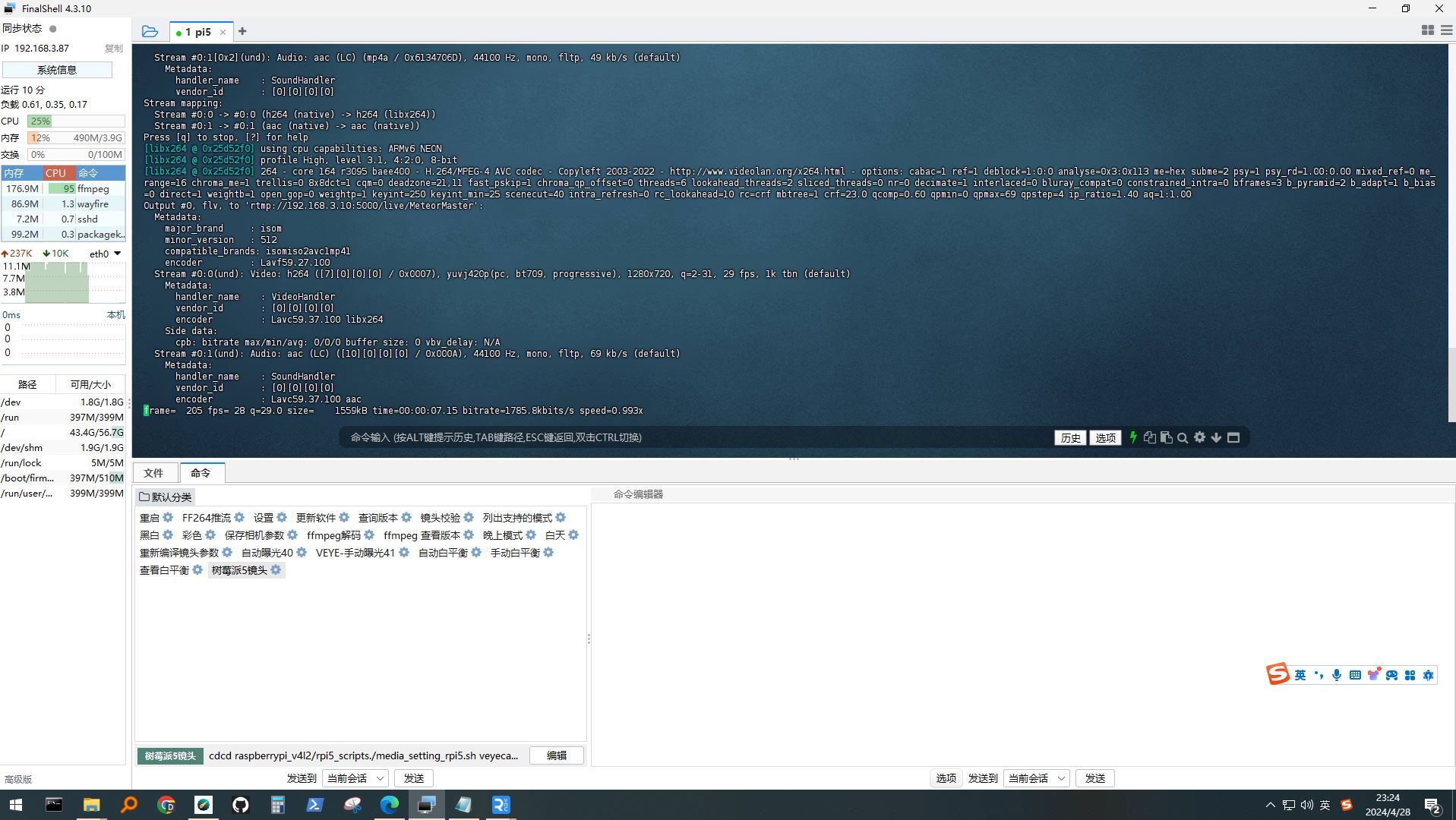
使用镜头推流,出错
ffmpeg -re -i /dev/video0 -c:v libx264 -preset veryfast -c:a aac -f flv rtmp://192.168.3.10:5000/live/MeteorMaster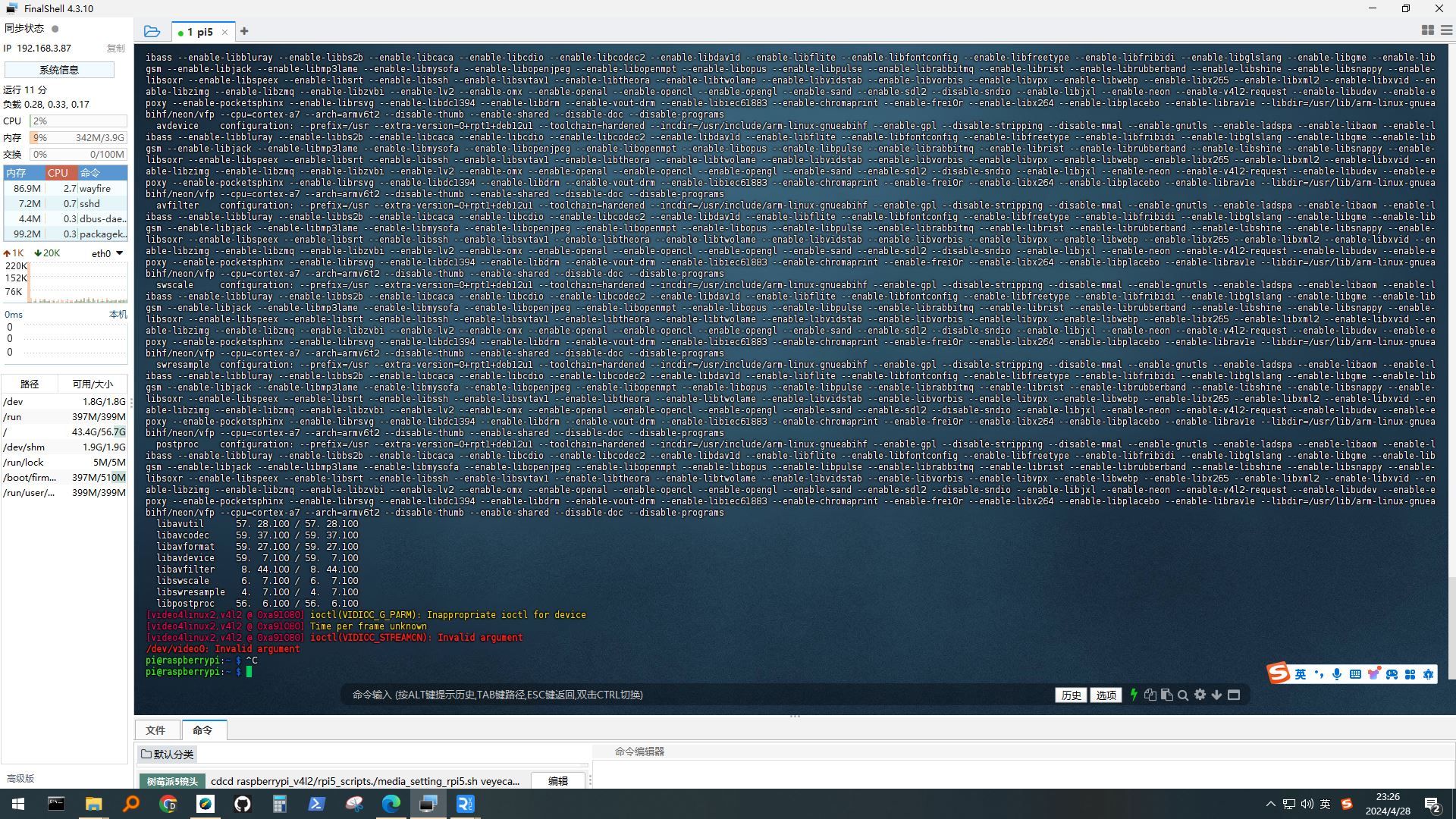
-
pi@raspberrypi:~/raspberrypi_v4l2/i2c_cmd/source $ sudo ./make.sh
问题:
i2c_read.c: In function ‘main’:
i2c_read.c:112:42: warning: passing argument 4 of ‘i2c_rd’ from incompatible pointer type [-Wincompatible-pointer-types]
112 | i2c_rd(fd, device_addr,reg_addr, &value, num);
| ^~~~~~
| |
| unsigned char (*)[512]
i2c_read.c:20:68: note: expected ‘unsigned char ’ but argument is of type ‘unsigned char ()[512]’
20 | static int i2c_rd(int fd, uint8_t i2c_addr, uint16_t reg, uint8_t *values, uint32_t n)
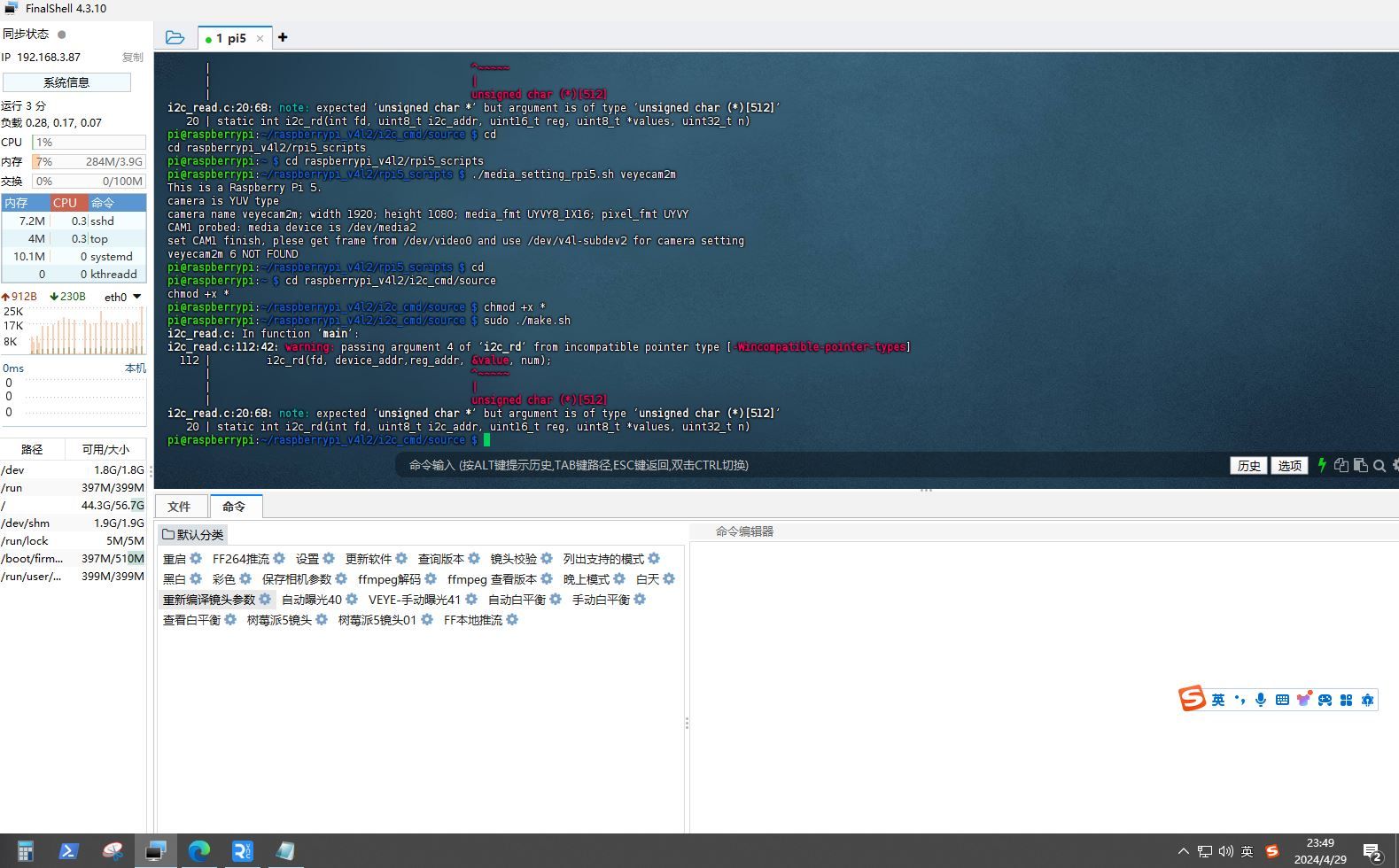
pi@raspberrypi:~/raspberrypi_v4l2/i2c_cmd/source $ dmesg | grep veye
[ 2.947096] veyecam2m: loading out-of-tree module taints kernel.
[ 2.957137] veyecam2m 4-003b: Unable to load ds90ub954 driver,will go on
[ 2.984139] rp1-cfe 1f00110000.csi: found subdevice /axi/pcie@120000/rp1/i2c@88000/veyecam2m@3b
[ 2.984914] rp1-cfe 1f00128000.csi: found subdevice /axi/pcie@120000/rp1/i2c@80000/veyecam2m@3b
[ 3.082974] veyecam2m 4-003b: camera id is veyecam2m
[ 3.084546] veyecam2m 4-003b: sensor is IMX385
[ 3.084552] veyecam2m 4-003b: board type is ONE board
[ 3.084970] rp1-cfe 1f00128000.csi: Using sensor veyecam2m 4-003b for capture
[ 3.106635] veyecam2m 4-003b: veyecam2m camera probed
[ 3.113508] veyecam2m 6-003b: Unable to load ds90ub954 driver,will go on
[ 3.229811] veyecam2m 6-003b: probe failed
pi@raspberrypi:~/raspberrypi_v4l2/i2c_cmd/source $ cd
cd raspberrypi_v4l2/rpi5_scripts
./media_setting_rpi5.sh veyecam2mpi@raspberrypi:~ $ cd raspberrypi_v4l2/rpi5_scripts
pi@raspberrypi:~/raspberrypi_v4l2/rpi5_scripts $ ./media_setting_rpi5.sh veyecam2m
This is a Raspberry Pi 5.
camera is YUV type
camera name veyecam2m; width 1920; height 1080; media_fmt UYVY8_1X16; pixel_fmt UYVY
CAM1 probed: media device is /dev/media2
set CAM1 finish, plese get frame from /dev/video0 and use /dev/v4l-subdev2 for camera setting
veyecam2m 6 NOT FOUND
pi@raspberrypi:~/raspberrypi_v4l2/rpi5_scripts $
Hello! It looks like you're interested in this conversation, but you don't have an account yet.
Getting fed up of having to scroll through the same posts each visit? When you register for an account, you'll always come back to exactly where you were before, and choose to be notified of new replies (either via email, or push notification). You'll also be able to save bookmarks and upvote posts to show your appreciation to other community members.
With your input, this post could be even better 💗
Register Login