树莓派5 一个mipi接口连接相机无法识别问题
-
你好,我在使用两个imx-642相机,
用 https://wiki.veye.cc/index.php/V4L2_mode_for_Raspberry_Pi 安装了驱动。
用树莓派5 CAM1可以打开并设置相机,但是CAM0口找不到相机。
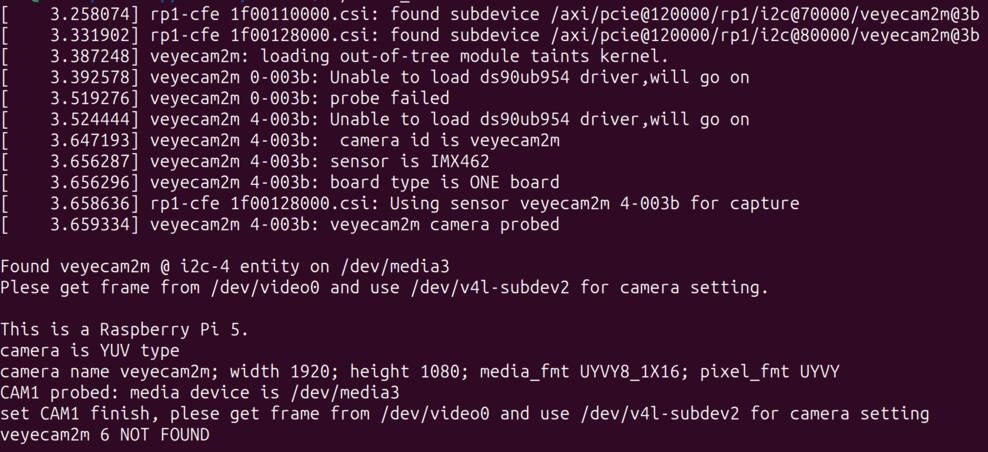
尝试更换了相机,单独插在CAM0口上还是识别不了。mipi接口是i2c-11和i2c-12吗?这两个接口好像是正常的。

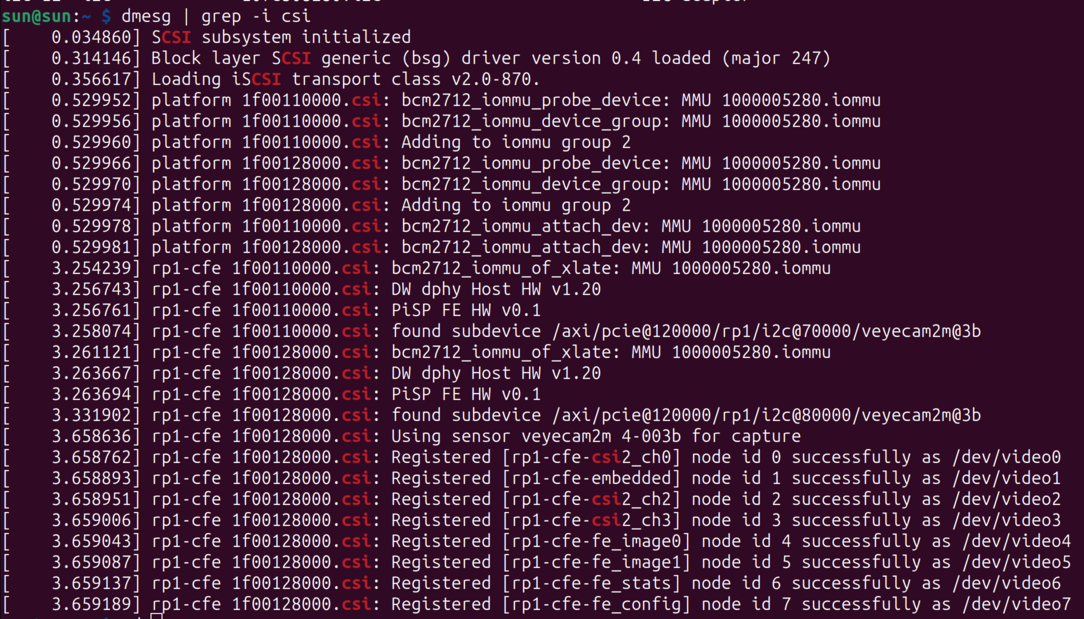
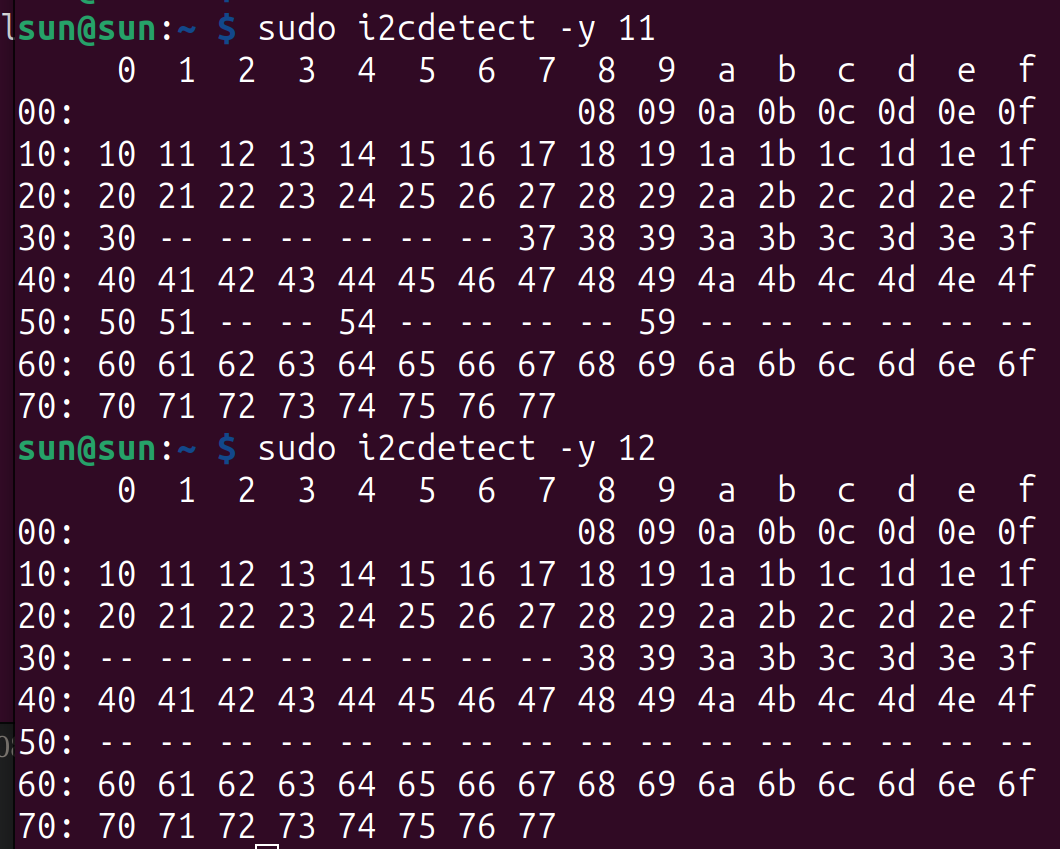
这个情况是接口坏了还是漏了什么东西没有设置?
-
@sqf121
Hi, I had similar issue with another camera vendor and it was related to overlay file which was from RPi4.And fixed by replacing :
cam0 = <&i2c_frag>, "target:0=",<&i2c_vc>
to
cam0 = <&i2c_frag>, "target:0=",<&i2c_csi_dsi0>Did you install driver from "release" folder or built it manually from source code?
if manually you need use dts(dtbo) file from rpi-6.1.y-bookworm folder.Correct camera location should be:
/axi/pcie@120000/rp1/i2c@88000/veyecam2m@3b
/axi/pcie@120000/rp1/i2c@80000/veyecam2m@3bAs I see your second camera on ic2@70000 similar as I had with wrong overlay file.
-
@alex_ai
Thank you for your reply.I used the script from the
releasefolder to install the driver, and the operating system version is 6.6.20-1+rpt1.
So, while installing the driver, I think the DTS file used by the script israspberrypi_v4l2/driver_source/dts/rpi-6.6.y/veyecam2m-overlay.dts, which already hascam0 = <&i2c_frag>, "target:0=",<&i2c_csi_dsi0>.
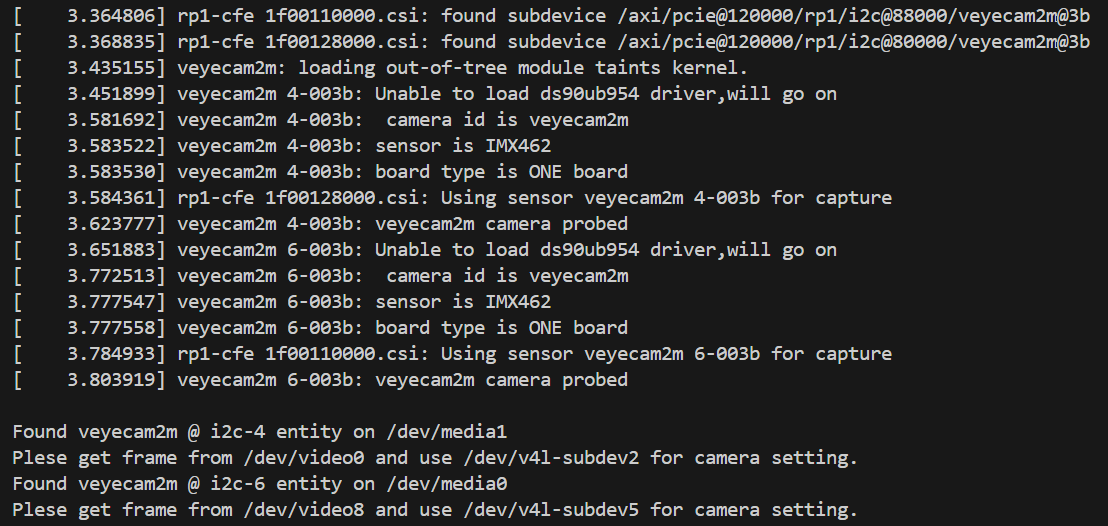
I compiled the source code, and now both cameras are recognized!
-
@sqf121
这个问题已经解决,请参考一下github上的更新。
https://github.com/veyeimaging/raspberrypi_v4l2

Hello! It looks like you're interested in this conversation, but you don't have an account yet.
Getting fed up of having to scroll through the same posts each visit? When you register for an account, you'll always come back to exactly where you were before, and choose to be notified of new replies (either via email, or push notification). You'll also be able to save bookmarks and upvote posts to show your appreciation to other community members.
With your input, this post could be even better 💗
Register Login