Navigation

    VEYE IMAGING Forum

    • Register
    • Login
    • Search
    • Categories
    • Tags
    • Recent
    • Popular
    • Users
    • WIKI
    • veye.cc
    1. Home
    2. alex_ai
    A
    • Profile
    • Following 0
    • Followers 0
    • Topics 3
    • Posts 34
    • Best 0
    • Groups 0

    alex_ai

    @alex_ai

    0
    Reputation
    3
    Profile views
    34
    Posts
    0
    Followers
    0
    Following
    Joined Last Online
    Email aaitov@gmail.com

    alex_ai Follow

    Latest posts made by alex_ai

    • RE: GX-MIPI-IMX662 can't save fps parameter

      Hi @veye_xumm, I'm still trying to configure imx662 for night capturing (meteor detection) and probably you can help me to clarify what is wrong.

      I have several cameras from VEYE (imx462 and imx462 mono) and also imx662 mono from another vendor.

      And for all cameras configuration pretty same - use 30fps, exposure time 33333 and gain 30Db for mono version and up to 34Db color version (this range approximately within analog gain).

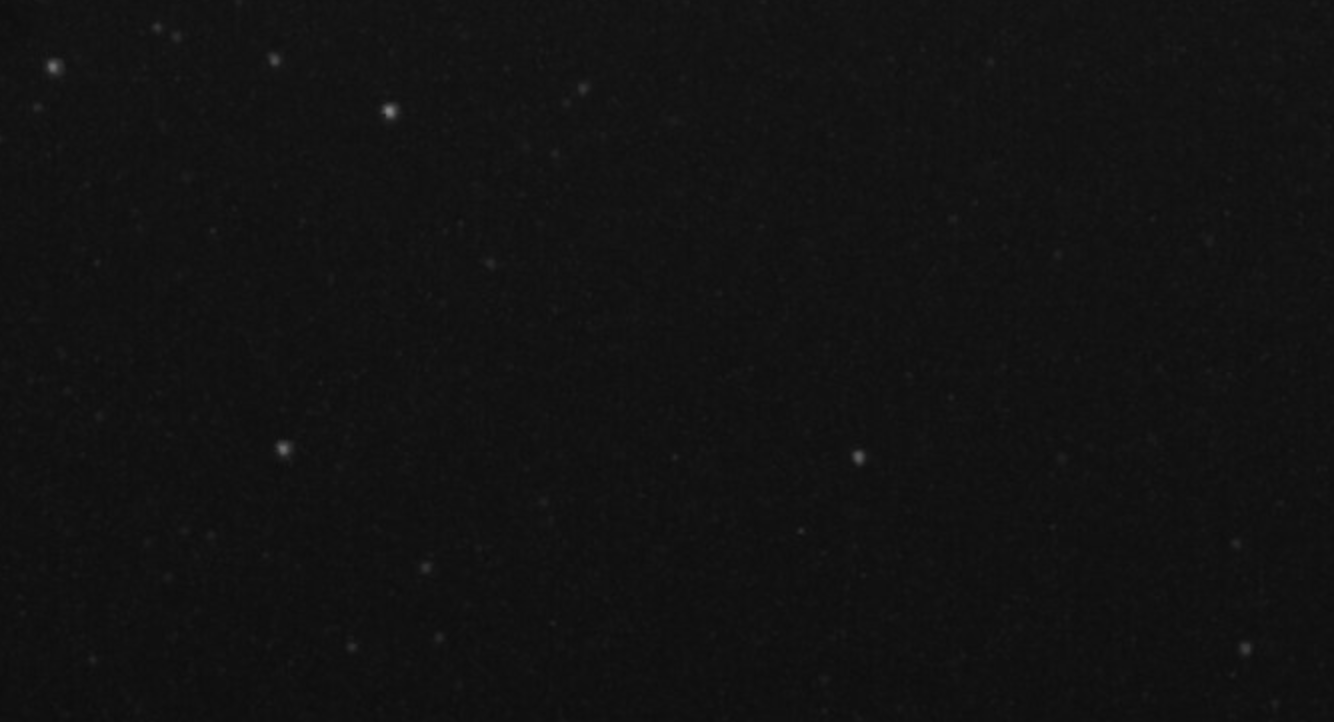
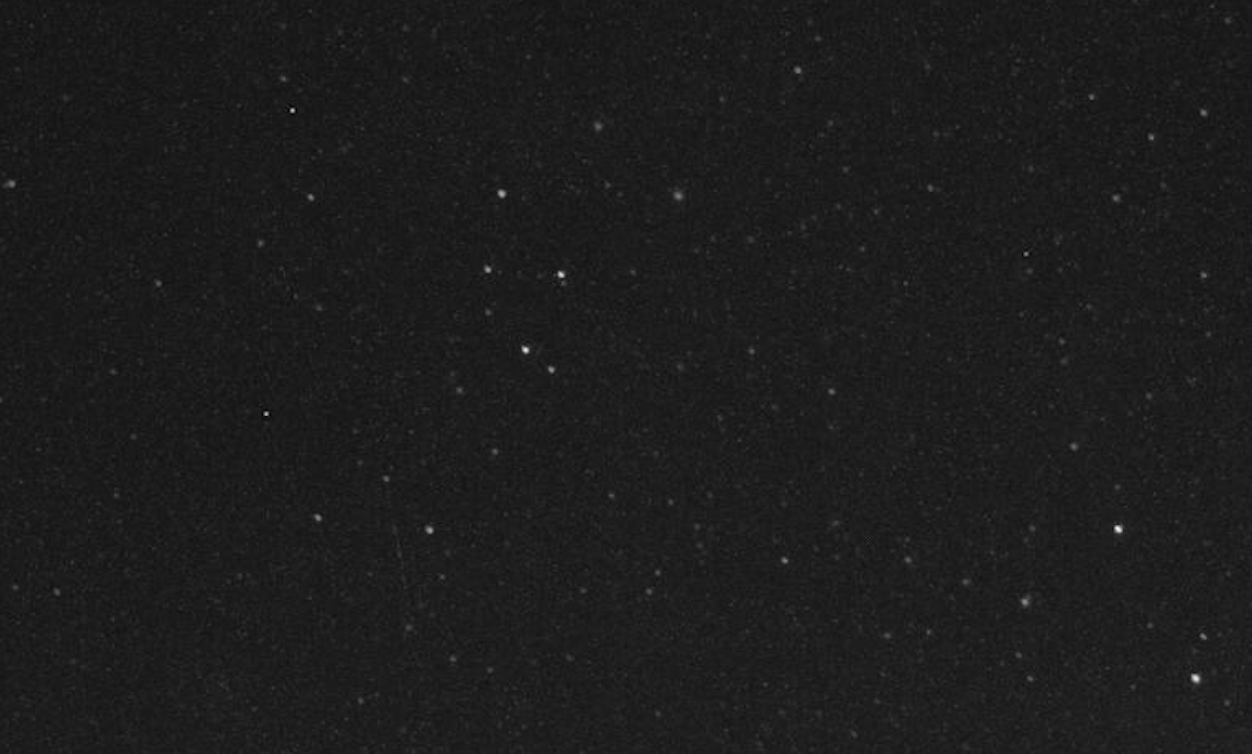
      What I see in GX imx662 - for same parameters image too dark, some brightness I can get from gamma_index (with value 5 or 10) but it still not enough

      To get required brightness of image I have to increase gain to 45 which leads to boost digital gain and as result more noise, more hot pixels and overbrighted (oversized) stars.

      Questions:

      1. What could be wrong? (imx662 mono works as expected, not sure it is sensor issue)
      2. Can I read sensor registors same as on imx462?

      My current config (Raspberry Pi 5, Trixie) :

      ./gx_mipi_i2c.sh -w fps 30 -b $i2cBus
      ./gx_mipi_i2c.sh -w expmode 0 -b $i2cBus
      ./gx_mipi_i2c.sh -w metime 33333 -b $i2cBus
      ./gx_mipi_i2c.sh -w mgain 34 -b $i2cBus
      ./gx_mipi_i2c.sh -w denoise_strength_3D 0 -b $i2cBus
      ./gx_mipi_i2c.sh -w denoise_strength_2D 0 -b $i2cBus
      ./gx_mipi_i2c.sh -w sharppen 30 -b $i2cBus
      ./gx_mipi_i2c.sh -w gamma_index 5 -b $i2cBus
      ./gx_mipi_i2c.sh -w daynightmode 1 -b $i2cBus
      

      Example of image in same time and same parameters (gain 34) for:
      GX IMX662
      Screenshot 2026-03-19 at 19.24.55.jpg
      VEYE IMX462
      Screenshot 2026-03-19 at 19.21.16.jpg

      posted in VEYE MIPI camera
      A
      alex_ai
    • RE: GX-MIPI-IMX662 can't save fps parameter

      Hi @veye_xumm, I didn't say that this is issue, this parameter needs to be changed only in case video recording of the night sky (meteor detection)

      From issues what I noticed:

      • can't save fps - always 60 after power on

      • Sometimes saved parameters resets to default (noticed when set metime to 33333 but forgot set fps 30 before) and manual expmode switched back to auto

      posted in VEYE MIPI camera
      A
      alex_ai
    • RE: GX-MIPI-IMX662 can't save fps parameter

      @veye_xumm found what was wrong,
      high level of noise produced gamma_index = 1 (default value), other looks good.

      posted in VEYE MIPI camera
      A
      alex_ai
    • RE: GX-MIPI-IMX662 can't save fps parameter

      @veye_xumm yes, you are right, I checked image in 25 and 26 dB - and it is switching.

      Probably I used high digital gain (because brightness low than from IMX462 in same gain value) and it produces high level of noise.

      About denoise, in IMX462 I'm using 0x02, but not sure what is MIDDLE value, because in IMX662 denoise_strength_3D with 128 produces different picture and I decreased to 40 to have something similar

      0x02	NR 2D Mode = OFF; NR 3D Mode = MIDDLE
      

      Will test couple nights. Thank you.

      posted in VEYE MIPI camera
      A
      alex_ai
    • RE: RAW-MIPI-SC132M camera working in raspberry pi 5. Cannot be configured to work with the libcamera2 and opencv libraries

      @sheko
      As I see your standard camera parameters are: 1080x1280 120fps
      And as it configured in python script for first step try:

      cap = cv2.VideoCapture('v4l2src device=/dev/video0')
      

      if still failing try with passing parameters to gstreamer:

      cap = cv2.VideoCapture('v4l2src device=/dev/video0 ! video/x-raw,format=UYVY, width=1080, height=1280,framerate=120/1 ! videoconvert ! video/x-raw,format=GRAY8 ! appsink sync=1')
      

      or from command line to check if gstreamer works without python

      gst-launch-1.0 v4l2src device=/dev/video0 ! video/x-raw,format=UYVY, width=1080, height=1280,framerate=120/1 ! videoconvert ! video/x-raw,format=GRAY8 ! appsink sync=1
      

      if still failing try RAW8 format

      gst-launch-1.0 v4l2src device=/dev/video0 ! video/x-raw,format=RAW8, width=1080, height=1280,framerate=120/1 ! appsink sync=1
      

      if still failing, can't help, I don't have this sensor.

      posted in CS MIPI camera
      A
      alex_ai
    • RE: GX-MIPI-IMX662 can't save fps parameter

      @veye_xumm happy holidays!
      Yes, I tried manual and auto gain/expmode and it works as expected.

      For meteors detection I don't need use denoise3d (or use small value ), as it blurs fast moving objects, but without it the image very noisy, which is probably related to HCG and LCG modes of sensor (as it was for my IMX462M camera and you provided custom firmware with enabled HCG), and it is working perfectly on VEYE IMX462 cameras.

      For now it has quality of usual IP camera with same sensor (with denoise3d for night sky), will wait, probably it will be improved in future.
      Thank you!

      posted in VEYE MIPI camera
      A
      alex_ai
    • RE: RAW-MIPI-SC132M camera working in raspberry pi 5. Cannot be configured to work with the libcamera2 and opencv libraries

      @sheko please update pipeline with your camera parameters (width, height, framerate). I just copied mine.

      posted in CS MIPI camera
      A
      alex_ai
    • RE: RAW-MIPI-SC132M camera working in raspberry pi 5. Cannot be configured to work with the libcamera2 and opencv libraries

      @sheko
      This is pipeline which need place to openCV instead:

      cap = cv2.VideoCapture('/dev/video0')
      

      to run it from command line you need use gstreamer, try :

      gst-launch-1.0 v4l2src device=/dev/video0 ! video/x-raw,format=UYVY, width=1920, height=1080,framerate=30/1 ! videoconvert ! video/x-raw,format=GRAY8 ! appsink sync=1
      
      posted in CS MIPI camera
      A
      alex_ai
    • RE: RAW-MIPI-SC132M camera working in raspberry pi 5. Cannot be configured to work with the libcamera2 and opencv libraries

      Hi @veye_xumm, sorry for confusion, in previous time you guided me to install custom libcamera for veye_mvcam driver and seems like this step is outdated (but I'm still using libcamera).

      @Sheko try another pipeline in openCV:

      v4l2src device=/dev/video0 ! video/x-raw,format=UYVY, width=1920, height=1080,framerate=30/1 ! videoconvert ! video/x-raw,format=GRAY8 ! appsink sync=1
      
      posted in CS MIPI camera
      A
      alex_ai
    • RE: RAW-MIPI-SC132M camera working in raspberry pi 5. Cannot be configured to work with the libcamera2 and opencv libraries

      Hi @sheko, I had same problem with RPi 5, did you build and install libcamera from veye github repository? For some reason it has config json file only for RPi 4.

      First step try run it with uncalibrated json :

      rpicam-still --tuning-file /usr/local/share/libcamera/ipa/rpi/pisp/data/uncalibrated.json -t 0
      

      Path may be different, if failed to load json file - try to find valid path.

      if video opened - we need just put to same folder mvcam_mono.json (or add to libcamera source code, update meson.build and rebuild + reinstall )

      and check if rpicam-hello or rpicam-still works without tuning file

      I attached my current config (rename it to json) but it adopted for night sky and you need fix in json file section : exposure_modes . normal, copy it for example from se327m12.json
      mvcam_mono.txt

      posted in CS MIPI camera
      A
      alex_ai