A603 carrier board - imx265
-
Hello
I installed the imx265 camera drivers on the A603 board from seeedstudio with Jetson orin nx 8gb and Jetpack 36.4.0 but it doesn't give me an image. In the image below I put the output of the dmesg: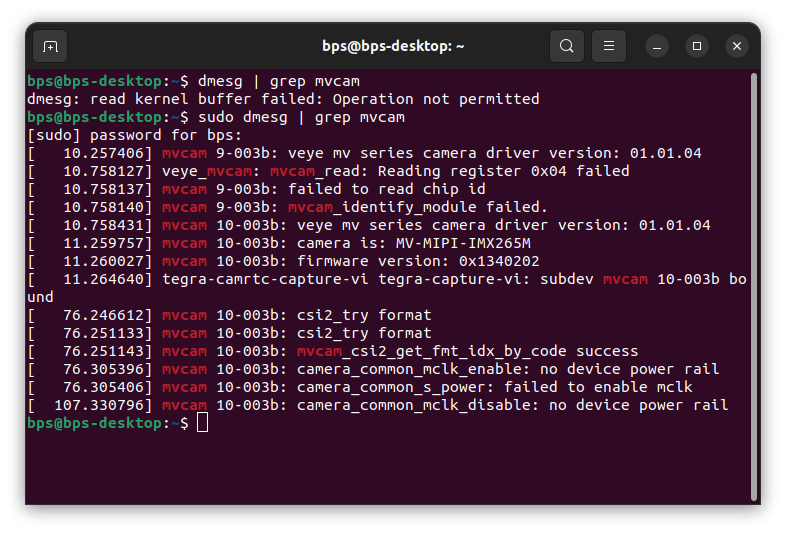
-
@mv
It appears that the camera was successfully probed on i2c-10. Next, you can refer to Part 9 and Part 10 in this link to try capturing images.
You can also try using veye_viewer. -
@veye_xumm
hi , i use mv_probe.sh in jetpack6.0 and i get same resault when i use jetpack5.1.2, yet i get black screan when i use this pipeline:gst-launch-1.0 v4l2src device=/dev/video0 ! "video/x-raw,format=(string)GRAY8, width=2048, height=1544, framerate=(fraction)55/1" ! videoconvert ! autovideosink sync=false -v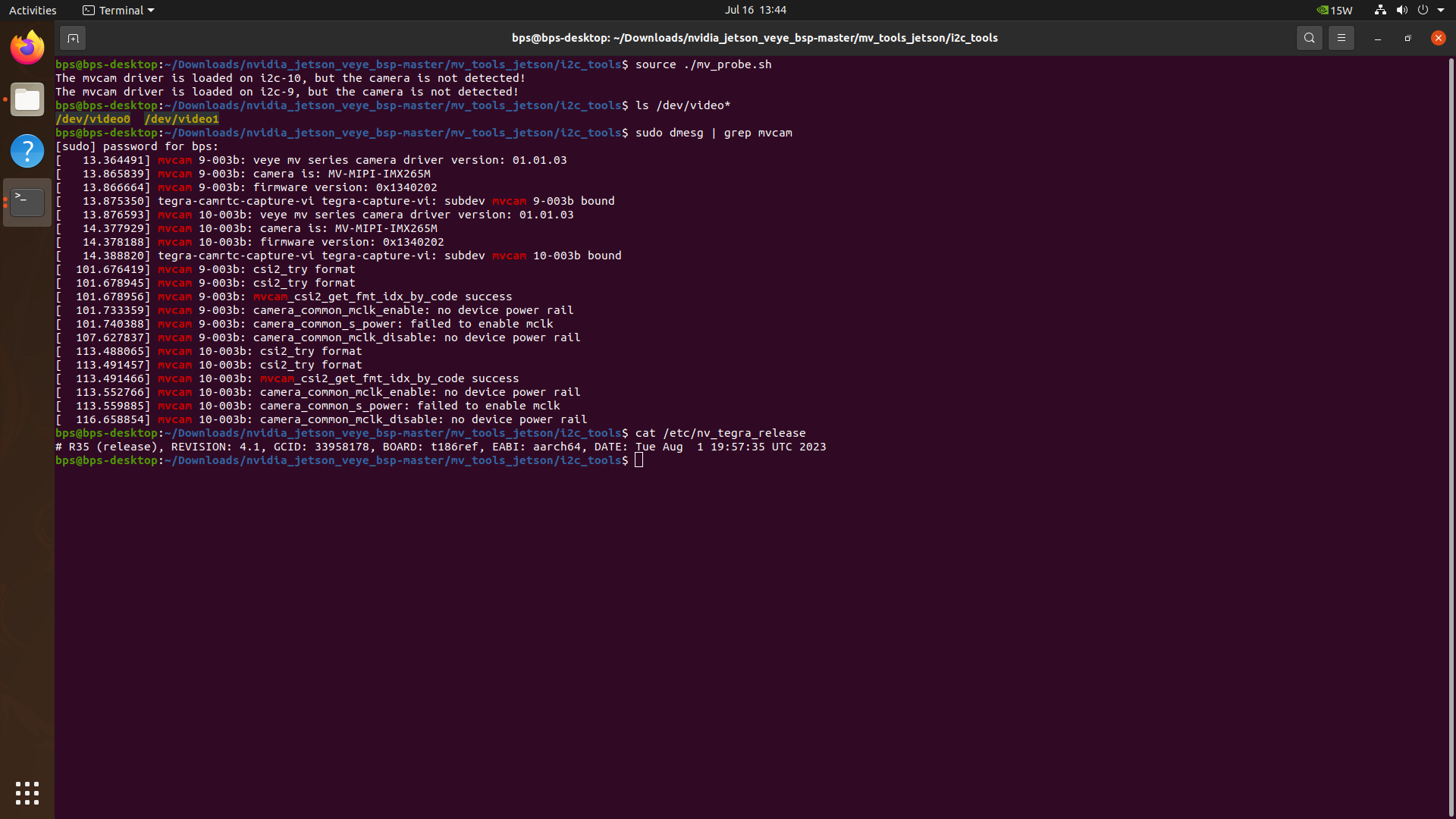
-
Your current image is Jetpack 5.1.2 with L4T version r35.4.1. The mvcam driver included in it is relatively old, so the mv_probe.sh script cannot work properly. — For more details, you can refer to the comments at the top of the mv_probe.sh script.
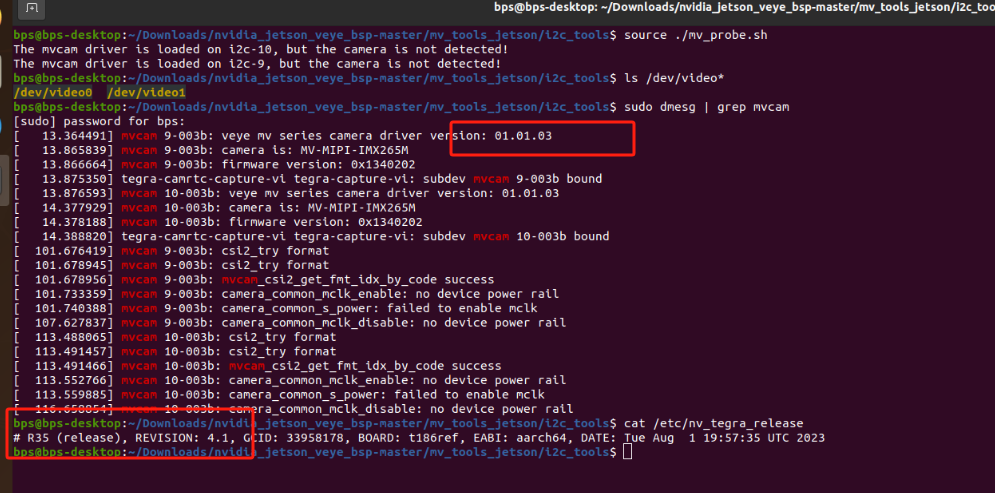
In addition, please try running the following script and see if it shows continuous messages indicating that data is being received. If it still fails to receive data, please run
sudo dmesgto check whether there are any error messages.export WIDTH=2560 export HEIGHT=1544 export FPS=50 v4l2-ctl --set-ctrl roi_x=0 v4l2-ctl --set-ctrl roi_y=0 v4l2-ctl --set-fmt-video=width=$WIDTH,height=$HEIGHT,pixelformat=GREY v4l2-ctl --set-ctrl frame_rate=$FPS v4l2-ctl --set-fmt-video=width=$WIDTH,height=$HEIGHT,pixelformat=GREY --stream-mmap --stream-count=-1 --stream-to=/dev/null

Hello! It looks like you're interested in this conversation, but you don't have an account yet.
Getting fed up of having to scroll through the same posts each visit? When you register for an account, you'll always come back to exactly where you were before, and choose to be notified of new replies (either via email, or push notification). You'll also be able to save bookmarks and upvote posts to show your appreciation to other community members.
With your input, this post could be even better 💗
Register Login