MV-MIPI-IMX264M+CM4+CM4-NANO-A 需要怎么配置?
-
@maifengw2023
CM4-NANO-A这个板子,好像是只连出了一个CSI接口。
需要判断一下引出的是哪个csi口。
你可以用i2cdetect -y - 10 i2cdetect -y - 0看一下哪个能找到0x3b?
-
-
@veye_xumm
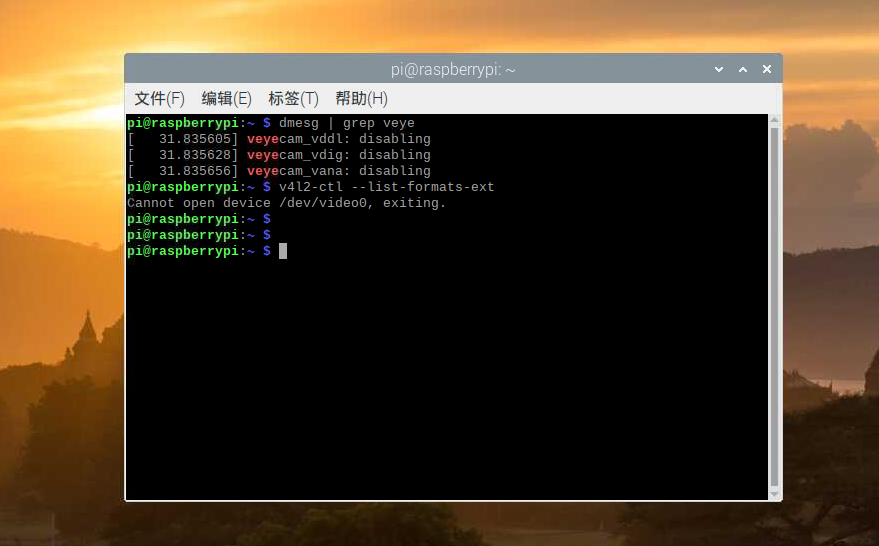
我现在又重新安装了系统,添加驱动后,不认摄像头了;
板子跟摄像头不动,用老卡上的系统能连上摄像头
-
@maifengw2023
你的新卡和老卡有啥区别?
新卡上,执行dmesg | grep mvcam看看输出如何? -
@veye_xumm
nano-a 不支持 bullseye ;说这个有bug;
支持buster系统,所以我又在新sd卡上灌了5.10.103-v7l系统,安装驱动后,不认摄像头,就是上一楼的提示,我把老sd卡换上去,树莓派跟摄像头都没动,摄像头是正常的 -
-
@maifengw2023
你这个驱动的版本有点老了,不识别264这个型号。因为我们研发开发完成一个新的camera之后,往往只在较新的OS版本上编译出ko。
最好结合代码重新编译一个ko出来。 -
@veye_xumm
重新编译驱动吗? -
-
@veye_xumm
我先试一下吧,不行的话,还需要你们帮忙编译一下驱动 -
-
@maifengw2023
看起来是kernel版本中.remove函数原型定义的差异导致的。你用这个函数替代掉原代码中的对应函数。static int mvcam_remove(struct i2c_client *client) { struct v4l2_subdev *sd = i2c_get_clientdata(client); struct mvcam *mvcam = to_mvcam(sd); v4l2_async_unregister_subdev(sd); media_entity_cleanup(&sd->entity); mvcam_free_controls(mvcam); mutex_destroy(&mvcam->mutex); return 0; } -
@veye_xumm
好的,我试试 -
@veye_xumm
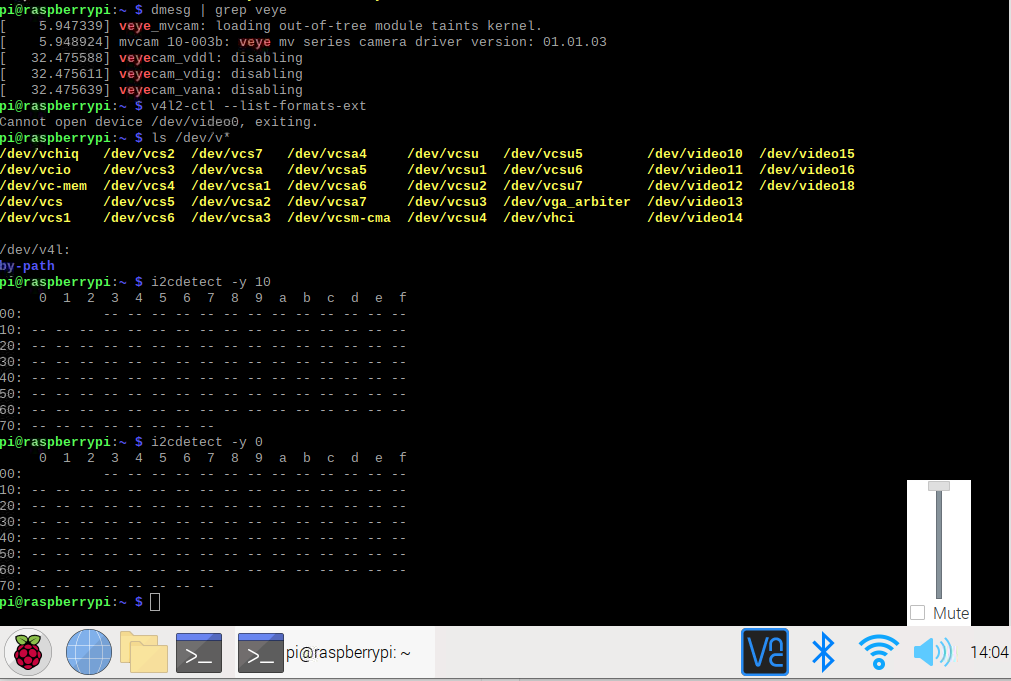
在5.10.103-v7l+上安装好了驱动,在base-a上跟4b上都能正常调用了,但是换成nano-a扩展板,就连接不上摄像头
-
@maifengw2023
执行一下
dmesg | grep mvcam -
-
@maifengw2023
现在i2c0和i2c10都检测不到摄像头,那么有两种可能:- 没有给摄像头供电。—— 这种加上供电即可解决。
- 微雪的这个底板,在i2c硬件方面跟树莓派官方的不同。你需要根据微雪这个板子,改一下设备树文件dts,编译成dtb才可以。
-
@veye_xumm
供电我量了一下J3连接器的1、2脚;电压是4.98V;
设备树文件dts怎样修改有没有教程或说明,我好参考一下;我问了微雪的技术他们连imx219摄像头没有问题 -
@maifengw2023
这东西没有教程了,就是一点点源码。你可以参考一下微雪的imx219在这个板子上的dts。 -
@veye_xumm
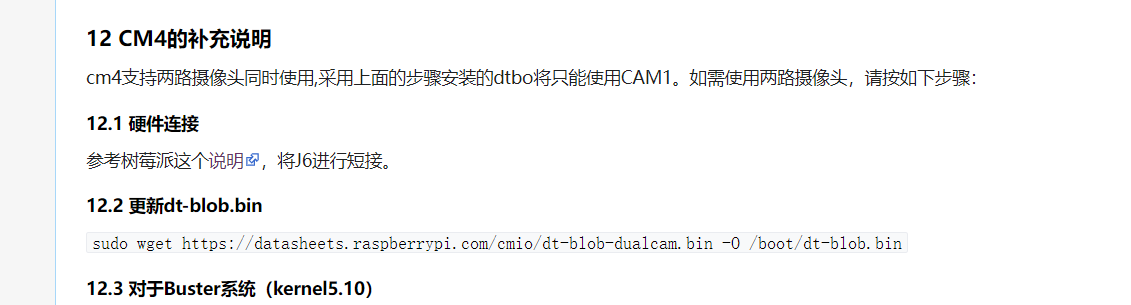
按你们文档上这个,下载下来可以用吗?
还有这个双摄像头这个


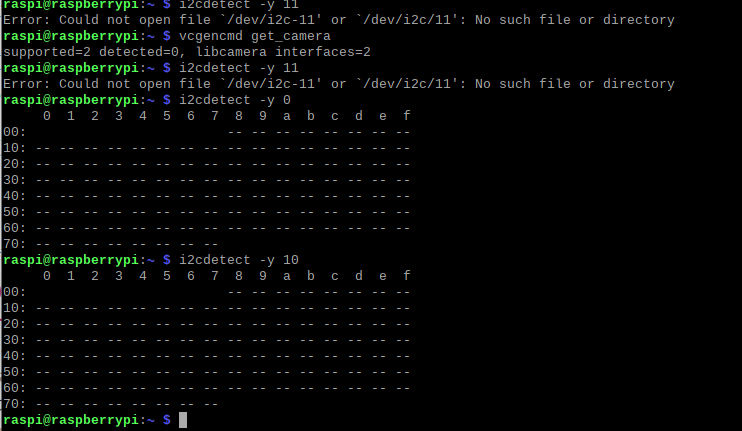



Hello! It looks like you're interested in this conversation, but you don't have an account yet.
Getting fed up of having to scroll through the same posts each visit? When you register for an account, you'll always come back to exactly where you were before, and choose to be notified of new replies (either via email, or push notification). You'll also be able to save bookmarks and upvote posts to show your appreciation to other community members.
With your input, this post could be even better 💗
Register Login