imx462与rk3588无法出图问题
-
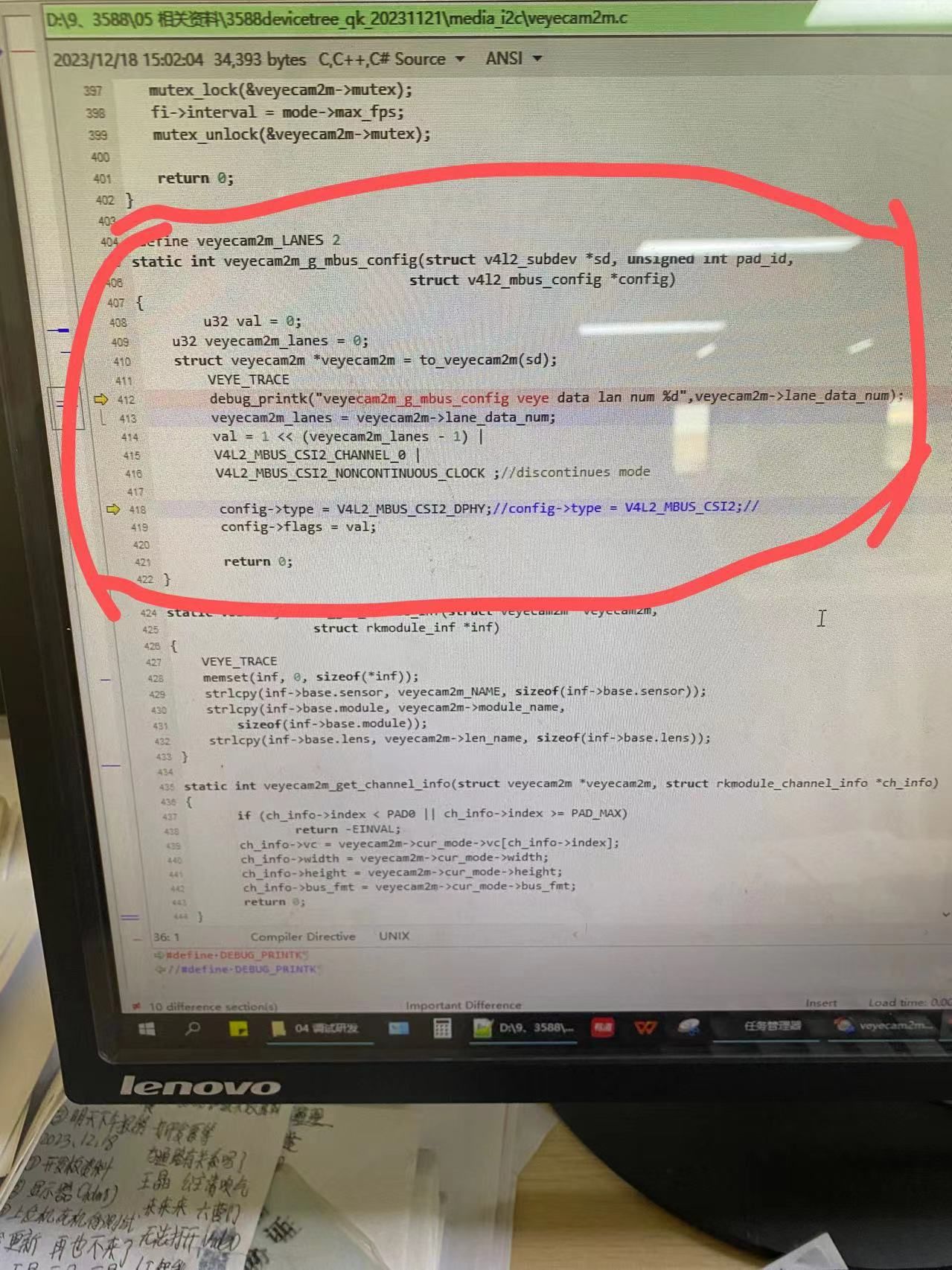
下载官方驱动,移植官方设备树后,可以看到video0到video7.但是所有video都是无法打开,cannot open错误。
修改驱动以后,可以正常打开,正常出图。
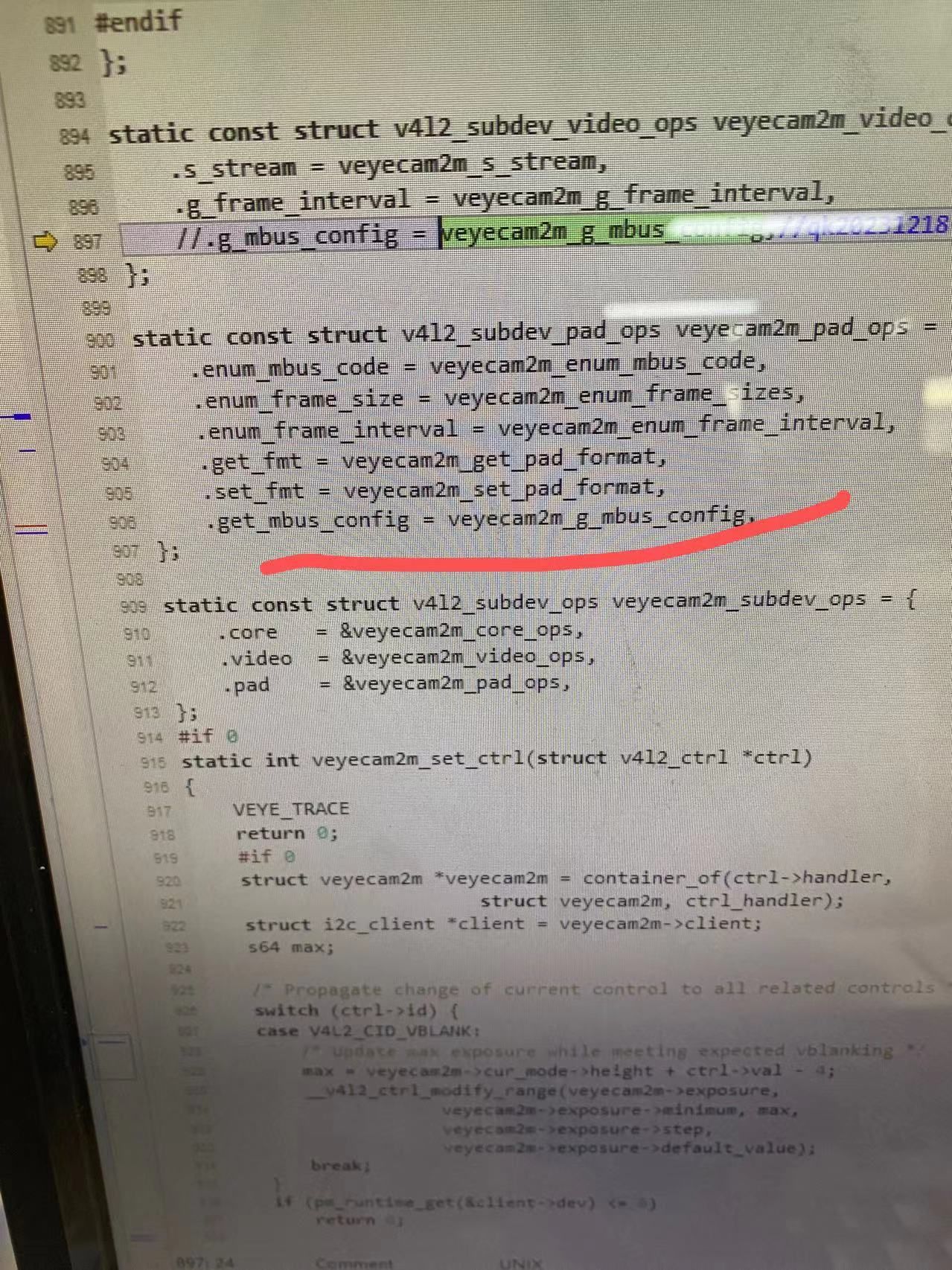
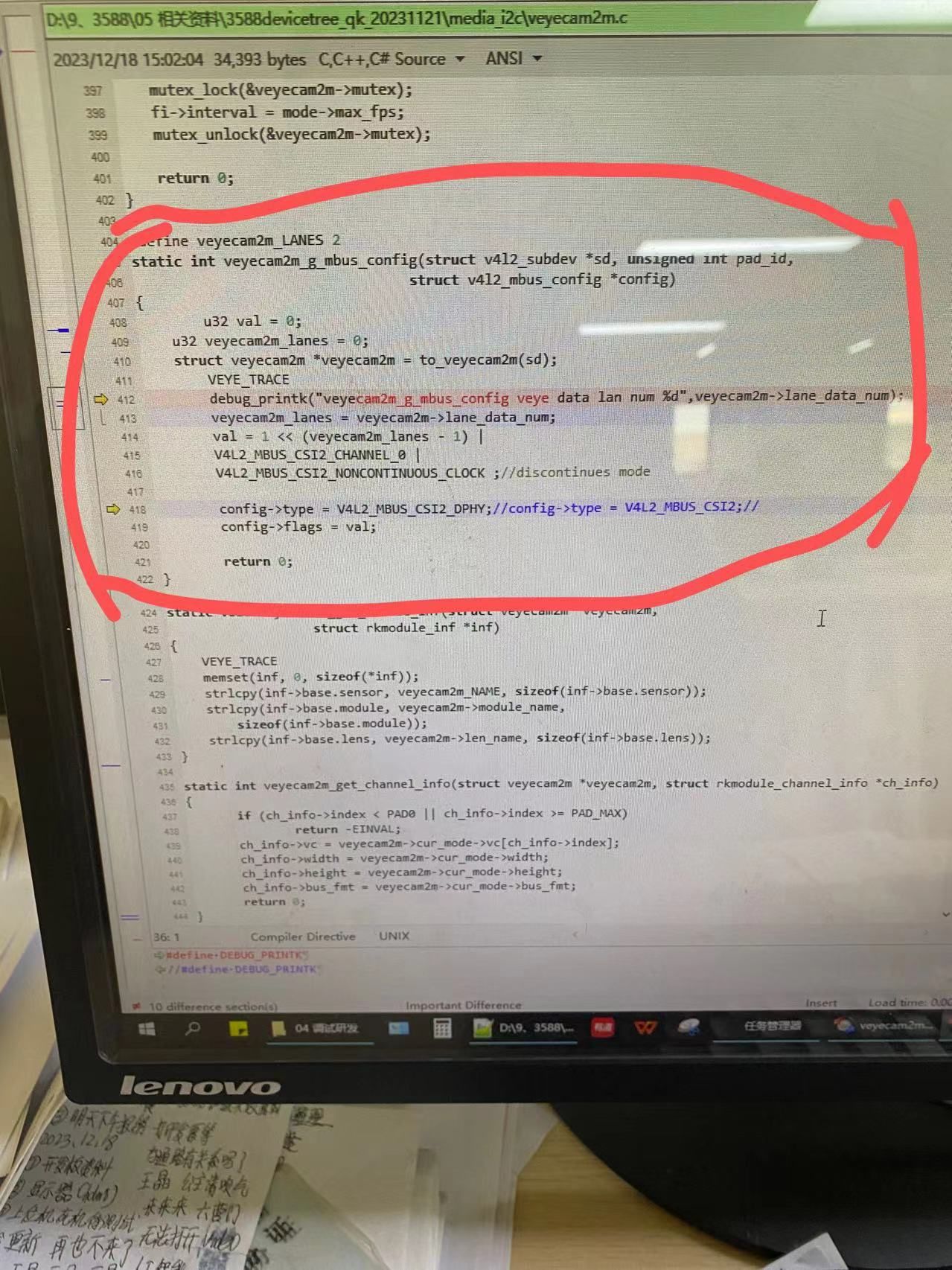
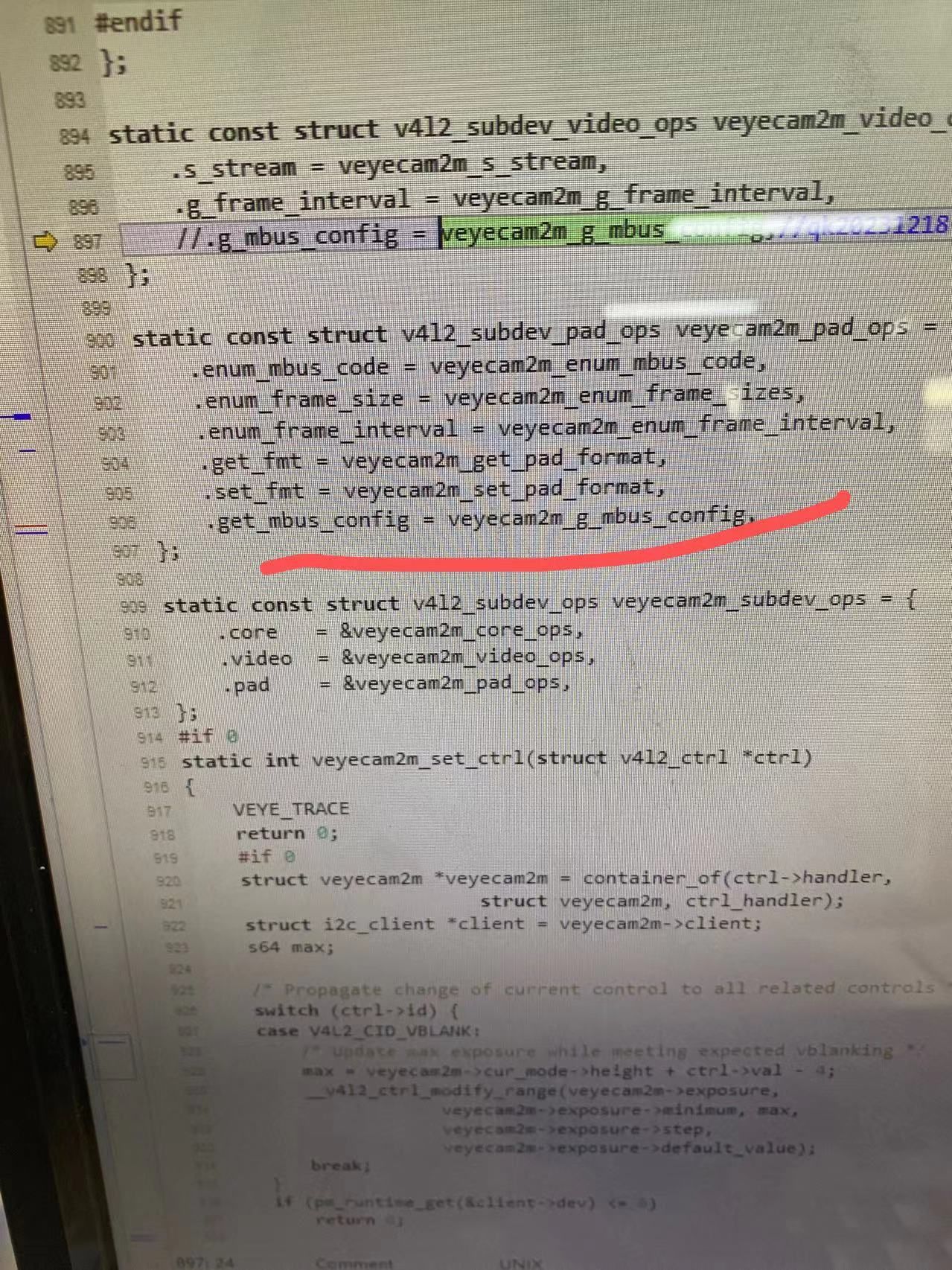
原驱动中veyecam2m_g_bus_config()函数是屏蔽的,释放以后,并增加pad-id参数,type改为V4L2——MBUS——CSI2_DPHY,即可正常使用。
同时906行的.get_mbus_config也要释放掉,之前也是注释掉的。
调试了很久,最终通过修改驱动方式解决了。
原驱动还少一个break编译无法通过。
希望别人少走我的弯路。 -
@乔康 感谢你的分享。
这个问题应该还是跟kernel版本有关系。我们开始调的3588的kernel版本不需要veyecam2m_g_bus_config功能。
总是,驱动调试你们很棒了~
-
@veye_xumm 您好。
同一块板卡,同样的设备树和摄像头驱动,之前使用的是5.10.66和5.10.106的内核。均推流正常。换成5.10.226的内核后,推流时遇到报错如下。
root@ema:/home/ema# Setting pipeline to PAUSED ...
error: XDG_RUNTIME_DIR not set in the environment.
Pipeline is live and does not need PREROLL ...
[ 226.467123] rkcif rkcif-mipi-lvds4: rkcif_alloc_buffer failed ret:-22
Setting pipeline to PLAYING ...
[ 226.467128] rkcif-mipi-lvds4: Failed to allocate the memory for dummy buffer, size 0
New clock: GstSystemClock
[ 226.467130] rkcif-mipi-lvds4: Failed to create dummy_buf, -12
ERROR: from element /GstPipeline:pipeline0/GstV4l2Src:v4l2src0: Failed to allocate required memory.
Additional debug info:
gstv4l2src.c(701): gst_v4l2src_decide_allocation (): /GstPipeline:pipeline0/GstV4l2Src:v4l2src0:
Buffer pool activation failed
Execution ended after 0:00:00.002934167
Setting pipeline to PAUSED ...
Setting pipeline to READY ...
Setting pipeline to NULL ...
Freeing pipeline ...摄像头驱动与设备树详见附件。驱动已经正常启动。
ema@ema:~$ dmesg | grep veye
[ 3.884344] veyecam2m 3-003b: veye camera driver version: 00.01.01
[ 3.884362] veyecam2m 3-003b: Failed to get power-gpios, maybe no use
[ 3.884385] veyecam2m 3-003b: Failed to get pwdn-gpios, maybe no use
[ 3.884410] veyecam2m 3-003b: supply avdd not found, using dummy regulator
[ 3.884459] veyecam2m 3-003b: supply dovdd not found, using dummy regulator
[ 3.884478] veyecam2m 3-003b: supply dvdd not found, using dummy regulator
[ 3.884501] veyecam2m 3-003b: Success to get veyecam2m endpoint data lanes, dts uses 2 lanes
[ 4.008523] veyecam2m 3-003b: camera id is veyecam2m
[ 4.011133] veyecam2m 3-003b: sensor is IMX462
[ 4.011153] veyecam2m 3-003b: board type is ONE board推流指令“gst-launch-1.0 v4l2src device=/dev/video0 ! \video/x-raw,format=NV12,width=1920,height=1080,framerate=30/1 ! autovideosink&”
请问驱动需要相应升级吗?报错能看出什么问题吗?
-
@乔康
这个问题我们没有遇到。
你可以试试直接用v4l2-ctl抓图,看看效果如何?
https://wiki.veye.cc/index.php/VEYE_CS_Camera_on_Firfly_Boards/zh#.E6.8A.93.E5.8F.96.E5.9B.BE.E7.89.87

Hello! It looks like you're interested in this conversation, but you don't have an account yet.
Getting fed up of having to scroll through the same posts each visit? When you register for an account, you'll always come back to exactly where you were before, and choose to be notified of new replies (either via email, or push notification). You'll also be able to save bookmarks and upvote posts to show your appreciation to other community members.
With your input, this post could be even better 💗
Register Login