SC535M设置默认相机参数画面显示不正常的问题
-
5wb-cam .py.txt
@veye_xumm 你好,这是我根据你们给出的python例程写的一拖五的python例程,其中参数都是按照sensor的实际尺寸来,同时也按照wiki设置了preferred_stride,但是在jetson tx2 预览出的画面不正常 表现为有花纹,我初步判断是内存没对齐的问题,因为jetson需要256位对齐,但我已经设置了preferred_stride,请帮忙看下是什么问题,我写的源码已上传,python版本为3.6.9,opencv版本为4.1.1 -
@dangal
你好,盲猜一个,你把下面这个函数的width变量也写作2560试一下。
cap0.set(cv2.CAP_PROP_FRAME_WIDTH, args.width) -
jetson-tx2@ubuntu:/usr/local/src/nvidia_jetson_veye_bsp/samples/opencv/raw_camera$ cat 5wb-cam.py
import cv2
import argparse
import subprocess

def main():
    # Set up command-line argument parser
    parser = argparse.ArgumentParser(description='Real-time display of GREY image from /dev/video0')
    parser.add_argument('--roix', type=int, default=0, help='roi start x (default: 0)')
    parser.add_argument('--roiy', type=int, default=0, help='roi start y (default: 0)')
    parser.add_argument('--width', type=int, default=2448, help='image width (default: 1280)')
    parser.add_argument('--height', type=int, default=2048, help='image height (default: 960)')
    parser.add_argument('--fps', type=int, default=30, help='frame rate (default: 30)')
    parser.add_argument('--preferred_stride', type=int, default=2560,help='preferred stride(default: 2560)')
    args = parser.parse_args()

    v4l2_cmd = "v4l2-ctl -d /dev/video0 --set-ctrl roi_x=%d" % args.roix
    subprocess.call(v4l2_cmd, shell=True)

    v4l2_cmd = "v4l2-ctl -d /dev/video0 --set-ctrl roi_y=%d" % args.roiy
    subprocess.call(v4l2_cmd, shell=True)

    v4l2_cmd = "v4l2-ctl -d /dev/video0 --set-fmt-video=width=%d,height=%d,pixelformat=GREY" % (args.width,args.height)
    subprocess.call(v4l2_cmd, shell=True)

    v4l2_cmd = "v4l2-ctl -d /dev/video0 --set-ctrl frame_rate=%d" % args.fps
    subprocess.call(v4l2_cmd, shell=True)

    v4l2_cmd = "v4l2-ctl --set-ctrl preferred_stride=%d " % args.preferred_stride
    subprocess.call(v4l2_cmd, shell=True)


    v4l2_cmd = "v4l2-ctl -d /dev/video1 --set-ctrl roi_x=%d" % args.roix
    subprocess.call(v4l2_cmd, shell=True)

    v4l2_cmd = "v4l2-ctl -d /dev/video1 --set-ctrl roi_y=%d" % args.roiy
    subprocess.call(v4l2_cmd, shell=True)

    v4l2_cmd = "v4l2-ctl -d /dev/video1 --set-fmt-video=width=%d,height=%d,pixelformat=GREY" % (args.width,args.height)
    subprocess.call(v4l2_cmd, shell=True)

    v4l2_cmd = "v4l2-ctl -d /dev/video1 --set-ctrl frame_rate=%d" % args.fps
    subprocess.call(v4l2_cmd, shell=True)

    v4l2_cmd = "v4l2-ctl --set-ctrl preferred_stride=%d " % args.preferred_stride
    subprocess.call(v4l2_cmd, shell=True)

    v4l2_cmd = "v4l2-ctl -d /dev/video2 --set-ctrl roi_x=%d" % args.roix
    subprocess.call(v4l2_cmd, shell=True)

    v4l2_cmd = "v4l2-ctl -d /dev/video2 --set-ctrl roi_y=%d" % args.roiy
    subprocess.call(v4l2_cmd, shell=True)

    v4l2_cmd = "v4l2-ctl -d /dev/video2 --set-fmt-video=width=%d,height=%d,pixelformat=GREY" % (args.width,args.height)
    subprocess.call(v4l2_cmd, shell=True)

    v4l2_cmd = "v4l2-ctl -d /dev/video2 --set-ctrl frame_rate=%d" % args.fps
    subprocess.call(v4l2_cmd, shell=True)

    v4l2_cmd = "v4l2-ctl --set-ctrl preferred_stride=%d " % args.preferred_stride
    subprocess.call(v4l2_cmd, shell=True)

    v4l2_cmd = "v4l2-ctl -d /dev/video3 --set-ctrl roi_x=%d" % args.roix
    subprocess.call(v4l2_cmd, shell=True)

    v4l2_cmd = "v4l2-ctl -d /dev/video3 --set-ctrl roi_y=%d" % args.roiy
    subprocess.call(v4l2_cmd, shell=True)

    v4l2_cmd = "v4l2-ctl -d /dev/video3 --set-fmt-video=width=%d,height=%d,pixelformat=GREY" % (args.width,args.height)
    subprocess.call(v4l2_cmd, shell=True)

    v4l2_cmd = "v4l2-ctl -d /dev/video3 --set-ctrl frame_rate=%d" % args.fps
    subprocess.call(v4l2_cmd, shell=True)

    v4l2_cmd = "v4l2-ctl --set-ctrl preferred_stride=%d " % args.preferred_stride
    subprocess.call(v4l2_cmd, shell=True)

    v4l2_cmd = "v4l2-ctl -d /dev/video4 --set-ctrl roi_x=%d" % args.roix
    subprocess.call(v4l2_cmd, shell=True)

    v4l2_cmd = "v4l2-ctl -d /dev/video4 --set-ctrl roi_y=%d" % args.roiy
    subprocess.call(v4l2_cmd, shell=True)

    v4l2_cmd = "v4l2-ctl -d /dev/video4 --set-fmt-video=width=%d,height=%d,pixelformat=GREY" % (args.width,args.height)
    subprocess.call(v4l2_cmd, shell=True)

    v4l2_cmd = "v4l2-ctl -d /dev/video4 --set-ctrl frame_rate=%d" % args.fps
    subprocess.call(v4l2_cmd, shell=True)

    v4l2_cmd = "v4l2-ctl --set-ctrl preferred_stride=%d " % args.preferred_stride
    subprocess.call(v4l2_cmd, shell=True)


    # Open the /dev/video0 device
    cap0 = cv2.VideoCapture('/dev/video0',cv2.CAP_V4L)
    cap1 = cv2.VideoCapture('/dev/video1',cv2.CAP_V4L)
    cap2 = cv2.VideoCapture('/dev/video2',cv2.CAP_V4L)
    cap3 = cv2.VideoCapture('/dev/video3',cv2.CAP_V4L)
    cap4 = cv2.VideoCapture('/dev/video4',cv2.CAP_V4L)
    if not cap0.isOpened():
        print("Failed to open /dev/video0")
        return

    if not cap1.isOpened():
        print("Failed to open /dev/video1")
        return


    if not cap2.isOpened():
        print("Failed to open /dev/video2")
        return


    if not cap3.isOpened():
        print("Failed to open /dev/video3")
        return

    if not cap3.isOpened():
        print("Failed to open /dev/video4")
        return
    # Set the image size
    cap0.set(cv2.CAP_PROP_FRAME_WIDTH, 2560)
    cap0.set(cv2.CAP_PROP_FRAME_HEIGHT, args.height)

    cap1.set(cv2.CAP_PROP_FRAME_WIDTH, 2560)
    cap1.set(cv2.CAP_PROP_FRAME_HEIGHT, args.height)

    cap2.set(cv2.CAP_PROP_FRAME_WIDTH, 2560)
    cap2.set(cv2.CAP_PROP_FRAME_HEIGHT, args.height)

    cap3.set(cv2.CAP_PROP_FRAME_WIDTH, 2560)
    cap3.set(cv2.CAP_PROP_FRAME_HEIGHT, args.height)

    cap4.set(cv2.CAP_PROP_FRAME_WIDTH, 2560)
    cap4.set(cv2.CAP_PROP_FRAME_HEIGHT, args.height)

    # Calculate the aligned width
    #aligned_width = (args.width + 3)& ~3

    # Loop over frames and display them
    while True:
        # Read a frame
        ret0, frame0   = cap0.read()
        ret1, frame1   = cap1.read()
        ret2, frame2   = cap2.read()
        ret3, frame3   = cap3.read()
        ret4, frame4   = cap4.read()
        # Check if reading was successful
        if not ret0:
            print("Failed to read frame from /dev/video0")
            break

        if not ret1:
            print("Failed to read frame from /dev/video1")
            break

        if not ret2:
            print("Failed to read frame from /dev/video2")
            break

        if not ret3:
            print("Failed to read frame from /dev/video3")
            break

        if not ret4:
            print("Failed to read frame from /dev/video4")
            break
        #if frame.shape[1]!= aligned_width:
        #    aligned_frame = np.zeros((args.height, aligned_width), dtype=np.uint8)
        #    aligned_frame[:, args.width] = frame
        #    frame = aligned_frame
        # Display the frame
        cv2.imshow('preview (video0)', frame0)
        cv2.imshow('preview (video1)', frame1)
        cv2.imshow('preview (video2)', frame2)
        cv2.imshow('preview (video3)', frame3)
        cv2.imshow('preview (video4)', frame4)
        # Exit if 'q' key is pressed
        if cv2.waitKey(1) & 0xFF == ord('q'):
            break

    # Release resources
    cap0.release()
    cap1.release()
    cap2.release()
    cap3.release()
    cap4.release()
    cv2.destroyAllWindows()

if __name__ == '__main__':
    main()
jetson-tx2@ubuntu:/usr/local/src/nvidia_jetson_veye_bsp/samples/opencv/raw_camera$ python 5wb-cam.py
VIDEOIO ERROR: V4L2: Pixel format of incoming image is unsupported by OpenCV
VIDEOIO ERROR: V4L2: Pixel format of incoming image is unsupported by OpenCV
VIDEOIO ERROR: V4L2: Pixel format of incoming image is unsupported by OpenCV
VIDEOIO ERROR: V4L2: Pixel format of incoming image is unsupported by OpenCV
VIDEOIO ERROR: V4L2: Pixel format of incoming image is unsupported by OpenCV
VIDIOC_STREAMON: Invalid argument
VIDIOC_STREAMON: Invalid argument
VIDIOC_STREAMON: Invalid argument
VIDIOC_STREAMON: Invalid argument
VIDIOC_STREAMON: Invalid argument
Failed to read frame from /dev/video0
jetson-tx2@ubuntu:/usr/local/src/nvidia_jetson_veye_bsp/samples/opencv/raw_camera$
这样修改之后 opencv就报错了 它不支持2560这样一个比较大的参数
-
@veye_xumm 我猜,应该是 opencv它获取了sensor的最大宽度,你不能设置比它传感器更大的宽度,因为2448是可以设置的,但是显示不正常,我把width设置成2304,也是可以的
-
@dangal
opencv库对于这种内存对齐的特殊处理不完善。建议你如果想使用opencv开发,就用256的整数倍作为width。
使用c/c++可以结合prefer stride,不受此限制。 -
@veye_xumm
在测量过程中,还存在一个问题,即设置了v4l2-ctl的这些参数后 只有第一路/dev/video0 是不正常的,其他路都是正常的,开始怀疑是摄像头的问题,但是发现对调后仍然是/dev/video0 显示不正常,看起来就像是参数设置没有生效一样 但实际用opencv的show_grey.py例程 /dev/video0是显示正常的 是这些参数有什么先后顺序的问题吗?我也调整过参数的设置顺序,但还是会出现问题 -
@veye_xumm
现在有一个问题就是opencv无法设置到2560,我试过了 如果v4l2设置了2448,但是opencv宽度改成2304,那么用qv4l2打开发现,最后的宽度还是2304,现在有个问题是我这边需要大于500w像素,24482048=5013504,但是这个在jetson系列上显示不正常,如果用v4l2-ctl的话,则它只能抓一帧存到本地文件里,无法达到实时预览的效果,2304虽然正常,但是23042048=4718592,和我想要达到大于500w还是有一定的差距.
如果用c++开发,能不能提供c++的例程或者是相关SDK? -
@dangal 注意下你的v4l2-ctl 需使用 -d /dev/video* 参数来指明配置到哪个摄像头。
-
-
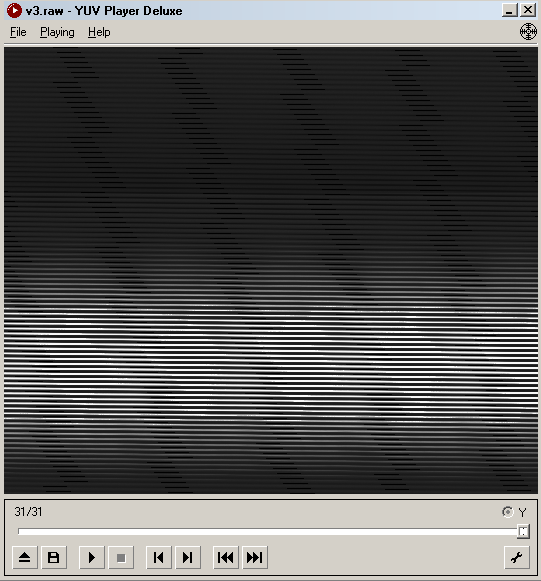
你好 在使用了v4l2-ctl -d /dev/video3 --set-ctrl preferred_stride=2560 --set-fmt-video=width=2448,height=2048,pixelformat=GREY --stream-mmap --stream-count=30 --stream-to=v3.raw之后,我得到了v3.raw,然后我发现效果像是preferred_stride设置并没有生效
-
@dangal 这个文件你按照多大分辨率播放预览的?你可以抓一张,然后看看文件大小是多少字节?
-
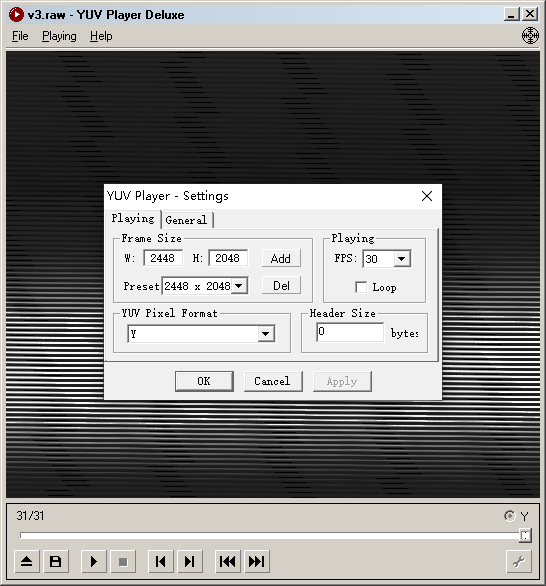
@veye_xumm 我按照2448*2048预览的
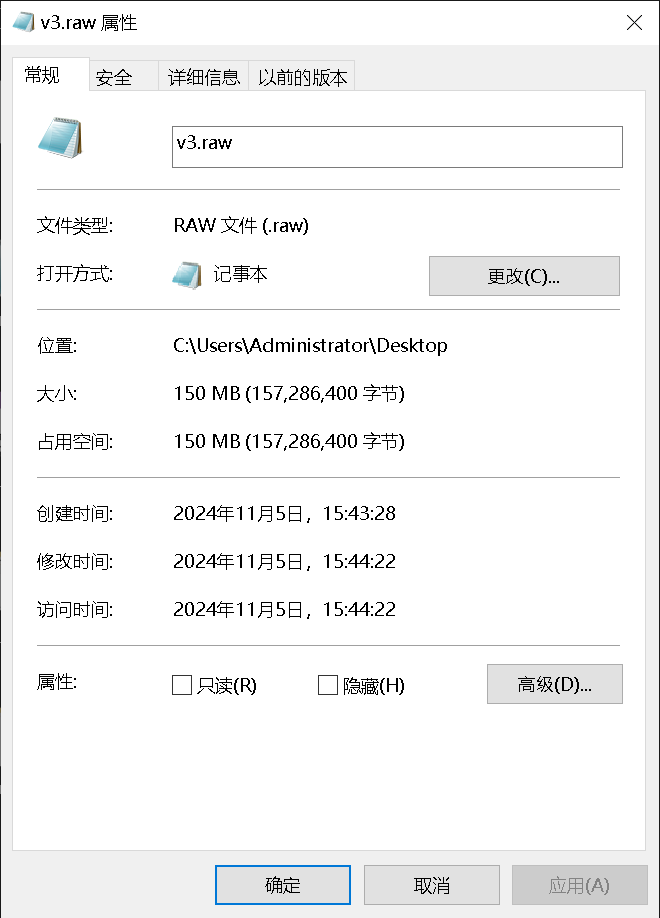
文件大小一共150M 我抓了30帧 所以一张是5M
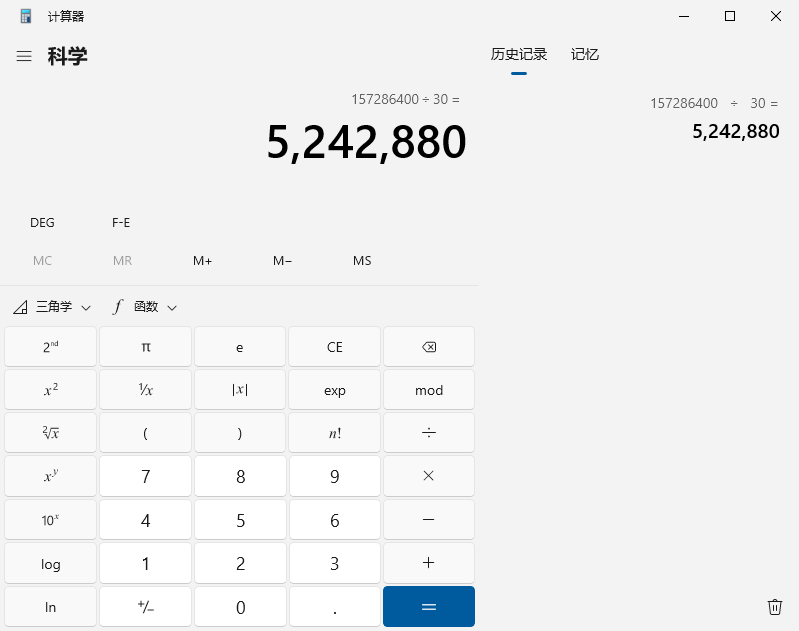
一张是5242880字节
-
@dangal
你还是没有理解stride的意思。
preferred_stride指一行图像数据需要的内存大小。为了硬件处理图像数据速度考虑,jetson平台设计了stride这个参数。换句话说,2448的width,实际给按照2560分配的内存大小,右侧补数据0。你需要按照25602048来预览。25602048=5242880字节
-
@veye_xumm
got it!
但是,要怎么解释我上面那个代码设置preferred_stride之后,/dev/video0的成像还是不正常呢?
我按照你的说法指定了每个设备,即每个命令 --set-ctrl preferred_stride=2560 之前都加了指定的 -d /dev/video*, 但是,当这样设置后,我opencv imshow的全部都不正常了,而且qv4l2也全部不正常,在没有指定-d的情况下 仅/dev/video0 第一路不正常 -
@veye_xumm 我有一个猜想,不知道对不对,那就是实际预览的时候 程序只会按照你设置的width和height去分配内存大小去展示图片,preferred_stride 这个参数只适用于硬件层面去分配图片内存大小?
但是,这样的话,虽然一张图片被分配了25602048个字节,但其实像素还是只有24482048?
-
@dangal
设置stride之后,实际底层是按照stride的设置值分配buffer,一路回调上来。但是python库和qv4l2依然按照上层设置的width去理解这个图片,因此造成了问题。
stride这个参数如果重新编译内核,应该是可以缩小的。具体英伟达的官网上我印象中是有写。 或者直接查找一下kernel源码更改也可以。
比如改成64 -
@veye_xumm
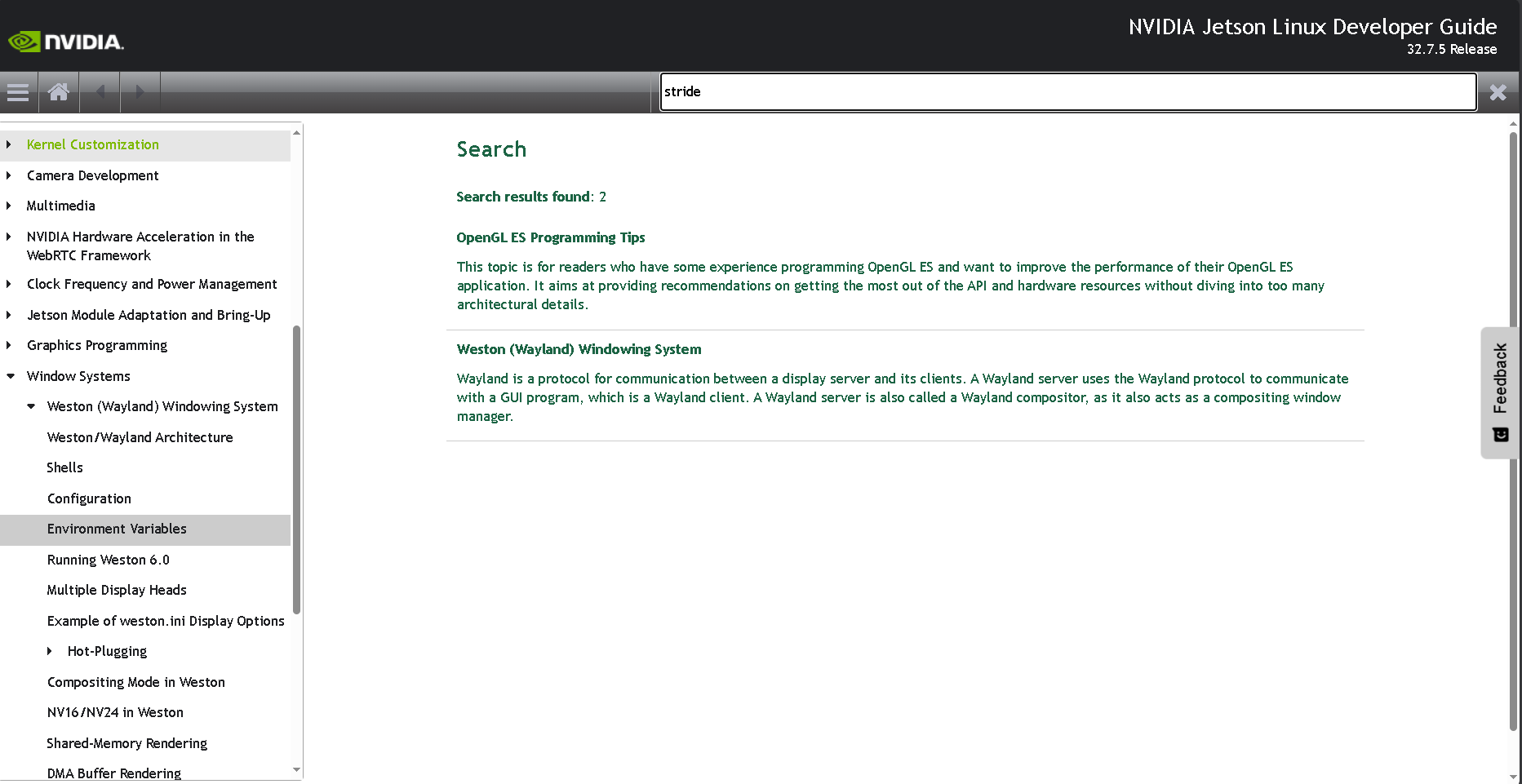
你好 能否给出相关的keyword,nVidia的官方doc体量太大了 搜索stride就找到这两个东西 看起来都不相关如果在Google和baidu bing等上搜索stride的话,出来的全是深度学习的步长stride
-
@dangal
我意思是到kernel源码里面找一下preferred_stride关键字。 -
@veye_xumm
我并不打算折腾更改linux源码,因为这样存在风险。除非你们已经试验过,请确认一下这样做不会导致后续有潜在的内存问题。
我现在正在考虑要不要换更好的图像传感器代替535M,比如我问你家客服的这款
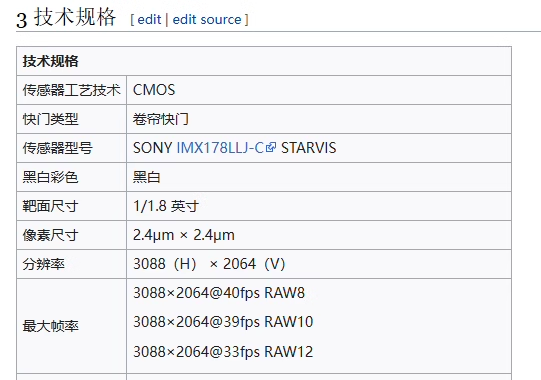
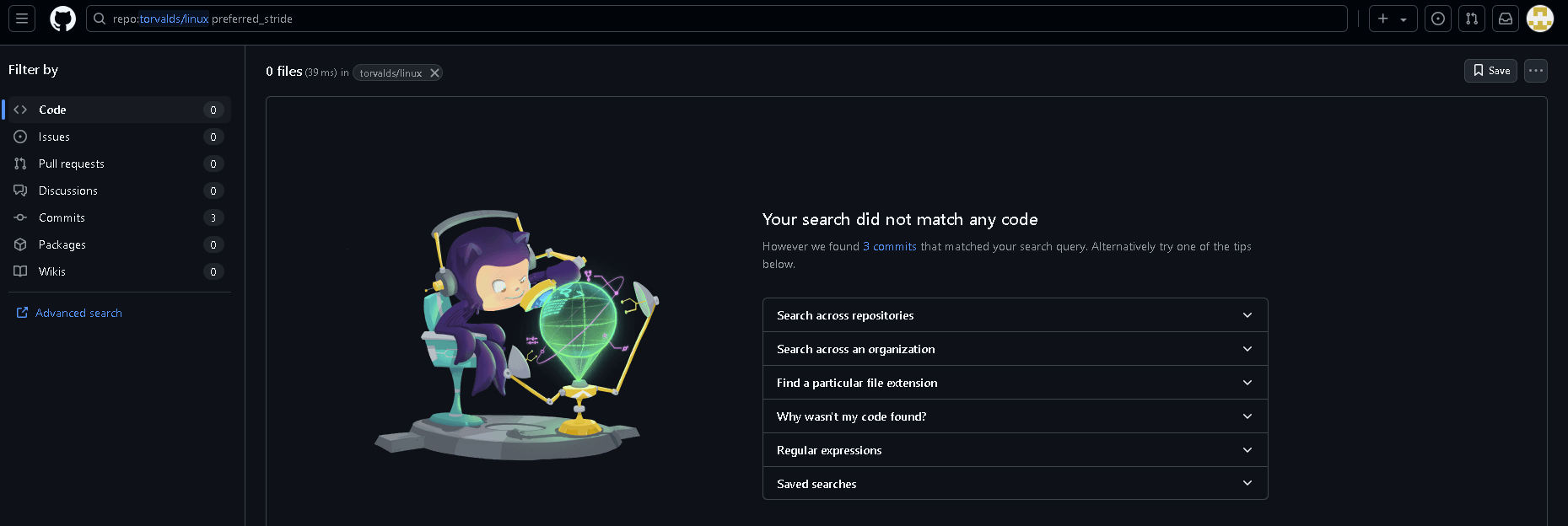
这款能不能同样用ADP-N5转接板呢? 如果能,我就把535退了,换这个型号的传感器我刚刚找了linux代码仓库 发现没有preferred_stride 的关键字相关搜索结果
-
@dangal 这款是rolling shutter的。不能直接用到ADP-N5上,这个适配ADP-N4

Hello! It looks like you're interested in this conversation, but you don't have an account yet.
Getting fed up of having to scroll through the same posts each visit? When you register for an account, you'll always come back to exactly where you were before, and choose to be notified of new replies (either via email, or push notification). You'll also be able to save bookmarks and upvote posts to show your appreciation to other community members.
With your input, this post could be even better 💗
Register Login