VEYE IMAGING Forum
    • Categories
    • Tags
    • Recent
    • Popular
    • Users
    • WIKI
    • veye.cc
    • Register
    • Login

    IMX 178 树莓派出图错误

    Scheduled Pinned Locked Moved VEYE MIPI camera
    24 Posts 2 Posters 7.0k Views 1 Watching
    Loading More Posts
    • Oldest to Newest
    • Newest to Oldest
    • Most Votes
    Reply
    • Reply as topic
    Log in to reply
    This topic has been deleted. Only users with topic management privileges can see it.
    • X Offline
      xiaoxun @xiaoxun
      last edited by

      1680487466653.png

      veye_xummV 1 Reply Last reply Reply Quote 0
      • veye_xummV Offline
        veye_xumm @xiaoxun
        last edited by

        @xiaoxun
        试一下执行此命令之前,先配置好正确的roi:

        v4l2-ctl --set-selection=target=crop,top=0,left=0,width=2816,height=2164
        

        Questions will be answered as soon as possible, please be patient.
        如果你使用中文,请直接用中文提问。
        May the force be with YOU. (This is the translation of the mysterious Chinese symbol above.)

        X 1 Reply Last reply Reply Quote 0
        • X Offline
          xiaoxun @veye_xumm
          last edited by

          @veye_xumm said in IMX 178 树莓派出图错误:

          v4l2-ctl --set-selection=target=crop,top=0,left=0,width=2816,height=2164

          是在用之前必须要配置好 ROI 吗?

          veye_xummV 1 Reply Last reply Reply Quote 0
          • veye_xummV Offline
            veye_xumm @xiaoxun
            last edited by

            @xiaoxun 是的。因为set-format并不能提供配置roi的全部功能,所以在驱动实现中通过set selection接口做了roi配置。

            Questions will be answered as soon as possible, please be patient.
            如果你使用中文,请直接用中文提问。
            May the force be with YOU. (This is the translation of the mysterious Chinese symbol above.)

            1 Reply Last reply Reply Quote 0
            • X Offline
              xiaoxun
              last edited by

              imx78 树莓派
              export DISPLAY=:0

              v4l2-ctl --set-selection=target=crop,top=0,left=0,width=1920,height=1080
              v4l2-ctl -d /dev/video0 --set-fmt-video=width=1920,height=1080,pixelformat=UYVY

              gst-launch-1.0 v4l2src device=/dev/video0 ! "video/x-raw,format=(string)UYVY, width=(int)1920, height=(int)1080, framerate=(fraction)22/1" ! v4l2convert ! "vi
              deo/x-raw,format=(string)NV12" ! autovideosink sync=false -v

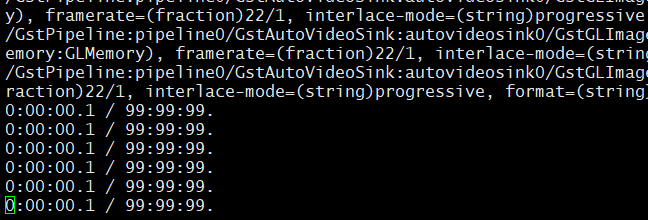
              在屏幕上边并没有显示,是哪操作的不正确吗?

              1 Reply Last reply Reply Quote 0
              • X Offline
                xiaoxun
                last edited by

                37d0f1639b90d26fae987779fe38100.png

                veye_xummV 1 Reply Last reply Reply Quote 0
                • veye_xummV Offline
                  veye_xumm @xiaoxun
                  last edited by

                  @xiaoxun
                  我觉得你的操作没有问题。现在这个pipeline是作为一种调试手段,其中用到的数据格式转换采用的是软件运算的方式,所以效率比较低。
                  我测试了一下,改成640*480还是比较流畅的。
                  你使用的树莓派型号是什么?

                  Questions will be answered as soon as possible, please be patient.
                  如果你使用中文,请直接用中文提问。
                  May the force be with YOU. (This is the translation of the mysterious Chinese symbol above.)

                  X 1 Reply Last reply Reply Quote 0
                  • X Offline
                    xiaoxun @veye_xumm
                    last edited by

                    @veye_xumm CM4 的

                    1 Reply Last reply Reply Quote 0
                    • X Offline
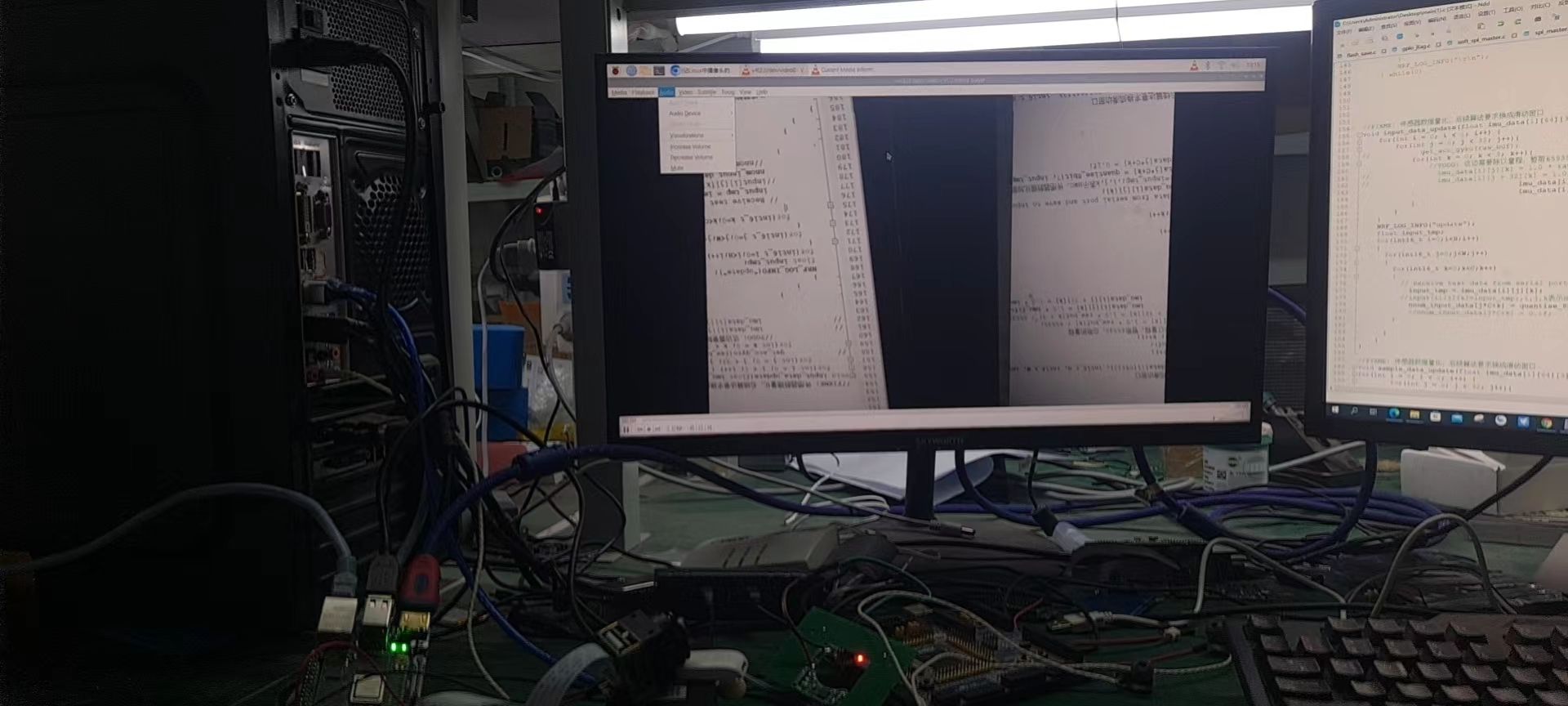
                      xiaoxun
                      last edited by

                      我将大小该到了 480*320 还是上图的显示 ,没有出图

                      veye_xummV 1 Reply Last reply Reply Quote 0
                      • veye_xummV Offline
                        veye_xumm @xiaoxun
                        last edited by

                        @xiaoxun 试一下640*480

                        Questions will be answered as soon as possible, please be patient.
                        如果你使用中文,请直接用中文提问。
                        May the force be with YOU. (This is the translation of the mysterious Chinese symbol above.)

                        X 1 Reply Last reply Reply Quote 0
                        • X Offline
                          xiaoxun @veye_xumm
                          last edited by

                          @veye_xumm 都试过了,gstream 测试还是上图 那种http://forum.veye.cc/assets/uploads/files/1680582973964-37d0f1639b90d26fae987779fe38100.png

                          veye_xummV 1 Reply Last reply Reply Quote 0
                          • veye_xummV Offline
                            veye_xumm @xiaoxun
                            last edited by

                            @xiaoxun 奇怪,我这边没问题啊。
                            你试试opencv这个 6.6.5.2:
                            http://wiki.veye.cc/index.php/Mv_series_camera_appnotes_4_rpi/zh#.E4.BD.BF.E7.94.A8opencv.E9.A2.84.E8.A7.88GREY.E6.A0.BC.E5.BC.8F.E5.9B.BE.E5.83.8F

                            Questions will be answered as soon as possible, please be patient.
                            如果你使用中文,请直接用中文提问。
                            May the force be with YOU. (This is the translation of the mysterious Chinese symbol above.)

                            1 Reply Last reply Reply Quote 0

                            Hello! It looks like you're interested in this conversation, but you don't have an account yet.

                            Getting fed up of having to scroll through the same posts each visit? When you register for an account, you'll always come back to exactly where you were before, and choose to be notified of new replies (either via email, or push notification). You'll also be able to save bookmarks and upvote posts to show your appreciation to other community members.

                            With your input, this post could be even better 💗

                            Register Login
                            • First post
                              Last post