VEYE IMAGING Forum
    • Categories
    • Tags
    • Recent
    • Popular
    • Users
    • WIKI
    • veye.cc
    • Register
    • Login

    Jetson Nano B01安装raw-mipi-sc132m并使用
    Scheduled Pinned Locked Moved VEYE MIPI camera
    12 Posts 2 Posters 3.3k Views 1 Watching
    Loading More Posts
    • Oldest to Newest
    • Newest to Oldest
    • Most Votes
    Reply
    • Reply as topic
    Log in to reply
    This topic has been deleted. Only users with topic management privileges can see it.
    • cheesefishC Offline
      cheesefish
      last edited by

      我按照https://wiki.veye.cc/index.php/Mv_series_camera_appnotes_4_jetson/zh#.E6.B5.81.E6.A8.A1.E5.BC.8F
      进行操作,无法从raw-mipi-sc132m获得图像。
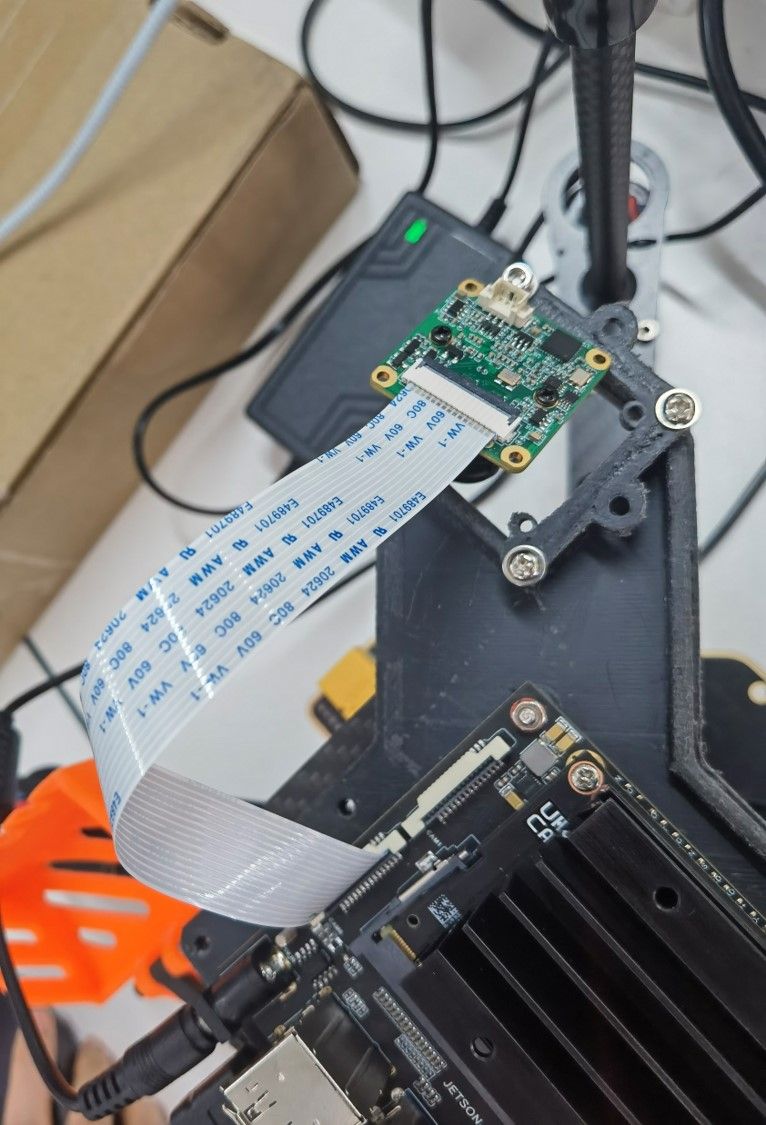
      安装方式如图,只通过15pin异面FFC连接raw-mipi-sc132m相机与Jetson Nano B01主板。
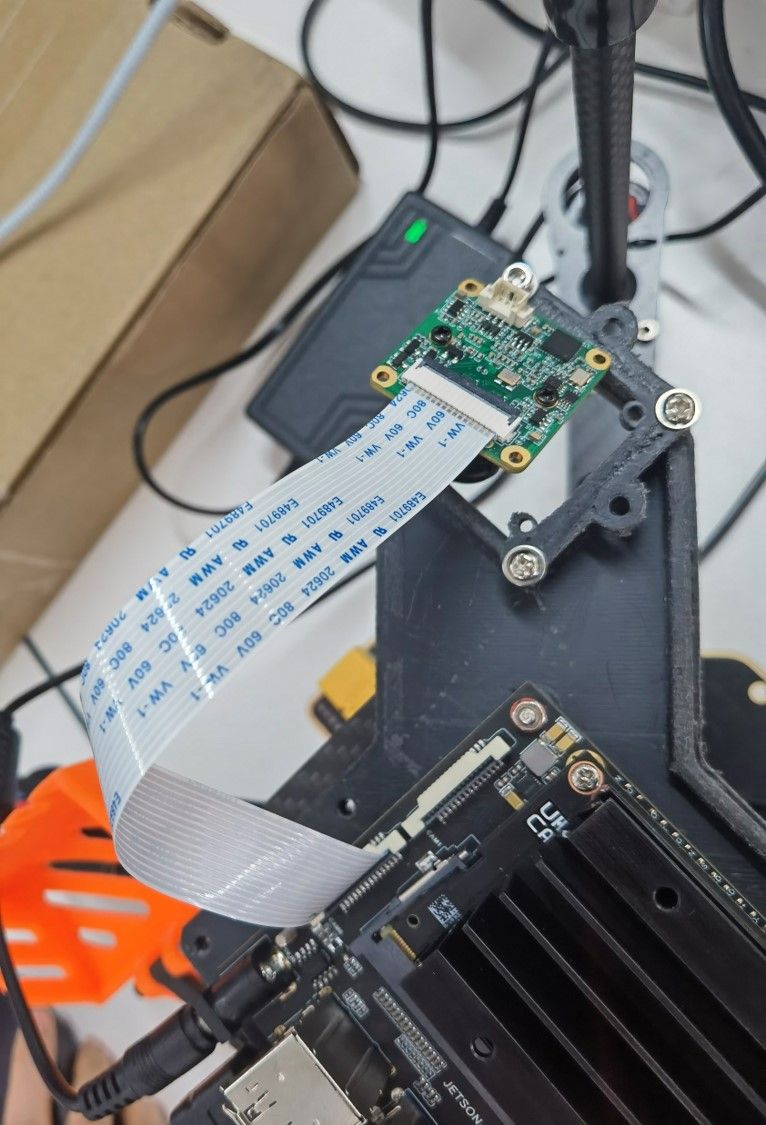
      图片1.jpg

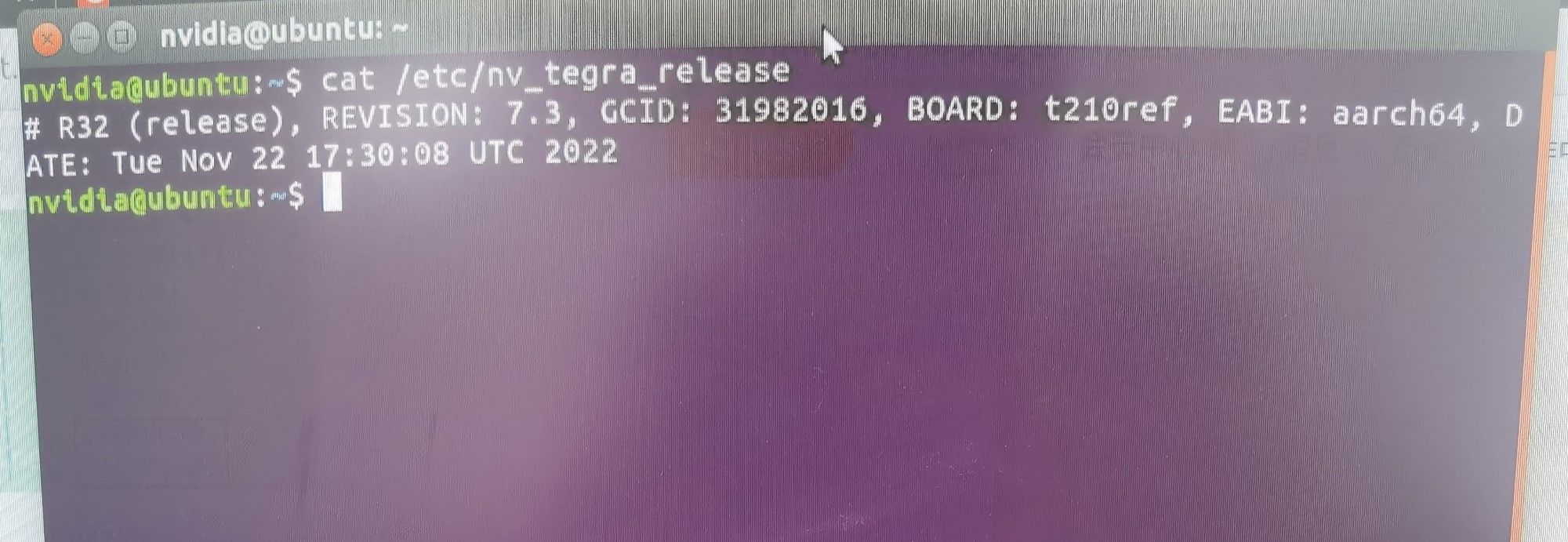
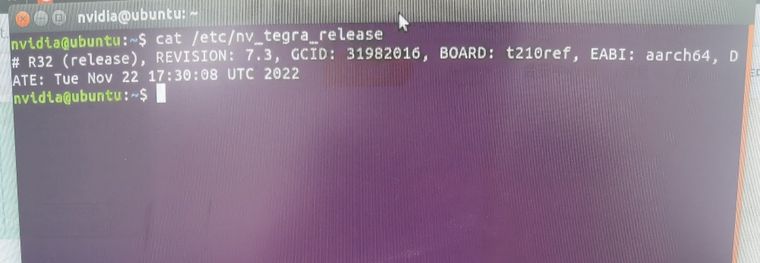
      当前L4T版本如图
      图片2.jpg
      在第3节更新Jetson系统中我不确定是否需要更新,跳过了此步。
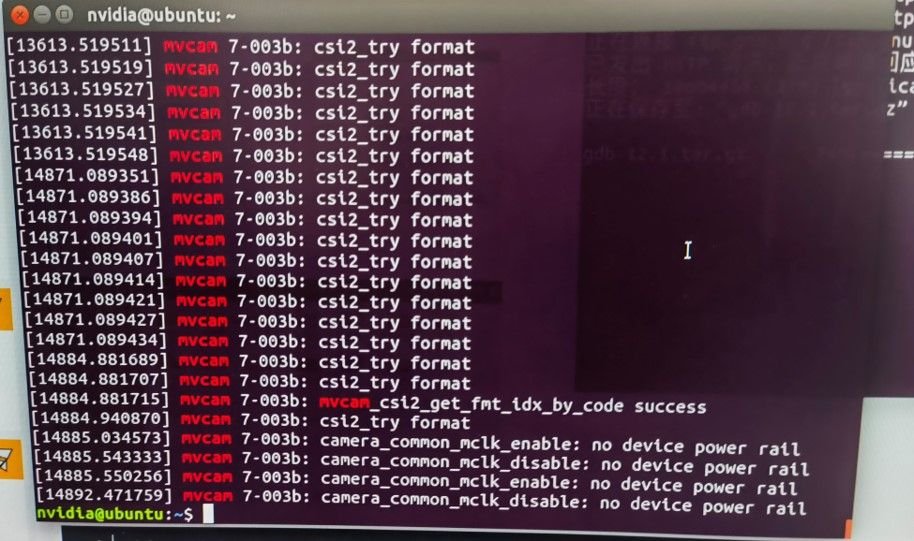
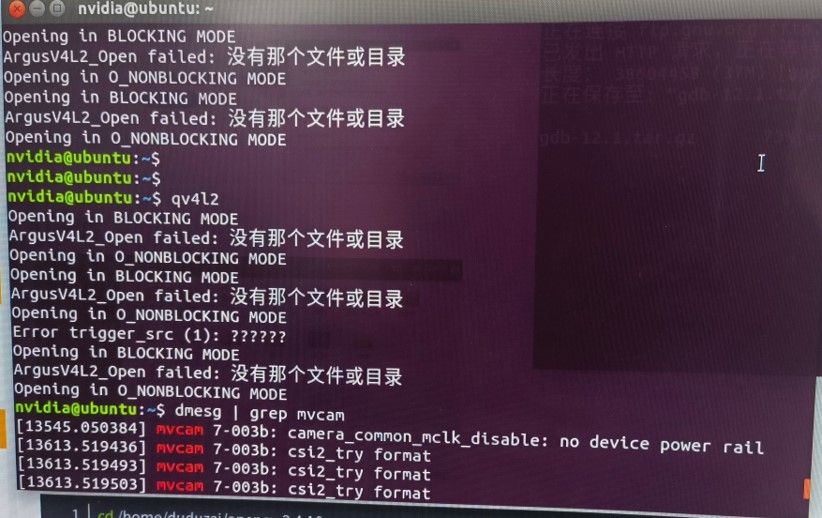
      dmesg | grep mvcam能够检测到相机型号
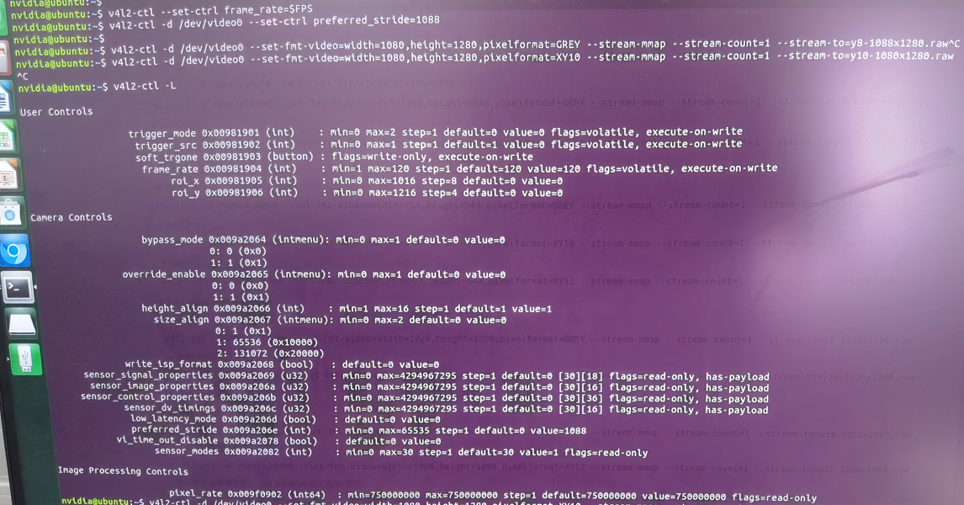
      此后尝试使用流模式进行采集图像数据,按照上述手册进行操作。
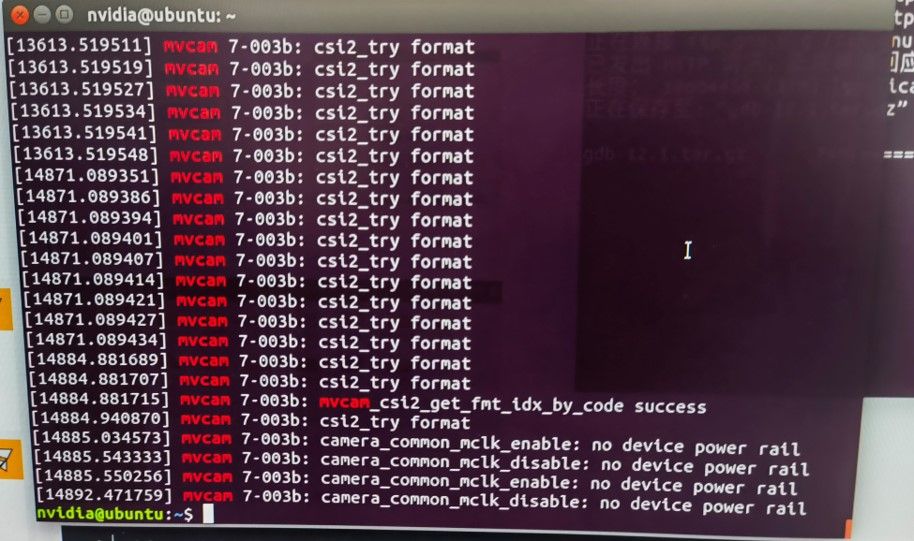
      获取不到数据,控制台输出如图。
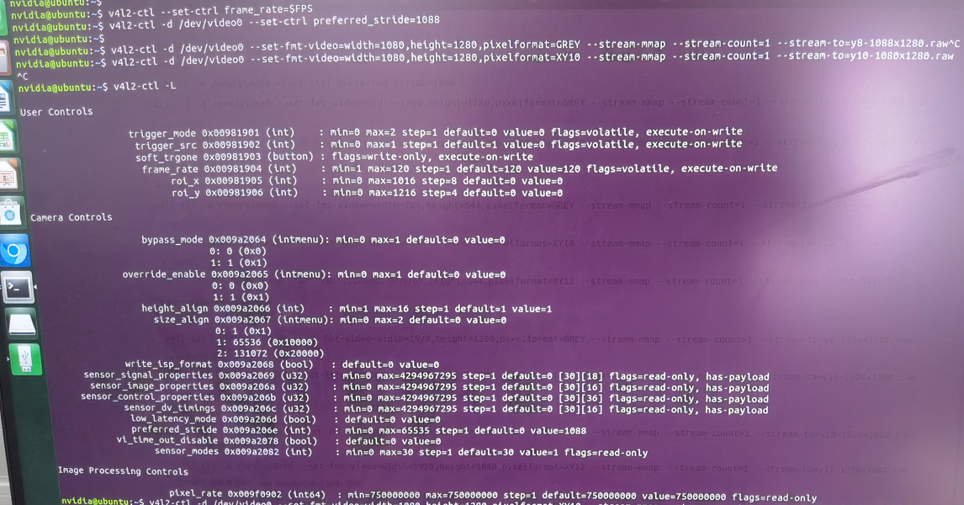
      图片5.png
      图片6.png

      使用qv4l2预览,预览窗口为黑屏,且触发源会被变回硬触发(qv4l2输出)?关闭后再查询又变回软触发。
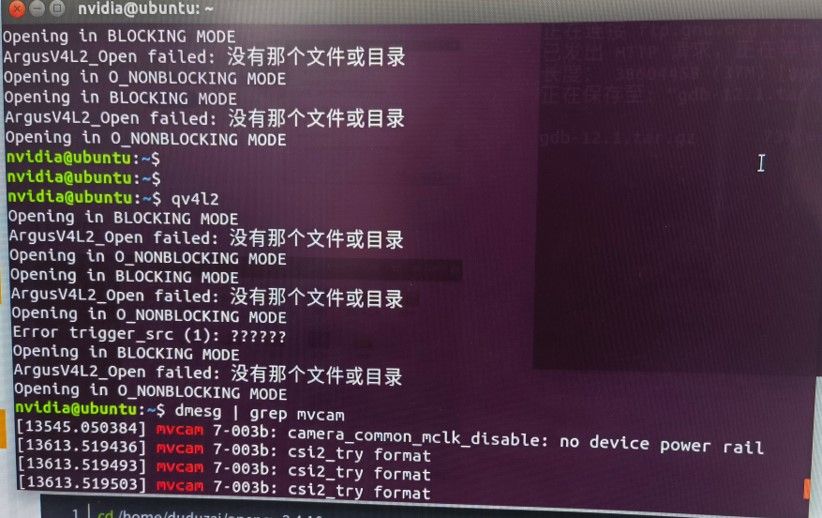
      图片8.jpg 图片9.jpg

      目前无法获取图像,步骤无误的话,相机损坏的可能性有吗?

      veye_xummV 1 Reply Last reply Reply Quote 0
      • veye_xummV Offline
        veye_xumm @cheesefish
        last edited by

        @cheesefish
        你断电重启一下jetson,然后执行:

        export WIDTH=1080
        export HEIGHT=1280
        export FPS=120
        
        v4l2-ctl --set-ctrl roi_x=0
        v4l2-ctl --set-ctrl roi_y=0
        v4l2-ctl --set-fmt-video=width=$WIDTH,height=$HEIGHT,pixelformat=GREY
        
        v4l2-ctl --set-ctrl frame_rate=$FPS
        v4l2-ctl --set-fmt-video=width=$WIDTH,height=$HEIGHT,pixelformat=GREY --stream-mmap --stream-count=-1 --stream-to=/dev/null
        

        试一下

        Questions will be answered as soon as possible, please be patient.
        如果你使用中文,请直接用中文提问。
        May the force be with YOU. (This is the translation of the mysterious Chinese symbol above.)

        cheesefishC 2 Replies Last reply Reply Quote 0
        • cheesefishC Offline
          cheesefish @veye_xumm
          last edited by

          @veye_xumm
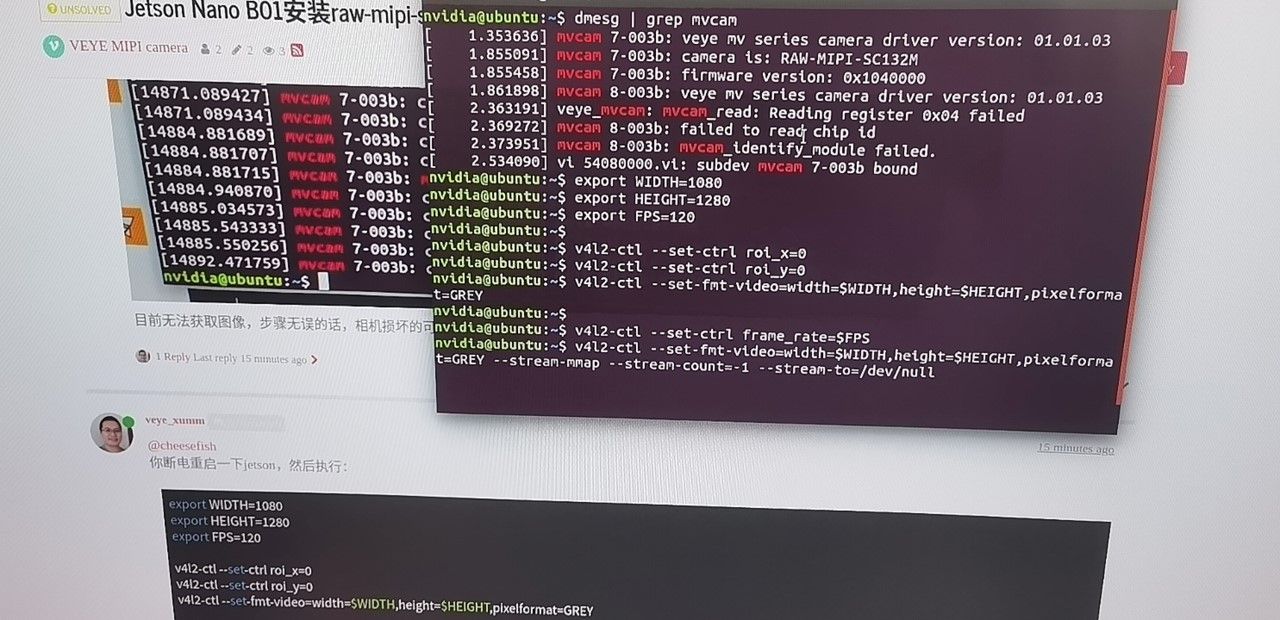
          这是输出
          图片10.jpg

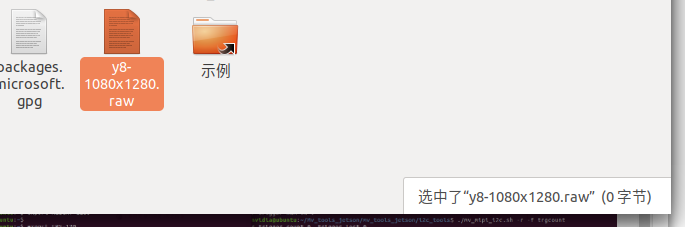
          不会自动结束,手动ctrl + C后得到的/dev/null大小0字节。

          1 Reply Last reply Reply Quote 0
          • cheesefishC Offline
            cheesefish @veye_xumm
            last edited by

            @veye_xumm
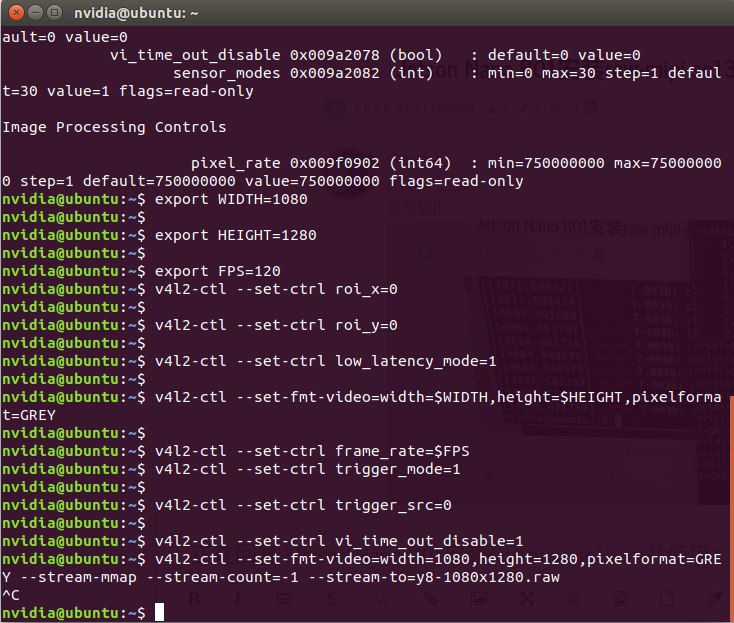
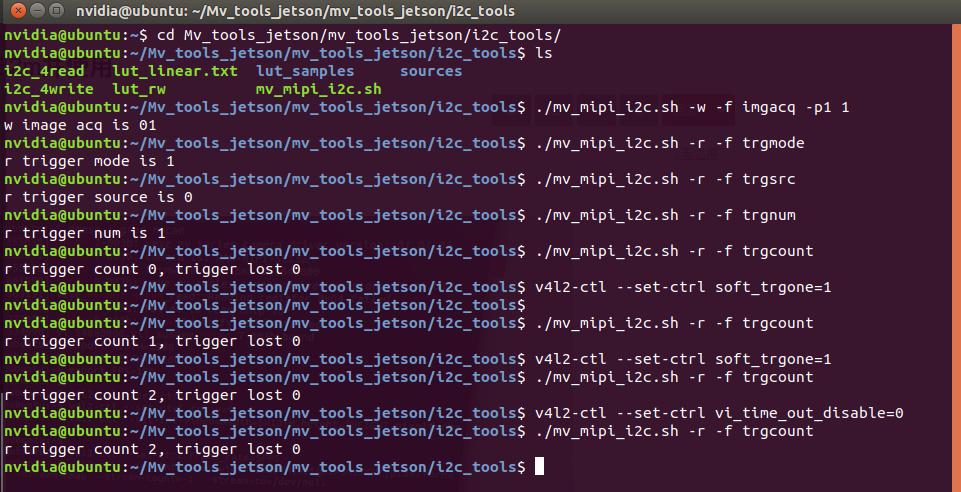
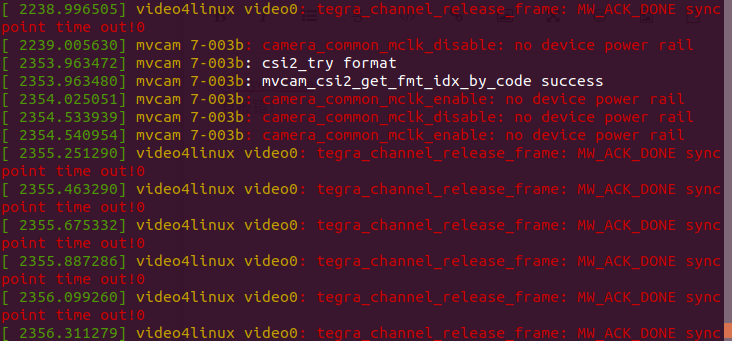
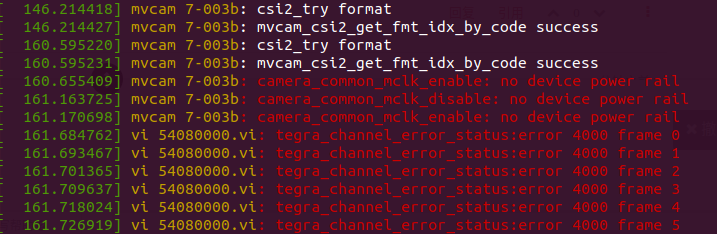
            后续使用触发模式,软触发获取图像同样获取不到数据。触发正常,但是没有数据,下面是我按照手册步骤进行尝试获取数据的过程。

            2178062c-16b5-4fd8-8fce-6d44f62610e4-image.png
            1aee15d4-a4b6-4058-bfb8-2c0ae4904261-image.png
            fcd13cbe-05d3-48a6-a5a0-71c5c456c0e4-image.png
            dae5223f-73b5-46ad-952f-61958b77dcfa-image.png

            veye_xummV 1 Reply Last reply Reply Quote 0
            • veye_xummV Offline
              veye_xumm @cheesefish
              last edited by

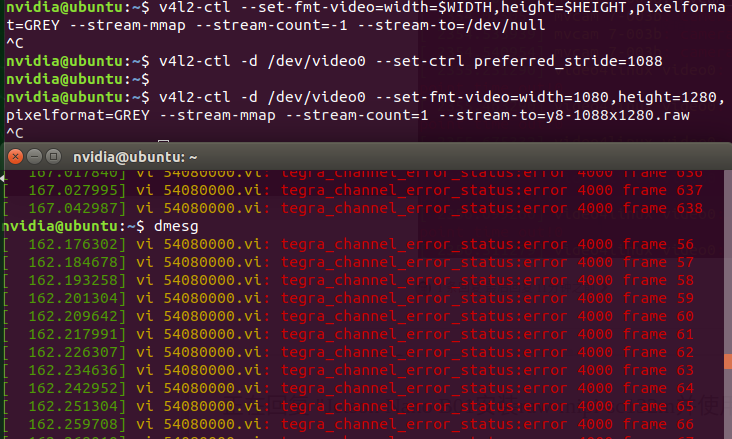
              @cheesefish 在你执行预览或者触发,应当有图,但是收不到图的时候,执行一下

              dmesg
              

              看一下最新的日志,有没有什么报错?

              Questions will be answered as soon as possible, please be patient.
              如果你使用中文,请直接用中文提问。
              May the force be with YOU. (This is the translation of the mysterious Chinese symbol above.)

              cheesefishC 1 Reply Last reply Reply Quote 0
              • cheesefishC Offline
                cheesefish @veye_xumm
                last edited by

                @veye_xumm
                有报错!应如何解决?
                00a7b2d7-4f75-477d-b934-e2379acc71e9-image.png

                veye_xummV 1 Reply Last reply Reply Quote 0
                • veye_xummV Offline
                  veye_xumm @cheesefish
                  last edited by

                  @cheesefish 你这个应该是抓拍模式报的错误吧? 能不能重启一下,把摄像头配置为视频流模式,用视频流模式跑一下,然后dmesg看看错误?
                  另外你的Image是我们编译好的,还是你自己编译的?
                  感觉问题引入到camera或者nano的mipi数据接口,硬件出问题了。之前你操作有没有插反ffc 线,或者带电插拔mipi接口排线?

                  Questions will be answered as soon as possible, please be patient.
                  如果你使用中文,请直接用中文提问。
                  May the force be with YOU. (This is the translation of the mysterious Chinese symbol above.)

                  cheesefishC 2 Replies Last reply Reply Quote 0
                  • cheesefishC Offline
                    cheesefish @veye_xumm
                    last edited by

                    @veye_xumm 最初安装时曾经插反过ffc线

                    veye_xummV 1 Reply Last reply Reply Quote 0
                    • veye_xummV Offline
                      veye_xumm @cheesefish
                      last edited by

                      @cheesefish 要不你寄回来我们检查一下吧。

                      Questions will be answered as soon as possible, please be patient.
                      如果你使用中文,请直接用中文提问。
                      May the force be with YOU. (This is the translation of the mysterious Chinese symbol above.)

                      1 Reply Last reply Reply Quote 0
                      • cheesefishC Offline
                        cheesefish @veye_xumm
                        last edited by

                        @veye_xumm
                        视频流模式,帧率统计报错如下
                        5cdacc66-bfeb-4b90-be17-3bb483559cc2-image.png
                        抓取图片时的报错如下
                        287ea581-2963-4444-a4fd-e0ea0b0f4b11-image.png

                        使用的Image是你们编译好的。问题原因多半是最初ffc先插反了,要解决这个问题,需要做些什么?更换新的相机能解决吗?

                        veye_xummV 1 Reply Last reply Reply Quote 0
                        • veye_xummV Offline
                          veye_xumm @cheesefish
                          last edited by

                          @cheesefish 私信你地址了。回头发货前写个纸条,写明联系方式和问题。

                          Questions will be answered as soon as possible, please be patient.
                          如果你使用中文,请直接用中文提问。
                          May the force be with YOU. (This is the translation of the mysterious Chinese symbol above.)

                          cheesefishC 1 Reply Last reply Reply Quote 0
                          • cheesefishC Offline
                            cheesefish @veye_xumm
                            last edited by

                            @veye_xumm 好的,非常感谢!

                            1 Reply Last reply Reply Quote 0

                            Hello! It looks like you're interested in this conversation, but you don't have an account yet.

                            Getting fed up of having to scroll through the same posts each visit? When you register for an account, you'll always come back to exactly where you were before, and choose to be notified of new replies (either via email, or push notification). You'll also be able to save bookmarks and upvote posts to show your appreciation to other community members.

                            With your input, this post could be even better 💗

                            Register Login
                            • First post
                              Last post