VEYE IMAGING Forum
    • Categories
    • Tags
    • Recent
    • Popular
    • Users
    • WIKI
    • veye.cc
    • Register
    • Login

    (急!!!)JETSON TX2 + CS_TX2_XAVIER_1CAM_IMAX327 怎么正常启动?
    Scheduled Pinned Locked Moved CS MIPI camera
    40 Posts 2 Posters 19.5k Views 1 Watching
    Loading More Posts
    • Oldest to Newest
    • Newest to Oldest
    • Most Votes
    Reply
    • Reply as topic
    Log in to reply
    This topic has been deleted. Only users with topic management privileges can see it.
    • H Offline
      hello @veye_xumm
      last edited by

      @veye_xumm
      Q1:文档1.1中只说明了VEYE系列和CS系列的MIPI摄像头内置ISP,我这边的摄像头是套装系列的,这个是否也是内置ISP的?
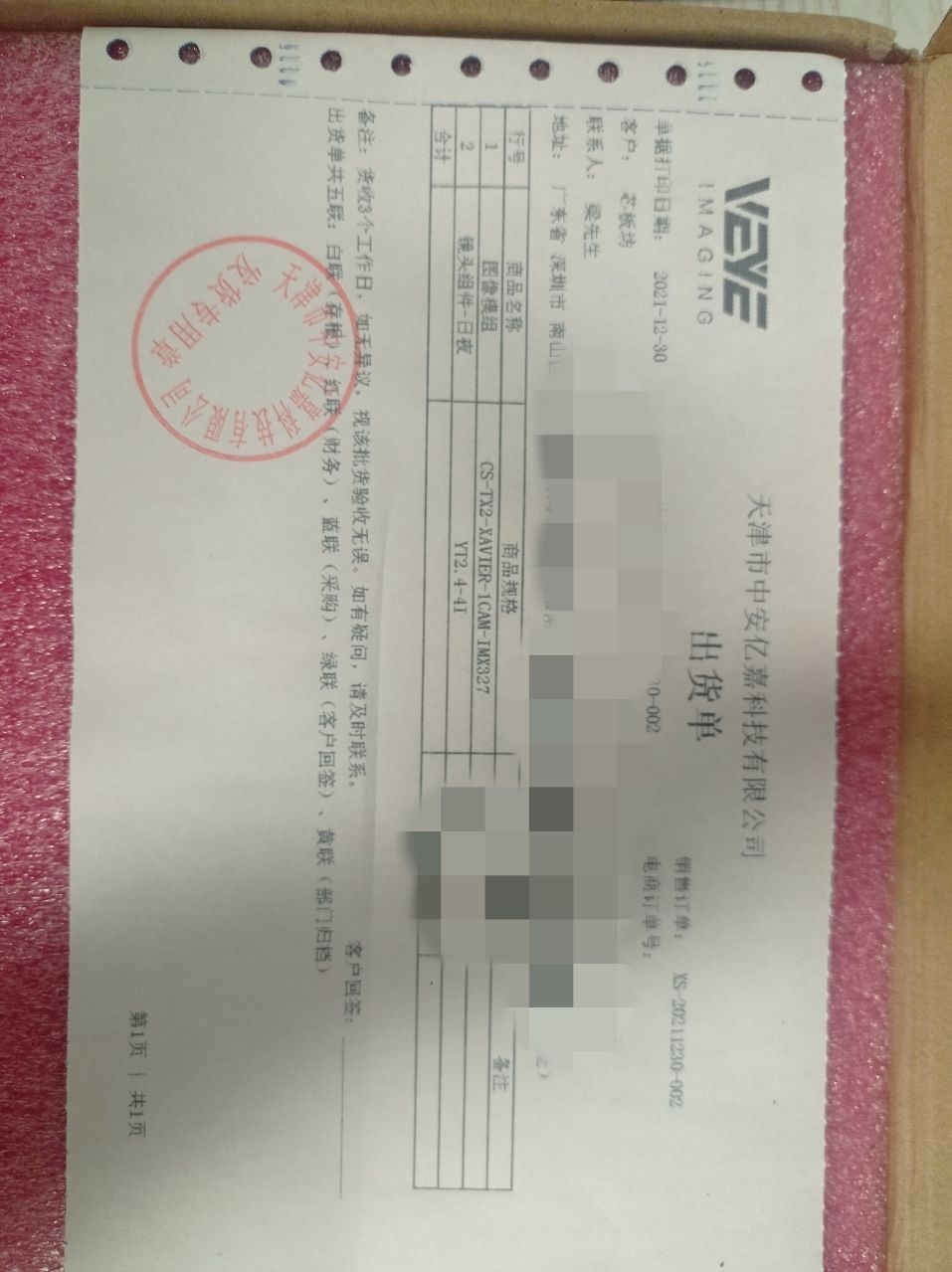
      摄像头模组.jpg
      Q2:根据文档:1.2步骤显示当前的L4T版本为32.5.1,这个是否就说明了文档3.6中的【Jetson板子已经正确烧写了标准版本的镜像】,如果烧好了,但是到文档3.6.2步骤操作没有L4T_DIR目录,所有这个麻烦确认说明一下。
      Q3:根据文档3.2.1的介绍
      Image下载链接:
      https://github.com/veyeimaging/nvidia_jetson_veye_bsp/tree/master/kernel_image
      具体Jetson TX2应该使用哪个?
      根据L4T的版本号32.5.1下载了下面版本的Image,可正确?
      https://github.com/veyeimaging/nvidia_jetson_veye_bsp/blob/master/kernel_image/Image_l4t_r32.5.1_veyecam_signed_4_xavier.tgz
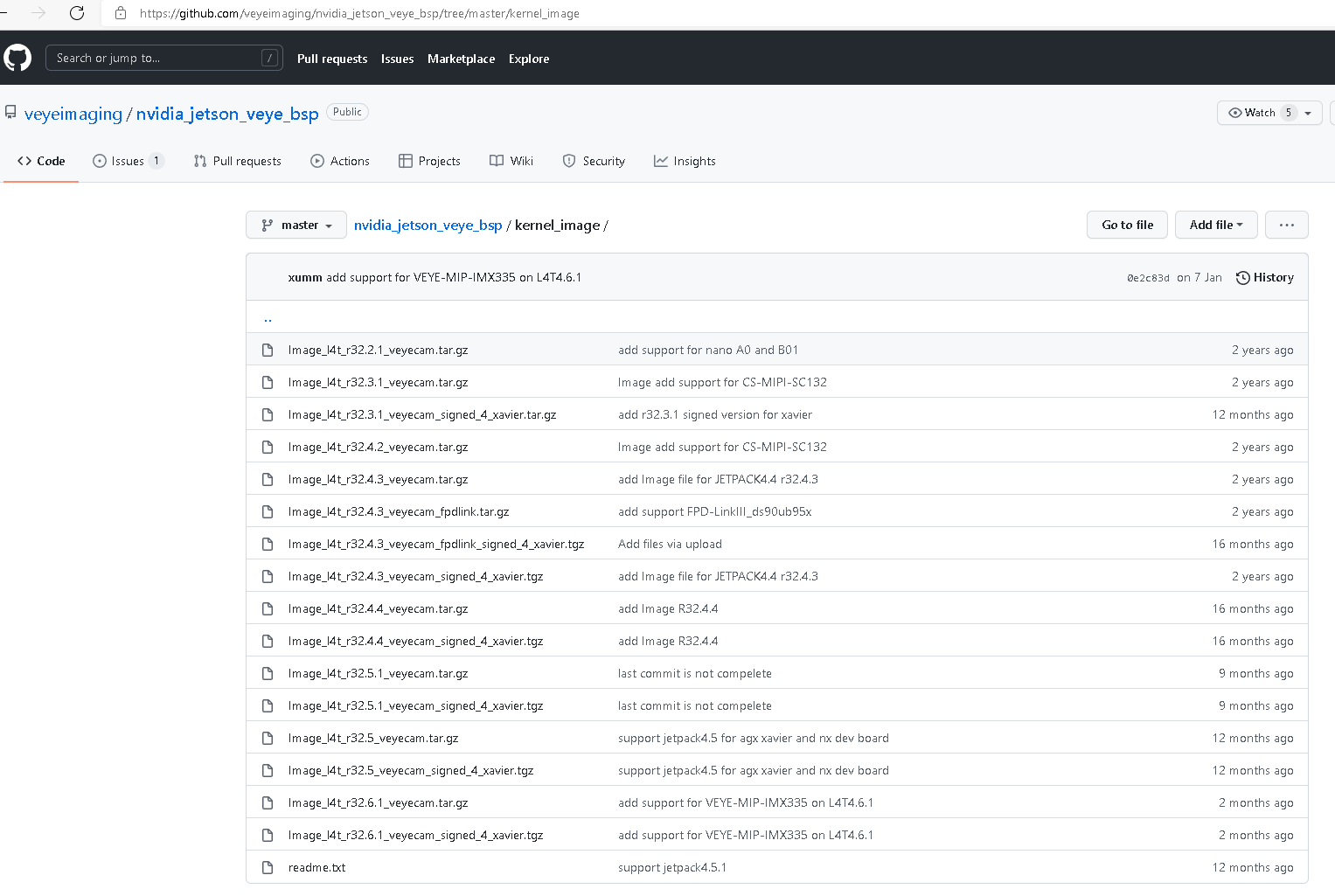
      Image版本问题.png

      veye_xummV 1 Reply Last reply Reply Quote 0
      • veye_xummV Offline
        veye_xumm @hello
        last edited by

        @hello

        我这边的摄像头是套装系列的,这个是否也是内置ISP的?

        是的。

        这个是否就说明了文档3.6中的【Jetson板子已经正确烧写了标准版本的镜像】

        是的

        但是到文档3.6.2步骤操作没有L4T_DIR目录,所有这个麻烦确认说明一下。

        这两个环境变量的设置还是要参考3.6.1的开头部分。

        具体Jetson TX2应该使用哪个?

        根据L4T的版本号32.5.1下载了下面版本的Image,可正确?

        tx2应该不是用signed版本,用没有签名的版本就可以。

        Questions will be answered as soon as possible, please be patient.
        如果你使用中文,请直接用中文提问。
        May the force be with YOU. (This is the translation of the mysterious Chinese symbol above.)

        H 1 Reply Last reply Reply Quote 0
        • H Offline
          hello @veye_xumm
          last edited by

          @veye_xumm
          根据回复已经下载如下版本的Image:
          Image_l4t_r32.5.1_veyecam.tar.gz
          另外根据文档3.3.4下载了如下版本的dtb
          tegra186-quill-p3310-1000-c03-00-base.dtb

          根据回复确认说明Jetson板子已经烧写好了标准版的镜像,文档3.6.1文档说明烧写步骤可以跳过。只需要配置环境变量就可以了是吗?但是这个TOP_DIR环境变量的目录怎么查找确认呢?没有查找到,是自己创建目录呀?

          veye_xummV 1 Reply Last reply Reply Quote 0
          • veye_xummV Offline
            veye_xumm @hello
            last edited by

            @hello

            由于TX2比较老一些了,它不支持直接替换linux内核和指定dtb的方式。需要用host pc进行分区烧写。
            看样子你没有自己烧写过系统镜像,对这块不太熟悉。
            建议你不要跳过3.6.1,先尝试重新烧写整个标准系统,然后再更换为我们提供的Image和dtb。

            Tx2标准系统的烧写,你可以参考一下nvidia的资料。 简单说起来,就是要有一个ubuntu系统的pc,然后通过usb口进行烧写。 ubuntu系统上使用nVidia的sdk manager软件。

            Questions will be answered as soon as possible, please be patient.
            如果你使用中文,请直接用中文提问。
            May the force be with YOU. (This is the translation of the mysterious Chinese symbol above.)

            H 1 Reply Last reply Reply Quote 0
            • H Offline
              hello @veye_xumm
              last edited by

              @veye_xumm

              好的,那我就重新烧写标准系统吧,提取确认下烧写的系统版本吧,可以提供下载的链接与版本号吗?有烧写操作说明参考文档最好了,免得后续出现不匹配的问题

              veye_xummV 1 Reply Last reply Reply Quote 0
              • veye_xummV Offline
                veye_xumm @hello
                last edited by

                @hello
                用英伟达的标准系统就可以。 我们是去适配标准系统的,支持很多版本啊。基本上每个版本都支持。

                Questions will be answered as soon as possible, please be patient.
                如果你使用中文,请直接用中文提问。
                May the force be with YOU. (This is the translation of the mysterious Chinese symbol above.)

                H 1 Reply Last reply Reply Quote 0
                • H Offline
                  hello @veye_xumm
                  last edited by

                  @veye_xumm
                  这个开发板已经上安装了Ubuntu系统,这个就相当于PC了吧,直接在这个开发板带的系统上进行烧写就可以了吧,还是要另外再找一个Ubuntu系统的PC?

                  veye_xummV 1 Reply Last reply Reply Quote 0
                  • veye_xummV Offline
                    veye_xumm @hello
                    last edited by

                    @hello
                    https://forums.developer.nvidia.com/t/how-to-flash-nvidia-jetson-tx2-from-recovery-mode/174012/11

                    Questions will be answered as soon as possible, please be patient.
                    如果你使用中文,请直接用中文提问。
                    May the force be with YOU. (This is the translation of the mysterious Chinese symbol above.)

                    H 1 Reply Last reply Reply Quote 0
                    • H Offline
                      hello @veye_xumm
                      last edited by

                      @veye_xumm

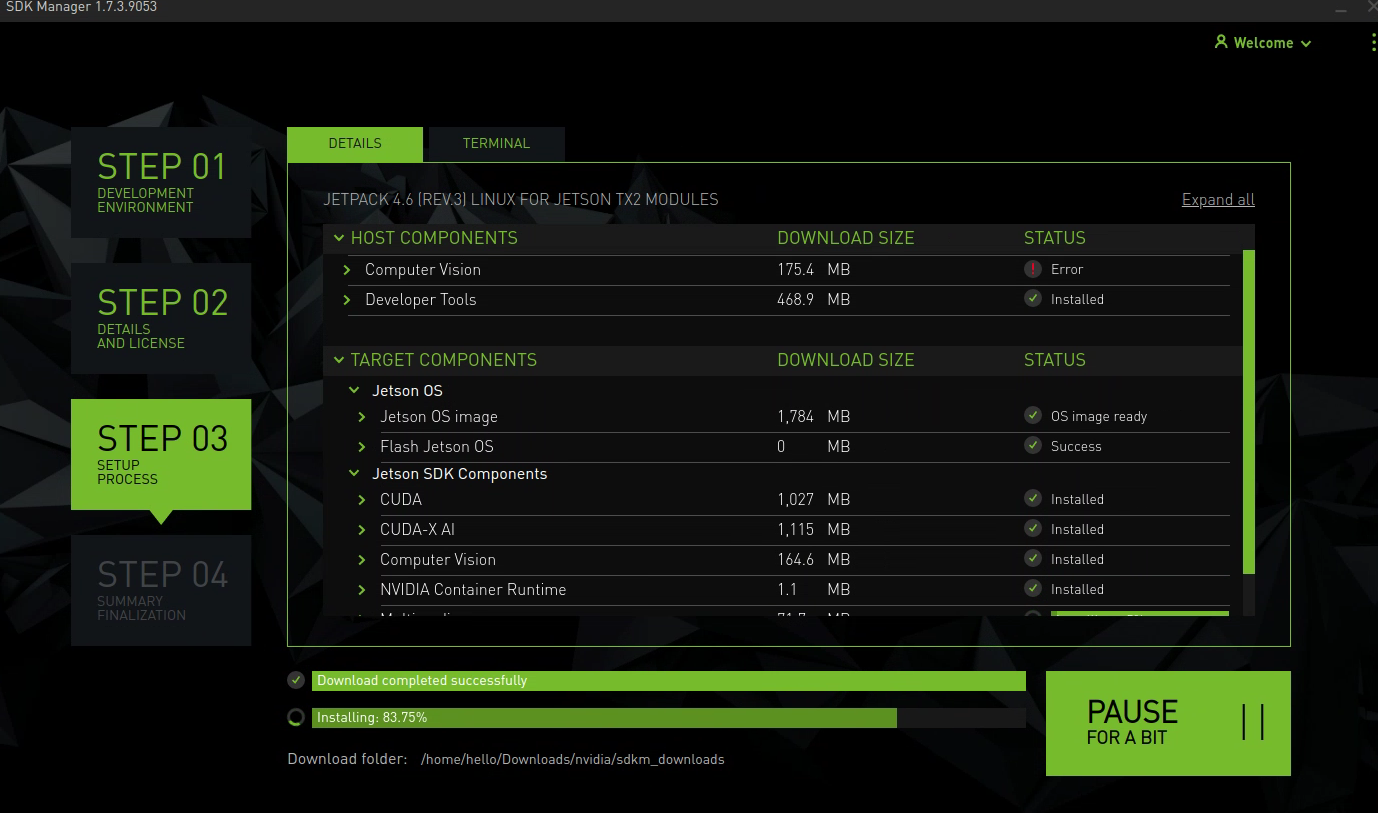
                      根据SDKmanager需求,另外找了一台Ubuntu系统的pc来重新烧写Jetson镜像
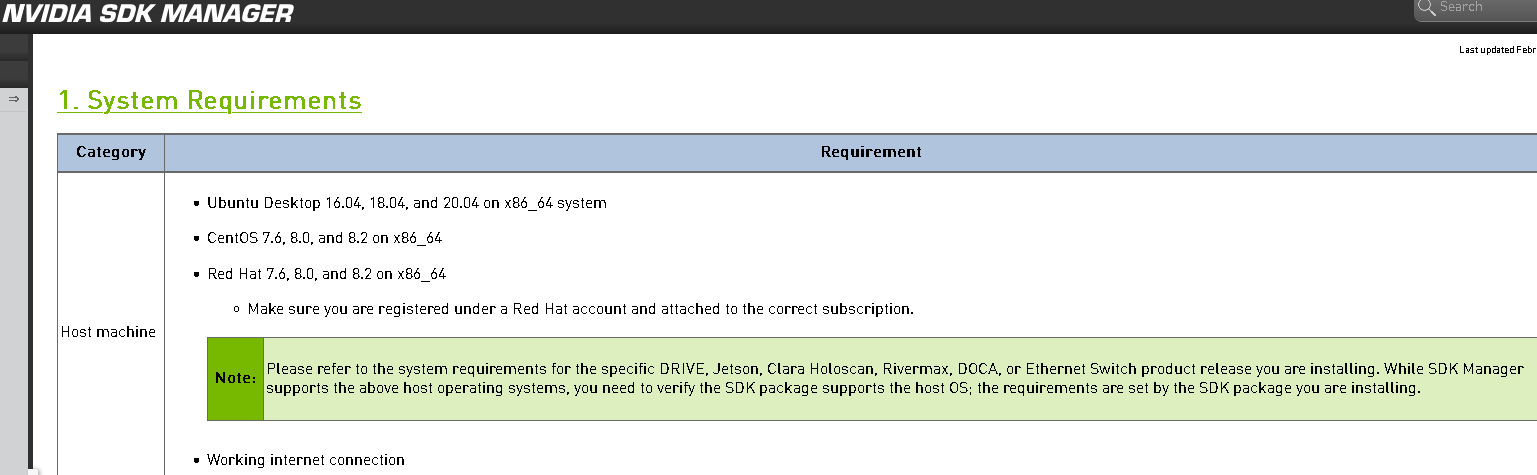
                      522423ae-24fe-4bd8-ac71-1d599feac6ed-图片.png
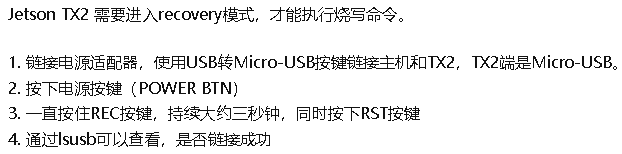
                      根据https://zhuanlan.zhihu.com/p/94071423烧写说明:
                      bd852fa0-21c6-4161-9750-117668be8b0f-图片.png
                      64e0af75-8b01-4729-bcd5-6fcbe2f1979d-图片.png
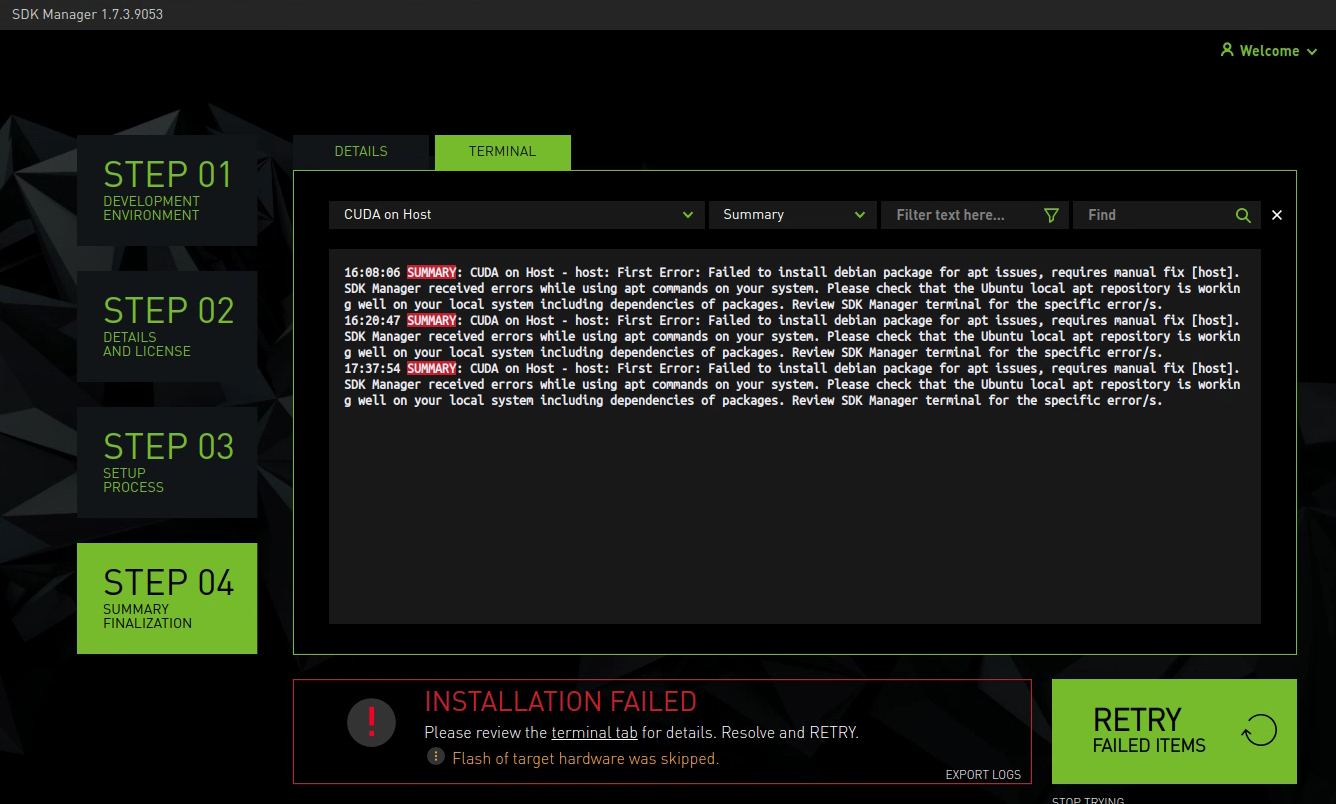
                      sdkmanger安装过程中有些安装success,有些error,这个是否会有影响呢?
                      另外
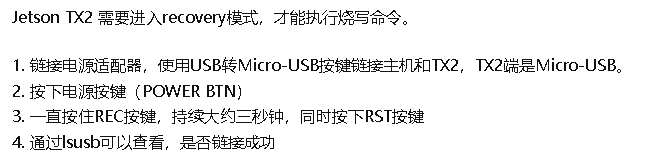
                      ef53ce2c-9bed-423b-9fd5-100359e48f22-图片.png
                      不太清楚具体在sdkmanager中step几的时候开始进行这些按键操作?
                      目前的结果如下(没有进行按键操作):
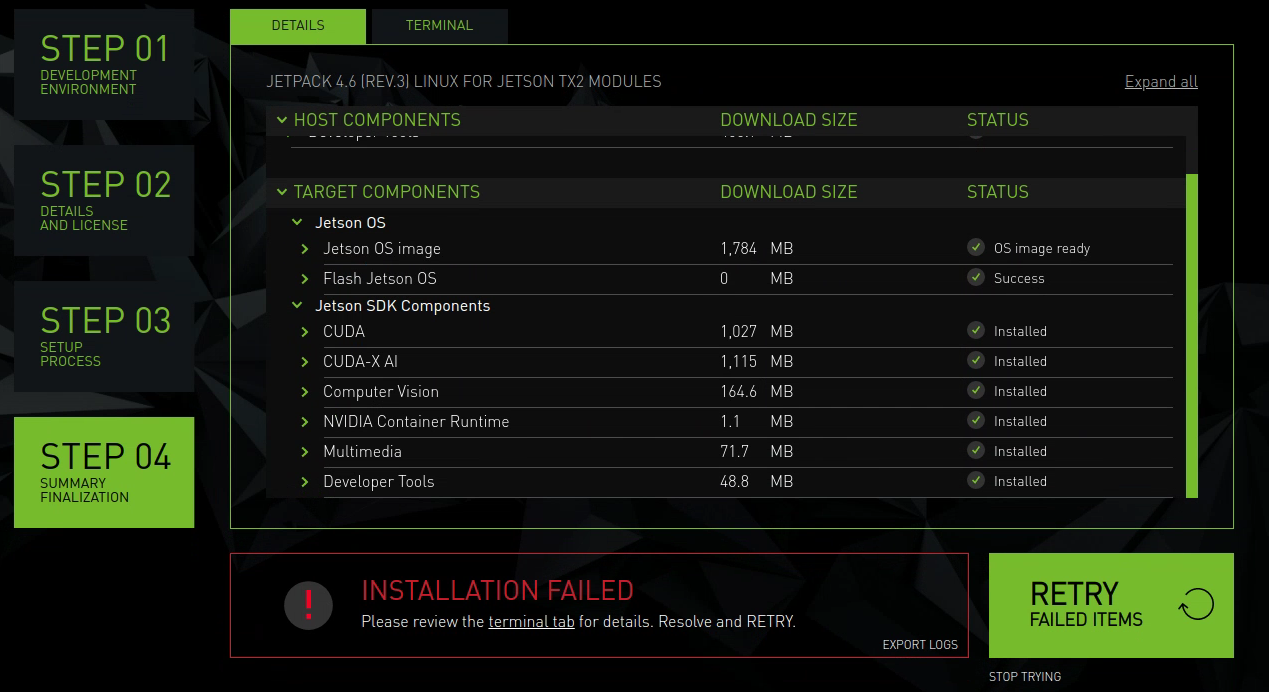
                      240750db-e8da-4434-b9b5-fb5e80afa00c-图片.png

                      H 1 Reply Last reply Reply Quote 0
                      • H Offline
                        hello @hello
                        last edited by

                        @hello
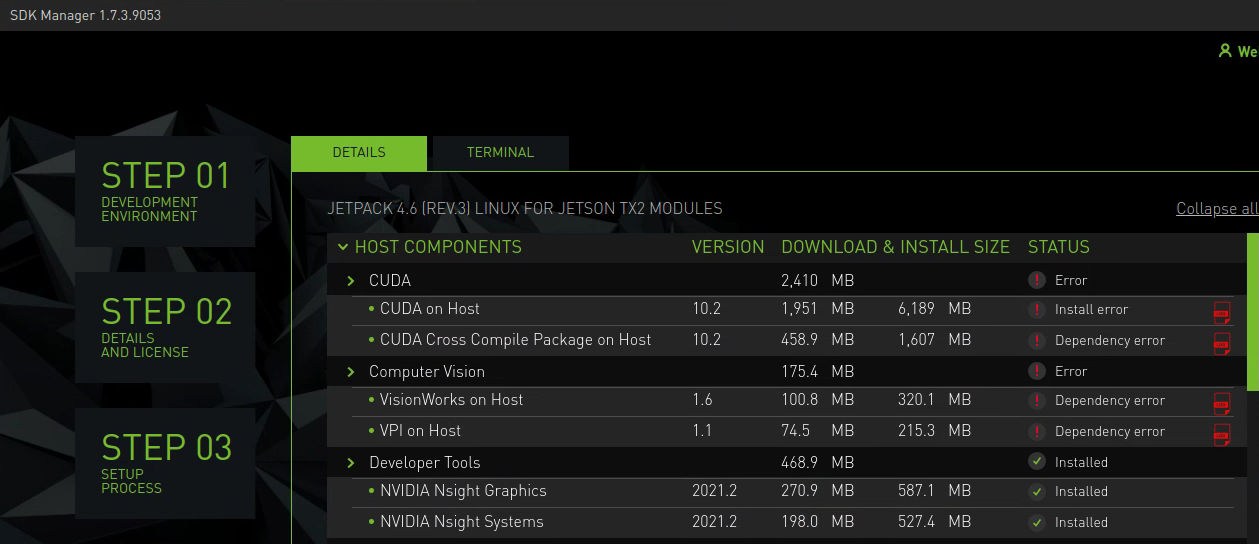
                        retry之后的error如下
                        645d0703-0e9b-4466-b2c9-5481732b70d0-图片.png
                        H 1 Reply Last reply Reply Quote 0
                        • H Offline
                          hello @hello
                          last edited by

                          @hello
                          retry之后的error如下
                          645d0703-0e9b-4466-b2c9-5481732b70d0-图片.png
                          cca94b37-242b-4471-88b8-7c5aa4d57a7c-图片.png

                          veye_xummV 1 Reply Last reply Reply Quote 0
                          • veye_xummV Offline
                            veye_xumm @hello
                            last edited by

                            @hello
                            国内因为GFW的原因或者什么其他原因,跟nvidia的服务器连接不太稳定。

                            我感觉你第一次装的时候,tx2的系统已经装的差不多了,能启动了,只是ai的组件装的不完善。

                            最后这次,host components没装完,指的是你的电脑上的开发套件。这个没关系的。

                            注意看具体是哪个部分报错。 只是tx2板子需要正常跑起来,验证我们的模组。Jetson OS装好了就可以了。

                            Questions will be answered as soon as possible, please be patient.
                            如果你使用中文,请直接用中文提问。
                            May the force be with YOU. (This is the translation of the mysterious Chinese symbol above.)

                            H 1 Reply Last reply Reply Quote 0
                            • H Offline
                              hello @veye_xumm
                              last edited by

                              @veye_xumm
                              1.好的,明白了,Retry后,Jetson OS image ready但是 Flash Jetson OS 状态是skipped。
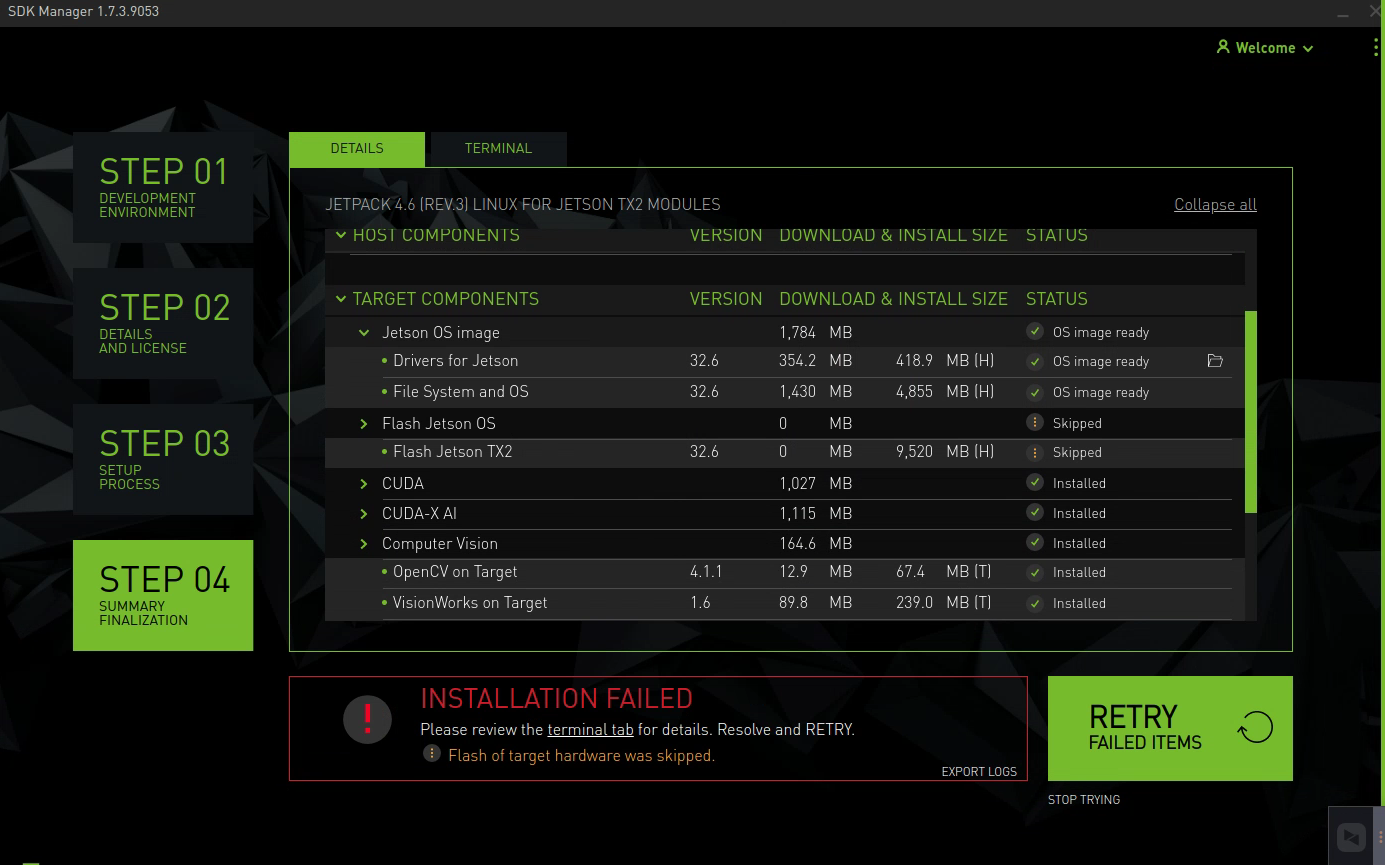
                              66b1febf-1ad2-4161-8e3f-009fef4b9c31-图片.png

                              2.接下来根据手册3.6.1中的步骤手动烧写(在安装sdkmanager的专用Linux pc上进行,不是进的开发部的系统,这个没问题吧?)
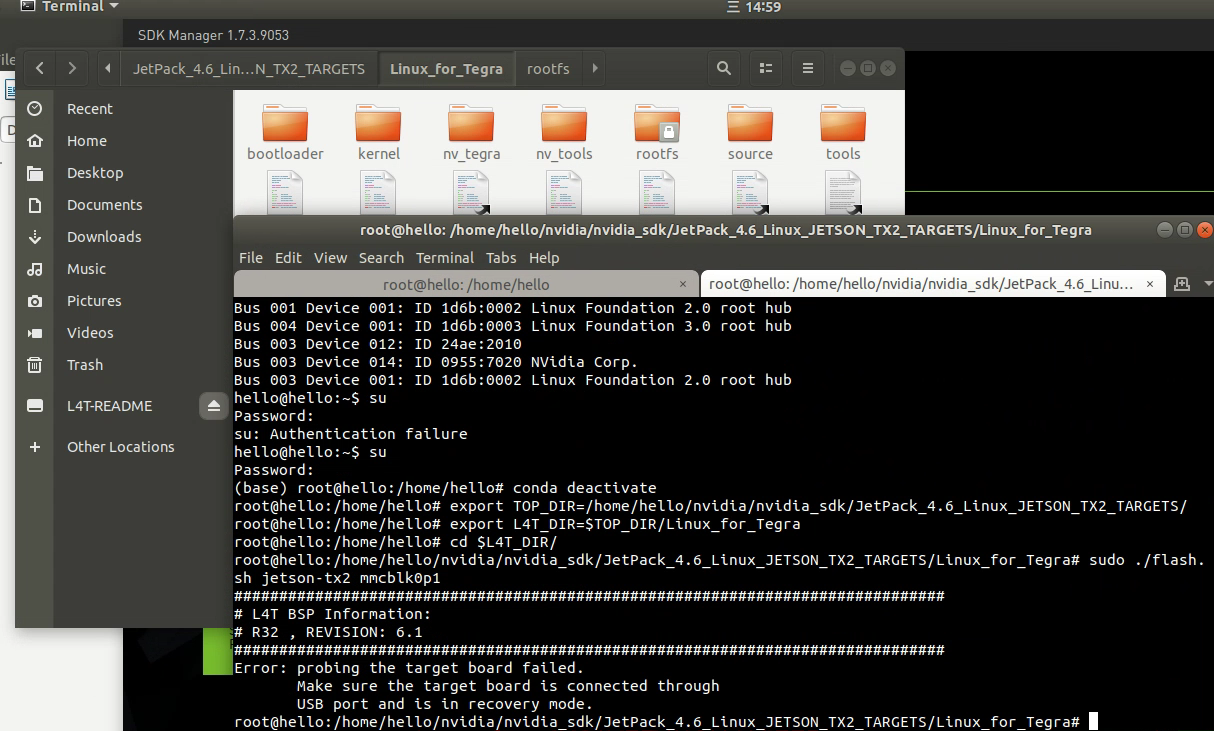
                              fa4e76db-5490-4a47-b912-6b781e1cd8be-图片.png

                              提示需要进入recovery模式:
                              9b7329bf-2e0f-44f1-a499-51818eec3e8c-图片.png
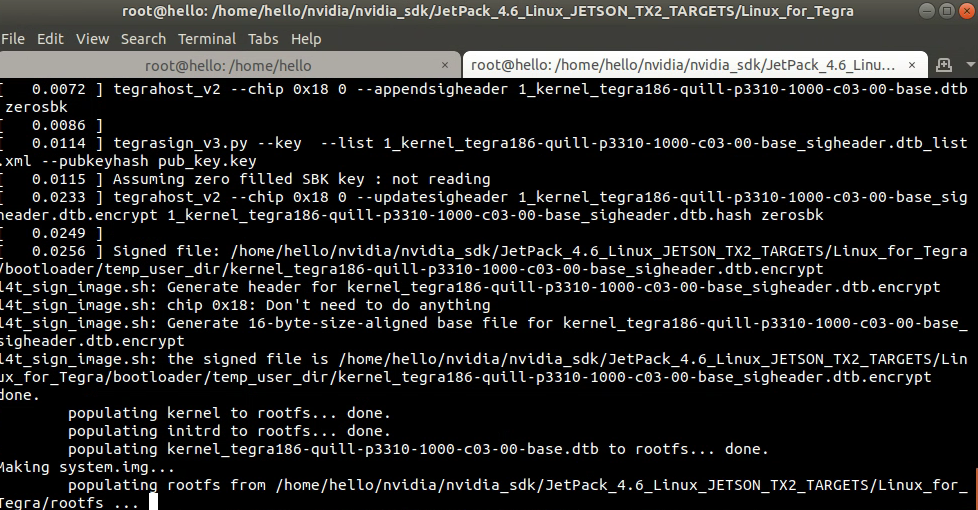
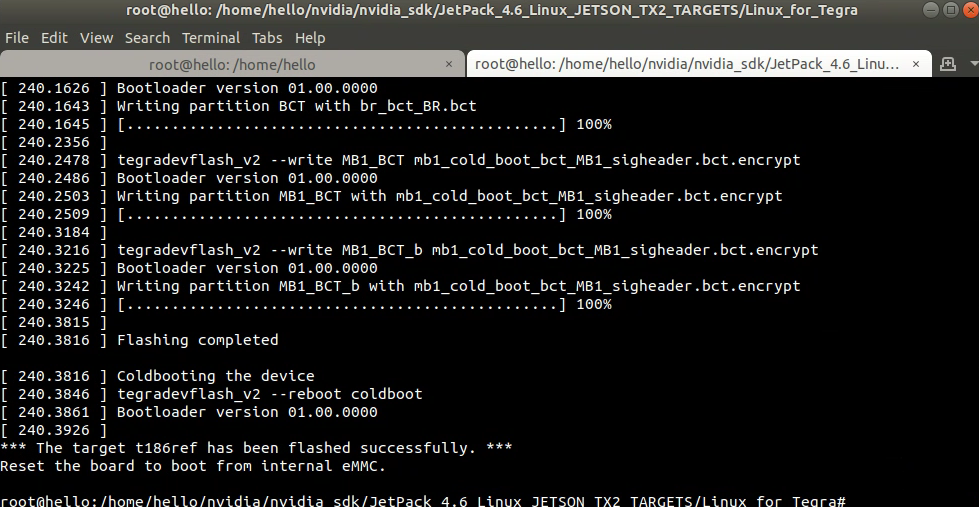
                              根据操作进入recovery模式重新执行文档中的烧写步骤:
                              d1850981-648c-44d2-9d73-c05ff99c06d5-图片.png

                              H 1 Reply Last reply Reply Quote 0
                              • H Offline
                                hello @hello
                                last edited by

                                @hello

                                64bf0984-1ccf-4c2d-8da1-8023262eec4b-图片.png

                                H 1 Reply Last reply Reply Quote 0
                                • H Offline
                                  hello @hello
                                  last edited by

                                  @hello

                                  继续3.6.2步骤:
                                  b6166e93-844c-4bbc-8a2b-98474c5834b5-图片.png
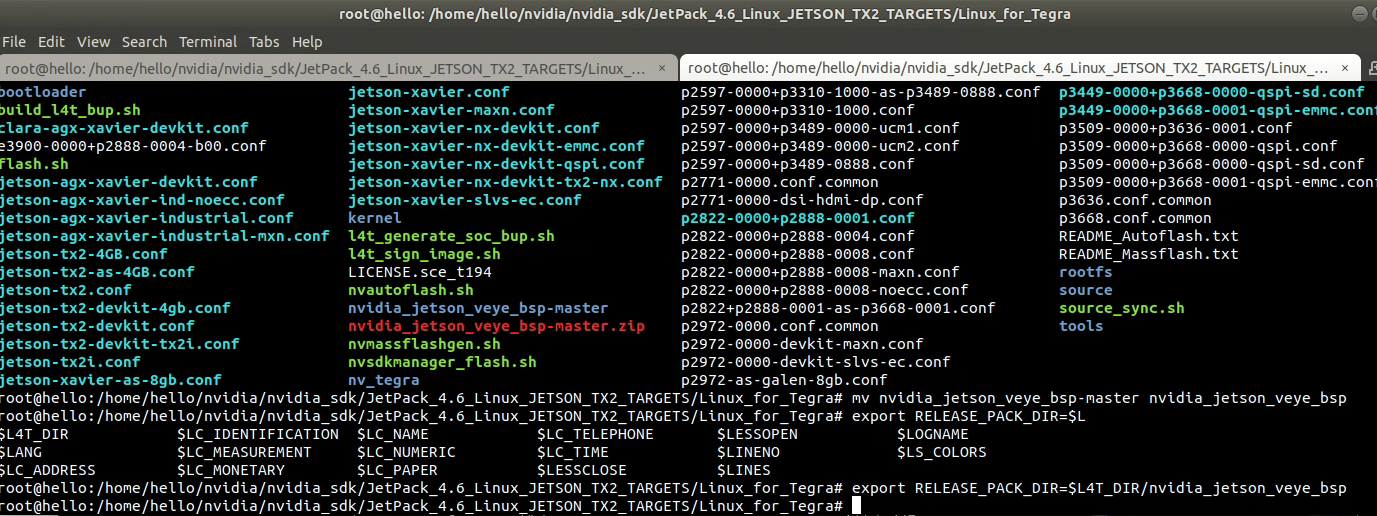
                                  通过github网页https://github.com/veyeimaging/nvidia_jetson_veye_bsp下载zip文件包nvidia_jetson_veye_bsp_master.zip加压并重命名文件夹为nvidia_jetson_veye_bsp
                                  664878b1-7599-422f-b3f3-94be8e49bc8a-图片.png
                                  b51d6a77-0bb1-47d8-8c2d-77bff8e1f18c-图片.png
                                  692e313d-8bb0-4b75-a6ef-5bb954ad58f2-图片.png
                                  完成文档3.6.2操作步骤

                                  接下来进行文档3.6.3升级Image和DTB步骤:
                                  1)根据文档手册1.2查看确认当前烧写的L4T版本号为R32(release) Revision:6.1
                                  2) 根据L4T版本从github中下载对应版本的image
                                  https://github.com/veyeimaging/nvidia_jetson_veye_bsp/blob/master/kernel_image/Image_l4t_r32.6.1_veyecam.tar.gz
                                  3)进入Jetson开发板的系统,执行替换image操作
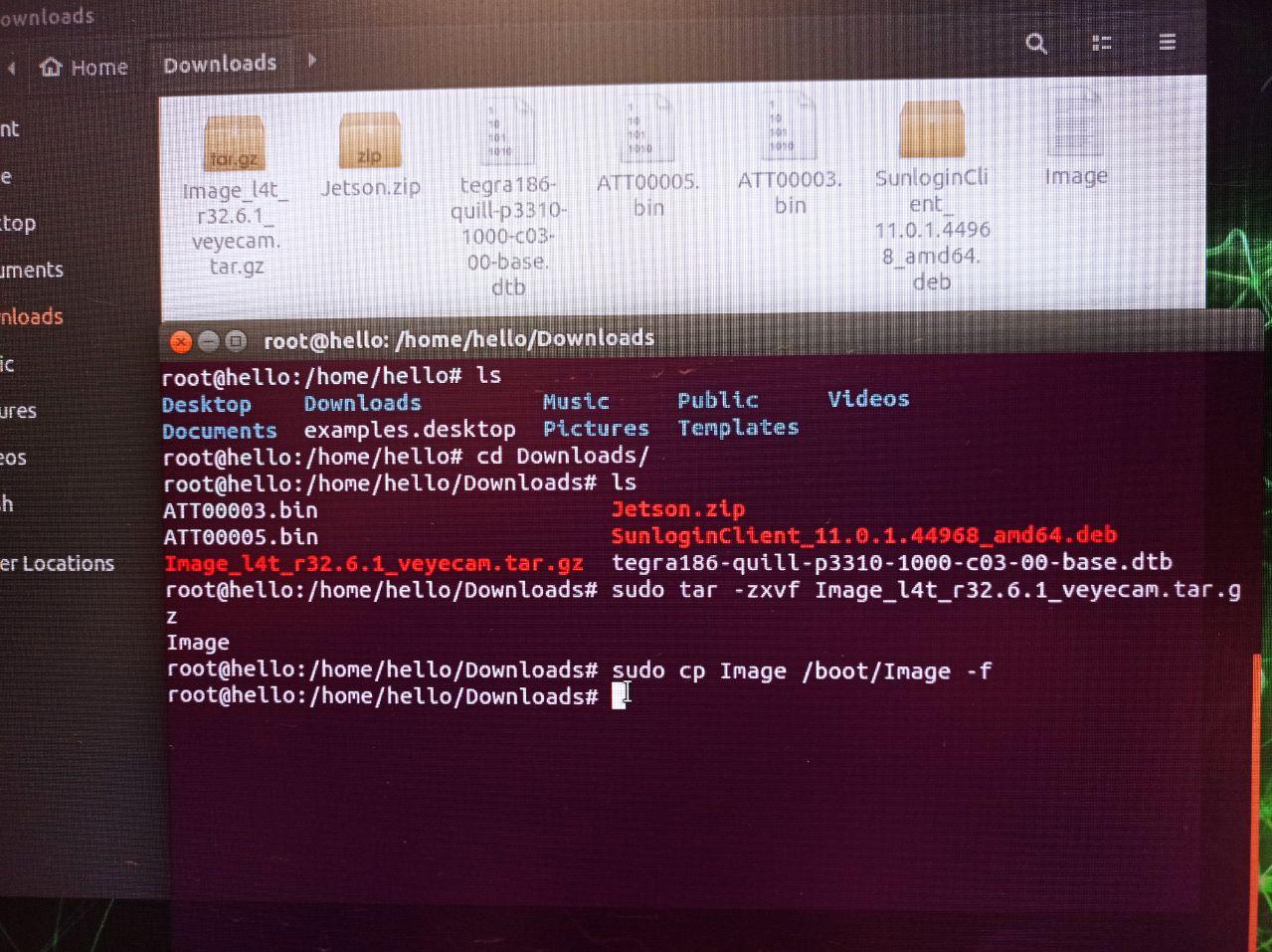
                                  258f265c-daad-43b8-9cea-ad0df7aa8cb6-图片.png
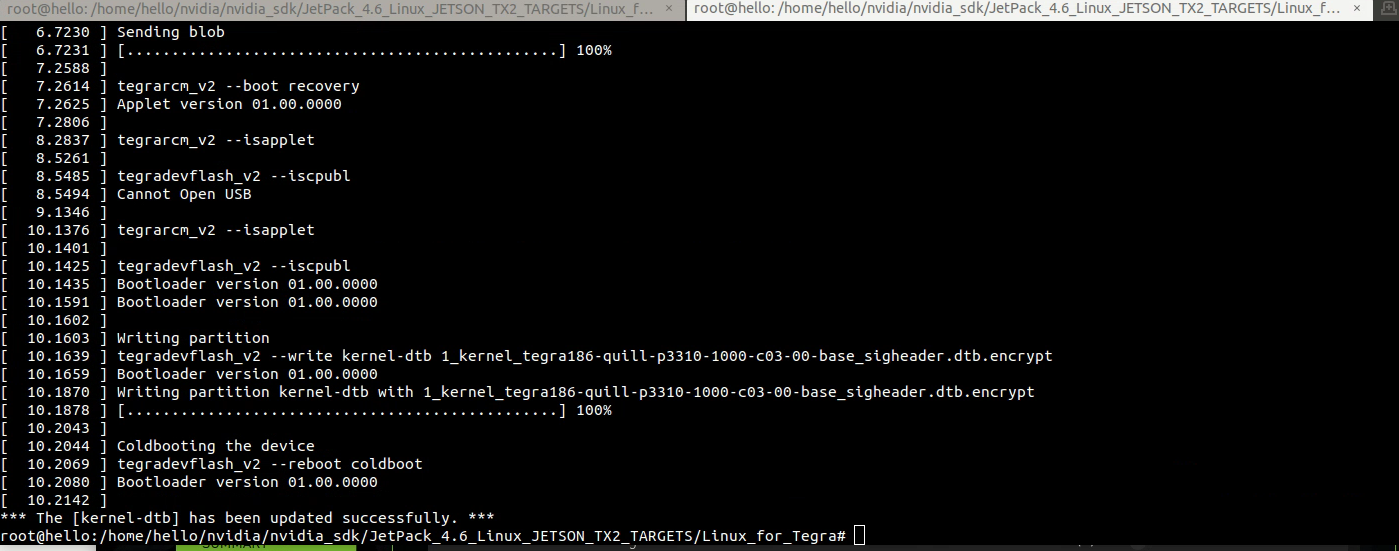
                                  4)进入Host PC上执行烧写DTS分区
                                  fcab967d-2902-41c1-8f8f-abe510bacd5e-图片.png
                                  进入recovery模式执行文档说明中的烧写命令
                                  1206356a-371b-442a-b552-05d2a65b532e-图片.png
                                  烧写成功如下:
                                  8b2bc1ff-2656-4ba4-9520-46003312b6e6-图片.png
                                  断电重启

                                  H 1 Reply Last reply Reply Quote 0
                                  • H Offline
                                    hello @hello
                                    last edited by

                                    @hello

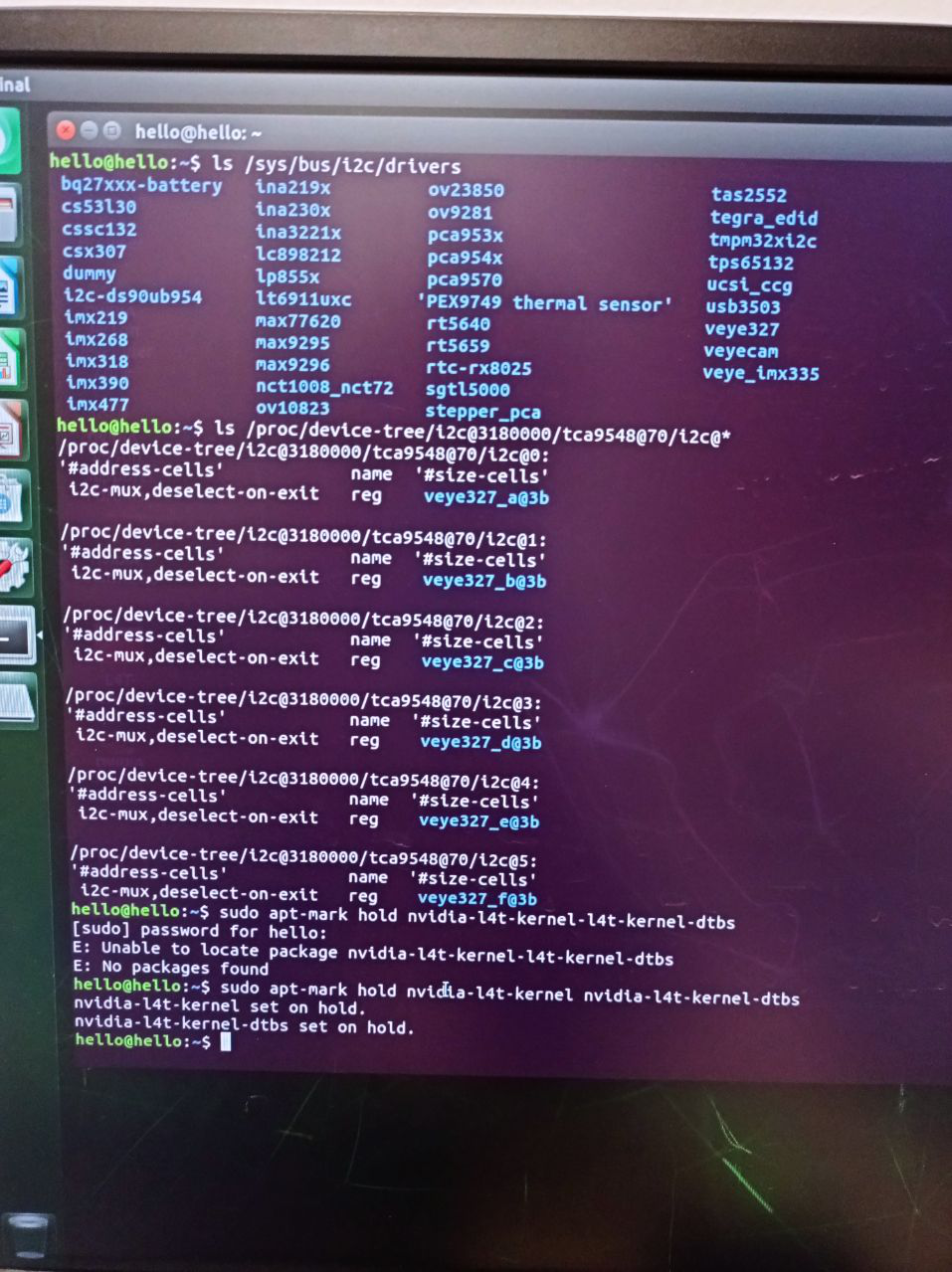
                                    继续文档3.7与3.8中的步骤操作:
                                    23d252ea-49dc-4873-bfce-be028f63b30d-图片.png
                                    这些结果基本确认没问题吧?

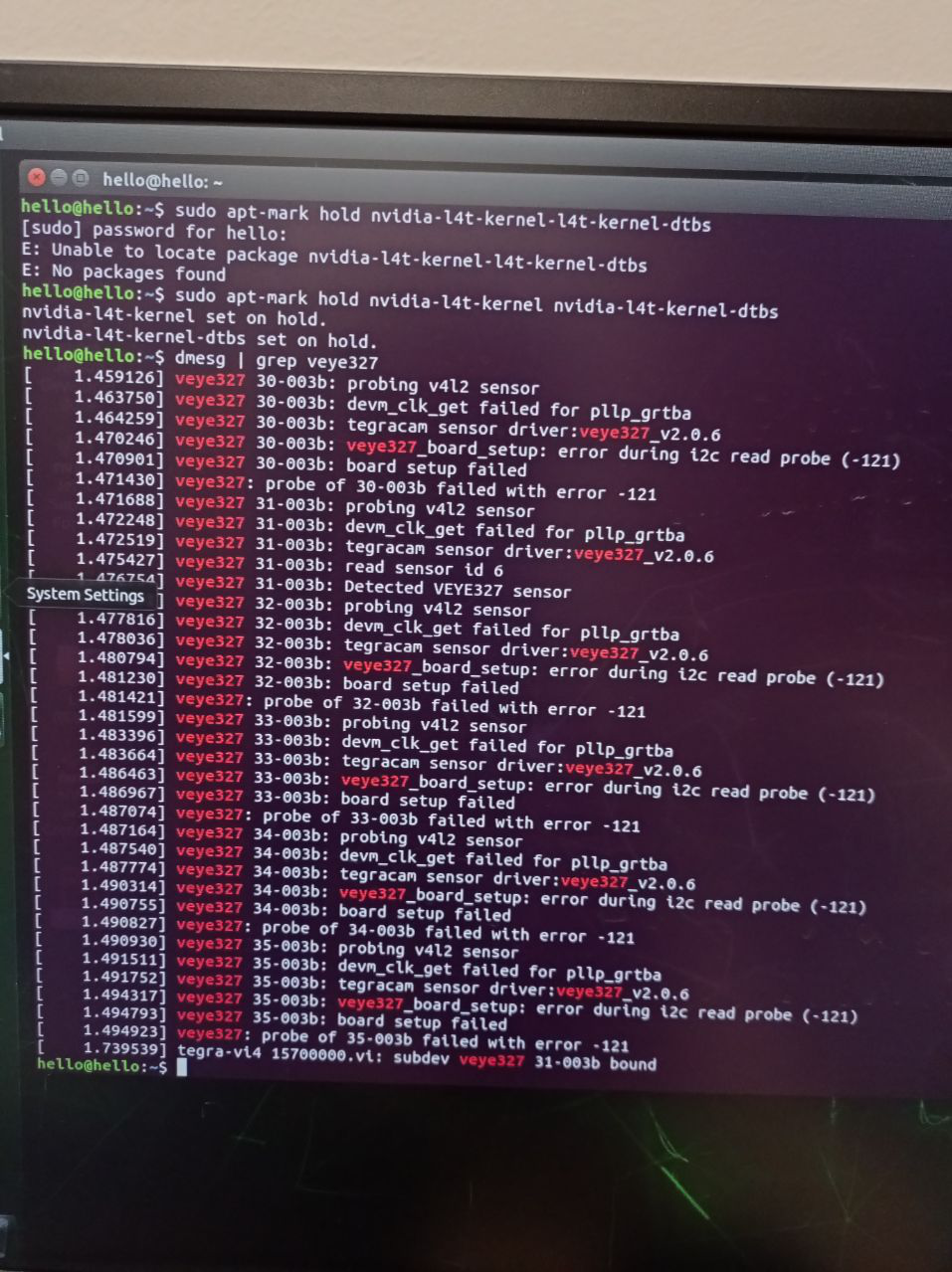
                                    根据MIPI摄像头型号,进行文档4.1步骤中的系统状态测试结果如下:
                                    bba21a3d-e91d-47f3-9e5b-81e0964e9d73-图片.png
                                    至此测试结果显示是否表面都OK呀?

                                    veye_xummV 1 Reply Last reply Reply Quote 0
                                    • veye_xummV Offline
                                      veye_xumm @hello
                                      last edited by

                                      @hello
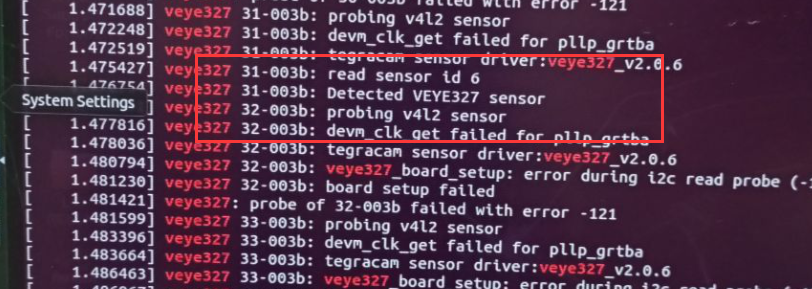
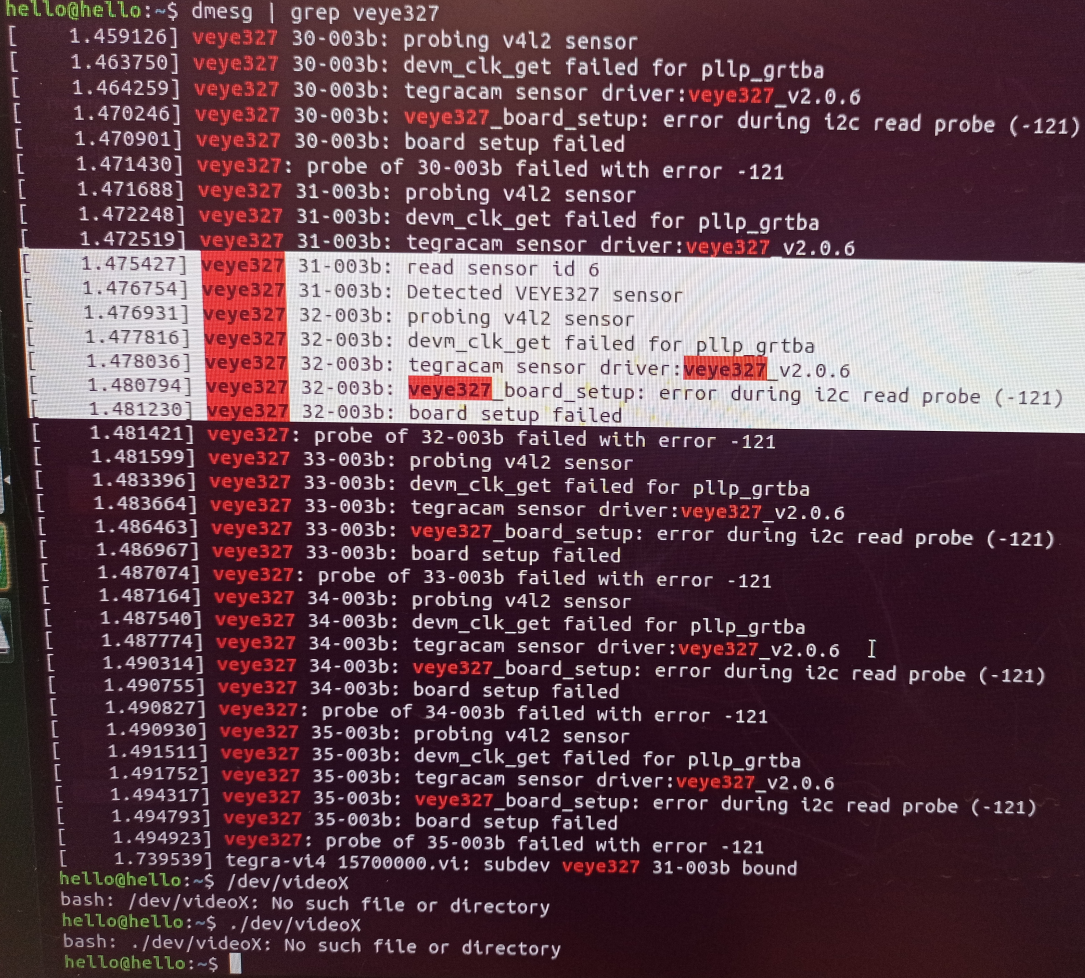
                                      cad43dde-872c-4d8d-93c8-c4fb6e981a54-image.png
                                      这里表面你检测到了一个camera

                                      Questions will be answered as soon as possible, please be patient.
                                      如果你使用中文,请直接用中文提问。
                                      May the force be with YOU. (This is the translation of the mysterious Chinese symbol above.)

                                      H 1 Reply Last reply Reply Quote 0
                                      • H Offline
                                        hello @veye_xumm
                                        last edited by

                                        @veye_xumm

                                        4.1步骤/dev/videoX检查设备节点,显示没有文件或目录,这个是怎么回事呢?
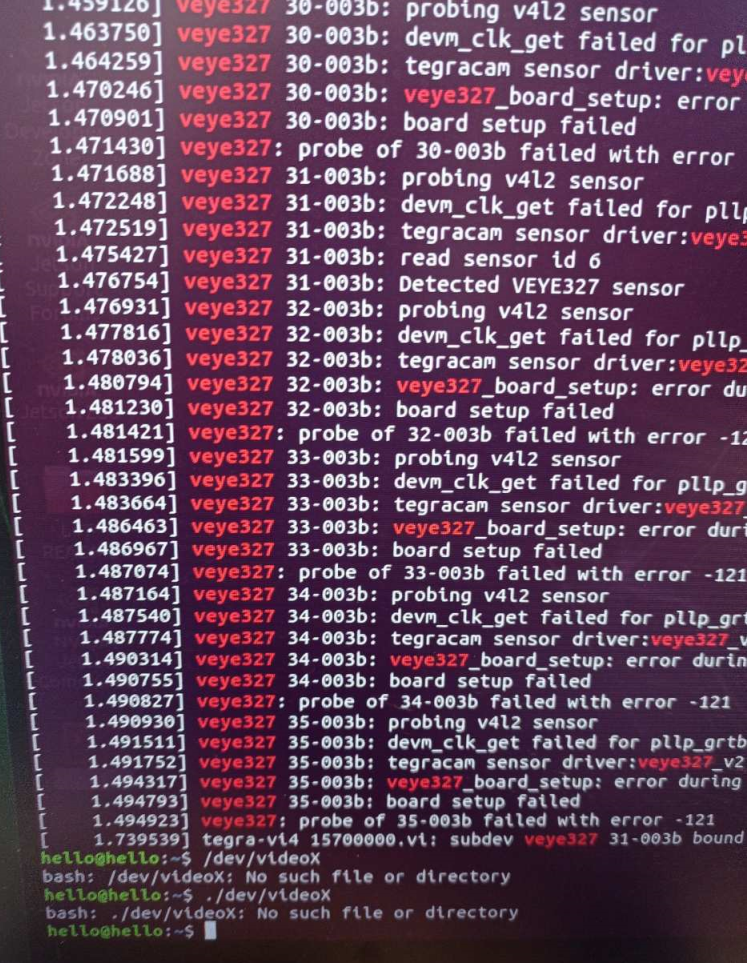
                                        707ad567-bf5f-414e-b824-1e8ea487d13a-图片.png

                                        H 1 Reply Last reply Reply Quote 0
                                        • H Offline
                                          hello @hello
                                          last edited by

                                          @hello
                                          d8fdb975-8ff6-420e-a01f-c821383e25b7-图片.png

                                          H 1 Reply Last reply Reply Quote 0
                                          • H Offline
                                            hello @hello
                                            last edited by

                                            @hello
                                            进行4.2.1视频预览测试没有出现预览:
                                            16dff164-359c-4732-987d-080f97e2ff32-图片.png

                                            H 1 Reply Last reply Reply Quote 0

                                            Hello! It looks like you're interested in this conversation, but you don't have an account yet.

                                            Getting fed up of having to scroll through the same posts each visit? When you register for an account, you'll always come back to exactly where you were before, and choose to be notified of new replies (either via email, or push notification). You'll also be able to save bookmarks and upvote posts to show your appreciation to other community members.

                                            With your input, this post could be even better 💗

                                            Register Login
                                            • First post
                                              Last post