VEYE IMAGING Forum
    • Categories
    • Tags
    • Recent
    • Popular
    • Users
    • WIKI
    • veye.cc
    • Register
    • Login

    (急!!!)JETSON TX2 + CS_TX2_XAVIER_1CAM_IMAX327 怎么正常启动?
    Scheduled Pinned Locked Moved CS MIPI camera
    40 Posts 2 Posters 19.5k Views 1 Watching
    Loading More Posts
    • Oldest to Newest
    • Newest to Oldest
    • Most Votes
    Reply
    • Reply as topic
    Log in to reply
    This topic has been deleted. Only users with topic management privileges can see it.
    • H Offline
      hello @hello
      last edited by

      @hello

      “另外建议你使用我们新版本的驱动,veyecam2m。做法就是用VEYE-MIPI-CAM2M下面的dtb文件。”
      关于这个提供下下载的链接吧?
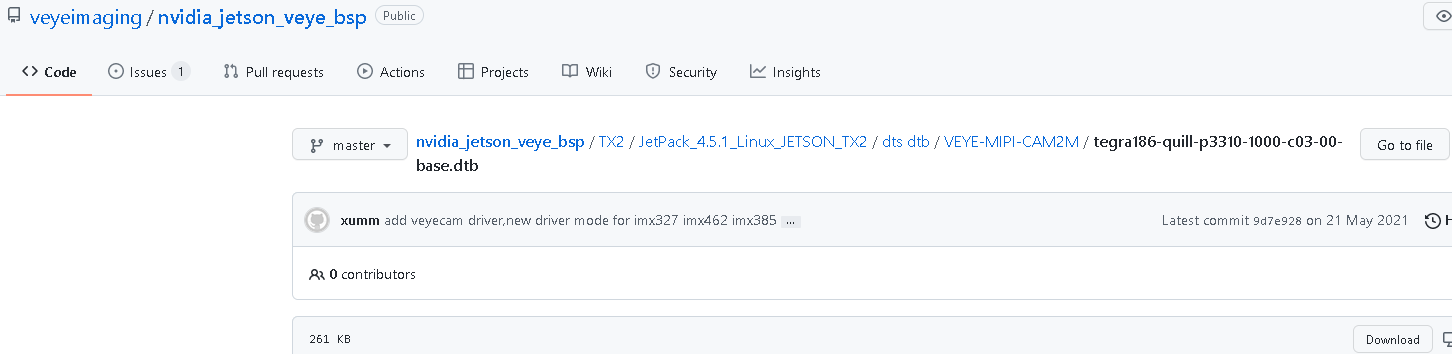
      目前使用的是根据文档3.3.4中说明的版本:tegra186-quill-p3310-1000-c03-00-base.dtb
      下载来源如下:

      4588b006-8725-4c9d-bfc1-78c32116eec3-图片.png
      这个不是最新的吗?

      另外使用新的dtb做法是直接拷贝覆盖吧?可要烧写步骤呀?

      H 1 Reply Last reply Reply Quote 0
      • H Offline
        hello @hello
        last edited by

        @hello
        下载如下的dtb
        e6e1c902-3b38-4b40-8725-254a8c0184a3-图片.png
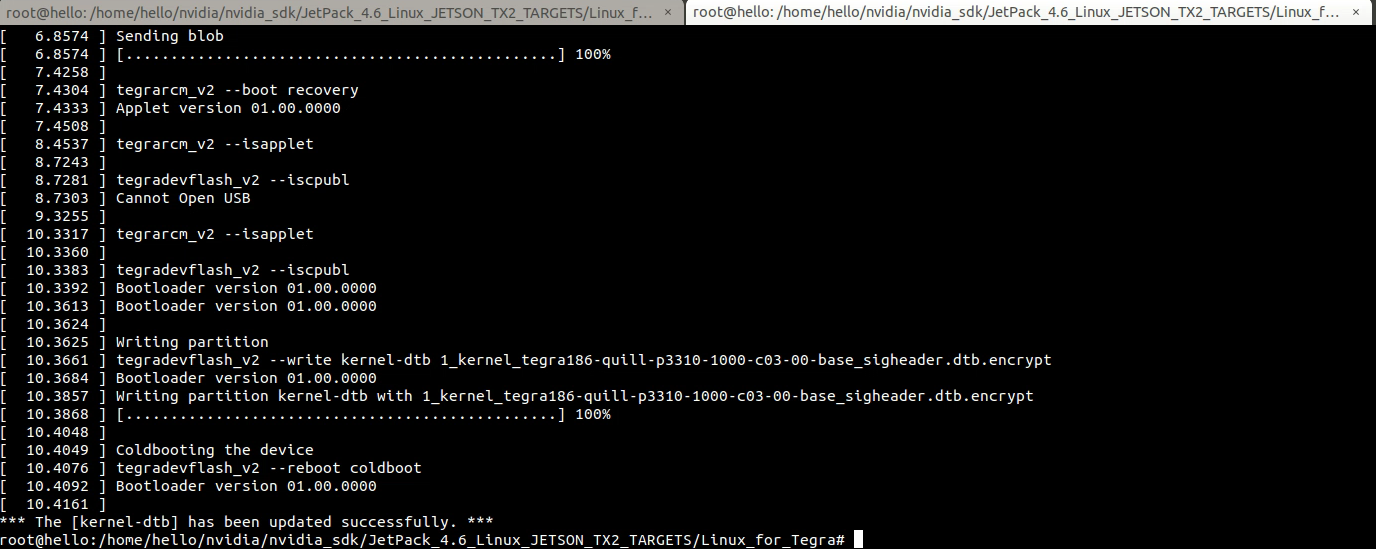
        开启recovery模式,在host pc上重新烧写更新dtb(参考文档3.6.3)
        c8b70e70-2183-4e74-a93c-467034adc151-图片.png
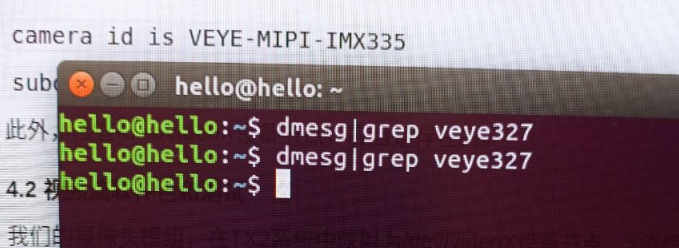
        烧写更新完成后发现摄像头sensor都检测不到了???
        a4d12d6d-0b48-4eb4-b46f-949f8872a9f5-图片.png

        veye_xummV 1 Reply Last reply Reply Quote 0
        • veye_xummV Offline
          veye_xumm @hello
          last edited by

          @hello

          1. 你重新烧过的系统,好像不是L4T 32.5.1吧?所以为什么要用这个Jetpack4.5.1下面的呢?
          2. 用veyecam2m,dmesg就不要grep veye327了啊。
          dmesg | grep veye
          
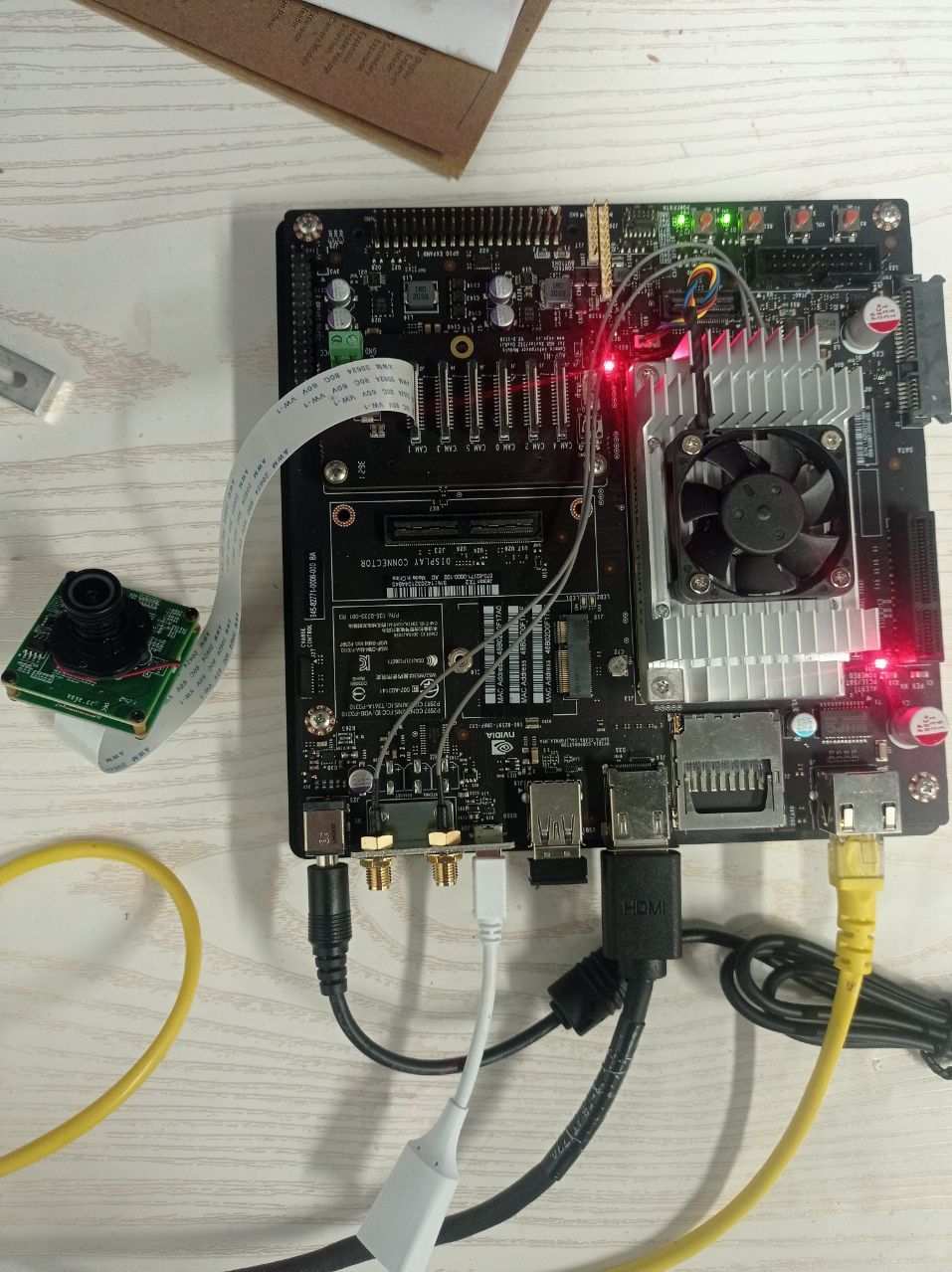
          1. 请检测一下你的排线有没有插歪了的情况?

          Questions will be answered as soon as possible, please be patient.
          如果你使用中文,请直接用中文提问。
          May the force be with YOU. (This is the translation of the mysterious Chinese symbol above.)

          H 1 Reply Last reply Reply Quote 0
          • H Offline
            hello @veye_xumm
            last edited by

            @veye_xumm

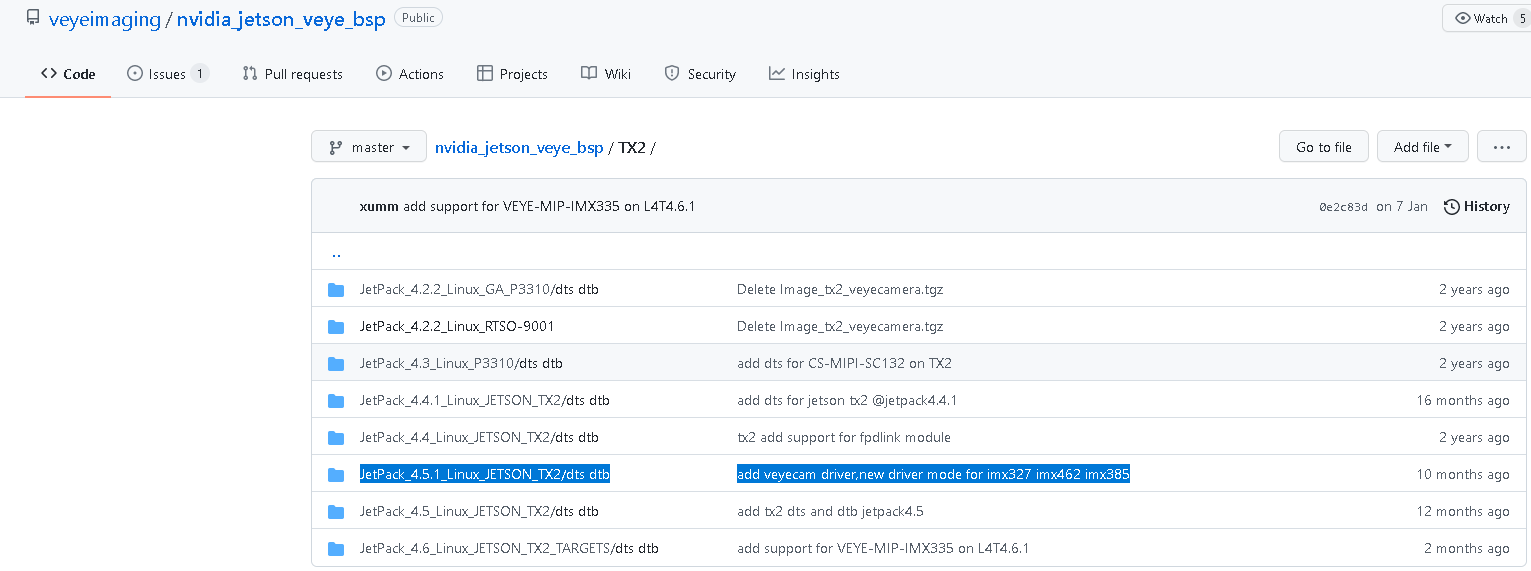
            之前的系统是32.5.1的,上次新烧的版本号为R32(release) Revision:6.1

            用Jetpack4.5.1下面的原因是根据摄像头型号327,根据code的版面支持说明用的这个版本
            18c79c8b-edbf-4602-8ffa-13d3f5755261-图片.png

            veye_xummV 2 Replies Last reply Reply Quote 0
            • veye_xummV Offline
              veye_xumm @hello
              last edited by

              @hello 请用正确的版本,也就是jetpack4.6的版本

              Questions will be answered as soon as possible, please be patient.
              如果你使用中文,请直接用中文提问。
              May the force be with YOU. (This is the translation of the mysterious Chinese symbol above.)

              1 Reply Last reply Reply Quote 0
              • veye_xummV Offline
                veye_xumm @hello
                last edited by

                @hello 请问解决了吗?

                Questions will be answered as soon as possible, please be patient.
                如果你使用中文,请直接用中文提问。
                May the force be with YOU. (This is the translation of the mysterious Chinese symbol above.)

                H 1 Reply Last reply Reply Quote 0
                • H Offline
                  hello @veye_xumm
                  last edited by

                  @veye_xumm said in (急!!!)JETSON TX2 + CS_TX2_XAVIER_1CAM_IMAX327 怎么正常启动?:

                  @hello 请问解决了吗?

                  你好,非常感谢答疑与帮助,目前可以摄像头视频图像已经调试出来了,抱歉回复有点晚

                  新的问题是这个视频图像出来后,窗口就退不出来了,全屏是视频窗口(想退出或缩小化),退回到终端或桌面不知道怎么操作?

                  谢谢

                  veye_xummV 1 Reply Last reply Reply Quote 0
                  • veye_xummV Offline
                    veye_xumm @hello
                    last edited by

                    @hello 在执行preview的终端内,按Ctrl+C退出

                    Questions will be answered as soon as possible, please be patient.
                    如果你使用中文,请直接用中文提问。
                    May the force be with YOU. (This is the translation of the mysterious Chinese symbol above.)

                    H 1 Reply Last reply Reply Quote 0
                    • H Offline
                      hello @veye_xumm
                      last edited by

                      @veye_xumm said in (急!!!)JETSON TX2 + CS_TX2_XAVIER_1CAM_IMAX327 怎么正常启动?:

                      @hello 在执行preview的终端内,按Ctrl+C退出

                      刚试了很多次,不行,没效果

                      veye_xummV 1 Reply Last reply Reply Quote 0
                      • veye_xummV Offline
                        veye_xumm @hello
                        last edited by

                        @hello
                        你在终端杀掉gst-launch-1.0进程也是可以的

                        Questions will be answered as soon as possible, please be patient.
                        如果你使用中文,请直接用中文提问。
                        May the force be with YOU. (This is the translation of the mysterious Chinese symbol above.)

                        H 1 Reply Last reply Reply Quote 0
                        • H Offline
                          hello @veye_xumm
                          last edited by

                          @veye_xumm said in (急!!!)JETSON TX2 + CS_TX2_XAVIER_1CAM_IMAX327 怎么正常启动?:

                          @hello
                          你在终端杀掉gst-launch-1.0进程也是可以的

                          现在全屏都是预览的摄像头画面,退不出来,进不了终端

                          veye_xummV 1 Reply Last reply Reply Quote 0
                          • veye_xummV Offline
                            veye_xumm @hello
                            last edited by

                            @hello 这个是由nvoverlaysink 这个sink决定的,它是个默认全屏的。

                            1. 你可以查查nvoverlaysink 的属性,增加个显示范围之类的参数。
                            2. nvv4l2camerasrc可以加一个帧数的参数,这样会定时退出。比如nvv4l2camerasrc num-buffers=300
                            3. 你可以从pc上ssh到jetson上,启动预览,ctrl+c就退出了。

                            Questions will be answered as soon as possible, please be patient.
                            如果你使用中文,请直接用中文提问。
                            May the force be with YOU. (This is the translation of the mysterious Chinese symbol above.)

                            H 1 Reply Last reply Reply Quote 0
                            • H Offline
                              hello @veye_xumm
                              last edited by

                              @veye_xumm said in (急!!!)JETSON TX2 + CS_TX2_XAVIER_1CAM_IMAX327 怎么正常启动?:

                              @hello 这个是由nvoverlaysink 这个sink决定的,它是个默认全屏的。

                              1. 你可以查查nvoverlaysink 的属性,增加个显示范围之类的参数。
                              2. nvv4l2camerasrc可以加一个帧数的参数,这样会定时退出。比如nvv4l2camerasrc num-buffers=300
                              3. 你可以从pc上ssh到jetson上,启动预览,ctrl+c就退出了。

                              好的,感谢,需要的就是这个

                              H 1 Reply Last reply Reply Quote 0
                              • H Offline
                                hello @hello
                                last edited by

                                @hello

                                已经通过建议方案2成功退出预览,问题解决,谢谢!

                                1 Reply Last reply Reply Quote 0

                                Hello! It looks like you're interested in this conversation, but you don't have an account yet.

                                Getting fed up of having to scroll through the same posts each visit? When you register for an account, you'll always come back to exactly where you were before, and choose to be notified of new replies (either via email, or push notification). You'll also be able to save bookmarks and upvote posts to show your appreciation to other community members.

                                With your input, this post could be even better 💗

                                Register Login
                                • First post
                                  Last post