VEYE IMAGING Forum
    • Categories
    • Tags
    • Recent
    • Popular
    • Users
    • WIKI
    • veye.cc
    • Register
    • Login

    MV-MIPI-IMX265M调焦问题

    Scheduled Pinned Locked Moved General Discussion
    19 Posts 2 Posters 4.7k Views 1 Watching
    Loading More Posts
    • Oldest to Newest
    • Newest to Oldest
    • Most Votes
    Reply
    • Reply as topic
    Log in to reply
    This topic has been deleted. Only users with topic management privileges can see it.
    • S Offline
      simonpi
      last edited by

      目前是采用raspberry 4b v4l2模式使用相机,但是取图出现一个问题是,图片输出格式是raw,没办法实时预览,就没法进行镜头调焦

      939f817e-4362-4b78-9a17-8e0f9a55cb28-image.png

      veye_xummV 1 Reply Last reply Reply Quote 0
      • veye_xummV Online
        veye_xumm @simonpi
        last edited by

        @simonpi 你好,树莓派平台可以先切换到legacy模式,能够预览和聚焦。然后实际使用中可以用v4l2模式。

        Questions will be answered as soon as possible, please be patient.
        如果你使用中文,请直接用中文提问。
        May the force be with YOU. (This is the translation of the mysterious Chinese symbol above.)

        1 Reply Last reply Reply Quote 0
        • S Offline
          simonpi
          last edited by

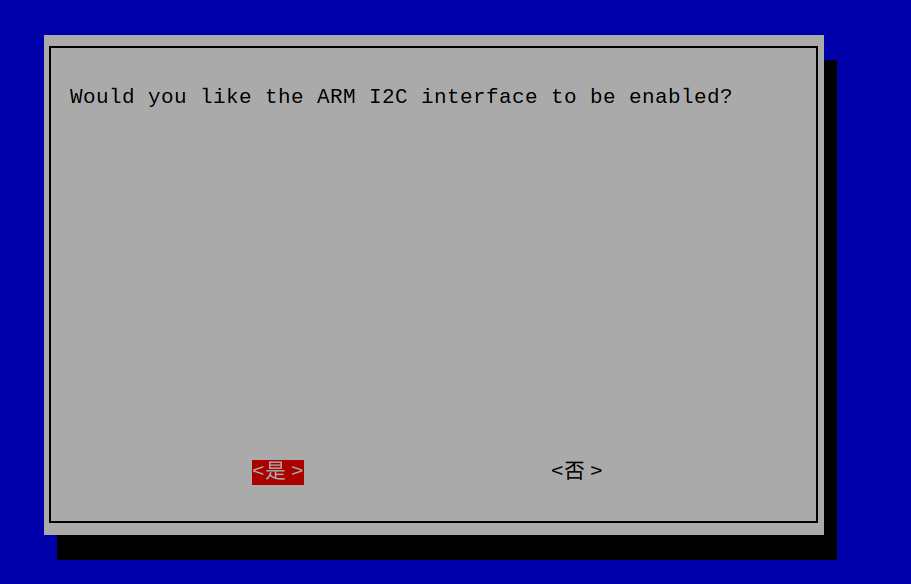
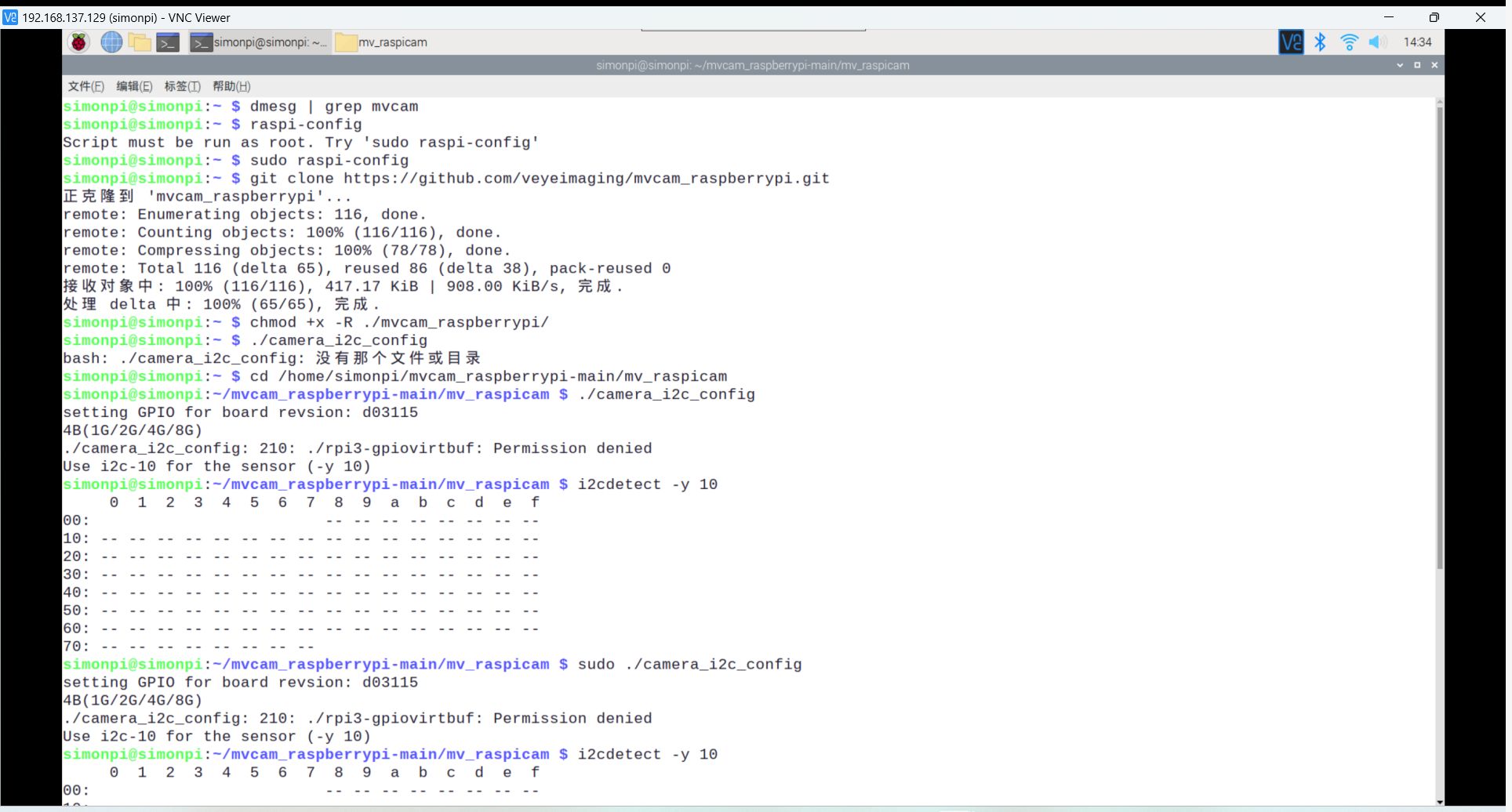
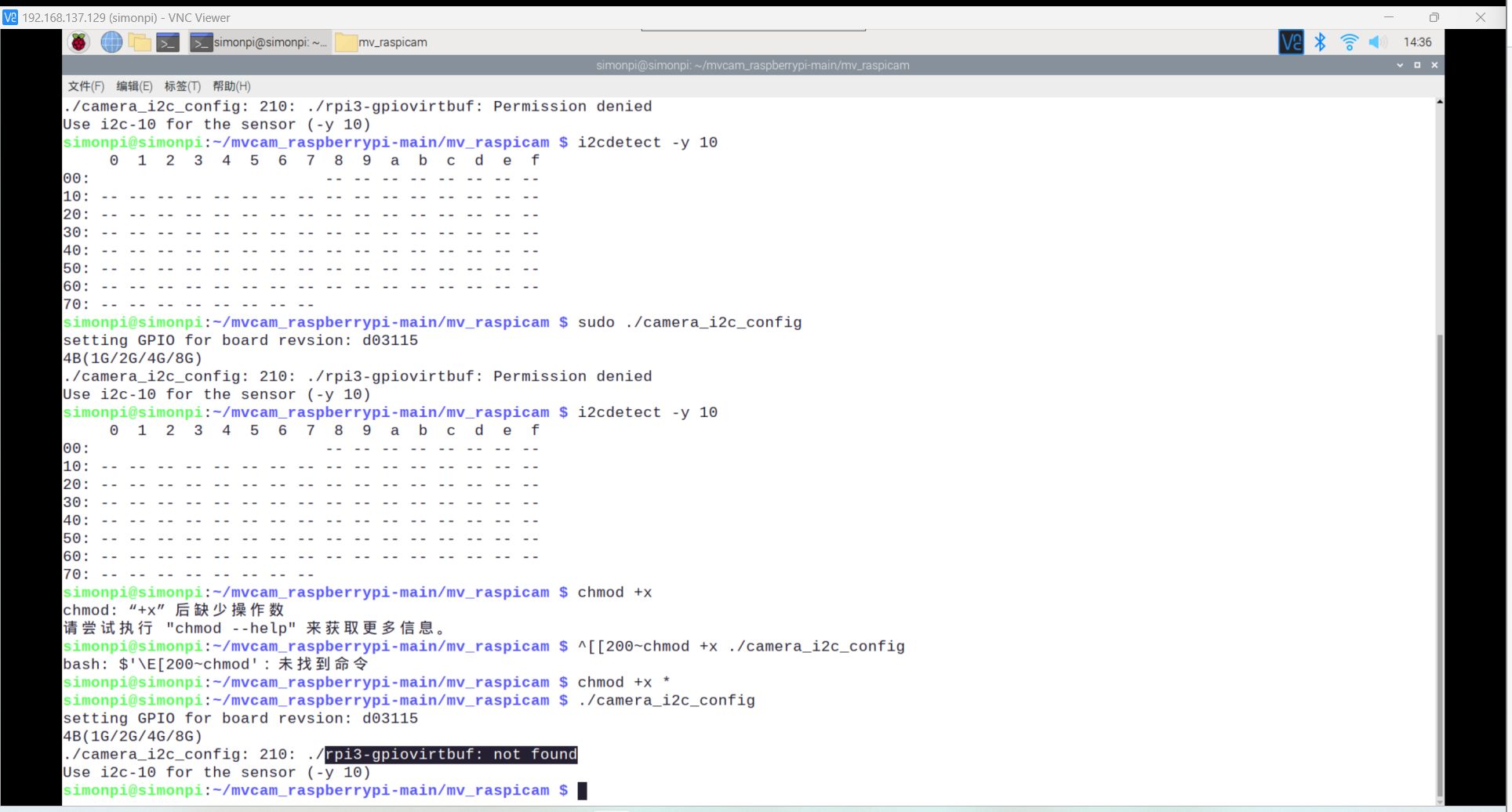
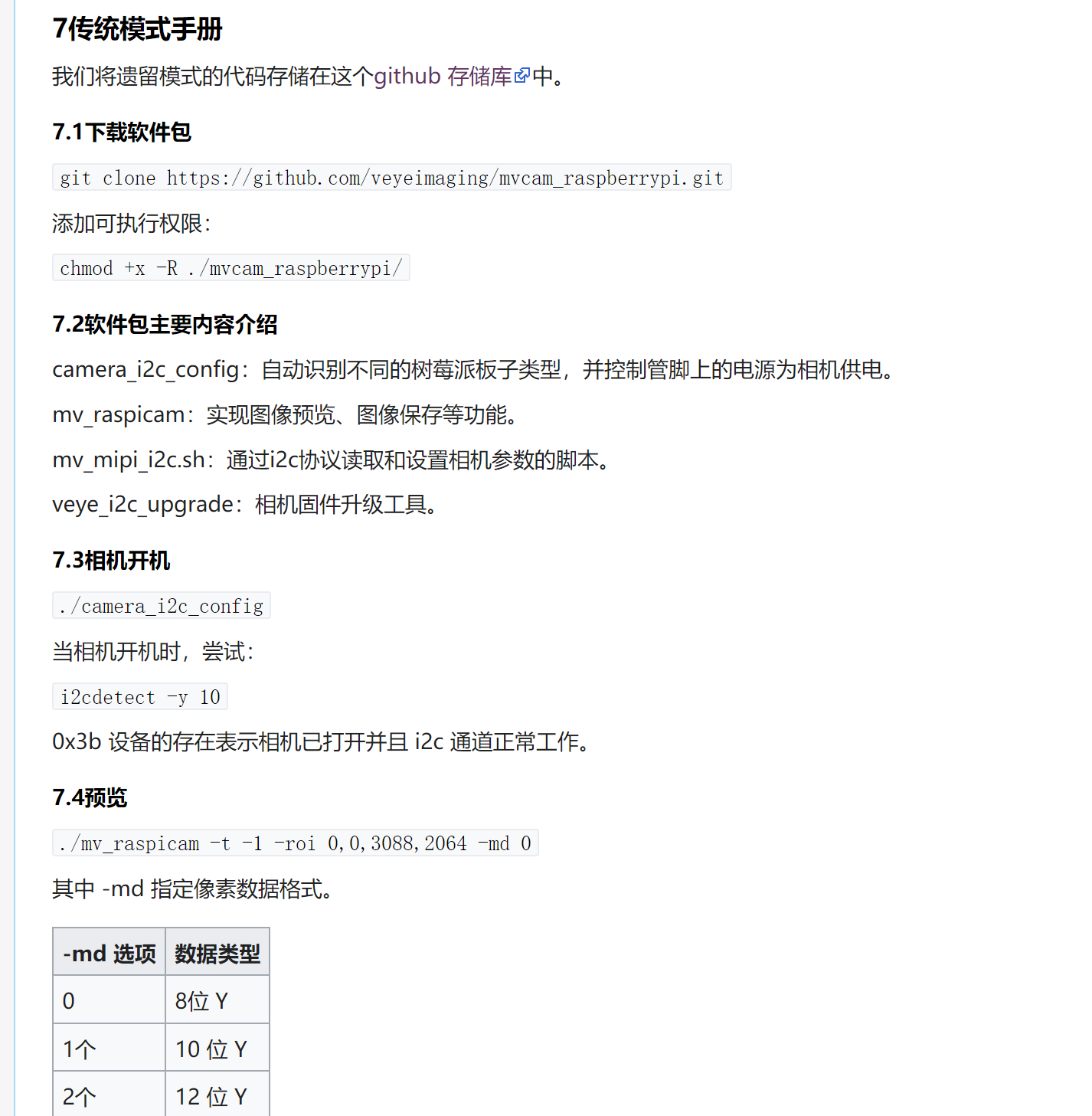
          @veye_xumm 改用legacy,出现下图情况,但我是正常接线,i2c也打开了
          (硬件触发那条线接了和没接,不影响调式结果)
          2440b7a5-d7e8-4081-8105-c9ba13eb5328-image.png
          c92196ce-6f63-41c3-abe5-d93d3a39812b-image.png
          727ace5b-f61d-44ee-9b36-983ee82da189-1679294114896.jpg
          5d728f11-62c4-48ef-a597-53f27e5c3ef8-1679294181977.jpg

          veye_xummV 1 Reply Last reply Reply Quote 0
          • veye_xummV Online
            veye_xumm @simonpi
            last edited by

            @simonpi 发一下你操作系统'unam -a'的输出。

            Questions will be answered as soon as possible, please be patient.
            如果你使用中文,请直接用中文提问。
            May the force be with YOU. (This is the translation of the mysterious Chinese symbol above.)

            S 1 Reply Last reply Reply Quote 0
            • S Offline
              simonpi @veye_xumm
              last edited by

              @veye_xumm ffb27e00-40cb-44a4-907a-25d2f4c12bd1-image.png

              veye_xummV 1 Reply Last reply Reply Quote 0
              • veye_xummV Online
                veye_xumm @simonpi
                last edited by

                @simonpi 对了,忘了跟您说了。 64位系统的话,legacy模式不行。 详情可以参考这个:
                https://forums.raspberrypi.com/viewtopic.php?t=328973

                Questions will be answered as soon as possible, please be patient.
                如果你使用中文,请直接用中文提问。
                May the force be with YOU. (This is the translation of the mysterious Chinese symbol above.)

                S 1 Reply Last reply Reply Quote 0
                • S Offline
                  simonpi @veye_xumm
                  last edited by

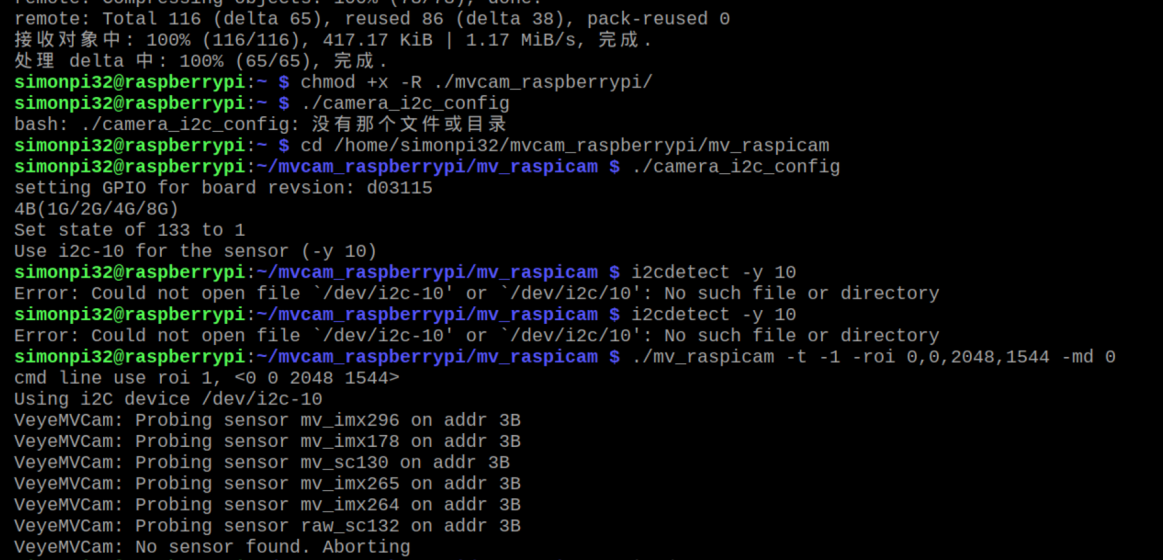
                  @veye_xumm 改32位系统可以使用legacy,但我按操作来也不显示相机预览,也没遗漏什么步骤啊
                  d2fad17c-cb0a-442a-9996-e3f941eb4da1-image.png 23d7f365-caa9-4829-8dda-4b807c7c94dd-image.png

                  veye_xummV 1 Reply Last reply Reply Quote 0
                  • veye_xummV Online
                    veye_xumm @simonpi
                    last edited by

                    @simonpi
                    到mv_tools_rpi目录下面,执行以下这个,把i2c-10先搞出来。

                    ./enable_i2c_vc.sh
                    

                    Questions will be answered as soon as possible, please be patient.
                    如果你使用中文,请直接用中文提问。
                    May the force be with YOU. (This is the translation of the mysterious Chinese symbol above.)

                    S 1 Reply Last reply Reply Quote 0
                    • S Offline
                      simonpi @veye_xumm
                      last edited by

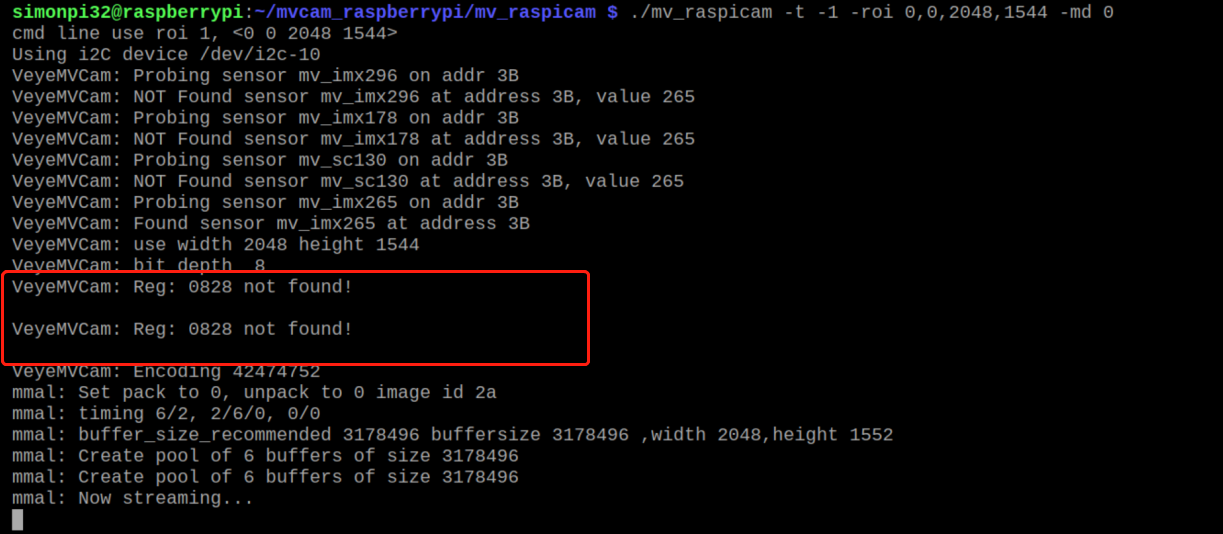
                      @veye_xumm依旧又报错,也没显示预览画面。。。 829fff1b-4f22-4a4c-8eb3-fae5ee4198ac-image.png

                      veye_xummV 2 Replies Last reply Reply Quote 0
                      • veye_xummV Online
                        veye_xumm @simonpi
                        last edited by

                        @simonpi 这两个寄存器没关系的,正常来说应该在hdmi口能看到视频了。你试试
                        ./mv_raspicam -t -1

                        Questions will be answered as soon as possible, please be patient.
                        如果你使用中文,请直接用中文提问。
                        May the force be with YOU. (This is the translation of the mysterious Chinese symbol above.)

                        S 2 Replies Last reply Reply Quote 0
                        • veye_xummV Online
                          veye_xumm @simonpi
                          last edited by

                          @simonpi 另外读一下版本号发出来我看看

                          Questions will be answered as soon as possible, please be patient.
                          如果你使用中文,请直接用中文提问。
                          May the force be with YOU. (This is the translation of the mysterious Chinese symbol above.)

                          S 1 Reply Last reply Reply Quote 0
                          • S Offline
                            simonpi @veye_xumm
                            last edited by

                            This post is deleted!
                            1 Reply Last reply Reply Quote 0
                            • S Offline
                              simonpi @veye_xumm
                              last edited by

                              @veye_xumm 180425dd-058e-49d2-8935-11de2fd34978-image.png

                              1 Reply Last reply Reply Quote 0
                              • S Offline
                                simonpi @veye_xumm
                                last edited by

                                @veye_xumm 谢谢,解决了,但是如果我调好焦距后改用v4l2的话,需要固定相机,每次挪动一点就得又切回legacy调嘛

                                veye_xummV 1 Reply Last reply Reply Quote 0
                                • veye_xummV Online
                                  veye_xumm @simonpi
                                  last edited by

                                  @simonpi 现在这地方的确是有点麻烦。现在我们也在进一步研究怎样把raw数据直接导入到opencv预览出来。
                                  MV系列其实支持一种纯粹作为调试用的UYVY模式,在v4l2模式下应该可以使用gstreamer预览。
                                  这个在jetson平台上是成功的。
                                  http://wiki.veye.cc/index.php/Mv_series_camera_appnotes_4_jetson/zh#.E5.AE.9E.E6.97.B6.E9.A2.84.E8.A7.88
                                  当然了,上面这个命令使用了jetson平台专用的gstreamer plugin。
                                  可以参考下面这个命令改改。
                                  http://wiki.veye.cc/index.php/V4L2_mode_for_Raspberry_Pi/zh#.E8.A7.86.E9.A2.91.E9.A2.84.E8.A7.88.28VEYE-MIPI-327.2CCS-MIPI-IMX307_.401080p_mode.29
                                  两者结合相信能做个预览的pipeline出来。不过纯软件模式帧率肯定不够高。

                                  Questions will be answered as soon as possible, please be patient.
                                  如果你使用中文,请直接用中文提问。
                                  May the force be with YOU. (This is the translation of the mysterious Chinese symbol above.)

                                  S 2 Replies Last reply Reply Quote 0
                                  • S Offline
                                    simonpi @veye_xumm
                                    last edited by

                                    This post is deleted!
                                    1 Reply Last reply Reply Quote 0
                                    • S Offline
                                      simonpi @veye_xumm
                                      last edited by

                                      @veye_xumm 遇到几个小问题,都直接截图一次性列举吧,麻烦解答一下。
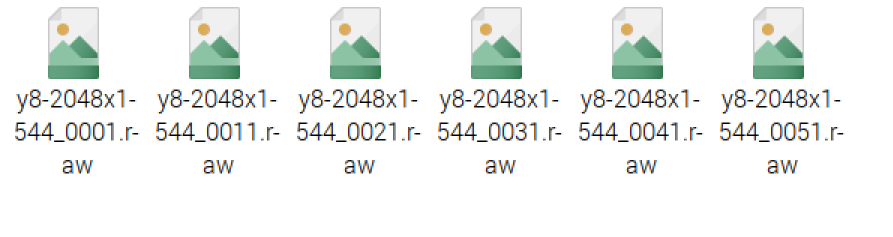
                                      1.明明是存五张图,结果在文件夹得到的是六张图片
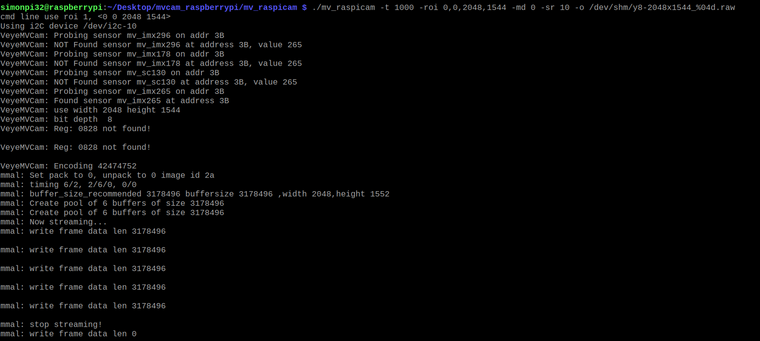
                                      2ea39719-5644-47fe-9245-dbbc67a5c012-image.png
                                      e512a6e5-fa42-44c7-b01e-b2889f9aa197-image.png

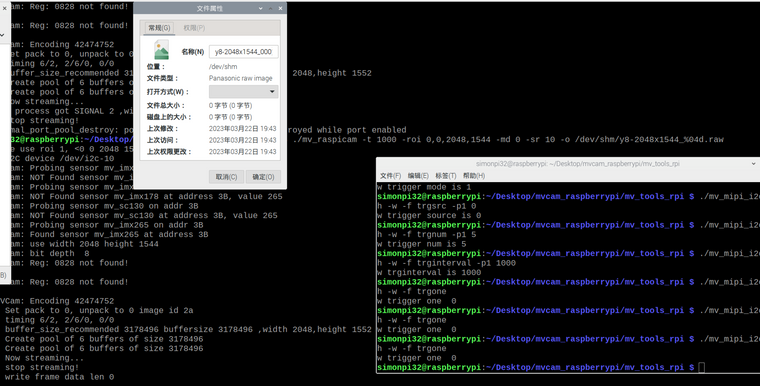
                                      2.在完成相机上电,视频预览,以及保存图片后,设置软触发模式,在取图环节未出现预览图。
                                      输入触发指令后,有图片显示,但不知如何存储,尝试使用保存图像命令,但存储的图片为0字节
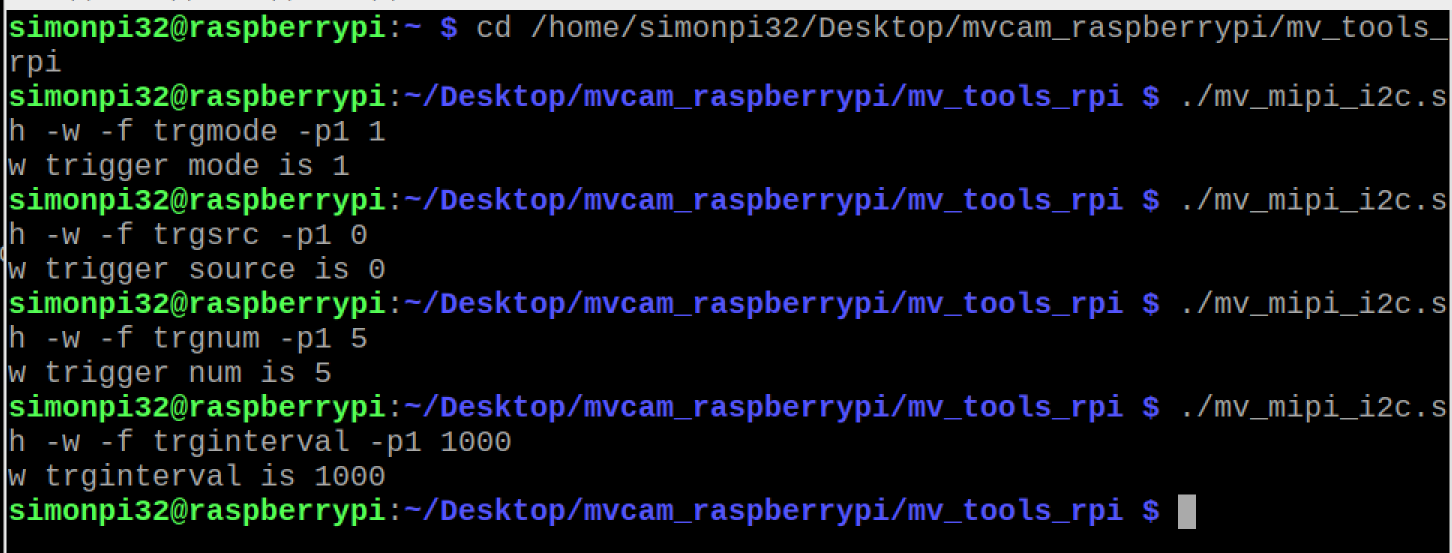
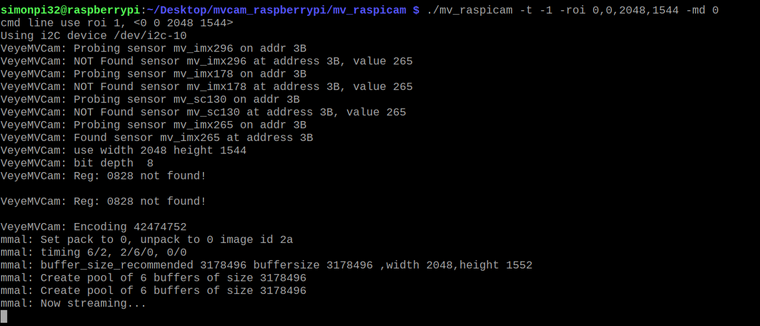
                                      4c1d52a8-fd53-4b19-8cdc-b8e421cd729c-image.png
                                      1b8d06c9-538a-4fae-9800-34655960f7d4-image.png
                                      0fcd9475-9c81-472c-aec6-514bb3a1ce80-image.png
                                      e735f400-56ce-47f5-aa75-365b6d466a27-image.png

                                      veye_xummV 2 Replies Last reply Reply Quote 0
                                      • veye_xummV Online
                                        veye_xumm @simonpi
                                        last edited by

                                        @simonpi

                                        @simonpi said in MV-MIPI-IMX265M调焦问题:

                                        明明是存五张图,结果在文件夹得到的是六张图片

                                        这个程序是开源的,目的仅作为客户上手调试的demo,并不是作为生成程序,所以这类逻辑细节并未关注。

                                        @simonpi said in MV-MIPI-IMX265M调焦问题:

                                        2.在完成相机上电,视频预览,以及保存图片后,设置软触发模式,在取图环节未出现预览图。
                                        输入触发指令后,有图片显示,但不知如何存储,尝试使用保存图像命令,但存储的图片为0字节

                                        fccdb2f9-1dcf-4185-9e58-343e06a51033-image.png
                                        去掉-sr参数再试一下。

                                        Questions will be answered as soon as possible, please be patient.
                                        如果你使用中文,请直接用中文提问。
                                        May the force be with YOU. (This is the translation of the mysterious Chinese symbol above.)

                                        1 Reply Last reply Reply Quote 0
                                        • veye_xummV Online
                                          veye_xumm @simonpi
                                          last edited by

                                          @simonpi
                                          V4L2模式已经增加通过gstreamer命令进行预览的相关说明。
                                          请参考:
                                          http://wiki.veye.cc/index.php/Mv_series_camera_appnotes_4_rpi/zh#.E5.AE.9E.E6.97.B6.E9.A2.84.E8.A7.88
                                          part6.6.5

                                          Questions will be answered as soon as possible, please be patient.
                                          如果你使用中文,请直接用中文提问。
                                          May the force be with YOU. (This is the translation of the mysterious Chinese symbol above.)

                                          1 Reply Last reply Reply Quote 0

                                          Hello! It looks like you're interested in this conversation, but you don't have an account yet.

                                          Getting fed up of having to scroll through the same posts each visit? When you register for an account, you'll always come back to exactly where you were before, and choose to be notified of new replies (either via email, or push notification). You'll also be able to save bookmarks and upvote posts to show your appreciation to other community members.

                                          With your input, this post could be even better 💗

                                          Register Login
                                          • First post
                                            Last post