VEYE IMAGING Forum
    • Categories
    • Tags
    • Recent
    • Popular
    • Users
    • WIKI
    • veye.cc
    • Register
    • Login

    检测不到摄像头

    Scheduled Pinned Locked Moved CS MIPI camera
    36 Posts 2 Posters 20.1k Views 1 Watching
    Loading More Posts
    • Oldest to Newest
    • Newest to Oldest
    • Most Votes
    Reply
    • Reply as topic
    Log in to reply
    This topic has been deleted. Only users with topic management privileges can see it.
    • H Offline
      hxm @veye_xumm
      last edited by

      @veye_xumm 你好 log.txt是为空的呢,我拿回来以后,没有做系统升级操作,其他什么操作也没做

      1 Reply Last reply Reply Quote 0
      • H Offline
        hxm @veye_xumm
        last edited by

        @veye_xumm 就是执行以下语句后输出为空
        sudo dmesg > log.txt

        veye_xummV 2 Replies Last reply Reply Quote 0
        • veye_xummV Offline
          veye_xumm @hxm
          last edited by

          @hxm

          sudo dmesg > log.txt
          

          这个命令会产生一个log.txt文件,你找个u盘,插到tx2上,把log.txt拷出来,然后贴到这个帖子下面,我看看。

          Questions will be answered as soon as possible, please be patient.
          如果你使用中文,请直接用中文提问。
          May the force be with YOU. (This is the translation of the mysterious Chinese symbol above.)

          H 1 Reply Last reply Reply Quote 0
          • veye_xummV Offline
            veye_xumm @hxm
            last edited by

            @hxm 如果你操作不熟悉,可以试着在tx2上面装一下todesk,我远程操作一下试试。

            Questions will be answered as soon as possible, please be patient.
            如果你使用中文,请直接用中文提问。
            May the force be with YOU. (This is the translation of the mysterious Chinese symbol above.)

            1 Reply Last reply Reply Quote 0
            • H Offline
              hxm @veye_xumm
              last edited by

              @veye_xumm log.txt如下 ,谢谢
              log.txt

              veye_xummV 1 Reply Last reply Reply Quote 0
              • veye_xummV Offline
                veye_xumm @hxm
                last edited by

                @hxm 感觉你这个不全啊。

                [    0.000000] Booting Linux on physical CPU 0x100
                [    0.000000] Linux version 4.9.299-tegra (xumm@ubuntu) (gcc version 7.5.0 (Ubuntu/Linaro 7.5.0-3ubuntu1~18.04) ) #3 SMP PREEMPT Thu Mar 9 01:27:00 PST 2023
                [    0.000000] Boot CPU: AArch64 Processor [411fd073]
                [    0.000000] OF: fdt:memory scan node memory@80000000, reg size 80,
                [    0.000000] OF: fdt: - 80000000 ,  70000000
                [    0.000000] OF: fdt: - f0200000 ,  185600000
                [    0.000000] OF: fdt: - 275e00000 ,  200000
                [    0.000000] OF: fdt: - 276600000 ,  200000
                [    0.000000] OF: fdt: - 277000000 ,  200000
                [    0.000000] earlycon: uart8250 at MMIO32 0x0000000003100000 (options '')
                [    0.000000] bootconsole [uart8250] enabled
                [    0.000000] Found tegra_fbmem2: 00800000@96088000
                [    0.000000] Found lut_mem2: 00002008@96085000
                [    0.000000] OF: reserved mem: initialized node vpr-carveout, compatible id nvidia,vpr-carveout
                [    0.000000] OF: reserved mem: initialized node ramoops_carveout, compatible id nvidia,ramoops
                [    0.000000] cma: Reserved 64 MiB at 0x00000000fc000000
                [    0.000000] On node 0 totalpages: 2053117
                [    0.000000]   DMA zone: 8192 pages used for memmap
                

                正常来说应该是以上面这种内容开头的,后面会有camera的probe状态。
                你的系统看起来一直在尝试dhcp功能,不知你环境为何没有支持dhcp的路由器?
                可以重新重新上电,启动之后不要耽误时间,再搞一个log.txt么?

                Questions will be answered as soon as possible, please be patient.
                如果你使用中文,请直接用中文提问。
                May the force be with YOU. (This is the translation of the mysterious Chinese symbol above.)

                H 1 Reply Last reply Reply Quote 0
                • H Offline
                  hxm @veye_xumm
                  last edited by

                  @veye_xumm 您好 在你的指导下 我重新输出了该文本信息,如下:log.txt

                  veye_xummV 1 Reply Last reply Reply Quote 0
                  • veye_xummV Offline
                    veye_xumm @hxm
                    last edited by

                    @hxm
                    从启动日志来看,这个不是我们给更新过的系统。

                    [    0.000000] Booting Linux on physical CPU 0x100
                    [    0.000000] Linux version 4.9.337-tegra (buildbrain@mobile-u64-5418-d8000) (gcc version 7.3.1 20180425 [linaro-7.3-2018.05 revision d29120a424ecfbc167ef90065c0eeb7f91977701] (Linaro GCC 7.3-2018.05) ) #1 SMP PREEMPT Thu Jun 8 21:09:35 PDT 2023
                    [    0.000000] Boot CPU: AArch64 Processor [411fd073]
                    

                    你有没有给系统装其他的启动盘,比如硬盘之类的?

                    Questions will be answered as soon as possible, please be patient.
                    如果你使用中文,请直接用中文提问。
                    May the force be with YOU. (This is the translation of the mysterious Chinese symbol above.)

                    H 2 Replies Last reply Reply Quote 0
                    • H Offline
                      hxm @veye_xumm
                      last edited by

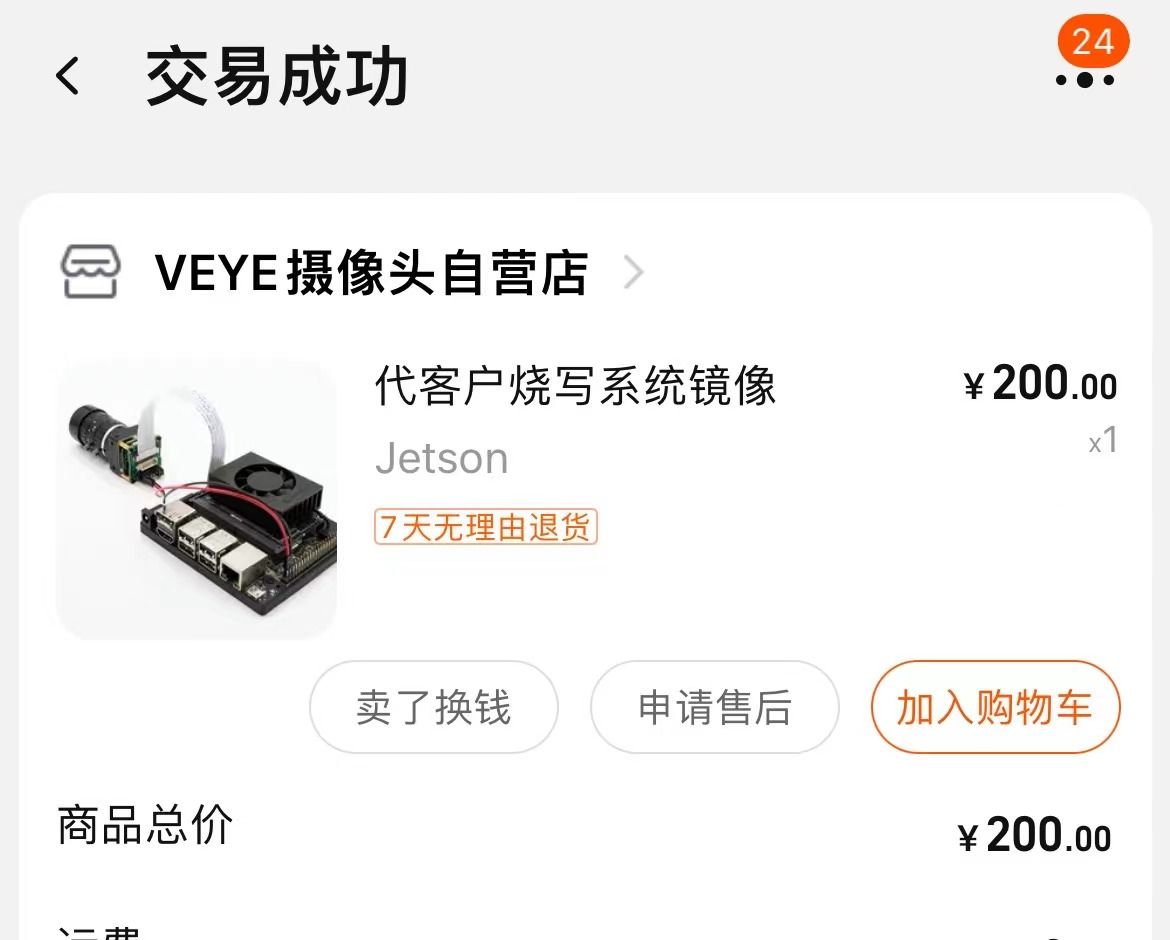
                      @veye_xumm 我就只装了ssd外接硬盘,下面是我烧录系统的淘宝页面截图:f2adc93a-d669-44de-97b8-8df1d6a8fe7e-a65b58994547dffa654c3945b137558.jpg

                      1 Reply Last reply Reply Quote 0
                      • H Offline
                        hxm @veye_xumm
                        last edited by

                        @veye_xumm 摄像头也是在这家买的 四个

                        veye_xummV 1 Reply Last reply Reply Quote 0
                        • veye_xummV Offline
                          veye_xumm @hxm
                          last edited by

                          @hxm 把硬盘去掉就可以了。
                          你这个硬盘是个启动盘。烧写的时候你说如果用不到,就不需要接硬盘。现在系统是在tx2本身自带的EMMC中的。
                          如果你开发程序需要硬盘做扩大存储,建议你把硬盘接到电脑上重新格式化一下。或者更改tx2的系统启动盘优先级,改为emmc有限。——跟电脑改启动盘的方法类似。

                          Questions will be answered as soon as possible, please be patient.
                          如果你使用中文,请直接用中文提问。
                          May the force be with YOU. (This is the translation of the mysterious Chinese symbol above.)

                          H 2 Replies Last reply Reply Quote 0
                          • H Offline
                            hxm @veye_xumm
                            last edited by

                            @veye_xumm 这是把硬盘去掉的信息log.txt

                            1 Reply Last reply Reply Quote 0
                            • H Offline
                              hxm @veye_xumm
                              last edited by

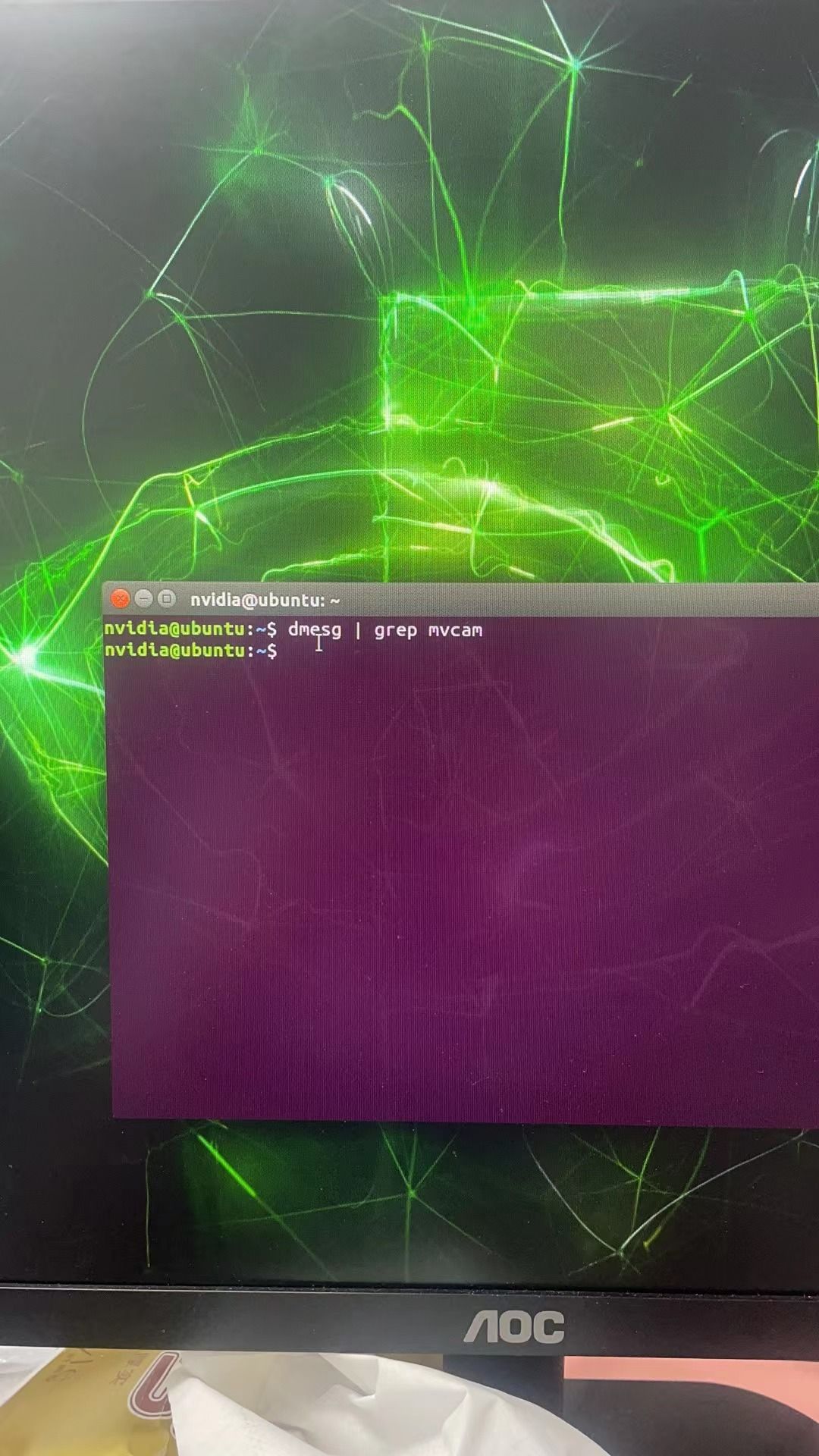
                              @veye_xumm 然后输入:dmesg | grep mvcam 命令后,输出还是为空,麻烦您看看

                              veye_xummV 1 Reply Last reply Reply Quote 0
                              • veye_xummV Offline
                                veye_xumm @hxm
                                last edited by

                                @hxm
                                你这个启动日志还是不对啊。

                                [    0.000000] Booting Linux on physical CPU 0x100
                                [    0.000000] Linux version 4.9.337-tegra (buildbrain@mobile-u64-5418-d8000) (gcc version 7.3.1 20180425 [linaro-7.3-2018.05 revision d29120a424ecfbc167ef90065c0eeb7f91977701] (Linaro GCC 7.3-2018.05) ) #1 SMP PREEMPT Thu Jun 8 21:09:35 PDT 2023
                                [    0.000000] Boot CPU: AArch64 Processor [411fd073]
                                [    0.000000] OF: fdt:memory scan node memory@80000000, reg size 80,
                                [    0.000000] OF: fdt: - 80000000 ,  70000000
                                

                                刚才这个日志是断电,拔掉硬盘之后,重新上电输出的吗?
                                有没有做过类似什么系统恢复的操作? 或者看没看到过系统recovery的提示?

                                Questions will be answered as soon as possible, please be patient.
                                如果你使用中文,请直接用中文提问。
                                May the force be with YOU. (This is the translation of the mysterious Chinese symbol above.)

                                H 2 Replies Last reply Reply Quote 0
                                • H Offline
                                  hxm @veye_xumm
                                  last edited by

                                  @veye_xumm 您好 自从贵店烧录系统后,我回来除开加了个SSD后,没有经过其他任何操作。下面这个是reboot后的日志log.txt

                                  veye_xummV 1 Reply Last reply Reply Quote 0
                                  • H Offline
                                    hxm @veye_xumm
                                    last edited by

                                    @veye_xumm said in 检测不到摄像头:

                                    看没看到过系统recovery的提示
                                    也没有看到过系统recovery的提示

                                    1 Reply Last reply Reply Quote 0
                                    • veye_xummV Offline
                                      veye_xumm @hxm
                                      last edited by

                                      @hxm 你这个日志不对,系统不知咋回事recovery回去了。联系一下我们业务,发过来重新给你再烧一遍吧。

                                      Questions will be answered as soon as possible, please be patient.
                                      如果你使用中文,请直接用中文提问。
                                      May the force be with YOU. (This is the translation of the mysterious Chinese symbol above.)

                                      H 1 Reply Last reply Reply Quote 0
                                      • H Offline
                                        hxm @veye_xumm
                                        last edited by

                                        @veye_xumm 好的 到时候麻烦你测试一下 谢谢

                                        veye_xummV 2 Replies Last reply Reply Quote 0
                                        • veye_xummV Offline
                                          veye_xumm @hxm
                                          last edited by

                                          @hxm 没问题。

                                          Questions will be answered as soon as possible, please be patient.
                                          如果你使用中文,请直接用中文提问。
                                          May the force be with YOU. (This is the translation of the mysterious Chinese symbol above.)

                                          1 Reply Last reply Reply Quote 0
                                          • veye_xummV Offline
                                            veye_xumm @hxm
                                            last edited by

                                            @hxm 已经重新烧写好了。测试无误。今天给您寄回去。

                                            Questions will be answered as soon as possible, please be patient.
                                            如果你使用中文,请直接用中文提问。
                                            May the force be with YOU. (This is the translation of the mysterious Chinese symbol above.)

                                            H 1 Reply Last reply Reply Quote 0

                                            Hello! It looks like you're interested in this conversation, but you don't have an account yet.

                                            Getting fed up of having to scroll through the same posts each visit? When you register for an account, you'll always come back to exactly where you were before, and choose to be notified of new replies (either via email, or push notification). You'll also be able to save bookmarks and upvote posts to show your appreciation to other community members.

                                            With your input, this post could be even better 💗

                                            Register Login
                                            • First post
                                              Last post