VEYE IMAGING Forum
    • Categories
    • Tags
    • Recent
    • Popular
    • Users
    • WIKI
    • veye.cc
    • Register
    • Login

    树莓派5 IMX264 RAW12完全不可用

    Scheduled Pinned Locked Moved Raspberry Pi App Software
    11 Posts 2 Posters 363 Views 1 Watching
    Loading More Posts
    • Oldest to Newest
    • Newest to Oldest
    • Most Votes
    Reply
    • Reply as topic
    Log in to reply
    This topic has been deleted. Only users with topic management privileges can see it.
    • G Offline
      golden0514
      last edited by golden0514

      换了好几个pi5,os64,换了两个IMX264,RAW12 Y12P,打包的数据会来回跳,正常的时候是两个字节加打包字节,很快会跳成一个字节加打包字节再加另一个字节,还有时候会跳成其他的情况。如下图所示,测试图片,拆成四副图拼接,分别是两个字节和打包拆分的字节。
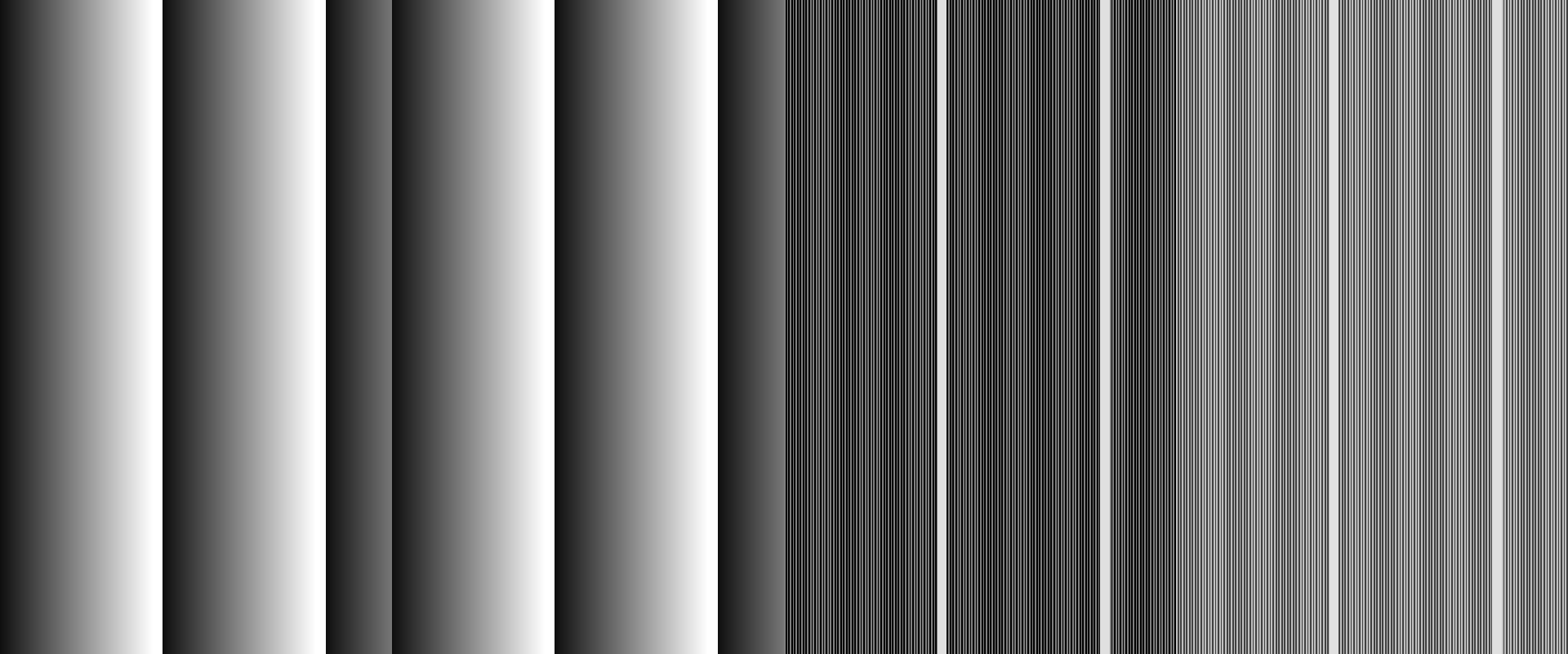
      t2.png
      t1.png

      系统是6.18.34+rpt-rpi-2712
      6.12驱动编译安装

      用QT V4L2也可以看到这种跳动,只不过是近似2×2排布。

      最关键两IMX264情况还不一样,一个只跳一次,但是不来回跳,一个来回跳,但是画面会回绕移动几个像素。

      刚才又试了IMX178好像没问题。

      veye_xummV 2 Replies Last reply Reply Quote 0
      • veye_xummV Offline
        veye_xumm @golden0514
        last edited by

        @golden0514
        不好意思,看到有点晚了。
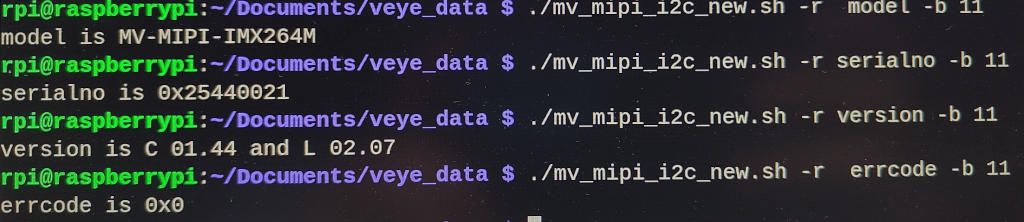
        请确认一下相机的版本号,可以通过mv_mipi_i2c_new.sh进行读取。

        Questions will be answered as soon as possible, please be patient.
        如果你使用中文,请直接用中文提问。
        May the force be with YOU. (This is the translation of the mysterious Chinese symbol above.)

        1 Reply Last reply Reply Quote 0
        • veye_xummV Offline
          veye_xumm @golden0514
          last edited by

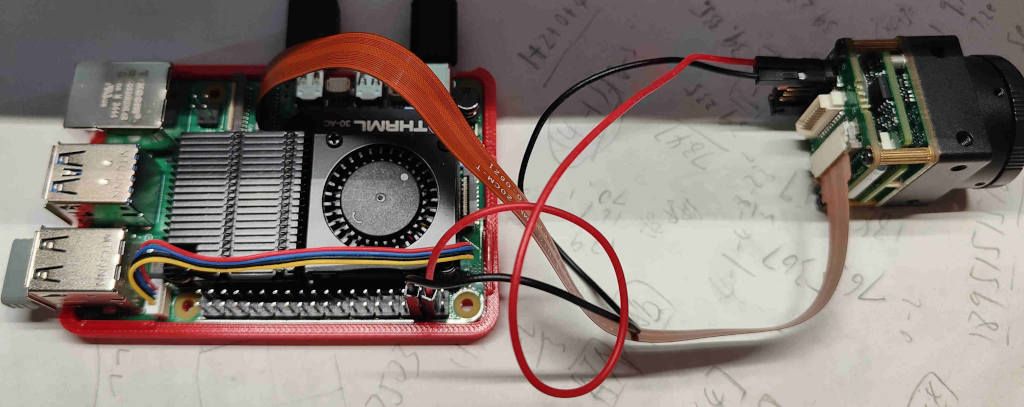
          @golden0514 另外,请问你使用的ffc cable长度?能否拍一个硬件连接图的照片我看看。

          raw8格式,使用我们veye_viewer客户端,是否有图像错误的问题?

          @golden0514 said:

          用QT V4L2也可以看到这种跳动,只不过是近似2×2排布。

          我这边可以用这种方式来预览,尝试重现?

          Questions will be answered as soon as possible, please be patient.
          如果你使用中文,请直接用中文提问。
          May the force be with YOU. (This is the translation of the mysterious Chinese symbol above.)

          G 1 Reply Last reply Reply Quote 0
          • G Offline
            golden0514 @veye_xumm
            last edited by

            @veye_xumm
            这个是硬件连接图,使用官方的线,还试过自己买的线,也用v2转接板和官方22pin线试过,都有问题。
            cam.jpg
            这个是参数和版本查询结果
            setting.jpg
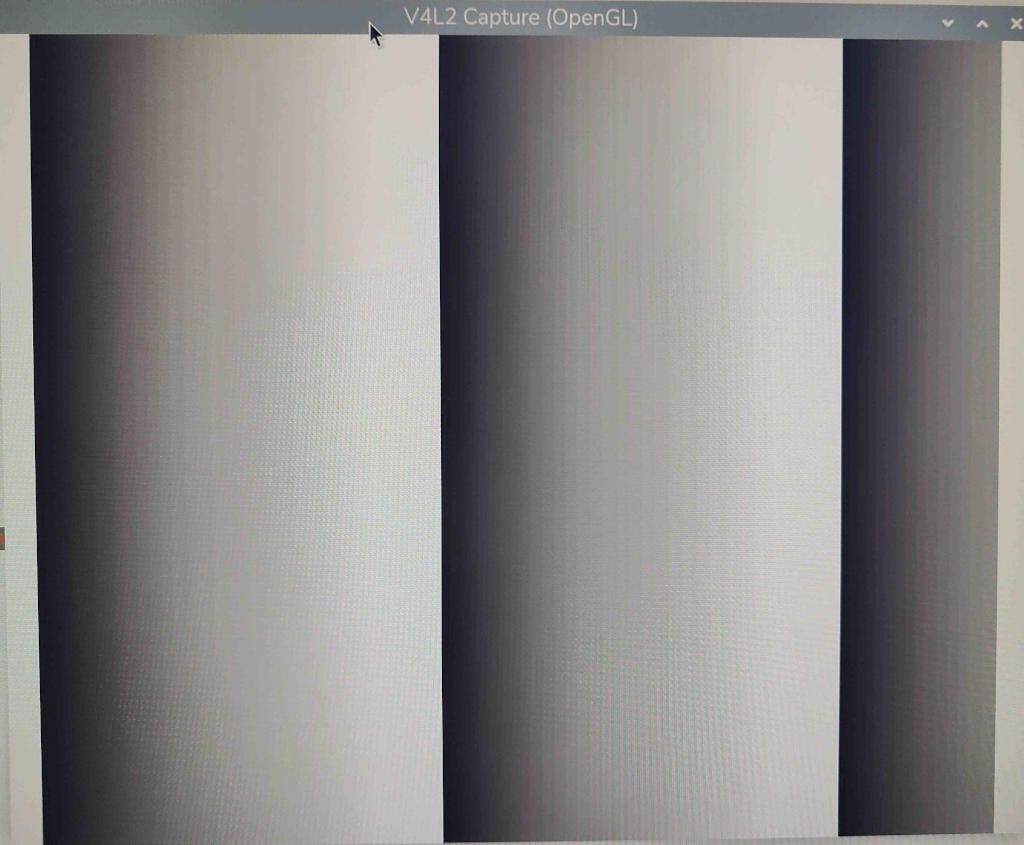
            raw8和raw10都工作正常,没有问题。这个是qt v4l2采集的raw8图像。
            raw8.jpg
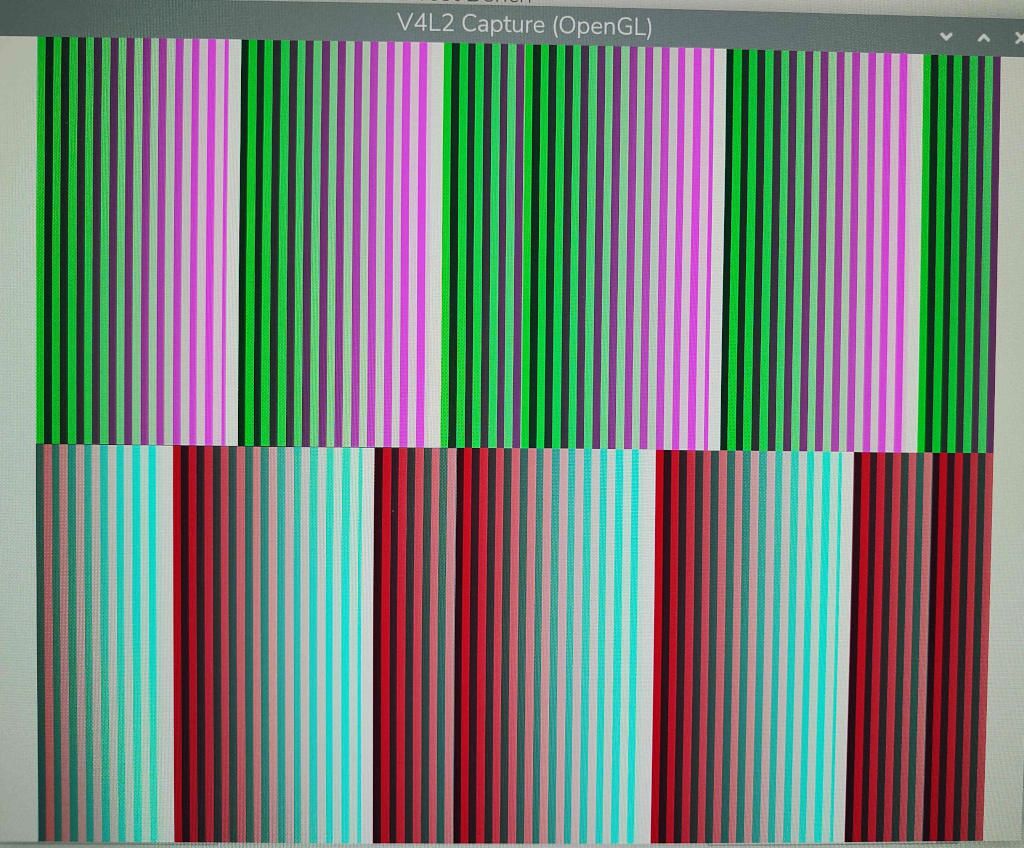
            raw12时用qt v4l2也可以查看是否正常。这个是正常的图像,两个数据在上面,打包数据在下面,v4l2好像按照彩色图像解包。
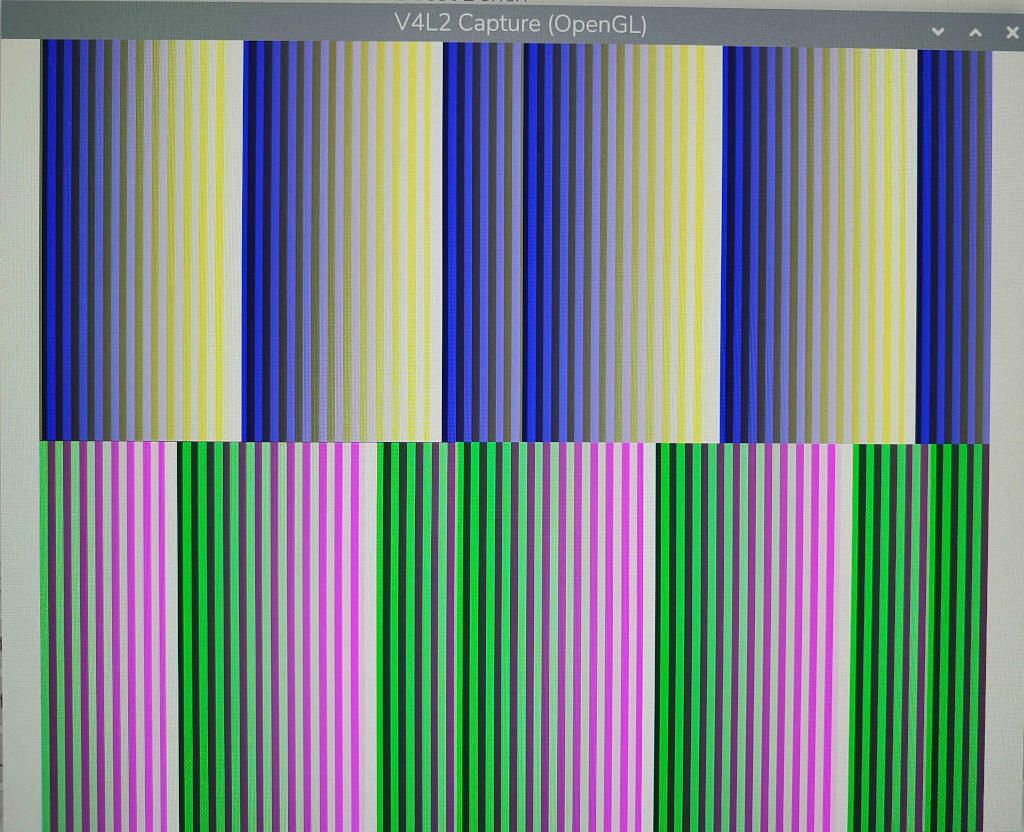
            normal.jpg
            这个是异常图像,正常数据跑到下面去了,打包数据在上面。
            bad.jpg
            连续显示的话可以看到图像的跳转,甚至是来回跳转,不过我测试的两个摄像头有一个只跳一次,有一个来回跳转。

            veye_xummV 1 Reply Last reply Reply Quote 0
            • veye_xummV Offline
              veye_xumm @golden0514
              last edited by

              @golden0514 不好意思,再多问一句,你用的roi参数以及fps参数是多少?

              Questions will be answered as soon as possible, please be patient.
              如果你使用中文,请直接用中文提问。
              May the force be with YOU. (This is the translation of the mysterious Chinese symbol above.)

              G 1 Reply Last reply Reply Quote 0
              • G Offline
                golden0514 @veye_xumm
                last edited by golden0514

                @veye_xumm roi就是最大值,2464*2056
                fps也是最大值,不过试过不同fps,最短的fps 1Hz也回出现这个问题。
                试过了设置不同的roi也会出现。
                感觉是2464不需要pad导致的问题,IMX178 有pad,RAW10也有pad都没问题。

                veye_xummV 1 Reply Last reply Reply Quote 0
                • veye_xummV Offline
                  veye_xumm @golden0514
                  last edited by

                  @golden0514

                  不好意思,隔了这么久才给您回复。这几天咱们尽快解决。
                  我这边使用如下手段进行抓图,并且测试,没有能重现您的问题。请您在您的树莓派上重复测试一下试试。

                  1. 配置分辨率并抓图100帧:
                  $ ./media_setting_rpi5.sh mvcam -fmt RAW12 -x 0 -y 0 -w 2432 -h 2056 -c 0
                  $ v4l2-ctl -d /dev/video0 --set-fmt-video=width=2432,height=2056,pixelformat='Y12P' --stream-mmap --stream-count=100 --stream-to="y12-2432x2056.raw" 
                  
                  1. 从Y12P转为y12
                  ./pixel_layer_convert  -I Y12P -i y12-2432x2056.raw -o y12-2432x2056_0001_new.raw -w 2432
                  

                  然后使用YUV Player Deluxe进行播放,是正常显示的。
                  上面使用的脚本和转换工具都在这个文章里面:
                  https://wiki.veye.cc/index.php?title=Mv_series_camera_appnotes_4_rpi/zh

                  Questions will be answered as soon as possible, please be patient.
                  如果你使用中文,请直接用中文提问。
                  May the force be with YOU. (This is the translation of the mysterious Chinese symbol above.)

                  G 2 Replies Last reply Reply Quote 0
                  • G Offline
                    golden0514 @veye_xumm
                    last edited by

                    @veye_xumm
                    我测试的是2464x2056,2432x2056好像不会出问题,这会我正在测试。

                    另外100帧正常只有不到3秒,不一定出问题,我搞成1fps,跑100秒。
                    这个是我的测试脚本和测试文件,好像2432没问题,但是2464有问题。
                    ./long_expo_1.sh 1000000
                    w image acq is 00
                    w expmode is 0
                    w gain mode is 0
                    w fps 1.00
                    r fps is 1.00 fps
                    w manual exp time is 1000000 us
                    r current exptime is 999907 us

                    ./mv_mipi_i2c_new.sh -w testimg 1 -b 11

                    ./media_setting_rpi5.sh mvcam -fmt RAW12 -x 0 -y 0 -w 2464 -h 2056 -c 1

                    v4l2-ctl -d /dev/video0 --set-fmt-video=width=2464,height=2056,pixelformat='Y12P' --stream-mmap --stream-count=100 --stream-to="y12-2464x2056.raw"

                    ./pixel_layer_convert -I Y12P -i y12-2464x2056.raw -o y12-2464x2056_0001_new.raw -w 2464

                    y12-2464x2056_0001_new.7z.a y12-2432x2056_0001_new.7z.a

                    .7z不让发,我加了.a后缀

                    至少发帖的这几分钟2432x2056运行良好。

                    1 Reply Last reply Reply Quote 0
                    • G Offline
                      golden0514 @veye_xumm
                      last edited by

                      @veye_xumm
                      我长时间跑了一下,设置成2432*2056应该可以正常工作了。

                      veye_xummV 1 Reply Last reply Reply Quote 0
                      • veye_xummV Offline
                        veye_xumm @golden0514
                        last edited by

                        @golden0514 好的,2464分辨率应该是内存对齐的问题。并不是传输错误的问题。树莓派5新版本的piOS好像是修改了内存对齐的逻辑:

                        紧密排列图片大小
                        Buffersize= ALIGN_UP(width*bit_depth/8,32)*ALIGN_UP(height,16)
                        
                        行buffersize需要是32字节的整数倍;列buffersize是16字节的整数倍。
                        
                        举例来说,3088*2064@8bit的图像大小是6406656; 3088*2064@10bit的图像大小是7991808;3088*2064@12bit 的图像大小是9576960。
                        

                        可能修改一下pixel_layer_convert 工具就可以了。

                        暂时的话,建议你使用width是32的整数倍的roi分辨率试一下。

                        Questions will be answered as soon as possible, please be patient.
                        如果你使用中文,请直接用中文提问。
                        May the force be with YOU. (This is the translation of the mysterious Chinese symbol above.)

                        G 1 Reply Last reply Reply Quote 0
                        • G Offline
                          golden0514 @veye_xumm
                          last edited by

                          @veye_xumm
                          今天偶然用imx178设置成2464,结果也有imx264同样的问题。
                          应该是rpi5驱动和系统匹配的问题。

                          1 Reply Last reply Reply Quote 0

                          Hello! It looks like you're interested in this conversation, but you don't have an account yet.

                          Getting fed up of having to scroll through the same posts each visit? When you register for an account, you'll always come back to exactly where you were before, and choose to be notified of new replies (either via email, or push notification). You'll also be able to save bookmarks and upvote posts to show your appreciation to other community members.

                          With your input, this post could be even better 💗

                          Register Login
                          • First post
                            Last post