VEYE-MIPI-IMX327S via V4L2
-
@dan_lionking
It's a little strange because the CS-MIPI-IMX307 on your board is normal. Please confirm two points:- The code you are using is the latest version of github.
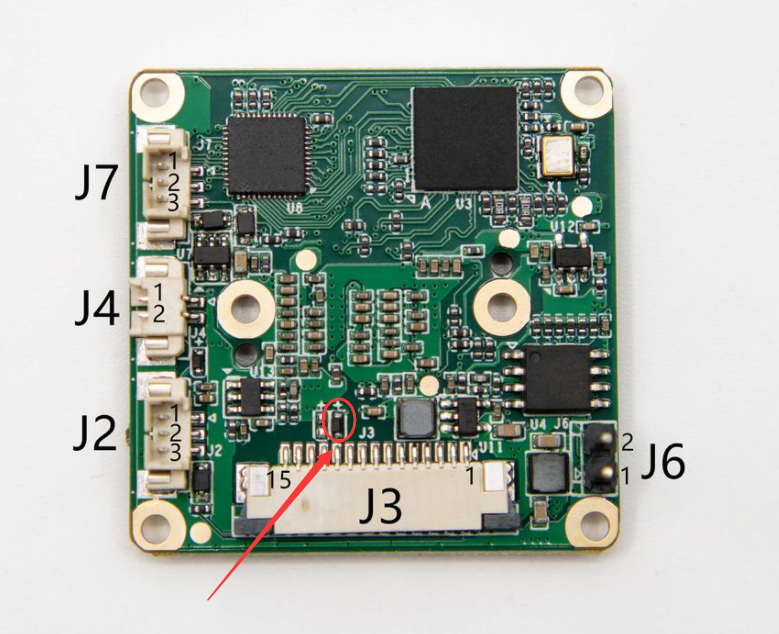
- Make sure there are no devices in the red circle in the picture below.
-
@veye_xumm said in VEYE-MIPI-IMX327S via V4L2:
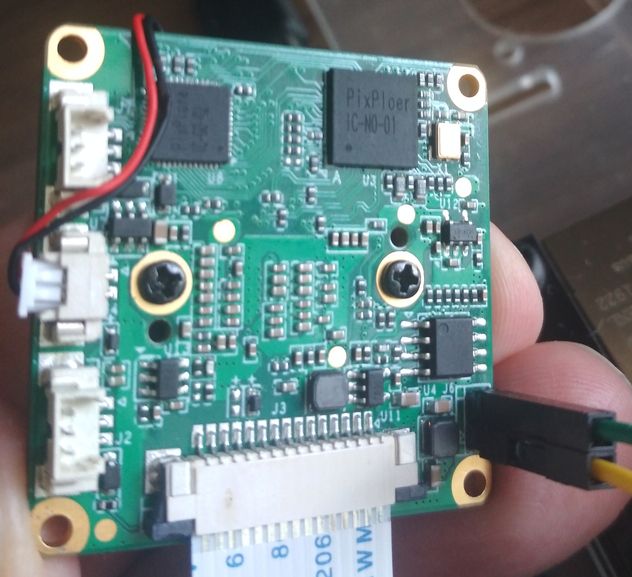
Make sure there are no devices in the red circle in the picture below.
1 The code you are using is the latest version (clone again)
-
@dan_lionking
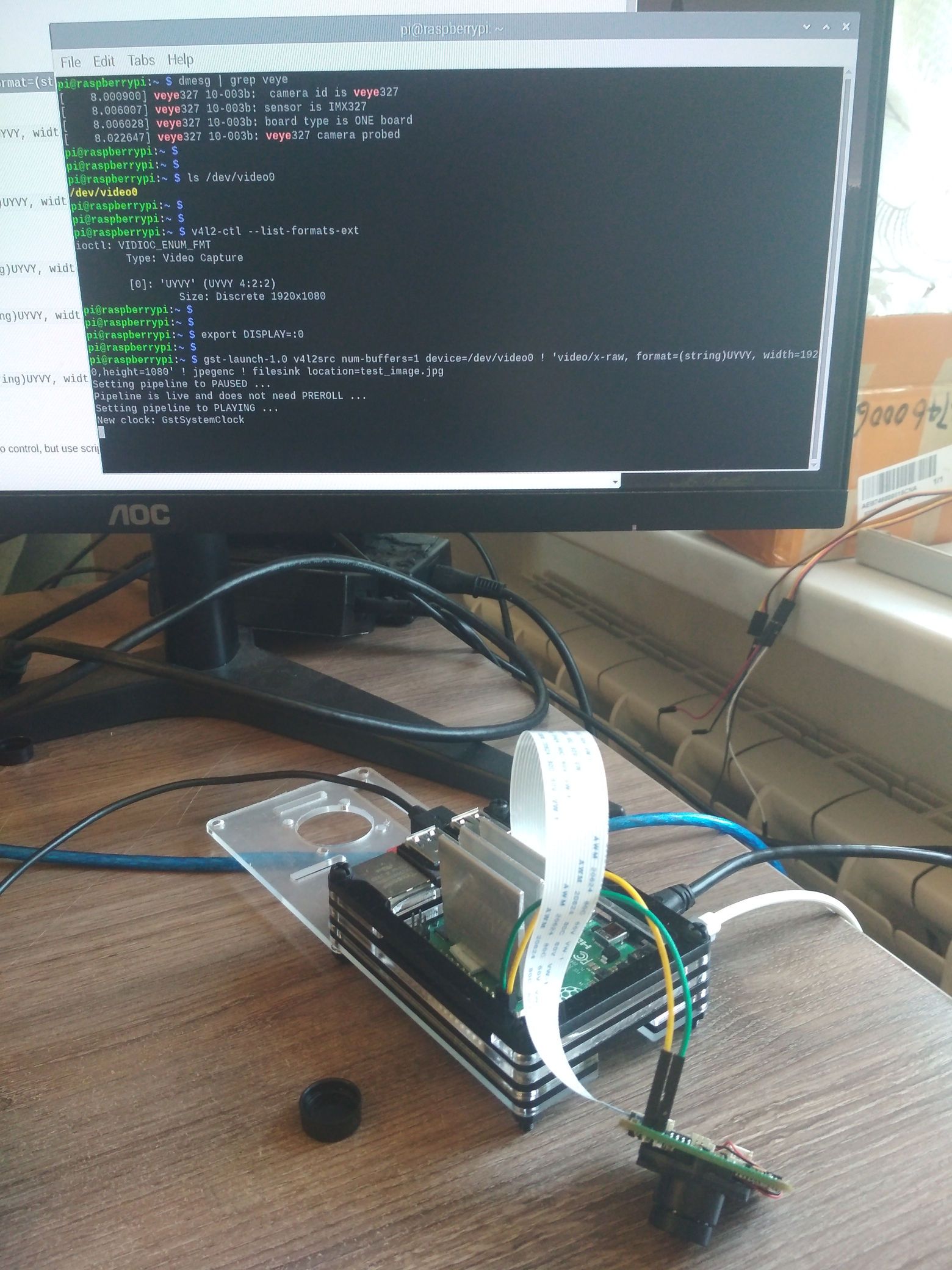
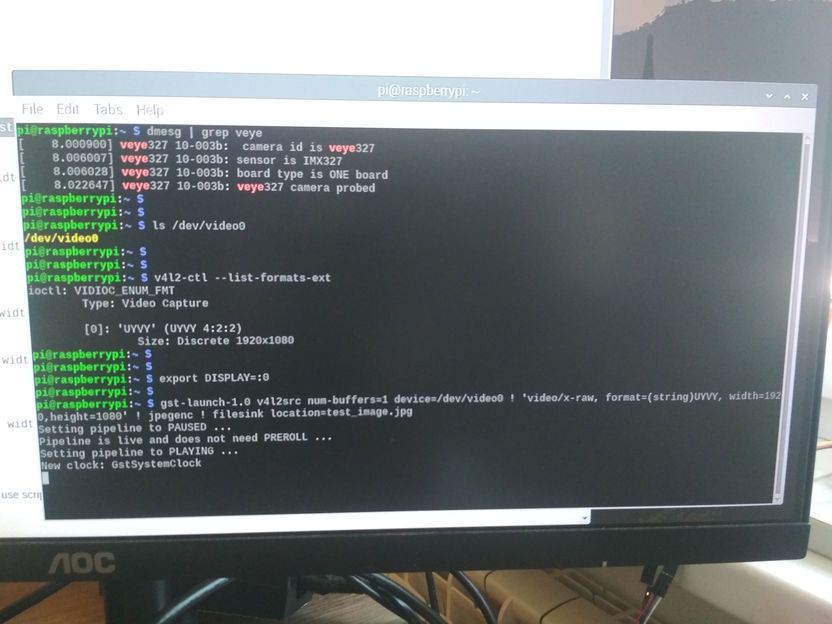
The preview and snap cmd just works fine here.export DISPLAY=:0 gst-launch-1.0 v4l2src device=/dev/video0 ! "video/x-raw,format=(string)UYVY, width=(int)1920, height=(int)1080,framerate=(fraction)30/1" ! videoconvert ! fpsdisplaysink videosink=autovideosink sync=false text-overlay=false -vgst-launch-1.0 v4l2src num-buffers=1 device=/dev/video0 ! "video/x-raw,format=(string)UYVY, width=(int)1920, height=(int)1080" ! jpegenc ! filesink location=jpgname.jpgPlease try again.
By the way, 327S support FFC cable power mode. -
pi@raspberrypi:~ $ export DISPLAY=:0
pi@raspberrypi:~ $ gst-launch-1.0 v4l2src device=/dev/video0 ! "video/x-raw,format=(string)UYVY, width=(int)1920, height=(int)1080,framerate=(fraction)30/1" ! videoconvert ! fpsdisplaysink videosink=autovideosink sync=false text-overlay=false -v
Setting pipeline to PAUSED ...
Pipeline is live and does not need PREROLL ...
/GstPipeline:pipeline0/GstFPSDisplaySink:fpsdisplaysink0/GstAutoVideoSink:fps-display-video_sink/GstXvImageSink:fps-display-video_sink-actual-sink-xvimage: sync = false
Setting pipeline to PLAYING ...
New clock: GstSystemClock
/GstPipeline:pipeline0/GstV4l2Src:v4l2src0.GstPad:src: caps = video/x-raw, format=(string)UYVY, width=(int)1920, height=(int)1080, framerate=(fraction)30/1, colorimetry=(string)bt709, interlace-mode=(string)progressive
/GstPipeline:pipeline0/GstCapsFilter:capsfilter0.GstPad:src: caps = video/x-raw, format=(string)UYVY, width=(int)1920, height=(int)1080, framerate=(fraction)30/1, colorimetry=(string)bt709, interlace-mode=(string)progressive
/GstPipeline:pipeline0/GstVideoConvert:videoconvert0.GstPad:src: caps = video/x-raw, width=(int)1920, height=(int)1080, framerate=(fraction)30/1, interlace-mode=(string)progressive, format=(string)YV12
/GstPipeline:pipeline0/GstFPSDisplaySink:fpsdisplaysink0.GstGhostPad:sink.GstProxyPad:proxypad0: caps = video/x-raw, width=(int)1920, height=(int)1080, framerate=(fraction)30/1, interlace-mode=(string)progressive, format=(string)YV12
/GstPipeline:pipeline0/GstFPSDisplaySink:fpsdisplaysink0/GstAutoVideoSink:fps-display-video_sink.GstGhostPad:sink.GstProxyPad:proxypad1: caps = video/x-raw, width=(int)1920, height=(int)1080, framerate=(fraction)30/1, interlace-mode=(string)progressive, format=(string)YV12
/GstPipeline:pipeline0/GstFPSDisplaySink:fpsdisplaysink0/GstAutoVideoSink:fps-display-video_sink/GstXvImageSink:fps-display-video_sink-actual-sink-xvimage.GstPad:sink: caps = video/x-raw, width=(int)1920, height=(int)1080, framerate=(fraction)30/1, interlace-mode=(string)progressive, format=(string)YV12
/GstPipeline:pipeline0/GstFPSDisplaySink:fpsdisplaysink0/GstAutoVideoSink:fps-display-video_sink.GstGhostPad:sink: caps = video/x-raw, width=(int)1920, height=(int)1080, framerate=(fraction)30/1, interlace-mode=(string)progressive, format=(string)YV12
/GstPipeline:pipeline0/GstFPSDisplaySink:fpsdisplaysink0.GstGhostPad:sink: caps = video/x-raw, width=(int)1920, height=(int)1080, framerate=(fraction)30/1, interlace-mode=(string)progressive, format=(string)YV12
/GstPipeline:pipeline0/GstVideoConvert:videoconvert0.GstPad:sink: caps = video/x-raw, format=(string)UYVY, width=(int)1920, height=(int)1080, framerate=(fraction)30/1, colorimetry=(string)bt709, interlace-mode=(string)progressive
/GstPipeline:pipeline0/GstCapsFilter:capsfilter0.GstPad:sink: caps = video/x-raw, format=(string)UYVY, width=(int)1920, height=(int)1080, framerate=(fraction)30/1, colorimetry=(string)bt709, interlace-mode=(string)progressive
ERROR: from element /GstPipeline:pipeline0/GstFPSDisplaySink:fpsdisplaysink0/GstAutoVideoSink:fps-display-video_sink/GstXvImageSink:fps-display-video_sink-actual-sink-xvimage: Output window was closed
Additional debug info:
xvimagesink.c(555): gst_xv_image_sink_handle_xevents (): /GstPipeline:pipeline0/GstFPSDisplaySink:fpsdisplaysink0/GstAutoVideoSink:fps-display-video_sink/GstXvImageSink:fps-display-video_sink-actual-sink-xvimage
Execution ended after 0:01:17.976117227
Setting pipeline to PAUSED ...
Setting pipeline to READY ...
Setting pipeline to NULL ...
Freeing pipeline ...window "gst-launch-1.0" show, but no image from camera
-
@dan_lionking
It feels strange, can you try veye_raspicam mode to make sure the camera is working properly?
Http://wiki.veye.cc/index.php/VEYE-MIPI-290/327_for_Raspberry_Pi.
Remember to uninstall v4l2 driver, before you can use veye_raspicam mode. -
-
@dan_lionking
I think I have an idea.
This is my kernel version.~ $ uname -a Linux raspberrypi 5.10.17-v7l+ #1403 SMP Mon Feb 22 11:33:35 GMT 2021 armv7l GNU/LinuxSo the driver I use is in 5.10.17-v7l+ dir.
I think maybe you have an older version kernel.The earliest small amount of VEYE-MIPI-IMX327S has a small different with VEYE-MIPI-327E, It has a valid reset pin. So the driver is required to control the state of the pin. And I also implemented it in the new version of the driver.
I soon realized that this was not compatible with the older version of the driver, so we removed the diodes that were told you in post earlier to maintain compatibility.Here are my suggestions, any one of which can achieve the goal of solving the problem:
- If it is convenient for you, you can remove the diode I pointed out to you in the previous post.
- Update your kernel, to use the 5.10.17 Murray v7l+ version of the driver.
- Based on the source code of the veye327 driver, recompile the driver for your current version of kernel.
-
@veye_xumm
I am using the newest kernel version:
pi@raspberrypi:~ $ uname -a
Linux raspberrypi 5.10.17-v7l+ #1421 SMP Thu May 27 14:00:13 BST 2021 armv7l GNU/LinuxShould I remove the diode?
-
@dan_lionking
It seems that I was wrong, but I suggest you try the above advice. -
@veye_xumm
The diode was removed, the same thing.pi@raspberrypi:~ $ export DISPLAY=:0
pi@raspberrypi:~ $ gst-launch-1.0 v4l2src device=/dev/video0 ! "video/x-raw,format=(string)UYVY, width=(int)1920, height=(int)1080,framerate=(fraction)30/1" ! videoconvert ! fpsdisplaysink videosink=autovideosink sync=false text-overlay=false -v
Setting pipeline to PAUSED ...
Pipeline is live and does not need PREROLL ...
/GstPipeline:pipeline0/GstFPSDisplaySink:fpsdisplaysink0/GstAutoVideoSink:fps-display-video_sink/GstXvImageSink:fps-display-video_sink-actual-sink-xvimage: sync = false
Setting pipeline to PLAYING ...
New clock: GstSystemClock
/GstPipeline:pipeline0/GstV4l2Src:v4l2src0.GstPad:src: caps = video/x-raw, format=(string)UYVY, width=(int)1920, height=(int)1080, framerate=(fraction)30/1, colorimetry=(string)bt709, interlace-mode=(string)progressive
/GstPipeline:pipeline0/GstCapsFilter:capsfilter0.GstPad:src: caps = video/x-raw, format=(string)UYVY, width=(int)1920, height=(int)1080, framerate=(fraction)30/1, colorimetry=(string)bt709, interlace-mode=(string)progressive
/GstPipeline:pipeline0/GstVideoConvert:videoconvert0.GstPad:src: caps = video/x-raw, width=(int)1920, height=(int)1080, framerate=(fraction)30/1, interlace-mode=(string)progressive, format=(string)YV12
/GstPipeline:pipeline0/GstFPSDisplaySink:fpsdisplaysink0.GstGhostPad:sink.GstProxyPad:proxypad0: caps = video/x-raw, width=(int)1920, height=(int)1080, framerate=(fraction)30/1, interlace-mode=(string)progressive, format=(string)YV12
/GstPipeline:pipeline0/GstFPSDisplaySink:fpsdisplaysink0/GstAutoVideoSink:fps-display-video_sink.GstGhostPad:sink.GstProxyPad:proxypad1: caps = video/x-raw, width=(int)1920, height=(int)1080, framerate=(fraction)30/1, interlace-mode=(string)progressive, format=(string)YV12
/GstPipeline:pipeline0/GstFPSDisplaySink:fpsdisplaysink0/GstAutoVideoSink:fps-display-video_sink/GstXvImageSink:fps-display-video_sink-actual-sink-xvimage.GstPad:sink: caps = video/x-raw, width=(int)1920, height=(int)1080, framerate=(fraction)30/1, interlace-mode=(string)progressive, format=(string)YV12
/GstPipeline:pipeline0/GstFPSDisplaySink:fpsdisplaysink0/GstAutoVideoSink:fps-display-video_sink.GstGhostPad:sink: caps = video/x-raw, width=(int)1920, height=(int)1080, framerate=(fraction)30/1, interlace-mode=(string)progressive, format=(string)YV12
/GstPipeline:pipeline0/GstFPSDisplaySink:fpsdisplaysink0.GstGhostPad:sink: caps = video/x-raw, width=(int)1920, height=(int)1080, framerate=(fraction)30/1, interlace-mode=(string)progressive, format=(string)YV12
/GstPipeline:pipeline0/GstVideoConvert:videoconvert0.GstPad:sink: caps = video/x-raw, format=(string)UYVY, width=(int)1920, height=(int)1080, framerate=(fraction)30/1, colorimetry=(string)bt709, interlace-mode=(string)progressive
/GstPipeline:pipeline0/GstCapsFilter:capsfilter0.GstPad:sink: caps = video/x-raw, format=(string)UYVY, width=(int)1920, height=(int)1080, framerate=(fraction)30/1, colorimetry=(string)bt709, interlace-mode=(string)progressive
ERROR: from element /GstPipeline:pipeline0/GstFPSDisplaySink:fpsdisplaysink0/GstAutoVideoSink:fps-display-video_sink/GstXvImageSink:fps-display-video_sink-actual-sink-xvimage: Output window was closed
Additional debug info:
xvimagesink.c(555): gst_xv_image_sink_handle_xevents (): /GstPipeline:pipeline0/GstFPSDisplaySink:fpsdisplaysink0/GstAutoVideoSink:fps-display-video_sink/GstXvImageSink:fps-display-video_sink-actual-sink-xvimage
Execution ended after 0:00:44.217242546
Setting pipeline to PAUSED ...
Setting pipeline to READY ...
Setting pipeline to NULL ...
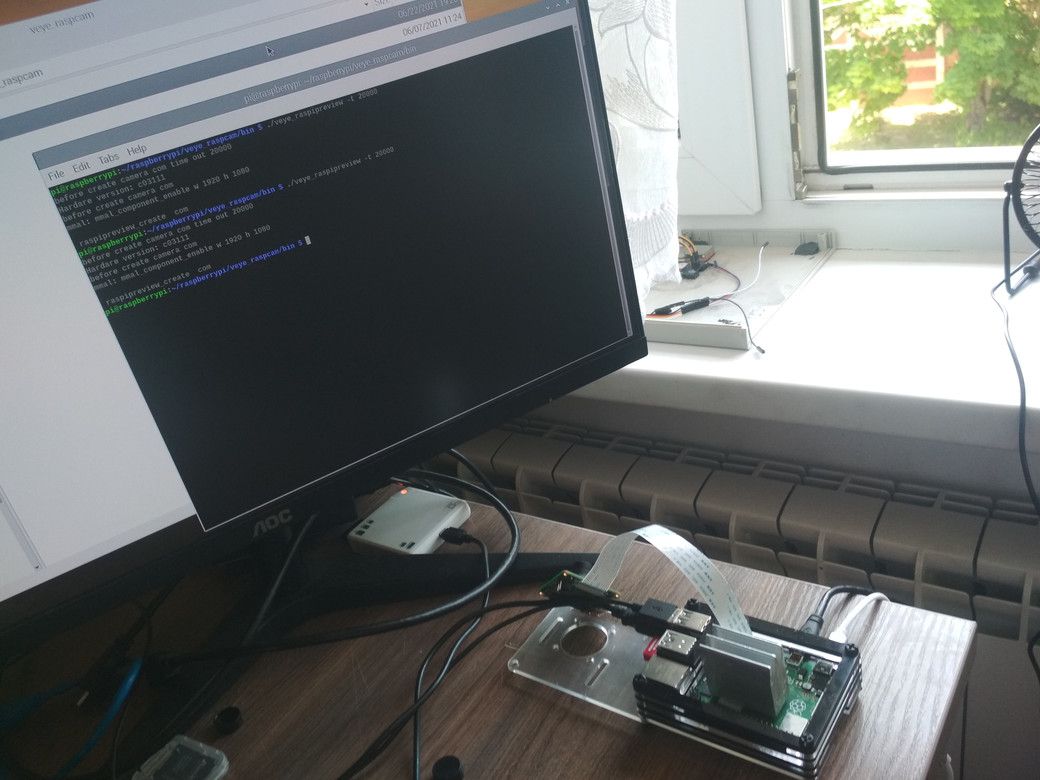
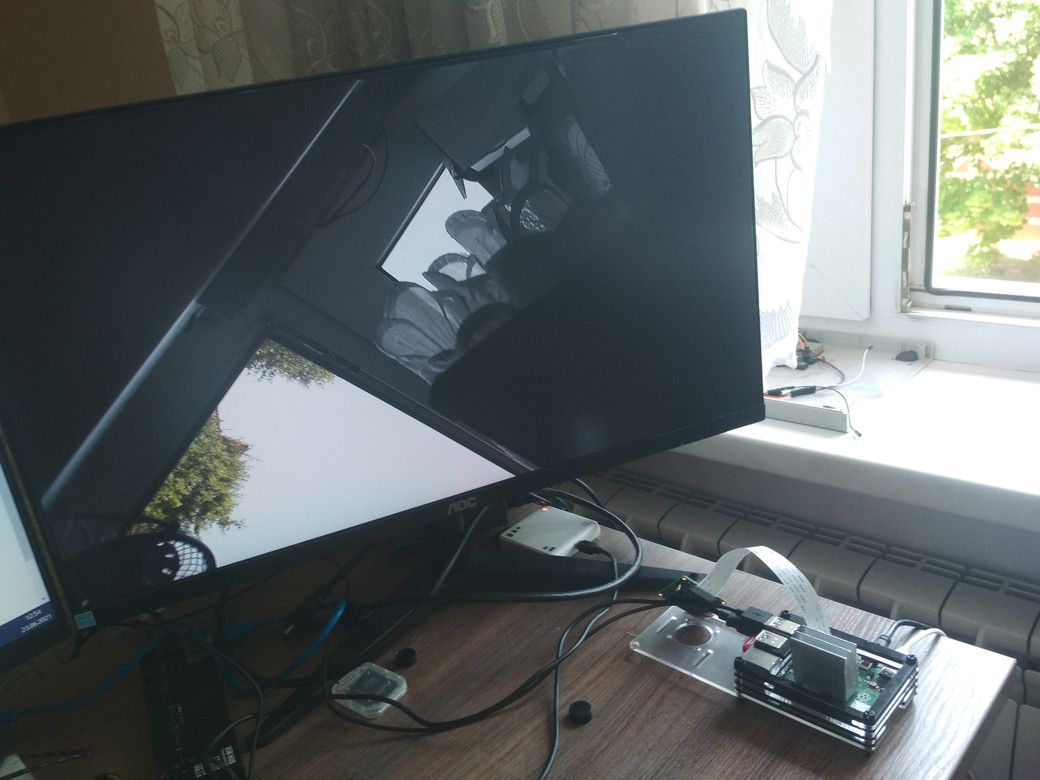
Freeing pipeline ...veye_raspicam mode work.
-
@dan_lionking
Hi,After discussing with my colleagues, I think I found the cause of the problem this time.
Please read hdver, only if hdver > = 5 can you use the v4l2 mode of raspberry pi.http://wiki.veye.cc/index.php/VEYE-MIPI-IMX327S_version_log
Because the V4L2 model and 327s products are relatively new, we discovered and solved this bug after a short period of time.
As an apology, I can give you a new 327S at half price. You can contact customer service on AliExpress or amazon. -
@veye_xumm
pi@raspberrypi:~/raspberrypi/i2c_cmd/bin $ ./veye_mipi_i2c.sh -r -f hdver
hardware version is 0x 4 -
@dan_lionking
I think that's the problem. -
@veye_xumm
I recently ordered more modules VEYE-MIPI-IMX327S for AliExpress.What date was this problem fixed?
-
@dan_lionking
http://wiki.veye.cc/index.php/VEYE-MIPI-IMX327S_version_log
I think it is 20210514. -
@veye_xumm pi@raspberrypi:~/raspberrypi/i2c_cmd/bin $ ./veye_mipi_i2c.sh -r -f hdver
hardware version is 0x 5work via V4L2
-
@dan_lionking
Right. That's the result.

Hello! It looks like you're interested in this conversation, but you don't have an account yet.
Getting fed up of having to scroll through the same posts each visit? When you register for an account, you'll always come back to exactly where you were before, and choose to be notified of new replies (either via email, or push notification). You'll also be able to save bookmarks and upvote posts to show your appreciation to other community members.
With your input, this post could be even better 💗
Register Login