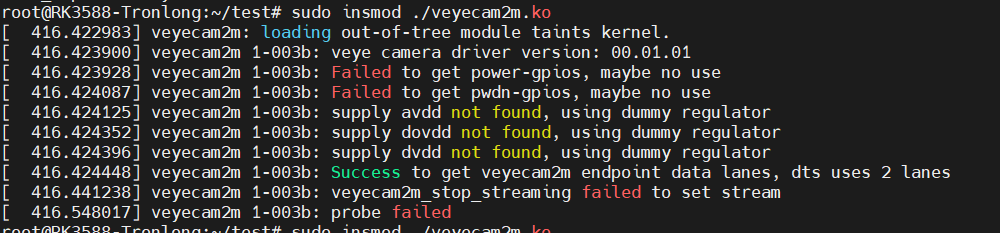
移植imx462摄像头驱动到rk3588时出现了以下的问题,不知道怎么解决,内核版本是5.10
-
@aike 试试这个
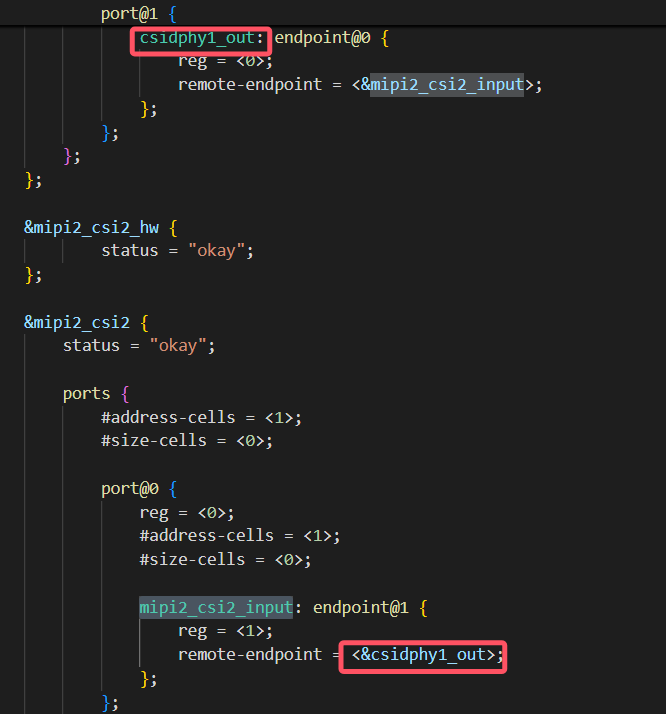
// SPDX-License-Identifier: (GPL-2.0+ OR MIT) /* * Copyright (c) 2022 www.veye.cc * */ #include "tl3588-evm.dts" &i2c1 { status = "okay"; // pinctrl-names = "default"; // pinctrl-0 = <&i2c1m2_xfer>; veyecam2m: veyecam2m@3b{ compatible = "veye,veyecam2m"; reg = <0x3b>; clocks = <&cru CLK_MIPI_CAMARAOUT_M1>; clock-names = "xvclk"; status = "okay"; // pinctrl-names = "default"; // pinctrl-0 = <&mipim1_camera1_clk>; //power-domains = <&power RK3588_PD_VI>; //power-gpios = <&gpio4 RK_PB5 GPIO_ACTIVE_LOW>; reset-gpios = <&gpio2 RK_PC3 GPIO_ACTIVE_LOW>; //pwdn-gpios = <&gpio2 RK_PC3 GPIO_ACTIVE_LOW>; //avdd-supply = <&vcc_mipidcphy1>; //firefly,clkout-enabled-index = <0>; rockchip,camera-module-index = <0>; rockchip,camera-module-facing = "back"; rockchip,camera-module-name = "NC"; rockchip,camera-module-lens-name = "NC"; port { veyecam2m_out0: endpoint { remote-endpoint = <&mipi_dphy1_in_ucam0>; data-lanes = <1 2>; }; }; }; }; &csi2_dphy0_hw { status = "okay"; }; &csi2_dphy1 { status = "okay"; ports { #address-cells = <1>; #size-cells = <0>; port@0 { reg = <0>; #address-cells = <1>; #size-cells = <0>; mipi_dphy1_in_ucam0: endpoint@1 { reg = <1>; remote-endpoint = <&veyecam2m_out0>; data-lanes = <1 2>; }; }; port@1 { reg = <1>; #address-cells = <1>; #size-cells = <0>; csidphy1_out: endpoint@0 { reg = <0>; remote-endpoint = <&mipi2_csi2_input>; }; }; }; }; &mipi2_csi2_hw { status = "okay"; }; &mipi2_csi2 { status = "okay"; ports { #address-cells = <1>; #size-cells = <0>; port@0 { reg = <0>; #address-cells = <1>; #size-cells = <0>; mipi2_csi2_input: endpoint@1 { reg = <1>; remote-endpoint = <&csi_dphy1_out>; }; }; port@1 { reg = <1>; #address-cells = <1>; #size-cells = <0>; mipi2_csi2_output: endpoint@0 { reg = <0>; remote-endpoint = <&cif_mipi2_in0>; }; }; }; }; &rkcif_mipi_lvds2 { status = "okay"; firefly,yuv_camera; port { cif_mipi2_in0: endpoint { remote-endpoint = <&mipi2_csi2_output>; }; }; }; &rkcif_mipi_lvds2_sditf { status = "disabled"; port { mipi_lvds2_sditf: endpoint { remote-endpoint = <&isp0_vir2>; }; }; }; &rkisp0_vir2 { status = "disabled"; port { #address-cells = <1>; #size-cells = <0>; isp0_vir2: endpoint@0 { reg = <0>; remote-endpoint = <&mipi_lvds2_sditf>; }; }; }; &gpio2 { pinctrl-names = "default"; pinctrl-0 = <&mipidphy0_pwr>; camera3-pwdn-set { gpio-hog; gpios = <19 GPIO_ACTIVE_HIGH>; output-high; }; }; &pinctrl { cam { mipidphy0_pwr: mipidphy1-pwr { rockchip,pins = /* camera power en */ <2 RK_PC3 RK_FUNC_GPIO &pcfg_pull_up>; }; }; }; &rkcif { status = "okay"; // memory-region = <&cif_reserved>; }; &rkcif_mmu { status = "okay"; }; &rkisp0 { status = "disabled"; }; &isp0_mmu { status = "disabled"; }; -
上面的代码编译出错,我把这里连接之后在和设备树一起编译内核,再把veyecam2m编译成veyecam2m.ko模块移植进去之后还是有问题
这个是错误截图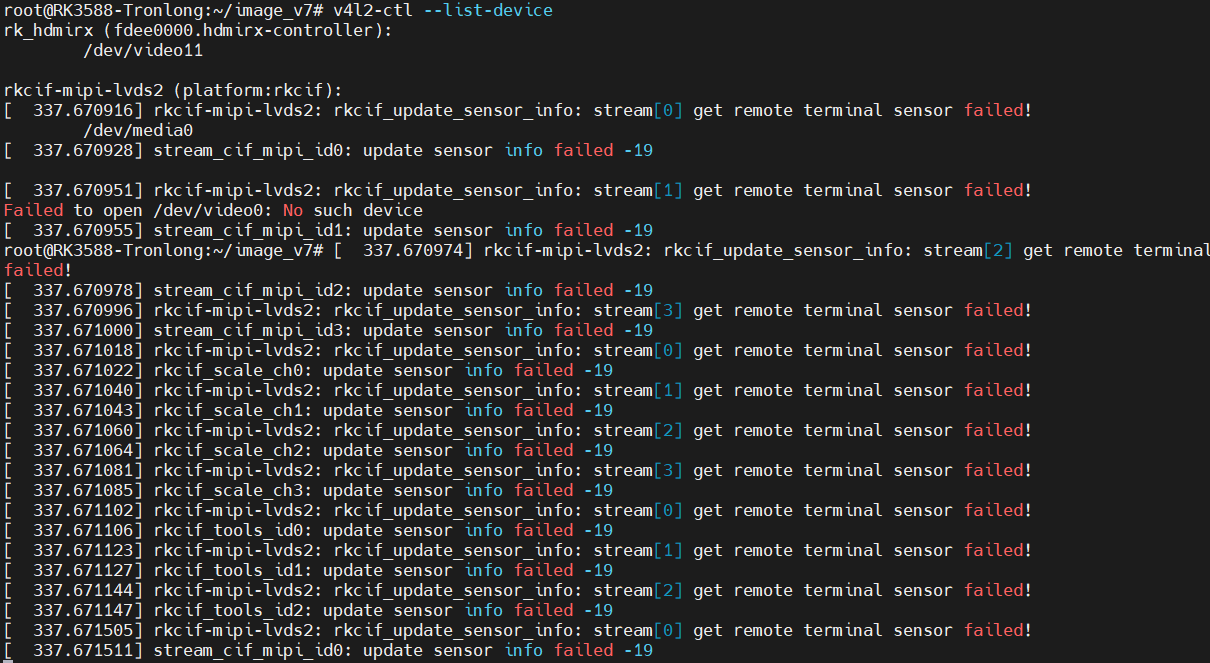
-
@aike 我觉得dts没问题,你可以试试把veyecam2m直接编译到内核里面,而不是独立ko的形式试试。
关于dts的逻辑关系,你可以参考这篇文章。
https://www.cnblogs.com/armsom/articles/17449250.html -
直接整合到内核之后没有看到update sensor info failed 的报错信息,但是没有看到isp的设备文件和拓扑接口
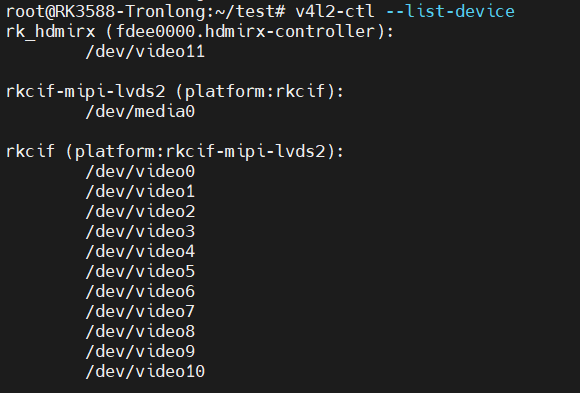
摄像头拓扑结构图
摄像头拓扑结构图.txt
抓取图片也有问题
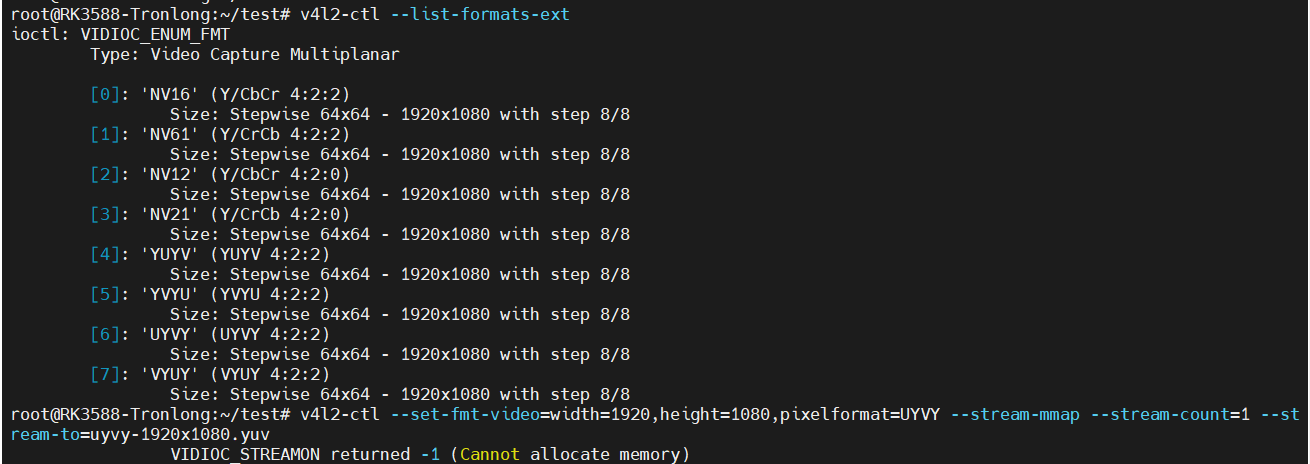

-
应该是又更近了一步,现在无论是自己基于v4l2写的程序或者是gstreamer获取信息显示的画面都是绿色的
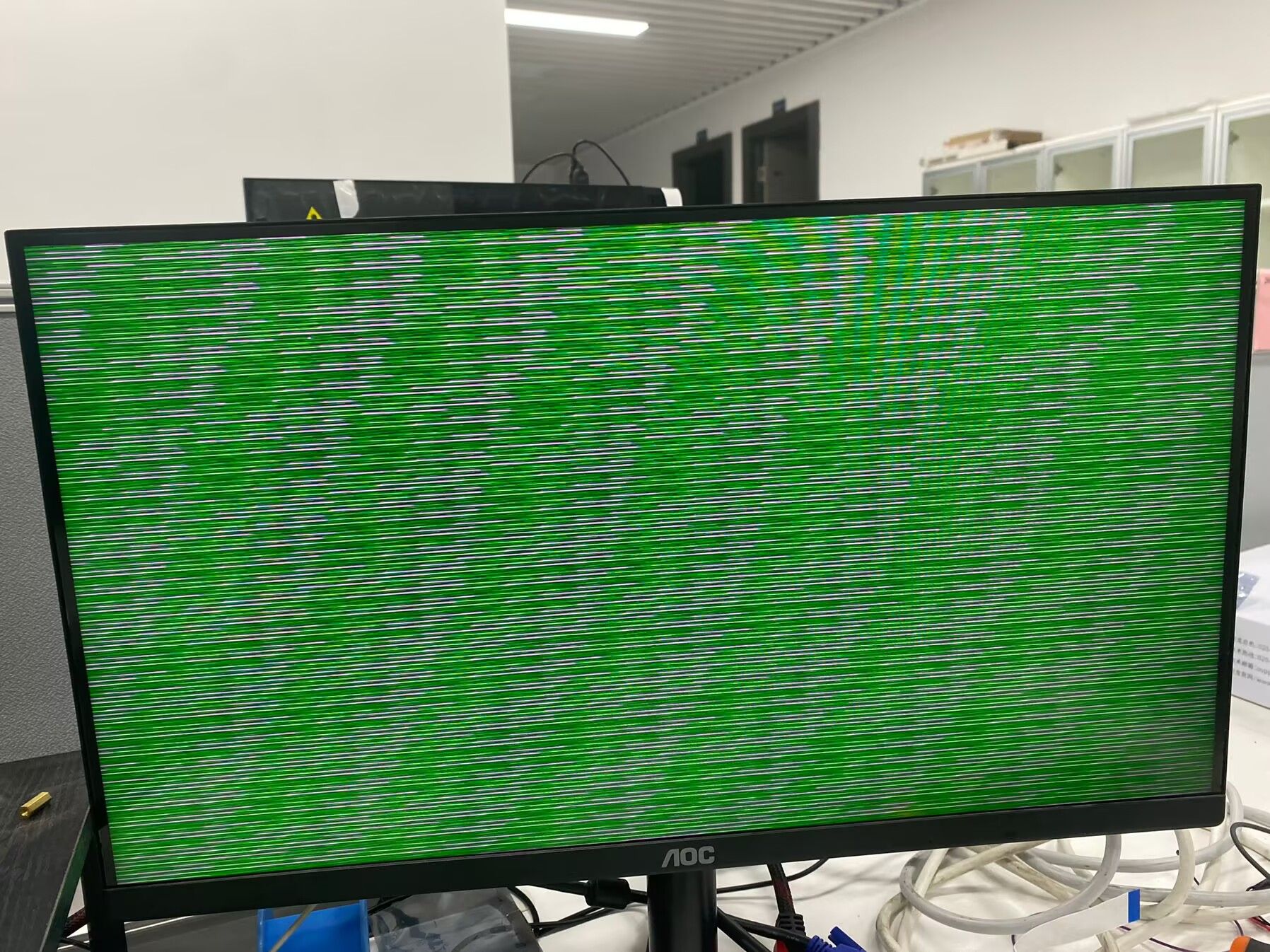
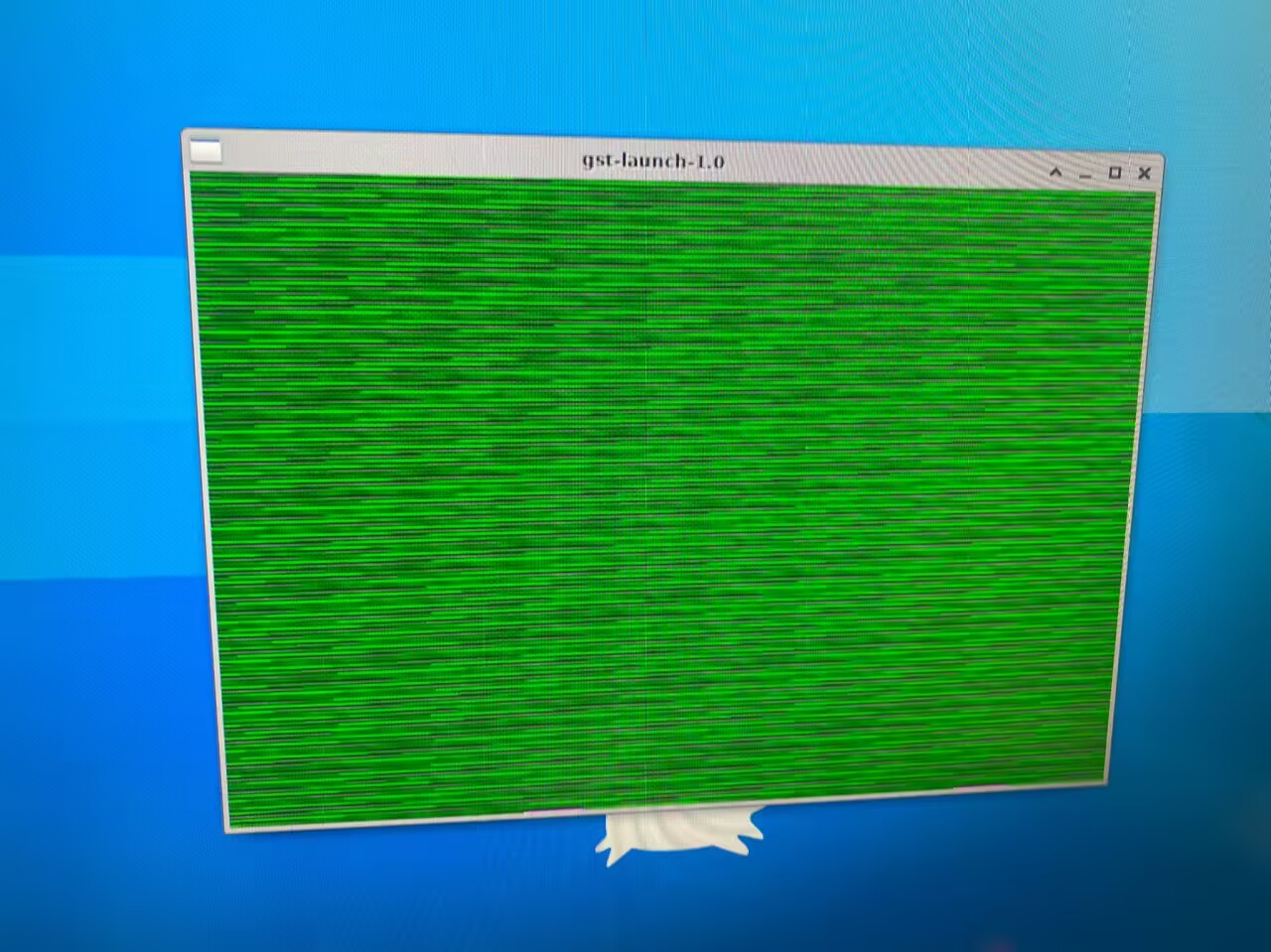
这是什么情况呢 -
@aike 首先,我们这个模组是带有isp的,因此在dts中,isp部分都给bypass掉了。
其次,你可以先试试我们wiki上的gstreamer例子,看看能不能预览。 -
我用gitee上面的gstreamer测试工具测试的时候出现了这些问题
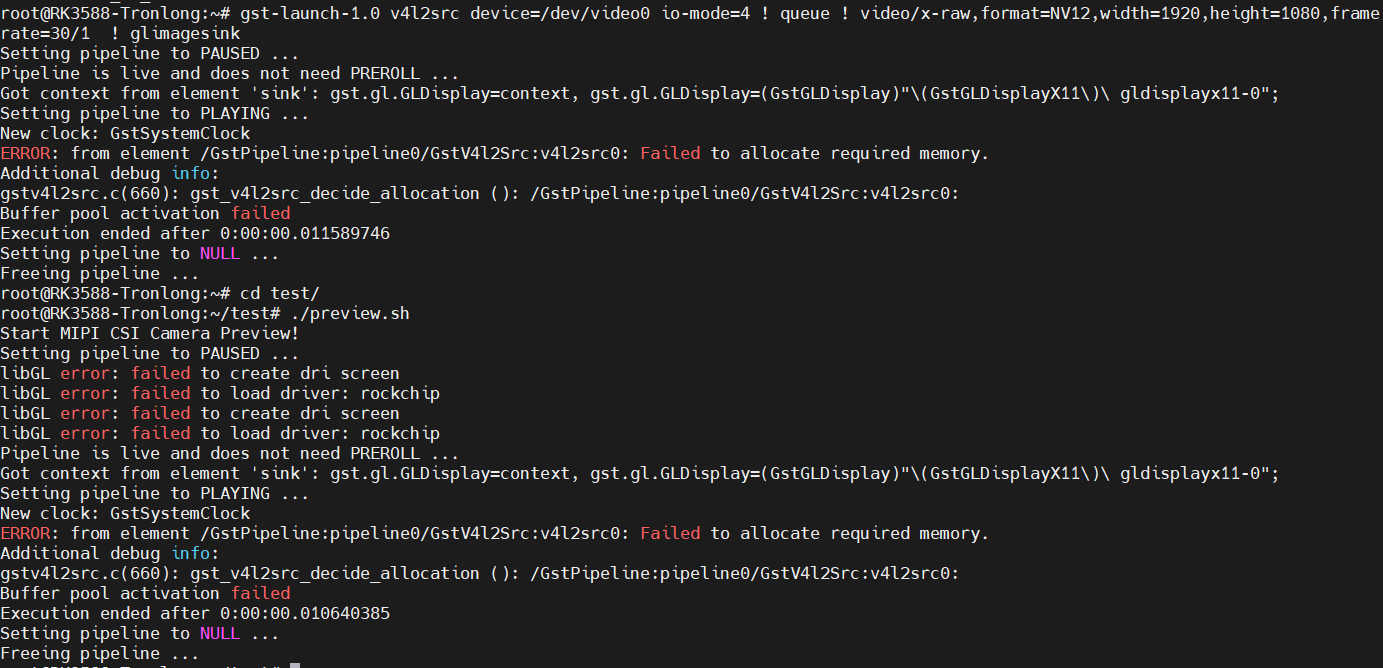
同时串口会打印这些
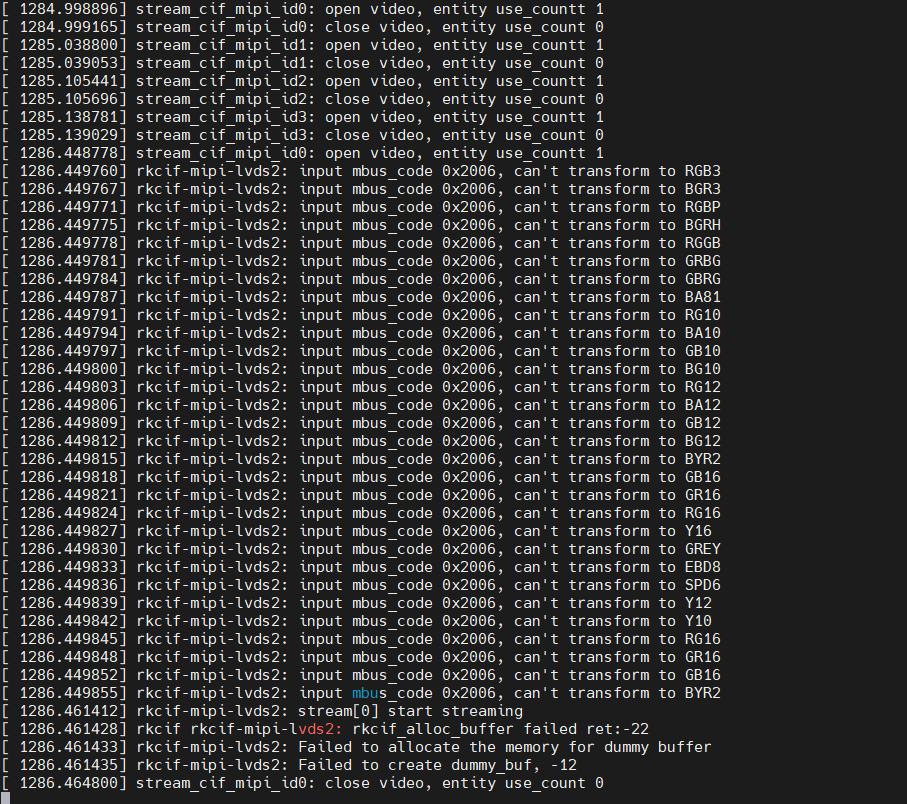
请问这个问题怎么解决 -
@aike 这个我们在其他的板卡上没有遇到过。你的板子本身没有带gstreamer吗? 或者问问板卡厂家。
-
板卡是自带gstreamer的,一直在这里卡住了,会不会是摄像头模组硬件的原因呢
-
@aike 可能性很小。你试试用这个脚本抓一下图:
v4l2-ctl --set-fmt-video=width=1920,height=1080,pixelformat='NV12' --stream-mmap --stream-count=100 --stream-to=nv12-1920x1080.yuv `` -
我输入了v4l2-ctl --set-fmt-video=width=1920,height=1080,pixelformat='NV12' --stream-mmap --stream-count=100 --stream-to=nv12-1920x1080.yuv命令之后报这个错误

-
nv12-1920x1080.yuv里面是空的
-
@aike
你试一下将驱动中下面这个函数改成如下:static int veyecam2m_enum_frame_sizes(struct v4l2_subdev *sd, struct v4l2_subdev_pad_config *cfg, struct v4l2_subdev_frame_size_enum *fse) { VEYE_TRACE if (fse->index >= ARRAY_SIZE(supported_modes)) return -EINVAL; //if (fse->code != VEYECAM2M_MEDIA_BUS_FMT/*MEDIA_BUS_FMT_UYVY8_2X8*/) // return -EINVAL; fse->min_width = supported_modes[fse->index].width; fse->max_width = supported_modes[fse->index].width; fse->max_height = supported_modes[fse->index].height; fse->min_height = supported_modes[fse->index].height; return 0; }然后重新编译一下再测测。
-
还是一样的错误

-
@aike 我们对接rk平台的经验中,只有一个厂家的板子遇到了给你这个完全一样的问题,就是用上次帖子中的方法解决的。该问题原因是此板厂提供的linux内核,调用veyecam2m_enum_frame_sizes时没有正确的传入fse->code参数,导致参数验证失败。
如果你这个方法解决不了问题,建议打开驱动中的DEBUG_PRINTK宏定义,查找一下哪个函数返回报错了。
如果只是打开这个宏定义不够,需要你手动在这些函数返回错误的地方增加打印信息,进行查找报错处。

Hello! It looks like you're interested in this conversation, but you don't have an account yet.
Getting fed up of having to scroll through the same posts each visit? When you register for an account, you'll always come back to exactly where you were before, and choose to be notified of new replies (either via email, or push notification). You'll also be able to save bookmarks and upvote posts to show your appreciation to other community members.
With your input, this post could be even better 💗
Register Login