在orin nano 8G上尝试使用cssc132失败
-
@veye_xumm
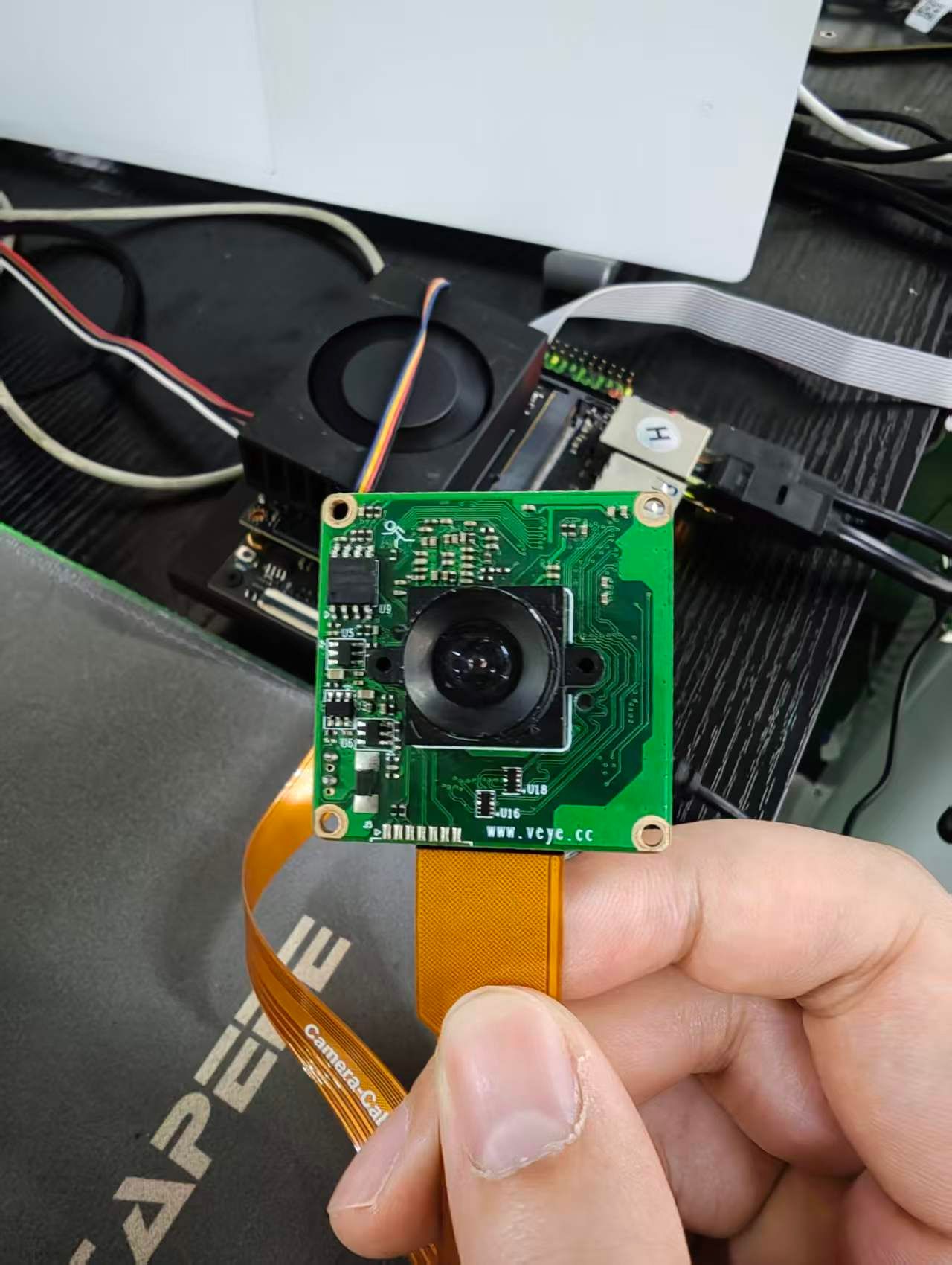
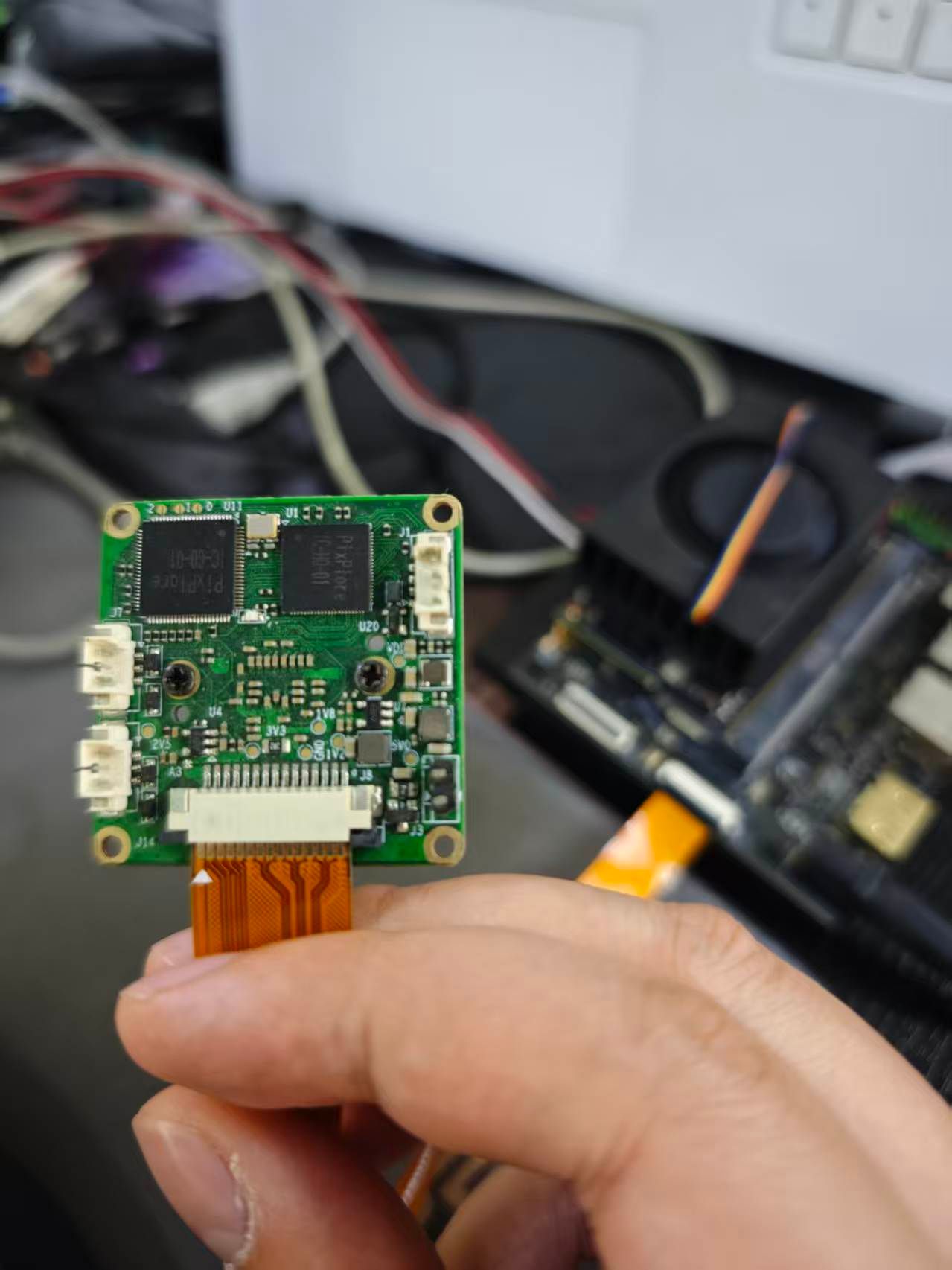 以上是我的相机照片,您确认一下
 -
我今天会测试把nvidia的系统一烧进去,其他什么操作都不做就把git上预编译的ko和设备树按流程放进去来测试一下,测试完我也会同步进展,期待您的指导
-
@robot 确实是CS-MIPI-SC32,这个型号挺老的了。你回头就按照这个步骤搞一下看看先。
-
@veye_xumm 我昨天测试了一天现象很奇怪,我第一次重刷成原厂系统后确实出图了,然后我又尝试的自编译驱动,也出图了,然后我逐步替换自编译的ko,然后替换到某个驱动的时候突然不行了,于是我回退开始确认这个现象,但是发现回退完还是不出图,然后我一路回退,回退到了预编译ko和设备树,发现也不行了!
更离谱的是我再次重刷,然后按早上的步骤重刷系统和预编译驱动,还是不行!
我现在想确认一下就是通过i2c配置的寄存器他是否会保存,断电后依然存在,是否可能是某个配置写死后没有清除导致的不恢复? -
另外我看wiki上面确实写了6.2.2搭配orin nano搭配cssc132相机确实是可以用的对吧,我只在昨天上午成功过一段时间,一直到现在都没有再成功过,我只能说我是完全按照wiki的步骤来的,这个现象太奇怪了,而且结合这个报错,有没有可能是我使用的fpc排线或者是开发板的差异,导致mipi信号畸变导致无法解析,如果可能的话能讲一下你们所使用的测试环境吗
-
@robot 我们就是用的nvidia orin nano的官方开发板,跟你图中差不多。
不过我们没有发不过【原厂系统】。 对于jetpack6.2.2,我们有发布dtbo和一套ko文件。只要把这些替换到nvidia原系统即可。
对应步骤是这个文章的:
7.4.3和7.5.3两步,然后按照8.1和8.2进行检测一下。
https://wiki.veye.cc/index.php?title=How_to_upgrade_the_Jetson_system_to_support_VEYE_cameras/zh完成之后重新上电,可以执行 sudo dmesg |grep sc132,把输出结果给我看看。
-
@veye_xumm 我说的原厂系统指的就是nvidia原厂系统,然后驱动用的是你们预编译的ko和dtbo,只做了这些操作
-
@veye_xumm
mr123@ubuntu:~$ sudo dmesg |grep sc132
[sudo] password for mr123:
[ 11.962504] cs_sc132: module verification failed: signature and/or required key missing - tainting kernel
[ 11.964932] cssc132 9-003b: probing v4l2 sensor
[ 11.965743] cssc132 9-003b: tegracam sensor driver:cssc132_v2.0.6
[ 11.966346] cssc132 9-003b: read sensor id 0132
[ 11.966352] cssc132 9-003b: camera id is cs-mipi-sc132
[ 11.966405] tegra-camrtc-capture-vi tegra-capture-vi: subdev cssc132 9-003b bound
[ 11.970148] cssc132 9-003b: Detected CS_MIPI_SC132 camera
[ 11.977337] cssc132 10-003b: probing v4l2 sensor
[ 11.978659] cssc132 10-003b: tegracam sensor driver:cssc132_v2.0.6
[ 11.983230] cssc132 10-003b: cs_sc132_board_setup: error during i2c read probe (-121)
[ 11.983237] cssc132 10-003b: board setup failed
[ 11.983316] cssc132: probe of 10-003b failed with error -121
mr123@ubuntu:~$ -
@veye_xumm 我今天尝试了在jeston nano和jeston tx2nx两个核心板上用同一个硬件平台上面同步验证了一下,这两个平台使用预编译的驱动都能正常出图没有问题,我为了以防万一搞了一个新的orin nano核心板来验证,Orin这边还是不出图......
-
@veye_xumm 我发现orin的设计手册里面关于mipi这部分的硬件设计要求似乎更严格了,您方便提供一下您那边测试使用的开发板的具体型号吗?我想使用更统一的环境来测试确认一下
-
@robot
参考我们这个文档,安装gstreamer之后,使用如下命令,预览取图是成功的。gst-launch-1.0 nvv4l2camerasrc device=/dev/video0 ! "video/x-raw(memory:NVMM),format=(string)UYVY, width=(int)1280, height=(int)1080, framerate=(fraction)45/1" ! nvvidconv ! "video/x-raw(memory:NVMM),format=(string)I420" ! nv3dsink sync=false使用如下v4l2-ctl取图也是成功的。
v4l2-ctl --set-fmt-video=width=1280,height=1080,pixelformat=UYVY --stream-mmap --stream-count=-1 --stream-to=/dev/null不过我需要提醒你的是,现在这个型号的模组已经步入生命周期的尾声,早已进入【新产品不建议】的列表里。
建议你如果选择SC132,可以考虑RAW-MIPI-SC132M这款,这款的缺点是没有自动曝光功能。
如果需要自动曝光,可以选择RAW-MIPI-AR0234M这款。 -
@veye_xumm 我们正在计划使用mv-sc130那款,cssc132是我们手头现有的相机我们拿来测试,但是我们同时还是希望在等待新相机到货之前明确原因,防止在sc130上遇到同样的问题,因此如果你能提供测试平台的开发板的具体型号我们将非常感激
-
@robot
我们就是用orin nx和orin nano的官方开发板。你这个问题不是硬件问题,试试我给你的命令,应该可以。 -
@veye_xumm 我使用nano和tx2nx使用这两个命令确实能出图,但是使用orin不行
-
@robot
我们今天刚用orin nx做的验证。
你把出错的时候的dmesg 命令的输出结果发过来我看看。 -
@veye_xumm dmesg.txt 这是我的dmesg打印,辛苦您帮忙确认一下
-
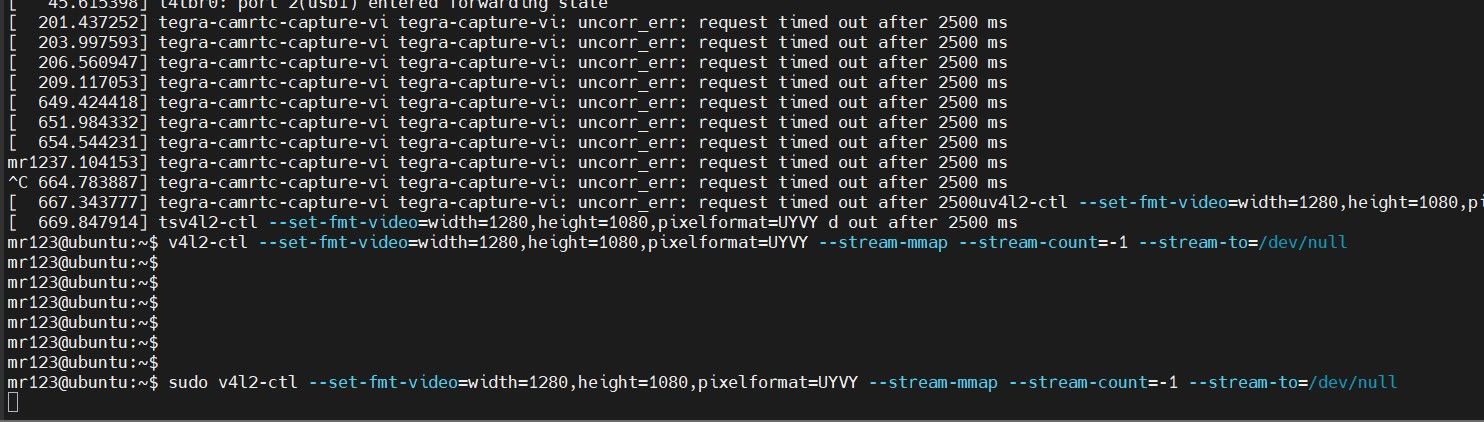
-
@robot
确认一下你的jetpacck版本。orin nano底板型号和厂家。 -
@veye_xumm 用的那个r365,jp6.2.2,板子是微雪的JETSON-ORIN-IO-BASE-H
-
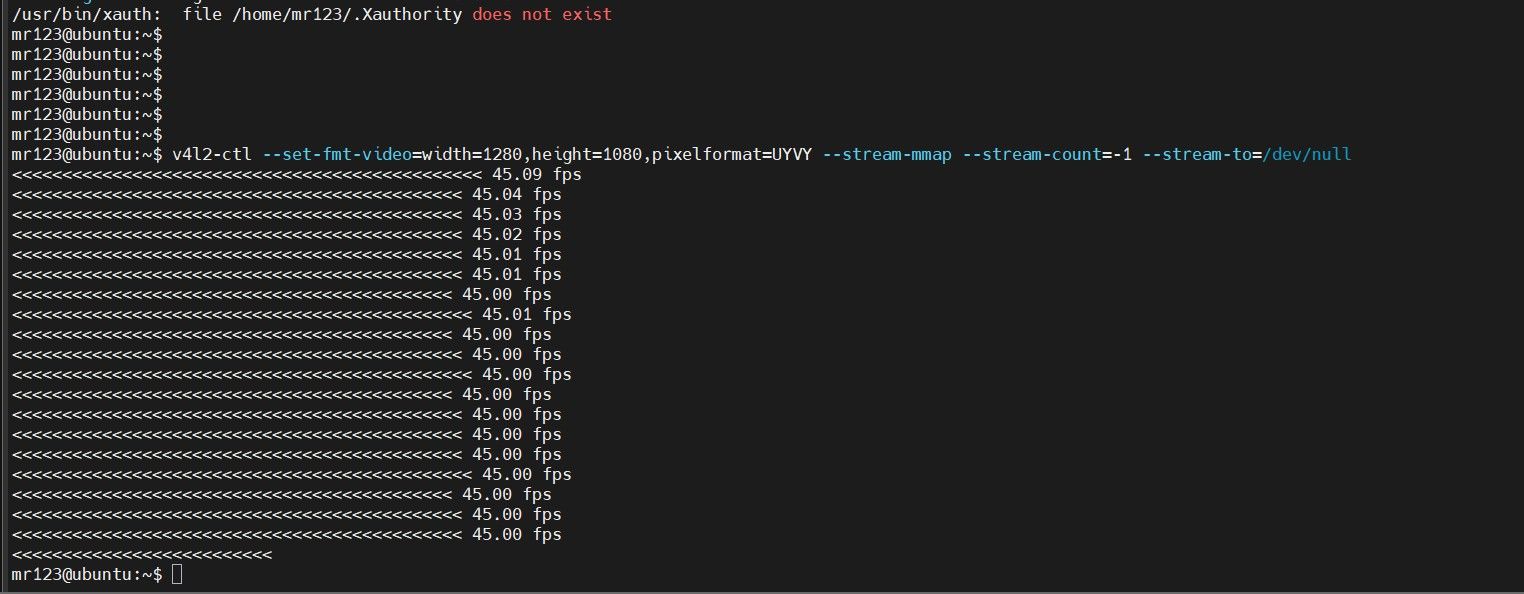 我刚刚又试了一下nano,能正常出图,以证明在测试orin时硬件平台连接上没有问题

Hello! It looks like you're interested in this conversation, but you don't have an account yet.
Getting fed up of having to scroll through the same posts each visit? When you register for an account, you'll always come back to exactly where you were before, and choose to be notified of new replies (either via email, or push notification). You'll also be able to save bookmarks and upvote posts to show your appreciation to other community members.
With your input, this post could be even better 💗
Register Login