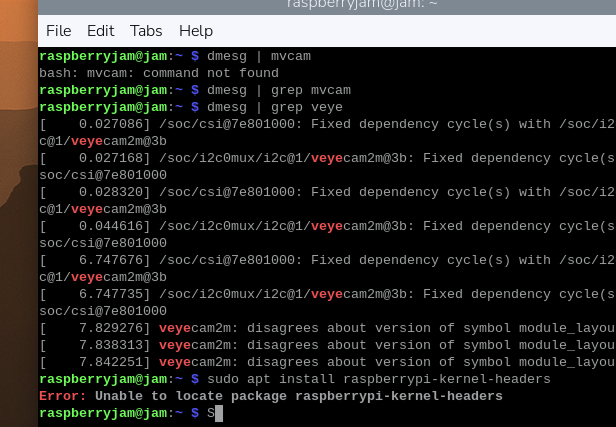
@veye_xumm it is resolved now, the image is shown. Before with the steps on the forum the .dtbo file was also missing, I copied it from another folder and it didn't work. The right and supported way of installing drivers is very confusing, I tried installing by wiki guide and then compiling locally (github), since it didn't work. Thank you for your patience.
J
Offline
Posts
-
RE: Can't get v4l2 to work, rasbperry pi 4b, rpi os x64, 6.12.57-v8+
-
RE: Can't get v4l2 to work, rasbperry pi 4b, rpi os x64, 6.12.57-v8+
@veye_xumm
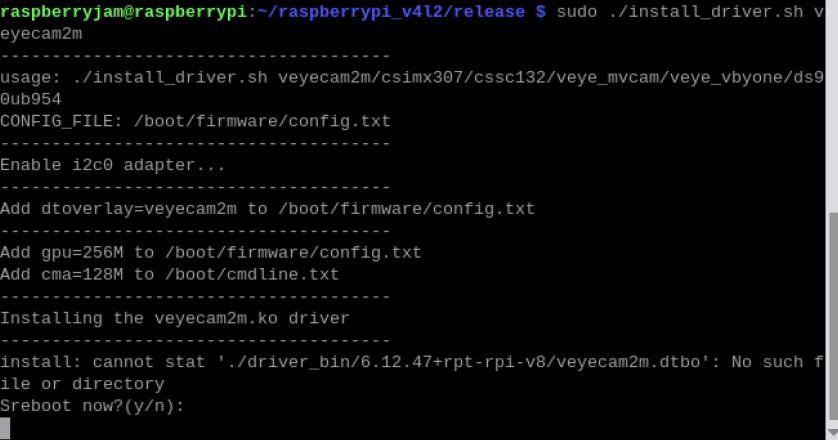
Before I followed the wiki, then I followed github. Which one is the correct one?
-
RE: Can't get v4l2 to work, rasbperry pi 4b, rpi os x64, 6.12.57-v8+
@veye_xumm

 !
! [0_1764333202538_7825037f-a24a-4cbf-b16b-42693c1e5a87-изображение.png](Uploading 100%)
I'm out of possible problems, maybe i got the pins wrong.
-
RE: Can't get v4l2 to work, rasbperry pi 4b, rpi os x64, 6.12.57-v8+
@veye_xumm is there any point in a fresh pi os install?
I accidentally swapped the pins after I checked everything, and it shorted, hope it works.
I just need it to work, so I can do my thesis on argicultural application of machine learning. -
RE: Can't get v4l2 to work, rasbperry pi 4b, rpi os x64, 6.12.57-v8+
@veye_xumm did delete a folder raspberrypi_v4l2, reinstalled. Checked the connections, everything was in order. Pins on the ribbon cable to the top on the module and to the front on the pi. Checked the power pins. Everything was okay. I don't have samba in raspi-config, but I enabled ssh. Also don't have Camera interface in options.
The dev/video0/ is still unfound. -
RE: Can't get v4l2 to work, rasbperry pi 4b, rpi os x64, 6.12.57-v8+
@veye_xumm can you specify what I need to do?
@veye_xumm said in Can't get v4l2 to work, rasbperry pi 4b, rpi os x64, 6.12.57-v8+:
make
deleted the folder raspberrypi_v4l2
reinstalled by github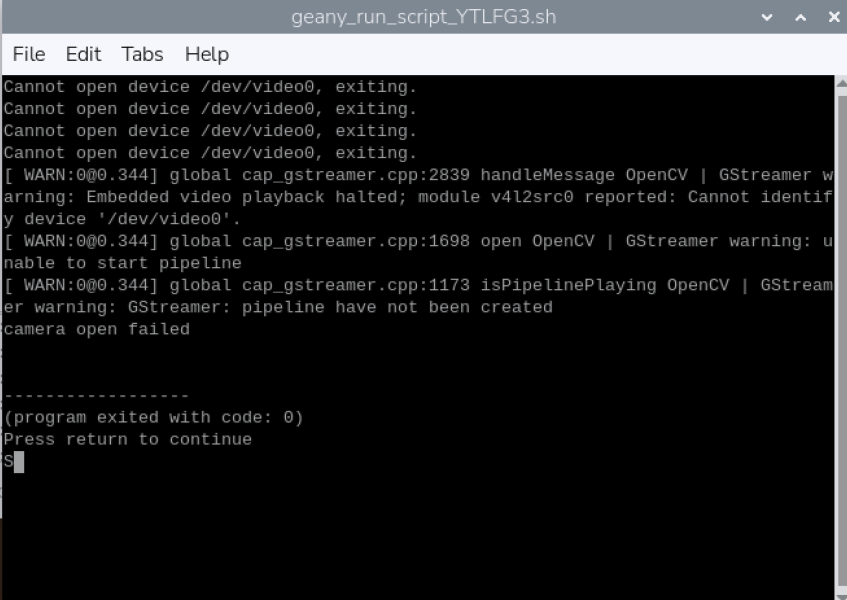
I have no idea why it doesn't work.

Which one do I use?
-
RE: Can't get v4l2 to work, rasbperry pi 4b, rpi os x64, 6.12.57-v8+
@veye_xumm
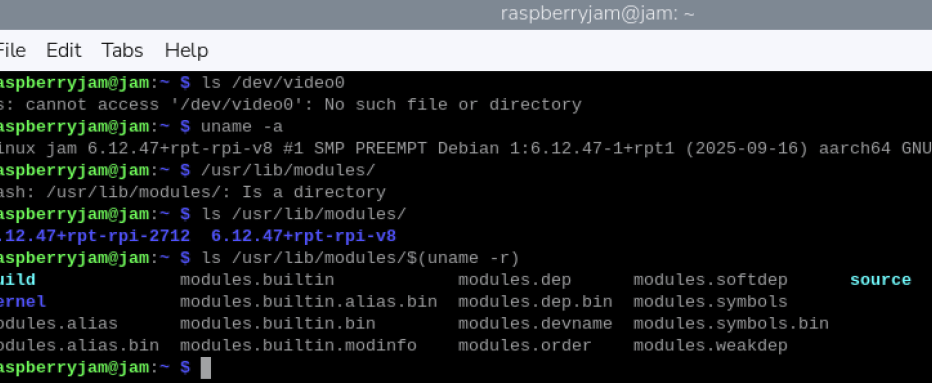
Wrote them, sending the results. -
RE: Can't get v4l2 to work, rasbperry pi 4b, rpi os x64, 6.12.57-v8+
@jambojettt
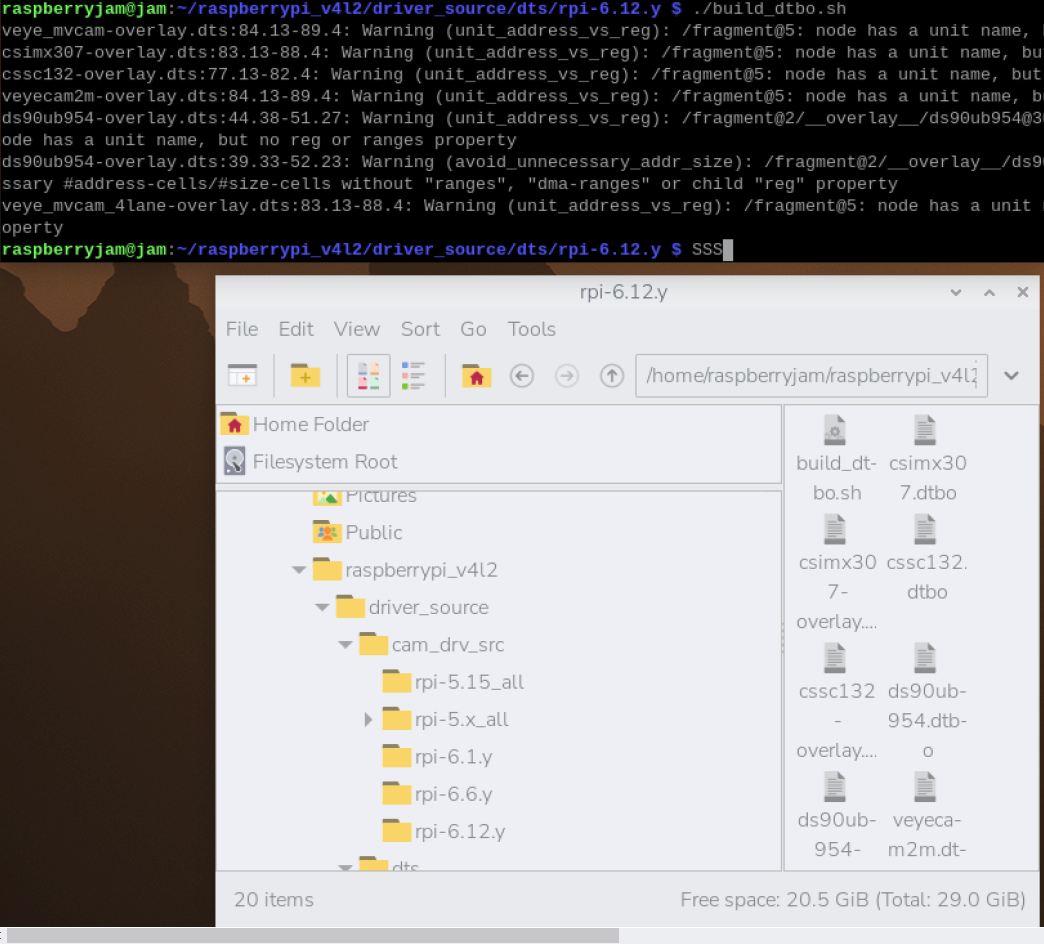
Did everything step by step on the github page. The kernel thing didn't work. Don't know what to do next. dmesg didn't work -
RE: Can't get v4l2 to work, rasbperry pi 4b, rpi os x64, 6.12.57-v8+
@jambojettt Just checked, I have a 64 bit version, just to be sure.
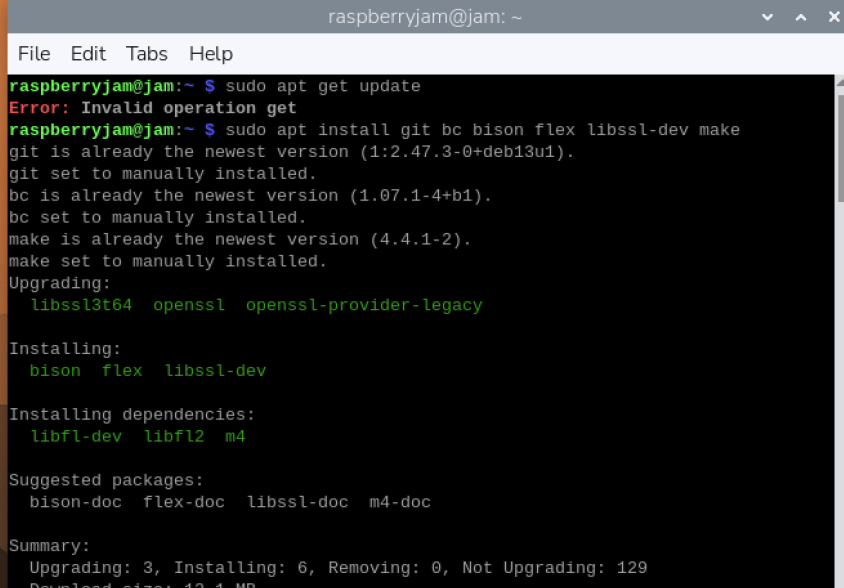
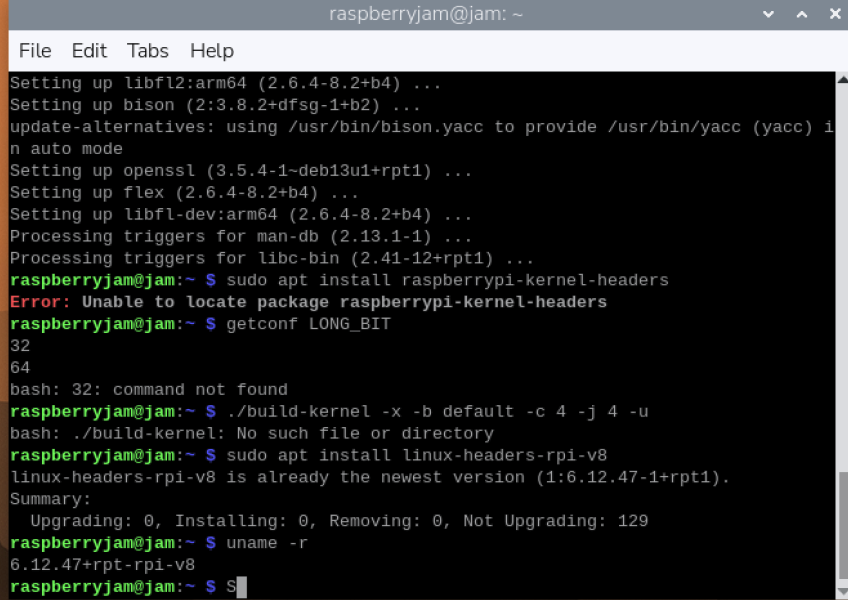
Kernel headers are installed. -
RE: Can't get v4l2 to work, rasbperry pi 4b, rpi os x64, 6.12.57-v8+
@veye_xumm I tried it before. Right now reinstalled Pi OS from Pi Imager, no kernel headers, so problem not resolved.
-
RE: Can't get v4l2 to work, rasbperry pi 4b, rpi os x64, 6.12.57-v8+
@veye_xumm yes, it updated to 6.12.57, but this problem also was in 6.12.47 that it was updated from.
How do I get the headers? -
RE: Can't get v4l2 to work, rasbperry pi 4b, rpi os x64, 6.12.57-v8+
@veye_xumm this didn't work, I updated the raspi-config to the latest one, this command didn't work. Tried this several times to no avail.
-
Can't get v4l2 to work, rasbperry pi 4b, rpi os x64, 6.12.57-v8+
https://forum.veye.cc/topic/358/please-update-the-v4l2-driver-for-5-15-84-v7l
Followed this, when compiling dtb the error pops up image url)
Trying to install headers didn't work, manually copied and created the directories, still an error
dmesg doesn't work (doesn't say anything. Camera worked before with Legacy mode.
 image url)
do I need to recompile on ubuntu? I don't have one installed, don't have spare pc or laptop.
I want to use it with opencv and yolov3tiny for bug detection.