• IMX385 Jetson Xavier NX Gstreamer error!!!

    9
    0 Votes
    9 Posts
    4k Views
    M
    @veye_xumm Okay. Anyway Thank you.
  • This topic is deleted!

    1
    0 Votes
    1 Posts
    5 Views
    No one has replied
  • segmentation fault error

    2
    0 Votes
    2 Posts
    741 Views
    veye_xummV
    @meitiever Can you provide the command you executed?
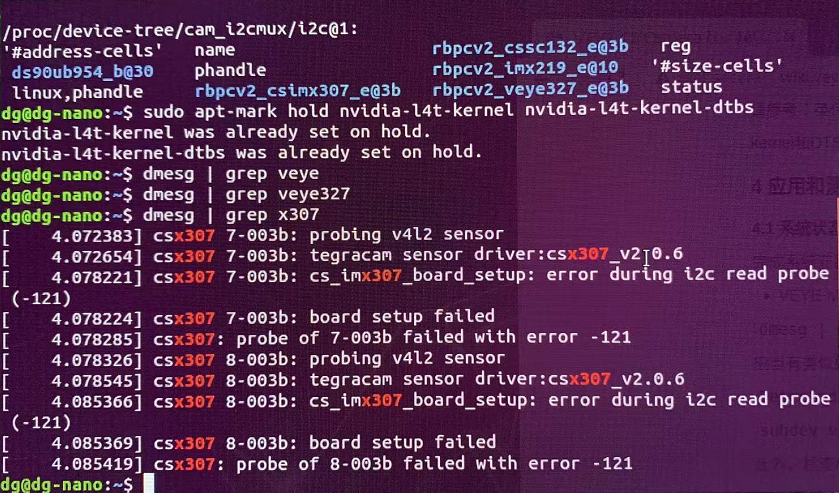
  • Nano-B01上连接IMX307提示error druing i2c read probe (-121)

    6
    1
    0 Votes
    6 Posts
    1k Views
    veye_xummV
    @daxue0116 正常情况下,插上两个,会probe到两个。 你可以看看/dev/video0 /dev/video1是否同时存在。 另外可以看看 dmesg | grep 307 的输出情况。
  • imx327 missing from raspberrypi_v4l2 ver 5.10.63-

    6
    0 Votes
    6 Posts
    2k Views
    R
    Hi, I tried the V4L2 driver with Buster which worked OK on a Pi4 4 GB then I tested Bullseye with the legacy mode and the same V4L2 driver ( veyecam2m ver 5.10.63) and that worked OK too. I was previously testing with a Pi 3A which I would like to work but that does seem to have a problem with the v4L2 driver with both OS's.
  • sc132相机黑屏

    15
    0 Votes
    15 Posts
    5k Views
    Z
    @veye_xumm 重新插拔了下线,目前已经能正常读到,看来应该是线没有接好
  • Driver VEYE-MIPI-IMX327S restart system

    3
    1
    0 Votes
    3 Posts
    1k Views
    D
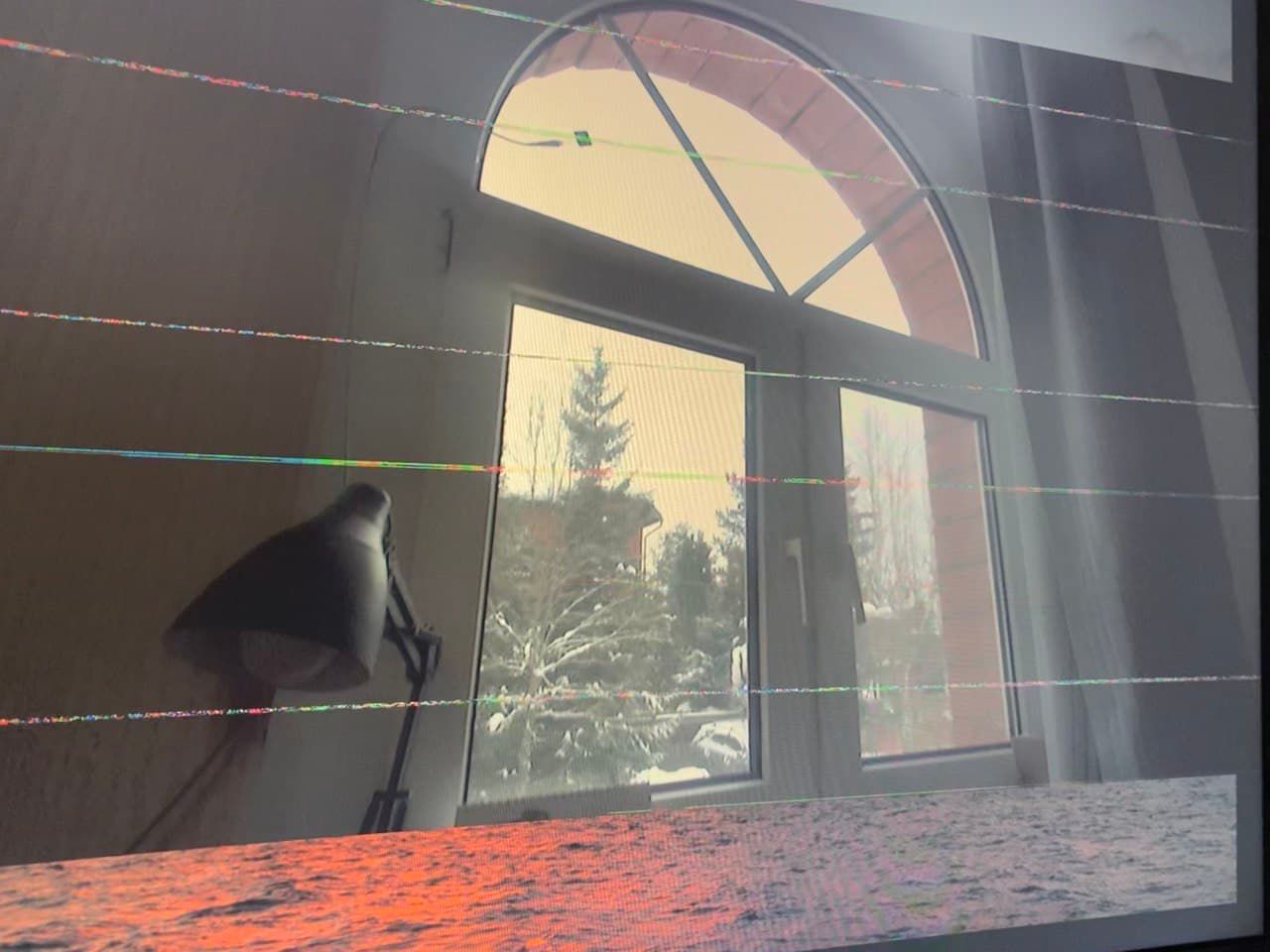
    @veye_xumm We use: veye_raspivid -b 1000000 -t 0 -n -o - and checked: veye_raspivid -b 1000000 -t 0 -p '0,0,1920,1080' Using these commands results in a reboot, with the distortions shown above. veye_raspipreview displays such pictures perfectly.
  • 树莓派上输入抓拍命令,导致卡住(IMX307)

    25
    4
    0 Votes
    25 Posts
    11k Views
    veye_xummV
    @年华灬 这个模组启动比较慢,大约7-8秒,你进行sysreset之后需要等会儿才能正确读到。 会不会是i2c通信有问题,你检查检查排线插接情况,是否有接触不良? 可以循环使用 i2cdetect -y 10 查看是否有0x3b,有的话,说明摄像头的i2c还活着,在响应。 如果detect一会儿有,一会儿没有,一种可能,摄像头在不停重启。 可以尝试在detect到的时候发送sysreset
  • sc132相机图片读取失败

    7
    0 Votes
    7 Posts
    2k Views
    veye_xummV
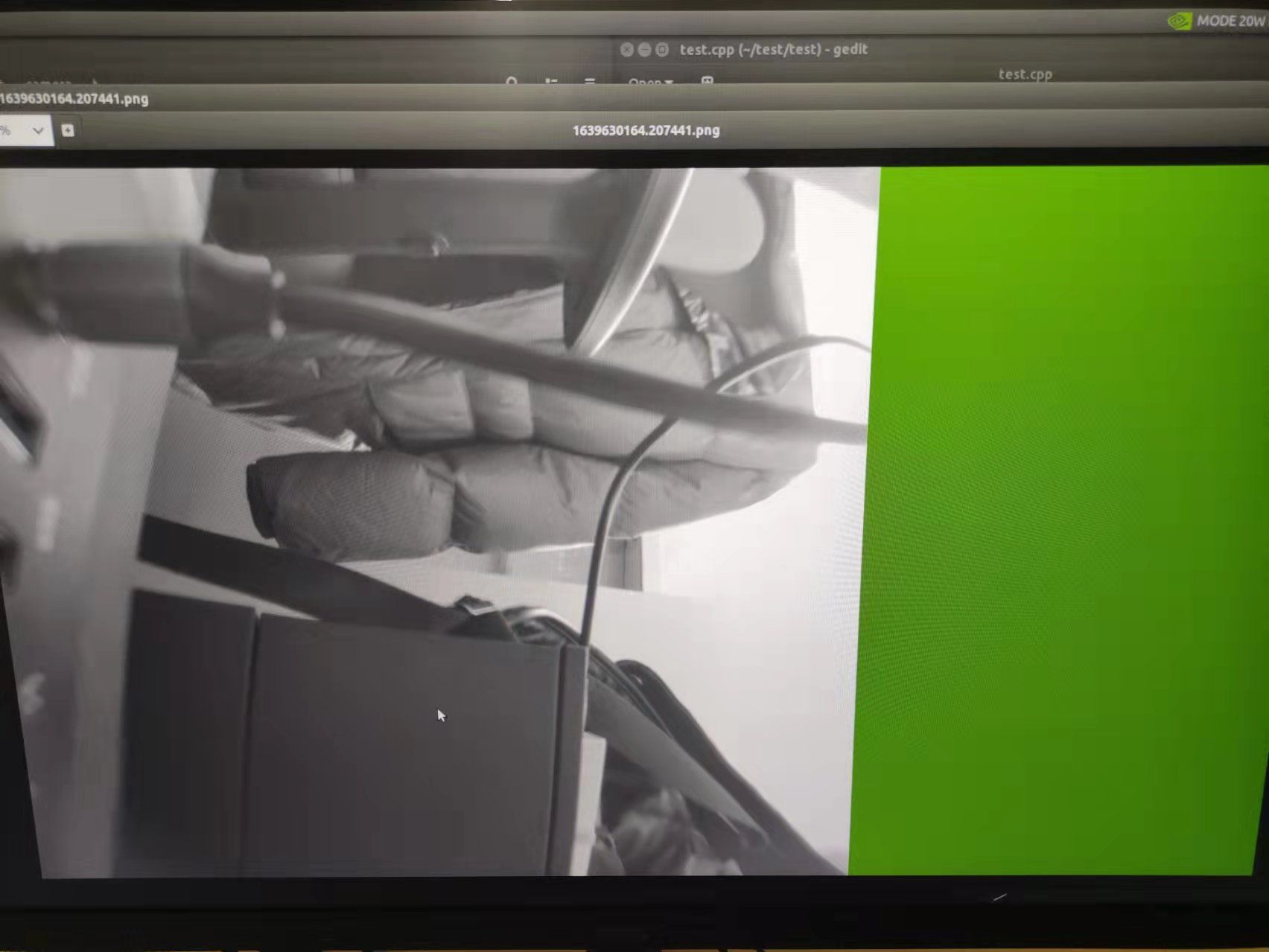
    @zjutony 为防万一我这边测试了一下。用的jetson nx,jetpack4.6. [image: 1640853271759-45d47986-5c26-40c3-9b9a-53113b74bd5b-image.png] 图像是正常的啊。 请你检查一下我上面列出的模式相关的内容,看一下结果。
  • VEYE-MIPI-IMX385在新版Raspberry Pi Zero 2 W上无法使用

    4
    0 Votes
    4 Posts
    2k Views
    veye_xummV
    @ruimin-huang 不客气
  • Cannot get camera info. VEYE-MIPI-IMX385

    7
    0 Votes
    7 Posts
    2k Views
    veye_xummV
    @maponarooo Good. These are two different product lines with impassable solutions. From sensors, to isp, etc.
  • 树莓派CM4+CS-MIPI-SC132 x2 运行python opencv报错

    2
    1
    0 Votes
    2 Posts
    1k Views
    veye_xummV
    @sjchen 除了你已经修改的地方之外, 需要用 D_init_camera_ex函数代替D_init_camera,这个函数具备分辨率的定义参数。
  • jetson nx 上使用cssc132相机获得图片尺寸问题

    2
    1
    0 Votes
    2 Posts
    1k Views
    veye_xummV
    @zjutony 你说的没错,132不支持那么大的分辨率。 http://wiki.veye.cc/index.php/CS-MIPI-SC132_Data_Sheet/zh
  • VEYE-MIPI-IMX385 not detected with latest raspivid

    2
    0 Votes
    2 Posts
    814 Views
    veye_xummV
    @anatom please read http://wiki.veye.cc/index.php/VEYE-MIPI-290/327_for_Raspberry_Pi part2
  • VEYE-MIPI-IMX327S and veye_mipi_i2c.sh on Google coral dev board issue.

    3
    0 Votes
    3 Posts
    947 Views
    N
    Hi Oh, my mistake I only downloaded veye_mipi_i2c.sh, I didn't realise it called i2c_read, i2c_write. Sorry I will download all files tomorrow and try again. thanks Nigel

  • VEYE-MIPI-IMX327S installation issue on the Google coral dev board?

    4
    0 Votes
    4 Posts
    1k Views
    veye_xummV
    @nigel-gardiner You are welcome.
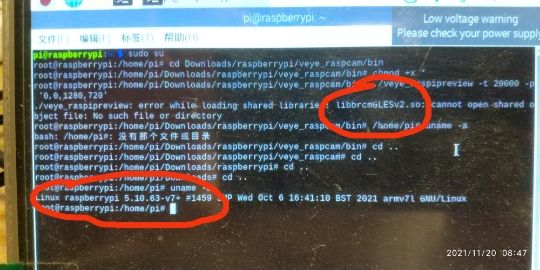
  • 树莓派使用IMX385模块缺少libbrcmGLESv2.so问题

    5
    3
    0 Votes
    5 Posts
    1k Views
    veye_xummV
    @zhangxuezhi618 你好,我们现在在bullseye系统上已经可以执行原有程序了。请参考wiki文档尝试一下。
  • Camera menu appears on VEYE-MIPI-IMX327S and results

    3
    1
    0 Votes
    3 Posts
    1k Views
    D
    @veye_xumm No devices are connected to these contacts. The camera is connected to RPi4b and RPiZero only via the CSI interface.
  • 树莓派CM4+imx327S MIPI x2 运行python opencv脚本如何达到30fps

    4
    0 Votes
    4 Posts
    1k Views
    veye_xummV
    @sjchen 不好意思,这个我们暂时还没有提供demo,功能上讲,这个就是提供一个回调函数的注册接口。底层的库,有一个线程,在有数据的时候就会调一下这个回调函数。 userdata可以不用管它。
  • 0 Votes
    6 Posts
    2k Views
    veye_xummV
    @sjchen 不客气。