VEYE IMAGING Forum
    • Categories
    • Tags
    • Recent
    • Popular
    • Users
    • WIKI
    • veye.cc
    • Register
    • Login

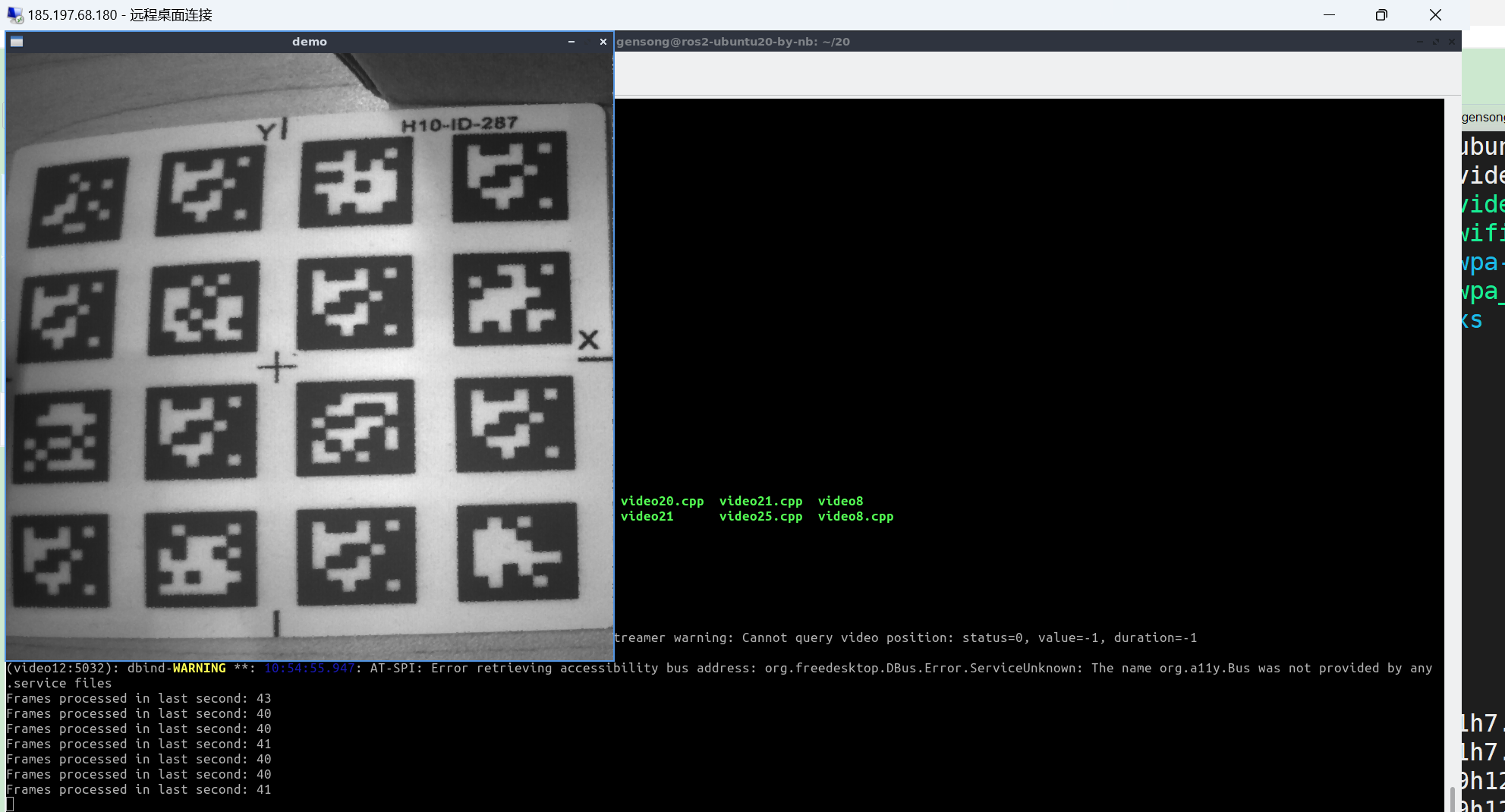
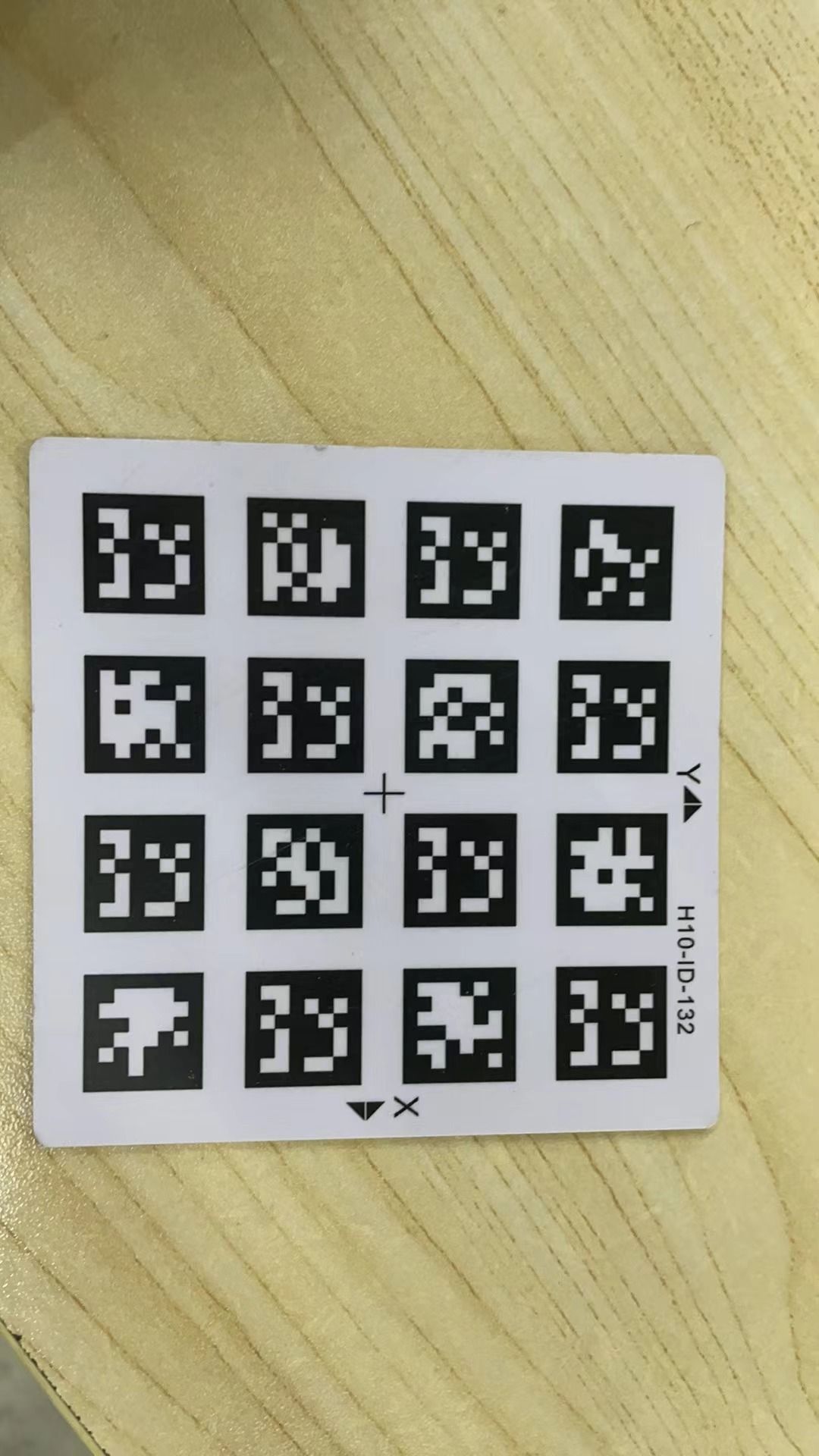
    执行编译出来的./video12 800 800 60 得到的图像。像是按照4:3拉伸得到的图像, 并不是裁剪出来的800 *800的正方形
    Scheduled Pinned Locked Moved Machine Vision camera
    32 Posts 2 Posters 14.4k Views 1 Watching
    Loading More Posts
    • Oldest to Newest
    • Newest to Oldest
    • Most Votes
    Reply
    • Reply as topic
    Log in to reply
    This topic has been deleted. Only users with topic management privileges can see it.
    • N Offline
      nb @veye_xumm
      last edited by

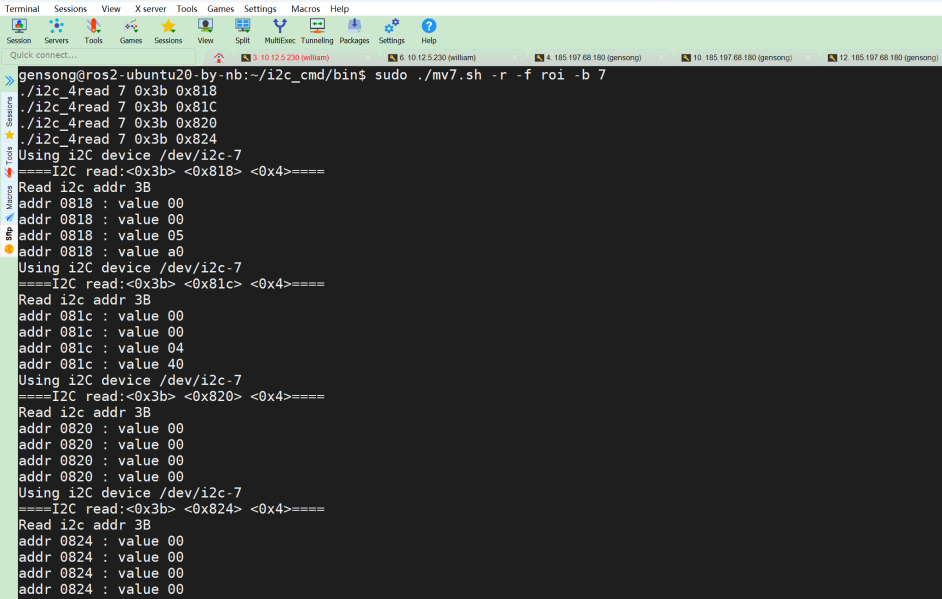
      @veye_xumm mv7.sh.png
      这里得到的结果是0x05a0(1440) 0x0440(1088)

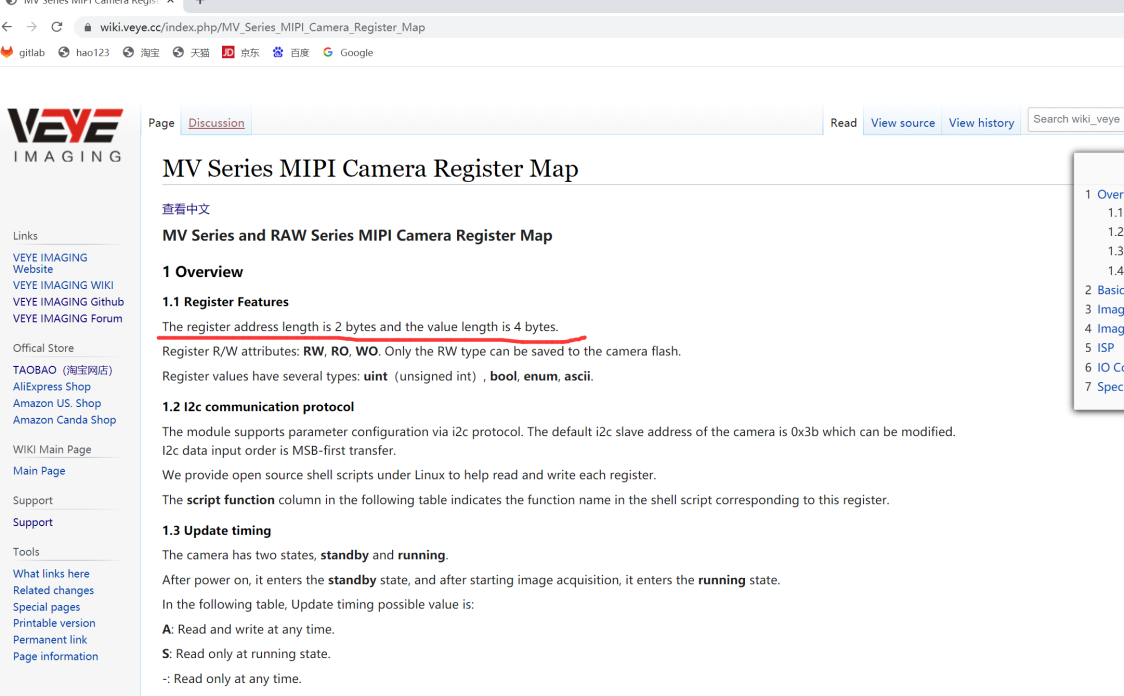
      你之前提供的脚本是2字节读写的,应该不对, 我做了些调整,改正4字节读写了 2.png

      N veye_xummV 2 Replies Last reply Reply Quote 0
      • N Offline
        nb @nb
        last edited by

        @nb 我们是用 RK3588自己做的底板

        N 1 Reply Last reply Reply Quote 0
        • N Offline
          nb @nb
          last edited by

          @veye_xumm 我有一个怀疑的点。是驱动里日志打印来看这里获取到最大值mvcam: mvcam_probe: max width 1456; max height 1088
          后 然后接着就是读取ROI, mvcam: mvcam_getroi:get roi(0,0,1440,1088)

          但是我并没有从驱动代码里找到 有设置ROI为14401088的地方,麻烦能告诉一下驱动里设置ROI为14401088的代码在哪里吗, 我想把驱动代码里设置ROI为1440*1088的代码给注释掉试试。

          1 Reply Last reply Reply Quote 0
          • veye_xummV Offline
            veye_xumm @nb
            last edited by

            @nb said in 执行编译出来的./video12 800 800 60 得到的图像。像是按照4:3拉伸得到的图像, 并不是裁剪出来的800 *800的正方形:

            你之前提供的脚本是2字节读写的,应该不对, 我做了些调整,改正4字节读写了

            我们提供的脚本没问题,直接make一下之后调用就可以。

            你分别执行一下这两个命令,贴上来结果我看一下:

            v4l2-ctl -d /dev/v4l-subdev2 -L
            media-ctl -p -d /dev/media0
            

            Questions will be answered as soon as possible, please be patient.
            如果你使用中文,请直接用中文提问。
            May the force be with YOU. (This is the translation of the mysterious Chinese symbol above.)

            N 2 Replies Last reply Reply Quote 0
            • N Offline
              nb @veye_xumm
              last edited by

              @veye_xumm said in 执行编译出来的./video12 800 800 60 得到的图像。像是按照4:3拉伸得到的图像, 并不是裁剪出来的800 *800的正方形:

              分别执行一下这两个命令,贴上来

              gensong@ros2-ubuntu20-by-nb:~/20$ v4l2-ctl -d /dev/v4l-subdev2 -L

              User Controls

                             trigger_mode 0x00981901 (int)    : min=0 max=2 step=1 default=0 value=0 flags=grabbed, volatile, execute-on-write
                              trigger_src 0x00981902 (int)    : min=0 max=1 step=1 default=1 value=1 flags=grabbed, volatile, execute-on-write
                              soft_trgone 0x00981903 (button) : flags=write-only, execute-on-write
                               frame_rate 0x00981904 (int)    : min=0 max=60 step=1 default=60 value=60 flags=grabbed, volatile, execute-on-write
                                    roi_x 0x00981905 (int)    : min=0 max=1376 step=8 default=0 value=0 flags=grabbed
                                    roi_y 0x00981906 (int)    : min=0 max=1024 step=4 default=0 value=0 flags=grabbed
              

              Image Processing Controls

                           link_frequency 0x009f0901 (intmenu): min=0 max=0 default=0 value=0
                                          0: 750000000 (0x2cb41780)
                               pixel_rate 0x009f0902 (int64)  : min=750000000 max=750000000 step=1 default=750000000 value=750000000 flags=read-only
              

              gensong@ros2-ubuntu20-by-nb:~/20$

              1 Reply Last reply Reply Quote 0
              • N Offline
                nb @veye_xumm
                last edited by

                @veye_xumm media-ctl.txt

                veye_xummV 1 Reply Last reply Reply Quote 0
                • veye_xummV Offline
                  veye_xumm @nb
                  last edited by

                  @nb 看起来你的配置没有问题。
                  有没有可能是硬件的问题?你试过ROC-RK3588S-PC主板上的结果吗?

                  Questions will be answered as soon as possible, please be patient.
                  如果你使用中文,请直接用中文提问。
                  May the force be with YOU. (This is the translation of the mysterious Chinese symbol above.)

                  N 1 Reply Last reply Reply Quote 0
                  • N Offline
                    nb @veye_xumm
                    last edited by

                    @veye_xumm 我们这边 没有ROC-RK3588S-PC 这个硬件,
                    我觉得 可以再往前面排查一步, 就是模组 出图Max width是1536 Height是1088

                    然后不知道哪里给设置ROI 设置成了1440 和1088 我想知道 这一步是在哪里设置的。 会不会就是这一步设置成1440 *1088的时候 被拉伸了。

                    veye_xummV 1 Reply Last reply Reply Quote 0
                    • veye_xummV Offline
                      veye_xumm @nb
                      last edited by

                      @nb 其实用mv_mipi_i2c.sh这个脚本,就是直接读取和写camera寄存器的,是最底层也最直接的操作。
                      驱动层面只是封装了对寄存器的读写而已。
                      但是你说你的板子上mv_mipi_i2c.sh不行,我觉得很奇怪。

                      这里得到的结果是0x05a0(1440) 0x0440(1088)

                      根据你自己的修改过的脚本,相机端读到的roi数据是跟3588板子上的驱动中的值是一致的。

                      因此我才怀疑是不是硬件的问题。

                      Questions will be answered as soon as possible, please be patient.
                      如果你使用中文,请直接用中文提问。
                      May the force be with YOU. (This is the translation of the mysterious Chinese symbol above.)

                      N 1 Reply Last reply Reply Quote 0
                      • N Offline
                        nb @veye_xumm
                        last edited by

                        @veye_xumm 硬件哪方面会导致这样的问题呢 ,可否提供一下排查思路,或者需要我们这边怎么配合你 来排查硬件呢?

                        veye_xummV 1 Reply Last reply Reply Quote 0
                        • veye_xummV Offline
                          veye_xumm @nb
                          last edited by

                          @nb 我也只是怀疑到硬件方面了。不能完全确认就是硬件的问题。
                          你方便给我寄一套板子吗,我们这边进行一下测试。地址我可以私信给你。

                          Questions will be answered as soon as possible, please be patient.
                          如果你使用中文,请直接用中文提问。
                          May the force be with YOU. (This is the translation of the mysterious Chinese symbol above.)

                          N 2 Replies Last reply Reply Quote 0
                          • N Offline
                            nb @veye_xumm
                            last edited by

                            @veye_xumm 可以的 私信 发给我下地址吧

                            1 Reply Last reply Reply Quote 0
                            • N Offline
                              nb @veye_xumm
                              last edited by

                              @veye_xumm 你好 我们这边板子 发过去了。 你应该是收到了的吧?

                              veye_xummV 1 Reply Last reply Reply Quote 0
                              • veye_xummV Offline
                                veye_xumm @nb
                                last edited by

                                @nb 是的,收到后我们研发会跟您联系具体事宜。

                                Questions will be answered as soon as possible, please be patient.
                                如果你使用中文,请直接用中文提问。
                                May the force be with YOU. (This is the translation of the mysterious Chinese symbol above.)

                                N 1 Reply Last reply Reply Quote 0
                                • N Offline
                                  nb @veye_xumm
                                  last edited by

                                  @veye_xumm 好的 感谢

                                  1 Reply Last reply Reply Quote 0

                                  Hello! It looks like you're interested in this conversation, but you don't have an account yet.

                                  Getting fed up of having to scroll through the same posts each visit? When you register for an account, you'll always come back to exactly where you were before, and choose to be notified of new replies (either via email, or push notification). You'll also be able to save bookmarks and upvote posts to show your appreciation to other community members.

                                  With your input, this post could be even better 💗

                                  Register Login
                                  • First post
                                    Last post