相机驱动

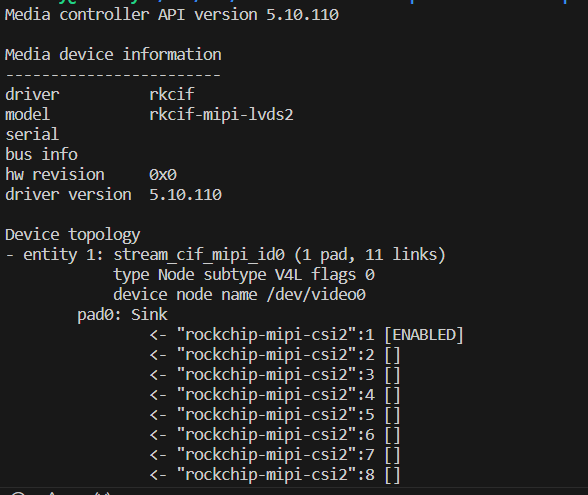
-
@lin 这个现在不支持isp_mainpath.
-
那无法获取到经过isp处理后的图像吗?
-
@lin ar0234是黑白的sensor,你可以直接使用sensor输出的图像做算法计算即可。
-
@veye_xumm好的
-
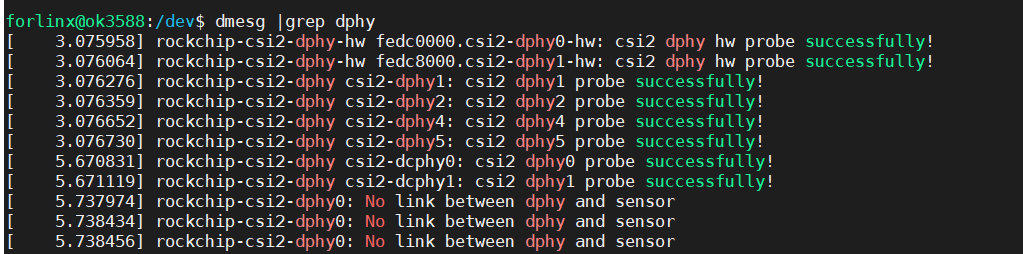
 请问,这种情况是因为设备树有问题,还是驱动需要更改呢?
&i2c7 {
status = "okay";
clock-frequency = <400000>;//?cam3_ar0234m_3b: cam3_ar0234m@3b { compatible = "veye1,mvcam1"; status = "okay"; reg = <0x3b>; clocks = <&ext_cam_clk>;//? clock-names = "xclk"; clock-frequency = <24000000>;//? enable-gpios = <&extio EXTIO_GPIO_P05 GPIO_ACTIVE_HIGH>; reset-gpios = <&extio EXTIO_GPIO_P04 GPIO_ACTIVE_LOW>; rockchip,camera-module-index = <0>; rockchip,camera-module-facing = "back"; rockchip,camera-module-name = "NC"; rockchip,camera-module-lens-name = "NC"; port { cam3_ar0234m_3b_out: endpoint { remote-endpoint = <&mipi_in_ucam3_3b>; data-lanes = <1 2>; }; }; }; -
@lin
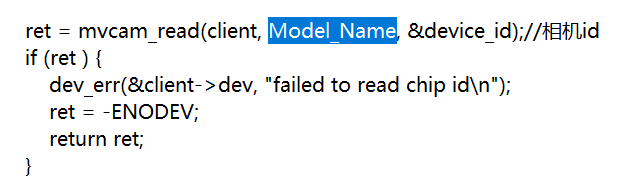 这个函数报错
-
@lin 如果i2c用的总线没有配置错误,需要检查一下硬件连接是否正确,比如供电、fpc排线方向、poweron那个pin的配置。
-
@veye_xumm
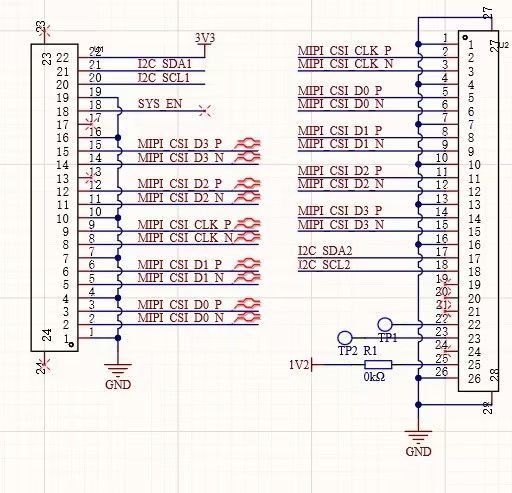 [图片]没有用到power on引脚
 -
@lin
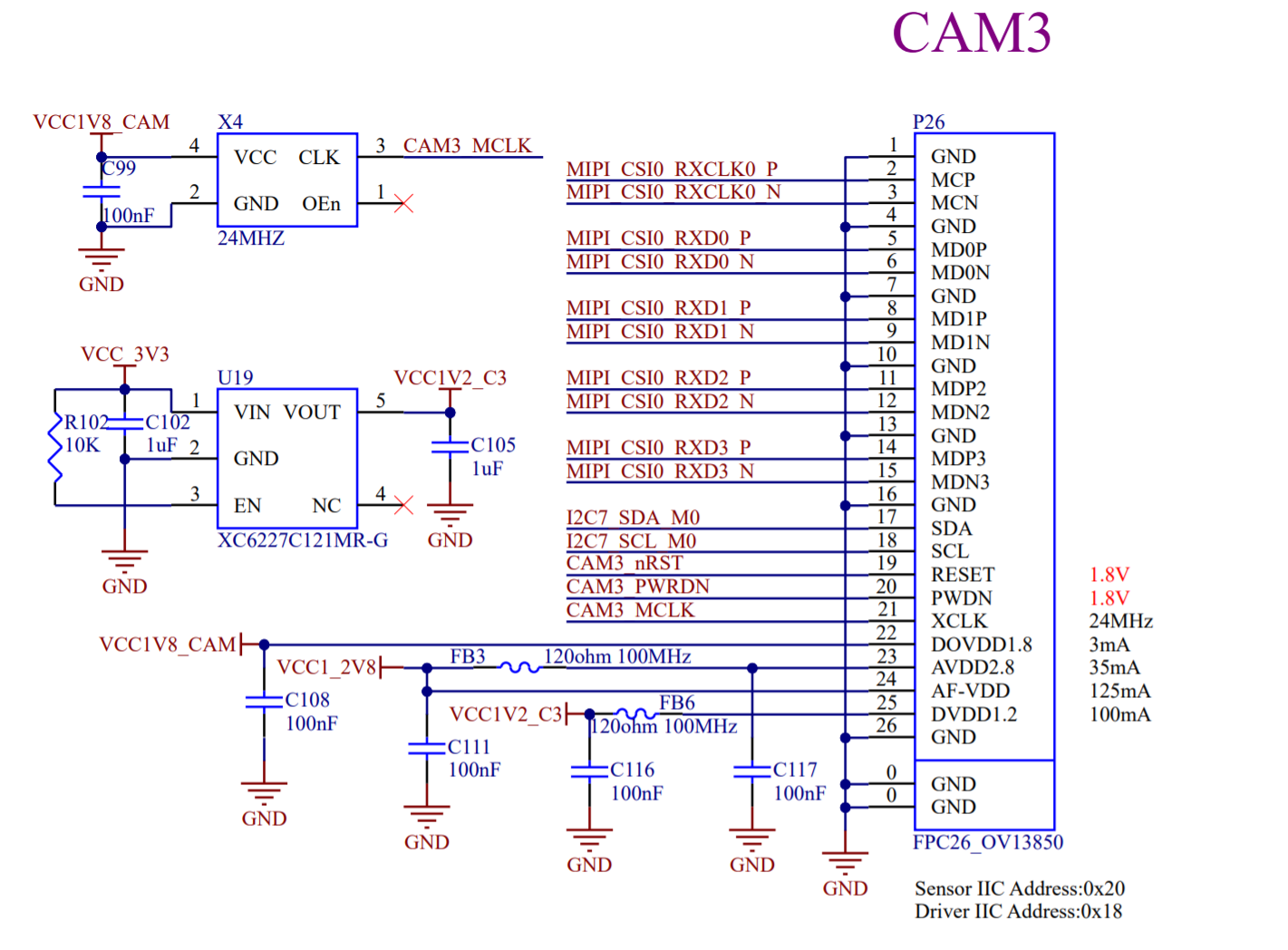 开发板csi接口,上面是我们自己画的一个转接板
 -
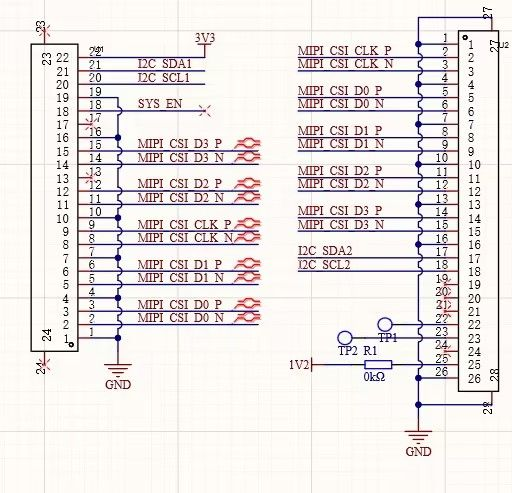
@lin 我们相机的i2c是3.3V电平标准,不知你原理图上有没有做电平转换?
-
@veye_xumm enable线外接的底板是1.8v能触发工作吗
-
@lin i2c 、vcc都做了电平转换为3.3v。enable端不做电平转换直接由底板(1.8V)引出连接给相机,会导致无法正常工作吗?最低要求电压是多少?用i2cdetect -y 7检测不到设备
-
@lin
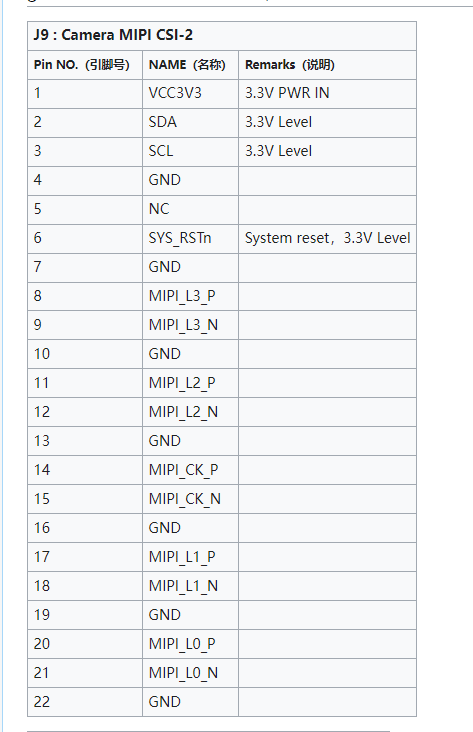
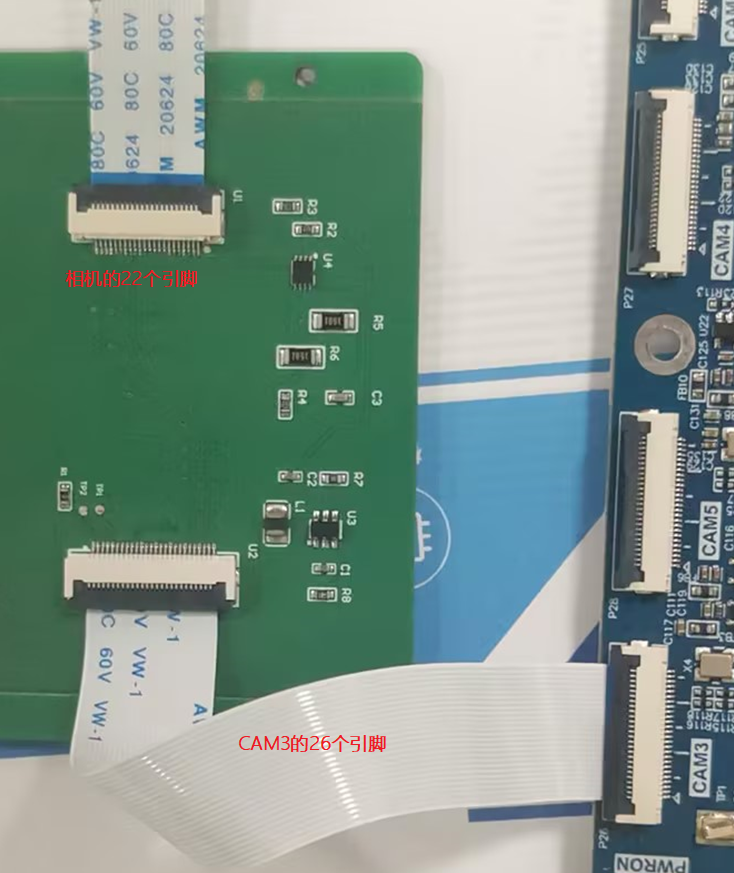
我们的SYS_RSTn对应的是你的17,现在是NC的,我们内部有上拉,这样i2c应该直接就是通的。你是接到i2c-7上了吗?另外,你的fpc线方向有没有插反了? -
-
@lin poweron这个引脚在哪里,相机给出的22个引脚中没有
-
-
@veye_xumm复位端未与底板连接,由于相机上上拉的原因应该是属于持续工作的状态吧? 驱动没加载上的话,i2cdetect 能检测到挂载设备吗?
-
-
@veye_xumm 用示波器测量i2c应该是什么情况能说明设备被连上了呢?
-
@lin
可以用mv_mipi_i2c.sh脚本执行读写寄存器操作,同时观察示波器上面波形。
i2c协议和寄存器介绍:https://wiki.veye.cc/index.php/MV_Series_MIPI_Camera_Register_Map/zh


Hello! It looks like you're interested in this conversation, but you don't have an account yet.
Getting fed up of having to scroll through the same posts each visit? When you register for an account, you'll always come back to exactly where you were before, and choose to be notified of new replies (either via email, or push notification). You'll also be able to save bookmarks and upvote posts to show your appreciation to other community members.
With your input, this post could be even better 💗
Register Login