VEYE IMAGING Forum
    • Categories
    • Tags
    • Recent
    • Popular
    • Users
    • WIKI
    • veye.cc
    • Register
    • Login

    NVidia Jetson Jetpack 6 support?

    Scheduled Pinned Locked Moved VEYE MIPI camera
    55 Posts 3 Posters 33.5k Views 2 Watching
    Loading More Posts
    • Oldest to Newest
    • Newest to Oldest
    • Most Votes
    Reply
    • Reply as topic
    Log in to reply
    This topic has been deleted. Only users with topic management privileges can see it.
    • V Offline
      vitob
      last edited by

      NVidia Jetson Jetpack 6.0 is now officially available. When will the camera source codes be available for JP6 then? Thanks.

      veye_xummV 1 Reply Last reply Reply Quote 0
      • veye_xummV Offline
        veye_xumm @vitob
        last edited by

        @vitob We are working on the driver port and expect it to be done and released in a week.

        Questions will be answered as soon as possible, please be patient.
        如果你使用中文,请直接用中文提问。
        May the force be with YOU. (This is the translation of the mysterious Chinese symbol above.)

        V 1 Reply Last reply Reply Quote 0
        • V Offline
          vitob @veye_xumm
          last edited by

          @veye_xumm Thank you for replying. Expect for the new release.

          veye_xummV 1 Reply Last reply Reply Quote 0
          • veye_xummV Offline
            veye_xumm @vitob
            last edited by

            @vitob
            I've posted the drivers for Orin nano and Orin NX for Jetpack 6.0 as well as the supporting materials. Please refer to the following link.
            https://wiki.veye.cc/index.php/Nvidia_Jetson_Application_Note_Index

            Questions will be answered as soon as possible, please be patient.
            如果你使用中文,请直接用中文提问。
            May the force be with YOU. (This is the translation of the mysterious Chinese symbol above.)

            O 1 Reply Last reply Reply Quote 1
            • O Offline
              Otca @veye_xumm
              last edited by

              @veye_xumm Hi i have read all the wiki and downloaded https://github.com/veyeimaging/nvidia_jetson_veye_bsp
              but I am still missing dtb file for MV-MIPI-IMX264.
              I have bought 4 of them and I have tried so many times. still I cannot make use of one of those.
              I have install all the drivers and other steps i just need dtb file
              OS: ubuntu 22.04
              jeton orin nano Jetpack6.0,L4T r36.3
              please help me
              thanks

              O 1 Reply Last reply Reply Quote 0
              • O Offline
                Otca @Otca
                last edited by

                @otca

                cat /etc/nv_tegra_release

                R36 (release), REVISION: 3.0, GCID: 36191598, BOARD: generic, EABI: aarch64, DATE: Mon May 6 17:34:21 UTC 2024
                KERNEL_VARIANT: oot
                TARGET_USERSPACE_LIB_DIR=nvidia
                TARGET_USERSPACE_LIB_DIR_PATH=usr/lib/aarch64-linux-gnu/nvidia

                dmesg | grep -i 'fail'

                [ 5.067860] hid-generic: probe of 0003:1C4F:0202.0002 failed with error -22
                [ 9.577266] videodev: module verification failed: signature and/or required key missing - tainting kernel
                [ 11.795964] dce: dce_admin_setup_clients_ipc:561 Get queue info failed for [2]
                [ 12.536169] veye_mvcam: mvcam_read: Reading register 0x04 failed
                [ 12.536185] mvcam 9-0010: failed to read chip id
                [ 12.536190] mvcam 9-0010: mvcam_identify_module failed.
                [ 13.041253] veye_mvcam: mvcam_read: Reading register 0x04 failed
                [ 13.041269] mvcam 10-0010: failed to read chip id
                [ 13.041273] mvcam 10-0010: mvcam_identify_module failed.
                [ 16.965874] NVRM rpcRmApiControl_dce: NVRM_RPC_DCE: Failed RM ctrl call cmd:0x731341 result 0xffff:

                dmesg | grep -i 'veye'

                [ 12.031976] mvcam 9-0010: veye mv series camera driver version: 01.01.04
                [ 12.536169] veye_mvcam: mvcam_read: Reading register 0x04 failed
                [ 12.539516] mvcam 10-0010: veye mv series camera driver version: 01.01.04
                [ 13.041253] veye_mvcam: mvcam_read: Reading register 0x04 failed

                dmesg | grep -i 'error'

                [ 5.067860] hid-generic: probe of 0003:1C4F:0202.0002 failed with error -22
                [ 9.363672] squashfs: SQUASHFS error: Xattrs in filesystem, these will be ignored
                [ 9.365895] squashfs: SQUASHFS error: Xattrs in filesystem, these will be ignored
                [ 9.369376] squashfs: SQUASHFS error: Xattrs in filesystem, these will be ignored
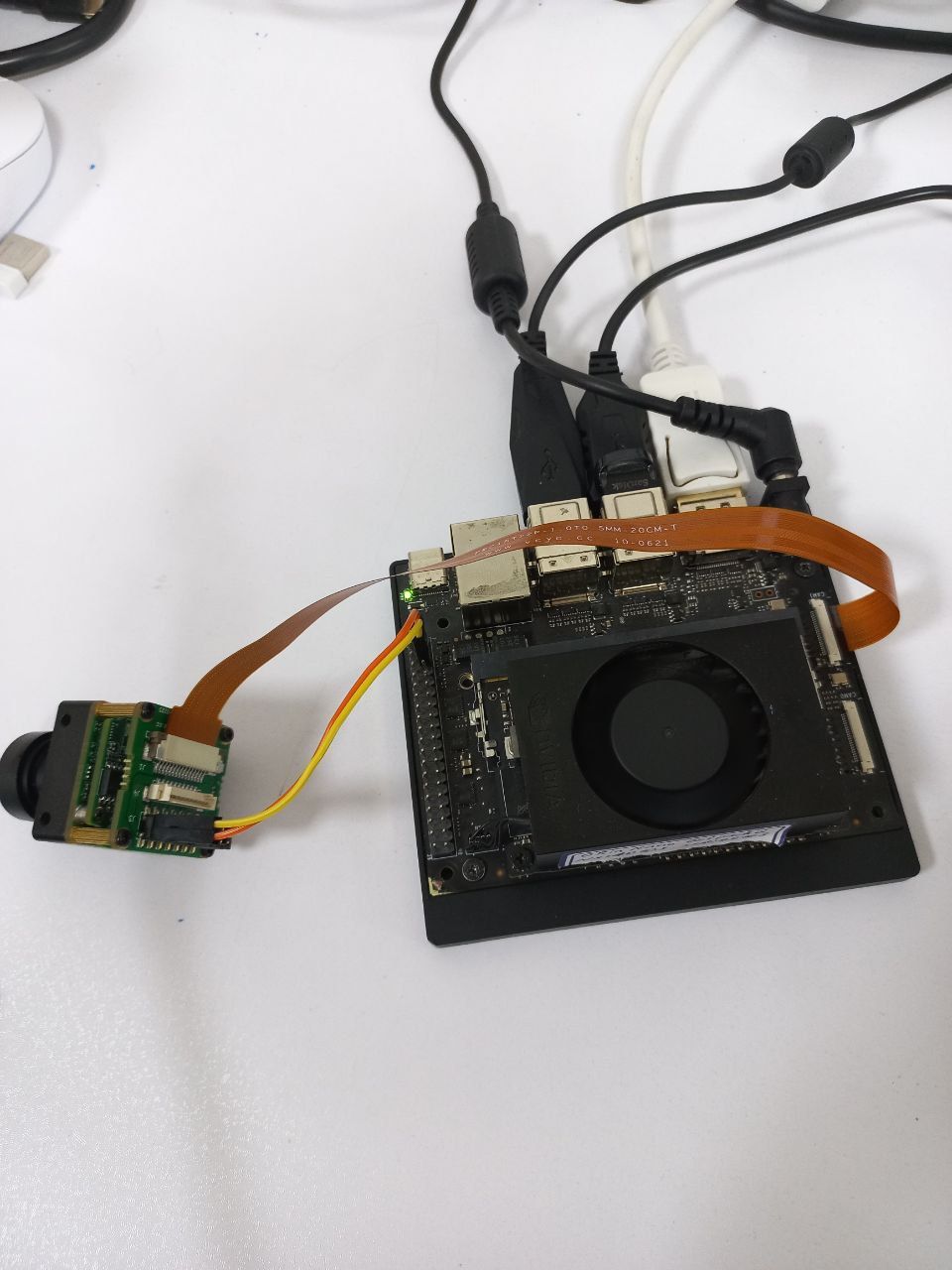
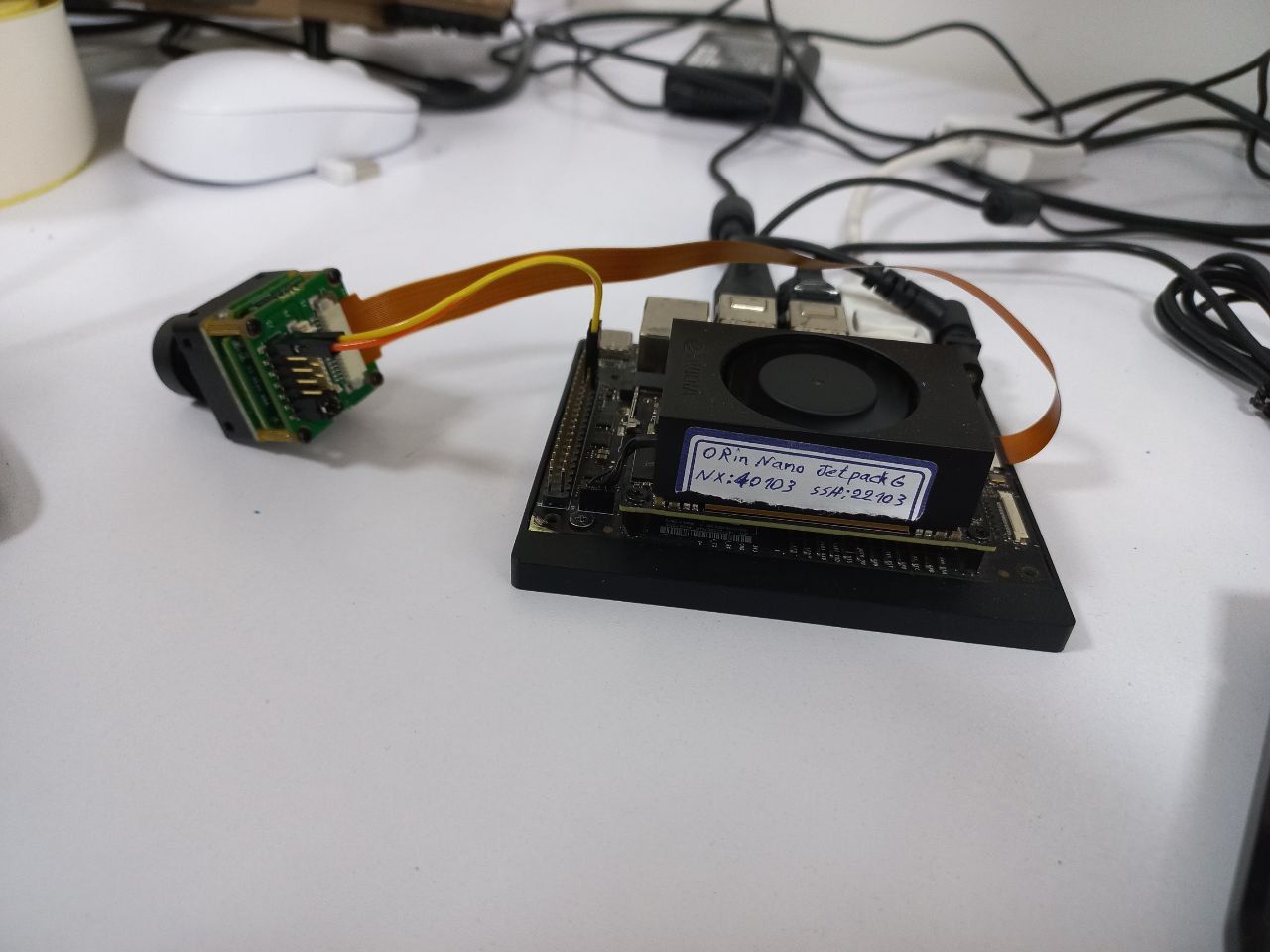
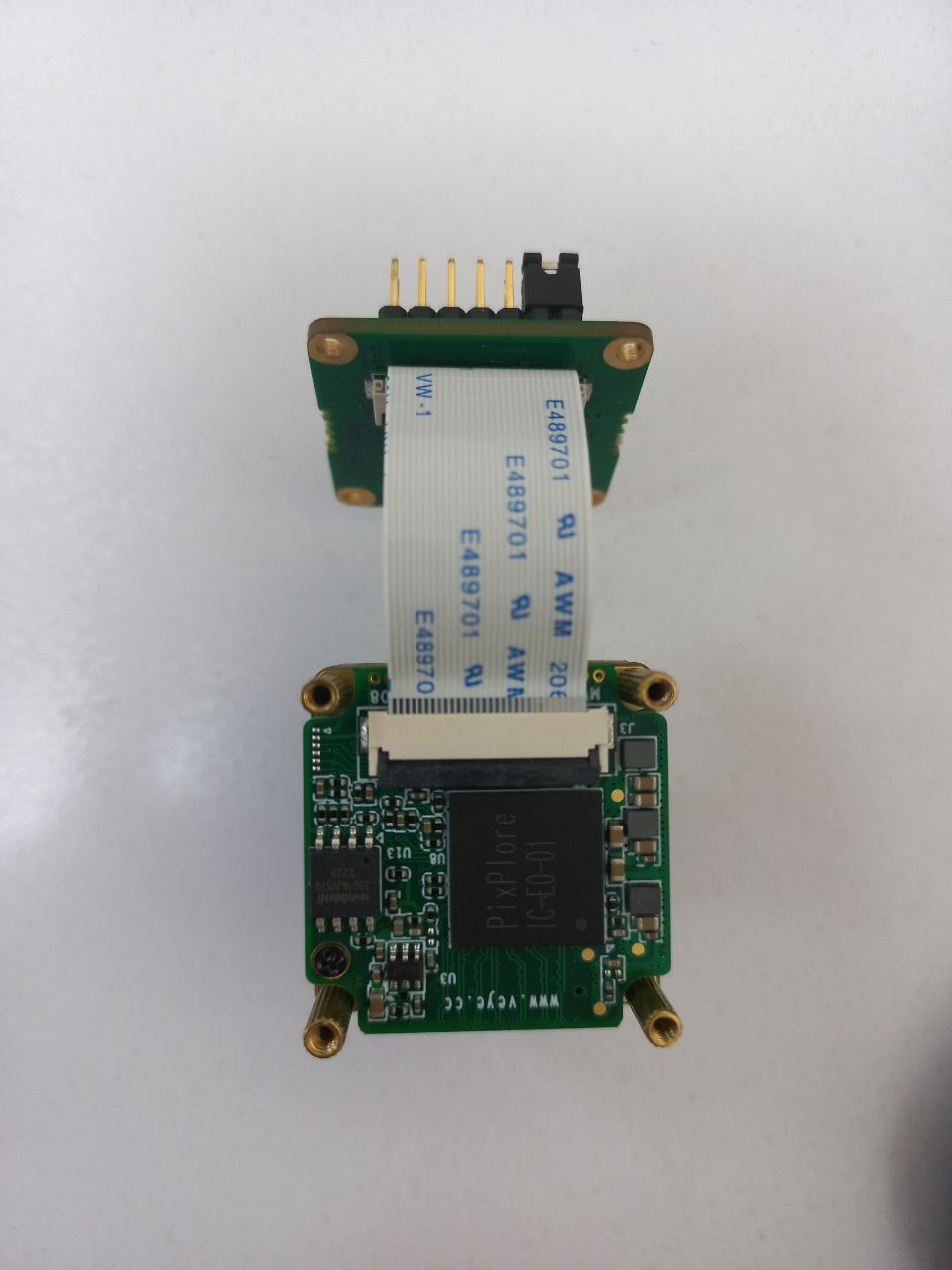
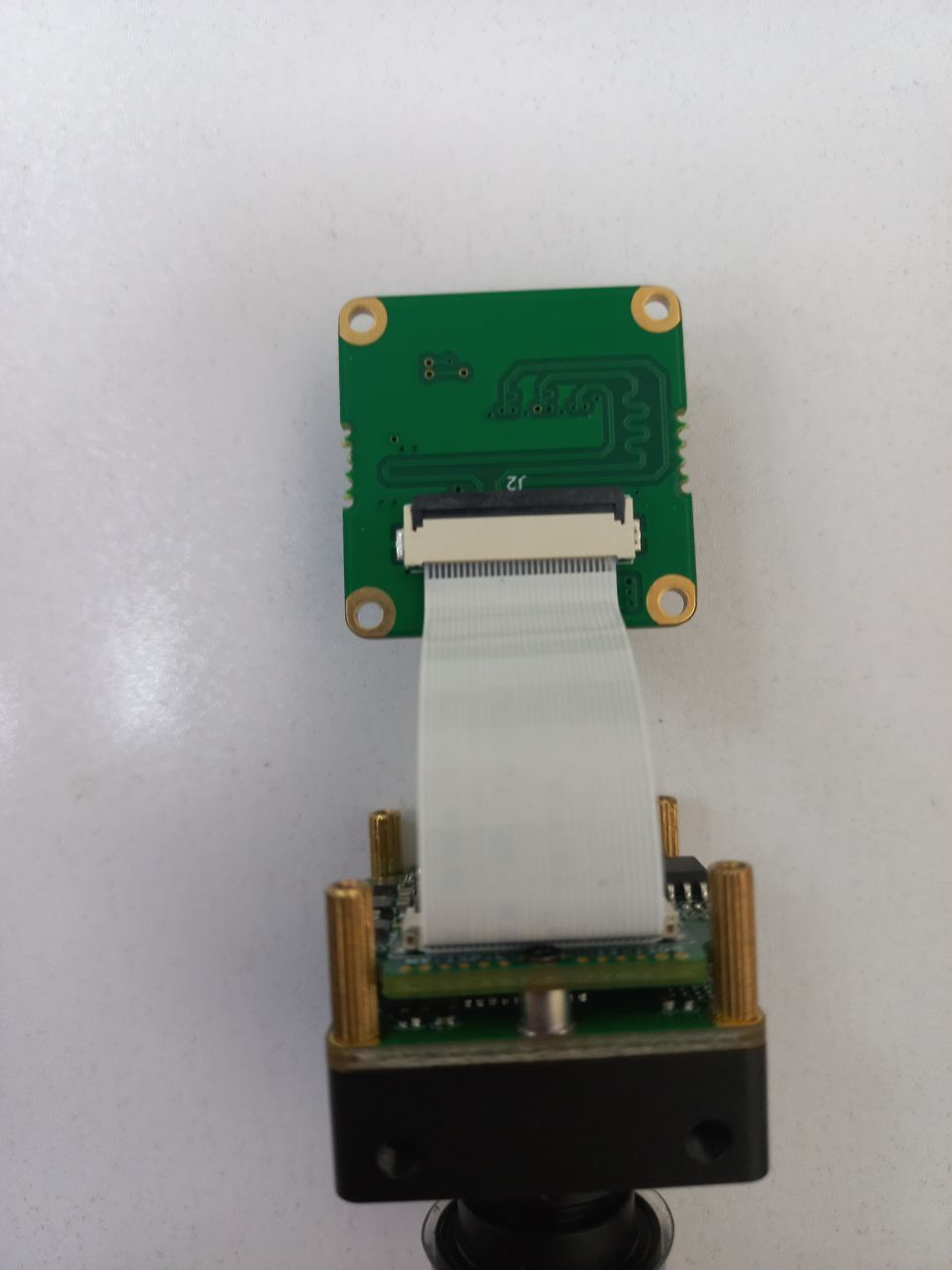
                IMG_20240816_033947_021.jpg IMG_20240816_033944_490.jpg

                veye_xummV 1 Reply Last reply Reply Quote 0
                • veye_xummV Offline
                  veye_xumm @Otca
                  last edited by

                  @otca said in NVidia Jetson Jetpack 6 support?:

                  [ 12.536185] mvcam 9-0010: failed to read chip id
                  [ 12.536190] mvcam 9-0010: mvcam_identify_module failed.
                  [ 13.041253] veye_mvcam: mvcam_read: Reading register 0x04 failed
                  [ 13.041269] mvcam 10-0010: failed to read chip id
                  [ 13.041273] mvcam 10-0010: mvcam_identify_module failed.

                  From this prompt message, it looks like your driver and dtb are doing the right thing. But now i2c probe can't get the device.
                  Please make sure your 5V dupont cable is plugged into the right place? I can't see it clearly from the picture.

                  Questions will be answered as soon as possible, please be patient.
                  如果你使用中文,请直接用中文提问。
                  May the force be with YOU. (This is the translation of the mysterious Chinese symbol above.)

                  O 1 Reply Last reply Reply Quote 0
                  • O Offline
                    Otca @veye_xumm
                    last edited by

                    @veye_xumm said in NVidia Jetson Jetpack 6 support?:

                    5V dupon
                    Thnaks for fast replay
                    To double check the pin of IMX264 would u please tell me which one is 5V and which one is GND?

                    O 1 Reply Last reply Reply Quote 0
                    • O Offline
                      Otca @Otca
                      last edited by

                      @otca I just checked the connection and I'm sure that 5V and GND connection are OK.
                      any idea what to do?

                      O 1 Reply Last reply Reply Quote 0
                      • O Offline
                        Otca @Otca
                        last edited by

                        @otca let double check the DTB i must use.
                        My camera is MV-IMX264-M which one of these dtbo is the right one?
                        tegra234-camera-rbpcv3-csimx307.dtsi*
                        tegra234-camera-rbpcv3-cssc132.dtsi*
                        tegra234-camera-rbpcv3-veyecam2m.dtsi*
                        tegra234-camera-rbpcv3-veyeimx335.dtsi*
                        tegra234-camera-rbpcv3-veye_mvcam.dtsi*
                        tegra234-p3767-camera-p3768-csimx307-dual.dtbo*
                        tegra234-p3767-camera-p3768-csimx307-dual.dts*
                        tegra234-p3767-camera-p3768-cssc132-dual.dtbo*
                        tegra234-p3767-camera-p3768-cssc132-dual.dts*
                        tegra234-p3767-camera-p3768-raw_ar0234m-dual.dtbo*
                        tegra234-p3767-camera-p3768-raw_ar0234m-dual.dts*
                        tegra234-p3767-camera-p3768-raw_imx462m-dual.dtbo*
                        tegra234-p3767-camera-p3768-raw_imx462m-dual.dts*
                        tegra234-p3767-camera-p3768-veyecam2m-dual.dtbo*
                        tegra234-p3767-camera-p3768-veyecam2m-dual.dts*
                        tegra234-p3767-camera-p3768-veyeimx335-dual.dtbo*
                        tegra234-p3767-camera-p3768-veyeimx335-dual.dts*
                        tegra234-p3767-camera-p3768-veye_mvcam-dual.dtbo*
                        tegra234-p3767-camera-p3768-veye_mvcam-dual.dts*

                        veye_xummV 2 Replies Last reply Reply Quote 0
                        • veye_xummV Offline
                          veye_xumm @Otca
                          last edited by

                          @otca said in NVidia Jetson Jetpack 6 support?:

                          tegra234-p3767-camera-p3768-veye_mvcam-dual.dtbo

                          tegra234-p3767-camera-p3768-veye_mvcam-dual.dtbo

                          Questions will be answered as soon as possible, please be patient.
                          如果你使用中文,请直接用中文提问。
                          May the force be with YOU. (This is the translation of the mysterious Chinese symbol above.)

                          1 Reply Last reply Reply Quote 0
                          • veye_xummV Offline
                            veye_xumm @Otca
                            last edited by

                            @otca
                            Please run cat /etc/extlinux/extlinux.conf, and paste here.

                            Questions will be answered as soon as possible, please be patient.
                            如果你使用中文,请直接用中文提问。
                            May the force be with YOU. (This is the translation of the mysterious Chinese symbol above.)

                            O 2 Replies Last reply Reply Quote 0
                            • O Offline
                              Otca @veye_xumm
                              last edited by

                              @veye_xumm
                              TIMEOUT 50
                              DEFAULT JetsonIO

                              MENU TITLE L4T boot options

                              LABEL primary
                              MENU LABEL primary kernel
                              LINUX /boot/Image
                              INITRD /boot/initrd
                              APPEND ${cbootargs} root=PARTUUID=3354a552-d558-40fb-857c-8e1886cb2a67 rw rootwait rootfstype=ext4 mminit_loglevel=4 console=ttyTCU0,115200 firmware_class.path=/etc/firmware fbcon=map:0 net.ifnames=0 nospectre_bhb video=efifb:off console=tty0 nv-auto-config

                              LABEL recovery
                              MENU LABEL Ubuntu (Recovery Mode - Runlevel 1)
                              LINUX /boot/Image
                              INITRD /boot/initrd
                              APPEND ${cbootargs} root=PARTUUID=3354a552-d558-40fb-857c-8e1886cb2a67 rw rootwait rootfstype=ext4 mminit_loglevel=4 console=ttyTCU0,115200 firmware_class.path=/etc/firmware fbcon=map:0 net.ifnames=0 nospectre_bhb video=efifb:off console=tty0 nv-auto-config single

                              LABEL Multi-User-With-Networking
                              MENU LABEL Ubuntu (Multi-User-With-Networking - Runlevel 3)
                              LINUX /boot/Image
                              INITRD /boot/initrd
                              APPEND ${cbootargs} root=PARTUUID=3354a552-d558-40fb-857c-8e1886cb2a67 rw rootwait rootfstype=ext4 mminit_loglevel=4 console=ttyTCU0,115200 firmware_class.path=/etc/firmware fbcon=map:0 net.ifnames=0 nospectre_bhb video=efifb:off console=tty0 nv-auto-config 3

                              LABEL Multi-User-With-GUI
                              MENU LABEL Ubuntu (Multi-User-With-GUI - Runlevel 5)
                              LINUX /boot/Image
                              INITRD /boot/initrd
                              APPEND ${cbootargs} root=PARTUUID=3354a552-d558-40fb-857c-8e1886cb2a67 rw rootwait rootfstype=ext4 mminit_loglevel=4 console=ttyTCU0,115200 firmware_class.path=/etc/firmware fbcon=map:0 net.ifnames=0 nospectre_bhb video=efifb:off console=tty0 nv-auto-config 5

                              LABEL JetsonIO
                              MENU LABEL Custom Header Config: <CSI Camera IMX219 Dual>
                              LINUX /boot/Image
                              FDT /boot/dtb/kernel_tegra234-p3768-0000+p3767-0005-nv.dtb
                              INITRD /boot/initrd
                              APPEND ${cbootargs} root=PARTUUID=3354a552-d558-40fb-857c-8e1886cb2a67 rw rootwait rootfstype=ext4 mminit_loglevel=4 console=ttyTCU0,115200 firmware_class.path=/etc/firmware fbcon=map:0 net.ifnames=0 nospectre_bhb video=efifb:off console=tty0 nv-auto-config
                              OVERLAYS /boot/veyecam/tegra234-p3767-camera-p3768-veye_mvcam-dual.dtbo

                              1 Reply Last reply Reply Quote 0
                              • O Offline
                                Otca @veye_xumm
                                last edited by

                                @veye_xumm
                                I have decompiled the dtb file using

                                dtc -I dtb -O dts -o decompiled.dts tegra234-p3767-camera-p3768-veye_mvcam-dual.dtbo
                                

                                I see that these parameters are not set correctly for IMX264, correct me if I'm wrong.

                                		i2c@0 {
                                			reg = <0x00>;
                                			#address-cells = <0x01>;
                                			#size-cells = <0x00>;
                                
                                			rbpcv3_mvcam_a@3b {
                                				compatible = "nvidia,veye_mvcam";
                                				reg = <0x3b>;
                                				devnode = "video0";
                                				physical_w = "5.6";
                                				physical_h = "3.1";
                                				sensor_model = "mvcam";
                                				use_sensor_mode_id = "false";
                                				status = "okay";
                                				reset-gpios = <0x5a 0x3e 0x00>;
                                				phandle = <0x482>;
                                
                                				mode0 {
                                					mclk_khz = "24000";
                                					num_lanes = "2";
                                					tegra_sinterface = "serial_b";
                                					phy_mode = "DPHY";
                                					discontinuous_clk = "yes";
                                					dpcm_enable = "false";
                                					cil_settletime = "0";
                                					lane_polarity = "6";
                                					active_w = "3088";
                                					active_h = "2064";
                                					mode_type = "raw";
                                					csi_pixel_bit_depth = "8";
                                					pixel_phase = "y8";
                                					readout_orientation = "0";
                                					line_length = "3088";
                                					inherent_gain = "1";
                                					mclk_multiplier = "2";
                                					pix_clk_hz = "375000000";
                                					gain_factor = "16";
                                					framerate_factor = "1000000";
                                					exposure_factor = "1000000";
                                					min_gain_val = "16";
                                					max_gain_val = "170";
                                					step_gain_val = "1";
                                					default_gain = "16";
                                					min_hdr_ratio = "1";
                                					max_hdr_ratio = "1";
                                					min_framerate = "2000000";
                                					max_framerate = "20000000";
                                					step_framerate = "1";
                                					default_framerate = "20000000";
                                					min_exp_time = "13";
                                					max_exp_time = "333333";
                                					step_exp_time = "1";
                                					default_exp_time = "2495";
                                					embedded_metadata_height = "0";
                                				};
                                

                                The corresponding parameters for IMX264 is as follow:

                                Property IMX264
                                physical_w 8.390
                                physical_h 7.066
                                active_w 2432
                                active_h 2048
                                pixel_t RG 8,10,12
                                max_gain_val 48
                                step_gain_val 0.100
                                max_framerate (2L08) 35.5
                                max_framerate (2L10) 35.5
                                max_framerate (2L12) 35.5

                                what do u think about do the needed changes and recompile the dts to dtbo?

                                Thanks for ur help ❤

                                O 1 Reply Last reply Reply Quote 0
                                • O Offline
                                  Otca @Otca
                                  last edited by

                                  @otca i have done the top changes and still i have the same errors:

                                  dmesg | grep -i 'fail'

                                  [ 5.139606] hid-generic: probe of 0003:1C4F:0202.0004 failed with error -22
                                  [ 9.364966] videodev: module verification failed: signature and/or required key missing - tainting kernel
                                  [ 11.505696] dce: dce_admin_setup_clients_ipc:561 Get queue info failed for [2]
                                  [ 12.284602] veye_mvcam: mvcam_read: Reading register 0x04 failed
                                  [ 12.284613] mvcam 9-003b: failed to read chip id
                                  [ 12.284617] mvcam 9-003b: mvcam_identify_module failed.
                                  [ 12.795113] veye_mvcam: mvcam_read: Reading register 0x04 failed
                                  [ 12.795129] mvcam 10-003b: failed to read chip id
                                  [ 12.795133] mvcam 10-003b: mvcam_identify_module failed.
                                  [ 17.325445] NVRM rpcRmApiControl_dce: NVRM_RPC_DCE: Failed RM ctrl call cmd:0x731341 result 0xffff:

                                  dmesg | grep -i 'i2c'

                                  [ 0.236421] i2c_dev: i2c /dev entries driver
                                  [ 3.375822] tegra-i2c 3160000.i2c: Adding to iommu group 1
                                  [ 3.380887] tegra-i2c 3180000.i2c: Adding to iommu group 1
                                  [ 3.384775] tegra-i2c 31b0000.i2c: Adding to iommu group 1
                                  [ 3.388075] tegra-i2c c240000.i2c: Adding to iommu group 1
                                  [ 3.391424] i2c 1-0025: Fixing up cyclic dependency with 3520000.padctl
                                  [ 3.392065] tegra-i2c c250000.i2c: Adding to iommu group 1
                                  [ 3.396084] i2c i2c-2: Added multiplexed i2c bus 9
                                  [ 3.396781] i2c i2c-2: Added multiplexed i2c bus 10
                                  [ 3.396786] i2c-mux-gpio bus@0:cam_i2cmux: 2 port mux on 3180000.i2c adapter

                                  dmesg | grep -i 'veye'

                                  [ 11.782990] mvcam 9-003b: veye mv series camera driver version: 01.01.04
                                  [ 12.284602] veye_mvcam: mvcam_read: Reading register 0x04 failed
                                  [ 12.286011] mvcam 10-003b: veye mv series camera driver version: 01.01.04
                                  [ 12.795113] veye_mvcam: mvcam_read: Reading register 0x04 failed

                                  veye_xummV 2 Replies Last reply Reply Quote 0
                                  • veye_xummV Offline
                                    veye_xumm @Otca
                                    last edited by

                                    @otca
                                    I would say that this phenomenon now has nothing to do with the details of the dts. The problem now is that i2c doesn't work.
                                    This is often something to do with the hardware connection cables, and whether the camera is working properly.
                                    Do you have a multimeter? An oscilloscope? Can you measure the power supply to the camera module, and whether the i2c communication is working?

                                    Questions will be answered as soon as possible, please be patient.
                                    如果你使用中文,请直接用中文提问。
                                    May the force be with YOU. (This is the translation of the mysterious Chinese symbol above.)

                                    1 Reply Last reply Reply Quote 0
                                    • veye_xummV Offline
                                      veye_xumm @Otca
                                      last edited by

                                      @otca
                                      b834dbf9-ee47-482a-b293-dac734e1f365-image.png
                                      Have you ever disassembled the camera module?Is the direction of the internal FFC flex cable correct?

                                      Questions will be answered as soon as possible, please be patient.
                                      如果你使用中文,请直接用中文提问。
                                      May the force be with YOU. (This is the translation of the mysterious Chinese symbol above.)

                                      O 1 Reply Last reply Reply Quote 0
                                      • O Offline
                                        Otca @veye_xumm
                                        last edited by

                                        @veye_xumm said in NVidia Jetson Jetpack 6 support?:

                                        Have you ever disassembled the camera module?Is the direction of the internal FFC flex cable correct?

                                        I have not disassembled camera but if you think i should disassemble and check connections, I'll give it a try.
                                        if its possible please give me reference needed for this part.
                                        and for the other question, I did check the power supply and it was 5.14 V.

                                        O 1 Reply Last reply Reply Quote 0
                                        • O Offline
                                          Otca @Otca
                                          last edited by

                                          IMG_20240819_125026_560.jpg IMG_20240819_125022_288.jpg

                                          veye_xummV 1 Reply Last reply Reply Quote 0
                                          • veye_xummV Offline
                                            veye_xumm @Otca
                                            last edited by

                                            @otca
                                            There's nothing wrong with that in my opinion. You have 4 cameras, have you tried any others?
                                            Or try plugging the camera into another mipi port ?

                                            Questions will be answered as soon as possible, please be patient.
                                            如果你使用中文,请直接用中文提问。
                                            May the force be with YOU. (This is the translation of the mysterious Chinese symbol above.)

                                            O 1 Reply Last reply Reply Quote 0

                                            Hello! It looks like you're interested in this conversation, but you don't have an account yet.

                                            Getting fed up of having to scroll through the same posts each visit? When you register for an account, you'll always come back to exactly where you were before, and choose to be notified of new replies (either via email, or push notification). You'll also be able to save bookmarks and upvote posts to show your appreciation to other community members.

                                            With your input, this post could be even better 💗

                                            Register Login
                                            • First post
                                              Last post