NVidia Jetson Jetpack 6 support?
-
@otca
Based on your suggestion, I believe the driver is fine. Please try the following command to see if it can receive data properly.export WIDTH=2432 export HEIGHT=2056 export FPS=28 v4l2-ctl --set-ctrl roi_x=0 v4l2-ctl --set-ctrl roi_y=0 v4l2-ctl --set-fmt-video=width=$WIDTH,height=$HEIGHT,pixelformat=GREY v4l2-ctl --set-ctrl frame_rate=$FPS v4l2-ctl --set-fmt-video=width=$WIDTH,height=$HEIGHT,pixelformat=GREY --stream-mmap --stream-count=-1 --stream-to=/dev/nullIf there are no issues, please refer to the link below and try capturing images using qV4l2 and a Python script. I remember that VLC had some problems with JetPack version 6.
-
@veye_xumm Hi,
this is the results:
The following lines and corresponding Dmesg log:export WIDTH=2432 export HEIGHT=2056 export FPS=28 v4l2-ctl --set-ctrl roi_x=0 v4l2-ctl --set-ctrl roi_y=0 v4l2-ctl --set-fmt-video=width=$WIDTH,height=$HEIGHT,pixelformat=GREY v4l2-ctl --set-ctrl frame_rate=$FPSDmesg log:
[   84.571478] mvcam 10-003b: csi2_try format
[   84.571495] mvcam 10-003b: mvcam_csi2_get_fmt_idx_by_code success
and The last line didnt run successfully:
v4l2-ctl --set-fmt-video=width=$WIDTH,height=$HEIGHT,pixelformat=GREY --stream-mmap --stream-count=-1 --stream-to=/dev/null####Dmesg of Last Line:
I terminated the above command after 10 seconds.[ 113.809582] mvcam 10-003b: csi2_try format [ 113.809604] mvcam 10-003b: mvcam_csi2_get_fmt_idx_by_code success [ 113.886292] mvcam 10-003b: camera_common_mclk_enable: no device power rail [ 113.886304] mvcam 10-003b: camera_common_s_power: failed to enable mclk [ 116.962475] tegra-camrtc-capture-vi tegra-capture-vi: uncorr_err: request timed out after 2500 ms [ 116.962505] tegra-camrtc-capture-vi tegra-capture-vi: err_rec: attempting to reset the capture channel [ 116.963052] tegra-camrtc-capture-vi tegra-capture-vi: err_rec: successfully reset the capture channel [ 119.522644] tegra-camrtc-capture-vi tegra-capture-vi: uncorr_err: request timed out after 2500 ms [ 119.522668] tegra-camrtc-capture-vi tegra-capture-vi: err_rec: attempting to reset the capture channel [ 119.524143] tegra-camrtc-capture-vi tegra-capture-vi: err_rec: successfully reset the capture channel [ 122.082687] tegra-camrtc-capture-vi tegra-capture-vi: uncorr_err: request timed out after 2500 ms [ 122.082714] tegra-camrtc-capture-vi tegra-capture-vi: err_rec: attempting to reset the capture channel [ 122.084142] tegra-camrtc-capture-vi tegra-capture-vi: err_rec: successfully reset the capture channel [ 124.642482] tegra-camrtc-capture-vi tegra-capture-vi: uncorr_err: request timed out after 2500 ms [ 124.642508] tegra-camrtc-capture-vi tegra-capture-vi: err_rec: attempting to reset the capture channel [ 124.643091] tegra-camrtc-capture-vi tegra-capture-vi: err_rec: successfully reset the capture channel [ 127.202701] tegra-camrtc-capture-vi tegra-capture-vi: uncorr_err: request timed out after 2500 ms [ 127.202723] tegra-camrtc-capture-vi tegra-capture-vi: err_rec: attempting to reset the capture channel [ 127.204101] tegra-camrtc-capture-vi tegra-capture-vi: err_rec: successfully reset the capture channel [ 129.762461] tegra-camrtc-capture-vi tegra-capture-vi: uncorr_err: request timed out after 2500 ms [ 129.762476] tegra-camrtc-capture-vi tegra-capture-vi: err_rec: attempting to reset the capture channel [ 129.762955] tegra-camrtc-capture-vi tegra-capture-vi: err_rec: successfully reset the capture channel [ 132.322481] tegra-camrtc-capture-vi tegra-capture-vi: uncorr_err: request timed out after 2500 ms [ 132.322507] tegra-camrtc-capture-vi tegra-capture-vi: err_rec: attempting to reset the capture channel [ 132.323031] tegra-camrtc-capture-vi tegra-capture-vi: err_rec: successfully reset the capture channel [ 134.850487] tegra-camrtc-capture-vi tegra-capture-vi: uncorr_err: request timed out after 2500 ms [ 134.850507] tegra-camrtc-capture-vi tegra-capture-vi: err_rec: attempting to reset the capture channel [ 134.851082] tegra-camrtc-capture-vi tegra-capture-vi: err_rec: successfully reset the capture channel [ 134.854840] mvcam 10-003b: camera_common_mclk_disable: no device power railFull Dmesg log:
-
@otca Please check the version of camera.
https://wiki.veye.cc/index.php/Mv_mipi_i2c.sh_user_guide#version
sudo ./mv_mipi_i2c.sh -r -f version -b 10 -
@veye_xumm said in NVidia Jetson Jetpack 6 support?:
sudo ./mv_mipi_i2c.sh -r -f version -b 10
sure!
sudo ./mv_mipi_i2c.sh -r -f version -b 10 version is C 01.41 and L 02.06 -
@otca
The version is OK. Have you set the camera's operating mode? Please try this command:sudo ./mv_mipi_i2c.sh -r -f trgmode -b 10I did encounter images not being received properly due to compromised mipi signal quality caused by third party carrier board, but your board is supposed to be an official nvidia board, right?
Could you please try connecting the camera to another csi port?
-
@veye_xumm said in NVidia Jetson Jetpack 6 support?:
sudo ./mv_mipi_i2c.sh -r -f trgmode -b 10
sure I will try other CSI port and my board is Jetson Orin NX DeveloperKit (16GB). It's supported by VEYE and Nvidia.
sudo ./mv_mipi_i2c.sh -r -f trgmode -b 10
r trigger mode is 0
I'll reboot and give you the result for other CSI
-
@veye_xumm
I am experiencing an issue with CSI number 1. Specifically, it is not functioning properly on CSI-1, while everything works fine on CSI-0.
I would appreciate it if you could provide insight into why this might be happening. Additionally, I would like to mention that thevlccomponent is working without any issues, so the problem seems isolated to CSI-1 in my case.v4l2-ctl --set-fmt-video=width=$WIDTH,height=$HEIGHT,pixelformat=GREY --stream-mmap --stream-count=-1 --stream-to=/dev/null <<<<<<<<<<<<<<<<<<<<<<<<<<<<< 27.99 fps <<<<<<<<<<<<<<<<<<<<<<<<<<<< 27.99 fps <<<<<<<<<<<<<<<<<<<<<<<<<<<< 27.99 fps <<<<<<<<<<<<<<<<<<<<<<<<<<<< 27.99 fps <<<<<<<<<<<<<<<<<<<<<<<<<<<< 27.99 fps <<<<<<<<<<<<<<<<<<<<<<<<<<<< 27.99 fps <<<<<<<<<<<<<<<<<<<<<<<<<<<< 27.99 fps <<<<<<<<<<<<<<<<<<<<<<<<<<<< 27.99 fps <<<<<<<<<<<<<<<<<<<<<<<<<<<< 27.99 fps <<<<<<<<<<<<<<<<<<<<<<<<<<<< 27.99 fps <<<<<<<<<<<<<<<<<<<<<<<<<<<< 27.99 fpsIn the End, I cannot express how truly grateful I am for all the assistance you've provided over the past two weeks. Your patience and dedication throughout the entire process have been remarkable. Thanks to your consistent help, everything is finally working perfectly, and I am incredibly appreciative of your efforts.
Once again, thank you so much for your unwavering support and understanding.
-
@otca You are welcome.
I just tested it on my side with the Orin NX 8G version (P3767-0001), and both camera channels are working fine.
This issue is a bit strange.
Do you have any other cameras? Could you check if the cam1 on your board is functioning properly? -
@veye_xumm Sure, I'll Check it.
would mind helping me for getting Max FPS please?export WIDTH=1920 export HEIGHT=1080 export FPS=67 v4l2-ctl --set-fmt-video=width=$WIDTH,height=$HEIGHT,pixelformat=GREY --stream-mmap --stream-count=-1 --stream-to=/dev/null <<<<<<<<<<<<<<<<<<<<<<<<<<<<<<< 30.00 fps <<<<<<<<<<<<<<<<<<<<<<<<<<<<<< 30.00 fps <<<<<<<<<<<<<<<<<<<<<<<<<<<<<< 30.00 fps <<<<<<<<<<<<<<<<<<<<<<<<<<<<<< 30.00 fpsAccording to Veye Wiki, I can get 67 frames per second.

Would you please tell me what should I do in addition to get the highest FPS?
Thanks -
@otca Solved:
./mv_mipi_i2c.sh -r -f roi -b 9 ./mv_mipi_i2c.sh -w -f roi -p1 0 -p2 0 -p3 1920 -p4 1080 -b 9 ./mv_mipi_i2c.sh -r -f maxfps -b 9 ./mv_mipi_i2c.sh -r -f fps -b 9 ./mv_mipi_i2c.sh -w -f fps -p1 67 -b 9 -
Ok, I have the same mvcam imx296m with adp-mv1 adapter connected to Orin nx 16GB board from seeed studio.
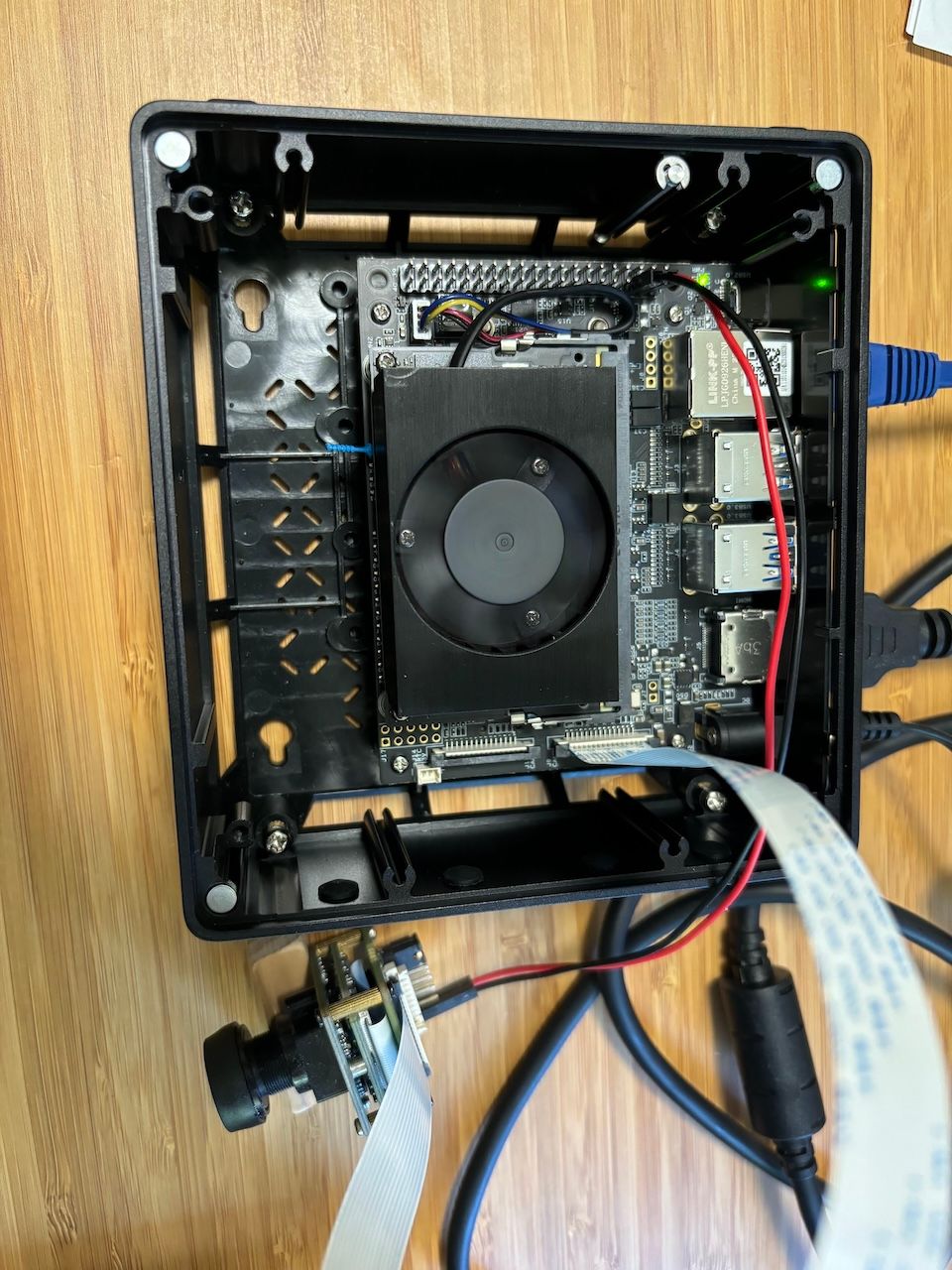
I used overlay dtbo loading method. The ‘sudo insmod veye_mvcam.ko’ ran w/o error returning.
But I got these errors checking ‘dmesg| grep -i mvcam’:

What could be the reason? I tried both local build .ko and downloaded (latest version) .ko files. Same symptom.
My system is R36.3 Jetpack 6.0.
BTW, where does the tegra_camera.ko come from? I seem do not find place to compile it. Thanks.
-
Also, besides the tegra-camera.ko question, I noticed the v4l2-core/*.ko also different between nvidia_jetson_veye_bsp release tar ball and default *.ko in /lib/modules/$(uname -r)/kernel/drivers/media/v4l2-core/. How are these *.ko files are compiled in nvidia_jetson_veye_bsp.tar.gz and where are the source files?
sudo cp nvidia_jetson_veye_bsp/ko/$(uname -r)/upstream/*.ko /lib/modules/$(uname -r)/kernel/drivers/media/v4l2-core/ -f -
@vitob
I think the first thing you need to check is whether this baseboard from seed is compatible with the official nVidia carrier board and whether it uses the same dtb? -
@vitob Pls try to get version:
https://wiki.veye.cc/index.php/Mv_mipi_i2c.sh_user_guide#model -
nvidia@ubuntu:/work/git_repo/nvidia_jetson_veye_bsp/mv_tools_jetson/i2c_tools$ ./mv_mipi_i2c.sh -r -f model -b 0
model 0 not recognized
nvidia@ubuntu:/work/git_repo/nvidia_jetson_veye_bsp/mv_tools_jetson/i2c_tools$ ./mv_mipi_i2c.sh -r -f model -b 1
model 0 not recognized
nvidia@ubuntu:/work/git_repo/nvidia_jetson_veye_bsp/mv_tools_jetson/i2c_tools$ ./mv_mipi_i2c_new.sh -r -f model -b 1
NOT SUPPORTED!
nvidia@ubuntu:/work/git_repo/nvidia_jetson_veye_bsp/mv_tools_jetson/i2c_tools$ ./mv_mipi_i2c_new.sh -r -f model -b 0
NOT SUPPORTED! -
@veye_xumm , let me confirm this, although I used sdkmanager to flash the board with nvidia native packages w/o issues.
-
@vitob said in NVidia Jetson Jetpack 6 support?:
tegra-camera.ko question, I noticed the v4l2-core/*.ko
In the meantime, can you help explain this question on tegra-camera.ko and v4l2-core/*.ko? Why they needs to be updated and where can I find the source code of them? Once updating them using the veye release .ko, will that affect other cameras (for example, I want to port/develop driver for another sensor myself)? Thanks.
-
@vitob
Please use -b 9 or -b 10 as an argument.https://wiki.veye.cc/index.php/I2c_bus_number_and_video_node
For i2c bus number, please refer to this link above.
-
@vitob said in NVidia Jetson Jetpack 6 support?:
In the meantime, can you help explain this question on tegra-camera.ko and v4l2-core/*.ko? Why they needs to be updated and where can I find the source code of them? Once updating them using the veye release .ko, will that affect other cameras (for example, I want to port/develop driver for another sensor myself)? Thanks.
These driver changes add support for RAW8 RAW10 RAW12 data types on the one hand, and externally triggered modes on the other.
Their code reference:
https://github.com/veyeimaging/nvidia_jetson_veye_bsp/tree/master/kernel_patch_4_mv/l4t-r36.3Compile step by step reference::
https://wiki.veye.cc/index.php/VEYE_CS_Camera_source_for_Jetson

Hello! It looks like you're interested in this conversation, but you don't have an account yet.
Getting fed up of having to scroll through the same posts each visit? When you register for an account, you'll always come back to exactly where you were before, and choose to be notified of new replies (either via email, or push notification). You'll also be able to save bookmarks and upvote posts to show your appreciation to other community members.
With your input, this post could be even better 💗
Register Login