相机采集图像阻塞
-
@veye_xumm 改了驱动程序里的匹配字符,应该没影响吧,设备树对应的我也改了
-
@lin
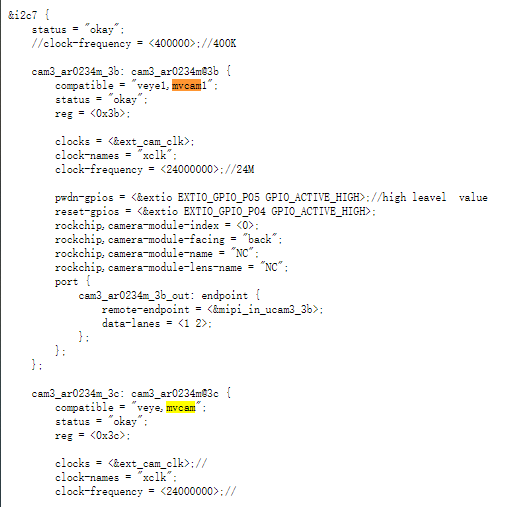
我觉得没有这个必要。
另外你在i2c-7上面挂了两个相机?即便是这样,也没有必要做两个完全一致的ko插入到系统里面去。另外,你所提的图像阻塞的问题。你需要检查一下:1. 硬件的mipi信号线是否跟dts配置的一致。 2. 芯片内的数据通路配置是否正确。
我建议你先参考我们的资料,搞通一个,然后再类比搞通另一个相机。
-
@veye_xumm said in 相机采集图像阻塞:
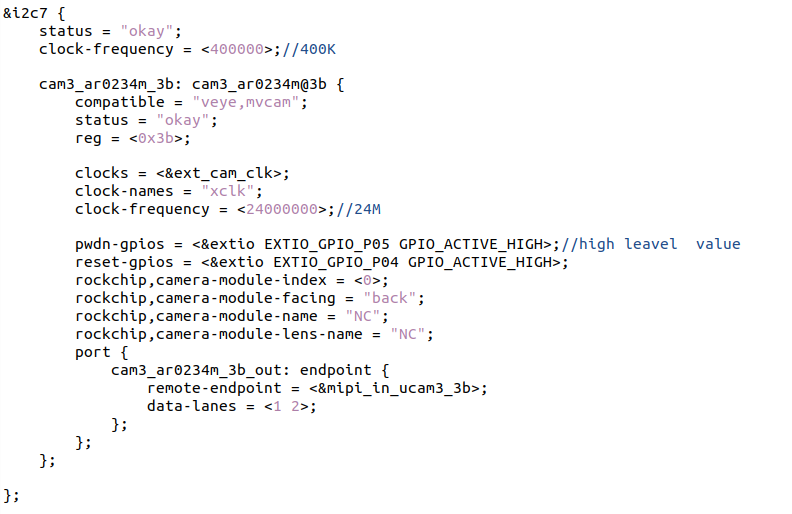
另外你在i2c-7上面挂了两个相机?即便是这样,也没有必要做两个完全一致的ko插入到系统里面去
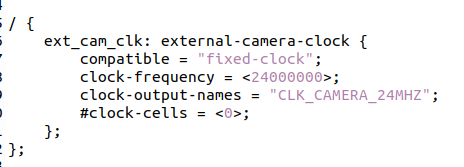
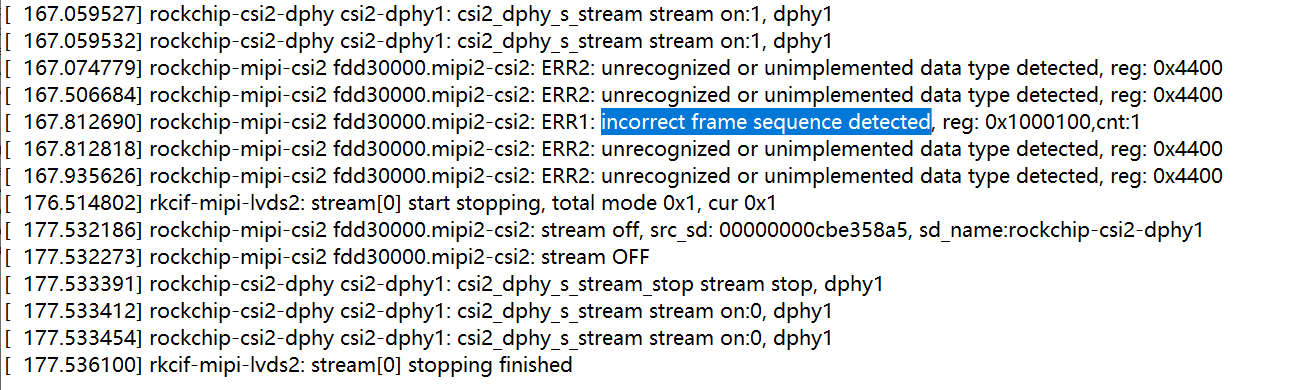
我现在只在设备树添加一个相机,设备树中对相机时钟有要求吗?
-
我现在只在设备树添加一个相机,设备树中对相机时钟有要求吗?
没有要求,相机自己有时钟。
OK3588-C-Camera.dtsi中,i2c-7这一路,你可以参考一下下面这部分代码。//************************************************ //*** CAM3 VEYE MVCAM Configuration Description **** //************************************************ &csi2_dphy0_hw { status = "okay"; }; &i2c7 { status = "okay"; clock-frequency = <400000>; cam3_mvcam: cam3_mvcam@3b { compatible = "veye,mvcam"; status = "okay"; reg = <0x3b>; clocks = <&ext_cam_clk>; clock-names = "xclk"; clock-frequency = <24000000>; pwdn-gpios = <&extio EXTIO_GPIO_P05 GPIO_ACTIVE_HIGH>; //enable-gpios = <&extio EXTIO_GPIO_P05 GPIO_ACTIVE_HIGH>; reset-gpios = <&extio EXTIO_GPIO_P04 GPIO_ACTIVE_LOW>; rockchip,camera-module-index = <0>; rockchip,camera-module-facing = "back"; rockchip,camera-module-name = "NC"; rockchip,camera-module-lens-name = "NC"; port { cam3_mvcam_out: endpoint { remote-endpoint = <&mipi_in_ucam3>; data-lanes = <1 2>; }; }; }; }; &csi2_dphy0 { status = "okay"; ports { #address-cells = <1>; #size-cells = <0>; port@0 { reg = <0>; #address-cells = <1>; #size-cells = <0>; mipi_in_ucam3: endpoint@1 { reg = <1>; remote-endpoint = <&cam3_mvcam_out>; data-lanes = <1 2>; }; }; port@1 { reg = <1>; #address-cells = <1>; #size-cells = <0>; mipi2_csi2_mipicsi0_out0: endpoint@0 { reg = <0>; remote-endpoint = <&mipi2_csi2_input>; }; }; }; }; &mipi2_csi2 { status = "okay"; ports { #address-cells = <1>; #size-cells = <0>; port@0 { reg = <0>; #address-cells = <1>; #size-cells = <0>; mipi2_csi2_input: endpoint@1 { reg = <1>; remote-endpoint = <&mipi2_csi2_mipicsi0_out0>; }; }; port@1 { reg = <1>; #address-cells = <1>; #size-cells = <0>; mipi2_csi2_output: endpoint@0 { reg = <0>; remote-endpoint = <&cif_mipi_lvds2>; }; }; }; }; &rkcif_mipi_lvds2 { status = "okay"; port { cif_mipi_lvds2: endpoint { remote-endpoint = <&mipi2_csi2_output>; }; }; }; &rkcif_mipi_lvds2_sditf { status = "disabled"; }; -
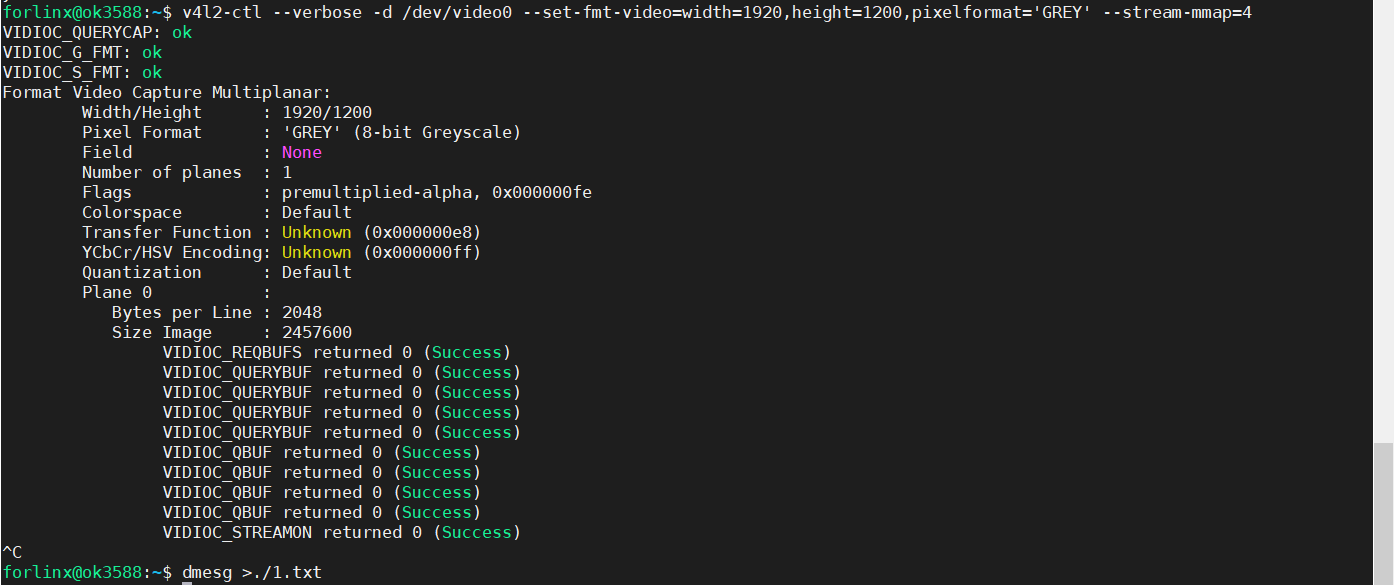
@veye_xumm请问,你们调试的时候有遇到这种情况吗?没有数据流输出,一直阻塞
-
@lin 你是否用的是外触发模式?
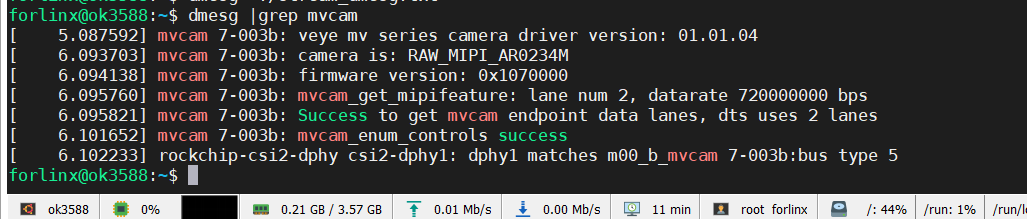
查看一下dmesg是否有报错?
确认一下dts中关于mipi接口配置是否正确。 -
@veye_xumm
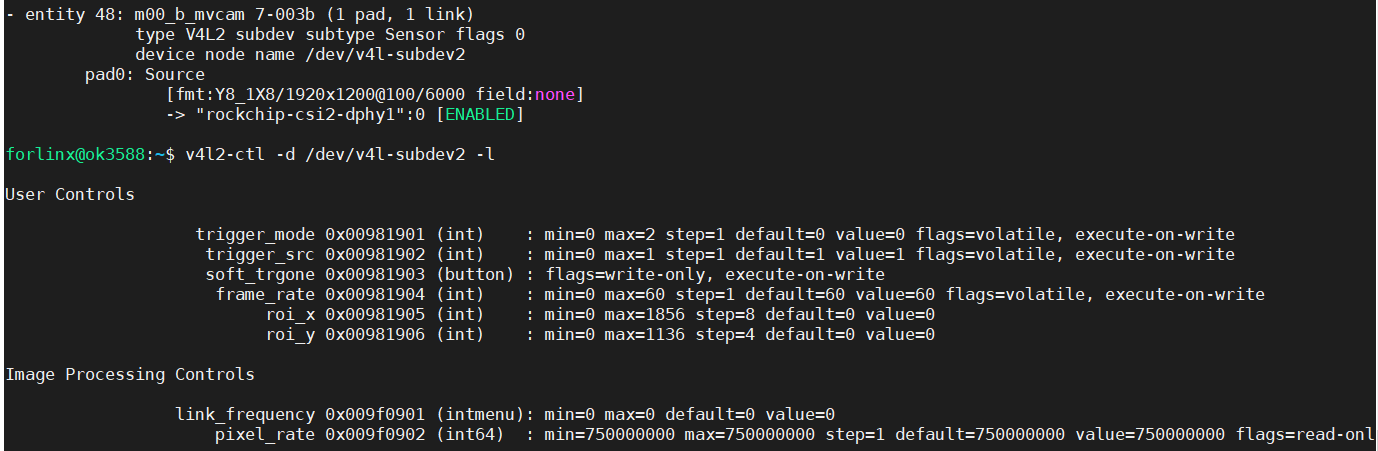
内核打印信息:1.txt
还有您说的mipi接口配置是指链路设置还是mipi_csi2节点设置? -
-
@veye_xumm 设备树OK3588-C-Camera.txt 拓扑图已经生成了拓扑图.txt ,哪里可能会导致阻塞呀?
-
@lin
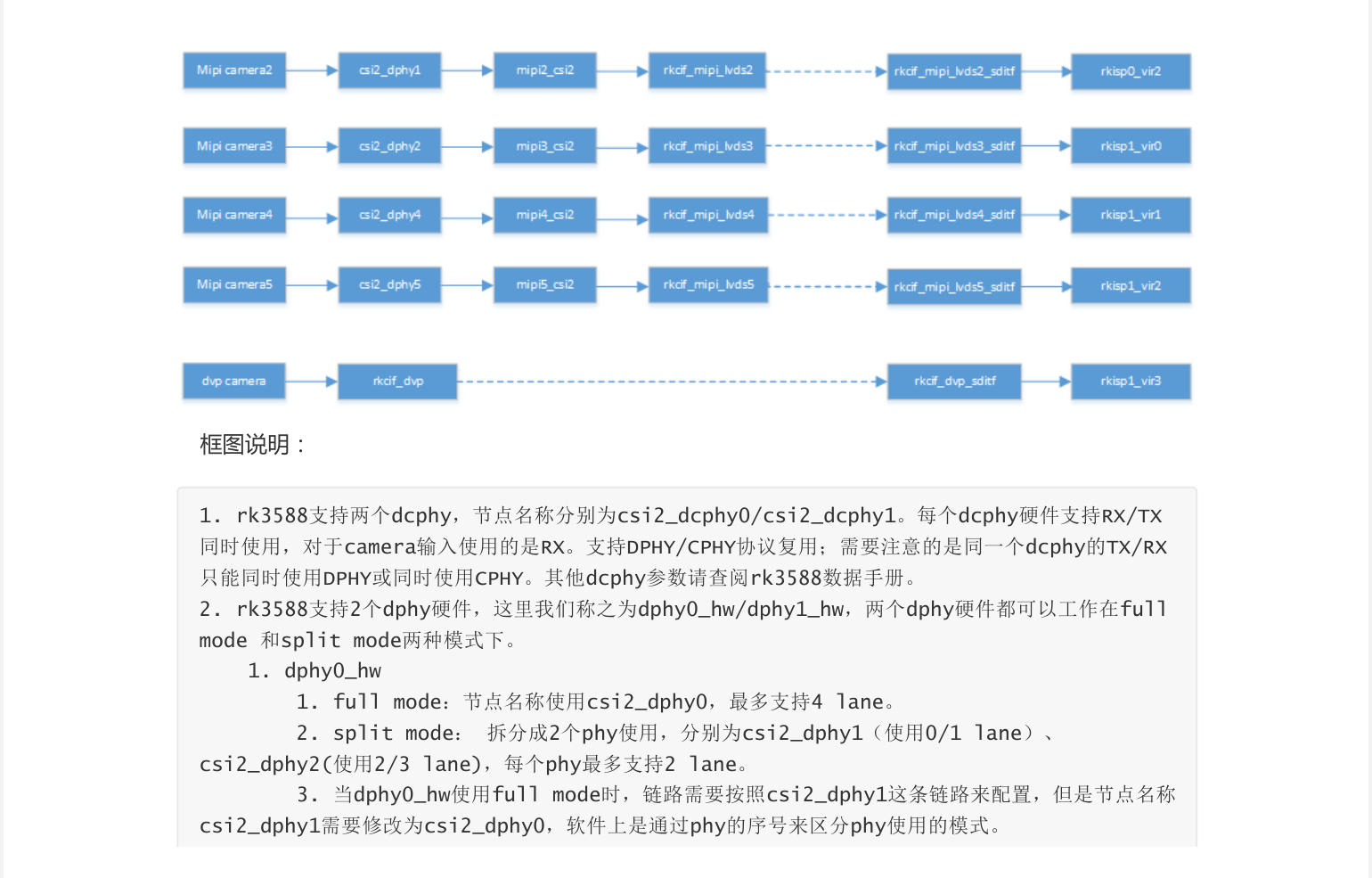
看你的拓扑图:- entity 48: m00_b_mvcam 7-003b (1 pad, 1 link) type V4L2 subdev subtype Sensor flags 0 device node name /dev/v4l-subdev2 pad0: Source [fmt:Y8_1X8/1920x1200@100/6000 field:none] -> "rockchip-csi2-dphy1":0 [ENABLED]你这边设定i2c-7接口配套的mipi硬件接口是:csi2-dphy1
真的是这样的吗?我给你的我们调过的那个dts,用的可是csi2-dphy0啊!

-
-
@lin 你是用的OK3588-C这个开发板吗?
-
@veye_xumm 是的
-
@lin 能否添加您的邮箱,我们这边相机驱动调试还是有问题?
-
OK3588-C这个开发板,我之前贴的这个dts是调试过的。
没有要求,相机自己有时钟。
OK3588-C-Camera.dtsi中,i2c-7这一路,你可以参考一下下面这部分代码。
你直接用这个dts,然后配合我们官方发布的驱动。
在加上这个链接提示的问题点:https://wiki.veye.cc/index.php/FAQ_on_RK35xx_Platform/zh应该可以直接调通i2c-7这一路才对。
-
@veye_xumm said in 相机采集图像阻塞:
我已经全部按照您说的进行了修改,但是相机还是无法出图,内核打印信息2.txt ,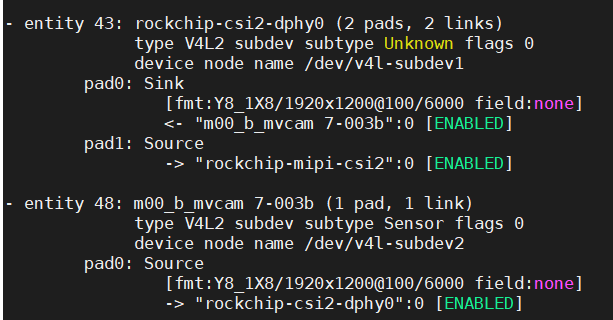
这和这个有关系吗?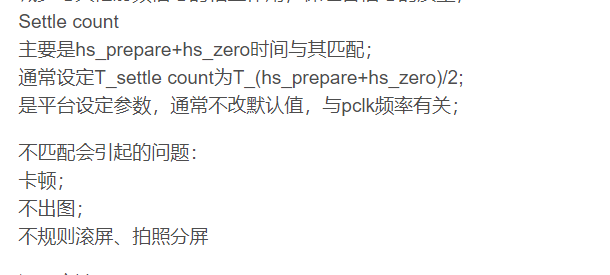
-
-
@veye_xumm 相机型号:raw-mipi-ar0234m,使用的抓图命令是:v4l2-ctl -d /dev/video0 --set-fmt-video=width=1920,height=1200,pixelformat=GREY --stream-mmap --stream-count=1 --stream-to=y8.raw
-
@veye_xumm said in 相机采集图像阻塞:
我已经全部按照您说的进行了修改,但是相机还是无法出图,内核打印信息2.txt ,
这和这个有关系吗?应该跟这个没关系。
相机型号:raw-mipi-ar0234m,使用的抓图命令是:v4l2-ctl -d /dev/video0 --set-fmt-video=width=1920,height=1200,pixelformat=GREY --stream-mmap --stream-count=1 --stream-to=y8.raw
你这个命令也没有问题。
很奇怪,按理说应该不会有这些mipi协议上的错误,请拍一下你的硬件系统图给我看看。
-
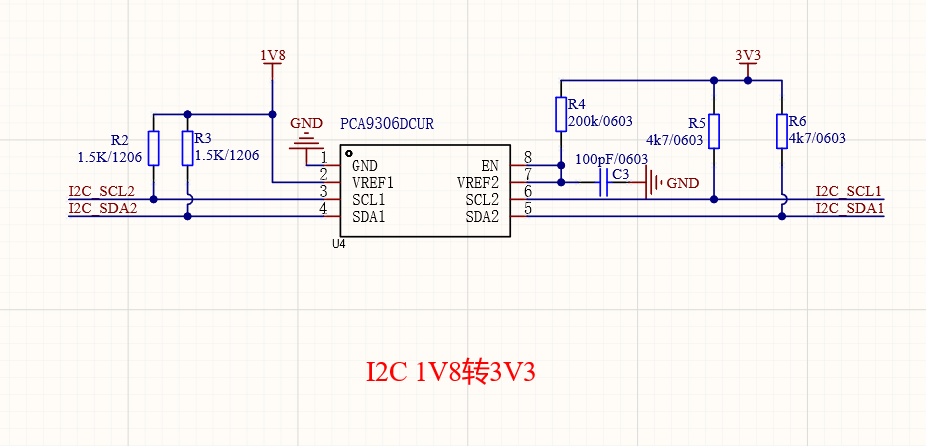
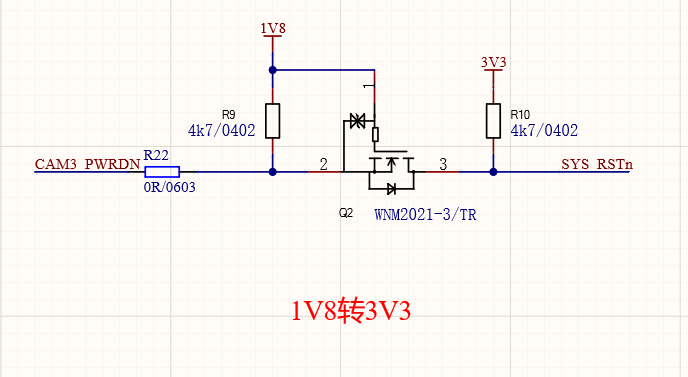
@veye_xumm OK3588开发板mipi接口
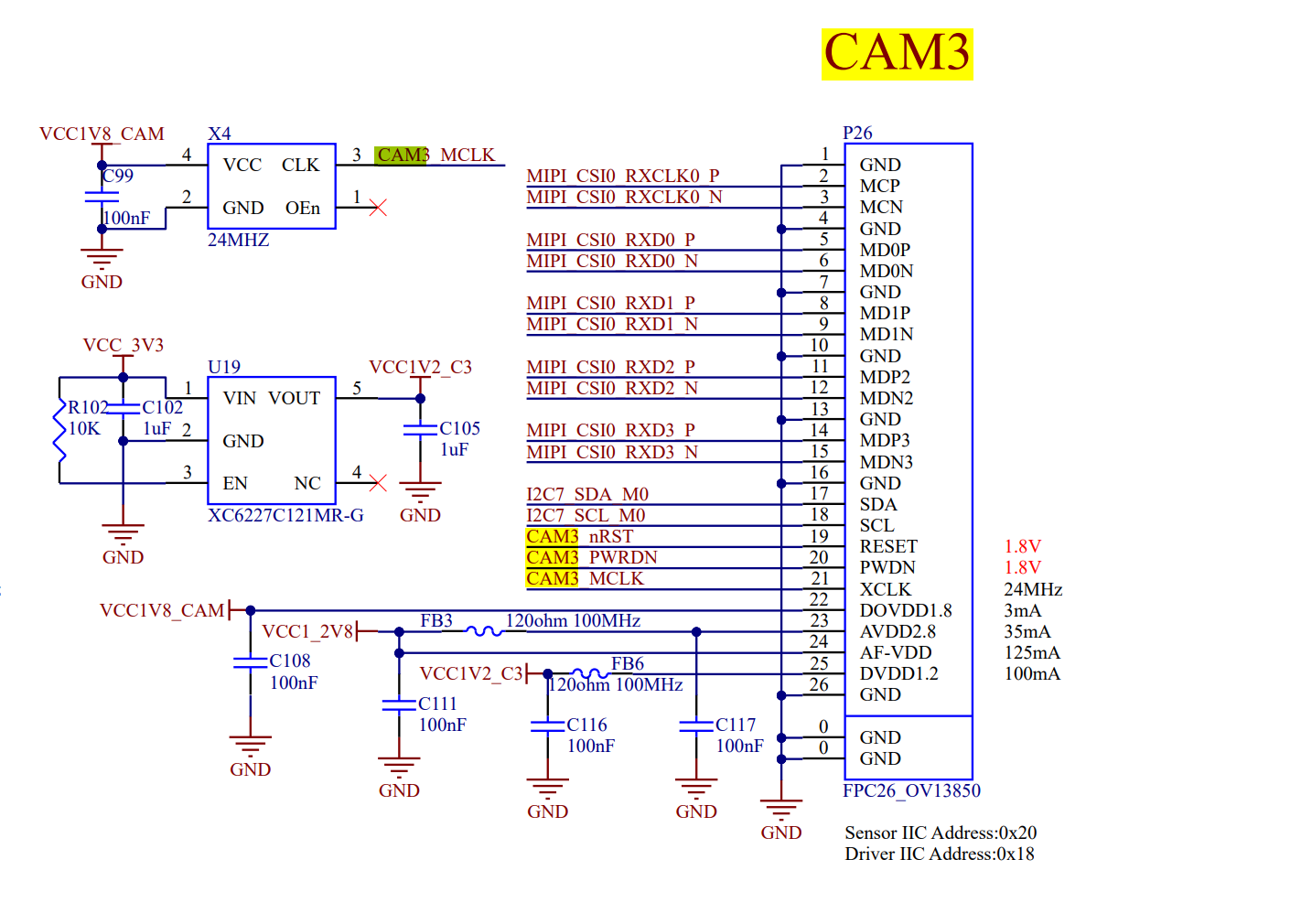
自己画的转接板
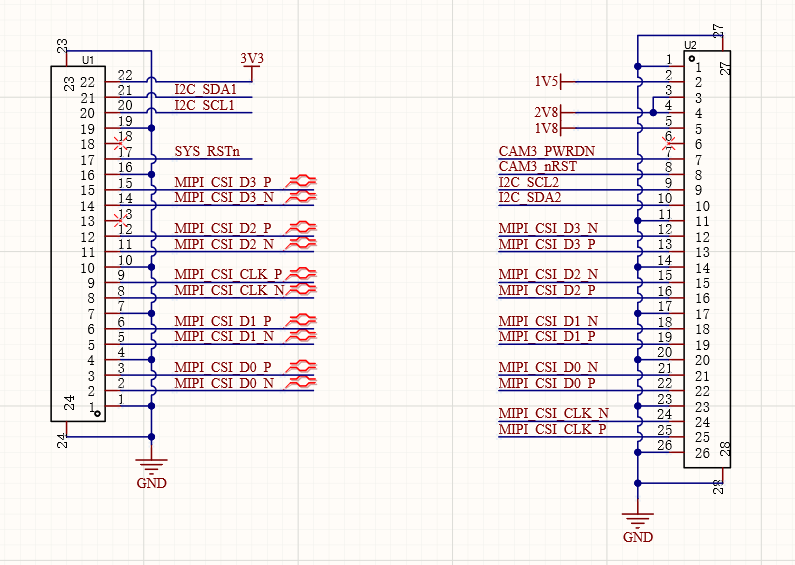
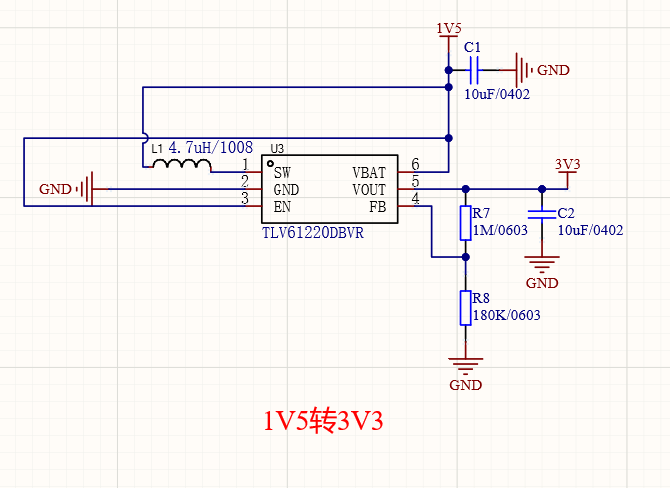 [图片]
[图片]
 [图片]
[图片]
 [图片]
[图片]

Hello! It looks like you're interested in this conversation, but you don't have an account yet.
Getting fed up of having to scroll through the same posts each visit? When you register for an account, you'll always come back to exactly where you were before, and choose to be notified of new replies (either via email, or push notification). You'll also be able to save bookmarks and upvote posts to show your appreciation to other community members.
With your input, this post could be even better 💗
Register Login