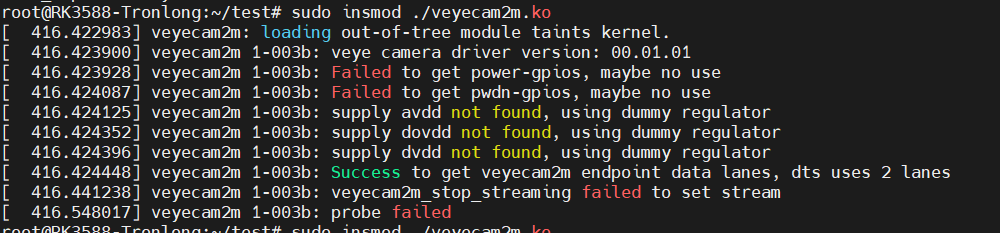
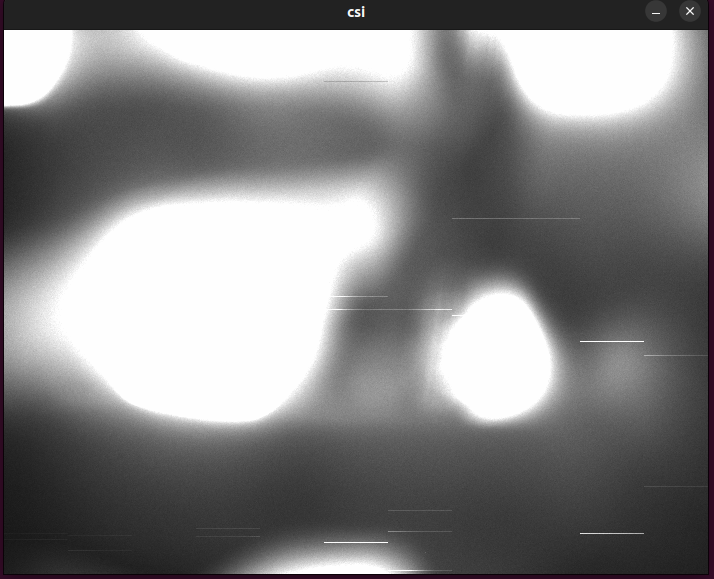
• mv-mipi-imx264m 移植到3588出现错误ERROR: csi size err

    4
    5
    0 Votes
    4 Posts
    3k Views
    veye_xummV
    @goooofy 好的。
  • A603 carrier board - imx265

    4
    1
    0 Votes
    4 Posts
    3k Views
    veye_xummV
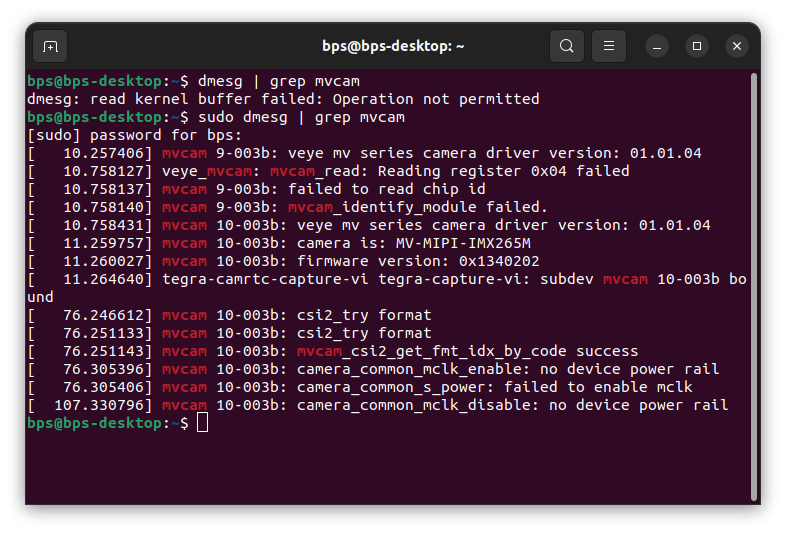
    Your current image is Jetpack 5.1.2 with L4T version r35.4.1. The mvcam driver included in it is relatively old, so the mv_probe.sh script cannot work properly. — For more details, you can refer to the comments at the top of the mv_probe.sh script. [image: 1752745646927-081b1526-6747-417e-af94-d33ffbbc08cb-image.png] In addition, please try running the following script and see if it shows continuous messages indicating that data is being received. If it still fails to receive data, please run sudo dmesg to check whether there are any error messages. export WIDTH=2560 export HEIGHT=1544 export FPS=50 v4l2-ctl --set-ctrl roi_x=0 v4l2-ctl --set-ctrl roi_y=0 v4l2-ctl --set-fmt-video=width=$WIDTH,height=$HEIGHT,pixelformat=GREY v4l2-ctl --set-ctrl frame_rate=$FPS v4l2-ctl --set-fmt-video=width=$WIDTH,height=$HEIGHT,pixelformat=GREY --stream-mmap --stream-count=-1 --stream-to=/dev/null
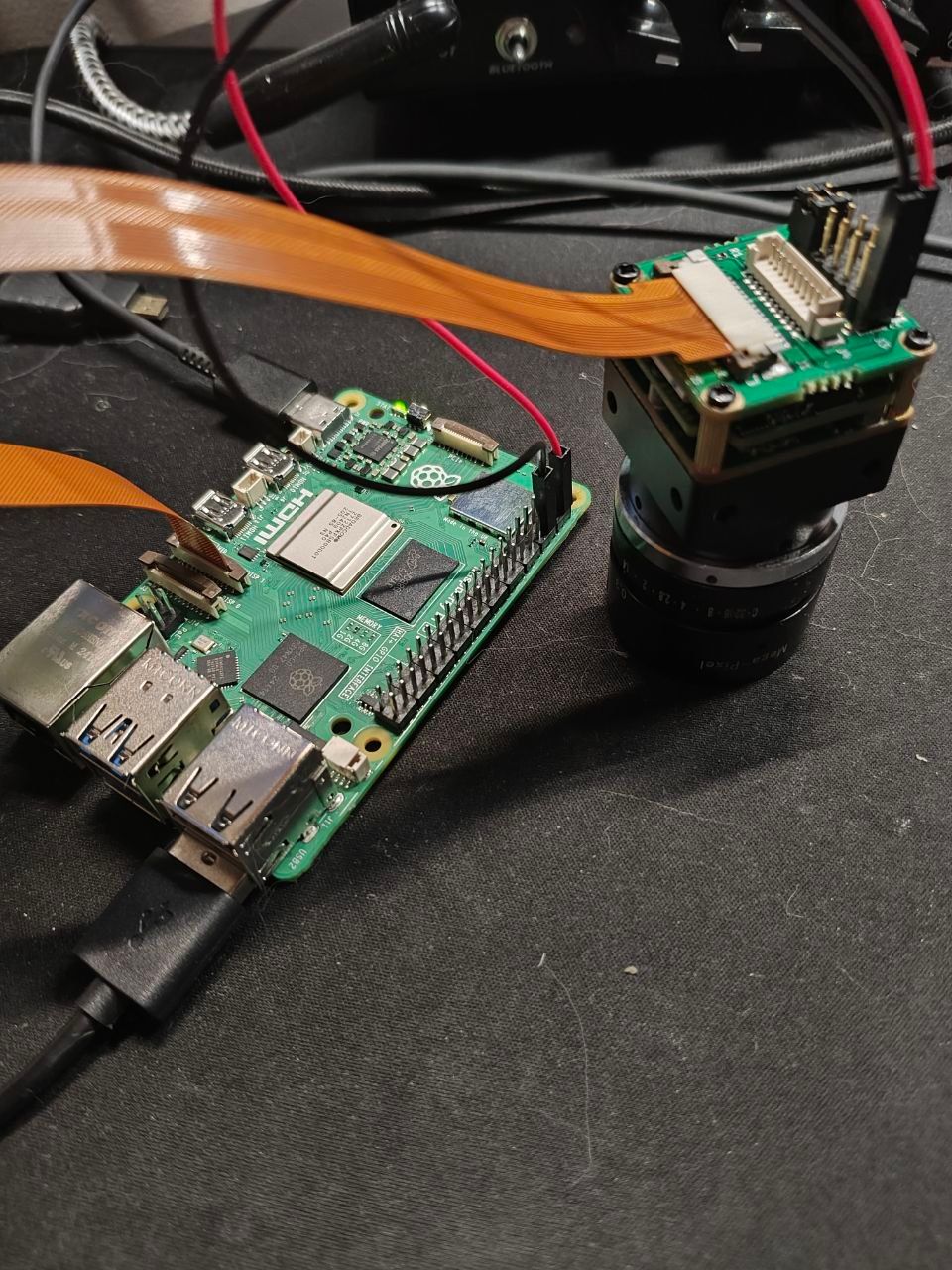
  • 请教IMX287M驱动移植到RX3588的操作

    4
    0 Votes
    4 Posts
    2k Views
    M
    @veye_xumm 这样啊,好的麻烦您了,我再跟公司里沟通一下
  • 相机工作模式的问题

    2
    0 Votes
    2 Posts
    2k Views
    veye_xummV
    @linoooooo 你好,fps参数是可以修改的。但是需要先停止取图。曝光时间是被限制到1/fps的。 你可以先设置合适的fps,然后在范围内进行曝光时间的修改。 在这个脚本中,带星号的命令,都是取图中写保护的。 你也可以参考寄存器清单中的part1.3来理解这个设置规则。
  • IMX287延迟问题

    2
    3
    0 Votes
    2 Posts
    2k Views
    veye_xummV
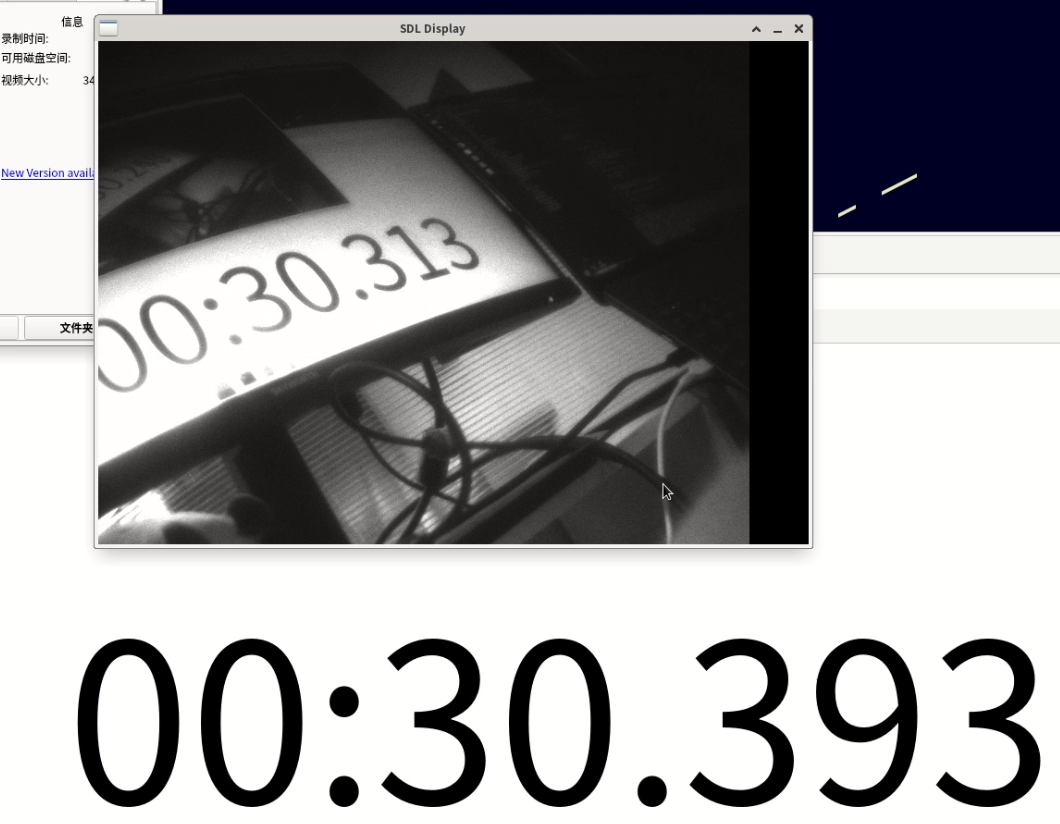
    @linoooooo 你好,我们的相机内部isp流程是没有整帧缓存的,相机本身引入的delay是毫秒之内。 我觉得你这个延时主要是v4l2取图缓存和显示缓存的缘故。不过说实话SDL库我们不太懂,怎样优化需要您自己研究一下。 至于相机采集后,您这边程序直接导入算法的话,延迟肯定要比这种测量方法小的多。
  • RAW-MIPI-SC132, Orin-NX custom carrier-board

    3
    0 Votes
    3 Posts
    3k Views
    veye_xummV
    @otca The camera is now successfully probed, which confirms that both the I2C and the enable pin are functioning correctly. The current issue indicates that the I2C control channel is working, but the MIPI CSI data channel is not. Please verify whether the MIPI CSI interface pin assignment on this carrier board matches that of the official Orin NX development board. The Device Tree Source (DTS) should be adjusted accordingly to match the carrier board.
  • MV-MIPI-IMX264在迅为RK3568上成像内容不正确

    9
    4
    0 Votes
    9 Posts
    6k Views
    veye_xummV
    @阿坎德 你好,有进一步的结果吗?
  • MV-MIPI-IMX264实时预览卡死的情况

    2
    3
    0 Votes
    2 Posts
    2k Views
    veye_xummV
    @阿坎德 看现象感觉是内存泄漏。这个demo现在基本用途上是客户做一下出图验证和聚焦。所以只是个简单的例子。回头我们会安排时间跟进一下。
  • This topic is deleted!

    1
    2
    0 Votes
    1 Posts
    14 Views
    No one has replied
  • AR0234 on Rk3588s is unable to capture image

    4
    0 Votes
    4 Posts
    3k Views
    veye_xummV
    @megan First of all, please go to the following link to update the driver of mvcam. The latest driver will set the lane number in the camera according to the configuration of the DTS. https://github.com/veyeimaging/rk35xx_veye_bsp/tree/main/linux/drivers/kernel_v5.10 Secondly, the DTS needs to be configured according to your RK3588 board, and I can't do it directly for you. You can make analogies and modifications by referring to the DTS of the camera originally supported by your board.
  • raw234摄像头移植到rk3588遇到无法采图问题。

    2
    1
    0 Votes
    2 Posts
    2k Views
    veye_xummV
    @limengfei 可能是dts设置不正确。请根据你的硬件原理图正确设置dts。
  • This topic is deleted!

    1
    0 Votes
    1 Posts
    35 Views
    No one has replied
  • 0 Votes
    29 Posts
    14k Views
    veye_xummV
    @aike 我们对接rk平台的经验中,只有一个厂家的板子遇到了给你这个完全一样的问题,就是用上次帖子中的方法解决的。该问题原因是此板厂提供的linux内核,调用veyecam2m_enum_frame_sizes时没有正确的传入fse->code参数,导致参数验证失败。 如果你这个方法解决不了问题,建议打开驱动中的DEBUG_PRINTK宏定义,查找一下哪个函数返回报错了。 如果只是打开这个宏定义不够,需要你手动在这些函数返回错误的地方增加打印信息,进行查找报错处。
  • 0 Votes
    7 Posts
    3k Views
    veye_xummV
    @mv For third-party carrier boards on the Orin Nano or Orin NX platform, we have indeed encountered issues with MIPI signal transmission quality. There isn't a good solution at the moment, so we recommend switching to an official NVIDIA board.
  • VEYE-MIPI-327E orin/orin nano support

    7
    0 Votes
    7 Posts
    3k Views
    veye_xummV
    @paul-chang 这个只是一个提示信息,不影响驱动加载和后续测试的。 [image: 1733715967227-3f3fb167-a8b9-4a18-b05f-ced9201766d0-image.png] 你可以看看有没有生成/dev/video0,如果没有,看看dtb是不是用对了。
  • 0 Votes
    8 Posts
    3k Views
    veye_xummV
    @jgg You are welcome, will improve the wiki doc.
  • RAW_MIPI_SC535M相机实时帧率获取问题(framecount报错)

    12
    0 Votes
    12 Posts
    4k Views
    veye_xummV
    线下沟通,已解决。 解决方案是,在取图之前,通过system函数直接调用如下脚本: export I2C_BUS=7 export WIDTH=2432 export HEIGHT=500 export FPS=50 v4l2-ctl -d /dev/v4l-subdev2 --set-ctrl roi_x=0 v4l2-ctl -d /dev/v4l-subdev2 --set-ctrl roi_y=548 media-ctl -d /dev/media0 --set-v4l2 '"m00_b_mvcam '"$I2C_BUS"'-003b":0[fmt:Y8_1X8/'"$WIDTH"'x'"$HEIGHT"'@1/'"$FPS"']' 然后再取图。 如果直接用mv_mipi_i2c,sh配置roi,那么相机内的参数直接被修改,这个数值无法实时反映到v4l2驱动层中。造成参数的错乱。
  • This topic is deleted!

    4
    0 Votes
    4 Posts
    2k Views
  • 0 Votes
    3 Posts
    1k Views
    @veye_xumm 好的,感谢,找到了,得用新的链接,我用的是之前旧的链接
  • VEYE_MIPI_IMX462编译raspberrypi_v4l2报错

    4
    2
    0 Votes
    4 Posts
    2k Views
    veye_xummV
    @xmy 编译完之后,按照文档的part3部分,安装驱动就可以了。 https://wiki.veye.cc/index.php/Build_drivers_from_source_for_rpi/zh